
Macadam Bumper
Arcade Game: Pinball · ZX-Spectrum 48K · 1 players · French
ERE Informatique · 1985
_Back.jpg)

_Back.jpg)
.jpg)
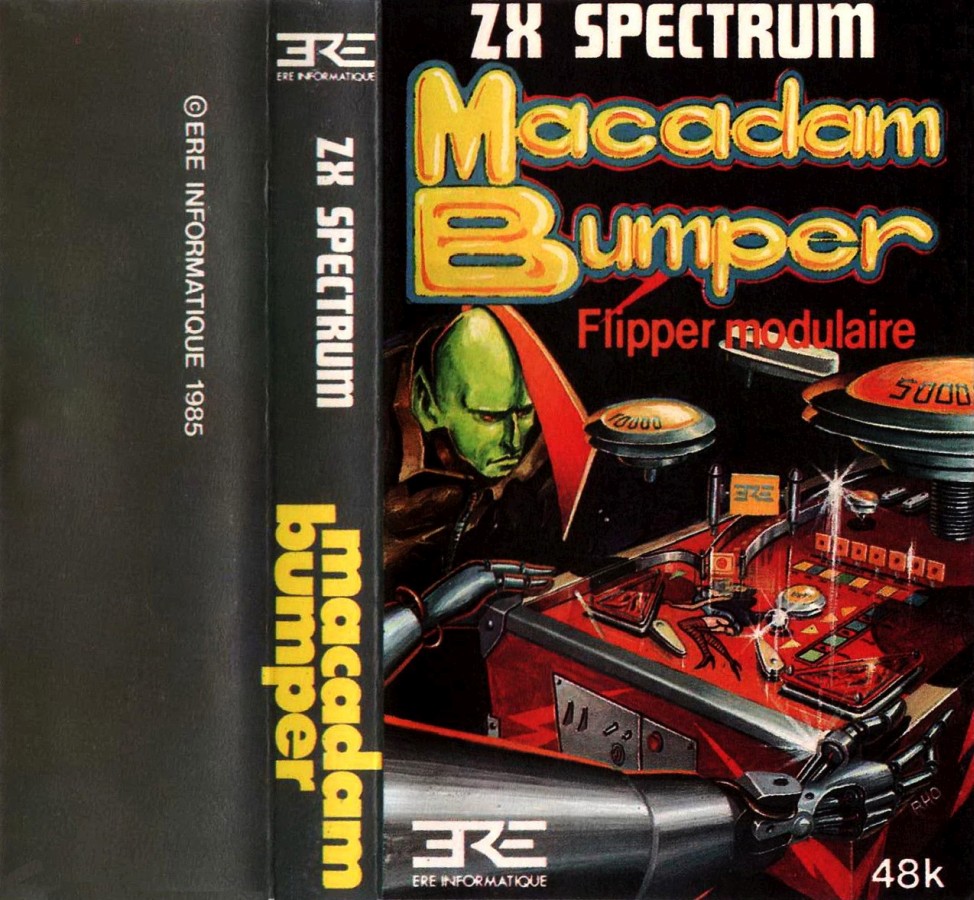
_Front.jpg)
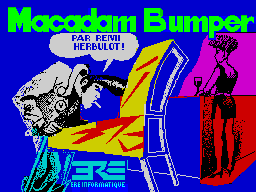
.png)
_SideB.jpg)
_SideA.png)
_Media.jpg)
Discussion
Nobody has started a thread about this yet.
Remarks
Peter Austin is the artist for the Players Software inlay.
- Control Option
- Redefineable keys
Releases
- 1985ERE Informatique
- 1985PSS
- 1990Players SoftwarePound sterling 2.99
- 1991EDOS
Play
- MacadamBumper.tzx.zipTape image French28 KB
- MacadamBumper(EDOS).tzx.zipTape image English29 KB
- MacadamBumper(PSS).tzx.zipTape image English22 KB
- MacadamBumper(different)(PSS).tzx.zipTape image English48 KB
- MacadamBumper(PSS).tap.zipTape image English26 KB
- MacadamBumper(PlayersSoftware).tzx.zipTape image English57 KB
Documents
- MacadamBumper.txtInstructions English3 KB
- MacadamBumper_2.txtInstructions English3 KB
Other files
- Macadam Bumper (1985)(ERE Informatique).pokPOK pokes file 0 KB
Files and rights
No permission is on record either way. Screens and pictures are copied here on a take-down basis: if you hold the rights and want something removed, say so and it goes.
Credits
- Remi Herbulotcredited
- Peter AustinInlay/Poster Art
Sign in to credit somebody, or say what these people did.
Awards
Scores
In the magazines
- Sinclair User #441985 · Overall4/5
- Your Spectrum #201985 · Overall9/10
- ZX Computing #221985 · Overall4/5
- Crash #211985 · Overall87%
- Your Sinclair #571990 · Overall66%
Elsewhere on the web
- WorldOfSpectrum 21 votes6.89
In the magazines 19
Your Sinclair #57Sep 1990 · p.7466%66%
Overall 66%
Rich Pelley 66%
BARGAIN BASEMENT This month, Bargain Basement is brought to you by YS's two (almost) resident heart-throbs (or so they keep telling us) JONATHAN DAVIES and RICH PELLEY. Hoorah! MACADAM BUMPER Players £2.99 Reviewer: Rich Pelley If dodgy pinball sims are your bag, then Macadam Bumper could be just your ticket, cos spookily enough, pinball's exactly what this little trolly's about. Of course, it's all been done before (and with knobs on) but as a pinball sim it serves its purpose, so I suppose we can't complain. This one sneakily pretends to be like the real thing, making you press a key to 'insert a coin' to start and allowing you to cheat by jolting either side of the imaginary table so the ball'll go all wobbly! It's also got this kooky little editor jobby which allows you to design your own layout and things - perfect for whiling away those long, cold, winter nights. Hmmm, but what to say next, eh? Well the game itself isn't that thrilling (ie it's a bit crap to be honest), but designing your own courses and whatnot does liven things up a bit, so if this sort of thing appeals to you, get out your coppers and get buying!
Hmm. Whoever designed this one must be a few points short of an extra ball.
ZX Computing #22Dec 1985 · p.634/55/54/5
Graphics 4/5
Addictiveness 5/5
Overall 4/5
PSS £6.95 It is hard to simulate the old pin table, bumpers, buzzers, bleepers, nudges and all the paraphernalia of the arcade on a home computer. I love pinball tables and have awaited a good computer version for some time. This one is as close as I think it is possible to get, all the usual features are implemented and you can almost feel the balls bouncing around, giving them just that gentle nudge at the right time. Not only is the standard program very playable but there is also the option to design your own pinball table layout and play it. This is a simple matter although to get the best results a little planning is required at first. The screen is split into two, vertically, and the playing area is on the left while a typical pinball picture is on the right. This also shows scores and players turns etc. In design mode this picture is replaced by the graphic components of the table and they are selected and placed on the playing area as required. Once designed and completed you can save your work to tape, you can even send it to PSS as an entry to their competition and win your very own real pinball machine. Not bad. As a pinball program it is very playable, and with the option of making your own designs the life of this program is extended greatly. Get bored, design a new game. I must admit I enjoyed the fact that I didn't keep losing a game when an overenthusiastic nudge would usually produce a 'tilt' message, this feature does not seem to have been included. However I keep getting the annoying feeling that I've cheated in some way...
Your Spectrum #20Nov 1985 · p.51Your Spectrum Rick's Rave Of The Month9/109/10
Your SpectrumYour Spectrum Rick's Rave Of The Month
Overall 9/10
Rick Robson 9/10
JOYSTICK JURY Are you ready for a software siege? It's time for our trusty panel of joystick jurors to line up all the latest and greatest games and put them through their paces! Let Ross Holman, Rick Robson and Dougie Bern lead you to the hottest arcade action around! MACADAM BUMPER PSS £9.95 Rick: WEll, flip me, what a bumper treat for pinball and programming wizards. This is the pinball game in excelsis! But not only that, this game has the facility to let you design your own pin ball table. Mind you, there's nothing wrong with the programmed one. And if you come up with a beaut then PSS will build it and give it to you. If you don't win their competition it'll still provide you with endless permutations of bumpers, bells and ripples. Right from the loading screen this game captures all the thrills of those nights manically flexing your flipper fingers. But there's no seven foot lurch behind you ready to top yer if yer beat his score. Like all the best games its simplicity itself. Six flippers are controlled by two keys. For a little ambience, press C to put your money in. (No bent 10ps allowed). Punch up the number of players you want then release the ball at the pace you like to pin those posts or pot that special. As a simulation its uncanny. The flippers have the deftness and delicacy of the best of the real thing. You can jolt - but gently, or else, of course you tilt. You can catch and hold the ball for precision shooting - or flip as frantically as your reflexes allow. You don't have to be a Tommy to enjoy this - nor, indeed, to have played pinball before. But I bet you'll be deaf, dumb and blind to any other Arcades once you're hooked on this!
These posts count for bonus points after each ball - get as many as possible before going down the tube. Yes the game even includes tilt! You can nudge that ball over just a little, but go too far and... Ooops! Macadam features all those nice bits you get on the 'real' machines including extra balls, bonus points and something mysteriously tagged 'special'. This is the screen that will allow you to design your own Pinball game. If your efforts are judged the best by PSS the you could win a real full-sized machine for your bedroom! The ball's shot out from here and you've total control over the speed it flies out at. It's all done in the press of a button! This game's got more flippers than a school of dolphins. You see, Macadam will let you have as many flippers as you care to cram into the screen. If you get bored with this layout then you can re-design your own. One of the program's most powerful features, that! You position the bumpers and the like, that you want on the play area by simply pressing their letter label. YThe arrow on the object marks the point from which they'll be drawn.
Sinclair User #44Nov 1985 · p.344/54/5
Overall 4/5
John Gilbert 4/5
Publisher: PSS Price: £7.95 Memory: 48K Flick the flippers, flip the floats and tilt onto the triangles as PSS tries to do for computers what Bally and Sega did for pinball machines. Not only can you play a sample game with three pairs of flippers but you can construct your own table using all the traditional components. There are two construction modes. The first will alter the existing table and the second will allow you to start from scratch. When you enter the design phase, the left side of the screen displays each type of component together with a letter of the alphabet. To position a piece on the board just move the cursor to the desired location and press the appropriate letter. Once you have finished your table, you can save it to tape. Alternatively, you can put a coin in the slot, for five balls, set the number of players and press both flipper controls to set the ball in motion. As a pinball wizard in my youth the PSS game had much to prove to me. I was not, however, disappointed and quickly notched up a score of 59,660 - not to be sniffed at. The only thing missing is the dull thud and clack as the steel ball is bounced between wood, plastic and metal.
Crash #21Oct 1985 · p.4885%87%78%65%78%78%87%
Use of Computer 85%
Graphics 87%
Playability 78%
Getting Started 65%
Addictive Qualities 78%
Value For Money 78%
Overall 87%
Unknown
Unknown
Unknown
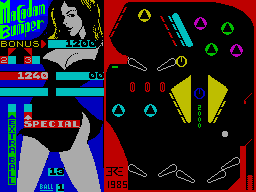
Producer: PSS Memory Required: 48K Retail Price: £7.95 Language: French Machine code Author: R Herbulot Macadam Bumper comes back to back with the Amstrad version, which is an increasing trend nowadays, but the striking thing about this game is that it was written by a French software house. PSS are clearly waking up to this fact and not being a company to wait for the tunnel, they grabbed the UK rights. However, Macadam Bumper is more than just a pinball simulation.... Immediately after loading the game you are presented with a menu screen containing six options. If you've got itchy flipper fingers, you can get straight to playing pinball on the built-in table. Alternatively you can modify a table layout, design a new one, save a design to tape or load a previously created table into the program. If the mood takes you, you can redefine the playing keys before you start playing. In PLAY mode, the table itself occupies just under two thirds of the screen; the rest is taken up with a rather saucy scoreboard the design of which rather inspires the alternative title of 'Madam Bumper' (well, it is French software, after all). To begin play you must insert some money, or rather press the appropriate key a few times. The next pre-game task is to input the number of players any number up to four can join in a game. Now you are set to begin. The ball is fired by holding down the left and right flipper keys together - the longer you hold them down the greater the force applied to the ball. Once the ball is out into the table it's pretty well at the mercy of the bouncers, springs, bumpers and of course you, and your flippers. There is a 'jolt table' facility in the game, which is rare on pinball simulations and allows very realistic play. The simulation is accurate: jolt the table too much and the 'TILT' light comes on and you lose the game. All the bonus features are on the standard table, you know the sort of thing, knock down the whole series of targets and you get a bonus million points or get a ball zipping between two bumpers and you can sit back and watch your score increase by a factor of ten. But when you grow tired of the standard table you are only a key press away from designing one of your own. From the main menu you can enter the DESIGN mode where you can either modify the table layout currently stored in the program or design a table from scratch. In the design mode, the screen displays the table you are working on with a panel of parts in place of the saucy picture. All told there are some seventeen different components including slopes, flippers, bumpers, targets, rollovers and guiding channels. A selection of point values can be allocated to components which affect the score during play. Each component and score value is labelled with a letter next to an arrow. The arrow points to the spot on the component which is placed over the cursor used to select where parts are to be placed on the table. To place a component, all that you need to do is to move the cursor to the required position and press its identifying letter. A draw option allows you to change the shape of any part of the table. Y, G, H and B drive a cursor which draws a line in your specified colour in its wake. Pressing caps shift and symbol shift provides a brush which can paint any object that you choose to move it over, except for the bed of the table which must be of one uniform colour. Once you have settled on a layout you can move onto the page which allows you to alter the characteristics of the table. For example you can change slope and tilt sensitivity, elasticity and the speed of the bumpers. From this page you can also alter the sound output and the rules governing the allocation of bonus points, extra balls and games. When you have finished designing your masterpiece you can save it to tape and start on the next one, and you can always load a previous design back in and try to improve it. When you come up with the perfect pinball layout you might be tempted to send a copy off to PSS to try and win the pinball table they are giving away as part of the inlay promotion. COMMENTS Control keys: playing keys are definable Joystick: not applicable to the game Keyboard play: very good Use of colour: choose your own Graphics: very good Sound: average Skill levels: depends on your design ability Screens: one playing, two for design
MicroHobby issue 201: Tape 25 carries this game and has 2 references of its own.
Review5
- MicroHobby #73Apr 1986 · p.12
- Computer Gamer #7Oct 1985 · p.69
- Popular Computing Weekly #40Oct 1985 · p.12
- Home Computing Weekly #131Sep 1985 · p.16
- Popular Computing Weekly #37Sep 1985 · p.37
News/Note4
- C&VG (Computer & Video Games) #48Oct 1985 · p.13
- ZX Computing #21Oct 1985 · p.12
- Crash #20Sep 1985 · p.21
- Home Computing Weekly #125Aug 1985 · p.5
CompoEntry2
- C&VG (Computer & Video Games) #50Dec 1985 · p.54
- Crash #21Oct 1985 · p.74
Advert1
- Crash #26Mar 1986 · p.77
CompoResult1
- Crash #23Dec 1985 · p.135
Full-page ad1
- Popular Computing Weekly #38Sep 1985 · p.39
Related
- Compilations
- The Complete Home Entertainment Centre, MicroHobby issue 201: Tape 25, The Complete Home Entertainment Centre - 10 Great Games, The Complete Games Centre, Load 'n' Run issue 35, STARS
- Ports
- (Amstrad CPC), (Commodore 64), (MSX), (Thomson MO/TO), (Atari ST)
- Elsewhere
- WikipediaMobyGamesThe TipshopUVL
- Same entry at
- Spectrum ComputingZXInfo
Reviews from people here
Sign in to write about this, or make an account. It takes a minute and lets you correct the catalogue too.
Everything ZXDB can hold about this is here.
Sign in to correct or add to this.
Hold the rights to this and want it taken down?