
Flight Simulation
Game: Flight Simulator · ZX81 16K · 1 players · English
Psion Computers · May 1982
Also known as DC-S Dakota (Dutch), Flug-Simulation (English), Simulador de Voo (Portuguese), The Flight Simulator (English)
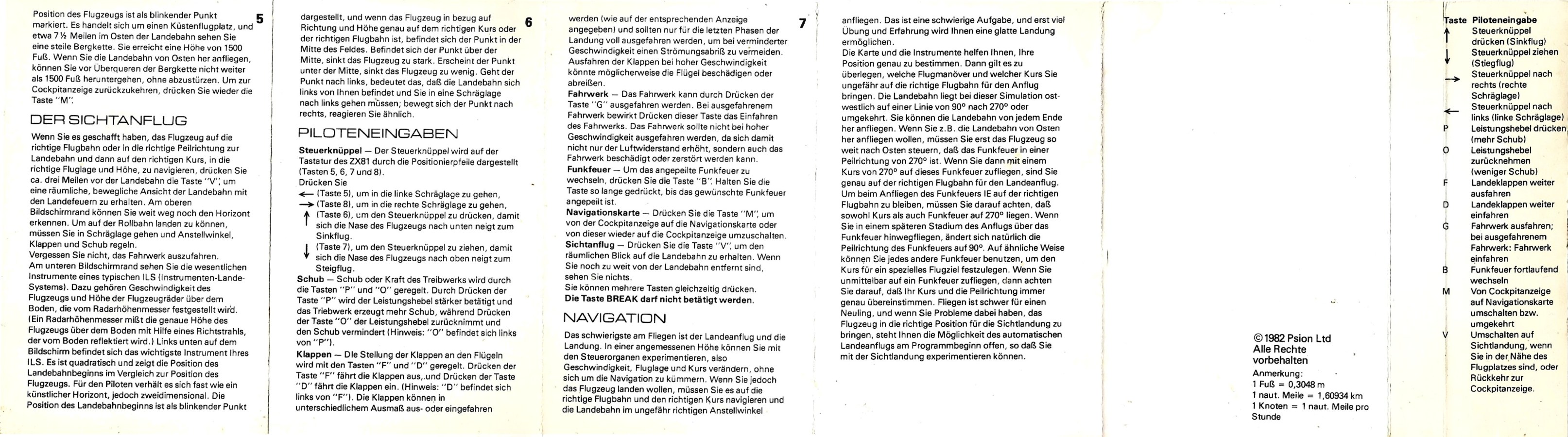
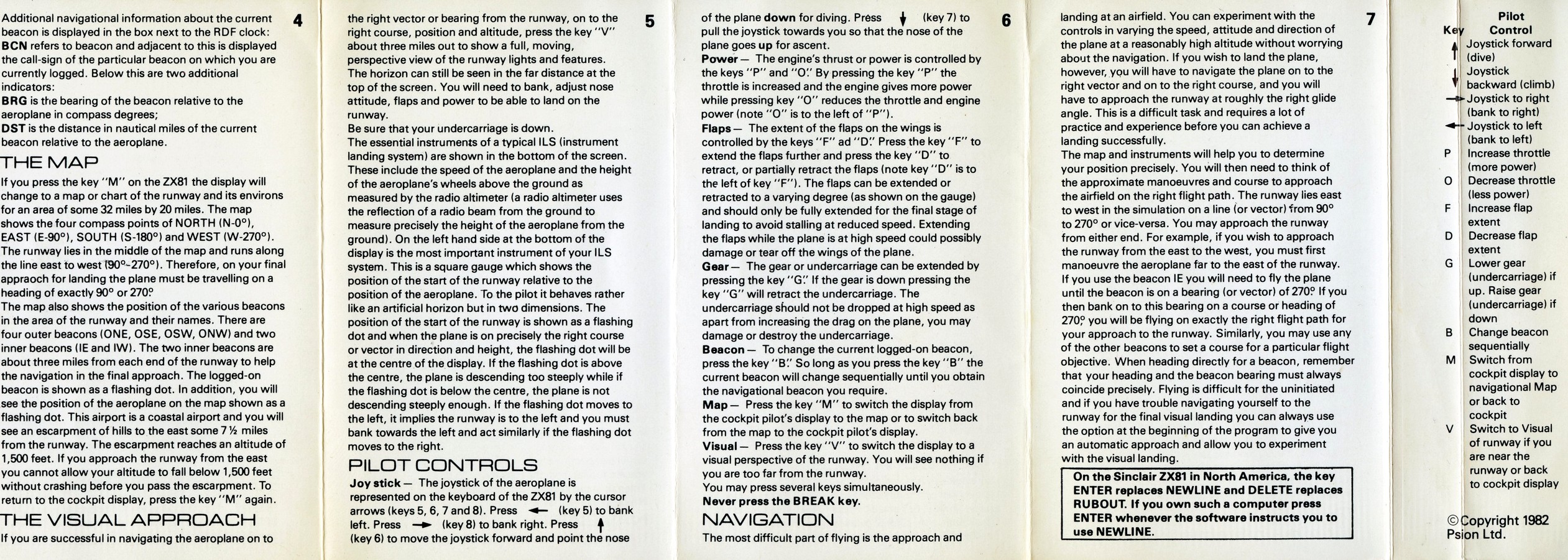
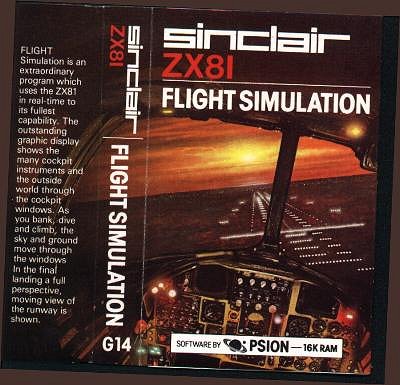
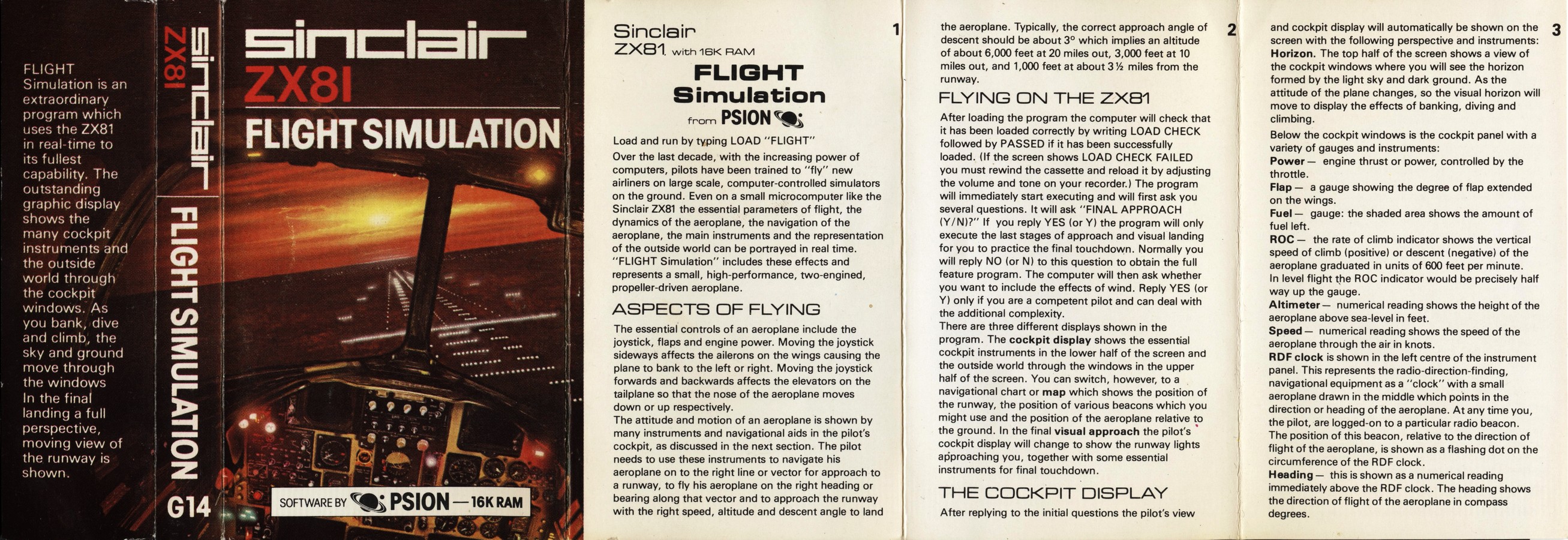
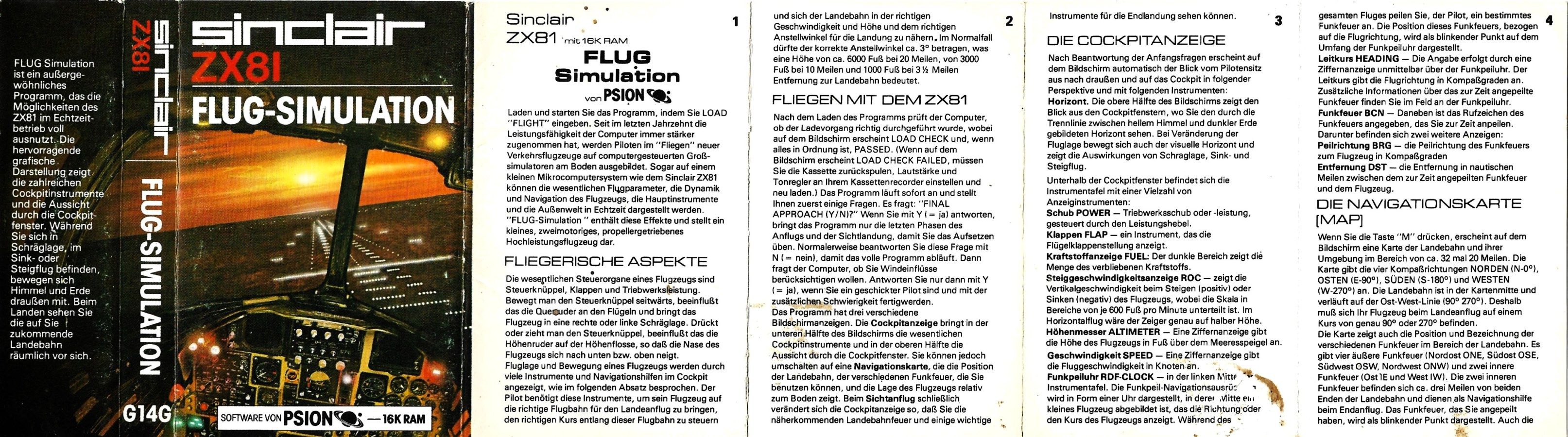
_Scan.jpg)
_Scan_7.jpg)
_Scan_6.jpg)
_Scan_5.jpg)
_Scan_4.jpg)
_Scan_3.jpg)
_Scan_2.jpg)
Discussion
Nobody has started a thread about this yet.
Releases
- May 1982Psion Computers
- 1982Sinclair Research LtdPound sterling 5.95
- 1982Sinclair Research Ltd Sold as Flug-SimulationPound sterling 5.95
- 1982Timex Computer Corporation Sold as The Flight Simulator
- 1983TMX Portugal Ltda Sold as Simulador de Voo
- Unknownpublisher not recorded Sold as DC-S Dakota
Play
- SimuladorDeVoo.p.zipTape image Portuguese7 KB
- FlightSimulation.p.zipTape image English7 KB
- FlightSimulation.tzx.zipTape image English7 KB
- DAKOTA.ZIPZX81 archive file Dutch7 KB
- FLIGHT.ZIPZX81 archive file English7 KB
Files and rights
Timex Computer Corporation granted distribution to all free sites.
- AllowedSinclair Research Ltd → WorldOfSpectrum
- AllowedTimex Computer Corporation → ALL FREE SITES
- AllowedTimex Computer Corporation → WorldOfSpectrum
- AllowedTMX Portugal Ltda → WorldOfSpectrum
Credits
- Psion Software Ltdcredited
Sign in to credit somebody, or say what these people did.
In the magazines 8
Micro Adventurer #10Aug 1984 · p.12
Kevin Bergin
THE WILD BLUE YONDER Kevin Bergin pilots Spectrum and BBC flight simulators. Picture scene: "I say, Biggles old chap, the weather's triff - how about a spin in the old crate, what?" "Sorry to be a bore, Ginger old worm, but I've got a spot of gippy tummy - must have been last night's bubble-and-squeak, don't you know?" "Bad show, Biggles, old fruit. Tell y'what, I think I might just have a quick shufti round the old cabbage patch for the Hun. Be a good fella and load in the jolly old prog, what?" "Right-ho, Ginger tally ho!" Even with a ZX81 Ginger would have had to decide which flight simulator to use. If you own a Spectrum, BBC or Atari micro, the choice is even wider. This review aims to help you pick the best for your flights of fantasy. The good old lo-res, black and white ZX8l is not a machine that springs readily to mind when talking of flight simulators; but it was for this machine that one of the greatest programs yet written was produced. Psion's Flight Simulation was great in the sense that graphics like this had not been seen on the ZX81 before. It was also fun! But don't think that it was easy brilliant machine-coding ensured that Psion's plane, a twin-engined light aircraft, behaved very like the real thing. The view from the cockpit shows the horizon, and as the plane dives, climbs and banks, so the horizon moves in a very realistic way. The instruments in front of the pilot include dials, digital readouts and bar displays; they show such information as speed, height, and fuel, and an artificial horizon as well as a comprehensive navigation system. Several beacons are dotted around the Psion landscape, and these all help the pilot to pinpoint the runway on which he must finally land. OVERSHOT As the plane nears the landing strip, it appears in view. The ZX's low resolution means that the lines of the runway must take the form of white pixels against the black background - but still, disbelief is suspended, so well-presented is the environment. As the plane approaches the runway, the perspective gradually changes, and the ground really does seem to reach up to meet the descending aircraft. It is even possible to overshoot the runway, and swoop round and round the airport, with the lines of the runway remaining coherent all the time. If the pilot has time, there is a further option ask to see a map (press the M key), and the view from the window is replaced by a plan view of the "play" area. This gives you an idea of where the plane is in relation to the runway. The controls are comprehensive; to make the plane bank, dive and climb, the cursor keys are used, and other keys are pressed to raise and lower the landing gear and flaps, apply and release the brakes, adjust the throttle and rotate amongst the beacons to facilitate taking bearings. There is no rudder control, but all in all, the plane flies quite realistically, although it seems very well balanced - set to level flight, it will happily purr away until the fuel runs out. Precision aerobatics are not really possible, though the controls are very responsive when it comes to necessary manouevres. There is a small question about the flaps put them down above a certain speed, and the plane crashes. This wouldn't happen in real-life, of course; similarly, a stall at a safe height is also fatal for the pilot in Psion's program. The ultimate thrill in this program, though, is the final landing. Flight Simulation became the yardstick by which other ZX81 programs were measured (programs of any kind, that is, 'not only flight programs), and other flight simulators had a very hard job to compete. Hewson released its Pilot not long after Psion's program. Written in Basic, it didn't have the smooth responses typical of the earlier program. Rather than the keyboard being scanned, and the display being updated accordingly every nanosecond, Hewson's program works through the routines (this all takes about two seconds) - pumping away furiously at a control key while waiting for the keyboard to wake merely results in over-correction, and another sickening plunge until the thing can be brought under control. No fine-tuning here! Hewson avoids the problems of coding the horizon by setting the whole simulation at night! Thus the range of hills which is such a hazard is not actually seen just felt as you crash into it. As for flying - once the pilot is accustomed to the annoying slowness of input from the keyboard, then the basics can be accomplished. Banking, climbing and diving are possible, as well as a rudimentary rudder control that adjusts the heading by one degree each time it is pressed. There is no map during the flight this time, but there is a "flight profile" at the end (when you've crashed), which shows all the mistakes you have made. When the Spectrum was released, the colour and enhanced graphics capabilities ensured that, sooner or later, flight simulator programs would start to appear. Sure enough, they did! Psion and Hewson both released new versions of their simulators. For the Spectrum Pilot, Hewson again turned to author M Male, and, again, the program was in Basic. The instrument panel (drawn in white on blue) includes a large circular Air Direction Finder (ADF), which is permanently tuned to a ground beacon, and gives an indication of the plan's position relative to the beacon. Other instruments include a large, square Artificial Horizon, and the instrument Landing System which gives an indication of the plane's attitude when landing, so that the pilot has a continual read out of the plane's position on the approach glide path. Readouts, like Airspeed, Heading, Altitude and so on, are in digital form. Again, an end-of-mission map is available for reference. Then Hewson released Niteflite II, taking the place of Pilot. This made better use of colour, with the instrument panel being drawn in several colours (although the Artificial Horizon suffered a little in its resolution), and a rather more stylish "select option" screen. On-screen information was more comprehensive, with detailed readouts on the cloud-base, wind direction and so on. Also among changes for the better was the provision of brakes, taxiing on the runway, a (signed) assessment card of the pilot's performance, and much better instructions, "talking-through" salient points. The major difference, however, was that input had been dramatically speeded-up, so that keyboard input was almost (not quite) immediate - and provision was made for joysticks. There is still, however, no credible feel of flying; stalling, at any height, is immediately fatal, as is putting down the undercarriage or flaps above a certain speed. Psion's new version of Flight Simulation was the first true simulation for the Spectrum. Only three options are offered the user - Final Approach, Takeoff or in Flight. Again, the aircraft in question is a small, high-performance, twin-engined, propeller-driven airplane, and the view is from the cockpit window. Anyone who had seen the ZX81 version would be immediately at home with the Spectrum version - the horizon is now drawn in higher resolution, as is the comprehensive instrument panel. Again, the feeling of actually flying is intense, and the keyboard is immediately responsive to any keypress. The Map is available here, too, but now it is in much more detail and shows two runways: Club is a small airfield with a rather short landing strip, while Main is an international airport with a much longer runway (much easier to land on). Also on the Map are a couple of lakes, and several beacons. These beacons can be used to attempt navigation to any point on the map. While the Map is on screen, the instrument display disappears, making it necessary to switch continually between the two displays while in flight. THRILLING What makes Psion's program so thrilling is that the lakes and runways are seen in true perspective as the plane approaches them. Unfortunately, while the sky is light blue, the ground is a disappointing uniform dark blue, with the lakes in light blue. Aerobatics can be indulged in - looping the loop is quite possible. Put down the landing-gear while in flight, though, or lower the flaps too far, and the plane suffers damage, maybe even fatal damage, as in so many of these micro-based simulators. Try dive-bombing the lakes or runways, however, and you'll swear that you are in a real plane - fantastic! Fighter Pilot, from Digital Integration (written by D K Marshall), is an unashamed tribute to Psion's Flight Simulation. Here is a Map, showing, in this instance, four runways (BASE, TANGO, DELTA and ZULU), and several beacons which flash as they are selected by the pilot here, too, are mountains which must be avoided. Looking out of the cockpit's window shows light blue sky with, this time, a uniform yellow ground (no lakes, though, in DIland). Your aircraft is an F1 Eagle, the USAF air-superiority fighter, with two turbofan Whitney engines, complete with re-heat. Sounds pokey, and it is! Selecting the Takeoff mode (there are several other Modes, and several levels of difficulty), allows you to use the performance to the full. Unlike the other programs we've seen so far, the brakes, realistically, have to be held on rev up to above the red line, brakes off, and away you go, hurtling down the runway and up into the sky in a near-vertical climb. Within a few seconds, you will be travelling at 600-odd knots (maximum speed is 1,440 knots at 60,000 feet, 800 knots at sea level), and you will already be at a height of 25,000 feet or so. What a contrast to Hewson's 80 knots at a puny 100 feet! Throw the F1 about the sky as much as you like - it's extremely difficult to control until a lot of practice is put in, but I imagine that it is a lot like flying the real thing (a Cessna is the closest I've got!). The instrumentation is the most useful of all the programs so far - the Artificial Horizon looks authentic, with instant feedback, and the Roll and Pitch indicator is very useful in fine-tuning the plane's attitude. Navigation is simplicity itself. Select the Map, on which you will find all the salient features of the landscape along with the four landing strips. While the map is on-screen, the instrument panel remains at the bottom of the display; unlike many other simulations, it's perfectly possible to fly on instruments only, thanks to instant and continual updates. Pressing the N key displays the Next beacon you require - it will start flashing on the map, and its bearing is shown, along with your current heading, on the radar screen on your instrument panel. A flashing cross shows the position of this beacon relative to your current heading steer toward the beacon, until the cross swings directly ahead of the little plane on the radar screen. Above the screen is your new heading, and the distance from the beacon. If you are going to land, the instrument Landing System becomes operative within five miles of the runway, and this allows the pilot to fly down the correct approach path to the runway. Though this may sound easy, it isn't - I have to admit that I still haven't effected a successful landing! This program would be a sensation, and a very accurate simulation, but there is much more - on the opening Option Screen, you will notice two selections that don't appear on others in this review. As the plane you fly is a fighter, all this training would be useless if it couldn't be put to some real use, and this is what you get in the Combat modes. In the Combat Training mode, your task is to find the enemy (looking much like a medium bomber) and destroy him. A cross-hair target and a readout of your remaining ammo help you, and the enemy will not fire back. Once you've had enough practice, it's on to the real thing, and this time the enemy will fire back if he has the opportunity. Things develop into a real dog-fight! Enemy planes are not visible until you are within a one-mile range - they will be at around a 5,000 feet altitude, and you must match height and speed in order to fight effectively. The enemy plans are not just there to be shot at, but also to seek and destroy your runways. As you'll need these to refuel and rearm, it is necessary to protect them at all costs. ACCOMPLISHED All in all, Fighter Pilot is a very accomplished program. A superb fighting machine with very sensitive controls, state-of-the-art navigational aids, and a worthy opponent - what more could the Spectrum owner ask of a Flight Simulator? Before we leave the Spectrum, it is worth mentioning another Hewson program Heathrow. This is another simulation, but this time from the point of view of those on the ground. Air Traffic Control would seem to be an ideal candidate for computer control, and this program gives you some idea of what it must be like to juggle with all those incoming Jumbos and Concordes. As with its Flight Simulator, Nightflite, Hewson has elected to cater for both the 16K and 48K Spectrum from within one program, thus making the thing not quite as complex, maybe, as many people would like. However, with the continually updated radar display, and multiple bar-charts showing aircraft headings, altitudes and so on, there is quite enough to digest for me! The instructions are complex, the display is complex - the whole program is a detailed simulation, including radio failure, emergencies, rogue aircraft and so on, and is recommended for the Spectrum-owner who wants to see what havoc may be caused by his stumbling around in other programs. On now to the Atari. Strangely enough, this machine, in every other sphere of "games" programs so much better than the Spectrum, has been poorly served when it comes to Flight Simulators. One of the first came from APX, the Atari Program Exchange, and is a 747 Simulator. Written in Basic by William J Graham, it is poor when, set against the best for the Spectrum. The only option is Final Approach, although the pilot may select Auto-pilot if so, all that remains for him to do is to decrease the engine revs when prompted, in order to keep the aircraft on the correct glide path. Maneuvering is effected by joystick, and as the landing gear is lowered by pushing the stick to the right while pressing the fire button, this immediately sends your airplane off to the right. As little as 10 degrees off-course means that you have a mid-air collision. The instrument panel consists only of digital readouts (no circular dials here), although the runway is shown in a sort of 3D. The sensation of flying is not particularly strong (and maybe isn't in a real Jumbo), and the program is rather more of an intellectual exercise in number-juggling. Like the vast majority of Atari programs, however, the APX Flight Simulator is, for some reason, extremely addictive, and you will find yourself returning to it again and again, as it seems so simple and yet so infuriatingly difficult to beat. The documentation is extensive, and includes a detailed "talk-down", so that even the first-timer has an even chance. SubLogic's Flight Simulator iI, which has been advertised for some time now as being available, will be the most exciting development in Atari flight simulators. Thousands of people are eagerly awaiting the program, on both sides of the Atlantic, and no-one, as far as I am aware, has seen it at the time of writing (June '84). It has achieved fame on the IBM machine as a yardstick of compatibility, and is justly held in high regard. It includes a World War I Air Ace scenario, with dogfights versus the Red Baron! Instrumentation and facilities are comprehensive, and the flying area includes the whole of the United States, with 80 airfields from Los Angeles to New York, user-defined weather and the time of day all making their impression. It will be expensive, but, also, the only "real" Flight Simulator on the Atari. The BBC machine is not one that is favoured with too many Flight Simulators in fact, I have just two to look at this month. The first is 737 Flight Simulator from Salamander. This comes on a cassette which includes a version for tape loading, together with a version which can be saved to disk. The program is in two parts - the first allows the user to select all the parameters, such as designing an airfield, selecting take-off or starting in mid-flight, choosing between daytime and nighttime flight, and so on. After this initial set-up period, the "business" part of the program is loaded, and the pilot finds himself sitting at the end of a runway, looking over the well-appointed instrument panel (everything you need is here and you'll need it). This assumes that the Take-off option has been selected - and a shock is in store! After take-off, the horizon suddenly disappears the cloud base is at 35 feet! MUCK I personally wouldn't want to fly in muck like that, but Salamander gives you no option, so continue we must - and on the way back, you'll find that the clouds have miraculously rolled back to 400 feet. Having struggled into the (very low) cloud, the pilot will obviously not see very much out of the window (a good wheeze, this, which helps programmers out of a tight spot) - instead, the display is replaced by a radar screen. Suddenly, you are now an Air Traffic Controller. Against a blue background, the track of your aircraft is depicted in red, and, flying on instruments only, you must steer your plane into a landing. For some reason, it seemed a lot easier to land the 737 after selecting the Final Approach option, than it was after a cross-country navigation exercise. But the controls are very responsive, despite the fact that only one key at a time is read. So, you won't be able to lower the undercarriage while throttling back, while lowering the flaps. Each task has to be tackled in turn, and the pilot needs to be an ambidextrous octopus in order to negotiate the 20 or so keys that have to be manipulated. However, there is a very helpful "BEEP" option (which may be turned off) which informs the pilot of acceptance of his executive action. The Beep pales into insignificance, though, beside the whine of the engines, which increase in pitch as the throttle is opened, finally reaching the point when nothing short of a strategically-placed pillow mutes the shriek. Looping-the-loop and other interesting pastimes are not available on Salamander's airliner - but those pilots who like watching the instrument panel should have a good time. Now, let's step back to Aviator, from Acornsoft. Let's be charitable, and say that the early releases from this company were "toes in the water" to feel the temperature - the more recent programs show very much more promise. And this is evident in Aviator. Although the memory constraints of the BBC machine, I imagine, mean that the display consists of white "wire" lines, on a black background, the loss of colour is not noticed after a while. The aircraft you are flying now is a World War II Spitfire Mk3. Of all the planes in this War, the Spitfire is the best known today, and to be in the seat of this one is a real change from the Eagles and Jumbos of the other programs here. An excellent manual, complete with detachable map of the countryside, and another sheet showing the keys to use, prepares the user for the experience to come. When the flight starts, the instruments are slowly drawn - no round instruments here, but octagonal - and the view from the cockpit window of the runway stretching before you. Start up and the very realistic sound of a prop engine is heard. Rev up, ease off the brakes, and away. TORQUE The Beeb Spitfire is the most realistic of all the aircraft we have looked at in this review. Nowhere is this more clearly seen than in the first moments, when you, the pilot, are beginning the take-off. Although the Spitfire suffered from tending to drift to the right (as the torque of the spinning propeller pulled the aircraft's nose from the straight-ahead), the slight left rudder that would be necessary in real life is not needed here. As speed increases, the tail gently lifts off the ground, and the "joystick" has to be slowly eased back in order to keep the propeller from digging a nice little trough along the runway. The Spitfire in flight is very responsive, just as in real life. As with most of the other simulators, it takes a great amount of practice before a smooth flight can be undertaken, and, especially in the first few moments of the flight, it can be all too easy to stall the machine, and spin into the ground (it's not a long job, thank goodness, to start again!). One of the main drawbacks with the Spitfire, and one that caught many trainee pilots unawares, was the narrow track of the landing gear - a slight crosswind, causing the Spitfire to "crab" sideways on landing, would place a great strain on the steering characteristics of the landing gear, and easily cause a ground-loop. I haven't had enough practice, yet, to be able to get close to touching down, but I have a feeling that this detail will not be programmed into Aviator. In most other details, however, the BBC Spitfire behaves pretty much like the original - which was a honey, and one of the best aircraft ever built. The landscape consists of several trapezoid shapes, representing fields, and each of a different shape, thus allowing for some sort of recognition as you pass overhead. It's extremely difficult to tell one shape from another, but it is essential to learn how to do it - there are no beacons or other navigational aids in the Spitfire. You can also fly through the streets of a small town or under a bridge. For these various feats, points are scored - more if you can do them upside down. There is the added fillip in Aviator of combat - but not with Messchersmitt 109s. In a weird bit of lateral thinking, Acornsoft has seen fit to pit the Spitfire against strange alien spaceships shaped like elongated triangles. It seems rather incongruous to have to fight these. However, you can behave realistically turn away after firing, and the shells will continue toward the spot originally aimed at. The combat part of this program, though, is not important (no way could anyone play this game as some sort of antique Space Invaders!), while the flying part is - and Aviator is certainly among the best to be seen so far on a microcomputer. FRINGE It is worth mentioning those "fringe" programs that require a certain amount of flying skills. These include, for the Spectrum, Zzoom and Omega Run (both place the player in the cockpit of a rather mystical aircraft - actually a "skimmer" in the case of Zzoom) and Fort Apocalypse and Chopper Rescue for the Atari and Commodore, which require the player to fly a helicopter remotely. Although these programs are nothing like real simulators, they are worth looking at if you get a thrill from handling fast, maneuverable machinery. The Flight Simulators we have looked at here seem to fall into one of two types. There is the "seat-of-the-pants" type, of which Aviator is a prime example, and the "fly-by-instruments" type, such as the APX Simulator and Jumbo Jet Pilot. Programs in the latter category tend to be intellectual exercises in which many details have to be balanced against each other. The feeling of flying is not particularly great, except for any view that you may have through the "cockpit" window. It is this sort of program that tends to place a heavy emphasis, rather unrealistically, on stress limits, so that lowering the undercarriage, for example, above a certain speed will immediately wreck the plane. The other kind of Simulator lets the pilot pay more attention to the actual flying, and allows aerobatics, and also includes a certain leeway in structural limitations. The Spitfire program for the BBC is an extraordinarily accurate simulation, and, incidentally, addictive. The Fl Eagle program, for the Spectrum, is thrilling the pilot can almost feel the kick in his back as the throttle is pushed into the red, and the plane hurtles, at Mach 2, to 50,000 feet in just a minute or so. Which one you prefer, Biggles, must be your decision.
C&VG (Computer & Video Games) #17Mar 1983 · p.138/109/109/10
Getting Started 8/10
Value 9/10
Playability 9/10
Charles Davies
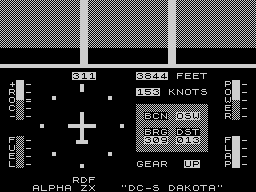
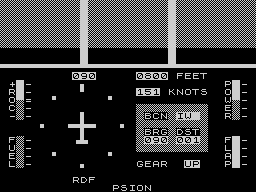
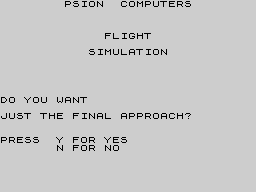
Flight Simulation is one of the best programs I have ever seen for the Sinclair ZX81. After loading, which takes about six minutes, the program runs a check to see if it has loaded correctly. If it has you may proceed, if not, reload. The program places you in the pilot's seat of a twin-engined propeller plane searching for the airport beacons in poor visibility. The game gives you three screen presentations. The view of the horizon as seen from the cockpit. A map of the Mediterranean with landing beacons and the position of your aircraft. Towards your final approach you can also request a visual display of the runway and landing lights. Newcomers to the game can start off by just playing the final approach part of the game. It is a tough test of your skill and it will take you several attempts to touch down safely. More experienced pilots can select a number of extra difficulty features such as 'wind effects' and 'full feature'. When in the cockpit display the top half of the screen shows a view of the cockpit windows where you will see the horizon formed by the sky and the ground. As the altitude of the plane changes, so the visual horizon will move to display the effects of banking, diving and climbing. Flight Simulation runs on a ZX81 and is available from Psion's W. H. Smith outlets for £9.95.
GAMES GLOSSARY If you can tell a Pacman from a Defender and a Galaxian from a Space Invader you probably know your way around computer games. But if some of the game terms we have used in this supplement, or in the issue itself, are new to you, then this page should supply the answers. In it we take some of the best known types of computer game and describe how they are played and what features these games normally incorporate. So, if we claim that Penetrator is a "Scramble-type game" and that leaves you just as much in the dark about what to expect, then below there is a full description of Scramble to put you in the picture. ASTEROIDS The Asteroids came into the arcades courtesy of Atari. It features a small dart-shaped craft controlled by the player which can rotate left or right and thrust or fire in the direction it is facing. There is one further control, the panic button (hyperspace) which lets you travel to another part of the screen chosen by the computer. The enemy is mainly made up of large asteroids which sweep across the screen in large deadly groups of rock. When blown up these break into smaller fragments worth extra points. There is extra danger supplied by two UFOs. The first larger creature you'll meet fairly early on. It tends to spray shots in all directions and often crashes into an asteroid. The smaller variety is far more deadly in its own shooting and also more difficult to hit. Each cleared screen means you start again with extra asteroids. DEFENDER You can't expect to keep a finger on every control button in Defender or you'd end up in knots. The action, which takes place above an alien landscape, involves some seven control buttons and takes patience to gain proper mastery of your lone craft. That patience can be rewarded though, as Defender is challenging from the word "Go". The Defender craft can go: up, down, thrust forward, reverse direction, fire, smart bomb and hyperspace. Ten humanoids wander on the landscape and these may fall prey to raiding alien creatures known as Landers. Landers pick up the humanoids and take them to the top of the screen. If they succeed in getting there the Landers turn into fearsome mutants hellbent on your destruction. In all there are six alien opponents. On top of Landers and Mutants, these are: Pods are quite harmless but contain the small and persistent Swarmers; Bombers seed space with white bombs and Baiters only appear if you take too long clearing a screen of the rest of the aliens. If all 10 humanoids are captured, the planet explodes and all remaining alien life attacks your craft at once. Defender games usually feature a small radar screen which shows what is going on at all parts of the planet surface. FROGGER Frogger has spawned a whole host of computer games with a similar theme. This game features a frog hero who must jump across a road and make his way across a river torrent to five frog-holes in the bank. The busy road usually features live streams of traffic travelling in both directions at varying speeds, between which the player must hop his frog without wrapping it around any fenders. Once across the road, the river can be crossed by leaping onto floating logs and onto the back of swimming turtles, until our frog can enter a vacant spot in the far bank. Turtles have a habit of diving though so don't let a frog dally too long on one. Being carried off the edge of the screen (by log or turtle) also results in a note in the funeral column of Amphibians' Weekly. When all five frog-holes have been filled, the game becomes more difficult with extra traffic being added to the road, snakes traversing the bank between road and river and alligators appearing instead of logs in the river. A timer running down on each frog also adds to the difficulties. The arcade original also featured a small lady frog who could be "picked up" on the logs and offered a lift home for a bonus. Other bonuses can be scored by entering a frog-hole in which a tasty fly meal has come to rest. DONKEY KONG Donkey Kong is the strange name for a climbing and jumping game which features a starlet-grabbing monster gorilla. Often referred to as Crazy Kong or Crazy Climber in the computer circles, it has only just found its way onto the home screen. The game features a gorilla holding a girl captive at the top of the screen and an intrepid hero (Mario the carpenter), who starts at the bottom of the screen. Between the two is a connecting network of platforms and ladders up which Mario must run to achieve his rescue. Kong hurls barrels down the screen and Mario makes use of his "jump" button to leap over them. He can also grab a hammer and smash the barrels as they approach him. Once at the top of the screen a new complex is built with Mario, again starting from the bottom with a view to rescue. This time the screen features a series of conveyor belts and deadly fires which travel around on the ladders and belts. GALAXIANS The Galaxians were the sons of Space Invaders. Instead of proceeding down the screen at a leisurely pace, they wavered at the top of the screen before swooping down in batches of two or three (or more often on a solo mission) firing bombs. The player has the usual left, right and fire controls on his laser base and must take care not to get trapped in a corner. He scores double points for a galaxian hit in mid-swoop and there are bonus points for taking out the red fleet commanders, who usually descend flanked by their generals, dispersing bombs at such a rate that the first instinct is to flee for cover. That is the essence of Galaxians but with each destroyed platoon, new waves appear at screen top and their attacks become more frequent, more accurate and, all too often, more deadly! PACMAN The ghostly world of Pacman is made up of a dot-filled maze, a hungry dot-eater and four pursuing spectres. Pacman variations can be found under a whole range of titles from Vic-men to Gobbleman, Snapper to Super Glooper and many others. Most dot-eating games are related to it. The main character is the dot-eater, which travels around the maze, eating every dot he touches. His objective is to clear the screen of dots. He is hampered in this by the four chasing ghosts whose touch is lethal. The Pacman's main defence against the ghosts, who usually number four, are energiser dots. These pulse in the four corners of the maze and, upon being eaten, reverse the roles for a short while. This means that Pacman can turn the tables on the ghosts and eat them for bonus points. He is allowed only a few seconds of dominance before the usual hunter and hunted rules come back into operation. It is also usual for fruits to appear on the screen occasionally and these too can be consumed by Pacman for bonus points. When Pacman has cleared the screen, it refills with dots and the game restarts except that this time the ghosts are a little livelier and a new fruit, worth extra points, appears at this level. SCRAMBLE Scramble should have a big one-way sign on its cabinet. The screen rolls from right to left, taking the player's craft along it into ever-increasing danger. Scramble variations often contain the word "Mission" or "Attack" but there are some weird and wonderful titles about. The player controls a craft heading right across the screen over hilly terrain His craft can never turn around and opt out of its mission but he does have some control over his destiny. His controls are up and down, fast and slow and he can both bomb and fire at his enemies. The Scrambler is not usually equipped with enough fuel to complete his task, but it is normal to obtain more fuel by bombing fuel tanks on the ground and so (mysteriously) replenish his own stocks. The enemies come in all shapes and sizes. Most common are missiles which fire up from the ground as your craft passes overhead and alien invader creatures which frequently inhabit caves and fly at the player's craft. The original Scramble game sent the player through a series of different terrains with new challenges in each section. And most computer Scrambles attempt to duplicate this with a number of different stages. Scramble requires a cool head which can find the right control in a crisis, but it makes an ideal computer game as success naturally leads to new and more difficult stages. INVADERS Space Invaders started the whole computer game craze back in 1977 and most gamers know the format backwards. Still, just a brief resume... The invaders come in waves above the ground and move in rows across the screen one step at a time, firing missiles earthwards. When one row of the aliens reach an edge of the screen, the whole platoon jump down a line and return back the way they came. When they achieve their slow progression to the bottom of the screen, the game ends. The player controls a laser base which moves left to right and fires directly up from its position. His aim is to blow up the entire fleet before it reaches the bottom of the screen. Flying saucers move across the top of the screen in both directions and can be hit for a mystery bonus score. In the arcade original, top saucer scores of 300 were achieved by firing 22 shots before shooting at the first saucer, then firing 14 shots in between each subsequent saucer. Some computer versions have copied this technique.
REALISTIC TRAINING Commercial flight simulators are used in the training of airline pilots and are now so good that they provide a genuinely realistic simulation of flying in a jet. These simulators use large computer systems and cost anything from a few million pounds upwards, but a more modest range of flight simulation programs for the home computer are now becoming available in the price range £5 to £50! As with all software, paying a higher price will not necessarily buy you a higher quality program. Here are a few features to look for. The most technically difficult component of a flight simulator is the representation of the outside world. This should include at least the horizon and a representation of a runway - any additional features are a bonus. Landing a plane on a runway is the most exciting part of flight simulators and it is important that this part is done as well as possible. Home computers are not capable of displaying a real instrument panel but it is possible to create an impression of a vast number of gauges and dials which give the feel of a real cockpit. Analog displays like gauges and dials in addition to digital displays are more authentic, interesting and easier to read. Landing a plane safety is one of the most difficult tasks the pilot has to perform and this should be accordingly difficult and instructive in a flight simulation. Charles Davies
ZX Computing #3Oct 1982 · p.74
Nick Pearce
ZAP! POW! BOOM! The Psion software company got the big deal that everyone wanted - to become the 'official' Sinclair software supplier, HOW good is their material? Did they deserve the prize? Nick Pearce takes a look. Avid readers of the computer press, and visitors to the ZX81 counters of W H Smith, could hardly have failed to notice the extensive range of software recently released by Sinclair. I decided to look at six of the Psion cassettes. The best of the six is, in my opinion, FLIGHT SIMULATION. This is a superb program which makes very good use of the power and the graphics of the ZX81. You are the pilot of a small, high-performance aeroplane, which must be safely landed. You have a choice of three screen displays. The cockpit display shows the outside world (horizon) in the upper half of the screen, and cockpit instruments in the lower half, including power indicator, altimeter, fuel gauge, rate of climb indicator, air speed indicator and radio direction finding equipment. The map shows the position of the runway, various radio beacons, the aeroplane, and an escarpment of hills to hinder your landing. The third display is the visual approach which shows a full perspective view of the runway lights, together with some essential landing indicators. This display is particularly effective and gives a convincing "pilot eye" view of the runway lights which cope admirably with banking and changes in speed or altitude. The program's instructions are clear and concise. It is well worth getting acquainted with them before flying. I didn't, and consequently landed with the undercarriage up, and then made repeated attempts to land without using flaps, and therefore stalling, on my next few flights. After a little practice, flying becomes easier, and full use can be made of the controls and facilities that were ignored during the panic of the first few flights. An option at the start of the program allows the aspiring aviator to practice and perfect just the final runway approach and landing. If you find flying becomes too easy - which is most unlikely - you can introduce additional complexity by adding wind effects. I have just two criticisms of FLIGHT SIMULATION. I would have liked to try my hand at taking-off, which is not possible with this program; the program permits the pilot to 'cheat' and 'fly' at ground level (zero altimeter reading) on the runway approach. Apart from these points, I could not fault this software. At £5.95 it represents very good value for money. Incidentally, a friend kindly lent me a 12.5K flight simulation on his Tandy computer. In many respects I found the Psion simulation superior; both its visual effects and navigational facilities were more convincing, and it was more user-friendly. The Tandy version does have some additional features, however, including take-off and taxiing, and a wargame facility. SPACE RAIDERS is a ZX81 version of the 'traditional' arcade game SPACE INVADERS in which you defend the earth from successive armies of invaders. You have three lives (bases), and points are awarded for each raider ship hit. RAIDERS may be played at one of three speeds, normal, fast and super-fast, and I was told by an experienced player who had a go that it bears the most similarity to the arcade game when it is played in the superfast mode, which was too fast for me. This program is similar to the many other invaders programs on the market, but has the bonus of a second game, BOMBER, on the B side. In this 'blitz'-type game, you use bombs and rockets in an attempt to raze a skyscraper city to the ground before your plane either crashes, or is knocked out by the blast from one of your own rockets. It is probably impossible to completely obliterate the city. I tried in vain several times at the slowest speed (and there are nine speeds altogether). Not a particularly inspired game, I thought, but one which makes a welcome change from invaders. A nice finishing touch to RAIDERS and BOMBER is the display at the end of each game which gives the score for that game and the highest score so far. In common with the rest of the software in this review, these programs are pretty well idiot proof, and I (even I) could not get either of them to crash. Both these games perform well, and at £3.95 for the two, this cassette is a reasonable buy. Moving on to programs for the more serious user, the Sinclair range includes VU FILE and VU CALC; programs intended for business or household management use. VU FILE is a general purpose filing program. It is the sort of program you could use to catalogue your coin or stamp collection, keep a name and address list of friends, or for business, maintain a membership record for your club or society, or even keep a file record of all your ZX81 software! The program is logically displayed, and easy to use. You start by 'laying out' the record, using headings, titles and graphics symbols. Anything entered during this record layout mode will be shown on each record on the file. You then move to another file, datafields, in which you define the positions on the record where you wish to set the information. Data is entered into the file from the main command mode. As well as ENTER, the other main commands are ALTER, INFORM, FORWARD, BACK, RESET, ORDER, PRINT, COPY, SELECT, QUIT, LIST and DELETE. These provide a comprehensive file handling capability and can be implemented simply by keying m just the first letter of each command. The commands are pretty much self-explanatory, but where there is any difficulty in comprehension, the instructions give a fuller explanation. The top of the screen gives continuous prompts to guide the user through the system. Recorded on the B side of this cassette is an example of an application of VU FILE. It is called GAZETTEER, and is a file of records for every country in the world, giving the name of the country, its capital city, main languages and the like. I made use of GAZETTEER to get a feel for the manipulative and interrogative power of the main program. I was able to select and view any country in the file almost instantaneously; in well under a second. The record to be selected must be correctly defined. For example, the USA is filed as UNITED STATES OF AMERICA, and Russia as USSR. On the command LIST, each record in the file is displayed for about one and a half seconds. By using the commands FORWARD and BACKWARD you can step through the file. RESET sends you to the first record, ORDER defines the particular sequence required, ordering being defined by the leading alphanumeric characters of any of the data fields. INFORM gives information on the status of the file. As an indication of the capacity of VU FILE, the GAZETTEER holds records on 152 countries, and uses 96% of the space available in the program. I think this software might be let down, not by the quality of the program itself (which I thought very high indeed), but by the inconvenience of loading the files from cassette. Few people would be prepared to wait for five minutes or more to load a file to obtain the address of a friend, or colleague. The ZX81 really needs a disc operating system to be used effectively for this sort of work. For business, or perhaps school or hobby use where a cassette can be loaded at the beginning of the day or session, and the ZX81 can remain dedicated for some time, VU FILE on a cassette might be viable, although file space may quickly become a limitation. Although the GAZETTEER effectively demonstrates the power and capacity of VU FILE, and white it clearly has initial novelty value, I think I would prefer to browse through a good atlas to get the kind of information the program contains. VU FILE is, however, a good program, and does all that is claimed for it. The real question, however, is whether it would actually ever be used for all those filing jobs you've always meant to do. The program certainly gave me a better understanding of how computers can be used for organising data, and the power a computer system can offer. The discipline of attempting to catalogue on VU FILE that coin or stamp collection can itself be a worthwhile exercise, whether or not the computer eventually replaces your manual records. VU CALC - a ZX81 version of VISICALC - is a program for calculating and displaying tables of numbers and names. You start with an empty table of 'boxes' in a grid of 26 rows by 36 columns. Only a small part of the table can be displayed at one time, but you can quickly move around the table using the arrow keys. Using simple commands, you can enter data into the boxes, and use formulae to link boxes, rows or columns, so that the computer can quickly calculate a complete table. The power of the program lies in the ease and speed with which the table can be recalculated with altered data or different formulae. There is a facility for saving the program on cassette, together with the completed or partially completed table, and it could easily be used for something like monthly accounting. As an engineer, I was rather disappointed that this program only permits the four basic arIthmetic operations (+ - / *) to be carried out. Many engineering applications would require logarithmic and/or trigonometric functions as well. For this reason, I think VU CALC is more likely to be used as a tool for financial analysis, rather than engineering, scientific or statistical applications. I had some difficulty assimilating the operating techniques required by this program, and I had to persevere to make it work. However, after rereading the instructions and some practice, I found I was able to operate the program quite efficiently. Once the formulae and titles for a particular chart had been developed and entered, it is quite easy to enter the data into the chart from which the complete table can be calculated. Some care needs to be taken in setting up the formulae, and entering data. For example, you must ensure that when operations are carried out, the resulting figures can be displayed without problems in the eight digit boxes. VU CALC could be a useful tool for managing household accounts, although I am not sure it could compete with some of the dedicated financial control programs on the market which are designed for more sophisticated applications. A lot of effort has gone into producing VU CALC, and it works well, again with considerable emphasis on user-friendly aspects. However, I feel its field of application is likely to be limited since it rather lies between two camps. It is neither a proper financial analysis program, nor is it ideally suited for serious use by the engineer or statistician. For some household applications, VU CALC (like VU FILE), could prove a boom. You do need a certain amount of dedication to set up and maintain a computerised system, but the result is likely to be well worth the effort. HAD ANY GOOD FANTASIES LATELY? Finally, on a lighter side, is FANTASY GAMES, which contains two 'adventure' programs. On the A side of the cassette is PERILOUS SWAMP, which Psion recommend you tackle before you take on the more difficult SORCERER'S ISLAND on the B side. When you enter the Perilous Swamp you must rescue a princess who has been captured by an evil wizard, and then return safely. The game starts with a map showing your position, along with that of the princess, and the locations of several swamps in the rescue area. The map, which can be called up at any stage, is different for each game. As you move, prompted by requests for compass directions, monsters and treasures are encountered, and you gain or lose points as you fight or bribe your way onwards. This program has been well written and is quite entertaining. However, it is more of a guessing game than a true adventure program. SORCERER'S ISLAND is a cross between a guessing game like Swamp, and more traditional adventures. You have been marooned on the island from which you must escape. A detailed map can be called up at will, although the screen goes blank for nearly a minute each time you do so. You have a vocabulary of some ten words with which you tell the computer what you want to do. At each turn, your immediate surroundings are shown. Again, these take rather a long time to display. As the game progresses, you are assailed by monsters, tempted by treasures, and have to deal with the other hazards that abound on the island. There is supposed to be a grand sorcerer who can help you escape, but I have to admit I never managed to meet him. Again, an entertaining game, although I did think it was spoilt to some extent by the length of time it took to create the screen displays. FANTASY GAMES costs £4.75. SUMMARY Of the six cassettes I reviewed, I was particularly impressed by FLIGHT SIMULATION. It is a novel and apparently authentic simulation which must have taken considerable effort to compile, and of which Psion should feel proud. All the programs maintained a high standard, and together must represent some of the better software available for the ZX81. The price of each is more than reasonable, with FLIGHT SIMULATION being particularly good value. Each cassette is attractively boxed, and well presented, with clear and concise instructions on the cassette insert card. All the programs loaded first time, an indication of the excellent quality of the recordings. I was interested to see that CRC (cyclic redundancy check) to which each program is subjected on loading. This checks that the program has not corrupted and should give the user some confidence that the program will not crash. It is also used by the manufacturer as a check on recording quality. All the cassettes are for the ZX81 and can be obtained from W H Smith branches, or from Sinclair Research, [redacted].
Cockpit display from FLIGHT SIMULATION
Printout from VU CALC
The cassettes
VU-FILE Gazetteer output
C&VG (Computer & Video Games) #10Aug 1982 · p.15
FROM THE COCKPIT Bank, dive and climb as the Earth travels past beneath your feet - or actually it's on your TV screen which has been transformed into a cockpit window. Flight Simulation is the name of the game which is one of a series of five being produced for Sinclair b y software house, Psion. The simulation places you in a cockpit of an aircraft. The sky and the ground move through this window, and although it hardly bears comparison with the multi-million pound flight simulators which real pilots train on, it does offer some of the excitement and a very real challenge. The tapes are marketed under the Sinclair label and will be available from the company or your local W. H. Smith for ZX81s with a 16K Rampack. Flight Simulation costs £5.95 and the other programs are: Fantasy Games which retails at £4.35 and offers two adventures in a Perilous Swamp and on the Sorceror's Island. Chess costs £6.95 and has six levels of play with a chess clock on which to time yourself. Backgammon, the gamblers' favourite dice game has a graphics board, rolling dice, and doubling dice for £5.95. The Space Invaders look-alike, Space Raiders shares a cassette with the familiar City Bomb type game, Bomber and retails at £3.95.
Advert3
- Sinclair User #6Sep 1982 · p.54
- Sinclair User #5Aug 1982 · p.52
- Sinclair User #4Jul 1982 · p.54
Review1
- Personal Computer World (PCW)Sep 1982 · p.153
Related
- Same entry at
- Spectrum ComputingZXInfo
Reviews from people here
Sign in to write about this, or make an account. It takes a minute and lets you correct the catalogue too.
No description, tag recorded.
Sign in to correct or add to this.
Hold the rights to this and want it taken down?