
Vu-Calc
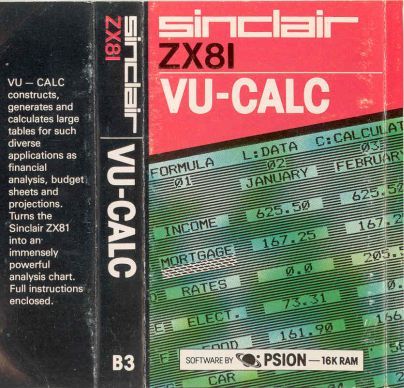
Utility: Spreadsheet · ZX81 16K · 1 players · English
Psion Computers + Sinclair Research Ltd · May 1982
Also known as TS-Calc (Portuguese), VU-CALC (English), VU-CALC (English)
Discussion
Nobody has started a thread about this yet.
Remarks
Well-known spreadsheet program.
Publication
Commercial / Full price
Releases
- May 1982Psion Computers + Sinclair Research Ltd
- 1982Sinclair Research Ltd Sold as VU-CALCPound sterling 7.95
- 1982Timex Computer Corporation Sold as VU-CALC
- 1983TMX Portugal Ltda Sold as TS-Calc
Play
- TS-Calc.p.zipTape image Portuguese3 KB
- VU-CALC.ZIPZX81 archive file English3 KB
Files and rights
Timex Computer Corporation granted distribution to all free sites.
- AllowedSinclair Research Ltd → WorldOfSpectrum
- AllowedTimex Computer Corporation → ALL FREE SITES
- AllowedTimex Computer Corporation → WorldOfSpectrum
- AllowedTMX Portugal Ltda → WorldOfSpectrum
Credits
- Psion Software Ltdcredited
Sign in to credit somebody, or say what these people did.
In the magazines 7
Sinclair User #15Jun 1983 · p.44
John Gilbert
APPLICATIONS FOR THE SINCLAIR AT HOME AND THE OFFICE Why not stop playing games and do something interesting with your computer? John Gilbert assesses the software. Both Sinclair machines can be used for storing data of any kind, such as names and addresses, telephone numbers and even an ever-changing record of appointments. The ZX-81 needs the 16K RAM pack for any kind of data storage and both information and program have to be SAVEd together. That operation can take up to six minutes and is not very reliable. The Business and Household cassette was one of the first packages available from Sinclair for the ZX-81. It contains three programs. One will keep a record of names and addresses, the next will keep a diary of events and the final program will handle all your financial transactions. The first two programs worked well but the Bank Account program on side two took six minutes to load and SAVEing the program back on to tape with the data proved very difficult. The Business and Household cassette may not be very reliable but it is good value at £3.95. One of the best data management systems available for the ZX-81 is The Fast One, from Campbell Systems. It allows the user to set up files of information in any way which suits him. The program will sort and search for specific bits of data and if numbers are being used it is possible to total them. The program is a step forward for the ZX-81 and is very flexible. It will do any kind of filing job, given the limitations of the machine. The Fast One costs £15 and has a comprehensive manual. Spreadsheet programs are an easy way to store numerical data in a format in which it can be used for calculations. The spreadsheet is a matrix, or table, on the screen and any box, or cell, in the table can be addressed by using the letters and numbers which run horizontally and vertically at the sides of the sheet. This type of program can be used to plan the family budget and calculate automatically running totals of family expenditure. That is only one of the many applications for which it can be used in the home. MiCROL produces a spreadsheet program called Matrix Planner. It is easy to use and has a spreadsheet of eight rows by 30 columns. That configuration can be changed by the user through the program variables. Approximately 300 cells can be created in the matrix before all the 16K of memory is used. Sinclair Research markets two programs similar to the Matrix Planner. Vu-Calc is a program which uses the spreadsheet. It has limitless possibilities and can be used for financial modelling, keeping track of bank accounts and even setting-up scientific experiments which rely on number-crunching for their outcome. The second is Vu-file. It is like Vu-Calc but the user can only store information and not perform calculations on data. Both programs are available for the ZX-81 and Spectrum. ZX-81 versions cost £7.95 and Spectrum versions £8.95. The arrival of the Spectrum set software houses the task of writing programs which can use data files separate from the programs. It has opened the way to storing large amounts of data on cassette and, when the Microdrive arrives, on floppy tape. There are several good programs for data storage on the Spectrum but most of them can be used only on the 48K version. The Database from MiCROL is one such program. The files can be split into documents. Those documents are useful in splitting-up topics within the machine. You can give each document a heading, such as tax, income or budget, and you can have several of them in memory at one time. Documents are split further into records, with one record corresponding to each datum. With that system it is possible to do your tax and budgets at the same time, without having to load the computer twice with information. The program can store up to 999 record lines in memory. The Database costs £9.95 and is complete with handbook. The Masterfile program from Campbell Systems is the most comprehensive of the databases available. It is the successor to The Fast One for the ZX-81 and provides fast access to large amounts of information. The user can also model the program to meet specific requirements. Data can be sorted and searched and reports can be compiled using the system. Masterfile costs £15 for the 48K version and £12 for 16K. The spreadsheets which proved so popular with the ZX-81 are starting to creep on to the Spectrum market. The best, so far, are from MiCROL and Microsphere. Both are remarkably similar. The MiCROL version costs £9.95 and provides the basic calculating power of most spreadsheet programs. It is easy to use and can help the business or home user with complicated calculations. Omnicalc is the spreadsheet from Microsphere. It is ideal for someone who has just found the spreadsheet concept but it is also a very powerful tool for anyone who has used one previously. The program seems to work faster than the MICROL spreadsheet and information can be accessed almost immediately. The screen format is easily understandable and very clear for the first-time user. The program contains a help option which lists the commands available through the spreadsheet. Omnicalc costs £9.95. It is complete with a user manual. All-Sort is an interesting utility program for the 48K Spectrum. It enables a user to sort data which has been set up within a home-built program. The data is stored initially in an array and All-Sort can sort up to four of them at once. It can be obtained from Alan Firminger. The program is useful and very fast but at £18 exclusive of VAT it is expensive. Listfile is a program which does exactly what its name suggests. The program allows a user to store lists of data, such as names and addresses, and to access that information very quickly. Data is entered in blocks which can be up to eight lines of 26 characters long. An extra line, called the info line, can be used to index information but that is not printed-out when the printer is used to list the information. Listfile is available for the 16K and 48K Spectrum and can be obtained from G and J Bobker. It costs £10 and has full documentation. Now that the Spectrum has arrived, software manufacturers are beginning to think about software uses other than games on Sinclair machines. The data processing programs could handle many tasks which are centred on the home. Databases, such as the one from MiCROL, are useful for storing textual information, such as a list of favourite records or even knitting patterns. The Microdrive could expand the data processing capabilities of the Spectrum. Information can be accessed more quickly and as a result bigger programs could be stored in memory and data could be fed in bit by bit. The capabilities of the Spectrum could be extended in this way but soon we will have to decide whether it is necessary. Most data processing programs can already deal with more information than the ordinary user needs. It may be proved that that type of application for the Microdrive is a waste of time. Sinclair Research, [redacted]. MiCROL, [redacted]. Campbell Systems, [redacted]. Microsphere Computing Services Ltd, [redacted]. Alan Firminger, [redacted]. G and J Bobker, [redacted].
'There are programs for data storage on the Spectrum but most of them can be used only on the 48K version.'
Sinclair User #8Nov 1982 · p.29
John Gilbert
EASY WAYS OF MINDING YOUR OWN BUSINESS John Gilbert looks at some examples in the growing library of business software. The variety of business software on the market for both ZX computers seems to be almost endless, as well as being confusing. It is difficult for a beginner to decide which program is best for certain applications without becoming too involved with the technicalities of the business world. Business programs should teach the user who is also a beginner, as well as being an aid for the hardened businessman. Hilderbay, run by Mike Salem, produces programs to cover a diverse area of business applications which can be used in the home and at work. Salem stresses that the programs were made as simple as possible to use. One program which would be useful to anybody interested in buying a house, taking a loan, or working-out VAT, is Financial Pack 1. The cassette has three programs on it - Loan, Mortgage and VAT. Mortgage deals with bank and building society. It has two main uses. The first is seeing the effect of small changes in the mortgage rate on payments before deciding to take the mortgage. Second, it is possible to discover how much has to be paid in interest at the end of the month. The program will calculate either the term or the instalment of the mortgage, depending on what information is available at the time. The loan program will compute any of the terms involved in loan repayment - principal, interest, number of instalments - depending on the other factors available. With VAT you may enter prices with or without VAT. The program will display price, VAT totals, and VAT rate. Financial Pack 1 costs £5. Another program from Hilderbay is Budget. The program will help the user to keep track of expenses incurred during the year. It is possible to keep expenses under 50 headings. Information on each item of expenditure can be entered but only the monthly running totals are kept. The program will produce a bar chart of expenditure, budget plan, or difference between the budget plan and expenditure to date. The amount spent can be compared to the budget plan for the month. The program with data can be saved on tape in the usual way. Budget costs £5. Finally from Hilderbay there is Payroll. The program will keep a record of employees and their pay for a small company. Payments can be entered on a weekly or monthly basis. After entering all the employee data and altering anything which needs to be changed, the program will calculate the present payroll. The program includes a security routine which allows only a person who knows the correct code name to enter the program. Investment on the stock market is becoming more and more popular. Micromega has produced a program which will keep track of the user's portfolio of stock and share investments. It is called Comp-U-Share. It monitors the most important factors measuring investment performance. Once the relevant data is entered, it is possible to obtain reports on percentage gain and loss, price-earnings ratio, percentage nett gain or loss, and totals. Records of shares can be indexed with numbers. When initiating a report it is possible to obtain an analysis of only those records which you desire by entering the relevant index numbers. The program stores data files separately so that the user does not have to waste time storing both program and variables every time the program is used. It is also possible to verify the data stored on the tape in the same way as with the Spectrum. The program costs £9.95. Micromega also produces a program to help with income tax. It may not decrease the amount paid but it can make the business of filling-in a tax form simpler. The program will run on both the 1K and 16K versions of the ZX-81. The 1K version is loaded in stages. The Income Tax package is a mock-up of a tax form and a user guide which takes you through the business of filling-in a form with your tax data step by step. The program has been checked by chartered accountants and can be used for the tax year ending April 5, 1982. Income Tax costs £9.95 and there will be a 15 percent discount for updates. Hestcrest provides a program called Accounts which will be of use to anyone preparing accounts from incomplete records. The program is menu-driven and when a client's income and expenses have been entered satisfactorily a profit-and-loss account and balance sheet can be displayed. It costs £17.50. Vu-Calc and Vu-File are two programs which were commissioned by Sinclair Research and produced by Psion. They are easy to use, extremely flexible, and convenient for displaying expenditure at the press of a button. The programs are part of a group of software cassettes sold by W H Smith alongside the ZX-81. Vu-Calc can be used to display such items as income, expenditure and tax in a table displayed on the TV screen. It will also perform calculations on the data displayed from formulae entered to the table. Vu-File can be used to store information such as club membership records, populations around the world, and time-tables. On the other side of the cassette is an example program which has in-store information on every country in the world. Vu-File and Vu-Calc are available for £7.95. All the programs mentioned are for use only on the ZX-81, except those from Hilderbay which are also available for the Spectrum. Almost every business application has been covered during the last year and the quality of it is very high - surprisingly high for such a small machine as the ZX-81. It has been proved that the small system many people thought was of no use for serious applications is far more versatile than they imagined. Hilderbay, [redacted]. Micromega, [redacted]. Hestacrest, [redacted]. Sinclair Research, [redacted].
ZX Computing #3Oct 1982 · p.74
Nick Pearce
ZAP! POW! BOOM! The Psion software company got the big deal that everyone wanted - to become the 'official' Sinclair software supplier, HOW good is their material? Did they deserve the prize? Nick Pearce takes a look. Avid readers of the computer press, and visitors to the ZX81 counters of W H Smith, could hardly have failed to notice the extensive range of software recently released by Sinclair. I decided to look at six of the Psion cassettes. The best of the six is, in my opinion, FLIGHT SIMULATION. This is a superb program which makes very good use of the power and the graphics of the ZX81. You are the pilot of a small, high-performance aeroplane, which must be safely landed. You have a choice of three screen displays. The cockpit display shows the outside world (horizon) in the upper half of the screen, and cockpit instruments in the lower half, including power indicator, altimeter, fuel gauge, rate of climb indicator, air speed indicator and radio direction finding equipment. The map shows the position of the runway, various radio beacons, the aeroplane, and an escarpment of hills to hinder your landing. The third display is the visual approach which shows a full perspective view of the runway lights, together with some essential landing indicators. This display is particularly effective and gives a convincing "pilot eye" view of the runway lights which cope admirably with banking and changes in speed or altitude. The program's instructions are clear and concise. It is well worth getting acquainted with them before flying. I didn't, and consequently landed with the undercarriage up, and then made repeated attempts to land without using flaps, and therefore stalling, on my next few flights. After a little practice, flying becomes easier, and full use can be made of the controls and facilities that were ignored during the panic of the first few flights. An option at the start of the program allows the aspiring aviator to practice and perfect just the final runway approach and landing. If you find flying becomes too easy - which is most unlikely - you can introduce additional complexity by adding wind effects. I have just two criticisms of FLIGHT SIMULATION. I would have liked to try my hand at taking-off, which is not possible with this program; the program permits the pilot to 'cheat' and 'fly' at ground level (zero altimeter reading) on the runway approach. Apart from these points, I could not fault this software. At £5.95 it represents very good value for money. Incidentally, a friend kindly lent me a 12.5K flight simulation on his Tandy computer. In many respects I found the Psion simulation superior; both its visual effects and navigational facilities were more convincing, and it was more user-friendly. The Tandy version does have some additional features, however, including take-off and taxiing, and a wargame facility. SPACE RAIDERS is a ZX81 version of the 'traditional' arcade game SPACE INVADERS in which you defend the earth from successive armies of invaders. You have three lives (bases), and points are awarded for each raider ship hit. RAIDERS may be played at one of three speeds, normal, fast and super-fast, and I was told by an experienced player who had a go that it bears the most similarity to the arcade game when it is played in the superfast mode, which was too fast for me. This program is similar to the many other invaders programs on the market, but has the bonus of a second game, BOMBER, on the B side. In this 'blitz'-type game, you use bombs and rockets in an attempt to raze a skyscraper city to the ground before your plane either crashes, or is knocked out by the blast from one of your own rockets. It is probably impossible to completely obliterate the city. I tried in vain several times at the slowest speed (and there are nine speeds altogether). Not a particularly inspired game, I thought, but one which makes a welcome change from invaders. A nice finishing touch to RAIDERS and BOMBER is the display at the end of each game which gives the score for that game and the highest score so far. In common with the rest of the software in this review, these programs are pretty well idiot proof, and I (even I) could not get either of them to crash. Both these games perform well, and at £3.95 for the two, this cassette is a reasonable buy. Moving on to programs for the more serious user, the Sinclair range includes VU FILE and VU CALC; programs intended for business or household management use. VU FILE is a general purpose filing program. It is the sort of program you could use to catalogue your coin or stamp collection, keep a name and address list of friends, or for business, maintain a membership record for your club or society, or even keep a file record of all your ZX81 software! The program is logically displayed, and easy to use. You start by 'laying out' the record, using headings, titles and graphics symbols. Anything entered during this record layout mode will be shown on each record on the file. You then move to another file, datafields, in which you define the positions on the record where you wish to set the information. Data is entered into the file from the main command mode. As well as ENTER, the other main commands are ALTER, INFORM, FORWARD, BACK, RESET, ORDER, PRINT, COPY, SELECT, QUIT, LIST and DELETE. These provide a comprehensive file handling capability and can be implemented simply by keying m just the first letter of each command. The commands are pretty much self-explanatory, but where there is any difficulty in comprehension, the instructions give a fuller explanation. The top of the screen gives continuous prompts to guide the user through the system. Recorded on the B side of this cassette is an example of an application of VU FILE. It is called GAZETTEER, and is a file of records for every country in the world, giving the name of the country, its capital city, main languages and the like. I made use of GAZETTEER to get a feel for the manipulative and interrogative power of the main program. I was able to select and view any country in the file almost instantaneously; in well under a second. The record to be selected must be correctly defined. For example, the USA is filed as UNITED STATES OF AMERICA, and Russia as USSR. On the command LIST, each record in the file is displayed for about one and a half seconds. By using the commands FORWARD and BACKWARD you can step through the file. RESET sends you to the first record, ORDER defines the particular sequence required, ordering being defined by the leading alphanumeric characters of any of the data fields. INFORM gives information on the status of the file. As an indication of the capacity of VU FILE, the GAZETTEER holds records on 152 countries, and uses 96% of the space available in the program. I think this software might be let down, not by the quality of the program itself (which I thought very high indeed), but by the inconvenience of loading the files from cassette. Few people would be prepared to wait for five minutes or more to load a file to obtain the address of a friend, or colleague. The ZX81 really needs a disc operating system to be used effectively for this sort of work. For business, or perhaps school or hobby use where a cassette can be loaded at the beginning of the day or session, and the ZX81 can remain dedicated for some time, VU FILE on a cassette might be viable, although file space may quickly become a limitation. Although the GAZETTEER effectively demonstrates the power and capacity of VU FILE, and white it clearly has initial novelty value, I think I would prefer to browse through a good atlas to get the kind of information the program contains. VU FILE is, however, a good program, and does all that is claimed for it. The real question, however, is whether it would actually ever be used for all those filing jobs you've always meant to do. The program certainly gave me a better understanding of how computers can be used for organising data, and the power a computer system can offer. The discipline of attempting to catalogue on VU FILE that coin or stamp collection can itself be a worthwhile exercise, whether or not the computer eventually replaces your manual records. VU CALC - a ZX81 version of VISICALC - is a program for calculating and displaying tables of numbers and names. You start with an empty table of 'boxes' in a grid of 26 rows by 36 columns. Only a small part of the table can be displayed at one time, but you can quickly move around the table using the arrow keys. Using simple commands, you can enter data into the boxes, and use formulae to link boxes, rows or columns, so that the computer can quickly calculate a complete table. The power of the program lies in the ease and speed with which the table can be recalculated with altered data or different formulae. There is a facility for saving the program on cassette, together with the completed or partially completed table, and it could easily be used for something like monthly accounting. As an engineer, I was rather disappointed that this program only permits the four basic arIthmetic operations (+ - / *) to be carried out. Many engineering applications would require logarithmic and/or trigonometric functions as well. For this reason, I think VU CALC is more likely to be used as a tool for financial analysis, rather than engineering, scientific or statistical applications. I had some difficulty assimilating the operating techniques required by this program, and I had to persevere to make it work. However, after rereading the instructions and some practice, I found I was able to operate the program quite efficiently. Once the formulae and titles for a particular chart had been developed and entered, it is quite easy to enter the data into the chart from which the complete table can be calculated. Some care needs to be taken in setting up the formulae, and entering data. For example, you must ensure that when operations are carried out, the resulting figures can be displayed without problems in the eight digit boxes. VU CALC could be a useful tool for managing household accounts, although I am not sure it could compete with some of the dedicated financial control programs on the market which are designed for more sophisticated applications. A lot of effort has gone into producing VU CALC, and it works well, again with considerable emphasis on user-friendly aspects. However, I feel its field of application is likely to be limited since it rather lies between two camps. It is neither a proper financial analysis program, nor is it ideally suited for serious use by the engineer or statistician. For some household applications, VU CALC (like VU FILE), could prove a boom. You do need a certain amount of dedication to set up and maintain a computerised system, but the result is likely to be well worth the effort. HAD ANY GOOD FANTASIES LATELY? Finally, on a lighter side, is FANTASY GAMES, which contains two 'adventure' programs. On the A side of the cassette is PERILOUS SWAMP, which Psion recommend you tackle before you take on the more difficult SORCERER'S ISLAND on the B side. When you enter the Perilous Swamp you must rescue a princess who has been captured by an evil wizard, and then return safely. The game starts with a map showing your position, along with that of the princess, and the locations of several swamps in the rescue area. The map, which can be called up at any stage, is different for each game. As you move, prompted by requests for compass directions, monsters and treasures are encountered, and you gain or lose points as you fight or bribe your way onwards. This program has been well written and is quite entertaining. However, it is more of a guessing game than a true adventure program. SORCERER'S ISLAND is a cross between a guessing game like Swamp, and more traditional adventures. You have been marooned on the island from which you must escape. A detailed map can be called up at will, although the screen goes blank for nearly a minute each time you do so. You have a vocabulary of some ten words with which you tell the computer what you want to do. At each turn, your immediate surroundings are shown. Again, these take rather a long time to display. As the game progresses, you are assailed by monsters, tempted by treasures, and have to deal with the other hazards that abound on the island. There is supposed to be a grand sorcerer who can help you escape, but I have to admit I never managed to meet him. Again, an entertaining game, although I did think it was spoilt to some extent by the length of time it took to create the screen displays. FANTASY GAMES costs £4.75. SUMMARY Of the six cassettes I reviewed, I was particularly impressed by FLIGHT SIMULATION. It is a novel and apparently authentic simulation which must have taken considerable effort to compile, and of which Psion should feel proud. All the programs maintained a high standard, and together must represent some of the better software available for the ZX81. The price of each is more than reasonable, with FLIGHT SIMULATION being particularly good value. Each cassette is attractively boxed, and well presented, with clear and concise instructions on the cassette insert card. All the programs loaded first time, an indication of the excellent quality of the recordings. I was interested to see that CRC (cyclic redundancy check) to which each program is subjected on loading. This checks that the program has not corrupted and should give the user some confidence that the program will not crash. It is also used by the manufacturer as a check on recording quality. All the cassettes are for the ZX81 and can be obtained from W H Smith branches, or from Sinclair Research, [redacted].
Cockpit display from FLIGHT SIMULATION
Printout from VU CALC
The cassettes
VU-FILE Gazetteer output
Advert3
- Sinclair User #6Sep 1982 · p.55
- Sinclair User #5Aug 1982 · p.53
- Sinclair User #4Jul 1982 · p.55
Review1
- Sinclair User #8Nov 1982 · p.30
Related
- Elsewhere
- ZX81 StuffZX81 Stuff
- Same entry at
- Spectrum ComputingZXInfo
Reviews from people here
Sign in to write about this, or make an account. It takes a minute and lets you correct the catalogue too.
No tag recorded.
Sign in to correct or add to this.
Hold the rights to this and want it taken down?