
High Resolution
· ZX81 16K · 1 players
CRL Group PLC · 1983
Discussion
Nobody has started a thread about this yet.
Play
- HighResolution.tzx.zipTape image English2 KB
Documents
- HighResolution(EN).pdfInstructions English1,454 KB
Files and rights
Distribution permission is on record, granted to another archive rather than to this one. Screens and pictures are copied here; everything else links to the archive that holds it.
- AllowedCRL Group PLC → WorldOfSpectrum
Credits
- R. Taylorcredited
Sign in to credit somebody, or say what these people did.
Scores
In the magazines
- Personal Computer News #61983 · Overall Value3/5
- Sinclair User #281984 · Gilbert Factor6/10
In the magazines 3
Sinclair User #28Jul 1984 · p.456/10
Gilbert Factor 6/10
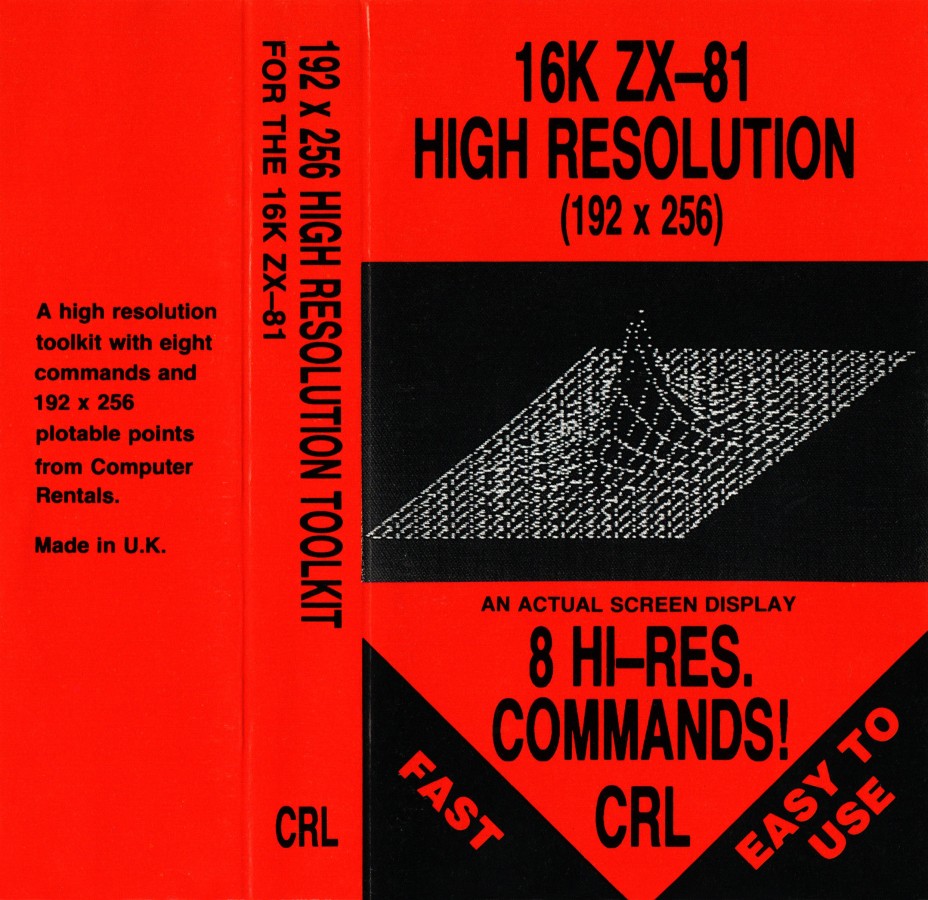
PICK OF THE PAC Space and maze madness on the ZX-81 High Resolution Graphics Memory: 16K Price: £5.95 Galaxians Memory: 16K Price: £3.95 Gloops Memory: 16K Price: £3.95 Damper Memory: 16K Price: £3.95 Glooper Memory: 16K Price: £3.95 Gilbert Factor: 7 One of the major disadvantages of the ZX-81 is that the graphics, if you can call them that, are very low in resolution, being made up of black blocks which can be PRINTed or POKEd on to the screen. Computer Rentals Ltd has circumvented the problem by producing a 16K high-resolution package which will give a screen display on a grid of 192 X 256 pixels. It can be POKEd into action from a Basic program. All the usual Spectrum graphics are available, in black-and-white format, including circles, line and arcs. It is also possible to make your own user-defined graphics of objeCts such as space invaders, pac-men, or even foreign alphabets. Although the utility can produce some incredible pictures, there are disadvantages. If you intend to draw complex designs using mathematical formulae which include sine and cosine, you will find that the computer takes about 20 minutes to complete the graphics in FAST mode. You will have to tolerate the grey screen for a considerable time. It does not take quite so long to draw a few lines and circles but it certainly takes longer than its big brother, the Spectrum. One of the major shortcomings of the package is the pocket-sized manual which attempts to explain all the features of the utility in a short space. The booklet seems to have been written by a programmer, or by a person who has taken for granted that the user will know about the computer and its memory map. Such an assumption is dangerous and leaves new users rushing for books on machine code or, at least, a book on POKEing. High-Resolution Graphics can be obtained from most branches of John Menzies and W H Smith. Although Quicksilva is not producing new ZX-81 arcade games, the company still has some top-ranking games in its range. Galaxians and Gloops are two games on one cassette, one of them an old arcade favourite and the other an old favourite under a new name. Galaxians involves a flock of alien birds which take turns to swoop down the screen at your laser base and fire death-dealing energy bolts. The screen display is not so awe-inspiring as other versions of the game. For inStance, the birds do not swoop with wings at an angle - they just drop down, like Vs, from their positions in the flock. The game is difficult to play, even though you can alter the way in which the aliens attack. It is possible to change the number of Galaxians which swoop at you and also the number of aliens. You can also change the number of salvos which are fired at you. Even at the lowest settings the game can become irritatingly difficult and addictive. At the highest level only the best arcade player will survive for any length of time. The other game on the cassette is Gloops. It is difficult to know why Quicksilva decided to use that name but the program is an average version of Pac-man. The only differences between Gloops and the original Pac-man is that the maze layout can be changed by the player and the speed of the ghosts can also be set. Unfortunately the instructions are vague as to the scale at which the speed is set, so if you type zero the ghosts will react quickly and if you type nine the ghosts will be slow. Gloops is one of the fastest versions of Pac-man on the ZX-81, even if it is not the best graphically. It can be obtained from Quicksilva or from W H Smith. Another Quicksilva double-game cassette is Damper and Glooper, both for the 16K machine. Damper is a game in which you take the part of a droid who must turn off the power on a grid before the leeches damage the power cables. Your character travels round the power lines and when you have been around the square, that square is filled and the power will be turned off. To reach the next level you must turn off the power in all the squares. By chasing round the squares you can attack the leeches. If, on the other hand, you are touched by one of them they will electrocute you and a life will be lost. The game does not need high-resolution graphics to be effective as it uses thick lines on the screen. The special effects when your damper is electrocuted give the game a professional finish. Glooper is another version of Pac-man which looks like a car, and the ghosts, which look like little racing cars, chase after it. As usual, the aim is to evade the ghosts and eat the power pills. Glooper is more innovative and attractive as a version of Pac-man than Gloops. It uses the whole screen to display the maze, rather than just a portion in the middle. The two games look sufficiently different from each other to justify a company putting both in its range but the concepts are too close for comfort. All Quicksilva ZX-81 games are worth buying, although they lack features which would have been helpful. For instance, it might have been a good idea to put in an option to redefine what can be used during play on all the games. If that had been the case the games would have been easier to play, by left- and right-handed people, and also much more user-friendly.
ZX Computing #8Aug 1983 · p.86
Nick Pearce
THE GRAPHICS SOLUTION Nick Pearce looks at a couple of ways to get high resolution graphics on your ZX81. Owners of the ZX Spectrum will already be familiar with the delights of high resolution graphics. However, ZX81 owners (excepting those with the necessary hardware add-ons) have hitherto been denied that facility, although the excellent results sometimes obtained by enterprising programmers belie the limited graphics set available. High Resolution is a piece of software which goes some way towards remedying this deficiency enabling 256 by 192 resolution displays to be constructed. User-defined characters (lower case alphabet, chess pieces, space invaders, etc) and smooth curves are available using this software on your trusty ZX81 and 16K RAM Pack. The cassette contains three programs: the high resolution toolkit itself, and two demonstration programs. Toolkit is held in a REM statement and occupies about 0.75K of RAM. The Hi-res display file is about eight times as large as normal and is held above RAM-top, which must be lowered with the appropriate POKE command before LOADing - easily forgotten as I found to my cost! The displays are generated using eight commands obtained through USR calls. The PRINT command prints in mini-characters; these are the same width (eight pixels) but one eighth the height of normal ZX81 characters and can be any one of 128 dot patterns. (For truly addressable graphics there would need to be 256 dot patterns, but the 128 available should be adequate for most practical purposes.) For Hi-res printing the screen is divided into 32 columns and 192 lines, and the procedure is to POKE the column number, line number and mini-character code into assigned memory locations from which they can be printed onto the screen. The method is a little tedious (it is particularly frustrating trying to find the right dot pattern for the required characters) but the results are worth the effort. Hi-res characters can be moved around the screen and so games featuring high resolution graphics are possible (movement is slow in BASIC, but could obviously be speeded up using machine code). The PLOT command gives access to the complete 256 by 192 pixels. Plotting is obtained in a similar fashion to printing; the column and line coordinates are POKEd, followed by a USR call to plot the screen pixel. An instruction booklet is included with the package. This explains the various Hi-res commands and lists the mini-characters available and their codes - it also gives some examples of how high resolution graphics can be used and incorporated in BASIC programs. I felt the booklet could have been more comprehensive; the inexperienced programmer may find it a little inadequate. I did not find the High Resolution package a particularly easy program to use, relying as it does on POKE commands and USR cells. However, experienced machine code buffs should not have any difficulty using it effectively. Computer Rentals are to be congratulated for producing this high resolution software for the ZX81. Not perfect, but a commendable achievement. High Resolution is priced at £5.95 from Computer Rentals. [redacted]. G007 HIGH RESOLUTION GRAPHICS PACK - NOTTINGDALE TECHNOLOGY CENTR Th G007 Is a very powerful piece of hardware for the ZX81. It provides true high resolution graphics which, together with a comprehensive range of graphics commands, gives features usually found only on quite advanced machines - such as line drawing and textured area filling. The G007 commands are easy to use and have been achieved by extending the functions of some of the normal BASIC statements. Particularly versatile is the new PLOT command which is in the form PLOT n,x,y. The coordinates x and y specify a position on the 256 by 192 Hi-res screen; n is a new parameter which is used to select any one of the 115 separate functions. PLOT ON... To give an idea of the procedure and the facilities available, some examples are: PLOT 34,x,y draws a coarse dotted line from the previous plot position to co-ordinates x,y; PLOT 102,x,y draws a chain dotted line to coordinates x,y relative to the previous plot position; and PLOT 42,x,y fills the triangle between x,y and the two previous plot positions in black. User-defined characters are also easily obtained. The G007 allows the 32 characters of the ZX81 from inverse 4 to inverse Z to be readily re-defined (the old inverse video characters can still be obtained since the Hi-res print mode allows characters to be printed in inverse video). To re-define a character, the eight binary numbers representing each row of eight pixels have to be worked out; these are then POKEd into the appropriate locations in the 'character table' in RAM. The normal low resolution mode of the ZX81 is still available with the G007 in use, and the ZX81 may be freely switched between the two modes without losing the contents of either. The Hi-res display file takes about 6.4K of RAM. The Hi-res display can be copied onto the printer, and programs and displays can be SAVEd on cassette. The unit comes with a comprehensive and very well, written manual which also gives a number of example programs. The G007 itself comes in an attractive black plastic case measuring about 17cm by 3am by 6.5cm and is contoured to fit snugly between the ZX81 and the 16K RAM Pack. POWERFUL This is a very powerful high resolution graphics pack. The commands have been well thought out and it is a pleasure to use. Once you have used it for a few programs you will wonder how you ever managed without it. The problem for the ZX81 owner is considering hardware of this sort is whether to expand or to upgrade to obtain the desired facilities. Those who select the former option should find the G007 an excellent investment. The G007 High Resolution Graphics Pack costs £32 excluding VAT (plus 75 pence P&P) from Notting Dale Technology Centre Ltd. TFL (ZX81), [redacted].
Personal Computer News #6Apr 1983 · p.282/54/53/53/53/53/53/5
Features 2/5
Documentation 4/5
Performance 3/5
Useability 3/5
Reliability 3/5
Overall Value 3/5
Ted Ball 3/5
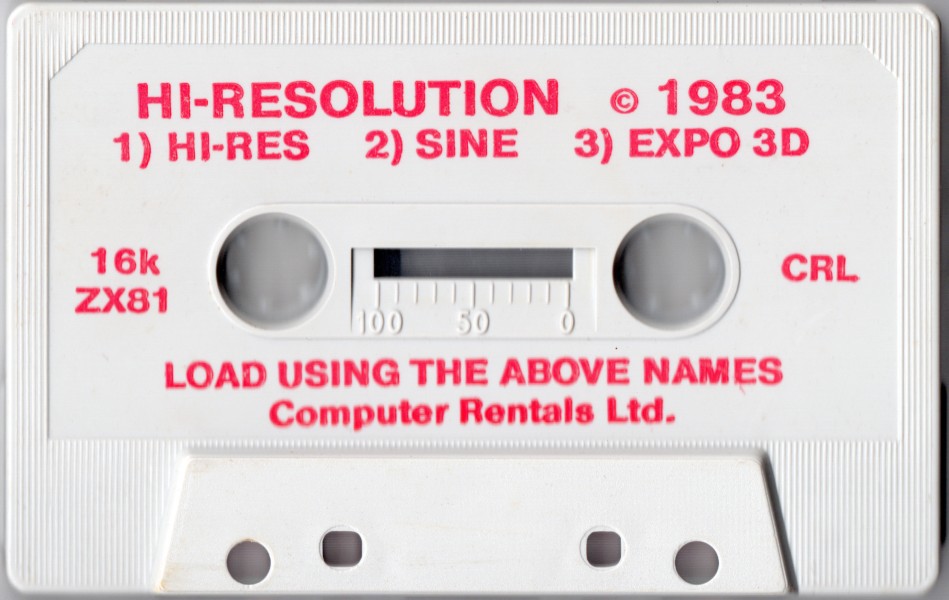
NAME: High Resolution APPLICATION: High resolution graphics SYSTEM: ZX81 with 16K RAM PUBLISHER: Computer Rentals FORMAT: Cassette LANGUAGE: Machine code HI-RES TAPED FOR ZX81 Ted Ball tries a cassette which - for the programming orientated user - peps up the pixels. The standard ZX81 screen, with 32x22 characters or 64 x 44 pixels, does not allow sophisticated graphics. However. with Computer Rentals' High Resolution tape you can now get 256x192 individually plottable points on the screen. The high definition is produced entirely by software and needs no extra hardware except a 16K RAM pack. FEATURES High Resolution sets up an extra display file using 6K of memory to hold the graphics. The program provides eight commands which you can use in your own Basic programs with statements of the form LET ZZZ = USR address. These commands allow you to clear the high resolution screen, invert the screen (changing black to white and vice versa), display the normal screen, save a display file on tape and load it back, print a 'mini-character' of eight dots, or plot/unplot a single point. Only the PRINT and PLOT commands actually contribute to producing graphics, which means you need to do a lot of work to build up anything more than simple graphs and diagrams. A package of this type really needs higher level commands which would allow you to draw lines, circles and other shapes easily. Another feature I would like to have seen is a command to copy the high resolution screen onto a Sinclair printer. PRESENTATION The cassette is clearly labelled with the names of the three programs on the tape; the high resolution toolkit itself, and two demonstration programs which draw sine curves and a three-dimensional exponential graph. The documentation consists of a neatly printed 44-page booklet the size of the cassette box, with the left-hand pages blank for notes. The instructions give a comprehensive explanation of the commands and how to use them, and also how to deal with some of the problems you may find while using the toolkit. The booklet also includes some useful Basic programs and subroutines which give you more help in using the package. IN USE You need to read the booklet and try out the examples before you start writing your own programs. It takes a little while to get used to the commands as you have to make sure you get everything in the right order, but there is really not a lot to learn. It is easy to draw simple line diagrams and graphs, but more complicated figures can be difficult because of the way the high resolution screen is organised. Although all the 256 x 192 points can be set to black or white they cannot be set independently. The basic elements of the display are actually what the booklet calls 'mini-characters' - rows of eight dots. In order to get full 256x192 resolution you need 256 different mini-characters, but only 128 codes can be used and the mini-characters corresponding to these codes are not all different. The PLOT command automatically selects the mini-character nearest to what you want but it may not be possible to get all the fine detail you want, and even if it is possible it has to be worked out carefully in advance. The graphics are rather slow. For example, drawing a straight line from one corner of the screen to the opposite corner takes about 45 seconds in SLOW mode, and the demonstration program that draws the three-dimensional graph takes about eight minutes in FAST mode. Using Basic to call the high resolution commands is much too slow to make moving graphics possible. One of the example programs in the booklet produces a space invader figure and moves it around the screen in response to the cursor keys. The booklet describes the movement as 'rather sluggish' but it is really painfully slow - you can see the figure being wiped out line by line and redrawn in the next position. The booklet does say that 'with machine code, movement would be as good, and probably better, than when using the normal screen', but I was not able to try this. RELIABILITY You have to use the program carefully to avoid crashing it because all the commands are accessed by USR calls and any mistakes in typing the addresses can crash the program. You can save a lot of trouble by using meaningful variable names for the command addresses. starting your program with 10 LET CLS = 16790 etc, and then you can use the commands in the form LET ZZZ = USR CLS. As well as making it less likely to crash the program through a typing mistake, this also saves you having to look up command addresses all the time. You also have to be careful to set RAMTOP according to the instructions before you load High Resolution, as otherwise any attempt to use it will crash the machine. The two demonstration programs test RAMTOP and give you an error message if it is not in the right place, but the high resolution toolkit does not, although you could add this test for yourself. VERDICT The better your programming ability the more you can get out of High Resolution. If you are restricted to Basic you will be able to generate static displays which can contain a lot of detail, but to get full value and produce reasonably fast moving graphics you need to write machine code. The high resolution commands can be translated directly into machine code. and if you have some experience with it you should not find it difficult to use the package from your own machine code programs. On the whole, High Resolution is a worthwhile program and does almost the same job as hardware add-ons which are advertised at prices up to £50. However, its speed and usefulness are restricted by the limited number of commands provided. A few more commands, allowing you to work with larger blocks than points or 'mini-characters', would probably make moving graphics possible from Basic.
Lower case 'a' created with mini-character codes. 6144 characters like this will fit onto the screen.
The letter 'A' in normal resolution. 768 such characters will fit onto the screen.
With the ZX81 High Resolution package, characters are 1/8th as high. You build them up using character codes such as these.
Related
- Elsewhere
- ZX81 Stuff
- Same entry at
- Spectrum ComputingZXInfo
Reviews from people here
Sign in to write about this, or make an account. It takes a minute and lets you correct the catalogue too.
No genre, language, description, tag recorded.
Sign in to correct or add to this.
Hold the rights to this and want it taken down?