
AMX Mouse
Hardware: Mouse
Advanced Memory Systems Ltd · 1985 · Pound sterling 79.95
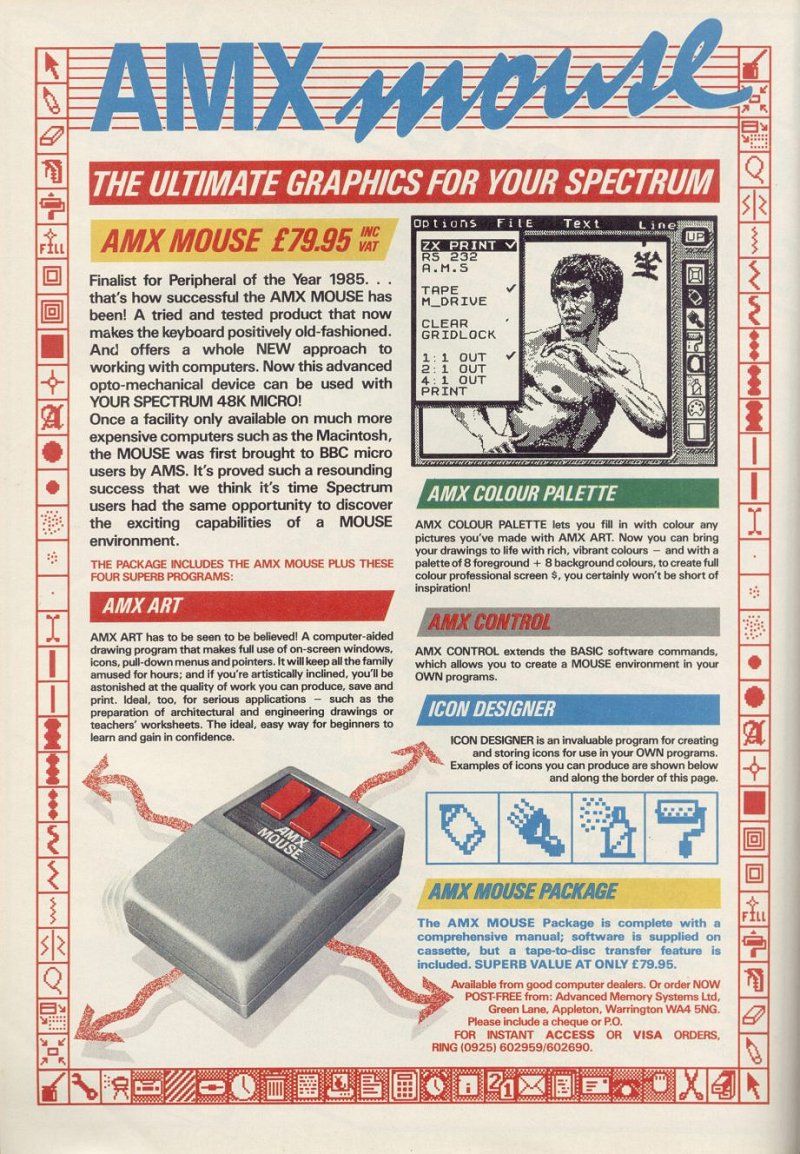
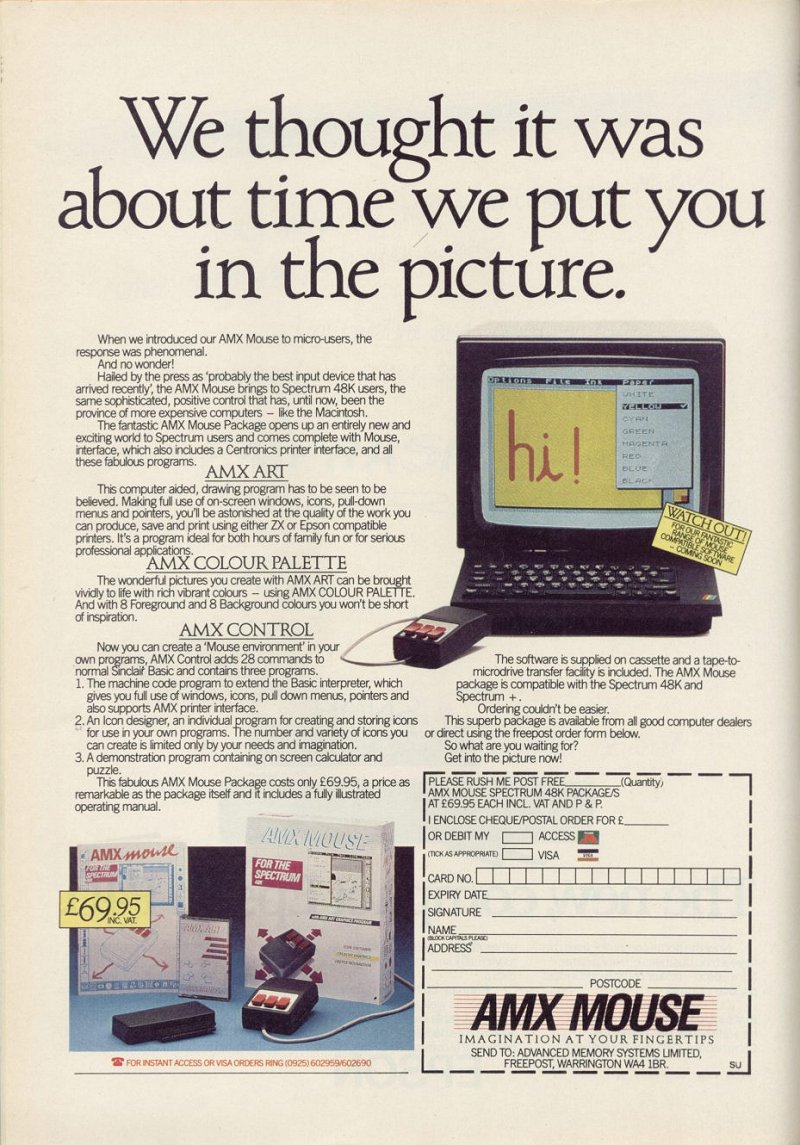
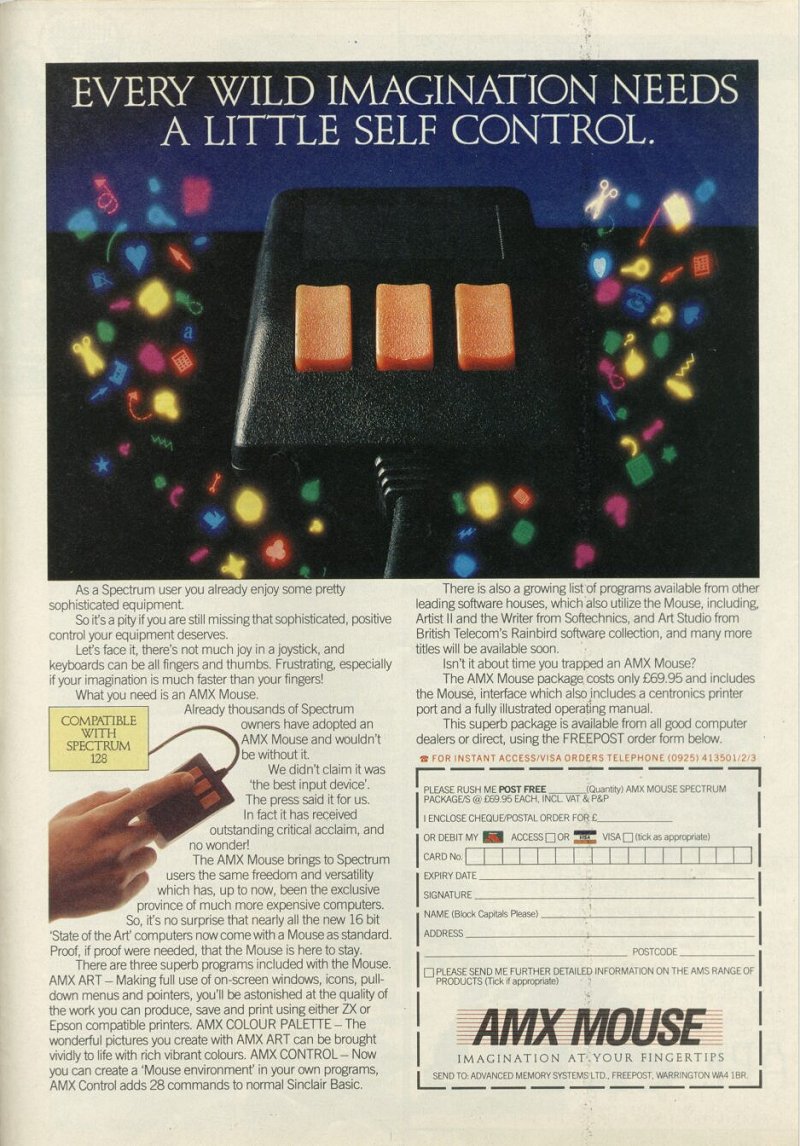
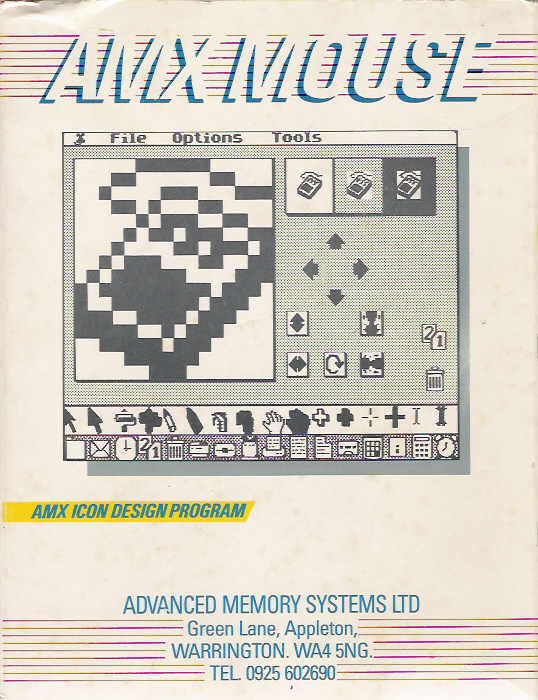
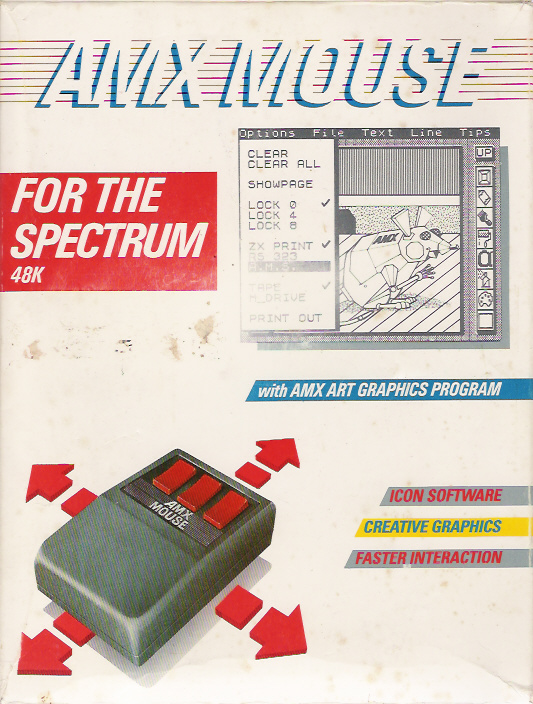
Three button mouse, interface and software. Usually supplied with, or as part of OCP Art Studio.
Discussion
Nobody has started a thread about this yet.
Remarks
SPOT: + AMX Art, AMX Palette, AMX Control, Icon Designer
Files and rights
No permission is on record either way. Screens and pictures are copied here on a take-down basis: if you hold the rights and want something removed, say so and it goes.
Credits
- Robert Powellcredited
Sign in to credit somebody, or say what these people did.
Awards
Scores
In the magazines
- Sinclair User #561986 · Overall5/5
In the magazines 33
Sinclair User #56Nov 1986 · p.29Sinclair User Classic5/55/5
Sinclair UserSinclair User Classic
Overall 5/5
John Gilbert 5/5
MANIC MEECE Joysticks are just fine but mice are nicer. True or false? Trendy they may be but the simple move-and-select options of mice make them ideal for icon-driven environments. Their freedom of movement also makes ideal for the hand-sketching facilities of computer-aided design packages such as Rainbird's Art Studio. Unlike the inflexible joystick a mouse placed on a board or desk top can be used like a paint brush. A screen cursor is controlled by a revolving track ball under the body of the mouse while options or actions are carried out by the one to three clicker keys on its head. A good mouse should be palmable and lightweight. The ball should be mad of a rough textured material and the click switches should be within easy grasp. Few mice are available for the Spectrum and QL but those that are vary greatly in hardware quality and software support... John Gilbert checks them out and give his strictly no-mousing verdict. AMX MOUSE Spectrum Price: £69.95 Click keys: 3 Sensitivity: range between 1 and 6 Software: Bundled - AMX Art, Mouse Control, Icon Designer, Calculator and Puzzle Compatible: Art Studio, Artist iI AMS produces what is easily the most comprehensive mouse package for the Spectrum - the AMX. It's been around for more than a year and is regarded by many software houses as the standard mouse for their database, spreadsheets and graphics packages. Rainbird has taken this attitude with Art Studio and Softechnics, which currently favours the Kempston mouse, is about to take a nibble at AMX in Artist II. It's the best dressed mouse in town with a rugged, easy to grip, body, a long lead which connects to a flat, Kempston-like interface. The interface includes a Centronics printer interface which can be controlled with four AMX Basic instructions. AMX is the only mouse to sport three click keys. They can be independently programmed and AMS uses them to the limit of their potential in its graphics programs. To prepare the printer option you must type * Mouse Off which stops the interface from generating interrupts when the mouse moves. LPrint and LList will then send data to your printer. If you want to list a program, rather than doing a screen dump, you enable the Basic tokens by typing *Tokens command. Your printer may not issue line-feed instructions automatically so the fourth extended Basic command, *LF, produces a line feed as well as a carriage return. The package comes with four artist packages, the simplest of which is AMX Art. It's similar to Rainbird's Art Studio but the icons are displayed at the side of the screen and the three click buttons are programmed Execute menu option, Leave menu option and Move mouse, and Cancel last order. Drawing tools include a pencil, paintbrush, paint roller, spray can, palette, text layer and eraser. The pencil can be used to draw lines, the paintbrush can be programmed to use a selection of eight tips which vary in density and width. And the paint roller use textures set up in the palette option. There are 40 textures which can be used to paint lines of varying width on to the screen or fill shapes. The shapes include shaded box and circle. The text menu gives you access to five type faces which can be printed at normal or double-height and, if you want to go over the top, in italics. The type fonts consist of standard Sinclair character set, Bold, and futuristic 2001. AMX Art gives more control over its mouse hardware than any of the other packages on the market - which isn't surprising. For instance the Lock command will trap cursor movement in an invisible grid which has character squares either 4 x 4 or 8 x 8. The former is useful for accurate mouse positioning and drawing long straight lines while the latter enables you to keep colour within attribute boundaries. Screen pictures can be saved to and loaded from tape or Microdrive. You can store your own effects or load in screens from professional programs. The package displays all screens in black, white or shade. To add colour to your designs you'll need Colour Palette. It's a short program but, nevertheless, effective in adding ink, Paper, Flash and Bright. Just load in your screen, which has been exported from AMX Art, and set up the paint brush for the type of colour and effect you require. Then run the cursor over the screen and the colour appears. It's as easy as painting a wall. While paint-and-play is an addictive occupation, particularly with a mouse, you'll soo want to control the AMX in your own programs - won't you! The AMX Control Program extends Basic to incorporate mouse-orientated commands. There are 23 commands which create menus, find out which menu options have been clicked choose type fonts, display icons, set mouse sensitivity and define screen windows. The commands are freely mixed with Basic and can use parameters such as variable, arrays and codes. AMS has included an icon designer - which works in the same way as a UDG designer. Using it you create and store icons for use within Basic or machine-code programs. There's no reason why you shouldn't even create your own operating system. If you have problems with the technical side of mouse usage you can load the demonstration program on the second side of the AMS cassette. It shows the type of applications which can be written and shows the considerable power of the package. A four-function calculator and sliding puzzle are written in Basic but for speed and type of application they could equally have been written in machine code. Even my jaundiced eye could not tell the difference.
AMX mouse wins by a whisker. Package contains comprehensive colour design utilities.
The AMX art utilities output to a wide range of devices. Lock restrains the mouse in specific areas of the screen.
Your Computer #8Aug 1986 · p.56
Mary Sargent
A TALE OF MICE, JOYSTICKS AND THINGS Mary Sargent gets to grips with joysticks, trackerballs and mice. Books could be written about joysticks - and have been - but finally it is a matter of personal preference. If you play many games on your computer you must buy a stick which feels correct for you. You may sit well back from the TV screen so you need to consider the length of lead you have with the joystick. It may vary from 3ft. to 8ft. depending on the model. The second consideration is if it will tolerate heavy treatment. Internally, switched joysticks have either pressure pads, leaf springs or micro-switches. Those with micro-switches are likely to last longest. Names and models to conjure with are Wico, which also makes joysticks for much-hammered arcade machines; Flight Electronics, which also makes joysticks for industrial use; and Spectravideo, whose Quickshot range is much-favoured, especially by manufacturers offering interface-with-joystick packages - for the Spectrum, of course. At least one company traces its fortunes directly from the lack of a Spectrum joystick port. JOYSTICK PORT Newcomers to the scene are the mercury-switched The Stick, the hand-shaped Konix Speedking, and the Cheetah cordless R.A.T. Not all makes and models will be available for all models of computer. There are pitfalls such as the auto-fire facility, designed to make shooting aliens easy but which can cause the fire button to stop working on some micros. If you want a joystick, the advice is to try it in a shop or buy one on the recommendation of a friend and be prepared to spend between £10 and £20. Two trackerball contenders are the analogue ball from Wigmore House, an import from the East selling for around £22, and the optical/digital Marconi RB2 ball at £59. From there the peripherals begin to become selective about the micro into which they are plugged. The analogue ball will run on the BBC and the Commodore 64. Do not expect any software with it, though it should run on any analogue joystick software without too much difficulty. The Marconi ball, available for the BBC, has its own software on cassette. There are utilities, so that the ball can be used not only from Basic but can also take over the use of cursor keys in word processor programs such as Wordwise and View, and a stand-alone drawing package, Paintball. For Master 128 owners, a supplied ROM ensures that the trackerball works automatically with the View family software. The advantage of trackerball over joystick is a matter of the degree of control. It is a precision-made item, a fact reflected in the prices, and the Marconi version compares well to certain of the rodents available. It is a realistic alternative to the more fashionable mice, if only because its size ensures a finer manipulation of the cursor. It is not dramatically cheaper, however, and the final choice, yet again, is a matter of user preference. There is something infinitely user-friendly about the name of the mouse which, after all, is just a glorified piece of plastic designed to take you from one part of the screen to the other in the shortest time. There is a definite art to calculating the distance your mouse travels vis a vis the results on-screen, and some users never manage to appreciate the discrepancy between hand movements and computer reaction. Nevertheless, mice are breeding and now Wigmore House is marketing a furry one, there could well be a population explosion which will render joysticks and trackerballs as obsolete as the Oric. It was AMS, of course, which pioneered the home-micro rodent by developing a mouse system for the 32K user-RAM/single-disc BBC. That resulted in the affordable Mousepaint and WIMP utility software packages which had hitherto been seen only on the Apple computers, Macintosh and Lisa. Software has always been an integral part of the appeal of a mouse and AMS has produced a great deal of it since the AMX Mouse nibbled its way into the BBC micro in January, 1985 with a sideways-ROM and paint-package at the then outstanding price of £90. Other manufacturers of mice have taken appropriate steps to follow the AMS lead and have, in some cases, made their mice AMX software-compatible. That may well prove advantageous for the user as there is every chance that a common standard for mouse hardware will be adopted based on the AMS three-button design. Atari, with its 520ST series computers, has anticipated the fact that one day all micros will be mouse-driven and has included a neat and well-made mouse, with WIMP software, in the price of its machines, leaving the older generation of micros - BBC, Commodore 64, Spectrum and Amstrad CPCs - to be served by peripheral manufacturers, whose wares are shown, as usual, in the buyers' guide table. Depending on which micro you own you may have little or no choice about which mouse/software package you can select. The Amstrad has only the AMS package, which was unfortunately not available for review at the time of writing, while the Spectrum fares a little better with the AMS package and a Kempston mouse. The Commodore has three mice and so has the BBC. Points to look for when mouse-buying are the physical construction of the unit and the availability of compatible software, The Kempston mouse for the Spectrum is typical of the breed, being a two-button rubber-coated ball device. As with most mice, the ball can be removed easily from its cavity, which is essential since all mice tend to collect fluff, biscuit crumbs and other foreign bodies; if they cannot be shaken-out, the operation of the mouse becomes erratic. BALL SLIDES The inner works reveal that no short cuts have been taken in its design. There are brass spindles, ball-race bearings and a sprung idler wheel. Two PCBs hold the opto-electronics, a few other small components and the two click-switches. A black box interface is needed on the Spectrum, since that micro lacks any ports of which a mouse could make use, but even with the extra hardware the mouse costs a reasonable £69.99, which includes the highly-successful OCP Art Studio software. The efficiency of the AMX mouse is hampered by its uncoated metal ball which tends to slide on many surfaces and that has attracted much criticism from the opposition. On the proper surface - a rubber-compound sheet is ideal - it is reliable. The AMX Mouse/SuperArt package costs around £75. SuperArt is one of a number of offerings from a company which constantly updates and improves its software. It is excellent if you buy after the packages have been field-tested but not so good if you have one of the early versions. AMS is helpful about upgrades and advice but detailed review is difficult, since an assessment of one version of a software offering may not be relevant to later issues. I consider PageMaker to be its best product, since you can use it for straightforward artwork as well as for its more widely-promoted magazine-making role. ANAMOUSE Nidd Valley entered the mouse stakes with devices for the BBC A, B and Master series computers. Anamouse is promoted as being "not just another mouse" but a "new concept in positive mouse control," which does not affect the results so far as the user is concerned to any noticeable degree. What is interesting about it, though, is that it plugs into the analogue port on the BBC, thus making it possible to have something else plugged into the user port. Digimouse, the second of its offerings, is an optical device which is in direct competition with the AMX and the Wigmore Megamouse. As such, it is highly competitive on price and will run AMS software. A large diameter rubber ball is set in its socket with no play whatsoever. That makes for a very stable mouse arrow on the screen but the hand pressure needed to move it is more than is needed for other mice. Digimouse has simple interface software on cassette and can run the large software offerings associated with AMS and Wig- more House. Versions of both Anamouse and Digimouse for the Spectrum 128, the Commodore micros and Amstrads are promised. Each mouse, which is extremely well-made, sells for £34.95. Then there is Megamouse for BBC and Commodore 64, the one and only furry rodent of this selection. It has a large felt pad on its underside on to which a square of Velcro can be fitted. PROTECTION That protects the rubber-coated ball when the mouse is not in use and is genuinely useful. The cost is around £63 but for that price you have a truly ergo-dynamically-designed peripheral which is a joy to use. The technically-minded may note that it has a heavy rubber-coated ball and a low centre of gravity. Software offerings accompanying the mouse are all opfional. Cadmouse is a drawing package with a slight slant to technical drawing - dimensions and centre line can be placed on engineering drawings and there is provision for 45-degree hatching - but the handbook is brief and at £29.90 it has not a great deal to commend it. Alternatively, the Mega-mouse/PearTree Artist package may be purchased for £99 excluding VAT. The Peartree Artist is a 16K ROM for the BBC and is an excellent colour-drawing package with animation facilities. For the serious user, it would undoubtedly be money well spent.
AMX Mouse - leader of the pack.
JOYSTICK There are two basic types of joystick, the switched (digital) variety and the analogue variety. The analogue type has two potentiometers inside it which convert the movements of the stick to a screen location. The switch type is much more akin to an aeroplane joystick - it gives directional information, rather than an absolute position. Push a digital joystick up and your space defender travels up-screen forever until you next move the joystick. Digital joysticks are inexpensive to manufacture and are ideal for computer games. PADDLES Really an analogue joystick in disguise. The name derives from the original TV-Tennis games. There, you will recall, the position of the player's bat was directly proportional to the twist given to the paddle. Why the paddle is called a paddle and not a racquet or bat is one of the best-kept secrets of the micro revolution. TRACKERBALL Effectively a low-geared joystick. It does not look anything like a joystick, of course; the user uses a finger or two to move the surface of a plastic ball, not a stick. The movement of the ball is geared down so that it needs a relatively large movement of the finger to move a small way on the screen. You lose speed of movement but gain accuracy. Trackerballs may be digital or analogue but in either case the output gives positional rather than directional information. Trackerballs need to be fairly substantial so that they stay still while you move the ball. MOUSE Take a trackerball, make it small because the intention is to move it, turn it over so it has something on which to move (the ball). and you have a mouse. That is the Darwinian theory of mouse evolution. Mice are usually digital devices. They have speed and accuracy. BITSTICK A precision analogue joystick which looks like a trackerball. Used for high-resolution drawing. It is available for the Apple and for second-processor BBC users. It is expensive. FOOTPRINT A measure of how much space the devices need to work successfully. Some joysticks are held in the hand and never touch the table. Their footprint is zero. The footprint of other devices is equal to their maximum width and depth and for the average joystick that is about 10 sq. in. The exceptions are the mice. Generally they run all over the table-top but how far they wander depends on their internal gearing. It is not uncommon to have to move a mouse some 24 inches to obtain a 4in. line on the screen.
Kempston £69.95 Kempston Micro Electronics, [redacted] AMX Mouse £46 Advanced Memory Systems Ltd, [redacted] Anamouse and Digimouse £34.95 Nidd Valley Micro Products, [redacted] Megamouse £69 [redacted] Dates Mouse - EEC £76 (Commodore 64 only). Magic Mouse - SMC £60 (Commodore 64 only). Bitstick 2 - Robocom £795 Robocom, [redacted] Trackerball - Marconi £69 Central Trade Exchange
ZX Computing #24Apr 1986 · p.58
MOUSE WARS Advanced Memory Systems £69.95 First past the post with a mouse package for the Spectrum are Advanced Memory Systems, probably the best known to Spectrum owners for the add-on keyboard that they produced some time ago, though the company is also well known as a producer of peripherals for the BBC micro and this mouse is a version of one originally produced for that macnine. I had originally feared that in order to produce a low-cost mouse for the Spectrum AMS might have to cut a few corners in the construction of the unit, but unpacking the mouse revealed it to be a good solid unit constructed out of strong black plastic. Mounted on the mouse's 'head', just below where your fingers would rest when using it, are three large red switches which the manual refers to as 'Execute, Move and Cancel". These are fairly self explanatory, allowing you to execute a command, move the control pointer to another part of the screen, or to cancel a command in the event of a mistake. On its underside is a single hard plastic 'ball-bearing' which allows you to move the mouse over flat surfaces and to 'track' the control pointer around the screen in response to that movement. The mouse is connected to your machine via an interface that plugs into the rear peripherals port. The 'tail' of the mouse, a thin cable running out of the front of the unit, then plugs into the interface. A Centronics printer port is also included in the mouse interface (which makes the whole package good value since this is worth up to £30 on its own), and screen dumps to a printer can be controlled directly from AMX Art, the graphics utility that comes as standard with the mouse. The manual is very well produced and illustrated and, despite one or two fuzzy patches, generally very clear. Where the manual, explaining the IMPORT command, states that it is impossible to load a SCREEN$ using this command, it should actually say 'possible' rather than 'impossible' - this confused me for a while since I couldn't see the point of a graphics utility that doesn't allow you to load a screen picture. The software cassette that comes with the mouse includes AMX Art, AMX Palette, AMX Control, Icon Designer and a demonstration program. AMX Art is an icon and pull-down menu driven graphics designer which, although lacking some of the refinements of The Art Studio is still very sophisticated. The row of icons down the right hand side of the screen which control most of the drawing, painting, and shape commands are marginally faster to use than the Art Studio which is totally menu driven, though slightly less versatile. AMX Art also allows you to draw a picture that is four times the size of the normal screen area. The screen that you are presented with when the program loads is a window allowing you to see the top left-hand quarter of the area that you can draw onto. The rest of this area can be seen either by shrinking the whole thing into the usual size of the screen, or by moving the window around using the icon commands available. If you draw something large enough to fill this entire area, AMX Art allows you to dump the whole picture onto a printer. The only drawback with this program is that it cannot handle colour at all. You draw pictures in black and white, save them onto tape then load the AMX Palette program. Your picture then has to be loaded into the Palette program as a SCREEN$ before you can add colour. Quite possibly the most important and powerful of the programs provided with this mouse is the AMX Control program. This is a chunk of machine code that adds 28 commands to the Spectrum's BASIC, all concerned with controlling the mouse. This means, in effect, that you can write your own mouse software and the Icon Designer program allows you to create your own icons for use with that software. Obviously, becoming familiar with these commands will require a certain amount of effort but since they open up the possibility of writing just about any sort of mouse-controlled program that takes your fancy the potential of AMX Control is enormous. The demo program that comes on the cassette gives two examples of such programs; a simple sliding block puzzle and a calculator that are both mouse controlled. In addition to this write-your-own-software potential, the people at AMS tell me that they hope to produce further mouse software probably along the lines of the 3D Graphics, Database, and Page Maker programs that they have already started to produce for the BBC mouse, so that the potential usefulness of this mouse goes beyond just designing screen pictures. THE WINNER... Well, there isn't one really; this is one of the few occasions when I can't honestly recommend one product over another, £69.96 is quite a lot of money, but I have no doubts about recommending them both as being well worth the price. Both packages are good value since they bring to the Spectrum facilities normally associated with much more expensive machines. And in both cases along with the ease of use that a mouse brings there is also an element of sheer fun. A mouse gives you much finer control over picture designing than any of the lightpens, graphics tablets or other graphics aids that I've used, and once doodling on screen becomes as easy as doodling on paper it also becomes an enormously enjoyable pass time. In terms of the actual mice themselves, Kempston have a very slight edge. Though I would never call the AMX Mouse poorly constructed the Kempston seems a little sturdier, and because of the rubber tracking ball it seems to have a better grip on the work surface. On the other hand, the AMX mouse does include that Centronics port which is both useful and excellent value. And, at the risk of hedging my bets, I can't really criticise the construction of the AMX Mouse: they're both very good, it's just that the Kempston is a little better. It's also hard to balance the merits of the bundled software. The Art Studio which (at the moment) comes with the Kempston Mouse is without doubt better than any other Spectrum graphics program, including AMX Art. However, the AMX software also includes the AMX Control and Icon Designer programs which open up all sorts of possibilities, and there is also the likelihood of future software support from AMS themselves. I'm pleased to say that whichever product you decide to buy, this is one of those rare occasions when you're unlikely to regret your choice. Monster hits all 'round.
Crash #27Apr 1986 · p.101
Franco Frey
Our man with his finger on the button, FRANCO FREY, prods the buttons on a mouse for a change. AMX are the people behind this particular rodent... AMX MOUSE Producer: Advanced Memory Systems Ltd [redacted] PRICE: £69.95 48K/128K Spectrum ART STUDIO has done a lot to popularise the mouse as a practical cursor transport device for the Spectrum by supporting both the Kempston and the AMX mouse. Buying the AMX MOUSE also brings the customer several support programs, including AMX ART and AMX PALETTE which are in direct competition to ART STUDIO and provide all the facilities required for screen creations. These programs are styled along the lines of the innovative MACPAINT program, in much the same way as THE ARTIST. Then there is AMX CONTROL and ICON DESIGNER, which enable users to create a mouse environment in their own programs. AMX CONTROL is a machine code program, which extends the BASIC interpreter to incorporate mouse associated commands, while ICON DESIGNER allows the design of user specific ICONS. A demonstration program displays the many possibilities and should encourage further experimentation. THE HARDWARE The mouse interface accepts the mouse cord via a 20 way ribbon connector and plugs into the Spectrum system bus. The interface contains a Centronics type parallel printer port, so that your screen creations can end upon a full width dot matrix printer. Owners of serial printers gain access to screen dumps via Interface 1. Less pecunious users will stick to the more mundane Alphacom or ZX printer, which connects up between the Spectrum and the mouse interface. To get the mouse up and running one of the programs that are supplied with the hardware needs to be loaded from cassette. AMX ART AMX ART may be transferred to Microdrive with the inbuilt transfer facility. After loading the main screen displays a window on the righthand side containing 8 icons representing the various drawing tools. In fact there are a total of 16 tools and these can be accessed by pointing the mouse to the UP window and scrolling the tool window to display the hidden icons. AMX ART interprets the three buttons on the mouse as EXECUTE, MOVE and CANCEL keys and these are used for the selection of the required tools. Once an icon has been selected, it works in the main drawing area, and pointing the icon outside this area automatically reverts back to the arrow icon for select mode. Above the drawing window, a line with the words OPTIONS, FILES, TEXT, LINE and TIPS is displayed. Each of these head up a pull down menu which can be accessed by pressing the EXECUTE button once the cursor is pointing at the appropriate title. The menu drops down and with EXECUTE held down, the mouse cursor is moved down the menu, indicated by a moving black bar, until the desired selection is reached and selected by releasing the EXECUTE button. The selection is stored and the menu automatically rolls up. The main drawing tools consist of a pencil, a paint brush and a spray can. The PENCIL allows you to draw a line on the main drawing area and freehand sketches are achieved by moving the pencil icon around while holding the EXECUTE button down. For point to point drawing, the EXECUTE button is pressed once to position the starting point. Moving the pencil displays a trailing line which is fixed with the next EXECUTE which also provides a new starting point. Pressing the MOVE button simply shifts the starting point. Lines can be drawn in black, white or inverted mode and can be selected by pulling down the LINE menu. The PAINT BRUSH draws a wide band in the current shade while the EXECUTE button is depressed. The shading pattern is selected via the PALETTE icon and the brush width with the TIPS pull down menu. PALETTE reveals forty shading patterns which are displayed for selection over the main screen area and they can be applied with four sizes of brush tip. The SPRAY CAN operates similarly to the PAINT BRUSH with four different spray widths. The ERASER cleans the screen area within the defined ERASER icon while the EXECUTE button is depressed. The PAINT ROLLER is the fill tool and fills the enclosed area with the required shade. ALPHA provides text entry and any alphabetic or numeric character may be placed anywhere on the screen. There are four basic fonts which are selected with the TEXT pull down menu before entering ALPHA mode. These are SINCLAIR, BOLD, 2001 (computer style) and ITALIC, and text may be single or double height. Special drawing functions are provided with the BOX MODE, SHADED BOX MODE, CIRCLE MODE and SHADED CIRCLE MODE. These provide correspondingly variable sized rectangles and circles with or without shaded filling, and are added to the screen using the first EXECUTE to fix one corner of the rectangle or the centre of the circle and the second EXECUTE to fix the diagonally opposite corner of the rectangle or the radius dimension of the circle. MOVE allows a repositioning of the first corner or the centre of circle. For anybody concerned with the size of the on-screen drawing area there is good news. The drawing area is four times the size of the screen drawing window. This means a 416 by 304 pixel drawing board is available. To access the hidden areas, the drawing screen may be scrolled by pointing to the four SCROLL icons and pressing the EXECUTE button repeatedly. The full drawing screen may be overviewed in reduced form with the help of the SHOWPAGE selection in the OPTIONS pull down menu. Last but not least the MAGNIFYING GLASS icon presents a zoom window of fixed size which may be positioned over the area to be magnified. Pressing EXECUTE displays the zoom area magnified by a factor of four, together with a full-size view of the zoom window. Pixels may be set or reset by pointing at them and pressing EXECUTE. When the detail work is accomplished, the modified zoom window may be either accepted or discarded by pointing to the ACCEPT or DISCARD box and pressing EXECUTE. The OPTONS pull down menu contains various system options and functions. CLEAR empties the main screen area and the corresponding background area; CLEAR ALL the entire background screen. LOCK 0,4 and 8 locks the movement of the mouse to within specified grid increments and is useful for drawing long straight lines, positioning line ends or tying up with colour attribute boundaries. Printer information is sent via the parallel or serial port or using the ZX print facility by selecting AMS, RS232 or ZX PRINT options. PRINT OUT dumps the picture to the printer. ZX PRINT limits the print out size to 255 by 192 pixels. Using the serial or parallel port there is the option of the print size. The area of the main screen to be printed is surrounded with the box and EXECUTE pressed. TAPE or MDRIVE selects the file destination and source. FINISHED allows you to exit the program. The FILE pull down menu enables you to save and retrieve pictures to and from cassette or Microdrive cartridge depending on the file option setting in the OPTIONS menu. SAVE PAGE saves the full drawing screen and requires about 16K of Microdrive space. LOAD PAGE loads pages saved with SAVE PAGE. GET SHADE loads a new set of shade patterns into the palette menu. Normal screen files ma be loaded using the IMPORT option, while the top left hand corner of the main drawing screen may be saved as a normal screen using the EXPORT function. AMX COLOUR PALETTE Once the screen has been edited and saved with AMX ART using the EXPORT option, the COLOUR PALETTE program can be loaded. The colouring of an existing black and white screen is performed by selecting the BRUSH icon, positioning it and pressing EXECUTE. The character area converts to the current ink and paper colour, and the transparent ink and paper colour do not seem to be able to be selected. This would be useful for operating with ink or paper independently and thus cutting down the multiple selection of colour combinations. The ink and paper colours are selected with the INK and PAPER pull down menus, while Bright and Flash can be set in the OPTIONS menu. The current status of the colours, Flash and Bright are given in the windows at the bottom right of the screen. The only other icons are the four direction arrows, which provide access to the hidden areas of the screen. The OPTIONS menu enables tape or Microdrive selection and also provides an exit to BASIC by NEWing the computer. The FILE menu is accessed for loading and saving screens. Screenfiles produced with AMX ART must have been saved with the EXPORT command and not with the SAVE PAGE command. AMX CONTROL AMX CONTROL is designed to allow the users of the AMX MOUSE to incorporate mouse activities in their own programs. This is done by extending the Spectrum BASIC interpreter to include mouse associated commands. AMX CONTROL must be loaded and initialised before the mouse can be activated. RAMTOP must be lowered to 45000 and initialisation is done with a USR statement. AMX CONTROL adds 28 command to normal Sinclair BASIC which are all preceeded with at asterisk. The functions provide all the facilities required for monitoring the mouse positions and switches, providing menu headers pulling down menus (including storing the corresponding overwritten screen area), displaying hiding and moving icons, printer commands for the support of the Centronics port, monitoring the status of menu parameters and creating windows with selectable paper colours. Two proportionally spaced fonts are provided for the user and with 32 inbuilt patterns may be used to fill in specified rectangle areas. There is even an error trapping routine in support of Sinclair BASIC. It isn't too difficult to create programs running under mouse control and featuring icons, pull down menus and windows by simply including the extended commands within your BASIC program. BASIC DEMO software includes a four function calculator and a sliding puzzle to help you get the hang of catering for the mouse in your own program code. All commands are carefully documented in the manual and information for access of some of the commands from assembly language is provided for the more advanced user. CONCLUSION The AMX MOUSE is a lovely little creature. It is an ideal tool which provides fast and accurate cursor positioning for drawing and menu selection. The software support provides all the help required to incorporate the mouse operation in normal BASIC programs. AMX ART is an excellent drawing utility reminiscent of MAC PAINT. It is a shame that the screen colour work has to be run separately from the main program, as it is not always performed after the whole screen is designed. This means a lot of to and froing between AMX ART and PALETTE. It would appear that PALETTE was an afterthought, and the omission of transparent colours means a lot of colour combination selections for a colourful screen. The Centronics port is a real bonus when it comes to dumping screens, and generally for llisting and lprinting. The manual is concise and excellently executed. A very worthwhile product with an unfortunately high price tag for Spectrum owners. Start saving!
"Select the shade you require" is the prompt on the screen which allows you to choose from the forty shading patterns available in the AMX Mouse screen art package.
Illustrating the use of the pull-down menu system in the AMX Art package. Here Cameron, ubiquitous CRASH photographer and screen graffiti artist is going for an italic typeface.
The palette part, where you add colour to your composition.
Sinclair User #47Feb 1986 · p.104Sinclair User Classic
Sinclair UserSinclair User Classic
John Lambert
MOUSE TURNS ARTIST Windows, icons, mice and pointers - WIMPs for short - have always struck me as just so much of a gimmick. I take it all back. The AMX Mouse from Advanced Memory Systems for the Spectrum has changed my life. Mice are fun, easy to use, and for some things the only way to fly. AMS has had plenty of practice in building mice. It has produced mice for the BBC and Amstrad which have become the standard. The Spectrum version looks set to become a standard too. The package is highly professional. You get the mouse, interface - which also has a parallel printer port - and some very good software. Full marks to AMS for including a save-to-microdrive option for the software. Why can't other people do the same? Two of the four programs come under the AMX Art banner and are as good as anything yet produced for the Spectrum - including Art Studio, which is in the process of being converted for the mouse. You also get an AMX Control Language, a set of Basic extensions to control windows, icons, the mouse and pointers - everything you need to write your own mouse-driven programs. Lastly, there is a demo program using those extensions. Who needs a Macintosh, ST, or Amiga when you can use the Spectrum? AMX Art must be the easiest drawing program to use. On the right of the screen are a series of icons; you move the mouse to position the pointer over the one you want, press a button and then move over to the drawing window. That window does not cover the entire screen, or even the entire drawing area - which is four times the size of a normal screen. The window can be scrolled in all four directions, using the mouse, and so some pretty impressive pictures can be built up. If you get lost there is a Showpage option which compresses the four screens into one, to give you an impression of the overall picture. Attribute problems do not occur as AMX Art only works in black and white. Once the picture is complete it can be exported to the Colour Palette program and the colours added. All the usual drawing facilities are available - see figure one - for lines, boxes, circles, zoom etc, plus 40 types of shading; you can also design your own. Text can be added in any position and four styles are included in the program. When you've finished, there are various options to save part or all of the picture to tape or microdrive, or print it to the ZX printer, RS232 port on Interface 1 or the built-in port. Colour Palette is, by comparison, fairly simple. It allows you to fill in the colours, set Bright or Flash, and save the finished picture to tape or drive. Those drawing programs on their own would make the mouse an excellent product, but what really brings it to life are the Basic extensions to use the mouse in your own programs. The Control program adds 28 commands to Spectrum Basic - see figure two - including windows, pull-down menus and icons as well as a very useful On Error Goto, and commands to drive the printer port. It adds two new proportional typefaces, bold and condensed. The best example of the power of those commands is shown in the Demo program. It has a pull-down calculator and sliding block puzzle - shades of the Macintosh - which are very well done. It could easily be adapted to form the heart of a GEM-like system and is as easily accessible from code as from Basic. With the Control program is an icon designer program. Naturally that is icon-driven and so very easy to use. There is space to add 32 icons to the 64 already defined - although the original 64 could be redesigned if required. As with UDG designers there are facilities to mirror in both axes, rotate and reflect, and the icon can be scrolled in all directions. The AMX Mouse is a complete, professional package that stands amongst the best on any computer. It is certainly not cheap at £79.95, but when you consider that it is half the price of an IBM mouse (for which you then have to buy software) it is remarkable value. Advanced Memory Systems Ltd, [redacted].
Figure 1. AMX ART Icons Alpha (numeric ̶ Text) Box Circle Erase Paintbrush Paintroller Palette Pencil Scroll Shaded Box Shaded Circle Spray Can Zoom
Figure 2. Basic Extensions * Desk * Find (Status) * Font * Header * H (Help) * Help 1. * Hide (Pointer) * IC. (Icon) * LF (Line Feed) * Loop * Make (Pull down Menu) * Mouse On/Off * On (Error Goto) * Patt. (Pattern) * Poi. (Pointer) * Pos (Position Pointer) * Print * Pull * Res. (Restore Window) * Sens. (Sensitivity) * Show (Pointer) * Status * Stor. (Store Window) * Tokens * Untrap (On Error Off) * Upda. (Update) * Window
Full-page ad14
- Sinclair User #55Oct 1986 · p.84
- Sinclair User #53Aug 1986 · p.85
- Sinclair User #51Jun 1986 · p.75
- ZX Computing #25May 1986 · p.49
- ZX Computing #24Apr 1986 · p.18
- Sinclair User #49Apr 1986 · p.93
- Sinclair User #48Mar 1986 · p.94
- Sinclair User #47Feb 1986 · p.109
- Crash #24Jan 1986 · p.4
- Sinclair User #46Jan 1986 · p.49
- Crash #23Dec 1985 · p.27
- Sinclair User #45Dec 1985 · p.52
- Sinclair User #44Nov 1985 · p.83
- Sinclair User #43Oct 1985 · p.44
News/Note7
- Your Sinclair #21Sep 1987 · p.7
- Sinclair User #49Apr 1986 · p.96
- Your Sinclair #2Feb 1986 · p.5
- Crash #25Feb 1986 · p.98
- ZX Computing #23Feb 1986 · p.12
- Sinclair User #46Jan 1986 · p.7
- Popular Computing Weekly #48Nov 1985 · p.5
Feature5
- ZX Computing #35Mar 1987 · p.26
- Popular Computing Weekly #46Nov 1986 · p.34
- Your Computer #8Aug 1986 · p.56
- Your Computer #5May 1986 · p.58
- Your Computer #8Aug 1985 · p.32
Review2
- Your Sinclair #4Apr 1986 · p.86
- Popular Computing Weekly #6Feb 1985 · p.18
Related
- Elsewhere
- WorldOfSpectrum
- Same entry at
- Spectrum ComputingZXInfo
Reviews from people here
Sign in to write about this, or make an account. It takes a minute and lets you correct the catalogue too.
Everything ZXDB can hold about this is here.
Sign in to correct or add to this.
Hold the rights to this and want it taken down?