
Cheetah MIDI Interface
Hardware: Music
Cheetah Marketing Ltd · 1987 · Pound sterling 49.95
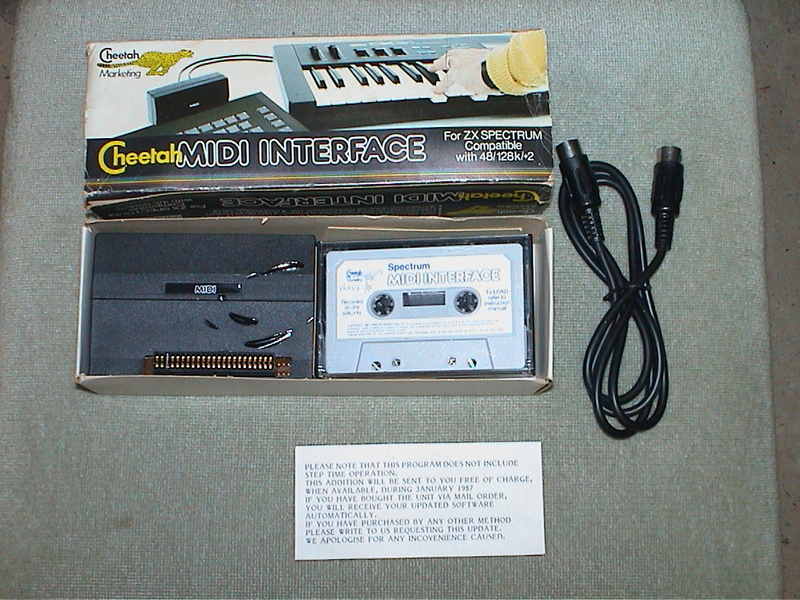
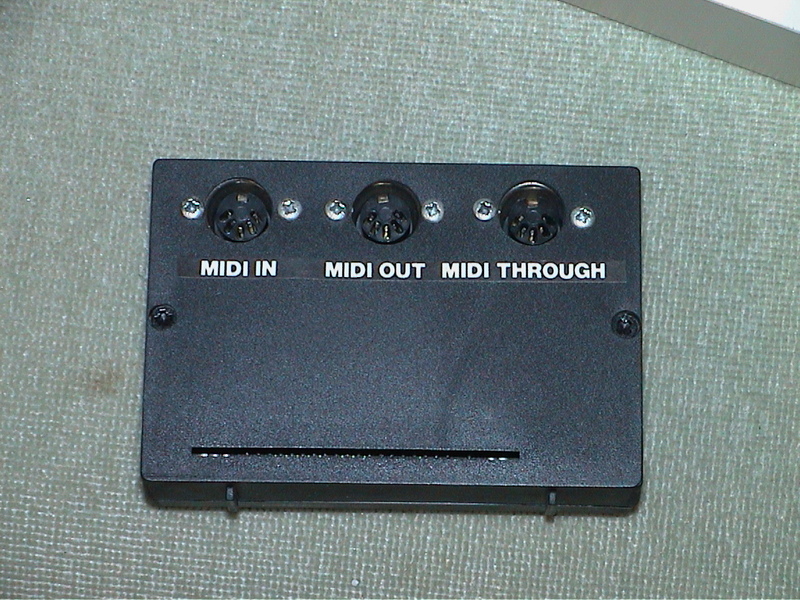
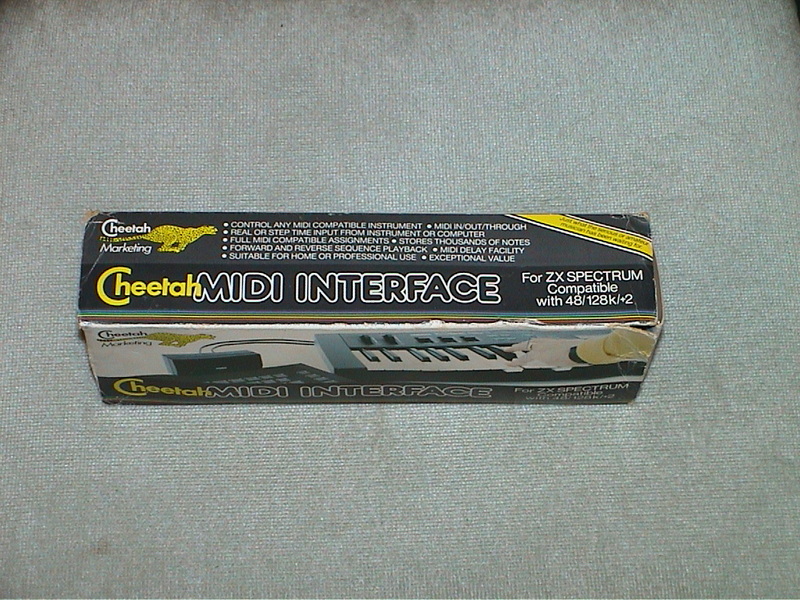
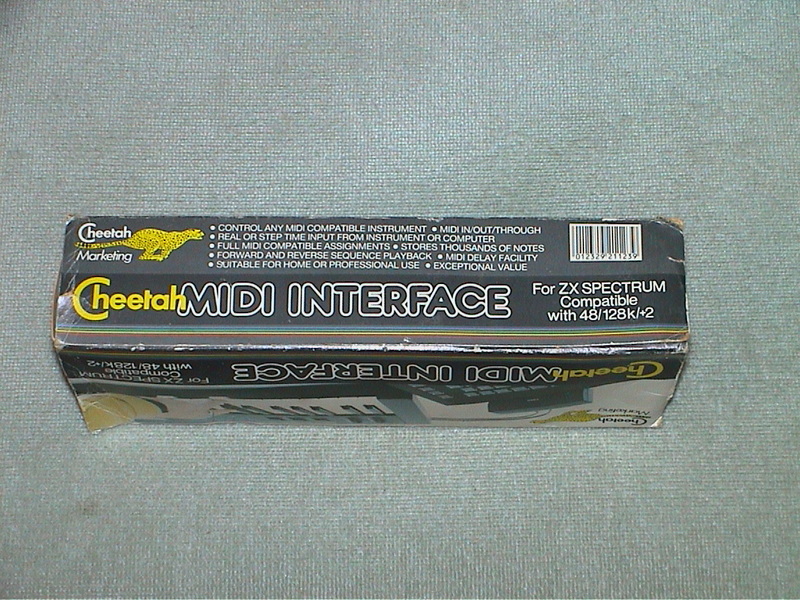
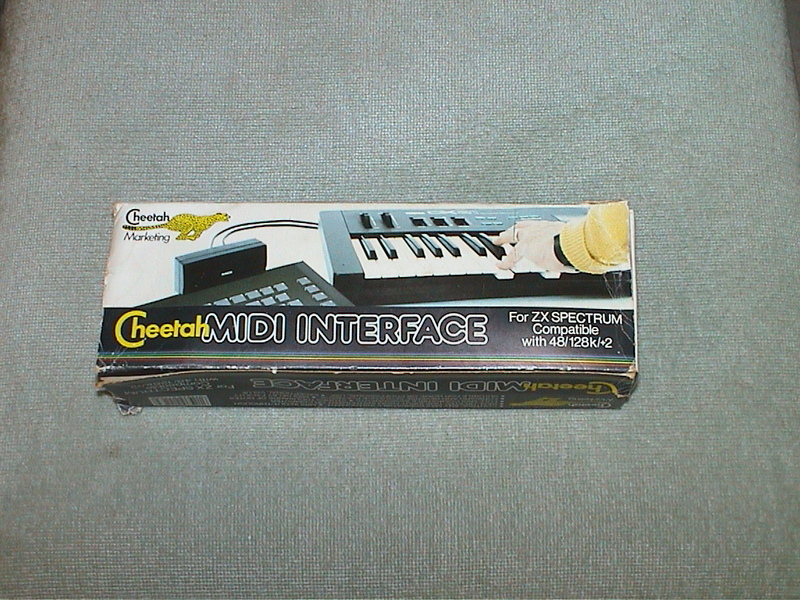
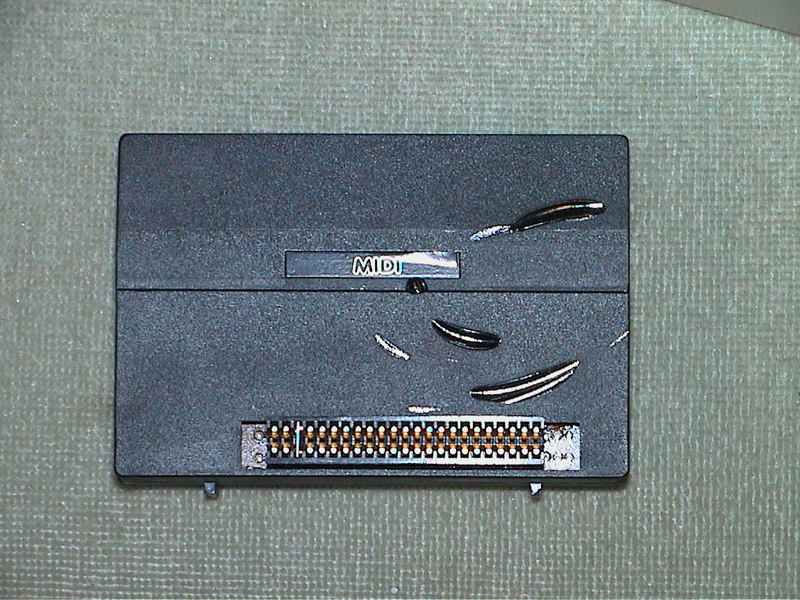
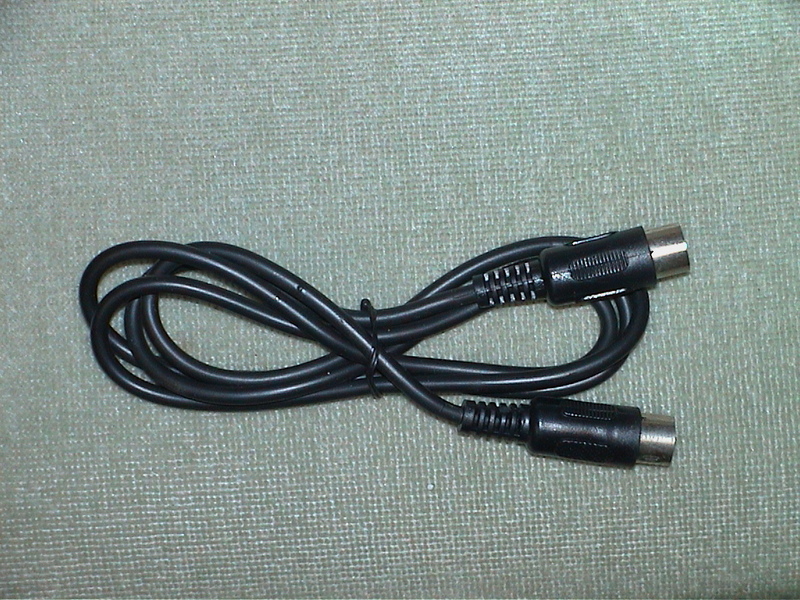
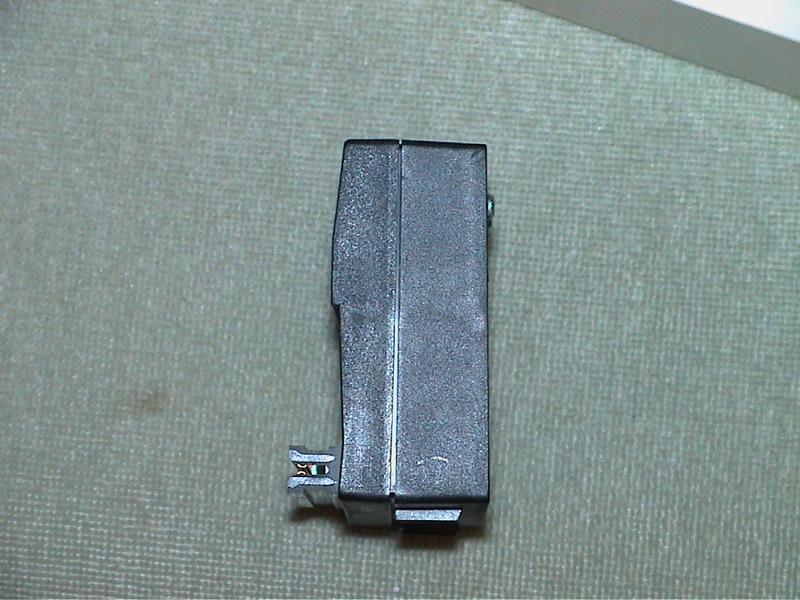
MIDI in/out/through. MIDI delay. Control any MIDI instrument. Forward & reverse sequence playback.
Discussion
Nobody has started a thread about this yet.
Remarks
Came with the {Cheetah MIDI Interface|CheetahSoft Ltd|0012511} system tape.
Files and rights
No permission is on record either way. Screens and pictures are copied here on a take-down basis: if you hold the rights and want something removed, say so and it goes.
Credits
- Robert Powellcredited
Sign in to credit somebody, or say what these people did.
Scores
In the magazines
- Your Sinclair #181987 · Overall9/10
In the magazines 52
Crash #47Dec 1987 · p.114
Ben Stone
Dominic Handy
CHRISTMAS LISTE Ben and Dom, Crash, [redacted]. What's small and black and bursts the seams of a stocking? A Spectrum add-on, of course - there are hundreds of little black boxes for music, printing, screen art and program transfer. Dominic Handy suggests some utilities and hardware for the Christmas list, and Ben Stone brings joysticks to the world - but don't fight over them, or they'll all be broken by little black Boxing Day. JOYSTICKES TERMINATOR Supersoft £19.9 Like most pointless street cred - take Raybans, expensive earplugs on a Radio Shack personal stereo and the Beastie Boys - the Terminator does serve a purpose, but only just. And its wacky design takes a lot of getting used to. Being so tiny the Danish stick has a lot of travel, so it's quite unresponsive. And the fire pin is difficult to use: you have to hold the grenade and fire with the same hand, but you can get it to work fairly quickly it you're prepared to go through hand-ache agony. The Terminator is all but indestructible, made of very thick plastic and durable electrical parts, but for nearly 20 quid I'd expect something a little more efficient than this. OMPETITION PRO 5000 Dynamics £14.95 (£15.95 with transparent case, Competition Pro Extra £16.49 with autofire and go-slow mode) This is THE joystick. The fire action is brilliant and the stick performs like a dream. It looks much the same as the Euromax Professional, but for just a pound more you can get it with high-tech clear casing (as in the picture). It's durable, because the shaft is made of steel and the microswitched mechanism inside is remarkably simple (and pretty much user-serviceable). The fire buttons work with reed switches, sometimes considered unreliable, but I've never had any trouble. Sadly, there's no autofire on either model, though there's a souped-up version on the market (the Competition Pro Extra) with autofire option and a go-slow mode never before seen on any joystick. SPEEDKING Konix £11.99 (£12.99 with autofire) The Speedking was a novelty when it appeared - the first truly hand-held joystick that worked well. It's easy to use, though it has the problem of the Euromax Professional in reverse: the diagonals are a pig to find and use quickly, which makes playing games like fighting sims very difficult. The position of the fire button really makes your hand ache if you're pressing it a lot - shoot-'em-ups turn into a nightmare when you're doing well! - though it would be difficult to have it anywhere else on the compact little body of the Speedking. There is a Speedking with autofire available. Earlier this year Konix claimed one Speedking lasted for 17,604,000 waggles (that's 27 days of nonstop waggling, folks!), but the story is not now believed, Our Waggling Editor writes. PROFESSIONAL Euromax £15.95 (£18.95 with autofire) The Euromax Professional has most of the features now becoming standard in the joystick world: posey design and microswitches, and an autofire option if you want to pay a bit extra. (It's the autofire version in the picture.) At first it's a little difficult to get to grips with, literally, because it's biased slightly to the diagonals. Theoretically this means the joystick's eight directions are equally easy to use, but in practice the stick often slips out of the vertical/horizontal into a diagonal. But the Euromax Professional has a brilliant fire action. And it's a great stick for games where deft, precise movements aren't needed; it feels rather flimsy, but the couple that were in the office had fairly long lives considering the hammering a CRASH joystick gets! 125 SPECIAL Cheetah £12.99 This new joystick, introduced in last issue's PCW Show report, has the usual eight directional controls as well as two independent fire buttons - and a special rotate function which allows the player to twist the joystick for extra-realistic movement. Of course a joystick of such complexity needs more than the usual five pin in/outputs; you'll have to have an extra joystick port, or use both ports on the +2 and +3/. There is an autofire function. IN THE BLEAK MIDWINTER MIDI INTERFACE Cheetah Marketing £49.95 With this interface box and accompanying software you can control any MIDI instrument via the Spectrum. It's superb for people who can write music but can't play - just enter the notes and the computer plays the instrument. Or do it the other way round: you play the music and the computer puts it into musical notation. Including a MIDI lead for connecting the interface to your instrument, the MIDI interface was reviewed in issue 40. MK5II KEYBOARD Cheetah Marketing £199.95 This 61-key fully polyphonic board with foot switch and MIDI output ports comes packed in a rugged steel case. It's an ideal accessory to Cheetah's MIDI interface. MUSIC MACHINE Ram Electronics £49.95 'One of the best all round music add-ons for the Spectrum' - Jon Bates, Issue 34. A sound sampler, sequencer, editor, drum machine and composer all in one little black interface, the popular Music Machine is supported by a wide range of software. Recent additions include Quasar Software's Sample Editor (reviewed last issue) and Tectrics's chord construction kit Compuchord (Issue 45). SPECDRUM Cheetah Marketing £29.95 Now the standard drum add-on for the Spectrum, the SpecDrum comes complete with eight samples of real drum sounds. Extra drum sounds can be loaded in from tape: the Electro Kit and Afro Kit both retail at £4.99 and the older Latin Kit at £3.99, and all come complete with their own editors. The SpecDrum plugs into most hi-fis via a connecting phone lead. Jon Bates enthused over it in Issue 27. MUSIC TYPEWRITER Romantic Robot £7.95 Coming complete with keyboard overlays (48/+), this clever piece of software is a sophisticated tool for music on the Spectrum. Music written on Music Typewriter is displayed onscreen using realistic graphics which can be dumped to most dot-matrix printers, so you can print your own music. And your compositions aren't limited to Music Typewriter - all your tunes can be converted to machine code for use in your own programs. Jon Bates went sharpening and flattening on Music Typewriter in Issue 16. PRINTING MULTIPRINT Romantic Robot £39.95 A printer interface with all the options, the Multiprint can dump any Spectrum screen to an Epson-compatible printer in three different densities - it's handy for listings, too. There's more info in Issue 43. RAM PRINT Ram Electronics £34.95 Not only does this little black box drive your printer using a very easy menu-driven system (all stored on a ROM chip), it's also useful for those apres-Christmas 'thank you' letters because it comes with a built-in word processor, accessible from BASIC at any time and also on ROM. And if you ever get bored of all those line feeds and ESCape codes you can always plug your joystick in the built-in Kempston port and bash away at a game. See the details in issue 35. FOR THE ARTIST THE OCP ART STUDIO THE ADVANCED OCP ART STUDIO Rainbird £14.95, £24.95 'Probably the best art utility on the Spectrum' - Mike Dunn (On The Screen Editor). Need we say more? Several versions of the mouse- and joystick- compatible Art Studio utility are available for different Spectrum setups; The Advanced OCP Art Studio, which really needs an Interface One and microdrive to use its full potential, is much more powerful than the original. It has a Scrapbook library facility so you can combine and paste together pictures. Issues 24 and 40 have reviews of The OCP Art Studio and The Advanced OCP Art Studio respectively. VIDEO DIGITISER Sunset £128.00 Ever wanted to change Prince Charles's ears, or rub out out that blot on Gorbachov's forehead? You can do this and more, provided you've a video recorder, with the Sunset Video Digitiser. This little black box has all the connections for grabbing TV pictures from the video and then using them anywhere you want - even in games. Sadly, there's no printer ribbon that will put them onto T-shirts. Franco Frey got frame-grabbing in issue 31. VIDEOFACE DIGITISER Romantic Robot £69.00 plus £1.00 postage and packing The Videoface Digitiser is amazingly cheap and fast - it's all here. You can grab and scan three pictures a second, and then produce a very realistic animation sequence using up to six screens. At about hall the price of the Sunset Video Digitiser, this represents unbelievable value for money. NOT A CREATURE IS STIRRING, EXCEPT FOR A MOUSE KEMPSTON MOUSE Kempston Data £49.95 There's no WIMPing out with Kempston's version of the yuppie controller, with button eyes and connecting tail. Don't forget to lock up your cheeseboard and keep the cats indoors. Kempston is still bundling Rainbird's OCP Art Studio with this rodent at £69.95. Or those with a Spectrum +3 you can get Kempston's new Desktop utility package for +3 DOS and the mouse for exactly the same price. COMCON Frei £17.95 (single port), £19.95 (twin port) This is guaranteed to work with any product that uses the Spectrum keyboard. By connecting the six plugs to the miniature keyboard add-on you can have eight directions and TWO independent fire buttons (provided you have the correct joystick - also available from Frei). A twin-port version is also available for complex games. Lloyd reviewed the single-port version way back in Issue Eight. AND... MULTIFACE ONE, MULTIFACE 128, MULTIFACE 3 Romantic Robot £39.95, £44.95, £44.95 'One of the most versatile and user-friendly units on the market' - CRASH Issue 29 - Romantic Robot's Multifaces are ideal for the serious gameplayer or utility user with a fast storage device: they can put cassette games on Beta, Opus and Kempston disks. The Multiface 3 (pictured) can transfer cassette programs for the Spectrum and 128 to the - +3's Amstrad disks. It was welcomed in Issue 45 as a good reason to buy the +3, though Sixword's Swift Disc and Rockfort Product's Disciple are also worthwhile disk systems. The Multifaces have other uses: most POKEs can be entered using the ROM-based toolkit. And printer-owners are also catered tor with a COPY command, ideal for dumping your greatest high scores! All these options are available at any time at the press of a little red button. CRASH first saw the Multiface One in Issue 26. PLUS D Miles Gordon Technology £49.95 (£129.95 with 3.5-inch 780K-capacity disk drive) The Plus D is a new disk and printer interface from the designers of Rockfort Product's Disciple. Its Snapshot button will save all 48K and 128K cassette programs to disk, it's claimed, and the interface can make single and double-size screen dumps to a printer. The Plus D is also available in a package with a disk drive. GAMMA-STRIKE Gamesware £24.95 Gamesware's Gamma-Strike target-shooting system is a novel combination of hardware and software - you plug a target into the Spectrum, shoot at it with a model gun and watch the computer monitor your score! It's all done with the latest signal-detection techniques, and Gamesware promises more 'plug-in games' including darts and snooker soon... look out for the CRASH review. Thank you Santa, lots of luv Ben and Dom xxxxx
Sinclair User #63Jun 1987 · p.61
Rupert Goodwins
GOING A LITTLE MIDI Midi is the much vaunted link for synthesisers, drumboxes and other musical hitekkery. If your synth's got it, you can record, edit, sequence and generally much around with music as much as you like; without needing to go anywhere near a tape recorder. But you do need a computer with Midi. Normally the Spectrum doesn't have one but a Spectrum with Cheetah's interface fits the bill precisely. And the precise bill happens to be £49.95. for which you gift a black box, Midi lead, software and instructions. The box fits on the hack of your Spectrum, the lead connects the box and your synth. the Software loads in from tape and transfers to microdrive and the instructions get read. No surprise there. On loading, a list of options appears, selectable by cursor keys and the now traditional menu bar. First choice is 'Record a verse' which allows you to tinkle away on your Fairlight and have it recorded for posterity. The software treats all music as a collection of verses: once you've recorded one you can add notes to it, edit the existing contents and play it back in a number of ways. You can link verses together to make up songs, or have them repeat at will ad nauseam. Having recorded a verse or more, you can get the computer to play back what you've got so far on your synthesiser while you record another track. If your synth can handle it, you can play this backing on a different voice, so building up a complete piece of music. I used a Casio CZ-101 for this review - capable of four voices at once - and managed some rather fetching orchestrations of familiar and much-loved melodies from Philip Glass et al. (Al's stuff wasn't so good.) Great, but what if your timing is, ahem, a little looser than that perfection for which you (as a true musician) constantly strive? The software is a pretty undemanding creature. It will spare no effort in trying to make the notes it receives fit into what it understands about musical timing. Called quantisation, it tightens up your timing to a given note value - use it carefully - given too much license it will turn syncopation into strict Sousa. But a well judged sprinkling of quantisation can really help those whose quavers are a touch quaint. The Midi editor I found a little strange at first (bit like SU, really). Instead of the familiar stave, the editor shows a section of a verse three bars wide and an octave high. Notes in the verse show as horizontal lines: their position vertically being their pitch, and the length of line being their length in time. You can edit notes by choosing their pitch with the up and down cursor keys, and their start and end with Z and X. Confused yet? After a pitched battle with the editor for about half an hour (more and more like SU...), I began to like the idea, and it soon became a fairly natural way of working. It's closer to the way Midi treats music than normal musical notation is, and soon becomes less of a barrier to hand-editing chunks of data than trying to work with crotchets and quavers would be. A nice touch is the ability to add notes during the edit from the computer or the synthesiser. It would have been nicer to hear the current contents of the editor screen without having to leave the edit. Maybe next time, Cheetah? Verses belong to tracks. There are eight tracks, each with 18 verses, and they can be assigned to different Midi channels. Depending on your set-up, different synths tend to have different channels. Changing the synth a bit of music plays on is then just a matter of changing channel numbers, and it becomes too simple for words to remix a song. Getting down to the minor hits of the package now. There's a metronome that snaps its fingers in the background to keep the band (you) together. There's a Midi delay, which sends out data after a wait. Hooking this back into a synth with a couple of second's delay can be an interesting way of building up a short sequence. It can also drive you mad and end up sounding like a New Age record (gulp). If you've got a drum machine you can hook it up to the interface. The tempo set on the drum machine will govern the tempo the interface plays at. Indispensable stuff - if you've got a drumbox. That's about it for the software. The hardware is hardy enough. During the course of this review I spoke to the designer, Bob Powell, a couple of times while sorting what turned out to be a duff Spectrum (blush), and learned a few things about the design. It's clever. The circuit itself is just two chips and a smattering of small components. Considering the performance, that's nice work. It should certainly make for a reliable product. I think this is the first Midi package for the Spectrum that I've seen that is genuinely useful musicwise. I could niggle about the software (no indication of memory capacity left, inconsistency in the controls) and the instructions (bit brief and dense), but computer musos should wring fine things from the package. If you've got a Midi keyboard then I wouldn't hesitate too long before bolting this to the back of your Spectrum.
Your Sinclair #18Jun 1987 · p.648/109/109/109/109/109/10
Documentation 8/10
Playability 9/10
MIDI Compatibility 9/10
Value For Money 9/10
Overall 9/10
Phil South 9/10
SLAVE TO THE RHYTHM Yeah, right. You know when the band's really cooking and the drums are beating fast, the bass is thumping like a heartbeat and... yeah! Woooh! Yee har! Phil South's got this amazing new Cheetah MK5 MIDI master keyboard and he's plinking away. Take it away Phil... Oi! Come back! Heyyy! Worra sexy piece of kit, eh? A master MIDI keyboard for under a hundred quid... what? What's MIDI? Oh come on, you must know! No? Okay, let's start at the very beginning (A very good place to start...) The Cheetah MK5 is a long metal box with a piano keyboard on it, and no actual sound-making capability of its own, for £99. If you'd have tried to market something like this five years ago, people would have stamped on your foot and told you where you could put it, and not even supplied the shoe horn. But in 1987 the self same box will sell like hot taters in winter and, at the price, knocks spots off the competition. Why? The answer lies in a simple four-letter word... Before you start getting naughty, (tut tut), those letters that put a silent rattly keyboard to the top of every musos wish list are M-I-D-I. MIDI stands for Musical Instrument Digital Interface. This allows any digital synthesiser (or similar MIDI equipped device like a drum machine) to communicate with any other MIDI device or computer. Although this may sound irrelevant to making any kind of music, in practice it's extremely useful. The Cheetah MK5 keyboard is a fully equipped MIDI device, and with it you can control a number of MIDI sound producing devices, known as 'sound sources'. It's called a 'master' keyboard, because you can use it as the central controller for other instruments. THE MIDI'S TOUCH The Cheetah 'master' keyboard can be linked up to a number of sound sources, allowing you to play all of them from the keyboard itself, simply by selecting a different MIDI 'channel'! Alternatively, you can plug your MK5 into a 'synth expander module'. An expander module is a synthesiser without a keyboard, usually added to a synth to expand its sound making abilities. If you plug a master keyboard into a expander, you can play the sounds on the expander as if it was a normal synth! Compare the probable cost of around £1400 for a Yamaha DX7IID synth, the biggest and best one they do, to the cost of a Yamaha TX7 expander module (£600ish) and the Cheetah MK5 (£99). The two things do exactly the same jobs but the TX7/MK5 combo costs 700 quid less! The beauty of MIDI is that it's so adaptable! Using your Cheetah MK5, you can play not only the various synth modules, but any other kind of MIDI synth. For example, say you have a Casio CZ-101. It's a fantastic little keyboard, with great sounds that are easy to edit, but it suffers from one big drawback. The keyboard is one of those titchy tiny ones that you find on home organs, which makes you play like you've got a bunch of overripe bananas for fingers. So all you need do is get a Cheetah MK5, and you can play a reasonable sized keyboard, and add another octave of playable pitches to boot! A further use of the MK5 keyboard comes to light in the form of Cheetah's MINI interface, available separately at £29.95. Connect this between your MK5 and a 128 Speccy, and you can play and edit the sounds from the 128's sound chip! Cor! A minisynthesiser for 30 quid! But this is as nothing to what you can do with it if you use Cheetah's new MIDI interface! ACE 'FACE With the MIDI interface, you can use your computer to send MIDI information (like sounds and pitches) to a number of keyboards at once using Cheetah's own sequencing software. This means that provided you have enough MIDI devices (synths and drum machines) you can compose, arrange and PLAY a piece of music on loads of instruments at once! So there's no need to worry about using multitracking tape decks to write tunes on. Just do it on all your synths! You can compose tunes in Step Time, by selecting the notes you want to play one at a time at your leisure, or in Real Time, playing them live at the keyboard. Either way you get eight tracks of music... provided you've got eight MIDI sound sources to play them on. (Yamaha's FB01 and TX81Z are very good for this, as they have eight synths all together in a little black box the size of a hardback book!) The rhythm elements of a tune can be triggered from a MIDI compatible drum box, and the effects on the voices can be changed in mid warble if you have a MIDI reverb, like Yamaha's Rev 7 or Alesis' MIDIVERB, or a multi-effects unit like Alesis' MIDIFEX or Yamaha's SPX90. The mixing can even be done for you too, if you have a MIDI mixing desk. Akai make a heinously expensive one called the MPX-820, which at £1399 prompts the quip "Great, I'll have two!" This means that you can control the faders of the mixer, using MIDI to pull them about electronically. As MIDI gets more and more complex, and the technology to make computer music becomes more affordable, devices like the Cheetah MIDI system will be very welcome. They're cheap, but the quality of their performance is very high indeed. Watch this space for further developments. Okay lads, from the top. A-one, a-two, a-one, two. three, four... CHEETAH MIDI INTERFACE FAX BOX Game: Cheetah MIDI Interface Price: £49.95 Publisher: Cheetah Marketing Ltd Reviewer: Phil South In order to sequence and compose on a lot of MIDI instruments at once, you have to have a MIDI sequencer. Okay so that sounds fairly obvious, but once you've seen what one can do, you'll wonder how you ever got on without one. Lurking within a similar box to the SpecDrum or Sound Sampler is a full implementation of MIDI, IN, OUT and THRU ports and all the hardware you need to drive the MIDI software. Also in the package is a two metre MIDI cable (a sort of DIN plug really), and a cassette containing the editing software. The sequencer really is a full specification! I use, in my home studio, an Apple IIe and very expensive MIDI software. Impressively, the Cheetah software does what mine does, plus a lot of things mine has never done! It can store eight tracks and cope with up to 16 MIDI channels. It has Real Time (from the MK5 keyboard) and Step Time (via the computer) input to the sequencer. It has a 6,000 note memory, depending of course on how much pitchbend information you're using. It has transpose and append functions for you to edit your songs with, plus copy and paste options. There's a flashing guide a bit like the one on the SpecDrum, which beats once every bar. You can also select verses of your song to play over and over, or you can play them (if your verses are called A, B and C, say) in any order you choose, like this: ABBCABABACCBCBA, which is either a very good tune or a word Paul Daniels uses to make pianos disappear! The MIDI interface doesn't differ too greatly from Cheetah's other add-ons boxes in its construction. A fairly unassuming black box, with a MIDI cable running out of the side. It doesn't need to look brilliant, 'cos it's got it all inside.
MUSO'S BLUFFING GLOSSARY A bluffers guide to selected music and MIDI terms, device - (when applied to MIDI) is any MIDI equipped instrument - drumbox, synth, digital trousers. expander - a MIDI device usually used to add voices and timbres to a synth, but which can be used as a synth in its own right if you have a MIDI master keyboard to trigger the different pitches. faders - the things that producers and engineers get paid to slide up and down on mixing desks. master - a controller for a MIDI keyboard setup. MIDI - acronym for Musical Instrument Digital Interface, monophonic - in mono mode, you can play a synth one note at a time - you can't play chords. multitimbral - having many different voices, patch - the settings on a synthesiser which produce a certain sound - also applied to the sound itself. pitch - an absolute frequency assigned to a specific note on a musical instrument. High notes have a high pitch, low notes have a low pitch. polyphonic - in poly mode, you can play more than one note at a time - you can play chords. real time - playing notes into a sequencer live. sequencer - a device or program which stores pitch information and plays it back on a synthesiser. slave - a device which responds to the commands of a master or controller device. sound - source any sound producing device. step time - playing notes into a sequencer one by one, with no time limit. timbre - the character of a note, usually called tone colour - what a note sounds like. voices - if you can press down eight notes on a synth and they all sound, the synth is said to have eight voices; each individual tone.
TALK TO THEM A selection of useful addresses and phone numbers for your music notebook, in case you need more information. Happy plinking! Cheetah Marketing, [redacted] Yamaha Music Pulse, [redacted] Casio Computara, [redacted] Turnkey Shop, [redacted]
THE MIDI LEAD'S CONNECTED TO THE... ...synth bone! Here are a few useful hints and tips for the uninitiated on how to arrange the Cheetah MK5 and MIDI and MINI interfaces so that you'll get lots of lovely noise. The simplest way to enjoy MIDI music with the MK5 is to plug it straight into a MIDI equipped synthesiser, like the Casio CZ-101. Then you can play the super-dooper Casio sounds on a proper-sized keyboard, instead of the piddly little one it comes with. To turn your 128/+2 into a mini synthesiser, first plug in the MINI interface, and then attach the MK5 to the end of the interface cable. You can then, with the free software, edit and play the sound chip as if it was a real synth! Cor, flip me! The cheapest way of owning a top flight synthesiser is to add a MK5 to an expander module, like the Yamaha FB01. You simply run a MIDI cable from the MK5 into the FB01 and voila! A muiti-timbral (eh?) FM synthesiser for a fraction of the price of the real thing! Using the MIDI interface you can sequence up to eight different MIDI devices, putting the patch and pitch information into the sequencer by playing the keys on the MK5. The sequences can then be played back - it's a bit like having a digital tape recorder!
WOT'S THE DAMAGE, JOHN? All prices are approximate retail prices, and are correct at the time of going to press - shop around a bit and you may get them cheaper!) Yamaha DX7IID - £1499 Yamaha SPX90 - £629 Yamaha TX7 - £699 Casio CZ-101 - £299 Yamaha FB01 - £325 Alesis MIDIFEX - £299 Yamaha TX81Z - £399 Akai MPX-820 mixer - £1399
ZX Computing #38Jun 1987 · p.28
FAST EMERGING AS THE HOME MUSICIAN'S SUPPLIER, CHEETAH VENURE INTO A MORE SOPHISTICATED APPLICATION. Cheetah £49.95 Perhaps the most exciting development in the musical field has been the advent of keyboards and synthesizers which use chip based technology. As this is similar to that used in computers the possibility of connecting the two has existed for some time now. in home computing terms the advent of the MIDI standard - Musical Instrument Digital Interface - has meant that for £100+ you could link your Spectrum to a keyboard equipped with MIDI sockets and perform a variety of control functions such as editing synth sounds or, more generally useful, set up musical sequences. Up until now a sequencer program would either be real time (you play and record like using a tape recorder), or step time (where you enter notes one at a time at the keyboard). Such programs, because of their specialist application and limited market, cost a lot. Usually between £20 and £50 each and were aimed at recording studios and music enthusiasts. However such MIDI keyboards have dropped dramatically in price and can be purchased from around £150+. Cheetah have now identified a more general market for MIDI users and produced their own interface complete with sequencing software for £49.95, by far the cheapest available. THE INTERFACE This is the usual dead ended plastic case which plugs into the user port of the Spectrum. At the rear are three 5-pin DIN MIDI standard sockets providing IN, OUT and THROUGH connections. These are bolted on behind the plastic case and I found that some of my DIN plugs did not have enough reach to plug in. The holes in the plastic casing are not wide enough to allow the plastic covering of the DIN plug to pass. The result is connections which are not very secure. Provided the set up is stable then there is no problem, but if the computer moves then a lead may fall out. This even applies to the supplied DIN lead. The through socket also doubles as a synchronisation socket for sequencers sending 96, 48 or 24 pulses per quarter note via pins 1 and 3. Considering the price the unit is very good, although the socket holes should be enlarged. Reading the specifications for the software aroused my curiousity. Presented in a minute, eye-straining 18 page 'instruction manual' the program seemed to offer a rather sophisticated range of operations. "The system will allow you to record up to eight tracks of music, each track having 16 verses stored in it, each verse being from 1 to 64 bars in length. Each track may be assigned to any one of 16 music channels and a song constructed and played on any or all of the eight tracks simultaneously." Not only that but the music can be entered in real time or step time and edited in step time regardless of which method of entering the music was used. Each verse can contain a single note sequence or a polyphonic sequence, a very powerful choice, and there are ten degrees of quantisation or auto time correction, ranging from none to half note accuracy. Options On loading the program after connecting up the interface, the screen offers a microdrive copy to be made. Declining this option presents you with a full 22 lines of options including: Record a verse, Track and verse to record, Adjust a verse length, Link two, or copy one verse, Delete a verse, Reverse a verse and many more. Selection of an option is by moving a bar up and down the screen and pressing Enter. This often leads to a sub-menu where parameters or further options can be selected also using the cursor keys. IN USE I spent a while with it using the Cheetah MK5 keyboard as an input source and a Casio CZ101 synth as the sound source connected to the MIDI out. The interface itself does not produce any sound. It is impressive and I enjoyed working with it. Some respectable music was created fairly quickly, and every "I bet I can't do... " thought that occurred to me was proven wrong. I couldn't think of anything that it couldn't do! There are however a couple of minor shortcomings. First, it does not automatically turn off all notes when you stop from the sequence play option and all too often the synth continued to play a note indefinitely after leaving that option. The only recourse was to turn off the synth. If you have several keyboards set up with specific control features then this could be rather irritating and time consuming. Although the playing range is eleven octaves only the five from 4 to 8 actually operated with my synth, lower and higher notes being played at the highest octave it was capable of. I suspect within a few limits this will apply to many keyboards apart from the full-sized piano simulators. When in step-time or edit mode the music is displayed in pianola fashion, bar lines which vary in length depending on how long the notes are. These are displayed one octave at a time and are positioned vertically. Bars are defined by double vertical lines split by single lines depending on the time signature. Horizontal and vertical editing cursors allow you to select the note you wish to modify. CONCLUSION For home and general use the interface is brilliant, well worth the money and it extends the use of any MIDI equipped instrument fantastically. To the enthusiastic amateur or for semi-pro applications it is excellent value. Although the MIDI codes are standardised, unfortunately the MIDI interface ports which make the connection to the computer are not. So far every interface I've tried uses a different combination for Status, Send and receive, to my disappointment this interface is no exception. You cannot use XRI or EMR MIDI software with the Cheetah interface. A pity as it would have made the unit more viable. It is compatible with the ZX Interface 1 and microdrives and, I believe the Discovery Disk drive. All Cheetah have to do now is bring out a good independent sound generator on the lines of the TX7 or FB01 for under £100 and a complete studio set up will be available at a reasonable price.
Advert41
- Your Sinclair #30Jun 1988 · p.98
- Your Sinclair #29May 1988 · p.98
- Your Sinclair #28Apr 1988 · p.45
- Your Sinclair #27Mar 1988 · p.8
- Your Computer #2Feb 1988 · p.15
- Sinclair User #71Feb 1988 · p.44
- Your Sinclair #25Jan 1988 · p.5
- Sinclair User #70Jan 1988 · p.33
- Your Computer #1Jan 1988 · p.31
- Popular Computing Weekly #49Dec 1987 · p.30
- Sinclair User #69Dec 1987 · p.62
- Your Computer #12Dec 1987 · p.63
- Your Sinclair #23Nov 1987 · p.58
- Your Computer #11Nov 1987 · p.57
- Sinclair User #68Nov 1987 · p.40
- Sinclair User #67Oct 1987 · p.56
- Your Sinclair #21Sep 1987 · p.55
- Sinclair User #66Sep 1987 · p.3
- Your Sinclair #20Aug 1987 · p.66
- Sinclair User #65Aug 1987 · p.57
- Sinclair User #63Jun 1987 · p.50
- Sinclair User #62May 1987 · p.7
- Your Sinclair #17May 1987 · p.56
- Computer Gamer #25Apr 1987 · p.21
- C&VG (Computer & Video Games) #65Mar 1987 · p.39
News/Note4
- Sinclair User #54Sep 1986 · p.8
- Your Computer #6Jun 1986 · p.41
- Crash #29Jun 1986 · p.12
- Popular Computing Weekly #17Apr 1986 · p.4
Feature2
- Sinclair User #52Jul 1986 · p.50
- Popular Computing Weekly #23Jun 1986 · p.8
Review1
- Crash #40May 1987 · p.109
Reviews from people here
Sign in to write about this, or make an account. It takes a minute and lets you correct the catalogue too.
Everything ZXDB can hold about this is here.
Sign in to correct or add to this.
Hold the rights to this and want it taken down?