
Cheetah SpecDrum
Hardware: Music
Cheetah Marketing Ltd · 1985 · Pound sterling 29.95
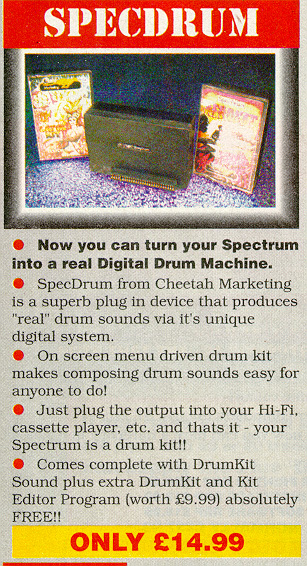
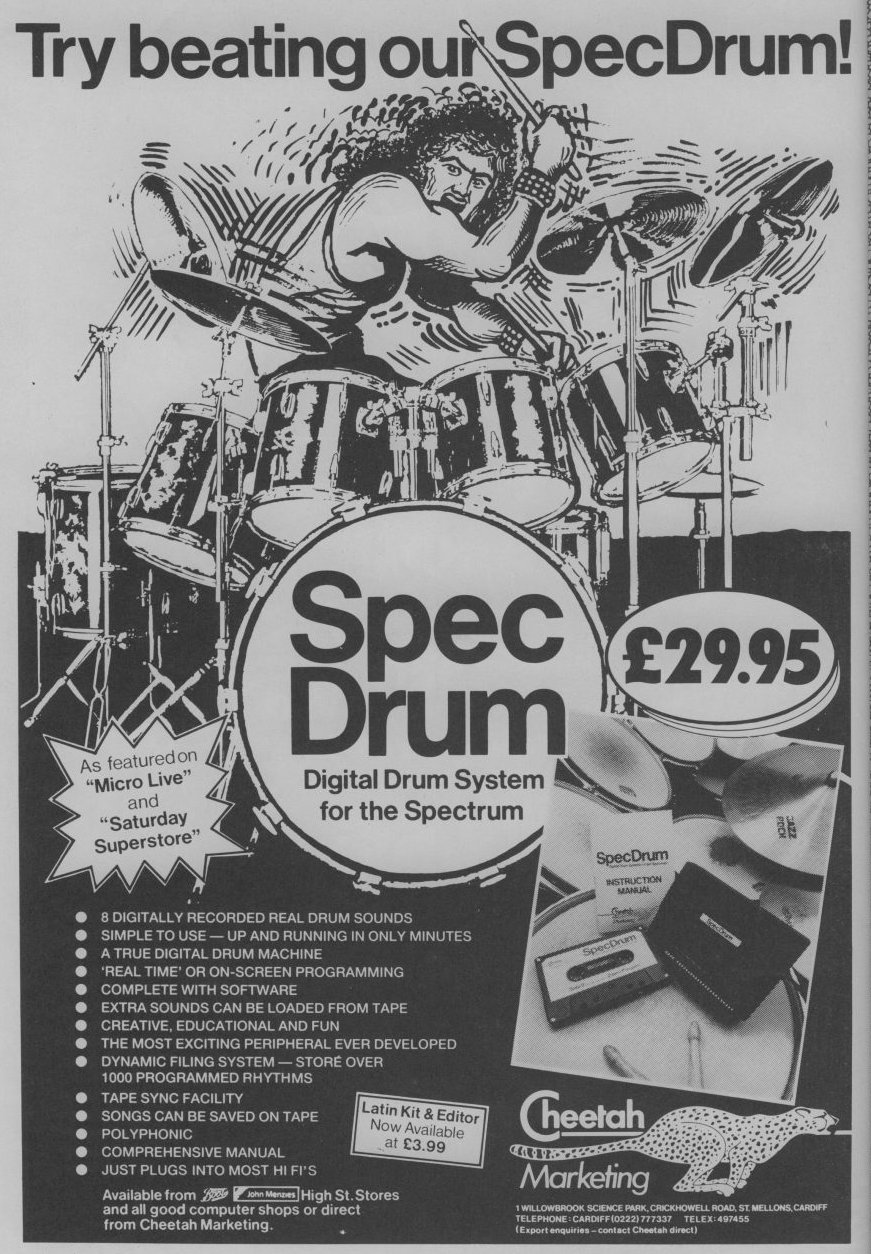
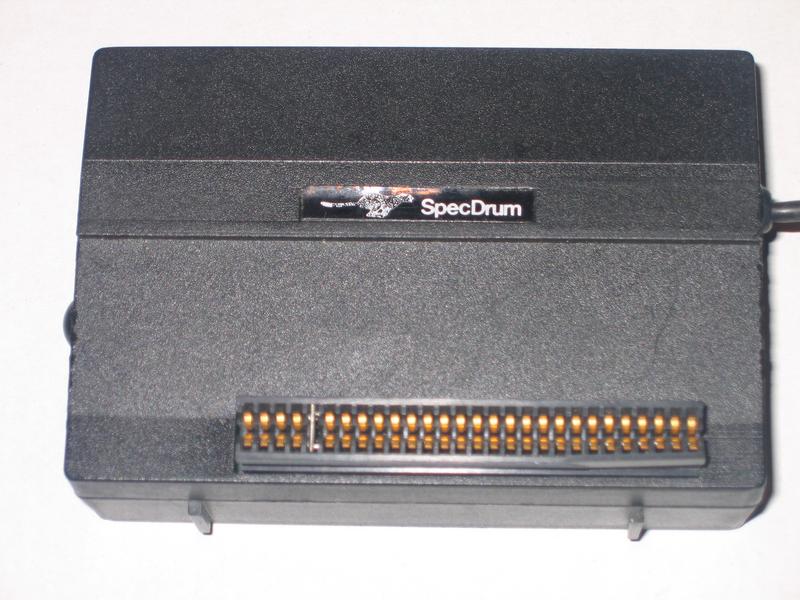
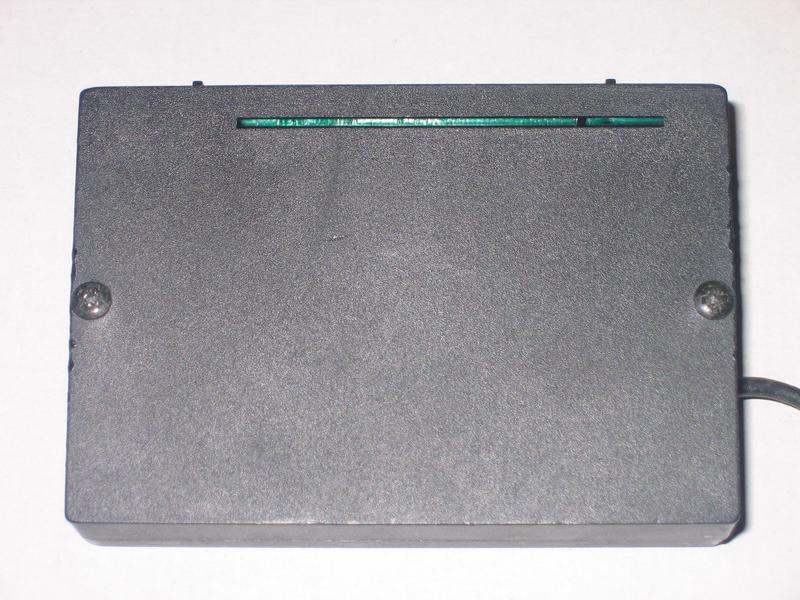
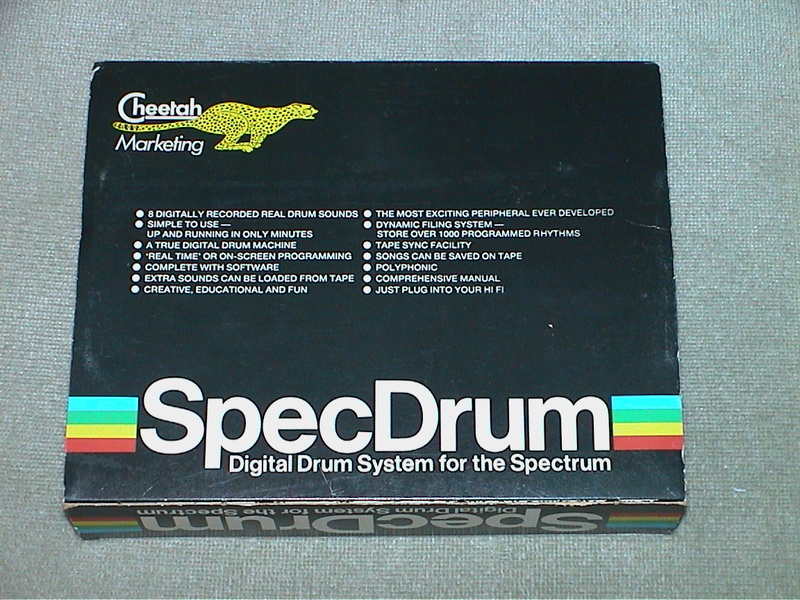
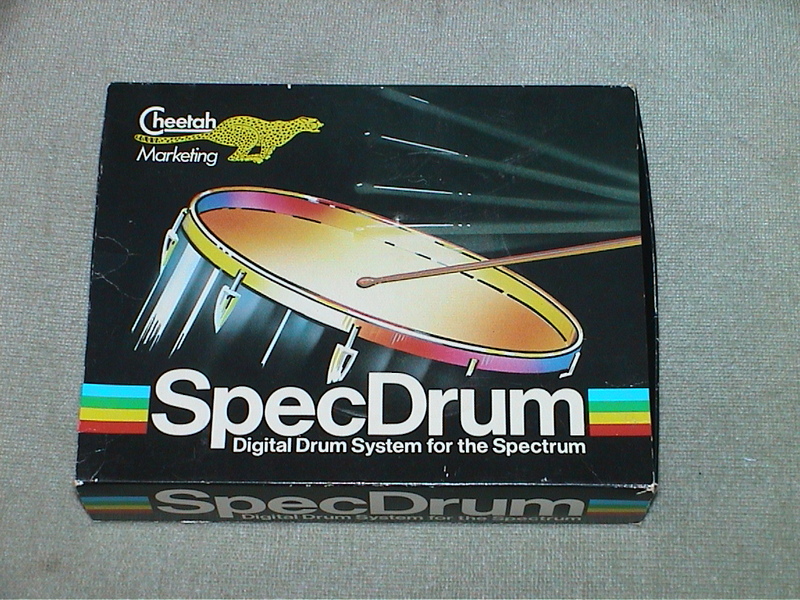
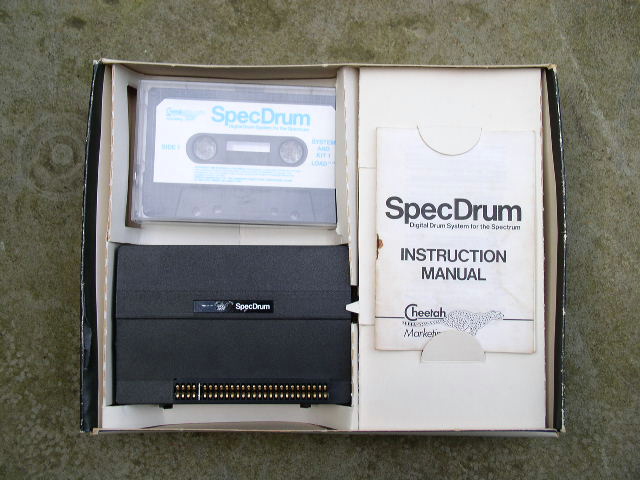
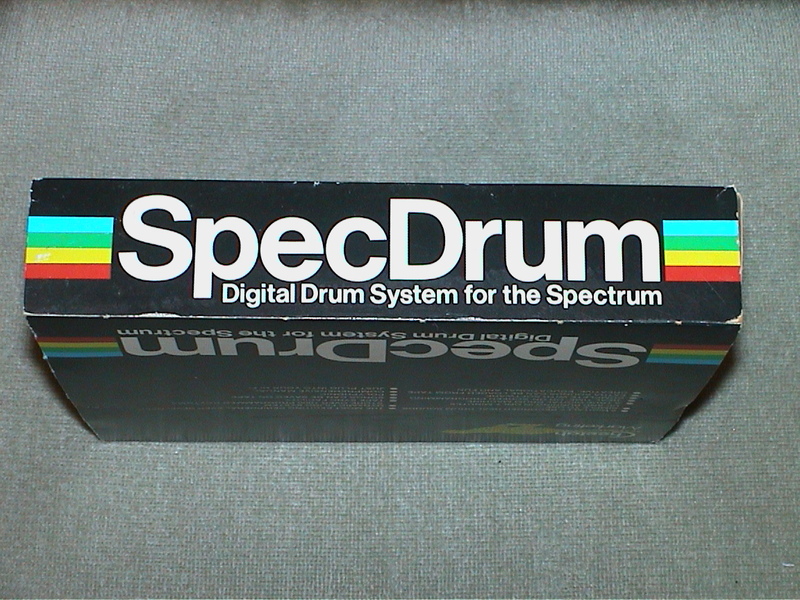
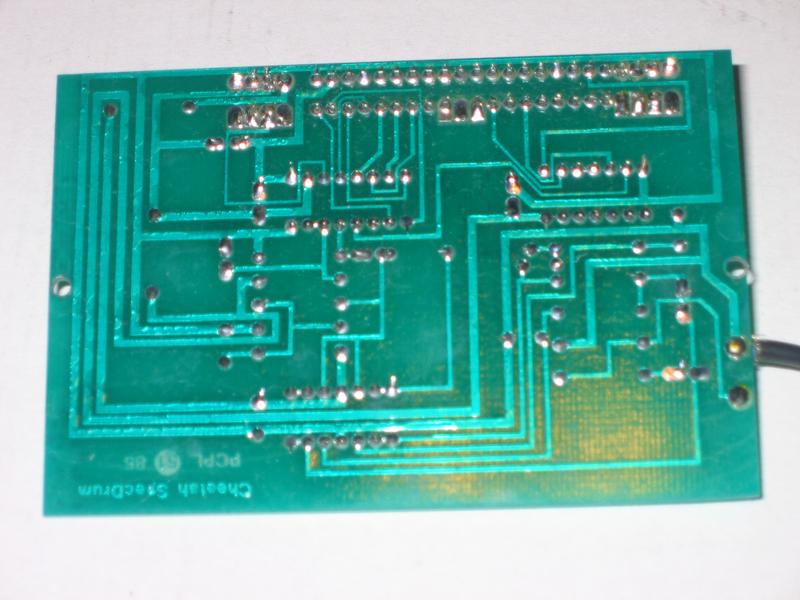
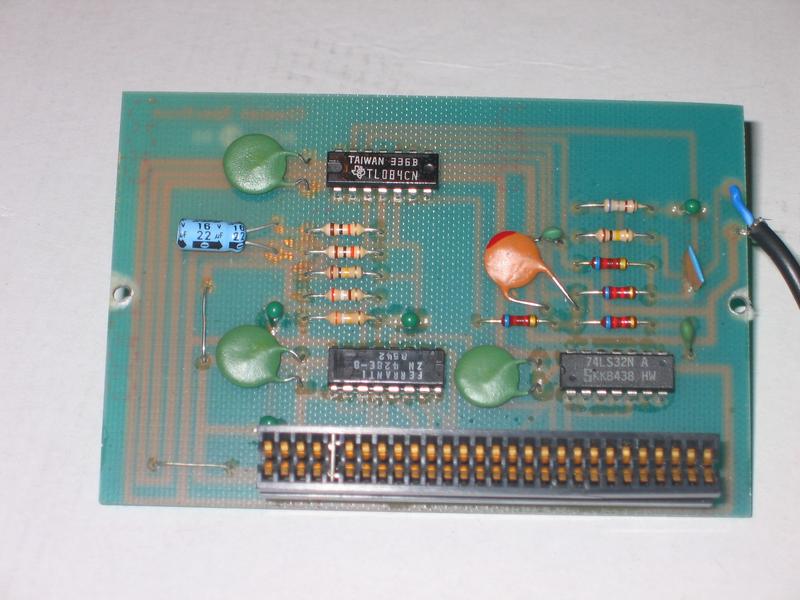
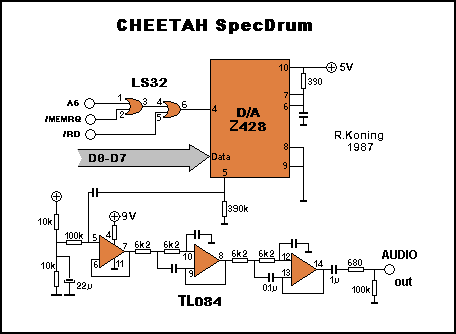
Digital drum system for your Spectrum. 8 digital drum sounds. True digital drum machine. Extra sounds can be loaded from tape. Real time or on-screen programming. Store over 1000 rythms.
Discussion
Nobody has started a thread about this yet.
Remarks
Came with the {SpecDrum|Cheetahsoft Ltd|0008720} system tape. Three additional sound kits were made: {SpecDrum - Afro Kit|Cheetahsoft Ltd|0008722}, {SpecDrum - Electro Kit|Cheetahsoft Ltd|0012382} and {SpecDrum - Latin Kit|Cheetahsoft Ltd|0008723}.
SPOT: drum synthesiser
Documents
- CheetahSpecDrum(EN).pdfInstructions English516 KB
Files and rights
No permission is on record either way. Screens and pictures are copied here on a take-down basis: if you hold the rights and want something removed, say so and it goes.
In the magazines 107
Crash #49Feb 1988 · p.66
Simon N Goodwin
(Simon N Goodwin owns the copyright to this review. Please visit http://simon.mooli.org.uk to find original articles and updates, much new material and his contact details.) Simon N Goodwin finds another fine disk interface in MGT's Plus D and gets rhythm with the SpecDrum System Two. Cheetah's SpecDrum package is one of the most versatile and successful add-ons you can get for the Spectrum, as more than 40,000 users have already discovered. Two years after the launch of the product it is still selling, and Cheetah has just released an add-on package, unimaginatively called the SpecDrum System Two, for owners of the original device. The SpecDrum produces very authentic drum and rhythm sounds by replaying samples - large tables of numbers that describe sound waves - through a black box that plugs into the back of any Spectrum. The principle is similar to that used in a compact-disc player, and though the SpecDrum isn't as accurate as a CD machine it's still a very convincing way to replay short percussive sounds under computer control. SpecDrum sounds have been heard on TV and radio programs, and even in adverts. The basic SpecDrum costs £30 and consists of an interface to fit on the back of the computer, with a trailing phono lead to convey sounds to an amplifier. The cassette software lets you play around with a 'kit' of up to eight short sounds at a time; the sounds are arranged in three groups, and you can play any one sound from a group at anytime. If you use sounds from several groups at once the SpecDrum automatically mixes the sounds together. Most other devices - notably the RAM Music Machine - play short snatches of each sound in turn, giving a less convincing effect. The original SpecDrum software lets you string together drum patterns on the screen and replay them at any tempo. Alternatively, you can enter the rhythm for each drum individually, by tapping a computer key as the rest of the pattern plays. The System Two will suit real drummers better as it lets you control all eight sounds directly from adjacent keys on the keyboard. SOUND CONTROL The main advantage of System Two over the original SpecDrum is that it allows more control over the drum sounds. You can tune them up and down in pitch by up to two octaves - the equivalent of a range of 49 notes on a piano. You can also play them backwards, or look at the graph of the sound and adjust the volume of the whole or any part. Thus you can make your own drum sounds subtle, distinctive or (with a bit of effort) both! At first you can only edit and replay the eight sounds that are digitally recorded on the other side of the tape. The supplied samples include bass and snare drum sounds, electric and acoustic tom-toms, open and closed high hat cymbals, handclaps and a clave. These raw recording use the maximum dynamic range of the system, so they can be tuned and edited with very little deterioration in quality. You can then assemble the sounds into kits that can be used with the standard SpecDrum program, mixing in original sounds if you wish. FREE SAMPLES To get best results from the System Two you need Cheetah's sound sampler - a £45 gizmo that lets you record your own sounds in the computer memory. Much of the SpecDrum System Two software is devoted to sampling. The principle is the same as that for the Cheetah sound-sampler program, reviewed in CRASH last year, but System Two improves upon some of its best features and those of the RAM Music Machine software. The main difficulty in recording good drum sounds at home is that the SpecDrum can only cope with very short noises; the longest sound it can handle is only about a sixth of a second. The System Two Sampler has the same restriction, and doesn't let you edit the desired part out of a longer recording, so it can take quite few tries to record a sound without losing the start or the end. Another display option, VIEW, shows you a solid graph of the whole recording till you release the V key. The restricted sample length means that you can fit the program, a kit of eight sounds, and the drum pattern or sample being edited into 48K. Unlike the sound sampler's own software, but like the RAM Music Machine and the first SpecDrum program, System Two ignore the extra memory on a Spectrum 128. It takes about 20 seconds to load or save a sample on cassette, and two minutes to save a complete kit of eight drums. Microdrive filing is supported, and I had no trouble loading and saving samples on the Swift Disk using Sixword's microdrive emulator; files loaded and saved in a few seconds, regardless of size. The program is supplied as a headerless tape file, so it is not easy to transfer it to disk without a magic-button device like a Multiface. WAVE EDITING The System Two wave editor displays the detailed graph of a sample, spread over 12 display pages, with one dot representing the level of each individual sample. A recording is made up of 3072 separate sampled levels. You can move about in steps of half a page very quickly, and can position a cursor at any point on the wave. You can edit the sample the hard way, by movinjg each dot on the graph. If you just want to adjust the level of all or part of a sample you can draw a line or ENVELOPE. The volume is automatically adjusted, throughout the sample, to correspond to the shape of the line. TUNE lets you shift the pitch of the sample up or down by a semitone, over a range of plus or minus two octaves. Reducing the pitch of a wave makes it longer; the extra information is lost. The ENVELOPE and TUNE options degrade the quality of the recording slightly, but they're still useful. REVERSE turns the sample around so that it plays backwards. The CLIP option just cuts off troughs and peaks outside certain boundaries, generally causing distortion. If you don't like the result of a change you can UNDO it to recover the previous sound. N and O play the 'new' and 'old' versions, so you can easily compare the sounds before and after editing. LIMITATIONS In the last couple of years much space in this column has been devoted to editing and converting the sounds supplied with the original SpecDrum and Cheetah's follow-up cassette kits of prerecorded sounds. The System Two lets you change the pitch of those sounds, but it will only let you adjust the volume of homemade samples and the eight sounds supplied with System Two. Cheetah justifies this in the grounds that the kit sounds have already been balanced and attempts to change their volume may ;ead to extra noise or distortion. THE VERDICT The SpecDrum System Two works well and will be useful to keen SpecDrummers, but it is a shame that it has limitations that reduce the scope for experimentation (I hope to remove these in future CRASHes). Still, it's a two-year old product, and the fact that it can be extended at all is a tribute to the original design. If you already own the Cheetah sound sampler, the SpecDrum System Two is excellent value, and provides a much slicker link between the sampler and the SpecDrum than I have been able to serailise in these pages. But don't expect me to stop now, just when things are getting interesting...
Crash #47Dec 1987 · p.114
Ben Stone
Dominic Handy
CHRISTMAS LISTE Ben and Dom, Crash, [redacted]. What's small and black and bursts the seams of a stocking? A Spectrum add-on, of course - there are hundreds of little black boxes for music, printing, screen art and program transfer. Dominic Handy suggests some utilities and hardware for the Christmas list, and Ben Stone brings joysticks to the world - but don't fight over them, or they'll all be broken by little black Boxing Day. JOYSTICKES TERMINATOR Supersoft £19.9 Like most pointless street cred - take Raybans, expensive earplugs on a Radio Shack personal stereo and the Beastie Boys - the Terminator does serve a purpose, but only just. And its wacky design takes a lot of getting used to. Being so tiny the Danish stick has a lot of travel, so it's quite unresponsive. And the fire pin is difficult to use: you have to hold the grenade and fire with the same hand, but you can get it to work fairly quickly it you're prepared to go through hand-ache agony. The Terminator is all but indestructible, made of very thick plastic and durable electrical parts, but for nearly 20 quid I'd expect something a little more efficient than this. OMPETITION PRO 5000 Dynamics £14.95 (£15.95 with transparent case, Competition Pro Extra £16.49 with autofire and go-slow mode) This is THE joystick. The fire action is brilliant and the stick performs like a dream. It looks much the same as the Euromax Professional, but for just a pound more you can get it with high-tech clear casing (as in the picture). It's durable, because the shaft is made of steel and the microswitched mechanism inside is remarkably simple (and pretty much user-serviceable). The fire buttons work with reed switches, sometimes considered unreliable, but I've never had any trouble. Sadly, there's no autofire on either model, though there's a souped-up version on the market (the Competition Pro Extra) with autofire option and a go-slow mode never before seen on any joystick. SPEEDKING Konix £11.99 (£12.99 with autofire) The Speedking was a novelty when it appeared - the first truly hand-held joystick that worked well. It's easy to use, though it has the problem of the Euromax Professional in reverse: the diagonals are a pig to find and use quickly, which makes playing games like fighting sims very difficult. The position of the fire button really makes your hand ache if you're pressing it a lot - shoot-'em-ups turn into a nightmare when you're doing well! - though it would be difficult to have it anywhere else on the compact little body of the Speedking. There is a Speedking with autofire available. Earlier this year Konix claimed one Speedking lasted for 17,604,000 waggles (that's 27 days of nonstop waggling, folks!), but the story is not now believed, Our Waggling Editor writes. PROFESSIONAL Euromax £15.95 (£18.95 with autofire) The Euromax Professional has most of the features now becoming standard in the joystick world: posey design and microswitches, and an autofire option if you want to pay a bit extra. (It's the autofire version in the picture.) At first it's a little difficult to get to grips with, literally, because it's biased slightly to the diagonals. Theoretically this means the joystick's eight directions are equally easy to use, but in practice the stick often slips out of the vertical/horizontal into a diagonal. But the Euromax Professional has a brilliant fire action. And it's a great stick for games where deft, precise movements aren't needed; it feels rather flimsy, but the couple that were in the office had fairly long lives considering the hammering a CRASH joystick gets! 125 SPECIAL Cheetah £12.99 This new joystick, introduced in last issue's PCW Show report, has the usual eight directional controls as well as two independent fire buttons - and a special rotate function which allows the player to twist the joystick for extra-realistic movement. Of course a joystick of such complexity needs more than the usual five pin in/outputs; you'll have to have an extra joystick port, or use both ports on the +2 and +3/. There is an autofire function. IN THE BLEAK MIDWINTER MIDI INTERFACE Cheetah Marketing £49.95 With this interface box and accompanying software you can control any MIDI instrument via the Spectrum. It's superb for people who can write music but can't play - just enter the notes and the computer plays the instrument. Or do it the other way round: you play the music and the computer puts it into musical notation. Including a MIDI lead for connecting the interface to your instrument, the MIDI interface was reviewed in issue 40. MK5II KEYBOARD Cheetah Marketing £199.95 This 61-key fully polyphonic board with foot switch and MIDI output ports comes packed in a rugged steel case. It's an ideal accessory to Cheetah's MIDI interface. MUSIC MACHINE Ram Electronics £49.95 'One of the best all round music add-ons for the Spectrum' - Jon Bates, Issue 34. A sound sampler, sequencer, editor, drum machine and composer all in one little black interface, the popular Music Machine is supported by a wide range of software. Recent additions include Quasar Software's Sample Editor (reviewed last issue) and Tectrics's chord construction kit Compuchord (Issue 45). SPECDRUM Cheetah Marketing £29.95 Now the standard drum add-on for the Spectrum, the SpecDrum comes complete with eight samples of real drum sounds. Extra drum sounds can be loaded in from tape: the Electro Kit and Afro Kit both retail at £4.99 and the older Latin Kit at £3.99, and all come complete with their own editors. The SpecDrum plugs into most hi-fis via a connecting phone lead. Jon Bates enthused over it in Issue 27. MUSIC TYPEWRITER Romantic Robot £7.95 Coming complete with keyboard overlays (48/+), this clever piece of software is a sophisticated tool for music on the Spectrum. Music written on Music Typewriter is displayed onscreen using realistic graphics which can be dumped to most dot-matrix printers, so you can print your own music. And your compositions aren't limited to Music Typewriter - all your tunes can be converted to machine code for use in your own programs. Jon Bates went sharpening and flattening on Music Typewriter in Issue 16. PRINTING MULTIPRINT Romantic Robot £39.95 A printer interface with all the options, the Multiprint can dump any Spectrum screen to an Epson-compatible printer in three different densities - it's handy for listings, too. There's more info in Issue 43. RAM PRINT Ram Electronics £34.95 Not only does this little black box drive your printer using a very easy menu-driven system (all stored on a ROM chip), it's also useful for those apres-Christmas 'thank you' letters because it comes with a built-in word processor, accessible from BASIC at any time and also on ROM. And if you ever get bored of all those line feeds and ESCape codes you can always plug your joystick in the built-in Kempston port and bash away at a game. See the details in issue 35. FOR THE ARTIST THE OCP ART STUDIO THE ADVANCED OCP ART STUDIO Rainbird £14.95, £24.95 'Probably the best art utility on the Spectrum' - Mike Dunn (On The Screen Editor). Need we say more? Several versions of the mouse- and joystick- compatible Art Studio utility are available for different Spectrum setups; The Advanced OCP Art Studio, which really needs an Interface One and microdrive to use its full potential, is much more powerful than the original. It has a Scrapbook library facility so you can combine and paste together pictures. Issues 24 and 40 have reviews of The OCP Art Studio and The Advanced OCP Art Studio respectively. VIDEO DIGITISER Sunset £128.00 Ever wanted to change Prince Charles's ears, or rub out out that blot on Gorbachov's forehead? You can do this and more, provided you've a video recorder, with the Sunset Video Digitiser. This little black box has all the connections for grabbing TV pictures from the video and then using them anywhere you want - even in games. Sadly, there's no printer ribbon that will put them onto T-shirts. Franco Frey got frame-grabbing in issue 31. VIDEOFACE DIGITISER Romantic Robot £69.00 plus £1.00 postage and packing The Videoface Digitiser is amazingly cheap and fast - it's all here. You can grab and scan three pictures a second, and then produce a very realistic animation sequence using up to six screens. At about hall the price of the Sunset Video Digitiser, this represents unbelievable value for money. NOT A CREATURE IS STIRRING, EXCEPT FOR A MOUSE KEMPSTON MOUSE Kempston Data £49.95 There's no WIMPing out with Kempston's version of the yuppie controller, with button eyes and connecting tail. Don't forget to lock up your cheeseboard and keep the cats indoors. Kempston is still bundling Rainbird's OCP Art Studio with this rodent at £69.95. Or those with a Spectrum +3 you can get Kempston's new Desktop utility package for +3 DOS and the mouse for exactly the same price. COMCON Frei £17.95 (single port), £19.95 (twin port) This is guaranteed to work with any product that uses the Spectrum keyboard. By connecting the six plugs to the miniature keyboard add-on you can have eight directions and TWO independent fire buttons (provided you have the correct joystick - also available from Frei). A twin-port version is also available for complex games. Lloyd reviewed the single-port version way back in Issue Eight. AND... MULTIFACE ONE, MULTIFACE 128, MULTIFACE 3 Romantic Robot £39.95, £44.95, £44.95 'One of the most versatile and user-friendly units on the market' - CRASH Issue 29 - Romantic Robot's Multifaces are ideal for the serious gameplayer or utility user with a fast storage device: they can put cassette games on Beta, Opus and Kempston disks. The Multiface 3 (pictured) can transfer cassette programs for the Spectrum and 128 to the - +3's Amstrad disks. It was welcomed in Issue 45 as a good reason to buy the +3, though Sixword's Swift Disc and Rockfort Product's Disciple are also worthwhile disk systems. The Multifaces have other uses: most POKEs can be entered using the ROM-based toolkit. And printer-owners are also catered tor with a COPY command, ideal for dumping your greatest high scores! All these options are available at any time at the press of a little red button. CRASH first saw the Multiface One in Issue 26. PLUS D Miles Gordon Technology £49.95 (£129.95 with 3.5-inch 780K-capacity disk drive) The Plus D is a new disk and printer interface from the designers of Rockfort Product's Disciple. Its Snapshot button will save all 48K and 128K cassette programs to disk, it's claimed, and the interface can make single and double-size screen dumps to a printer. The Plus D is also available in a package with a disk drive. GAMMA-STRIKE Gamesware £24.95 Gamesware's Gamma-Strike target-shooting system is a novel combination of hardware and software - you plug a target into the Spectrum, shoot at it with a model gun and watch the computer monitor your score! It's all done with the latest signal-detection techniques, and Gamesware promises more 'plug-in games' including darts and snooker soon... look out for the CRASH review. Thank you Santa, lots of luv Ben and Dom xxxxx
Crash #27Apr 1986 · p.100
Jon Bates
Producers: Cheetah Marketing Authors: P Henning and A Pateman Hooray! After a much intrigue involving distributors, as well as marketing and PR type people, CRASH finally gets to look at the SpecDrum. Nothing unfriendly, you understand, it just took a while to get hold of a review unit. By now quite a few copies of this musical package will have been sold, but if you haven't yet rushed out to buy SpecDrum, read on.... SpecDrum is a bolt-on package that gives you a kit of drums. Not your usual naff drum noises, but real drums sampled onto a chip. Very briefly this means that the sound made by each drum is stored digitally. When the unit is fired up it makes sounds which are just like the real thing - well, nearly. More to the point, most records use some form of digital drum nowadays, and so the sounds produced with SpecDrum are familiar and really great to work with. On a technical note it can record any sort of time signature and beat known to western civilization. The hardware is contained in the usual matt black box with a phono lead attached. The latter can be plugged into an audio amplifier, a mixer, a recorder or even a megawatt PA system depending on the proximity of your nearest and dearest. Within this box are the chips which produce the drum sounds. The accompanying program allows the Spectrum to fire the drums at your command and fashion the timing into any complex arrangement, depending only on your inventive ability. SpecDrum comes with a standard kit: Bass Drum, Snare Drum, Mid and Low Tom Toms, Cowbell, Hi Hat open and closed and Hand Claps, although there is no side or crash cymbal which is a little sad. The sound quality of all these is excellent; having used them on my own tapes which have been played to long-suffering colleagues, the verdict was pretty unanimous - for less than £30 it is an absolute giveaway, considering that a drum machine will set you back around £250 and is not half so friendly to use. What's more you can load up different drum sounds, programmed on the other side of the cassette, and have a different kit, and new tapes are planned - a Latin kit is already available. The unit comes complete with a clear and comprehensive guide book. TO WORK TO WORK... In outline what you do is write a drum pattern, let's say of two bars length. You can either do this by tapping in each drum/key in turn to a fixed metronome beat (realtime) or by writing direct onto a graphic display (steptime). A little bit of forethought is needed here as you will need to decide how many drum strokes you need for each musical beat. (You can divide each beat into 32 strokes if you're that barmy!). The program initially defaults to a fixed tempo, but this is easily altered either by numeric input or more simply by pressing L or ENTER while your pattern is playing back. Any change of tempo is noted and stored away. Regardless of how you have created the pattern, you can see it graphically. The edit option gives you complete control to add or take away whatever drumbeats you like, but if that is too difficult, go back to the realtime page and delete or add the drum you want as it plays. A really useful feature of the realtime writing option is that the micro compensates for your lack of accuracy, and shoves the tapped-in drumbeat to the nearest division of a beat. You can file your short drum pattern away. Songs rarely consist of the same drumbeat all the way through: the most bovine of skin-bashers likes a variation every now and again. Answer: create another pattern. And then another. When you have a compendium of short patterns duly filed and numbered it's time to assemble them into a song format. The Song Edit page allows the patterns to be edited into a sequence, with individual patterns repeated and placed into whatever order you see fit. The whole format (now called a Song) is given a name and can be dumped onto cassette and recalled later. A song could consist of 255 entries, each one of which may be looped 255 times - enough for several hours of endless drumming. The program can store up to 16 songs at one go which is more than enough for the most ambitious rhythm merchant. Although it has eight drum sounds, SpecDrum can only cope with three channels, meaning that some drums cannot be produced simultaneously. But this limitation has been catered for, and presents no real problem. The update cassette has a chain editor on it. With this you can reverse the sound of any drum - Simon Goodwin has more information in this issue's TECH TIPS. I would have liked to have seen a volume and accent option so that some beats could be sounded louder than others, but for the real whizz kids the units offers a synchro pulse input/output. If you're recording onto a multi-track machine a sync pulse is put onto one track. You then record each drum on a separate track, using the recorded sync pulse as a master clock for the program. You are then free to alter the sound of each drum individually and boost or cut the volume at will. In operation I found the SpecDrum's noise level quite acceptable. To sum up, this is a major achievement for a ridiculously low price. SpecDrum is very easy to use and the sounds are certainly good studio quality. Even if you can't play drums but are keen to add a bit of solid beat to your musical instrument at home, then this is your wisest choice, and it would be a good idea to set up a number of patterns for quick use. If you have a relative with a keyboard that has one of those horrid drum boxes you could do a little cost sharing - Relative gets a far superior drum sound, you get the fun of programming them up and the use of the SpecDrum to help you become a megastar. If you do end up rich and famous, please remember where you first heard about it - all donations gratefully accepted and quickly spent.
Your Sinclair #3Mar 1986 · p.43
Rachael Smith
YOU CAN'T BEAT IT! What's got long greasy hair, makes nasty smells in the corner and creates one hell of a din laying into his kit? A drummer, that's what! Now Rachael Smith reckons she's found a more refined alternative - Cheetah's SpecDrum. FAX BOX Name: SpecDrum Supplier: Cheetah Price: £29.95 Reviewer: Rachael Smith Drummers are a real pain for a new band. When you're starting out you can never find one - and if you make it big they're always the ones who drive the sports cars into the swimming pool! Well, SpecDrum may prove the answer. For thirty quid you get a complete drum kit in the shape of a small box to clip to your Speccy's behind, plus a tape. The hardware contains the electronic wizardry that gives you three channels of percussion. And as nobody in his right mind would want all that mayhem beeping through the inbuilt speaker, you'll just have to connect it to a hi-fi or other amp via the attached phone, possibly using an adaptor. Mind you, the really clever stuff is on the tape. Here you'll find your kit of eight digitally sampled sounds. You can use any three of them simultaneously - within certain limitations. SpecDrum comes with a standard rock kit, plus high tom or rim substitutes. The versatility doesn't stop at that - there's even the promise of further kits to come, such as a latin one. But back to the present. Once you've listened to the eleven examples you'll be dying to create your own tracks, building with rhythmic blocks, creating your patterns then linking an looping them into completed songs. And as the instructions are probably the worst part of the package you can take a look at how this process works here. There's a lot of memory for storing your tracks. You'll soon find that using the system becomes second nature to you. But the impressive feature is that quality of the sound - it'd easily do for demo tapes. That's why there's a synchro facility - I reckon a full MIDI interface would've proved far too costly. As it is, SpcDrum is unbelievably cheap and great fun to use. A definite hit.
BEATING THE DRUM As soon as the program's loaded you're presented with the following series of menus - provided SpecDrum's connected, of course! Main Menu From the main menu you can access further facilities as well as all the other menus Here's the list of songs you're working on. The Load/Save menu has options for individual titles or dumps for up to 16 tracks. You get the chance to hear your track as it stands at any stage of the proceedings. Set around 125 the tempo is a rockin' beat, but boot it up to 999 and our snare will sound like a pneumatic drill! To start you'll need to know how to divide each beat. Though 32 parts are available, you're unlikely to need more than 12 unless you're getting into very complex rhythms. Clever this. If you have multi-track recording facilities you can use SpecDrum to sync to itself via a pulse track output from the mic socket. Pattern Menu Pressing 'P' takes you to the first stage of creation - the pattern menu. Here's your drum kit. Note that it's divided into three group, so you can't play the Mid and Low Toms simultaneously, for example. And this is where the drums are played and displayed, by number. The three channels are clearly illustrated, and you can easily make alterations under the black cursor. Above and below are the bars you're not currently working on. Of course you may prefer tapping out the track to typing it in. This calls a sub menu which allows you to specify the sound. Then beat out that rhythm on a (Spec)Drum. Tempo/Format chooses the time signature and this blue line shows where the beats and bar lines come. Closed Hi Hat and/or bass can be automatically added to help you keep time. A nice touch. Edit Menu. You've got your bars of beats so it's time to put them together with the edit menu. There are the individual patterns. To hear them again just insert them in the black window blow and press D for Drum - you can hear them in context and take them out if you don't like the effect. This is the number of the pattern you've chosen, increased or decreased by pressing 1 and 2 respectively... ....And this is the number of times it plays, from 1 to 255, which could be rather repetitive! 3 and 4 control this, and once you're satisfied you just scroll it to the left with Enter. Use Shift 9 to insert, Shift 0 to delete, and eventually you'll get it right. Then it's back to the main menu for one last time where F tidies the data and stores it as economically as possible. Simple, eh?
DRUMMIN' UP. Rat Scabies of The Damned once said that he took up drumming 'cos he liked hitting things. For all of you who've never thrashed a kit here's a quick run down of what you get. Bass The one you paint the band's name on. It hits you in the pit of the stomach so use it to accentuate the beat. Snare 'Toppy' sounding, it can be used for sizzling rolls. Found in most sorts of music, an optional voice allows for striking the 'Rim'. Toms Mid and Low are standard with an optional High. Over-use these tuned drums and you'll sound like a bad disco mix but moving between pitches can work well. Hi-Hat Your cymbal can be in two states, Closed, or for a real crash, Open. Use sparingly unless you're into HMO (Heavy Metal overkill). Cowbell Goes great with yodelling. Not one for the rockers but it can be nicely funky if it alternates with your cymbal. Claps Another disco one in the cymbal section. Use it for steady, repetitive rhythms.
Advert48
- Your Sinclair #30Jun 1988 · p.98
- Your Sinclair #29May 1988 · p.98
- Your Sinclair #28Apr 1988 · p.45
- Your Sinclair #27Mar 1988 · p.8
- Sinclair User #71Feb 1988 · p.44
- Your Computer #2Feb 1988 · p.15
- Sinclair User #70Jan 1988 · p.33
- Your Computer #1Jan 1988 · p.31
- Your Sinclair #25Jan 1988 · p.5
- Sinclair User #69Dec 1987 · p.62
- Your Computer #12Dec 1987 · p.63
- Popular Computing Weekly #49Dec 1987 · p.30
- Sinclair User #68Nov 1987 · p.40
- Your Computer #11Nov 1987 · p.57
- Your Sinclair #23Nov 1987 · p.58
- Sinclair User #67Oct 1987 · p.56
- Sinclair User #66Sep 1987 · p.3
- Sinclair User #63Jun 1987 · p.50
- Sinclair User #62May 1987 · p.7
- Your Sinclair #17May 1987 · p.56
- Computer Gamer #25Apr 1987 · p.21
- Sinclair User #60Mar 1987 · p.64
- Your Sinclair #15Mar 1987 · p.32
- C&VG (Computer & Video Games) #65Mar 1987 · p.39
- Sinclair User #59Feb 1987 · p.7
Full-page ad17
- Your Computer #4Apr 1986 · p.56
- ZX Computing #24Apr 1986 · p.41
- Sinclair User #48Mar 1986 · p.9
- Your Sinclair #3Mar 1986 · p.5
- Crash #26Mar 1986 · p.37
- C&VG (Computer & Video Games) #53Mar 1986 · p.92
- Sinclair User #47Feb 1986 · p.49
- Your Sinclair #2Feb 1986 · p.78
- Sinclair User #46Jan 1986 · p.85
- Your Sinclair #1Jan 1986 · p.27
- Sinclair User #45Dec 1985 · p.89
- Your Spectrum #21Dec 1985 · p.17
- ZX Computing #22Dec 1985 · p.21
- Sinclair User #44Nov 1985 · p.14
- Your Spectrum #20Nov 1985 · p.4
- Sinclair User #43Oct 1985 · p.4
- Your Spectrum #19Oct 1985 · p.2
Feature12
- Crash #50Mar 1988 · p.64
- ACE (Advanced Computer Entertainment) #3Dec 1987 · p.31
- Your Computer #3Mar 1987 · p.44
- Your Sinclair #12Dec 1986 · p.35
- Sinclair User #52Jul 1986 · p.50
- Your Computer #6Jun 1986 · p.50
- Crash #29Jun 1986 · p.80
- Popular Computing Weekly #23Jun 1986 · p.8
- Crash #28May 1986 · p.104
- Your Computer #4Apr 1986 · p.58
- Your Sinclair #3Mar 1986 · p.43
- Your Computer #12Dec 1985 · p.60
News/Note11
- Crash #42Jul 1987 · p.81
- Sinclair User #62May 1987 · p.21
- Your Sinclair #17May 1987 · p.5
- Your Sinclair #15Mar 1987 · p.7
- ZX Computing #28Aug 1986 · p.6
- Crash #31Aug 1986 · p.101
- Crash #29Jun 1986 · p.75
- Sinclair User #46Jan 1986 · p.48
- Your Spectrum #20Nov 1985 · p.5
- Home Computing Weekly #130Sep 1985 · p.7
- Popular Computing Weekly #36Sep 1985 · p.1
Tips7
CompoEntry3
- Your Sinclair #7Jul 1986 · p.43
- ZX Computing #26Jun 1986 · p.29
- Crash #29Jun 1986 · p.75
Review3
- Popular Computing Weekly #29Jul 1986 · p.11
- Popular Computing Weekly #4Jan 1986 · p.36
- Popular Computing Weekly #44Oct 1985 · p.14
CompoResult2
- Your Sinclair #11Nov 1986 · p.89
- Crash #31Aug 1986 · p.55
Related
- Elsewhere
- WorldOfSpectrum
- Same entry at
- Spectrum ComputingZXInfo
Reviews from people here
Sign in to write about this, or make an account. It takes a minute and lets you correct the catalogue too.
Everything ZXDB can hold about this is here.
Sign in to correct or add to this.
Hold the rights to this and want it taken down?