
ZX Microdrive
Hardware: Cassette
Sinclair Research Ltd · 1983 · Pound sterling 49.95 · Pound sterling 21.95 budget

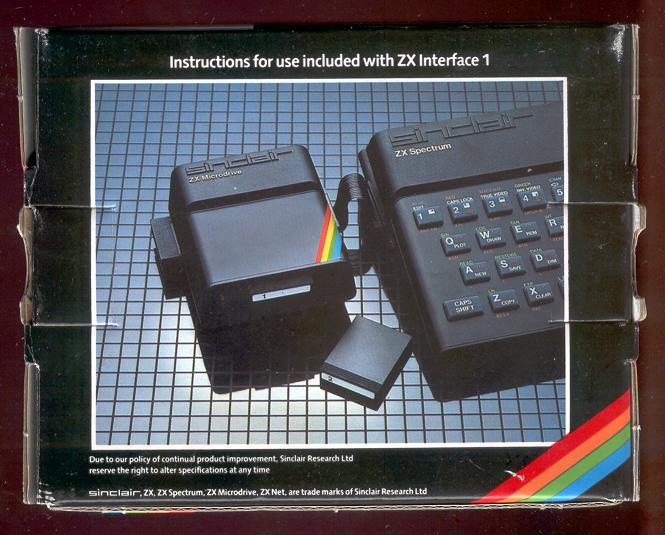
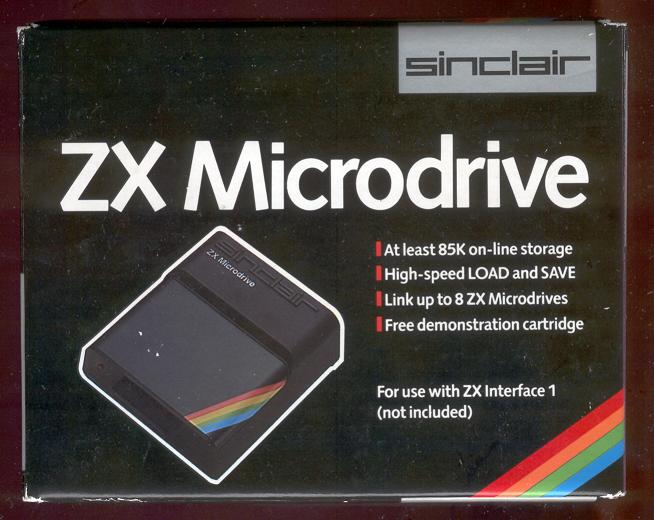
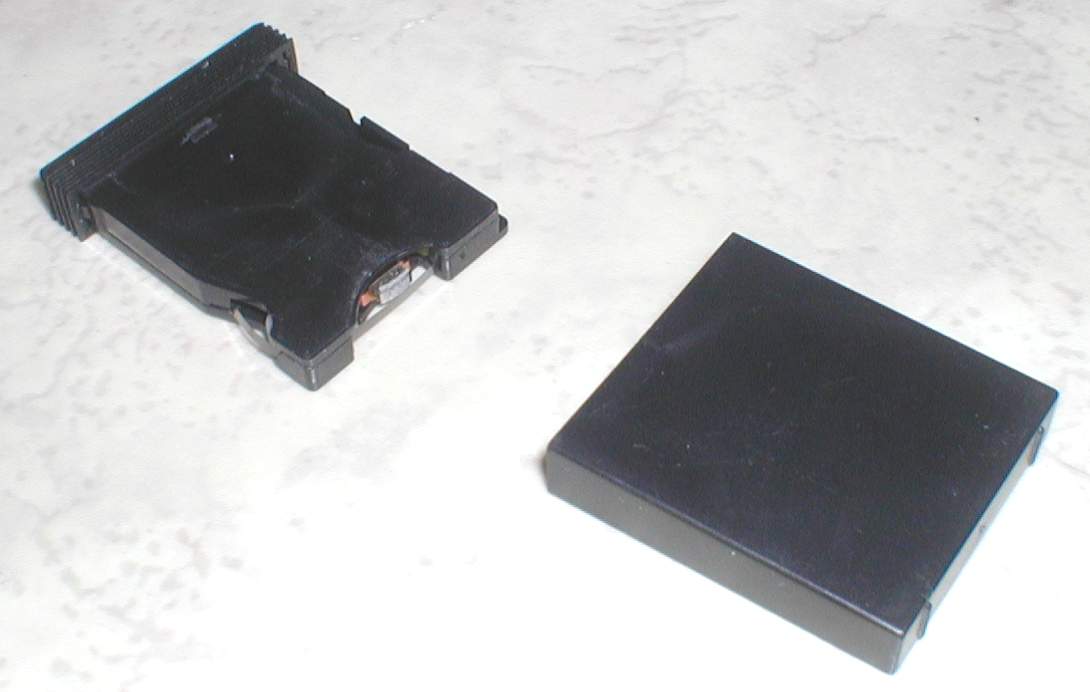
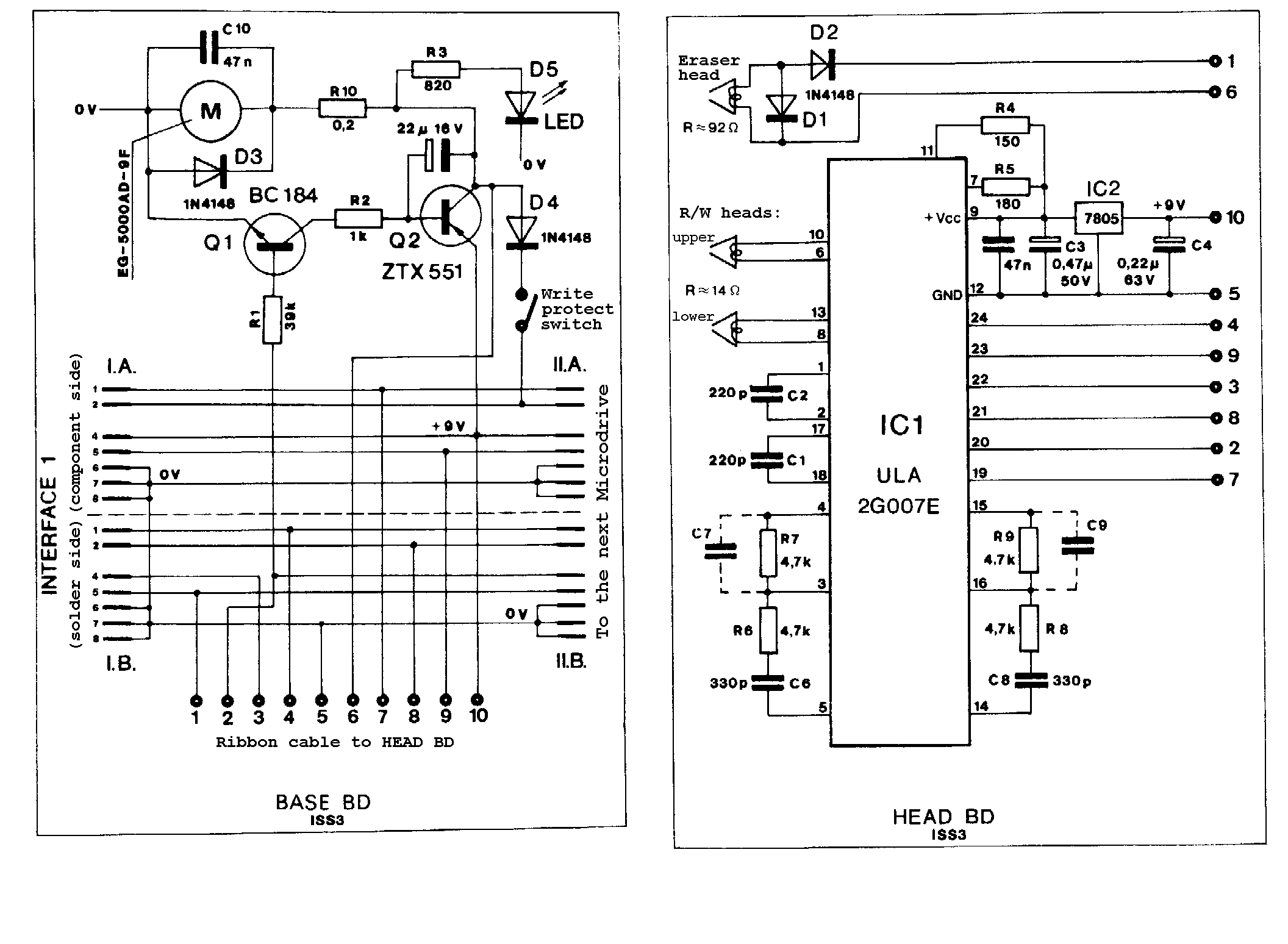
Sinclair's mass storage device. Uses a tape loop to 'emulate' a disk drive, offers random access and fast loading. This device alone improved the Spectrum 100%, allowing 85K per cartridge. Loaded a typical 48K program in 9 seconds. (requires {ZX Interface 1|Sinclair Research Ltd|1000192})
Discussion
Nobody has started a thread about this yet.
Remarks
Interface 1 £49.95 + Microdrive £49.95
Other files
- ZXMicrodrive_Flyer.zipHardware advertisement scan 887 KB
Files and rights
Distribution permission is on record, granted to another archive rather than to this one. Screens and pictures are copied here; everything else links to the archive that holds it.
- AllowedSinclair Research Ltd → WorldOfSpectrum
Credits
- Ben Cheesecredited
Sign in to credit somebody, or say what these people did.
Scores
Elsewhere on the web
- WorldOfSpectrum 4 votes9.50
Awards and competitions
Big K - Readers Poll 1984
- 2Naffware of the Year
In the magazines 256
Crash #21Oct 1985 · p.104
Franco Frey
THE EXPRESS GANG If you don't enjoy your tea while waiting for your program to load from the audio cassette recorder, or you're just generally of a nervous disposition, you will have considered acquiring an improved storage medium for the Spectrum. Most people reckon that they can transfer their games collection on this new acquisition and will be able to call off any desired game at the bat of an eyelid! Whoops, not quite so... Most storage devices require some sort of operating system, which enables the user to access the various functions. With the Spectrum this usually means that the operating system provides an extension of the BASIC instructions, without interfering with the normal cassette commands. These functions can thus be called up within BASIC and executed either directly from the keyboard or from within the BASIC programme. The commands are usually reminiscent of the BASIC Microdrive commands, but do vary quite a bit from disc system to disc system. The only other alternative access to the drive functions is via machine code, but unless the manufacturers provide the necessary information regarding the entry points to the various machine code routines, this approach may be impossible or of little interest to the average user. It may be noted that until recently none of the drives had a hardware triggered interrupt facility, which would allow the games program execution to be interrupted and the complete contents of the Spectrum memory to be dumped, a perfect way of copying cassette games onto disc/cartridge. The Microdrive in combination with the excellent Mirage interface manages to do this and the latest addition is the improved version of Technology Research's Beta Disk interface with TR-DOS V4. For the other interfaces, if the user knows what he is doing, there is the possibility of breaking into the program and manipulating it onto disc in various sections, but only if the operating system memory requirement does not interfere with the program execution area. The drives vary considerably in the memory requirements and some drives make it their business not to use a single byte of the standard 48K available to the Spectrum, an obvious advantage. In this issue of CRASH Franco Frey begins a survey of the Spectrum fast storage market which will include such mundane things as the Sinclair Microdrive right up to systems which make the Spectrum appear to be an add-on. Not all these storage devices belong to the desirable group of floppy disc drives. We review Microdrive/Interface 1 lookalikes such as the Wafadrive with its stringy floppy cartridges; the latest entry, the Triton, with its peculiar spiral track motion disc system and the horde of standard Shugart compatible floppy disc drives such as the Beta Disc, Kempston, Timex, and Opus. Many of these products include added benefits such as serial and parallel interfacing and some even provide joystick interfaces. The units will be individually reviewed and scrutinised right down to the last bolt or screw. We shall be specifically looking at the cost and performance of the individual storage media, the mechanical and electronic performance of the devices and, most important of all, how the operating systems involved interface with the good old Spectrum. So here comes the crazy Express gang.... TRITON QD HARDWARE: Large cream coloured disk drive unit with integrated power supply and mains lead connected via permanent lead to black coloured interface box which connects to the Spectrum system edge connection. Interface provides an expansion port for printer or other add-on. A slide switch is provided for drive selection. Interface 1 may not be connected to the system, as it uses same ROM configuration. SYSTEM DESCRIPTION: Although the TRITON QUICKDISK uses hardjacketed floppy disk media, it falls under the category of the stringy floppy systems, as the access is not random but sequential. Unlike the standard disk drives, where individual tracks may be accessed by positioning the read/write head with a stepper motor, the TRITON QD combines the floppy disk rotation with a continuous linear tracking of the head and thus creates a single spiral track along the disk similar to a record groove. The spiral is completed within eight seconds whereupon the linear motion disengages and returns to the start position. This means that consecutive access time is restricted to eight seconds. In general this works out faster than the Microdrive and similar to the Wafadrive. Formatting requires only one go and this means an extremely fast formatting time. The interface caters only for one drive and should a second drive be required, a second interface will have to be installed. OPERATING SYSTEM: Extended Basic residing in shadow ROM. SYSTEM COMMANDS: FORMAT <drive number> formats and initialises a diskette. CAT * <drive number> examines and displays file contents on screen: Bytes free, Filename, Type (Basic-b, Data-d, Machine code-m), Size (bytes) and Execution address. SAVE * <drive number>; b; "filename" stores BASIC program to diskette on selected drive number. SAVE * <drive number>; d; "filename"; <variable name> stores a data file to a diskette on selected disk drive. SAVE * <drive number>; m; "filename"; <starting address;, <ending addresss> stores a machine code program to a diskette on selected disk drive. LOAD * <drive number>; "filename" loads a file from diskette in selected disk drive. ERASE * <drive number>; "filename" deletes a program from diskette in selected disk drive. COPY * <drive number> TO drive number>; "filename" copies a file from one drive to the other. COPY # formats a diskette on drive 2 and block transfers files from drive 1 to drive 2. Neither copy command can be used in BASIC program mode. ERROR REPORTS: 13 error messages EXTRA FACILITIES: Second drive requires extra interface. MANUAL: Preliminary manual sufficient, contains most necessary information. APPLICATION PROGRAMS: None, but listing of utility included for transferring unprotected programs from tape to disk. CRITICISM: Slow access due to loop time. Fairly expensive for stringy floppy type drive without serial or parallel ports. COMMENTS: Longer life media compared to cartridge tapes. MEDIA: 2.8 inch hard jacketed floppy disk with write protect tab. Price £2.99 TECHNICAL SPECIFICATION: Number of drives per system: 2 Storage capacity (formatted): 100Kbytes (2 sides) Number of sectors: 20 per side Sector size: 2.5Kbytes Data transmission rate: 101.6 Kbits per sec Recording density: 4410 BPI TIMING: Formatting: 8 sec Cataloguing: 2.5 - 8 sec Loading a screen: 2.5 - 8 sec PRICE: £119 MICRODRIVE AND INTERFACE 1 HARDWARE: ZX Interface 1 stacks under the Spectrum and uses the Spectrum system edge connection. It includes a 9-pin D serial port connector and the LAN input and output sockets and provides also an extension port for further add-ens. The MICRODRIVE connects via a pluggable flat cable to the INTERFACE 1. Further MICRODRIVES can be stacked side by side. SYSTEM DESCRIPTION: The Interface 1 incorporates the Microdrive controller, a local area network (LAN) and a serial RS232 interface. Up to eight Microdrives may be accessed, with each having a formatted capacity of more than 85K. The system commands are incorporated as a BASIC extension in a shadow ROM. Two new concepts have had to be established, the CHANNELS and STREAMS. The various functional parts of the computer system are defined as channels to which data can be sent. There are seven types of channels, the keyboard (k), the screen (s), the ZX printer (p), the text RS232 interface (t), the binary RS232 interface (b), the network (n) and the Microdrive (m)). A network channel requires a station number "n"; x where x is in the range of to 0-64. A Microdrive channel requires a Microdrive number and a file name "m"; y; "name" where y is the Microdrive number (1-8) and the name is a string between 1 and 10 characters long. The routes along which data flows to and from the channels are known as STREAMS. There is a maximum of 16 streams #0 - #15. Apart from the four streams #0 to #3 the streams may be between any input and output channels. Streams #0 and #1 output data to the lower part of the television screen and input from the keyboard. Stream #2 outputs to the upper part of the screen but cannot input. Stream #3 outputs via the ZX printer, but cannot input. Stream channels have to be opened and closed for use. OPERATING SYSTEM: Extended Basic residing in 8K shadow ROM. SYSTEM COMMANDS: RUN automatically loads and runs after a NEW or after switching on any program stored under the name "RUN" in Microdrive 1. CAT [#x] displays an alphabetically ordered list of all files in the cartridge of Microdrive n. With the optional stream statement the catalog can be sent to the specified stream. LOAD * "m"; n; "filename" loads a program from Microdrive n with the name "filename" SAVE * "m"; n; "filename" [LINE x] saves a program to the Microdrive n under the filename. If the line statement is included, the program will automatically run starting from line x. VERIFY * "m"; n; "filename" verifies, ie compares the data of the just saved file on Microdrive n with the file still residing in RAM. MERGE * "m"; n; "filename" merges the program from Microdrive n with the existing BASIC program in RAM. ERASE * "m"; n; "filename" erases the program from the Microdrive cartridge in the specified Microdrive. FORMAT "m"; n; "name" formats the Microdrive cartridge on Microdrive n and gives it the specified cartridge name. OPEN #x; "m"; n; "filename" sets up a new channel "m"; n; "filename" and attaches it to stream #x. If a filename is not to appear on the catalogue, it can be protected by giving it a name beginning with the character whose code is 0. The file will not appear on the catalogue. PRINT #x, data outputs the print sequence data to the specified stream. The print statement can use three forms of separators: semicolon prints nothing; comma takes the cursor to the next half line and apostrophe gives a new line. CLOSE #x unlinks any channel from the specified stream after emptying the respective buffer. INPUT #x, data inputs the variable from the specified stream. INKEY #x returns a single character as a string from the stream if a character is available, and returns a null string if not. MOVE #x TO #y moves data from the source (x) to the destination channel or stream (y). This allows you, amongst other things, to make backup copies of data to another Microdrive and can also send complete files to the printer. ERROR REPORTS: Extensive with over 21 error reports. EXTRA FACILITIES: Local area network connects up to 64 Spectrum workstations. Serial RS232 interface with software selectable. Baud Rates from 50 to 19200 text and binary files. MANUAL: Comprehensive APPLICATION PROGRAMS: Demo program including printer server and network game. CRITICISM: Slow access time due to long search periods. Short cartridge life, occasional tape jamming by pinch roller. Non-standard RS232 connector (9-pin D) COMMENTS: Still the cheapest fast storage system. MEDIA: Microdrive cartridge using continuous loop tape (5m x 1.5mm) with write protect tab. Price £1.95. TECHNICAL SPECIFICATIONS: Number of drives per system: 8 Storage capacity (formatted) bigger than 85K Sector size: 512 bytes Recording density: approximately 500 bytes per inch TIMING: Formatting: approx 34 sec Cataloguing: approx 10 sec Loading a screen: approx 7.5 sec PRICE: Interface 1: £49.95 Microdrive: £49.95 (But look for special deals!)
Your Spectrum #14May 1985 · p.28
SPEED TRIALS What's slower than the C5? Loading software into the Spectrum, of course. So, speed freak, SQ Factor has stuck the go-faster stripes on his Speccy, and taken it out for a spin. But instead of aerodynamic spoilers he's gone for four fast tape loading systems. D'you remember the excitement when the Microdrive was announced? The anticipation of speed - times never before achieved on the Speccy. And then, the long haul between promise and delivery of the first not-quite-perfect Microdrives. Now you no longer have to wait an age for them and the original, ridiculous price of the cartridges has come down to an almost reasonable two notes. But the Microdrive is no longer the only way of super-charging your Spectrum. Without going the whole hog and splashing out more than the computer cost on a disk drive, you can LOAD at high speed in a number of ways - and as you'd expect YS has the dope. So, we told the dope to draw up a chart of all the info you need to help you in your search for speed. Our chart was prepared so you can compare the features of each system in a quick and easy to follow way. Everything that cannot be compared directly in the z chart is discussed separately. TIME CHECKS The times in the chart were derived by saving and loading the same program on each system. For this, we used a truly enormous BASIC program to wit 10 DIM a$(35000) Once RUN, this program is about 35K Bytes long! Several LOAD times were averaged to get the times for the Microdrive and Wafadrive - both of these require an 'access time' which lets the drive search the tape for the file, as well as the time needed to load the file once it has been found. Access time is not a problem for the systems using ordinary cassette tapes. The times for the Wafadrive were taken using a 64K wafer. THE COMMON TOUCH All of the systems: - Have a full through connection to the Spectrum expansion port - or don't obstruct it. - Need no separate power supply. - Can SAVE the usual types of Spectrum program or data or code. - Can SAVE a Basic program to autorun - though Kwikload is a struggle. And the one feature that runs through them all is tape. I would recommend in every case that you keep backup copies in the standard tape format. You could get caught out if you rely totally on any of these systems to hold your important bits. Each system has plenty of opportunity for operator error to cause loss of data, and of course, fast moving tape will wear out eventually. GET IT TAPED Both Wafa and Micro drives can corrupt a file and make it unusable if you turn the power on or off with the cartridge in the slot. Also take care because both forms of cartridge are easily damaged (though the wafer less so) and impossible to repair. In particular, if the tape is pulled out of the cartridge even a little way, it will never go back. The Sprint mechanism does not prevent you from changing directly from rewind to play, and if you do so you will probably damage the tape, as the speeds involved are higher than normal. You are warned always to use stop between functions, but it would have been better if this was built into the hardware rather than left to the user's memory. This format is standard format (just played faster) but I would still use an ordinary cassette recorder to back up really important stuff. Kwikload is bound to catch you out using the wrong numbers or trying to SAVE with the LOAD program, simply because it's fiddly, but a bigger problem may arise because it is trying to do too much with standard hardware. Unlike the Sprint, which physically runs the tape faster to get its speed, Kwikload crams three times as much data onto the same length of tape. This pushes the average cassette recorder to its limits, and you will need good tape to get away with it. TO WIND UP Used in accordance with the instructions, any of the systems will give you much faster loading than you are used to, and reasonable reliability. The Wafadrive and Microdrive have the advantage of disk-like operating systems which start the motor and find files without you having to mess with play, record and rewind controls. This is a definite plus and makes up for having to cough up more for the cartridges. A few bitter experiences with the Microdrive bias me towards recommending the Wafadrive or the Sprint, but if you're after speed then the Microdrive must be a contender. More speed than this can only come from disks but that is another subject, and one that we'll explore when we're all rich. Let us know if it happens to you! SINCLAIR MICRODRIVES The original Microdrives may not be the best, but they are the fastest system reviewed and what's more they are now reasonably priced. It's also worth noting that software producers have been known to write for them sometimes. The occasional last file and the 'full memory' bug have stopped me putting my Microdrives to serious use - but I have been known to lose files on a disk computer, so I mustn't be too hard on Sinclair. The 'full memory' bug causes a crash if a large BASIC program is LOADed or even a small one if the RAMTOP has been moved down. This is caused by the Microdrive's shadow ROM not checking properly if there is space for both the program and a 500 byte Microdrive channel before LOADing. This can be bad news as it crashes with the drives running, which can corrupt the tape when you switch off. Further evidence of 'dickiness' is the fact that microdrive cartridges format to a different size (in the region of 90K) each time you format them. You may have been advised to format repeatedly until you get the largest number possible, but I believe that the few extra K are suspect. The whole exercise may merely fool your drives into using part of the tape which is on the edge of reliability. You can connect up to eight drives to a Spectrum via Interface 1, but you only get one in the starter package. Still, you also get an RS232 port suitable for a printer (but not usable with a full duplex modem), and the Spectrum network ports. It's said that these will now pass data with the latest version of the QL. On the language front, Microdrive syntax is unnecessarily tortuous, with no defaults and lots of needless punctuation required. You have to specify drive 1 even if you only have the one. Wouldn't it be simpler if number one was assumed to be present (rather than the network, say) unless you told it otherwise? You would save six symbols, many of them needing two keys for the commands you are likely to use most often with Interface 1. Instead of LOAD*"m;1; why not use LOAD 1 for the drive and LOAD n for the network? That would activate the error routine to page in the shadow ROM just as well as * does. Microdrives were long enough coming that these rough edges should have been knocked off well before they were inflicted on you and me. OK, you may think I'm going on a bit, but it's a fact that the drives take less time to LOAD a program than it takes me to type in a command telling them to do it! There is a saving grace though - you can have a program named 'run' which will LOAD and RUN just by entering the keyword RUN. ROTRONICS WAFADRIVES The first thing you notice with Wafadrives is that you get two drives as standard. You also get a bonus of RS232 and Centronics ports. This must make them a better buy than a single Microdrive plus Interface 1 at the same price. The wafers themselves are now more expensive than Micro-cartridges, but they come in three sizes, 16K, 64K, and 128K; and the largest one has greater capacity than a Microdrive cartridge. The wafers are also physically larger and more robust than Micro-cartridges, with a sliding door to protect the tape when it is removed from the drive. The access time varies according to the size of the wafer. The shortest for the 16K version was 6.5 seconds (worst case) as opposed to 45 seconds (worst case) for the 128K wafer. If you're after speed then go for the shorter tapes, always provided they're big enough to hold your program. There is a word processor program in the package but this is probably the only software you will ever find especially written for use with the Wafadrive. However, Rotronics have converted a number of games to wafers. Transferring tape programs onto wafer is no more difficult than with the Microdrive. However, you'll use at least 2K RAM with the wafer system instead of the half K needed for a Microdrive channel. This will almost certainly make it impossible to wafer many of the larger games. Wafer syntax is less of a mouthful than the Microdrive's as defaults are used, so you don't have to specify which drive you are using in every command. Also, fewer punctuation marks are required. ( There's just no stoppin' it. Ed.) CHALLENGE SPRINT This is a fast LOADer that takes standard tape software. It is the ideal solution if you just want to get stuck in pronto without delving into the mysteries of protection busting to transfer tapes onto a faster medium. Even headerless LOADs will work with the Sprint, though be warned, it can't cope with the now common turboload. The price is the lowest of the hardware speed-ups, and it only needs the common cassette. The syntax is also the least fussy of those reviewed - the same as for ordinary tape. On top of this, programs SAVEd on the Sprint can be LOADed (at ordinary speed) by a standard cassette player. Total compatibility at a reasonable price means a critic struck dumb when trying to find a winge to put in the minus column. However, we at YS try harder (or else! Ed.), so I'll note that the cassette unit has a tinny feel, quite out of place in an item made of plastic. Just don't drop it and you'll be all right. Early models wouldn't work with some other peripherals, notably the Microdrive, but the latest version can be switched out of the memory map to avoid trouble, rI'his unit had the tichiest manual of the lot, but that's no problem. What further instructions do you need? KWIKLOAD Now to the real cheapie - a turboloader of your very own. Of course, at this price you'll have to put up with a few drawbacks. Firstly, you'll obviously have to LOAD this tape in the standard format before you can use the routine to do fast LOADs. Secondly, it has a really user-violent syntax made-up mostly of numbers which have to be worked out, even for Basic LOADs. Thirdly, it will be less reliable than the hardware upgrades because it is pushing a standard cassette recorder to its limits. And lastly, it is the least fast of the methods we've looked at. On the plus side, the routines occupy only 220 Bytes, it uses ordinary (but not cheapo) cassettes, the speed is a useful trebling of the standard rate, and since you are likely to be using the same tape machine for SAVE and LOAD, the reliability should be better than with the commercial fastloading games. And don't forget that it costs less than a tenth of the price of the Sprint. Probably the best use for Kwikload is to make turboloading copies of your favourite games rather than doing frequent backups while developing your own programs. For this purpose, the cassette contains a header reader as well, to help you ferret out the addresses needed to make such copies. There are separate programs for loading and saving, and the whole business of making fast loading copies in the first place is fiddly and time consuming. Still, the end result is a tape that has the tricky bits in a short Basic header program. So in practice, once you've done the hard work, you can just use LOAD "" to get your program to turboload. THE 35K GRAND PRIX MICRODRIVE Time to LOAD 35K: 12 seconds System Price: £99.95 Media Price: £2.00 Media Capacity: Approx. 90K Programs Available in this Format: Some RAM Used by System: 600+ Bytes Simplest Case Syntax: LOAD *"m";1;"name" Time to FORMAT: 35 seconds Approximate Actual Transfer Speed: 121 Kilobaud Worst Case Access Time: 8 seconds Size of Manual: 61 page booklet Major Plus: Fastest Extras: Four programs on two cartridges + demo + blank WAFADRIVE Time to LOAD 35K: 40 seconds System Price: £99.95 Media Price: £3.65 Media Capacity: 16K, 64K, or 128K Programs Available in this Format: Some RAM Used by System: 2K+ Bytes Simplest Case Syntax: LOAF *"name" Time to FORMAT: 2.5 minutes Approximate Actual Transfer Speed: 18 Kilobaud Worst Case Access Time: 23 seconds Size of Manual: 68 page spiral bound Major Plus: Most for Money Extras: Word processor plus 3 blank wafers SPRINT Time to LOAD 35K: 43 seconds System Price: £64.95 Media Price: £0.50 Media Capacity: 1300K (120 min. cassette) Programs Available in this Format: Almost all! RAM Used by System: None Simplest Case Syntax: LOAD "" Time to FORMAT: N/A Approximate Actual Transfer Speed: 6000 Baud Worst Case Access Time: N/A Size of Manual: 6 page leaflet Major Plus: Most compatible Extras: Off-line Switch costs £5 extra KWIKLOAD Time to LOAD 35K: 60 seconds System Price: £4.95 Media Price: £0.50 Media Capacity: 3900K Programs Available in this Format: None RAM Used by System: 220 Bytes Simplest Case Syntax: RANDOMISE 23552-35000+USER 653000 Time to FORMAT: N/A Approximate Actual Transfer Speed: 4500 Baud Worst Case Access Time: N/A Size of Manual: 18 page booklet Major Plus: Cheapest Extras: Header reader
And Microdrive takes the flag in the outstanding time of 12 seconds. A clear winner if speed's your thing.
Bonnet to bumper with the Wafadrive, the Sprint cassette is just pipped at the post by 3 seconds.
Lagging behind at the finish Kwikload, the outsider of the bunch crosses the line in a time of one minute flat.
Listed right is the complete run-down on all four fast loaders - performance and price. Check out the spec before placing your bet on the winner.
The Wafadrive has been well lapped by the leader and comes in with a time of 40 seconds - but then it is carrying two passengers!
Timings for the Wafadrive were taken using the 64K wafer Kwikload. Timings do not include the time taken to load the Kwikload routine themselves.
Sinclair User #33Dec 1984 · p.97
RACING TO THE TAPE Speed, economy or reliability? We take three of the fastest systems out on the track for a test drive. It is now just over a year since the introduction of the microdrive, and in that time it has done more to inhibit the serious use of the Spectrum than any other add-on. Before you put pen to paper and write to us, an explanation is perhaps in order. Users of the BBC, Commodore and other home computers expect to be able to add a fast storage medium - disc, hobbit and so on - to their computer and to be able to buy software in that format. There is an accepted format for both interfaces and recording medium and therefore software houses can develop programs knowing that they will be able to sell them. The announcement of the microdrive, roughly a year before it actually saw the light of day, inhibited manufacturers from developing a standard, as Kempston had done with its joystick interface. The stories of unreliability, unfounded or not, also inhibited software houses as they could not ensure that any programs sold on cartridge would always work. Finally, the price, scarcity and difficulty of duplicating microdrive cartridges gave few writers the confidence to market programs on cartridge. At the time of writing the number of programs available on cartridge can be counted on one hand, with a few more that are 'microdrive compatible', and none which were specially written for it other than copiers. Despite that the microdrive is undoubtedly a remarkable device. It makes available a form of fast storage which many people would otherwise be unable to afford and, within limits, provides a usable system. It is only recently that it has been readily available and so perhaps now it will be accepted. Because of those problems and delays, other manufacturers felt that they could do better and so there are now many other fast storage devices available, with more due to be released. While some are undoubtedly better, and more expensive, than the microdrive they all share one common problem, and that is that because there are so many different systems it is largely left to the user to convert software to run on them. With the ever present spectre of software piracy few software houses make their programs open to inspection and, due to the fact that most of the systems take up valuable memory space, some programs can not be converted even if you are able to break into them. Your own programs, however, should be easily convertible; you are unlikely to write Basic programs in excess of 35-40K, and if you are able to write in machine code then you should be able to move it to an unused part of memory. The problem with commercial tapes is that the usual format is to have a Basic loader program which lowers RAMTOP and then loads a screen display followed by some machine code. It is the lowering of RAMTOP which causes the problems. A BASIC program unusually starts at address 23755 - chapter 24 of the Spectrum manual suggests that you enter CLEAR 23800 (i.e. lower RAMTOP to that address) to see what happens when the computer runs out of memory. In order to be able to enter a short line of Basic you will need about 100-200 bytes of memory, so the minimum address to which you can usefully CLEAR is 24000, giving approximately 100 spare bytes. With the more popular commercial games it is quite common to CLEAR to 24000-25000 and so you can see that there is not much space left. With a program written for the 16K machine it is not uncommon to clear down to 23900. The simple answer is that the less memory the system takes the more programs you will be able to convert. A good indication of that is the sector size. With microdrive and disc the data is held in blocks known as sectors. Those blocks are loaded into memory by the system one at a time and then moved to where they are required. For example, with microdrive the sectors are 512 bytes long, so you will need the operating system of about 100 bytes plus 512 for the sector and 83 to hold the additional channel information - say, 700 bytes spare or a minimum clear of 24700, more if you want to use two drives. Another problem may be that of speed. Almost anything is quicker than cassette; a commercial 48K game takes about five minutes to load, but the method of storage will affect the speed. A microdrive uses a continuous loop of tape and so if the sector you want is next on the tape it will be very quick. If it has just passed that sector then the microdrive will have to go all the way round the tape, and so take longer. A disc, however, normally stores the data in a number of concentric circles, known as tracks, and each track is divided into sectors. As the disc is spun very quickly those sectors are readily available. Overall, the time it takes to find a sector is largely determined by the time it takes to move from track to track. This can be as little as 3ms, 3/1000 ths of a second. There is, finally, the problem of reliability. If you are writing your own programs or using the Spectrum for business then the system must be 100 percent reliable. That can only be judged with time and any comment on a new system can therefore only be an educated guess. The first system looked at was the Challenge Sprint. That is a fairly new system and also the most straightforward. It is, simply, a normal cassette mechanism which has been converted to run the tape at four times the normal speed of 15/16 ips, (inches per second). A flexible lead plugs into the back of the Spectrum and, on the back of the cassette, there is an extension port. It takes its power from the Spectrum. The Sprint recognises all the normal tape commands, whether used from Basic or code, and therefore is very simple to operate. To load a tape you use the usual LOAD "" command and press play. The advantage of the system is that you do not have to convert any of your programs. The only programs which it would unable to load would be those which use their own, non-standard, loading routine such as Halls of the Things, or those where the time between the sections of program is very important. The reduction in loading time is good; Scrabble, by Psion, which normally takes four minutes and 48 seconds to load, now takes only 1.16 minutes. Saving a straight 64K block took 1.15 minutes. To have a means of measuring the speed of the different systems the following program has been used: 10 FOR n= 1 TO 30 20 SAVE ("test" + STR$ n) CODE 32000,200 30 NEXT n with line 20 changed as required. When saving with the Sprint it takes 2.36 minutes, and on loading 2.37 minutes. The disadvantages of the system are largely the same as those at a normal cassette. You cannot control the cassette motor from software and so you cannot load selected programs without correctly positioning the tape by hand, or running through the whole tape. A note must be kept of the tape counter in order to find a program and, due to the speed, that must be very precise. The cassette does not have any volume or tone controls and so when loading your own programs it is a case of all or nothing - if a program does not load then it is not going to. You cannot then try to load it using a normal cassette recorder without disconnecting the Sprint as it expects all tape commands to relate to itself. All the commercial tapes which were tested, however, loaded without problems. The only other possible problem is the speed itself. Cassettes are not designed to be played at the speed at which the unit operates and so, despite having a good system which accelerates the tape to playing speed, when using Stop, Fast Forward or Rewind sudden speed changes occur and the tape is liable to stretching. The only way round that would be to only use those commands when you are certain that there is nothing on the tape at that point. It will Autostop from Play at the end of a tape. Surprisingly, some people want to use the Sprint with their microdrives. Early versions were not compatible with but that is now being corrected. When ordering it would be best to state if you intend to use it with a drive or not. If all you want to do is load commercial tapes faster than normal and you do not want to worry about converting then this is the system for you. It is easy to use and provided the above points are remembered it should prove reliable. The Sinclair microdrive has a number of good and bad points but it is the least expensive way of adding a fast storage/random access device to the Spectrum. Sinclair is selling currently a package of Interface 1, microdrive and four software packages for £99.95. The software is Tasword II and Masterfile, both of which are easily convertible anyway, and Ant Attack and Games Designer from Quicksilva. An introductory program and spare cartridge are also included. The amount of space taken up by the operating system, and the increased length of the commands, have caused some users to experience difficulties in converting tape-based programs to run on it. Some games, such as Jet Set Willy, are easily convertible while others, such as Sabre Wulf or Scrabble present difficulties. In some cases it should be possible to modify the Basic loader program, either by standard memory saving techniques - such as using VAL or PI/PI to cut down the number of bytes used by numbers - or by loading the Basic in more than one part. If you are able to write your own machine code routines then a system of using the screen as a buffer, moving the Stack Pointer and then a block move will work in most cases. Each of the cartridges can hold a minimum of 85K of data. That can sometimes be increased by repeatedly formatting it, each Format command taking 24 seconds. Using the test program given above the microdrive takes 3.42 minutes to save and only 14 seconds to load. If, however, line 10 is changed to: 10 FOR n = 30 TO 1 STEP - 1 so that the sectors are not loaded in sequence, it takes 3.15 minutes. Erasing also takes quite a long time as a number of checks are made by the system when that is done. Using the test program with line 20 set to Erase it takes 3.46 minutes. Simpler commands are much quicker, a 64K block is saved in 18 seconds and CAT performs in only 7.5 seconds. As well as the usual tape based commands for BASIC, CODE and DATA it is also possible to open files to the drive and send information to it. That can be very useful but it presents two problems. Every channel which is opened takes up memory and the data can only be accessed serially, so if you want the last piece of information on the file you have to Read all the way through it. That can be time consuming. To run a microdrive you also need Interface 1. That gives you a RS232 port, useful for running a modem or printer and a network facility. Both are very useful additions but unfortunately most low-cost printers use Centronics rather than RS232 and the add-on kit for an Epson printer, for example, is in the region of £70. Moreover, while Spectrums can be networked there is some confusion as to whether or not the system will work with a QL, and if not that will mean additional software, on top of the 276 bytes used by the system. Whether you love or hate the microdrive it cannot be ignored. If your pocket will not stretch any further then it is worth consideration, but bear in mind that it cannot be used on any other computer and so when you upgrade your system it will no longer be of any use. The manual supplied with it is not up to the usual high Sinclair standard, so you would do well to get one of the many books published about it. Mastering Your ZX Microdrive, by Andrew Pennel, Sunshine Books, or Spectrum Microdrive Book by Dr Ian Logan, Melbourne House, can both be recommended. The former contains many useful programs and a list of ROM bugs, the latter was written by the co-author of the ROM and contains a wealth of information. The newest addition to the range of fast storage devices is the Wafadrive from Rotronics. That is an unashamed attempt to beat the microdrive in terms of the facilities it offers. For the price of £129.99 it offers two drives, Centronics and RS232 ports and, as an introductory offer, a word processing package, Spectral Writer by Softek, which in many ways rivals Tasword II. On power up the Spectrum behaves as usual until the Wafadrive Operating System (WOS) is called. That is done by entering NEW *, at which point a copyright message is displayed and the system is ready to run. The syntax of the WOS has been well thought out, the normal Spectrum commands are used with the addition of the * to indicate the wafadrive rather than tape in the form: SAVE *."test" That applies to all the normal tape commands except DATA. CODE can be made to autorun with the addition of a third parameter. The save name is converted to upper case by the system. A system of defaults is used so the above line would save to the default drive; if that was the A drive and you wanted to save to the B drive the command: SAVE *"b:test" would be used. The default drive can be easily changed using CAT # "b:". Other useful features are LOAD *, which loads the first program on the wafer, ERASE * "te*" which will erase all programs starting with te and SAVE #"test" which will overwrite an existing program called test. That is useful when developing a program as usually any attempt to save using an existing name will cause an error to protect your programs from accidental erasure. CLS* will reset the ink, paper and border colours to the start up black and white. It is not possible to save DATA in the usual way. A system of channels and streams, as used on the microdrive, are used with information being PRINTed to it and INPUT back; INKEY$ can also be used. MOVE is used to copy programs from one drive to the other. That will not work with programs which have been protected. FORMAT is used to format a new wafer and also to set the baud rate of the RS232 channel. When the WOS is initialised it sets aside an area of memory for its own use. That contains a directory of both drives, a 1K buffer into which the sectors of data are loaded and space for the variables used by the system. That takes up 2292 bytes, each additional channel opened takes 1044 bytes and the Centronics interface a further 11 bytes. With so much space taken up, the number of commercial programs which can be easily converted is very small. Fortunately, Rotronics are working on filing and spreadsheet programs for business users and hope to be able to release games in the near future. Wafers are available in three sizes - 16K, 64K and 128K - and the smaller the capacity the quicker the system will work. Each wafer contains a continuous loop of tape and is designed so that a metal tab protects the tape when the wafer is removed from the drive. When testing the system for speed a 64K wafer was used, being middle of the range and most useful to 48K Spectrum owners. Formatting the wafer takes 2.10 minutes; 73 sectors are found, one used for the directory leaving 72K available for storage. A maxi- mum of 32 files can be kept on a wafer due to the design of the directory. Using the test program it takes 14.55 minutes to save, due to the tape doing one complete revolution per save. It also gives an out-of-screen error after 22 saves as the drive prints what it is saving on screen. Loading in sequence takes 14.30 minutes and 14.08 when using a STEP of -1 ; when erasing it also takes 14.08 minutes. If the wildcard facility is used, i.e. ERASE it only takes 29 seconds because the tape only has to make one revolution. It would therefore seem that with a 64K wafer the minimum LOAD/SAVE time is about 30 seconds; a 64K block takes 40 seconds to save. The manual supplied with the drive is well laid out and informative about the drives but lacking in respect of the ports. Apart from setting the baud rate it does not explain how to alter any parameters when printing. It appears that codes below 32 are not sent, other than 13 and/or 10 except by using CHR$, codes 32 to 164 are sent as normal and all tokens, codes 165 and above, are expanded. That is adequate for most simple printing but some modems require parity and stop bits to be set (or not) on RS232 signals and printers can use differing line feed settings. Overall the system has much to offer, proving more reliable than microdrive due to the design of the wafers, but the memory usage is very high and its speed slow compared to other available systems. It will probably be popular with business users where reliability is paramount and the Spectral Writer program is a good indication of what can be achieved. It is very similar to Tasword II in operation, whose text files can be loaded directly, with additional features such as page headings and numbers. It is rather quicker although some of the features are not so convenient, it tends to work on the text file globally rather than by paragraphs and so when justifying the file you cannot do so selectively. It can give odd results, as is found when there are two words on a line at the end of a paragraph and the file is justified. The words are moved to the far left and right rather than both to the left margin. Provided you do not want to convert your own programs or can use the machine code method of using the screen, and you are not worried by the lack of speed then the two drives and ports are very useful. If you use the MOVE command to make back-up copies of wafers be prepared though to take a long coffee break. Next month we look at some of the floppy disc systems available for the Spectrum. Both 3in and 5 1/4in systems are now available including one which we shall be revealing exclusively and which will raise a few eyebrows. We will also include a table detailing the performance of all the drives now available. Challenge Sprint, £69.95 from Challenge Research Ltd, [redacted]. Sinclair Microdrive Expansion Pack, £99.95 from Sinclair Research, [redacted]. Wafadrive. £129.99 from Rotronics, [redacted].
Personal Computer News #90Dec 1984 · p.29
PLUG IN PARAPHERNALIA Our eight-page guide to Christmas peripherals. PICK OF THE PRINTERS MONITORS IN FOCUS DISK DRIVES ASSESSED ...AND OTHER ADD-ONS DECIPHERING THE PERIPHERALS PUZZLE Once you've had a computer for a little while,you may be wondering what else you can do with it, aside from playing games and writing the odd program. Buying one of the wealth of peripherals currently on the market can open up a whole new realm of possibilities, by presenting new programming challenges, new types of software,and providing more capabilities for your computer. The problem is, what to buy, for how much,and where from? Probably the most uninteresting peripherals are printers,which are only of real use for word processing, screen dumps,and program listings. These come in many different types, sizes, prices and capabilities,from dot matrix to daisywheel. Of much more interest these days are modems. Unfortunately,they can give you that dreaded disease known as Hackery, which includes symptoms such as high telephone bills, sleepless nights and no interest in anything else. Other add-ons include light pens and touch pads for budding computer artists. These generally come with some software, but make sure when you buy that there are some details on howto program it yourself. The same applies to joysticks and tracker balls. On some machines handling these is easy but on others, such as the Spectrum and Electron, things area little more difficult. There are so many gadgets available that it would be impossible to name them all. Out of these, perhaps the most exciting are second processors, some of which can turn your humble home micro into something approaching the power of a minicomputer. Others are just add-ons to allow a sought after CP/M system. These are much more common, being available for the BBC, Commodore 64, Amstrad CPC464, and Sinclair QL, to name but a few. One point to bear in mind when you buy something extra for your micro is what you are going to do with it when you become fed up with the applications that come with it. If you make sure that there are details on how to access and control it, you will be able to write your own routines to run it, thereby giving it a whole new lease of life. PCN's six page peripherals guide should give you some idea of what is available, how much you should expect to pay, and where you can get them from. PRINTERS Many people think they can live without printers, probably due to their high prices, but eventually you'll probably want one for your microcomputer. There are a number of types around, from the more expensive daisy wheels to the cheaper thermal or ballpoint pen printers. Not to be forgotten, too, are the ubiquitous dot matrix and the ink jet types. The former are generally judged by their Epson compatibility and features. Once the type of printer has been decided upon, there are then a number of additional features to choose from, print buffers, RS232 or Centronics, graphics capabilities, redefinable character sets, and speed being just a few. A printer with all of these the Smith Corona D200 for example - can cost up to £500. Alternatively, a ballpoint pen plotter such as a MCP-40 will cost around £150, but this only takes narrow paper and doesn't give you half the facilities. THERMAL BROTHER EP-22 The EP-22 is quite cheap and will take either thermal paper or a carbon ribbon. It has a keyboard, which makes it a word processor too. PRICE: £169.95 INTERFACES: RS232 REVIEW: Issue 35 FEED MECH: Pinch PRINT MECH: Thermal paper or thermal carbon ribbon PAPER SIZE: A4 width SPEED (APPROX): 16cps POWER SUPPLY: 4 U2 batteries AVAILABILITY: Brother [redacted] BROTHER HR5 The HR5 thermal printer from Brother basically uses the same mechanism as the EP-22 and EP-44. PRICE: £180.55 INTERFACES: RS232 REVIEW: Issue 47 FEED MECH: Pinch PRINT MECH: Thermal paper or carbon ribbon PAPER SIZE: A4 width SPEED (APPROX): 16cps POWER SUPPLY: 4 U2 batteries AVAILABILITY: Jones & Brother [redacted] DOT MATRIX SMITH CORONA D200 If you want a dot matrix that does nearly everything for your needs then the Smith Corona D200, at £483, is a good buy. PRICE: £483 INTERFACES: RS232 and Centronics, both fitted REVIEW: Issue 87 FEED MECH: Pinch and tractor PAPER SIZE: A4 width SPEED: 160cps FEATURES: 2K internal buffer, NLQ AVAILABILITY: Smith Corona dealers WALTERS WM80 If you just want a workhorse with no fancy bits, then choose a bottom-end machine such as this. PRICE: £189.75 INTERFACES: RS232 or Centronics REVIEW: Issue 43 FEED MECH: Pinch and tractor PAPER SIZE: A4 width SPEED: 80cps AVAILABILITY: Walters Microsystems International, [redacted] COLOUR INTEGREX COLORJET The Integrex Colorjet is mainly for BBC and Apple owners. A BBC screen dump program comes with this very versatile printer. PRICE: £632.50 INTERFACES: RS232 and Centronics REVIEW: Issue 51 and 44 FEED MECH: Pinch PAPER SIZE: A4 width SPEED: 37cps AVAILABILITY: Integrex [redacted] COMMODORE MPS 801 There are no frills on this and you will have difficulty attaching it to anything except a Commodore. PRICE: £395.95 INTERFACES: I triple Commodorey REVIEW: Issue 79 FEED MECH: Pinch and tractor PAPER SIZE: A4 width SPEED: 38cps AVAILABILITY: Commodore [redacted] DAISIES JUKI 6100 The Juki 6100 has above average speed at 17cps and is a nice cheap daisy wheel printer although it does have a few rough edges. PRICE: £385.25 INTERFACES: RS232 and Centronics REVIEW: Issue 17 FEED MECH: Pinch WHEEL TYPES: Triumph Adler PAPER SIZE: Up to 13in SPEED: 17cps AVAILABILITY: Most dealers SMITH CORONA L1000 The L1000 from Smith Corona is a good quality printer if a little noisy and slow. £50 extra for a parallel interface. PRICE: £368 INTERFACES: RS232 and Centronics REVIEW: Issue 78 FEED MECH: Pinch and optional tractor feed WHEEL TYPES: Smith Corona PAPER SIZE: Up to 13in SPEED: 12cps AVAILABILITY: Smith Corona dealers MODEMS Modems could well be classed as the up and coming peripheral of 1985. With the rapid growth of bulletin boards and the increase in Prestel-type systems, the number of cheap modems available has doubled since last year. One of the problems that beset their introduction was BABT/BSI approval. The modems had to be sent to the BABT or BSI for testing for compatibility with BT's telephone network. By the middle of 1984, there were so many modems awaiting the green sticker that people started selling them without. Things have settled down a bit now and there are a number of good modems on the market. These can be split up into different types - direct connection, acoustic coupler, single speed, or multi speed. The standard transmission speeds are 300/300 and 120005. The first is generally used for bulletin boards, although both Prestel and Telecom Gold are available on this speed. Whatever modem you buy, make sure you get one that fits your needs as far as baud rates go, otherwise you may feel a bit left out. COMMODORE COMMUNICATIONS Those with a Commodore 64 needn't feel left out. The Commodore Communications modem gives you access to Compunet, of course, and also Prestel. In the near future, Commodore is going to produce some software to allow user to user communication. If you want to use the various bulletin boards, you will have to acquire an RS232 port and a standard 300 modem. PRICE: £99.95 BATA?: Yes BAUD RATES: Full duplex 1200/75 INTERFACE: Commodore cartridge port and direct connection to BT CONTACT: Commodore dealers PRISM VTX 5000 One of the most popular modems for the Spectrum is the Prism VTX 5000. If you only want access to Micronet and Prestel it is ideal, although it can have a few problems with Interface 1. The way around this is to connect the whole system up without the modem and let it warm up (go and make a cup of coffee). Once warm, the VTX5000 can be connected (after powering down again) and it will work. PRICE: £99.95 BATA?: Yes BAUD RATES: Full duplex 1200/75 INTERFACE: Spectrum system bus and direct connection to BT CONTACT: Micronet 800, [redacted] PACE NIGHTINGALE The Pace Nightingale is another multi speed modem with both Bell and CCITT frequencies. It is a hard wire modem ie it connects directly into the telephone socket. Built mainly to be used with the BBC, for which the Commstar ROM is available, the complete package costs about £136. It is also available for any other RS232 compatible communications package. PRICE: £136.85 BATA?: Yes BAUD RATES: Full duplex 300/300 1200/75 INTERFACE: RS423/232 CONTACT: Pace Software [redacted] MINOR MIRACLES WS2000 The Minor Miracle WS2000 is great for bulletin board hackers and Prestel users alike. It lacks auto dial and auto answer facilities, which are a little expensive at £30 each but at least you're given the option. PRICE: £149.44 Auto dial and answer boards extra at £30 each BATA?: Yes BAUD RATES: Full duplex 300, 1200/75, half duplex 600,1200 INTERFACE: RS232 with DTR, RTS, CTS, DCD handshaking EXTRAS: Also has the Bell 103/113, 108, 202 and CCITT, V21, V23 tones standards fitted. CONTACT: Minor Miracles [redacted] SENDATA 700B For the ultimate in portability, it is hard to beat the Sendata 700B acoustic modem, distributed by Tandy. This modem will fit onto any standard telephone via its flexible connector so you can use it in a phone box if you don't mind the pips corrupting your data. PRICE: £235 BATA?: Yes BAUD RATES: Full duplex 300/300 INTERFACE: RS232 to the computer, and acoustic modem to BT CONTACT: Sendata [redacted] MONITORS The major excuse for not buying a monitor is that it's not strictly necessary if you have a TV. The counter arguments are that with a monitor you can see your superb high-resolution graphics with less eyestrain. The clincher is that someone else might want to watch TV. You mostly measure a monitor's quality by its bandwidth. This defines how fast the individual dots are scanned on the screen so obviously the faster it does this, the better the picture will be. 10MHz is at the low end of the range with the better colour monitors having over 20MHz. Another consideration is whether to buy colour or monochrome. The latter comes in various different coloured phosphors, usually green on green. Other options are orange on orange or grey on grey, if you want full colour, you must pay quite a lot more for high quality. If you are not too bothered about that there are a number of converted TV tube monitors available for much less. CHEAP COLOUR At the very cheap end come the JVC and Fidelity converted TV tube-type monitors. The JVCs come in two different versions, medium- and high-resolution. The 1302-2 is the high-resolution version but has a rather dirty white. This is generally caused by the quality of the phosphors used. However, it's not at all bad for £229.95. The lower priced version, the 1302-1, costs less at £149.95 but the bandwidth is not as good. MONITOR: JVC 1302-1/1302-2 PRICE: £253 RESOLUTION: 370 x 470 pixels/580 x 470 CRT SIZE: 14in/14in BANDWIDTH: 6MHz/10MHz CHARACTERS: 80 x 25/80 x 25 CONNECTION: RGB analogue/TTL SYNC: Pos or neg AVAILABILITY: Opus Supplies, [redacted] The Fidelity CM14 resembles the JVCs ie it's a converted TV tube. Its advantage is that it can be interfaced to a number of different machines, and has a built-in speaker and amplifier to allow access to, for instance, the Commodore 64's sound output. Cables for a number of machines are available from Tape Recorder Spares. One drawback to the CM14 is that it gives a better picture with some computers such as the Oric, but a bad one with others, notably the Dragon. MONITOR: Fidelity CM14 PRICE: £228 RESOLUTION: 370 x 470 pixels CRT SIZE: 14in BANDWIDTH: 12MHz CHARACTERS: 80 x 25 CONNECTION: RGB TTL, Audio input (1Kohm imp) SYNC: Pos or neg AVAILABILITY: Micro Peripherals [redacted] BETTER QUALITY Near the top of the range of colour monitors are Kaga, Microvitec, and one from Prism. The latter looks suspiciously like the Fidelity although it is better quality. The Kaga monitors come in a range, at the top of which is the Vision III. This has a black anti-glare tube and good colours. MONITOR: Kaga Vision III PRICE: £370 RESOLUTION: 640 x 440 CRT SIZE: 12in BANDWIDTH: 18MHz CHARACTERS: 80 x 25 CONNECTION: RGB AVAILABILITY: MBS Data Efficiency, [redacted] The Cub is popular and usually found attached to BBCs. The range is wide but the standard version is probably the most common. MONITOR: Microvitec Cub 1431 PRICE: £225 RESOLUTION: 452 x 585 CRT SIZE: 12in BANDWIDTH: 18MHz CHARACTERS: 80 x 25 CONNECTION: RGB TTL AVAILABILITY: Dealers MONOCHROME There are several monochromes around, and again, you pay for quality. A very average green-on-green monitor is Zenith's. This produces a fairly good picture on its 12in tube. It does have a switched option to allow the screen size to be altered between 40 or 80 columns. MONITOR: Zenith 123E PRICE: £90.85 RESOLUTION: 640 x 300 CRT SIZE: 12in BANDWIDTH: 18MHz CHARACTERS: 80 x 25 or 40 x 25 CONNECTION: Composite video AVAILABILITY: Most dealers Since most home micros now have an RF output socket as standard, many people want to use them with TVs. The quality of picture varies but the Sony Trinitron range is generally the best. MONITOR: Sony Trinitron KV1430 PRICE: £249 RESOLUTION: 320 x 250 CRT SIZE: 14in CHARACTERS: 60 x 25 CONNECTION: UHF switchable. AVAILABILITY: Electrical stores STORAGE Most home micros can only store data and programs on cassette, which can be a major hassle. The first big upgrade step that most micro owners take is some kind of fast access, mass storage system. For most machines this means a disk drive although for the Spectrum, Microdrives or Wafa drives are usually cheaper. As well as the disk/wafer drive, most machines need an interface to allow them to control the system. The odd one out is the Commodore 64 which has all the necessary bits and pieces built in. The problem here is that it can only be used with Commodore disk units (a typical Commodore gambit). SPECTRUM The main Spectrum storage system is the Sinclair Microdrive. This needs the Interface 1 to be fitted but once in, up to eight drives can be used, each giving access to 85K or so of storage. Unfortunately, this is not too reliable and is still rather slow, and there's no fancy filing system. The additional commands are those printed on the top row of the keyboard in red, so there are no random access files and no way of telling what type the file is until you try to load it. A better system is the Rotronics Wafa drive. This gives access to more storage space and a few more details about file types and sizes. The wafers, so far, have also been found to be much more reliable than the Sinclair Micro cartridges. SYSTEM: ZX Microdrive expansion pack PRICE: £99.95 COMMENTS: Comes with Interface 1, a single Microdrive, four pieces of software, an introductory cartridge, and a blank. Extra drives at £49.95 each. Interface 1 has a pseudo RS232 and a network port. AVAILABILITY: High street stores SYSTEM: Rotronics Wafa drive PRICE: £129.95 COMMENTS: Includes two drives, a word processor and a blank cartridge. Also includes an RS232 and a Centronics port. AVAILABILITY: High street stores BBC The BBC has one of the better filing systems found on home micros. From Basic you get proper random access files, loading and saving of programs and data with the big bonus that it is fast. The drawbacks are that you must have your Beeb altered and a disk controller fitted, costing around £100. You are also limited to a maximum of 31 files per disk and only four drives.The Acorn system is the most common, so if you don't buy its disk drives (which are not the best) you won't get a format program or a disk manual. Most dealers have sussed this and will sell you some other drives with the format disk included, or just the format disk at a nominal cost. The manual or a facsimile can be obtained in most good computer stores. There are a number of alternative filing systems for the BBC. These include the AMCOM, Watford, plus many others. They are not standard and some AcornSoft programs may not run on them. They do, however, improve on the Acorn DFS by getting around the 31 file limit. Which one you get depends on its price, performance, and what you want to do. Also for the BBC are a number of fast tape systems, including the Ikon Ultradrive and the Phloopy. The Ultradrive is better and costs about a quarter the price of a disk system. SYSTEM: Acorn DFS Upgrade PRICE: £115 Fitted DISK DRIVES: Cumana 100K £171.35, 200K £222 AVAILABILITY: Acorn Dealers SYSTEM: Watford DFS PRICE: In kit form £142.60 for single density, £97.75 for double density COMMENTS: The single density (100K 40 track) is more expensive due to the 8271 disk controller costing £90 AVAILABILITY: Watford Electronics [redacted] SYSTEM: Ikon Ultradrive PRICE: £79.95 COMMENTS: Pack of 6 cassettes £20.13 AVAILABILITY: Ikon Computer Products [redacted] AMSTRAD The Amstrad has a disk system in the offing, from Amstrad itself. This is a Hitachi drive and can be accessed from Basic using the definable I command to give IA, IB to select which drive, ITAPE, IDISC, ICPM, IDIR, IERA, and IUSER. From Basic there are, unfortunately, no random access files. The facilities are minimal with no proper filing. However, it does come with a full CP/M system and DR Logo fitted. The CP/M is the same good old standard that has been around for a number of years, the assembler is for the 8080 but on the whole, it paves the way for the Amstrad to become a full business system. SYSTEM: DDI-1 PRICE: £199.95 COMMENTS: Includes interface CP/M and DR Logo AVAILABILITY: High street stores INPUTS Input devices are things like joysticks, add-on keyboards, touchpads and light pens. Most of these can be simply plugged in and either come with their own software or can be used with existing games. Most computers have a minimum of a keyboard for input but some, most notably the original Spectrum Minus, have a keyboard that is less than suitable for a great deal of typing, as in word processing. Due to this, there has been a ready supply of add-on keyboards offerings from, for instance, Fuller, Cheetah, Transform and lately Sinclair itself, with the launch of the Spectrum Plus. Touchpads also seem to be booming with the release of the Touchmaster system for the Spectrum, Commodore 64, and Dragon. Also in the running is the KoalaPad but this is mainly for the Commodore 64 and the Apple. Also in the range of peripherals to help you with your graphics are light pens. These are usually for the Commodore 64 and imported from the US. A number of add-on Spectrum keyboards are available and most require fitting by the user. All you do is invalidate your guarantee by opening up the Spectrum's case, and pull out the keyboard connectors. These are then replugged into the add-on keyboard with the Spectrum circuit board and the add-on box re-assembled. A simpler way uses a buffer that plugs directly into the back of the Spectrum, so you don't have to invalidate your guarantee. KEYBOARD: Transform PRICE: £69.95 FITTING: Invalidates guarantee AVAILABILITY: Transform [redacted] KEYBOARD: Fuller FDS PRICE: £49.95 FITTING: Invalidates guarantee AVAILABILITY: Fuller [redacted] KEYBOARD: Stonechip PRICE: £59.95 FITTING: Plugs straight in AVAILABILITY: Stonechip Electronics [redacted] The peripheral for games players who want more speed and style is a joystick. The shape, size, and quality vary greatly but a rule of thumb is that quality costs more. Joysticks also fall into two types, is switched and analogue. The former is by far the most common with the usual connection being the standard Atari D plug with nine pins. Commodore, Atari, and Spectrum use this type and it is normally possible to obtain an interface for most other machines. The BBC micro is left out when it comes to joysticks as it uses the analogue type. These tend to be more expensive but more flexible to use. The major thing to watch out for is whether the stick might break just as you escape from the whirling hurling alien that is breathing down your back. One of the best is the Quickshot MkII, which comes with suction cups on the base to stop it slipping at tight moments. It also has its fire button built into the handle - good value for £12.95. Another good 'un is the Kempston Pro which doesn't have the fire button in the handle. It has two in tandem on the base allowing use by fight or left handers. It is also very solid. The BBC requires analogue sticks that plug into the analogue port at the back. The recommended version is marketed by Acorn but it seems to have been designed the wrong way round and is difficult to control. Other versions such as the Shado sticks from Spectrum at £16.95, come with an automatic centering mechanism that improves things no end. Of the light pen systems available, most and by far the best, are for the Commodore 64. The Flexidraw package from Inkwell Systems costs £140 but the accompanying software is flexible with full rubber banding, circles, fills, and a zoom. For the BBC, the best graphics package available is the BitStick. The trouble is that this does require the 6502 second processor and disk drives plus a souped-up joystick. However, for your money you get a system that will allow very high quality graphics to be designed and stored. The cleverest part is where you can zoom into part of a picture and then into a smaller part and so on until you run out of disk space. This means pictures can be designed with much more detail than is possible to see on screen. The major drawbacks are the price (£375 plus £199 for the second processor), and the lack of a suitable printer/plotter to obtain hard copy. The Spectrum is way behind in the graphics stakes with Touchmaster, DK'Tronics, and Stack being the few to produce something. The packages that come with these systems are primitive compared with other machines. The problem appears to be lack of interest from the US. The Touchmaster system costs £149.95 and is available from Touchmaster on [redacted]. The DK'Tronics light pen costs £19.95 and is available from DK'Tronics [redacted].
C&VG (Computer & Video Games) #28Feb 1984 · p.156
Robert Schifreen
EXTRA BITS! If you want to extend the capabilities of your computer or games machine there are now lots of bits and pieces which you can plug into the back to make it do things better or faster, or things which it could never do before. Such plug in goodies include extra memory, better keyboards, joystick interfaces, Micronet adaptor or devices to make the beast speak or play tunes. Robert Schifreen takes a break from Bug Hunting to bring you news of some of the current plastic boxes which you can plug into your micro or games machine. Upgrading your present equipment by using add-ons means that you may not have to buy that new machine after all! COMMUNICATIONS Communications means making your micro talk or listen to other computers in their own language. They communicate either over the airwaves at radio frequencies or over the telephone lines. Each has its advantages. Radio communication is only one-way whereas telephone can be both. But long conversations on the phone can be expensive. If you want to read more about this subject, dig out November's issue of C&VG and turn to page 114. If you want to receive Teletext on your micro, you'll need a BBC model B with a Teletext adaptor. This lets you receive Ceefax and Oracle, which are information services broadcast by the BBC and by ITV. You just plug your TV aerial into the back of the adaptor, and the computer will do the rest. The adaptor gives you four channels of teletext information; BBC 1, BBC2, ITV and Channel 4. You can find out about such things as what's on TV tonight, the latest world news, sports news and ITV also has a kids corner with jokes and the like. Teletext is like a big electronic newspaper, You can read its pages on your TV but you can't write back to it. The other method of communication is over the telephone. This is what systems like Micronet 800 use. This way, the computer can send messages and you can also type back. There are loads of computers which you can dial into and most of them are free except for the price of the phone call. However, these free bulletin boards, as they're called, run on different baud rates (no pun intended) to Micronet so unfortunately you can't use a Micronet adaptor to call them. You can buy a 300 baud modem quite cheaply from various companies, like Maplin Electronics who supply units for the Dragon, Vic-20, Commodore 64, Atari and Spectrum. I tested the Atari one and managed to dial into some local systems and also used Maplin's own service called Cashtel which allows you to order stuff from the Maplin catalogue via your computer by typing in your credit card number. A lot of computer clubs run bulletin boards, and you can dial them up for computing news; you can also send messages to the club by typing at your computer. This is the two-way advantage gained by using the 'phone as opposed to the airwaves. You can set up your own bulletin board with a Maplin modem, but you'll also need some software. You will soon be able to buy a Micronet/Prestel type modem for your BBC micro from Acorn which has some better features than the Micronet package. But it's more expensive, and you'll still have to pay a fee to join Micronet if you want to look at their private areas on the database. You can also buy slightly cheaper modems like the Micro-Myte which will not receive Micronet or other information systems, but will allow you to talk to your friend's computers, providing he or she also has a similar modem. This way you can send each other programs or messages, but you'll have to phone him up first to tell him to switch his modem on! The Micronet modems offer this person-to-person facility as well as normal Micronet use, but are slightly more expensive. STORAGE DEVICES When you finally decide that cassettes are too slow for your needs, you'll want to look for something faster. The best thing is a real disc drive which for micros will probably use 5.25" discs. A cheaper alternative is a 3" drive which is available for many micros. You can buy a Byte Drive 500 3" system from ITL for about £250, and this contains a special cable to link the drive to your micro. If you have two computers, or decide to change your machine, you just buy a new cable. Blank 5" discs start at about £1.50, but 3" systems use special cartridges which are currently about £6. The Byte Drive 500 will soon be available for the Dragon, Spectrum and Commodore 64. It is already available for the Oric, BBC and Apple. If you have a Spectrum, the official Sinclair way of progressing from cassette is the Microdrive. This costs £50 for each drive, but you'll also need an interface which is another £30. You can store between 85 and 100K on a Microdrive cartridge, and a 16K program will load in about 10 seconds. Microdrives are fast, but they're not really discs. Inside a microdrive cartridge is a loop of high quality tape, and the drive itself is just a very accurate (supposedly) cassette recorder. If you've got a BBC then you'll need a disc interface fitted, which costs around £90. ITL has no intention at the moment of producing one, so you'll have to use the BBC one. MORE MEMORY The size of the largest program which you cart fit into your machine is governed by the size of the area of memory in which the computer stores it. The problem is that although memory chips are now quite cheap, some micros still have very little RAM, as it's called. One of the first enhancements which a computer owner will make in such a case is a memory expansion. The ZX81 although very popular has only 1K of RAM. (1K is about two screenloads of program.) It's very easy to expand your ZX81's memory. You can buy a 16K RAM pack which just plugs into the back of the machine and costs around £30. You may have heard of the much-feared contemporary disease known as "RAM pack wobble", caused by Sinclair not putting the edge connector on their RAM pack in the right place. This disease can be fatal to a program, as a slight wobble at the wrong time can erase a whole afternoon's typing. One cure is a blob of something sticky under the machine, although a less messy solution is to look to a different company. You can also get 64K RAM packs which allow for even more storage of data and programs. Upgrades for the 16K Spectrum are available from Sinclair for £40, but you'll have to send your machine back to Clive, and you know how long that takes, don't you? Alternatively, you can buy a ZX81-like RAM pack which sits on the back of the machine, or some companies sell chips which you can stick inside, as long as you didn't really want the guarantee anyway. If you're going to upgrade your Spectrum, check that the company's product will fit your particular machine. There are currently three different versions of the Spectrum in circulation and although they all look the same from the outside, there are some small variations inside which may make a difference. Expansion for an Atari is easy; the memory comes in chunks of plastic which you install by removing the cover on top of the machine. Newer machines come with 48K but some old 400's still have only 16K. Your local dealer should be able to tell you how to improve this. To expand a Texas TI99/4 or 4a you'll need a peripheral expansion box. This takes the form of a large aluminium crate about the size of the small freezer compartment in a fridge. (I don't know why, but everyone seems to measure the size of computers in relation to parts of fridges.) Inside this you can then put disc drives, memory expansions and anything else. Retail price for the box alone was around £80 but that may drop now that the Texas micro is no longer being made. Memory expansion on a Vic is peculiar. It is in the form of plug-in cartridges and comes in four flavours, which are 3K, 8K, 16K or 32K. The annoying thing is that because the cartridge overwrites that part of memory which used to hold the contents of the screen, the screen RAM is moved to a different place. The problem is that each cartridge puts it somewhere different, so programs written for use with an extra 3K will not necessarily run directly on a 16K machine without minor alterations. This is very inconvenient, especially for magazines who publish program listings! If you're tired of having to do octopus impressions to play your favourite computer game a joystick interface is called for. This allows machines which normally have no provision for such a gadget to have one, and very useful they are too. The most popular machine, which lacks a joystick interface, is the Spectrum, and there are now quite a few companies who will remedy this situation for you. The official way is by use of the Sinclair Interface 2. This costs just under £20 - you get 5p change! - and allows two standard Atari-type controllers to be used. You can then write your own games using the joysticks to control the action, or buy commercial software written for use with the device. Interface 2 also allows you to use plug-in cartridge software, although these retail at £15 a time. The problem with all the different joystick interfaces is that they use their own systems. So a program written for use with a Kempston joystick will not run on an Interface 2 unless the program contains a routine for each and you are allowed to select which one you want. One way round this predicament is by a programmable joystick interface. Such a beast is the one from AGF. This comes with a grid of small holes and a set of five wires. The wires are labelled with the functions of the joystick (up, down, left, right and fire) and the holes are labelled with the keys on a Spectrum keyboard. If the game which you want to play uses the 'K' key to fire, then you plug the 'FIRE' lead into the 'K' hole and so on. Such a device is very useful. BETTER KEYBOARDS When you finally tire of the piece of dead flesh known as your Spectrum's keyboard, there are a number of better ones around. The best are quite expensive at around £40 but they allow the whole machine to fit inside and look rather smart. One of the most popular around is made by Fuller. Kempston is also about to launch a high quality keyboard for the Spectrum, as demonstrated recently at the ZX Microfair. You'll also find replacements for the touch-sensitive keyboard of the Atari 400 from about £65. If you have an Atari VCS and feel like getting into computing, you can now buy an add-on keyboard from Vulcan Electronics, which is made by Spectravideo. It sits on top of the VCS and plugs in to the joystick ports and the main cartridge slot and you can then program your VCS in Basic, it costs £50. Mattel Intellivision owners can also do the same to their machine. Mattel offers a similar device, as well as a music keyboard to enable you to compose music on your machine. I don't reckon Bach would think much of it, but it's not bad. SOUNDS AND SPEECH If your idea of a good evening is being locked in a quiet room with a micro, then you could always get more friendly with it by talking to it or having it talk to you. But before those nice little men in white coats come to take you away, let me explain. If you have a Pet, Vic, 64. Spectrum, ZX81 or BBC and need someone to talk to you then you could always try a Chatterbox. This costs £49 from William Stuart Systems and you can program it to say anything you like. From the same company comes Big Ears which, for another £49, reverses the process and allows you to speak to your computer. Say the word through the microphone a few times, and the machine will then remember it. If you then say it again, it should recognise what you're saying. If it's a Spectrum you've got then the Currah Microspeech is another possibility besides a Chatterbox. It works on the same system and sells for under £30. BBC owners can also choose the official Acorn speech system, which is a computerised version of Kenneth Kendall. Personally I can just about recognise him, but many say that it might just as well be Moira Stuart. (In fact, I wish it was.) If you prefer noise to plain speech then there are a couple of units available to improve the sound of a Spectrum by providing it with the same sound chip as the BBC and Oric. WHAT'S LEFT OVER Finally, we come to the rest of the oddments which space did not allow separate headings for. If you own an Aquarius, then this year should see the introduction of the home controller unit. Th is plugs into the machine and allows you to control household appliances by using special plugs which go into the wall and receive messages from the computer. Such a system is also planned for the Electron. If you have an Atari VCS then you may already know about the super expander. This lets you load games from cassette, and also improves the quality of the graphics slightly. Printerface is a mixture of interface and printer and is a device to let you link a printer to a micro. DAMS office systems supplies an IEEE cartridge to allow a Vic or 64 to connect to any Commodore printer (or disc drive for that matter.) The Spectrum will only work with a ZX printer, but you can use the RS232 connection on an Interface 1 to link a large range of printers. If you have a Centronics-type printer then Kempston will supply you with a suitable interface for a Spectrum. If you own a computer other than a Sinclair machine but would be perfectly happy to use a cheap (£40) Sinclair printer, you can get a suitable interface for many popular micros, including the BBC, Dragon and Vic, from Microtanic Computer Systems of London. LIGHT SENSORS Another way of controlling a game is with a light sensing device. Usually mounted in a pen-like barrel (and, therefore, called a light pen) these allow you to draw patterns on the screen as though it were a piece of paper. Recently launched is the Light Rifle from Stack Systems of Bootle, Merseyside. It comes with three demo games where you have to shoot at targets on screen, just like those old TV game machines, but these games are better as they rely on all the facilities of the micro. You can also write your own shooting-time programs. The light rifle costs just under £30 and versions are available for the Spectrum, Vic and 64.
At long last, the microdrive has actually been launched. As expected, demand is still exceeding supply and it will be some time before you can just walk into Smiths and buy one. They're not really disc drives at all, just miniature cassette recorders. You can load a 16K program from a Microdrive in about 10 seconds.
The byte-drive 500 is a 3" disc drive from ITL. The small discs are enclosed in rigid plastic and currently cost over £5 each. The clever part is the cable which links the drive to the micro. This contains all the electronics, so if you change micros, you just change the cable but keep the same drive.
You can now fit two standard Atari-type joysticks to your Spectrum with an Interface 2. It plugs into the back of the computer, and also has a slot to take the new Sinclair software cartridges. The BBC (below) can now become a Teletext terminal with the new add-on from Acorn. As well as displaying pages of information, it can also store the data in memory and use it in its own programs.
Personal Computer News #40Dec 1983 · p.321
Geof Wheelwight
Ian Scales
John Lettice
PC MICROPEDIA VOL 13 PART 2 PERIPHERALS Your guide to microcomputing add-ons. PERIPHERALS BUYERS GUIDE Once you've bought your micro, you'll soon discover the purchase of that central piece of hardware wasn't even the half of it. You'll start learning about the capabilities of your chosen machine, and as you go you'll find you want to do a number of things that require add-ons. You may want to handle large quantities of data, for example, or you may just want to handle it faster, in which case you'll need a disk drive. And you'll want some hard copy output, so you'll need a printer. Not just any old printer either, because you may want to have a specific kind of printout. You're also likely to be having trouble negotiating the use of the domestic TV - so can you afford a monitor, and if so, how do you choose one? Once you've got it all, your micro may want to phone up its mates and tell them all about it, so what about a modem? What's available for your micro, and how do you choose the best? All this and more will be revealed in our peripherals buyers guide. ADD-ONS ADDED UP Microcomputers are not very useful without other pieces of equipment for them to control or be controlled by. In the world of computers these pieces of equipment are known as peripherals; a clumsy and unfortunate term but one which we're stuck with. Peripherals aren't just things which you add on as a luxury or afterthought as the term may imply. In a technical sense just about everything apart from the processor chip itself is a peripheral - the RAM memory is a peripheral, as is the keyboard, the various interfaces and the video circuitry. These features instruct or are instructed by the logic produced by the processor and the software. This section deals with what we will call add-ons. Add-ons are always peripherals, but they are peripherals of a special kind in that they are designed to be optional extras, hardware enhancements. They are the bits of equipment you are likely to want to buy once you have come to grips with Basic programming and are looking for new and interesting ways to use your machine. Add-ons are products such as printers, cassette tape systems, disk drives, monitors, speech synthesisers, graphic input devices and devices which enable communication over the telephone to another computer or receive information over the airways from a broadcasting database like Oracle or Ceefax. This Micropaedia will look at a range of off-the-shelf peripherals for a variety of machines and give you an idea of the sort of things you can buy, what you can use them to do and what you should look out for when you're deciding which item to purchase. In many cases an add-on will require an interface to enable it to communicate with the host computer. The two most common standard interfaces are the parallel Centronics interface and the serial RS232. Parallel interfaces send information a byte at a time down a ribbon cable (the bits which make bytes travel in rows like a line of cars driving side by side down a multi-lane roadway during rush-hour). The serial interface is rather like a one lane off-ramp going from our imaginary multi-lane road, it straightens our rows of bytes into a single line of bits and sends them off one at a time. The serial interface is a necessary prerequisite to communicating over a telephone line, though it is often used to send information to printers and other peripherals as well. A computer like the BBC Micro is well endowed with a host of interfaces to enable it to talk to disk drives, printers and different sorts of display units. However, in comparison with many of its competitors the BBC is an expensive micro. When you buy a less expensive micro like the ZX Spectrum, for instance, you'll find that it's cheap because most of these I/O (input/output) features have been left out of the design. To compensate, the cheaper machines often have an edge connector. This is really just an extension to the micro's bus (the parallel pathway taken by the data around the circuit board). With the provision of the edge connector, Sinclair Research was able to offer add-ons like the ZX printer, Interface 1 and Interface 2. But the problem with this approach is that the user is limited to add-ons which are specifically designed to be used with a particular computer. You can't (without expensive adaptions) use the ZX Printer with other computers, and you can't use just any old printer with the Spectrum. It wasn't long, therefore, before independent manufacturers were producing what are known as standard interfaces as add-ons for the Spectrum so that users could configure and use a wide range of standard add-ons, especially printers. But even hobbyist computers with interfaces can suffer from compatibility problems. Commodore owners, for instance, will be well aware that the interfaces on their machines are not industry standard ones, and they are therefore limited to buying printers and disk drives from Commodore. So it's not surprising that there are several interface adaption units now on the market that enable the Commodore interfaces to communicate with standard printers. Joysticks are becoming especially popular add-ons for most machines. Many computer manufacturers seem to have been caught napping, under-estimating the interest in action games. Providing the necessaries has often fallen on third-party manufacturers. The Spectrum, especially, has been deluged with various joysticks and interfaces to control them. Again, especially with the Spectrum, the problems concerning standards comes to the fore. Fortunately, Sinclair has now released its Interface 2 for the Spectrum. This unit, which plugs onto the edge connector, allows you to plug in standard joysticks, it also has a games cartridge slot for Sinclair's own range of games. The importance of Interface 2, is it will enforce a standard on software writers. Before Sinclair's release the different controllers available had different ways of controlling the screen action, so a game written with one set of joystick routines wouldn't necessarily run with another. Most of the games produced for machines without joysticks as standard were configured to use a combination of key depressions to control the action on-screen. So some of the joystick controllers on offer get you to configure them so they know which key is supposed to be depressed and send the program the character string it's looking for. On other machines the joystick controller is no problem. On the BBC, Atari, Commodore and so on there are joystick ports as standard. But users are not limited to simply using the joysticks on offer from the manufacturer as there are a bewildering variety of custom sticks available from the third-party people. Some joysticks use potentiometers instead of plain old contacts. This tends to give you a greater degree of precision. Some sticks have been designed to be hand-held, with the stick on top of a pistol grip handle and a trigger as the fire button. Others are table-top types, also with a pistol-grip but with a button on the top for the thumb to fire. Some games controllers aren't joysticks at all. The Apple, for instance, can be fitted with a track-ball device instead of a joystick. Communications is another popular area to expand your machine into. The costs of the devices necessary to hook yourself into the telephone network are coming down in price rapidly as chip manufacturers produce the wherewithal to do it on smaller and smaller slivers of silicon. What you normally need is an RS232 and a modem. The modem can be either directly or acoustically coupled. The attractions of the modern have increased recently with the establishment of Micronet, a specialist information provider on Prestel which gives the latest micro news and provides a large array of free software which can be downloaded by its subscribers. Whatever the sorts of add-ons you wish to acquire, the most important consideration is that of compatibility. As you can see from the run-down above, compatibility (or lack of it) is the thing which probably promotes the most nail-biting among users. This consideration applies most of all to storage. There have been some wonderful and innovative storage devices touted recently. Unfortunately, these are of much less use to the average punter if they are not widely supported by the people who produce the software. In many cases it will be impossible to move your existent games and commercial programs across to your new media as the programs will be protected. With add-ons, get assurances that they are going to do the job for which you require them before money changes hands. -- Interfacing is a crucial question for the micro owner. A cheap micro like the Spectrum is cheap partly because it doesn't have a range of interfaces built in. You can buy interfaces for it, both Centronics and RS232, but if you just have the basic machine the only printer you can connect it to is the ZX Printer, which is cheap, cheerful, and a shade illegible. With a BBC, on the other hand, you get RS232 and Centronics interfaces built in, so you can hook it up to an Epson, say, or the Shinwa CP80 quite easily. The same principle applies to other add-ons, such as joysticks, disk drives and monitors, so if you want to hook your micro up to a lot of things, and you have one of the machines that is short on interfacing, your first step is to get some. -- Printers probably offer the most diverse range of choices to people who want to do a spot of adding on. They can be divided roughly into three broad categories. The most popular type of printer is probably the dot matrix. This uses a column of tiny wires which punch through ribbon creating each character as a matrix of dots. This technology produces the best possible of all printer worlds, with fairly high-quality results when printing text, the possibility (with the right software) of doing graphical output and a reasonable speed and price to cap the package off. Dot matrix printers usually achieve at least 40 cps (characters per second), and more outlay will get one which can do up to 160 or more cps. Most hobbyists would probably find 40 to 80 cps quite adequate. Printers with this sort of speed and reasonable flexibility can now be bought for between £200 and £300. Although dot matrix text is eminently readable, it's not thought to be quite up to the standard of the traditional typewriter-type of output, which of course uses solid moulded characters stamped through a ribbon to create a precise character image. To cater for people who plan to use their printers mostly for turning out letters there is a category of printers called daisywheels. These are basically typewriters designed to be used by computers. Enough print arms to support the alphabet and various special symbols radiate from a central hub. The wheel is rotated back and forth so that the desired character appears under a hammer which then strikes the moulded character through a ribbon and imprints it on the paper. The assembly containing the wheel and hammer is drawn back and forth across the page as the paper is fed through the mechanism. Unlike dot matrix printers, which use a tractor mechanism to feed through continuous paper, the daisywheel is usually set up to accept single sheets. Because it's a very mechanical device it's also slower than a dot matrix when it's priced in a similar bracket. Money will buy you a fast daisy, but it is usually a lot of money. There are now a few daisies under £500, and these tend to plod along at about 12 to 15 cps - usually enough time to walk around the block while a reasonably sized piece of text is being printed out. Considering the noise a lot of them make, this might not be a bad idea. There is a third category of printers which we can call 'alternative technologies'. These are usually either electrostatic or thermal. As a rule, if you get rid of as many precision moving parts as possible you keep the price down. These printers often cost around £100 or less like Sinclair's ZX Printer, an electrostatic printer which selectively burns a special coated paper as it passes through. Tandy has just released the TP 10, a thermal printer, which achieves much the same result by applying heated elements to special paper. These printers usually work on narrow rolls of paper, and are targeted at users who only want to have a hard-copy of listings and dabble with a few graphics. There is no 'best of all worlds' in buying a printer. Without spending a gigantic amount of money you are going to lose out on either print quality, graphics ability or speed - it's very difficult to get all three together. The following examples are typical of what's available on the market. The different capabilities will give you an idea of what you should look for in the printer you require. -- The CP 80 should serve as a similar pointer to the dot matrix market. We think it's a particularly nice little printer and it is competitively priced. The first thing you notice about the CP 80 is that it is light and fairly small. The second thing you notice is that the paper is fed in by the tractors from the rear of the printer rather than dragged out once it's been printed. This seems to work without a hitch, and enables you to start a new lot of continuous paper without wasting a piece by feeding it into the tractor mechanism. This printer has both a tractor and normal typewriter-type rollers, so you can use single sheets of paper as well. There is the normal clutch of buttons and warning lights. The printer is capable of about 80 cps. Another interesting feature is its carbon film ribbon which is slightly more expensive than your normal dot matrix ribbons, but this drawback has been allowed for by the manufacturers. The penny pinchers among us are able to change the ribbon in the cartridge up to 4 times instead of throwing the cartridge away. This ribbon gives very sharp and dense text. The dip switches are inside the machine. Using these and the control codes you are able to do such things as choose between normal, enlarged, condensed, emphasised, double strike, subscript, superscript and underline type-styles. You can switch the character set to italics, and do bit image graphics superscripts, subscripts, alter line spacing in 216ths of an inch, change the form length and the line length and line spacing. -- When the Juki 6100 Daisywheel printer was released in May 1983, it caused as much of a stir in the industry as any printer is likely to cause. Here was a daisywheel with lots of nice features, high-quality print, and all for a price of just £399. Previously you would have been shelling out at least twice as much for a printer of similar quality. The Juki can provide you with a benchmark. You are unlikely to find anything much cheaper with the same features. If you look at more expensive daisies you can work out for yourself whether their features are worth the extra cost to you. The Juki uses standard Triumph Adler daisywheels and IBM ribbons, it's a plodder, not a racer, and churns along at about 17 cps, in doing this, however, it tends to make a high pitched whining noise which is minimised to some extent by lots of insulation on the interior casing - still, you can't have everything. The maximum paper width is 13 inches and this can be fed in sheet form or you can use continuous stationery if you're that way inclined. The pitch (that's the number of characters per inch) can be varied between 10, 12 and 15. You can buy a wide selection of wheels featuring different typefaces and different pitch sizes. The all-important dip switches (there are 10) control the automatic line feed, form length (it can be 11 or 12 inches) and the number of lines per inch (6 or 8). You can specify continuous or cut paper. In addition to the dip switches, of course, there is a big selection of control codes. They enable you, among other things, to backspace by one column, do an upward or downward paper feed and to insert sub or superscripts. You can do bold or shadow printing, set the left and right margins as well as the top and bottom and you can get the printer to print its extra symbols on the daisywheel. -- Storage is a vexing problem for the low-cost micros. By their very precise mechanical nature, magnetic storage devices must be priced at a level which usually puts them completely out of the scale with the micros at the bottom end of the market, it's difficult to justify linking up a full-scale disk system costing several hundred pounds to a £99 Spectrum, for instance. Yet cassette tape storage is so slow and inefficient, that there have been many attempts to find a middle course between the cost of a floppy disk system with all its random access and variable length file-handling capabilities and the out-of-depth domestic cassette tape recorder, which, after all, was designed to play analogue music tapes. Despite the problems, however, prices in the disk drive area are falling, due mostly to increased volume and more streamlined distribution methods. There are, after all, a lot of Dragons and BBCs out in the field and last year's computer buyers are often this year's disk drive purchasers. It is possible to buy single 40 track drives below £200 now, but the chances are that this particular technology is not going to get much cheaper in the near future. Disk drive buyers must pay careful attention to the details concerning compatibility with existing disk operating systems and disk interfaces. The point is that a disk drive is only really useful if it gives you access to a wealth of off-the-shelf disk-based software. Always seek assurance that the program you want to run will be formatted for the drives you are buying. And don't be too certain that you can save your existing tape-based games and programs to the disk. Many of these are protected by the program to make them unlistable so they can't be copied. What makes the floppy disk drives so expensive is the precision components necessary to rotate the disk at the correct speed and align it in the spindle at the correct angle. Then there is a stepper motor which must position the read/write head at exactly the right position over the disk as it spins. -- When it comes to alternatives, the most successful so far must be Sinclair's Microdrives. The Microdrives can be used by the Spectrum with the addition of the Sinclair Interface 1. Instead of a disk, the drives house an endless tape cartridge, so there's no stepper motor and no finicky alignment problems. The tape is wound right through in about 10 seconds and because it's wound off the middle of its spindle and simultaneously wound back on the outside it's ready to go through again immediately. Because of the speed of the data transfer (about 16 Kilobits per second) it can do a good job of simulating genuine random access. ie you can specify a file and the system will go through the tape reading all the information and keeping the relevant sectors in its memory. Unlike a cassette tape system it has an operating system which allows it to maintain variable length files. If you save a file and then save another one or two after it, you have no way of increasing the length of the first or second file without saving a new version on another tape. As with a disk, the Microdrive splits its media up into segments of 255 bytes and then splits up the file and writes them to as many of these segments as the length of the file requires. Then if you load the file and perhaps add more information to it, the operating system will simply save it to its former segments and any other free segments it can find on the tape. After you've been using the tape for some time loading, changing, resaving and deleting files, all the sectors of all the files will be scattered right over the length of the tape. It's to be hoped that the Microdrive will be the forerunner to other such devices for other computers. At the moment it is only being sold by Sinclair on a strict rotation basis to mail-order purchasers of the Spectrum, but it shouldn't be long before it's readily available to one and all. Once this happens it's almost inevitable that enterprising concerns will engineer interfaces so that other machines can also take advantage of its cheap price. -- The Hobbit was released earlier this year as a halfway house between disk and cassette for BBC users. It gains access to the BBC micro through the user port and uses Philips digital microcassettes to store data. Its operating system is housed on a ROM which goes into one of the free 'sideways' ROM sockets in the BBC. Once installed, the operation of the drive is completely under software control. Data is loaded at about 750 bytes per second - much faster than a domestic tape recorder, it has a full set of file handling commands and operates in much the same way as a very slow disk drive. -- Choosing a modem at the right price is becoming an easier proposition these days as the prices of the components which go into the things plummets for the manufacturers who put them together. Modem stands for MODulator/DEModulator, and its task is to act as the go-between for the digital computer and the analogue telephone system. A modem takes the digital pulses that race around a computer and converts them into modulated tones that can be sent down a telephone line. The digital pulses first have to be straightened out by an RS232 interface into a serial form (one bit at a time). If your computer has an RS232 interface it is a fairly straightforward task to put a communications system together. Most standard modems will plug straight in. If you haven't got any interfaces on your machine then the procedure is a little more problematic. The Spectrum, for instance, now offers two fairly reliable routes to the wonderful world of telephone communication. The addition of Sinclair's Interface 1 (when it becomes generally available) will enable you to directly connect the necessaries as Interface 1 has its own RS232 interface. Alternatively, Spectrum users can opt for the new VTX 5000 from Prism, which has built-in RS232 and software and plugs directly into the Spectrum's edge connector. For other machines there is rather more diversity. There are dozens of standard modems on the market to choose from. Modems sort themselves out into two broad categories. These are acoustically coupled modems and hardwired or directly coupled modems. As the name suggests the hardwired modem is plugged directly into the telephone network via a standard Telecom wall socket. The acoustically coupled modem attaches itself to the telephone's handset where a speaker in the coupler opposes the handset's mouthpiece and a microphone opposes the earpiece. The acoustic coupler has the advantage of being more portable than the hardwired modem and, up until recently, seemed to be slightly more popular because the prices of the directly-wired variety were higher. This was presumably because of the stiff regulations placed in the way of directly connected modems. (Telephone companies are always wary of allowing items running off the mains to be attached to their expensive networks. Think of the damage a short-circuit could do by sending 240 volts into the telephone system). Acoustic couplers can also suffer from background noise corrupting the data. Direct modems are often capable of dialing their own numbers and automatically receiving a call and accepting data. Terms you will encounter when buying a modem are likely to include half and full duplex. Full duplex describes modems which are capable of simultaneously sending and receiving data. Why, you may ask, should a modem want to do this, it acts as a check on the integrity of the data being received at the other end. The full duplex computer receiving the data is immediately sending it back again to check its validity. The sending and receiving is done at different frequencies so that the data doesn't get tangled up. Half duplex mode only sends data one way at a time. Because it is only using a single area on the bandwidth it is less likely to be the victim of interference. Most modems are now capable of both half and full duplex. Baud rate is another bit of obscure jargon guaranteed to confuse and frustrate the budding communicator; Baud is a measure, of the number of modulations per second (the modulations represent the binary code). It's important to know what the baud rates of your likely digital correspondents will be before you purchase your modem, as you can't always select a full range of transmission or receive speeds, especially with the cheaper products. Micronet for instance, a micro enthusiast's database on Prestel,operates at 1200 baud receive and 75 send (from the user's point of view). -- Prism Microproducts is at the forefront of the new generation of (mostly) hardwired modems. PCN recently reviewed its latest release, the VTX 5000, an all-in-one communications package for the edge connector of the Spectrum to enable it to hook up to Micronet. (Issue 30.) Prism's general purpose hardwired modem costs £89.95, and we'll look at this to give you an idea of some of the features you should expect to get for the price, now that Prism has set a new standard in value for money. Although it's been targeted at Prestel and Micronet, this is no ordinary Prestel modem, it does have the requisite 1200 receive/75 transmit baud rates for the service, but it also offers 1200 baud in half duplex, opening up the possibilities of micro-to-micro communication over the telephone system. We tested this one on a BBC using the standard Micronet terminal software and it performed faultlessly. Don't pay more than £89.95. -- Joysticks are a subject close to the hearts of many micro enthusiasts. It was (probably still is) widely predicted that action games would be a flash in the RAM phenomenon like the hoola hoop - a quick craze that will die out once users realise the joys of programming. Indeed this seems to have been the thinking behind the Sinclair computers. Both the ZX81 and Spectrum were released without any type of joystick facility. The idea was that the users would learn how to do Basic programming, and their widespread success seemed to bear this idea out. But it's probably true to say that the Spectrum and ZX81 sold despite their being stickless - because they were affordable while their games-playing competitors were out of reach. It wasn't long, in the Spectrum's case, before manufacturers produced joystick controllers. Sinclair Research didn't take too long to cotton on as well, and released the Interface 2 about three months ago - it's reported to be selling well. Most other micros have joystick facilities as standard. Those that don't, like the Spectrum, have at least one independent supplier of controllers. But the good news with joysticks is that once the controller has been sorted out, compatibility isn't too much of a problem. Add-on joysticks for the portless computers seem to have settled on the 9-way D-Plug joystick socket arrangement. Computers like the BBC and Dragon have their own separate plugs and sockets, but the computer manufacturers, for once, seem to have left the field open to the third-party manufacturers. At best they only make a token effort in providing their own joysticks which, if available, are usually fairly cheap and nasty. Sinclair hasn't even attempted to provide joysticks, just the controller with a D-socket so you can choose your own. It's pretty easy to tell a good, rugged, well constructed joystick from a flimsy, liable-to-fall-to-pieces one. Ruggedisation (as the computer industry likes to call anything that prevent kit from disintegrating at the slightest excuse ) is of prime importance when you're picking a joystick, especially if you're the excitable type and actually think you are repelling invaders. Here are three joysticks which illustrate three basic approaches to the problems of controlling screen objects in a precise manner. All three are very solidly constructed and should stand a lot of abuse. -- The Flight Link Joystick takes yet another approach with its potentiometer joystick. Instead of a mechanical assembly closing one or two of four contacts to return the appropriate character strings to the processor, the Flight Link has two potentiometers on a universal joint mechanism which sit at right angles to each other. The potentiometers fix the desired direction of movement by plotting an x/y co-ordinate according to the rotation of the potentiometers. To you or me, this means that there is no spring loading. Instead, the stick moves freely on its axis and stays where you leave it. The stick itself is very small and you are required to be dainty rather than brutish to make the best use of the system. Thumb and forefinger rather than clenched fist is the way to handle this one. You can keep it on the table or hold it in your hand, and it's ruggedly constructed so you can probably drop it a few times as well. Available from Flite Link Control [redacted]. -- Kempston's Competition Pro is a good, solid family saloon type of joystick. Nothing flash or innovative here, just attention to detail and precise control. The stick's 'throw' (the distance you have to move it to get things moving on screen ) is very short, and this means that its base is capable of supporting the assembly without you having to tie up your remaining hand to prevent it toppling over as you dash to the other side of the screen to zap an alien. This also makes it extremely responsive. Kempston claims the shaft is nylon covered steel, which sounds impressive. There's also a comfortable knob on top so you don't develop a permanent extension to your life line - often an unfortunate side-effect after extended playing with some of its angular competitors. The firing buttons are 'hair trigger' and the merest hint of push will set off whatever is supposed to be set off. The Kempston features a standard D-plug. Available from Kempston [redacted]. -- The Spectravision Quickshot changes the joystick recipe with a helicopter-style grip and a choice of fire buttons. Many people prefer this sort of grip to the more conventional Kempston type because it's easier to keep the whole assembly in the one position when you are playing. Damage is done on screen by either the thumb or one of the fingers of your free hand. The Quickshot also proudly features what is described as a contour groove to give your free hand better purchase around the auxiliary fire button on the base. If all this doesn't keep the thing steady, you can resort to using the suction caps on the four corners. Accuracy, again, is very good and the triggers are very responsive. Again the standard plug to suit Atari, Commodore, NEC and Spectrum (Interface 2). Available from most Atari and Commodore dealers. -- Speech synthesisers are just starting to graduate from being experimental whizz-bang gadgets, with which you can amaze and delight your friends, to everyday features. Not run-of-the-mill you understand, but at least useful aids in their own right - especially to enhance the realism of games, both the action and adventure types. They also appear regularly in educational-type products such as spelling aids. Up until recently it was left up to the users to program speech into their own programming creations, usually the user (listener) is given a couple of levels of entry into the system. At a basic level there is generally a set of tailor-made words in ROM which the user can just POKE into a program. These may include the letters of the alphabet and the numbers and perhaps a few Basic keywords. Some synthesisers feature a second level. Here you can actually phonetically concoct your own words by typing allaphones. Allaphones are alphabetical symbols which stand for the 64 (yes only 64) distinct sounds we make when we talk. By combining allaphones with suitable pauses you can laboriously put your own words together. It gets better with practice and not surprisingly, even if you don't learn anything about computers doing it you do gain an understanding of speech. The slightest millisecond pause makes all the difference between a word making sense or sounding foreign. -- The Namel Supertalker is a good all-rounder. It can make use of phonemes, another form of coding the human voice's composite sounds, and it also has its own built in 550-word vocabulary. It's also very versatile because, unlike many of the other products, it works through an RS232 interface and so can work with any micro which possesses RS232 output. The Supertalker has its own processor and RAM, so you can download a custom vocabulary and call up the words you want when you want them. Its sound comes from a built-in speaker driven by a small amplifier. Not the cheapest but certainly one of the best. -- The BBC Microcomputer, with all its extra nooks and crannies, can play host to a couple of ROM chips supplied by Acorn; which impersonate veteran newscaster Kenneth Kendall. No untidy black boxes for Acorn, Kenneth is tucked right out of sight and his voice comes through the BBC's built-in speaker. You can access 165 words provided in the PHROM (Phrase Read Only Memory). To make up your own words you have access to what Acorn calls compound words, made up by combining two or more words from the 165 word vocabulary. Silent periods can also be generated. You can write in assembly language straight to the processor, though this is a very tedious process and can use up a disproportionate amount of the already limited user RAM on the BBC, so most users will probably stick to the words provided. The sound is recognisably Kenneth Kendall, though he does sound a little muffled. -- For the micro that has everything, you could do worse than buy it its own little robot. The Zeaker Turtle measures just 5in by 5in by 2in, and not only can it move around, it also has an artistic bent - in fact drawing on the floor is its forte. The Zeaker can work with the BBC, Spectrum or ZX81; the latter through special adaptions for the edge connector. You control it through a high-level language called Snail Logo. This gives you commands like Forward, Left, Right, Pen up, Pen down and soon on, and all this can be looped and repeated. It's very simple, but it is fun to use and the beauty of it is that it provides the budding programmer with very positive and immediate feedback. You are actually getting something concrete happening through you own programming efforts. The Zeaker can also turn out reasonable graphics - nothing like a plotter of course, but with care the results can be quite pleasing. Contact Colne Robotics [redacted]. -- The Beebplotter is not what it sounds - it is for the BBC, but it's not a plotter - it can more accurately be described as a tracer. It plots graphics onto the screen. It can work as a light pen, translating your free-hand sketches to the computer's memory. But it beats the light pen because it's also capable of tracing outline. If your drawing's like mine you'd rather lift someone else's artistic efforts in any case. It's ideal for copying maps or diagrams. Beebplotter can be used in any of the BBC's graphics modes and it plugs into the analogue port. It supports a number of commands to do things like fill enclosed spaces with a specified colour. The results can be dumped to a Seikosha or Epson printer and your efforts can obviously be saved to disk or tape. Contact Watford Electronics [redacted]. -- What about a system that accepts voice commands for the Apple II? VIM (Voice Input Module) represents a major advance in packaging what was previously mainframe experimental technique on a tiny card at a relatively tiny price (£899 inc VAT). The card disappears into the Apple and the only obvious bit of hardware is a microphone. You load up the requisite software and are ready to input. This is really a very sophisticated device as it scans the sound waves we offer it as input at several frequencies and samples them at specific points in time. You have to build up your own vocabulary of course, so that the thing knows what you're talking about. You type in a word and the system asks you to make the audio equivalent several times. Then it can get a good idea of how you are likely to say it. -- Micropaedia Editor: Geof Wheelwright Contributors: Ian Scales, John Lettice Design: Nigel Wingrove NEXT WEEK To finish off our series of buyer's guides we will be looking at a range of 'popular software' - otherwise known as games. Just in time for the Christmas rush, you can choose your stocking fillers from our selection of games for the Spectrum, Dragon, BBC, Oric, ZX81, Vic-20 and Atari.
Chatterbox starts from a slightly different premise from most units, in that it can be used for a number of machines with slight modification.
Mannesman Tally printers tend to be more upmarket, but the company does also sell the MT80, which is aimed more at the Epson end of the market.
Seikosha is best know in the hobbyist market for its low-cost printers. Print quality isn't as easy on the eye as more expensive models, but they're still excellent value.
The Currah Microspeech sells for £30, and while it's a reasonable little speech synthesiser in a crowded market, the really interesting things about it is that Currah is trying to get software manufacturers to incorporate its facilities into their games.
The Juki 6100 was something of an advance for daisywheel printers when it came out in the early Summer. At around £450 it brings the cost of letter quality daisywheel printers within striking distance of dot matrix. It's fairly good for the price, and importantly for daisywheel printers, is relatively quiet. Overall it's a highly creditable debut in the printer market for Juki.
The Prism VTX5000 modem for the Spectrum (top) is designed to hook the Spectrum up to Micronet 800. It's important because it's a cheap, hardwired modem that gives a mass market machine easy - and comprehenslble - access to the outside world in the form of Micronet and Prestel. Modems in general tend to be less accessible than this, but the idea is really that you can get your micro to talk to other micros over the phone.
Today when you say printer, you're very likely to be saying Epson. The Epson matrix printers are reliable workhorses in many an office and home.
ZX Computing #9Oct 1983 · p.93
Chris Palmer
AT LAST! Over the past year there has been much speculation on the design and capabilities of the Microdrives. Chris Palmer investigates. It's hard to believe it's finally here. After long months of waiting and speculating, the ZX Spectrum Microdrive has finally appeared. By the time you read this, thousands of people will be exploring the delights of these little black boxes. So, what do you get for your money? First off it will not be any good buying a Microdrive on its own. The reason for this is that the operating system is contained in ROM on another device called the Interface 1. It is these two units we will be looking at in this review. FIRST MOVES So having paid £29.95 for the Interface and £49.95 for the Microdrive, what do you do with them? The first move is to connect the Interface to the Spectrum. The Interface takes the form of a long black plastic box. It is the same width as the Spectrum, about two inches deep and the same height. Raised out of the back of the Interface is the connector. This plugs into the Spectrum's expansion socket, placing the rest of the Interface underneath the body of the Spectrum. It is possible to permanently attach the Interface to the Spectrum by removing the two screws from the back of the Spectrum's case and replacing them with the screws which are included in the Interface. On the left side of the Interface is a cutaway slot which houses an edge connector. Onto this you push one end of the ribbon cable supplied with the Interface. This will provide the link to the Microdrive. One thing to be very careful of is which way round you attach the cable. Because the connector isn't keyed, it is possible to reverse the connections on each end. If you power up the system with these connections reversed then you can almost certainly say goodbye to the Microdrive and possibly the Spectrum as well. Needless to say we did not test this eventuality! Interface 1 uses do not stop at controlling the Microdrive, however. For your money you also get an RS232 Interface and a network capability. From left to right across the back of the Interface you have the following ports: Spectrum expansion port {this is simply a repetition of the port on the back of the Spectrum and will allow the connection of other Spectrum peripherals as normal), two 3mm jack sockets for the network and a 9 pin D-type socket for the connection to RS232 peripherals. More of these later. THE MICRODRIVE The Microdrive is about the size of two cigarette packets placed on top of each other. On either side of it are the slots into which the ribbon cable connectors fit. The rest of the case is unbroken save for a tiny slot on the front into which goes the cartridge and an L.E.D. Contained with the drive is the control circuitry, motor and read/write head. When the Microdrives were first hinted at we were led to believe that they were to be smaller brothers to the 5.25" disc drives which were available for other micros. Not so. The Microdrives use a system not a million miles removed from the old eight-track cartridge players. That is to say that inside each cartridge is twenty feet of tape, joined in an endless loop. This is hard to visualise at first because the cartridge is about the size of a match box and only a couple of millimeters deep. At first sight the cartridges have a very fragile appearance, but they seemed to stand up to the punishment which was inflicted upon them during the review. Sinclair Research claim the tape will remain stable for at least 5,000 accesses, but given the fragility of the system I think it would be necessary to keep back-up copies of your software. Storage capacity for the cartridge can be anything between 80K and 100K. The cause Of this imprecise figure is due to the action of the Microdrive when formatting a new cartridge. When you do this the cartridge is checked for any faulty sectors on the tape. If one is found, the tape will be marked to prevent from using this bit. On average, the cartridge usually comes out of formatting with around 90K clear. If this figure is below 80K then Sinclair Research will replace the cartridge. One slightly worrying point about the operation of the cartridge is that the read/write head stays in contact with the tape at all times. Given that the tape runs at 30 ips you would think that head wear would be a major problem. However, the Sinclair Research engineers claim that the head should remain intact for the active life of the unit. It could also be quite horrific if the tape broke. You would end up with five or six feet of tape in the drive before you even knew that something was wrong! Access times off the drive are quite fast. The entire loop will pass through the drive in ten seconds. For a 48K program the loading time can be as small as four seconds, but this depends a lot on where the head is positioned in relation to the start of the program. The speed of the drive is best illustrated by loading a SCREEN$. Where as off tape the picture builds up painfully slowly, on the Microdrive it looks very much like someone has opened a Venetian blind over the screen. Very impressive. THE SOFTWARE As I mentioned earlier, the Interface contains the drive operating system. Fitting the Interface now gives meaning to all those keywords which you've had on your Spectrum since you bought it and have not been able to do anything with. For a list of the new commands and their syntax take a look at Fig. 1. Because the network, cassette and Microdrive share some of the same keywords it has become necessary to add some quite long-winded syntax to them. For instance, if you want to load a file from the Microdrive you have to issue the following command: LOAD* "m"; 1; "name". The first part tells the computer it is going to load a file, the star tells it that it is one of the new commands, the "m" indicates that the file is coming from a Microdrive, the one tells it which Microdrive and the "name" is the file name. As I said, long-winded, but you get used to it quite quickly. As well as supporting program files, the Microdrive will also support data files. These are created using the OPEN # command. Using this you can store data sequentially on the cartridge. This is a very fast way of storing a lot of data. Due to the nature of the data storage system you cannot have random access files. A random access file is a file in which you can access a piece of information without having to read all the items before it in the file. To simulate this sort of file using the Microdrive you would first have to read the entire file into the computer's memory and search for the information you want there. You can find out what is contained on the cartridge by using the CAT command. Using this command will cause the drive to read the entire cartridge and make a note of the files it finds. It will then display the file names on the screen, along with the name of the cartridge and how many kilobytes of store are left. You are not restricted to just one Microdrive. You can in fact, link up to eight drives to the Spectrum. At first it was thought that with eight drives attached, the drain on the Spectrum's power supply would be to much. However, when you study the command set it becomes obvious that only one drive can be active at a time. Whilst this is good in as much as you won't melt down your power supply, it does mean that you will not be able to make direct drive-to-drive copies. This means that backing-up your cartridge could become a little tedious, especially if you have a lot of small programs on it. The cartridges have a small tab on the side which can be broken off in the same way as the 'record-protect' tabs on cassette tapes. Doing this will make the whole cartridge read-only. THE NETWORK One aspect of the Interface which should excite any educational Spectrum users is the network. By plugging together Spectrums using the jack-to-jack cable supplied you are able to link between two and 64 Spectrums into a network. Once this has been set up you can send and receive data between any or all the Spectrums which are active on the network. You can also use a peripheral attached to one Spectrum from a complete different Spectrum. It is also possible to broadcast a program from one Spectrum and have all the machines on the network receive it. Once established, each Spectrum on the net is given a number by using the FORMAT command. Having assigned identifiers to all the Spectrums you can then SAVE and LOAD programs between then using the SAVE* and LOAD* commands. In fact, all the operations carried out over the net are similar to the operations used to move data and programs to and from the Microdrive. Once again the data transfer rate is extremely high. A SCREEN$ takes only a few seconds to be sent and received. THE RS232 The final function of the Interface is to provide a standard RS232 Interface channel. Using this you can send and receive information from your Spectrum to printers, modems and even different sorts of computers. Figure 2 shows the pin-out specification for the Spectrum's RS232. By using the network in conjunction with a single RS232 compatible printer hooked up to one Spectrum, that Spectrum can then print out anything sent to it from anyone of the other Spectrums. To compliment the RS232, Sinclair Research can also supply a ready-made interface lead which has the 9 pin D-type one end and a 25 pin D-type on the other. This will be useful as most RS232 peripherals have this sort of connection. THE CONCLUSION Overall, I was impressed by the compactness and the thought behind the Microdrive/Interface system. Whilst it is not as powerful as some others and the control of the system tends to be long-winded, there is certainly nothing to touch it for price. So, what effect will the Microdrive have one the software market? I can see two possible outcomes. First it will be a great help to anyone who likes adventures. Just think of the possibilities in an adventure which can be up to 148K long. Wordprocessor, database and accounting programs will also now become a viable addition to the Spectrum library. Arcade style games can be made more complex. As soon as you finish one section, the next is loaded off the drive. That's the positive side. The negative side to the Microdrive is that software will cost more if it is supplied on cartridge. This is because a cartridge costs a lot more than a tape in the first place and it will also cost a lot more to duplicate them. This might mean that only the larger software companies will be able to afford the expense of producing for the Microdrive. So don't throw away your tape recorder just yet! To conclude, I liked the Microdrive and I was sorry to see the review sample disappear back to Sinclair Research. One last point. When will other computer manufacturers follow Sinclair Research's lead and provide similar facilities for their underprivileged users?
Here you can see the Spectrum connected to an Epson RX-180 printer, a letter quality printer, via the RS232 Interface.
The Interface 1 unit is attached to the Spectrum via the edge connector. Sockets are included on the Interface 1 unit to allow for the ZX Microdrives, RS232 peripherals, networking and other Sinclair peripherals, such as the ZX Printer.
The ZX Microdrive in all its splendour. In this photograph, you can see how the cartridges fit into the front of the drive unit.
FIG 1. MICRODRIVE COMMANDS CAT 1 Provides a catalogue of all the files on drive one. LOAD * "m"; 1; "name" Loads the file called 'name' from drive one. SAVE * "m"; 1; "name" Saves the file called 'name' from drive one. MERGE * "m"; 1; "name" Merges the file called 'name' into the program from memory. ERASE "m"; 1; "name" Erases the file called 'name' from drive one. FORMAT "m"; 1; "name" Formats a blank cartridge and gives it the name 'name'. OPEN #4 "m"; 1; "name" Opens a data file called 'name' from drive one. VERIFY "m"; 1; "name" Verifies the program called 'name' on drive one. RUN When typed after a NEW, RUN will load the file called 'run' on Microdrive one.
FIG 2. RS232 CONNECTIONS Pin 1 - No connection. Pin 2 - TX data (input). Pin 3 - RX data (output). Pin 4 - DTR (input). Pin 5 - CTS (output). Pin 6 - No connection. Pin 7 - Ground. Pin 8 - No connection. Pin 9 - +9v.
Sinclair User #19Oct 1983 · p.27
Stephen Adams
SPECTRUM RECEIVES ITS BIGGEST IMPROVEMENT In this special section Stephen Adams reviews the Microdrive. The Microdrive with the Interface 1 module has produced the biggest improvement to the Spectrum yet. It cannot do everything a disc drive can do but it is much cheaper and the interface contains three modules for the price of one. The interface unit controls the Microdrives and RS232 communications/printer interface and a network which allows you to talk to another 63 Spectrum users. The unit fits underneath the Spectrum and an edge connector under its hood pushes on to the back of the Spectrum. The unit is provided with two screws which replace two of the original screws in the case of the Spectrum to hold it tight and prevent wobble. It also raises the Spectrum 20 degrees to a comfortable typing angle. That system also applies to the Microdrive which has a plastic plate underneath each drive. That can be re-positioned to screw together two adjacent Microdrives underneath the interconnecting socket to strengthen it. On the back of the unit are three sockets and a duplicate of the expansion connector, so other devices can be plugged in. Another interface by Sinclair called the Interface 2 will plug in there to give access to ROM cartridges and a joystick interface soon. There is a socket on the back of the unit which looks like an Atari joystick interface but do not plug your joystick into it - it is the RS232 interface and you could damage it. The RS232 interface is a standard way of connecting printers and other devices like modems which use only one wire to pass data across. Each byte is broken into eight binary bits - see the BIN function in the Spectrum manual - and sent down one bit at a time. That method of swapping information is called serial access and is used on all the Interface 1 devices, including the Microdrive. That involves timing the length of each bit and so the speed of the RS232 can be set to match the speed of the device from which you are sending or receiving data. Speeds up to 19,200 bits per second - the baud rate - can be set easily by POKEing a number into two new system variables listed in the new manual provided with the interface. Those system variables take up number 58 bytes after the ones listed in the original manual. The RS232 allows you to feed data in and out over the two data lines TX data and RX data but it also has two other control wires to keep an eye on things. They are called DTR and CTS. They are used to tell the Spectrum when information is ready from the device to which it is connected by using the DATA TERMINAL READY (DTR) input. The CLEAR TO SEND (CTS) output does the same but tells the device the Spectrum wants to send data. None of that appears in the manual and it is assumed that if you want to connect an RS232 device you will know how to use it. Tips are given such as for setting-up the printer to work the Spectrum but they are all about programming. The socket is not a standard socket, so Sinclair will provide a conversion cable at a cost of £14.95 to a full size 25-way 'D' plug. The RS232 can be sent two types of data, eight-bit binary codes and seven-bit text-only information which omits all control signals and graphics and expands the Basic keywords to full words. The channel is set to "b" or "t" by the FORMAT "t or b"; baud rate command. The "b" mode usually is used for sending data which controls the RS232 device and therefore should not be printed. The "t" mode is for all the information which normally would appear on the screen. Programs and data can be sent over the RS232 interface easily using the command LOAD* and SAVE*. Those and other asterisk commands indicate to the Spectrum that the new 8K ROM installed in the interface is required and switches it into the ROM area. It also means that you could use it to write your own Basic commands as any errors, like the asterisk after LOAD, jump to a location in RAM which holds the place of the next machine code instruction. By POKEing that number with the location of your own machine code routine, any errors can be checked for new commands and if a program is running could cause the new command to be done. Sinclair has made Basic the operating system of all the devices connected to the interface and so you will have to learn to use the channels and Streams information contained in the new manual along with the various extension to Basic provided by the new ROM. Streams are OPENed by using OPEN # number of stream (from 4-16); "n" (or "m" or "b" or "t"); followed by a "name" for Microdrive files, a station number for the network or nothing for the RS232. The n stands for network, the m for Microdrive and the b or I as described for the RS232. They make the device available for reading or writing to the device, but not both. The stream acts as a tunnel or passage to the device - or channel - for a particular purpose; more than one stream may he OPENed to a channel and the screen, keyboard and Sinclair printer can also be used this way. A data file existing on a Microdrive, for instance, can only be read. If you wish to put in more data or change the contents you will have to transfer the whole file from one stream to another, creating a different file and making the changes as you go. Programs, however, must be loaded into memory and then SAVEd back on to the device - if possible - in full, using the entire 48K or 16K of memory; it is not possible to INPUT parts of a program. The "if possible" occurs because the designer of the program would have to let you return to Basic to SAVE it. Cassette recorders can still be used as normal using SAVE, LOAD and MERGE. All the devices use RAM to store the data in buffers - 595 bytes for Microdrives and 276 bytes for networks - which take up more RAM. They are allocated space after the system variables so that the Start of the Basic program varies depending on how many channels are being used at a time. OPEN# creates a new buffer and CLOSE# closes the file by writing the whole buffer to the device and then removing the buffer from the memory, freeing the RAM for something else. So using a number of streams means having a smaller program, as up to 595 bytes is needed for each stream. That means that all machine code must be Stored above RAMTOP and not in the program - in a REM statement - otherwise the address of the routine will vary depending on what part of the program you are in. Apart from streams the extra commands are MOVE, ERASE, FORMAT and CAT. MOVE transfers a file of information - not a program - from one device to another. A good example might be a Spectrum on the network wanting to access information on the Microdrive. CAT provides an alphabetical list of files on a Microdrive showing their names and the amount of free space in kilobytes. Files can be protected from CAT by including CHR$(0) as the first letter in the name. As with cassette files there is no foolproof way of protecting anything on a computer. ERASE allows you to clear out the file named on the Microdrive and FORMAT allows you to set up the network, Microdrive or RS232 device so that it can be used. Blank Microdrive cartridges must be FORMATed to give it a name and set a catalogue. The network must be given a station number, which can be changed at any time, and the RS232 own he set to the correCt speed - only one speed is allowed - as well as indicating whether it is a text ("t") or byte ("h") channel. INPUT, PRINT, LOAD, SAVE and VERIFY have all been extended to work with streams using an asterisk after the command. MERGE* cannot be used, however, on data file or on any program having saved with a SAVE*...LINE command, thus providing some software protection in the short term. The network provides connection for up to 64 Spectrums, via a two-metre-long, two-wire audio lead with 3.5mm. jack plugs on, at 100K baud per second. Anything attached to a stream may use it to transfer programs, data or just INPUT and PRINT statements to one particular station or to broadcast it to every station listening on the network. INKEY$* may also be used to get individual bytes. The allocation of a station name is spread orally to the various users on the net and more than one station can be allocated the same station number, so you can "listen-in" so long as you know the Station number. The station-to-station contact is by "pooling" and requires a response from the receiving Spectrum before the information is sent. If no reply is received the sending Spectrum will "lock up" and the border will be black. The BREAK key, however, still works. Broadcasting information does not do this as it is sent only once and is then forgotten; no response is required. It has not been possible to test that, apart from seeing demonstrations, as we could obtain only one interface but the demonstration was impressive, as it transferred 3 screenful of data in three seconds - a rate of 2K per second. The Microdrive is a very simple device. It has only two moving parts - three if you include the write-protect switch. The motor and a ratchet which stops the motor reversing are the only moving parts. The tape-head is fixed and two springs either side, which bring the tape to the head and not the other way round, eliminate the need for alignment of the head. It acts like a very fast continuous loop tape recorder running past the head at 30 inches per second - 16 times as fast as the normal cassette recorder. When the drive is running a red warning LED shows at the front of the drive; the cartridge should not be removed while the LED is on. The tape-head has two tracks and is switched by software at the end of one track to the Other, giving a continuous loop of 40 feet of tape track. The tape can be protected by pulling off a tab of plastic with a screwdriver which then means it cannot be over-written. The tape is made of 1.9mm. wide 23-micron thick video tape, which is slightly thicker than domestic home video tape. Sinclair claims that more than 5,000 operations can be done on the tape before it wears out. The tape format is in blocks of 512 bytes called sectors and if a block is faulty it is marked so that it is not used. All cartridges have at least 85K of space but the amount varies depending on the number of sectors damaged by the manufacturing process. With up to eight Microdrives connected to one Spectrum, 860K can be connected at one time. The drives are very reliable and I had no failures at all using the demonstration cartridge supplied. The cassettes are in thick plastic jackets to prOtect them from dust and they have to be removed to fit them into the Microdrive. The tape-head is not protected, which is surprising. The cartridge cannot be put in the wrong way round and Sinclair provides two labels for each cartridge, one for the top approx 0.75in. square and a smaller one for the end of the cartridge which can be seen when it is in the drive or its case. All the equipment tested worked very well and is a remarkable achievement for such a low cost. There have been no restrictions on hardware add-ons which were not already known and the fact that ROM errors can be intercepted by software will open a new field for software companies. New commands and INPUT protection can be built into any program, machine code or Basic very easily. Networking should be very useful for schools. A printer server Basic program is included in the manual. It should also be possible to connect other machines to the net such as the ZX-81 and the Jupiter Ace through their cassette ports. The R3232 will allow access to printers and modems, as well as allowing you to transfer programs between other computers - such as the BBC - which have an RS232 interface. The offer is at the moment limited to registered Spectrum users at a cost of £49.95 for each Microdrive, £4.95 for each cartridge and £29.95 for the Interface 1. If you want to buy only the Interface 1 it will cost £49.95 and £4.95 postage on top of that must be included in any order. The Microdrive cannot be used without the Interface 1.
'It is assumed that if you want to connect an RS232 device you will know how to use it'
'New commands and INPUT protection can be built into any program'
'The microsdrive is a very simple device. It has only two moving parts'
'You will have to learn how to use the channels and streams information in the new manual'
C&VG (Computer & Video Games) #24Oct 1983 · p.18
FASTER WAY TO LOAD YOUR GAMES Spectrum owners who spend a long time waiting for games to load from cassette can now buy the long-awaited Microdrive. The unit, which is not a disc drive as people first thought, is a miniature high-speed cassette recorder. The cassettes are of the endless loop variety and contain around 20 feet of tape which is less than 2mm wide. There are no buttons on the machine; you don't need to press play or record. Control is handled entirely by the Spectrum by use of the red keywords under the top row of keys. Saving and loading programs is much easier with a microdrive than with cassettes To save a program you type SAVE *"m";1;"programname" where the ;1; means save to the first microdrive. The same format is used for load and verify. If the programs are machine code then you simply put CODE or SCREEN on the end. You can load your favourite game much faster with a microdrive, and Adventure-type games could be given a whole new lease of life with the microdrive. Programs could be written in more than one section with each stage being loaded by microdrive during the game. It is possible to store up to 100k on a cartridge which could produce some really massive adventures. Although Sinclair have promised to release its official software on Microdrive cartridge as well as cassette this may cause problems if you have bought a program on cassette. You won't want to buy a microdrive copy and the cassette will be protected. The microdrives cost £49.95 and you'll also need a ZX interface at £29.95. One Spectrum plus interface can handle up to eight microdrives.
Your Computer #9Sep 1983 · p.52
Kathleen Peel
SINCLAIR'S MICRODRIVE PROMISES FAST MASS STORAGE AT A PRICE YOU CAN AFFORD. KATHLEEN PEEL FINDS OUT IF THIS IS THE TAPE OF THINGS TO COME. Sixteen months after they were announced the first Microdrives are just being delivered. The price is still £50 for a drive which takes 85K tape cartridges instead of the 100K originally promised, but you can find and load a program in a few seconds. You will also need the Interface 1 before you can plug in up to eight Microdrives, but this interface gives you RS-232 and local area networks. The Microdrive is housed in a box 90 by 85 by 40mm in size with an aperture at the front for loading the cartridge, and printed circuit board edge connections on bath sides towards the rear. The right hand connector plugs via a flexible cable to the interface unit, if it is Microdrive l or plugs directly through a double ended socket to the next Microdrive. The drives are secured to each other by a plate underneath the housings. This should prevent the dreaded wobbles. There are two small printed circuit boards inside which are without modification. The lower board provides the two edge connections, while the central vertical board houses a ROM and the tape head, which is used for both record and erase functions. The mechanism is uncomplicated. The drive is generated by a rubber roller mounted directly on the end of the motor spindle. Pressure is applied by a leaf spring on the opposite side of the cartridge. The spring also maintains the cartridge position relative to the head, a very simple and highly efficient set up. My only worry would be head wear due to the abrasive action of the tape. When the Microdrive is running, an LED indicator is lit. A warning is given not to remove the cartridge while this light is on. The cartridge is claimed to be able to handle up to 50 files and have a minimum storage capacity of 85K. The two spare cartridges supplied for the review both had 90K of Storage space available when formatted. Typical access was very fast in comparison with cassettes but, human nature being what it is, you tend to notice when it is slower than usual. It can take longer to type in the load command than to find and load a short file. The storage media is an endless loop of tape. The cartridge is very small 45 by 35 by 7mm., including cover and makes the opposition's 75mm. floppies seem huge in comparison. The cartridge can be write-protected in a similar manner to cassettes by removing a plastic tab, 8 piece of sticky tape will re-enable write. I assume that before long we will be able to purchase S100 and S200's - Sinclair 200K - cartridges. In some applications it is quantity of storage rather than speed of access that is important. It will also be necessary to store the cartridges in a holder similar to those available for cassettes. The Sinclair hardware add-on industry is in business again. Sinclair only supplies one blank cartridge per Microdrive, further cartridges are supplied singly with an order form for repeat purchases. Bearing in mind Sinclair's advice on the need for back up copies, it just is not sufficient. It is possible to use strings for filenames in the Microdrive commands and variables for the Microdrive number. Because of the initial high cost of the cartridges, it makes sense to produce the tidy facility shown in Program 1. Program 2 was used to test the file storage capacity of 50 files. Three points emerged from the tests: - Each file appears to occupy a minimum block of 512 bytes. - As the limit of 50 files is exceeded, file names disappear from the catalogue in an apparently random fashion, but they still occupy space on the cartridge and are still loadable. - The average time taken to Save a short file in this manner is 10 seconds. An attached Microdrive has no effect on the vast majority of commercial software. Only in one case where a program used interrupt control was a program found not to work, and I am not sure why not. If you open a stream to the Microdrive or Net then problems will arise, but if you do not try to use the Microdrive or try to Network a program then it should make no difference whatsoever. The user is warned not to remove a cartridge while the Microdrive's LED is lit and net to switch on or off with a cartridge in the drive. This I continually forgot with no apparent mishaps to the stored data. I think the user would be wise not to leave a cartridge in the drive for long periods of storage, the pressure roller may take a permanent set and upset the tape transport. I would have liked a protective flap over the cartridge entrance, not all drives will be used in a clean environment. The ZX Interface 1 was also announced in April 1982. It was simply called the RS-232/Network interface board and was expected to sell for £20. Since then it has been expanded and now serves three functions: - Microdrive controller - RS-232 interface - Local-area network This little box of goodies is something special. There are flaws but it is still a very powerful addition to the Sinclair range of computer peripherals. Surprisingly the two printed circuit boards in the Microdrive show no signs of modification whereas the printed circuit board in the interface has been altered. The board contains two integrated circuits, a prototype Ferranti LSI and an EPROM. A Sinclair spokesperson has stated that the equipment delivered to customers will, in fact, contain proper production devices. The interface plugs into the Spectrum rear connector and is attached through two existing screw holes to the underside of the Spectrum, the original screws may be discarded. A duplicate rear connector port is available on the interface as are the two 3.5mm network sockets and the nine-pin d-shell connector for the RS232 printer/peripheral interface. The Microdrive plugs into the exposed printed circuit board edge connector at the side through a flexible cable. The whole assembly is rigid and now the keyboard has been tilted, feels much own to use. The interface unit acting as the Microdrive controller, expands Sinclair Basic to include elementary file handling and communications commands. These are listed in Table 2. The commands are created by paging the new ROM which creates an additional set of system variables. It looks from an cursory glance, that it is possible to re-vector the input-output routines used in both the Microdrive and Network channels. The commands become a bit of a chore to handle after a while and you are soon driven to looking at producing your own simple operating systems. Program 1 - tidy - is useful in containing the very rapid growth of a user catalogue Program 3 - shell - is a means of handling the entire catalogue without coming up with the End Of File message and having unclosed streams and files. Line 80 can be changed to provide whatever function the user wishes to apply to the catalogue. The printer outputs are not essential, they are there purely to aid fault finding. The RS232 interface, which operates over a range of 50 to 19.2K baud with no parity, 8-bit character and two stop bits, should cover just about all but split-speed operation. There are two modes of operation. The t channel is normally used for listings, the control codes are not sent except for 13 - carriage return - and the token codes are expanded. There is no graphic capability. These characters are replaced by code 63 (?). The b channel sends the full 8-bit code and is used to send control codes to printers etc. Program 4 was written in order to produce this review and demonstrate the use of these channels. The Tandy four-colour printer has been used as the remote end of the RS232 interface, control codes are used to change to graphic and text modes, change pen colours and print size. I can not recall ever having said that something from Sinclair was expensive, but £15 for an interface lead is a bit steep. The ZX Net - local area network - promises to be a very powerful tool. The network is set up by simply joining two Spectrum interfaces together with the 10ft long net lead. The manual reveals a network operating at 100K baud with handshaking between two attached devices. Up to 64 Spectrums can go on the net. PRINT STATION FACILITY There is also a broadcast facility to download information to anybody listening on the net. This would permit a teacher to broadcast a program to the whole class at once. Other uses include the ability to set up a print station to service all the Spectrums on the net. Perhaps when Sinclair has managed to clone a few interfaces these properties can be evaluated. The manual falls short of the usual high Sinclair standard due, in part, to the fact that it is not a derivative of an earlier work. Everything appears to be there but I think some of the text needs presenting in a much simpler form. The demo tape contains a print server program, untested, and a poor-man's Horizons tape-a-database-program which provides the meaning of the Microdrive commands from a database at what can only be described as slow, I was not impressed. CONCLUSIONS The drives possess slightly less storage than hoped, they cost slightly more and they are slower than expected. Nonetheless another outstanding Sinclair buy. The interface is a real gem. I know of some professional systems that could not match its performance. Together the devices have worked without any problems throughout the review period, a very good sign.
PROGRAM 1. 10 DATA ": REM Files for deletion" 20 DATA 'zxc' 30 RESTORE 40 READ a$: IF a$ = 'zxc' THEN GOTO 70 50 ERASE 'm';1;a$ 60 GO TO 40 70 CAT #3,1: STOP
PROGRAM 2. 10 LET a$ = 'kate' 20 LET d = 49 30 LET b$ = a$: LET a$ = a$ + CHR$ (d) 40 SAVE *'m';1;a$ 50 LET a$ = b$ 60 LET d = d + 1 70 IF d = 110 THEN CAT #3;1: STOP 80 GO TO 30
TABLE 1: MICRODRIVE COMMAND FORMAT LOAD* "M";1;"NAME" The * indicates load from a microdrive. SAVE* "M";1;"NAME" LINE 10 Set name to run for autorun startup Line optional VERIFY* "M";1;"NAME" MERGE* "M";1;"NAME" Will not merge programs saved with a line number. ERASE "M";1;"NAME" FORMAT "M";1;"TITLE" Title refers to a header for the cartridge
TABLE 2: EXTENDED BASIC COMMANDS CAT Y Y is Microdrive number 1 to 8 CAT #Z;Y Z is stream number 0 to 15 CLOSE # Z ERASE "M";Y;"NAME" NAME is a file name FORMAT "M";Y;"TITLE" TITLE is a name for the cartridge. FORMAT "N";X N means Network and X station No. 0 to 64 FORMAT "T";S; T indicates RS232 text and S is the baud rate. FORMAT "B";S B is for RS232 binary data. INKEY$ #Z Return a character or null. INPUT #Z;Vat Inputs e variable. LOAD * CHAN Load prog, data or file from B M or N channel, all other load options apply. MERGE * CHAN MOVE from TO dest Only moves data OPEN #Z;CHAN Link stream to channel. PRINT #Z Outputs to specified stream. SAVE *;CHAN Saves prog, data or code to B M or N channel only. VERIFY *; CHAN Channels data can be sent to various devices, your screen, ZX printer, microdrive file, another Spectrum on the same network and the RS232 interface. Data can be received from the following devices, the keyboard, a microdrive file, another Spectrum on the same network and the RS232 interface. These devices are known as channels. Streams: the routine from one channel to another is called a stream, there are sixteen streams in the Spetrum system.
Personal Computer News #23Aug 1983 · p.34
Ian Scales
ITEM: Sinclair ZX Interface £29,95 (with drive), £49.95 by itself. ZX Microdrive £49.95 per drive. Cartridges £4.95. AVAILABLE: Mail order, 2 drives and 1 Interface per customer until further notice. (Order forms are being sent to those who bought Spectrums first as supply permits.) DRIVING THE SPECTRUM In the first of a two-part examination, Ian Scales opens up the long-awaited Microdrives. Mass storage has always been the weak link in the sub-£200 micro range. Until now there has been no useful alternative to cassette recorders except disk drives - and as these take the cost of your system well above the £200 mark they can hardly be termed an alternative in any case. Sinclair's ZX Microdrive has been designed to provide an intermediate technology between the two, providing rather better access speed and file handling capabilities than the pedestrian cassette recorder, while keeping the price in line with the micro it serves. THE DRIVES The Microdrive itself is about the size of an average fist. The real surprise is the Interface 1, cleverly designed to sit under and slightly behind the Spectrum. As well as connecting the Microdrive through a short length of ribbon cable, the Interface 1 enables you to set up a network of computers and send information from one to the other. Sinclair has thoughtfully prevented the Interface 1 and Microdrives being wobbly and unreliable appendages by providing screws so that the interface can be fastened securely to the body of the Spectrum, preventing periodic system-crash. You will have problems, however, if your Spectrum is cased in a 'real' keyboard. The drives, too, can be fastened together. You can have up to eight drives chained: each drive, however, can only be used alone, and the drive must be identified by a rather tortuous set of commands to get it going. The drives and the interface are very light - you can envisage someone producing a small carry case to transport the system around. Indeed, with the potential of the interface I wouldn't mind betting that we are likely to be deluged with a host of interactive games. It may become the vogue for game players to get together with their respective Spectrum systems for an evening's entertainment. THE CARTRIDGES The Microdrives use endless loop cartridges (see illustration) with a tape width of five millimetres. The cartridge is about the size of an average ROM chip and contains about 16 feet of tape which is dragged past the magnetic head in the drive at about 30 inches per second. Our timings indicated about 10 seconds for the tape to run through. Sinclair says the access time to load a 48K file can be as little as 3.5 seconds. This assumes that it's right at the beginning of the tape. Even if it's at the end, 10 seconds is a vast improvement over the ordinary cassette. The 100K cartridges come unformatted. The formatting routine takes about 30 seconds, because it involves several tape circuits to first write the block header and lay down the check-sums, then go back to read them over a couple of times, and finally identify suspect tape areas and 'rope them off' from the system. Sinclair says there should never be less than 85K available - the actual amount is displayed at the end of the routine. Once formatted each cartridge can contain up to 50 files. Syntactically, the easiest procedure is to catalogue a cartridge. This only requires a couple of keystrokes and a seven to 10 second wait (see chart, page 38). The operating environment for the networking system and drives is understood by the user as a series of channels and streams. Put simply, the channels and streams are conceptual ways of moving data around the system. The channels consist of the screen, ZX Printer, Microdrive files, another ZX Spectrum (using the interface network) and the RS232 interface to a standard printer or modern. These are the output channels. Input channels are then obviously the keyboard, Microdrive file, another Spectrum and the RS232 interface. The 'streams' are the routes to these channels: there are 16 of these numbered 0 to 15. The first four are linked to various channels, but the remaining 12 can be specified in the command syntax for greater programming flexibility. We will take a closer look at how and how well this all works in issue 25. THE NETWORK The biggest surprise of the Microdrive release was the local area network. Up to 64 Spectrums can be connected up to 100 metres apart. Unlike some other simple networking systems, this one does not require its components to be linked into a loop. The computers on either end can't be connected to each other. A length of cable for netting is supplied with each Interface 1 and Sinclair claims all the Spectrums in the net need not be turned on for communication to take place. The only limitation is that individual Spectrums on the net may not be turned on or off while communication is in progress. To use the net you have to give your computer an identification number - if there are only two computers each can call itself 1, without the need for any identification commands. Sending and receiving data involves a fairly simple series of commands. A program is sent by loading it into your own computer and SAVEing it to its destination. To send a program or some data requires a fairly high level of interaction among the participants. Unless you are within shouting distance, some form of telepathy would appear 'to be necessary to get things working. For instance, there is no way of breaking into a game or application on another computer to warn of an impending transaction. Participants should ideally be facing one another. To send down a program requires the sender entering: SAVE *"n";2 The receiver has to prepare his station by entering: FORMAT "n";2 LOAD *"n";1. The receiver then has to verify the correct reception of the transaction by another command. There is also a broadcasting facility so every computer on the net can pick up a transaction - this feature is obviously particularly useful in the classroom network. The crowning feature of the Interface 1 is the D-plug RS232 connector which gives the user access to peripherals like quality dot-matrix printers or modems. Using a printer, for instance, would seem to be a fairly straightforward procedure and we can probably soon expect a deluge of wordprocessing packages to take advantage of the situation. VERDICT The Microdrive doesn't represent any technological quantum jump - 'stringy floppy' products of this type have been around for some time. Its importance lies in Sinclair's backing. To be really useful, a storage medium must be tied in to software - it has, in effect, to be perceived by the industry as a likely 'standard' with a substantial market available for software products making use of it before it will be supported. Once the ball is rolling, however, it becomes very difficult to replace it with something else - so the Microdrives are likely (all being well) to follow-through on Sinclair products for some years. The average Spectrum owner wants to be able to run commercial games and applications on the chosen method of storage, not just load and save his own listings. The bugbear with third-party products of this type was that users found that the built-in protection, of the games programs especially, prevented them from listing and resaving on an alternative storage system. With Sinclair's backing, the software producers are likely to market several protected programs at a time on a Microdrive cartridge. Perhaps even more importantly, it should be possible to write significantly more flexible personal/business applications programs for the system than have hitherto been practical given the limitations of the cassette recorder. MICRODRIVE DELUSIONS When Sinclair's Spectrum was launched in April 1982, there was much hoopla about the 'soon-to-be-available' cheap disk drive for the machines. As it turns out, the Microdrive was neither available soon nor a real disk drive. It was launched last month and turned out to be a floppy tape with limited serial access - not the random access disk pack everyone had put their sights on. But it's probably not Sinclair's fault - after producing the ZX81 and the Spectrum, many people expected the impossible; random access drives for under £100. Another expectation was that the operating system in the Spectrum was already set up to support the CAT, CLOSE, DELETE, ERASE, FORMAT, MOVE and OPEN commands on the Microdrives. Again the original impression was wrong - the Microdrive interface module that you have to buy to run the drives actually contains the operating system. Sinclair Research itself has always been slightly more modest (read realistic) in its claims about the Microdrives, largely because the drives had been undergoing slight design changes all the way along. Sinclair claimed that: 'Each Microdrive is capable of holding up to 100K using a single interchangeable microfloppy... All the Basic commands required for the Microdrives are included in the Spectrum." The big question was: What did they mean by microfioppy? The answer was oft-speculated, many people reaching the correct conclusions about the impossibility of a 'real' disk drive and surmising that it would have to be a floppy tape or stringy floppy instead. The real surprise is not in the drive itself but in the expansion module developed to interface the drive with the Spectrum. The £30 expansion module also gives you motor drive control over cassette-tape storage, a plug-in for local area networking and an RS232 interface. The communications facility lets you network as many as 64 other Spectrums at baud rates as high as 9600 and as low as 50. The inside word from a prototype Microdrive user is that the RS232 interface had some development problems, but if it proves to be reliable in the long-term it will be a great complement to the Microdrive. Imagine a small business using the Spectrum with a wordprocessor or spreadsheet in ROM (using the cartridge software Sinclair plans to release for the Spectrum) combined with two Microdrives for storage, a network connecting perhaps other desks in a small office, and dot-matrix or even daisywheel printers running through the RS232. Sinclair has also said it soon plans to release software on Microdrives, in addition to the existing base of cassette software and the planned release of ROM software. Cassettes will likely remain the cheapest storage alternative for the Spectrum, but smaller programs can reside in the plug-in cartridges and big programs can take advantage of the Microdrive's 100K.
'The crowning feature of Interface 1 is the D-plug RS232 connector which gives the user access to peripherals like quality dot-matric printers or modems'
The PCN Pro-Test of the ZX Microdrives will continue in Issue 25 when we'll report on the capabilities of the system with a closer look at the file handling and the operation of the network.
The commands to control the Microdrives and the networking system are tied to the Basic keywords. As can be seen from the sub-set of the commands above, this aspect complicates the syntax necessary to do quite simple operations. For instance, it takes 11 to 21 keystrokes to accomplish the oft-needed loading of a file - most of the syntax also requires continual shift changes. CAT1 - Lists all the files in a cartridge ina given drive (1,2,3 and so on). CAT#z;1 - Send the catalogeu in drive 1 (or 2,3 etc) to stream z. CLOSE# stream - Unlinks any channel from the specified stream. ERASE "m";"name" - Erases the file with the specified name from the cartridge in drive 1. FORMAT "m";"name" - Prepares a blank cartridge and gives it a name. FORMAT "n";x - Sets the network station to number x. FORMAT "t";x - Sets the baud rate for the interface (x can be 50, 110, 300, 600, 1200, 2400, 4800, 9600, 19200). LOAD *"m";1;"name" - Loads up a named file from Microdrive 1. SAVE *"M";1;"name" - Saves file to Microdrive 1.
The cartridges uses a 20-foot loop of very thin tape. The tape lives on a single spindle enclosed in the cartridge. As the tape is driven over the magnetic read/write head it unwinds from the middle of the coil of tape and is wound back onto the outside. The system has been designed to sit loosely on the spindle so the tape can escape easily - even so, logic suggests that the flimsy tape undergoes considerable stress at the speed with which it is run, especially as it has to turn at right-angles as it passes over the coil. Sinclair claims it will last 5,000 accesses, but also recommends that important data be backed-up on a second cartridge. At this stage of testing we have experienced no physical tape failure but only time will tell how reliable the cartridges are - we're keeping our fingers crossed. The tape is driven from the side by a mechanism inside the Microdrive. At present, cartridges are priced at a rather expensive £4.95, but at least you can buy as many of them as you like. This endless-loop cartridge system is no remarkable breakthrough in a technical sense. The concept has been around for some time as the 'stringy floppy'. But presumably Sinclair has refined the technology to the point where it is reliable and cheap to manufacture.
Personal Computer News #25Aug 1983 · p.42
Ian Scales
HARD DRIVING Microdrives are a powerful addition to the Spectrum. Ian Scales engages the dark side of the force. The story so far... In PCN, issue 23, we looked at the hardware of the Microdrives and some of the features offered by Sir Clive's latest brainchild. However, there are many other aspects to what is undoubtedly one of the most important developments in microcomputing this year. DOCUMENTATION One of the first things that became apparent in actually using the Microdrives was that the manual is rather inadequate, to say the least, it takes just 57 pages to cover all of the different features offered by both the Microdrive system and its networking facilities. Some of the chapters are frankly breathtaking in their lack of detail. One of the most crucial concepts with which you must get to grips, having added the Interface 1, is streams and channels. This is granted a meagre two pages, although the concepts appear constantly through the rest of the manual. The channels are the places in the system to and from which you and the computer send data - off to the screen, printer, Microdrive, R3232 or other Spectrum, or from the keyboard, Microdrive, RS232 with a modem, or other Spectrum on the net. The streams are the routes along which data flows to and from the channels. The first four streams are linked to various components - the upper or lower parts of the screen, the keyboard or the ZX printer. This leaves streams four to 15 free to the user for sending data to Microdrive files or other computers on the net. When using the networking facilities you have to differentiate between data and programs. While sending a program across the net is a fairly straightforward task, sending data involves a little more fiddling abouL Because the net uses a 255 byte buffer system, there must be a close stream statement at the end of the data to tell the buffer to send off the last block, even though (254 times out of 255) it hasn't been filled. The same concepts are involved in manipulating data files with the Microdrives. You have to 'open' a stream and nominate the file name. The cartridge concerned is then searched and, depending on whether the file named exists already, is opened for reading (if it is) or is created(if it isn't). All well and good; these features present no unsurmountable problems. But the chapter entitled 'Data and the Network', for instance, is just one and a half pages long! There is only one short demonstration program and the terseness of the explanation reveals, perhaps, a mind so used to dealing in bits and bytes that it's forgotten the average user can't 'SAVE' with the same efficiency as the Microdrive itself. RELIABILITY Or can it? Much as I'd like to be overwhelmingly effusive in welcoming what appears to be a revolutionary product. I have to say that I'm a bit dubious about reliability. Obviously at this stage it pays to give Sinclair the benefit of the doubt. Until large numbers of drives are out in the hands of the public it's difficult to tell how often such and such a feature is going to break down and under what circumstances. But I did experience a disappointing number of faults. One of the Microdrives I was using seemed to develop a formatting fault. Formatting always takes a fairly long time, because the system has to go right through each cartridge several times to write checksums, read them back and identify blocks. One of the drives I used set off the formatting routine and didn't come back - it just kept going for several minutes. Here lies a problem: to stop the berserk Microdrive required pulling the plug - an action specifically prohibited by the manual. On other occasions the same drive would achieve the format operation after a couple of minutes, with a count of the available space in kilobytes. Unfortunately it returned a pathetic figure off 6K and then 4K of available space. The manual says you should never have less than 85K free after a format. But the same cartridge on the same interface in a different drive came back with 97K free. INTERFACING Another problem was encountered when trying to configure an RS232 printer to the interface. Put quite simply, it didn't work (yes, I followed the instructions in the manual). I'm sure it can work, because I saw it doing so at the Sinclair launch, but the point is that users are going to have problems when trying to do it themselves. After all, if Sinclair sells Microdrives and interfaces in kilo-volumes the company is hardly equipped to deal with the flood of user-enquiries which seem bound to follow. This is all a bit of a shame, because most of the problems seem to relate back to the shortcomings of the manual. One might almost imagine that the documentation offered is part of a conspiracy to sell an additional 'Getting to grips with the Microdrive' - type book at some later stage. All I can say is that somebody is going to have to write one. And there'll be a market ready and waiting...
Advert87
- Crash #93Oct 1991 · p.30
- Crash #92Sep 1991 · p.36
- Crash #91Aug 1991 · p.48
- Crash #90Jul 1991 · p.21
- Crash #89Jun 1991 · p.22
- Popular Computing Weekly #48Dec 1988 · p.50
- Popular Computing Weekly #34Sep 1988 · p.44
- Popular Computing Weekly #38Sep 1988 · p.49
- Popular Computing Weekly #30Aug 1988 · p.42
- Sinclair User #64Jul 1987 · p.73
- Your Sinclair #19Jul 1987 · p.33
- Sinclair User #63Jun 1987 · p.26
- Your Sinclair #18Jun 1987 · p.66
- Sinclair User #62May 1987 · p.98
- Your Sinclair #16Apr 1987 · p.78
- Your Sinclair #15Mar 1987 · p.65
- Your Sinclair #14Feb 1987 · p.46
- Sinclair User #56Nov 1986 · p.109
- Your Computer #1Jan 1984 · p.32
- Computer ChoiceJan 1984 · p.50
- Your Computer #12Dec 1983 · p.26
- Computer ChoiceDec 1983 · p.44
- Personal Computer News #40Dec 1983 · p.70
- Your Computer #11Nov 1983 · p.158
- C&VG (Computer & Video Games) #25Nov 1983 · p.176
News/Note56
- The Games Machine #20Jul 1989 · p.86
- Crash #41Jun 1987 · p.100
- Sinclair User #62May 1987 · p.21
- Sinclair User #56Nov 1986 · p.8
- Sinclair User #54Sep 1986 · p.8
- Sinclair User #53Aug 1986 · p.8
- Popular Computing Weekly #24Jun 1986 · p.5
- Crash #18Jul 1985 · p.71
- Sinclair User #37Apr 1985 · p.9
- Popular Computing Weekly #6Feb 1985 · p.4
- Popular Computing Weekly #51Dec 1984 · p.5
- Sinclair User #32Nov 1984 · p.44
- Sinclair User #31Oct 1984 · p.8
- Your Spectrum #8Oct 1984 · p.8
- Sinclair User #27Jun 1984 · p.16
- ZX Computing #13Jun 1984 · p.101
- Sinclair User #25Apr 1984 · p.19
- Sinclair Projects #9Apr 1984 · p.5
- Personal Computer News #57Apr 1984 · p.3
- Home Computing Weekly #56Apr 1984 · p.3
- Popular Computing Weekly #11Mar 1984 · p.5
- Popular Computing Weekly #13Mar 1984 · p.5
- Sinclair User #23Feb 1984 · p.19
- Sinclair User #22Jan 1984 · p.18
- Your Spectrum #1Jan 1984 · p.7
Feature47
- ZX Computing #29Sep 1986 · p.50
- Sinclair User #53Aug 1986 · p.28
- Your Computer #6Jun 1986 · p.50
- Your Computer #5May 1986 · p.58
- Your Sinclair #5May 1986 · p.58
- Your Sinclair #4Apr 1986 · p.37
- Your Sinclair #3Mar 1986 · p.55
- Your Sinclair #2Feb 1986 · p.77
- ZX Computing #23Feb 1986 · p.66
- Your Spectrum #21Dec 1985 · p.13
- Your Spectrum #20Nov 1985 · p.13
- Crash #22Nov 1985 · p.8
- Crash #22Nov 1985 · p.118
- Your Spectrum #19Oct 1985 · p.6
- Your Spectrum #14May 1985 · p.22
- Your Spectrum #14May 1985 · p.28
- Your Spectrum #13Apr 1985 · p.32
- Your Computer #1Jan 1985 · p.53
- Sinclair Answers #2Jan 1985 · p.10
- Personal Computing Today #6Jan 1985 · p.74
- Sinclair User #33Dec 1984 · p.97
- ZX Computing #16Dec 1984 · p.88
- ZX Computing #16Dec 1984 · p.96
- Sinclair User #31Oct 1984 · p.110
- Your Spectrum #8Oct 1984 · p.70
Letters26
- Popular Computing Weekly #31Aug 1987 · p.4
- Popular Computing Weekly #49Dec 1986 · p.12
- Sinclair User #49Apr 1986 · p.17
- Popular Computing Weekly #6Feb 1986 · p.8
- Your Computer #12Dec 1985 · p.27
- Crash #21Oct 1985 · p.60
- Your Spectrum #18Sep 1985 · p.17
- Personal Computer News #109May 1985 · p.7
- ZX Computing #17Feb 1985 · p.7
- Popular Computing Weekly #2Jan 1985 · p.6
- Your Spectrum #9Nov 1984 · p.14
- Sinclair User #31Oct 1984 · p.16
- Popular Computing Weekly #39Sep 1984 · p.7
- Sinclair User #28Jul 1984 · p.20
- Your Spectrum #5Jul 1984 · p.17
- Popular Computing Weekly #22May 1984 · p.7
- Personal Computer News #56Apr 1984 · p.13
- Personal Computer News #53Mar 1984 · p.11
- Popular Computing Weekly #50Dec 1983 · p.9
- Popular Computing Weekly #41Oct 1983 · p.7
- Popular Computing Weekly #36Sep 1983 · p.7
- Personal Computer News #21Aug 1983 · p.12
- Home Computing Weekly #26Aug 1983 · p.34
- Popular Computing Weekly #33Aug 1983 · p.7
- ZX Computing #7Jun 1983 · p.10
Full-page ad10
- Your Computer #7Jul 1984 · p.25
- Your Spectrum #5Jul 1984 · p.51
- Sinclair User #27Jun 1984 · p.85
- Your Computer #6Jun 1984 · p.119
- Popular Computing Weekly #20May 1984 · p.2
- Sinclair User #21Dec 1983 · p.184
- ZX Computing #10Dec 1983 · p.38
- Sinclair Programs #14Dec 1983 · p.18
- C&VG (Computer & Video Games) #26Dec 1983 · p.148
- Sinclair User #20Nov 1983 · p.138
Classified6
- Sinclair User #72Mar 1988 · p.96
- Your Sinclair #21Sep 1987 · p.95
- Your Sinclair #20Aug 1987 · p.92
- Your Sinclair #19Jul 1987 · p.95
- Your Sinclair #18Jun 1987 · p.99
- Your Sinclair #17May 1987 · p.92
Multipage ad4
- Personal Computing Today #4Nov 1983 · p.69
- ZX Computing #9Oct 1983 · p.67
- C&VG (Computer & Video Games) #24Oct 1983 · p.59
- Home Computing Weekly #29Sep 1983 · p.47
Tips2
- Your Sinclair #64Apr 1991 · p.69
- Crash #41Jun 1987 · p.99
CompoResult2
- Your Computer #2Feb 1984 · p.201
- Your Computer #1Jan 1984 · p.207
Review2
- Home Computing Weekly #23Aug 1983 · p.11
- Popular Computing Weekly #30Jul 1983 · p.8
Code1
- Your Sinclair #6Jun 1986 · p.89
CompoEntry1
- Sinclair User #19Oct 1983 · p.55
Related
- Elsewhere
- WorldOfSpectrum
- Same entry at
- Spectrum ComputingZXInfo
Reviews from people here
Sign in to write about this, or make an account. It takes a minute and lets you correct the catalogue too.
Everything ZXDB can hold about this is here.
Sign in to correct or add to this.
Hold the rights to this and want it taken down?