
Rotronics Wafadrive
Hardware: Cassette
SMT · 1984 · Pound sterling 99.95 · Pound sterling 14.99 budget
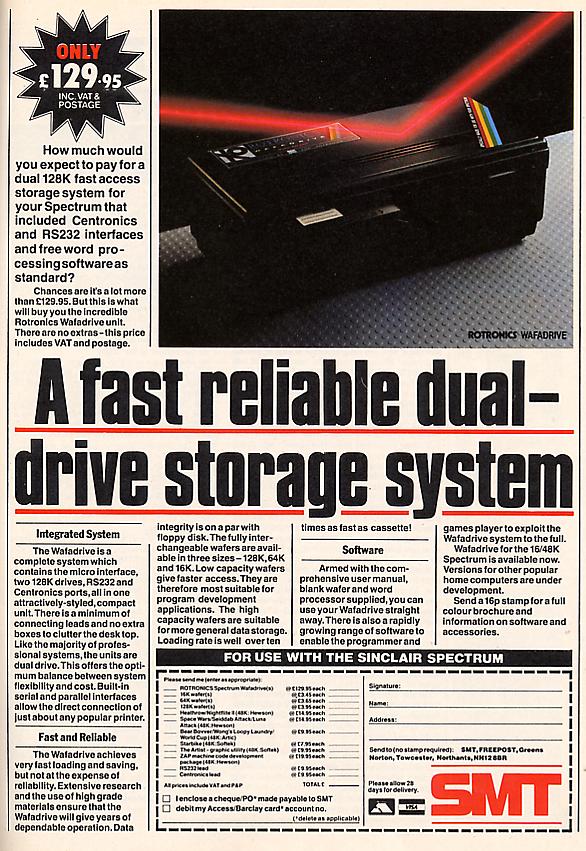
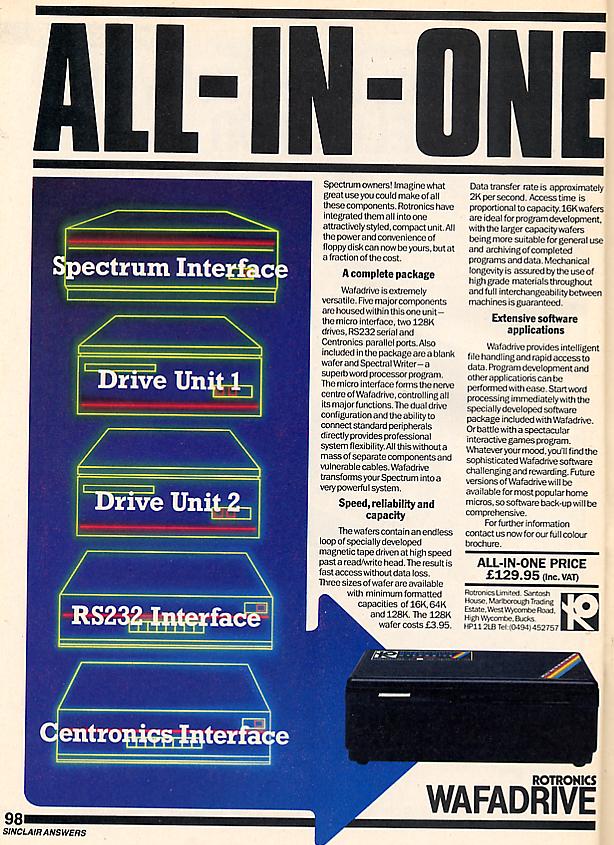
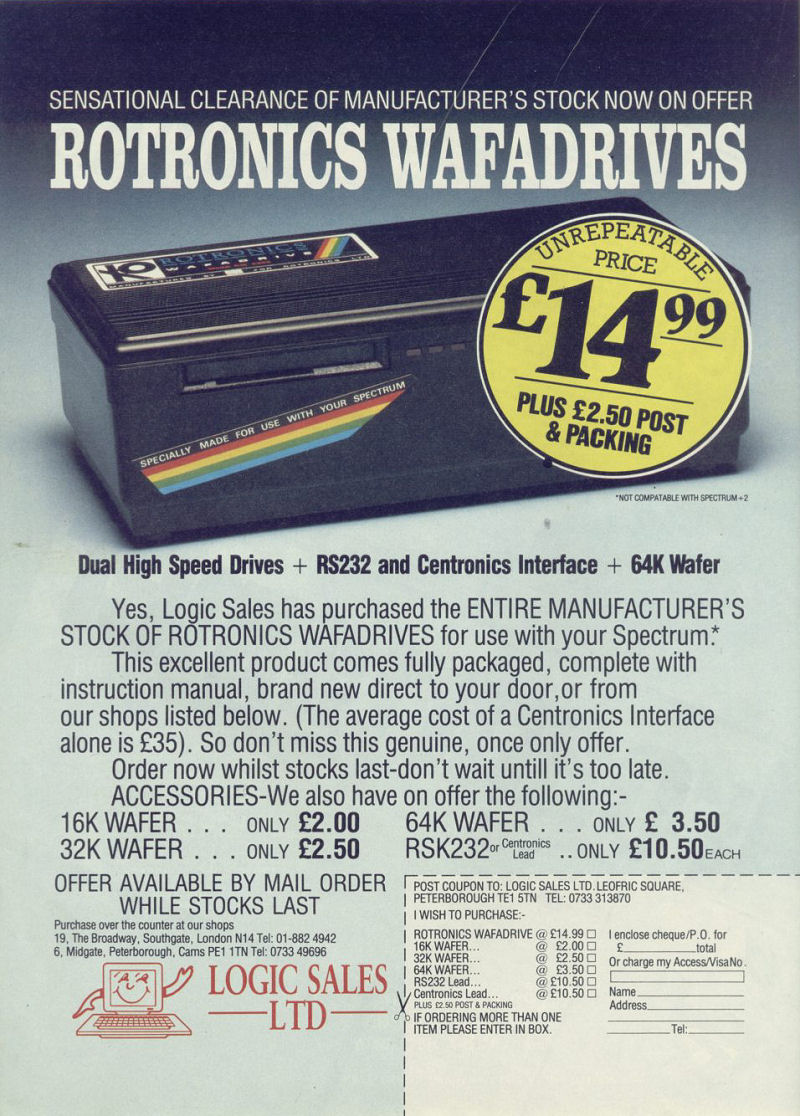
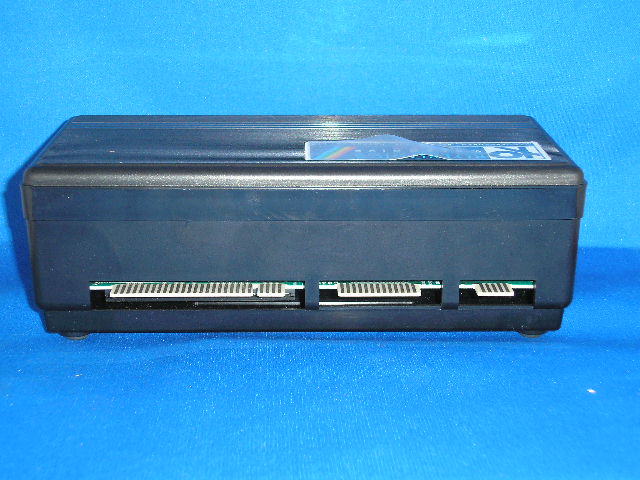
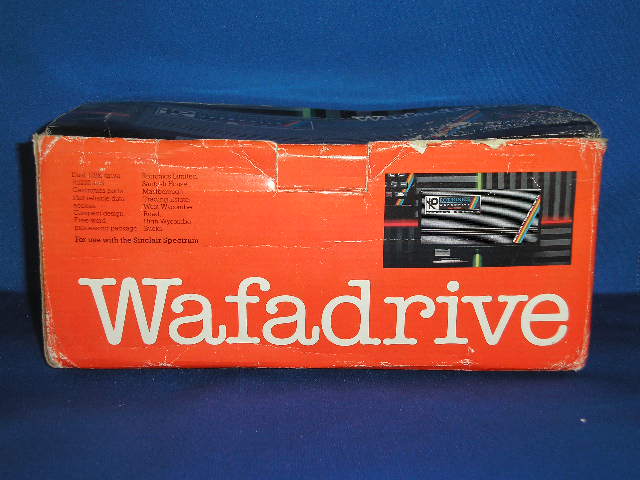
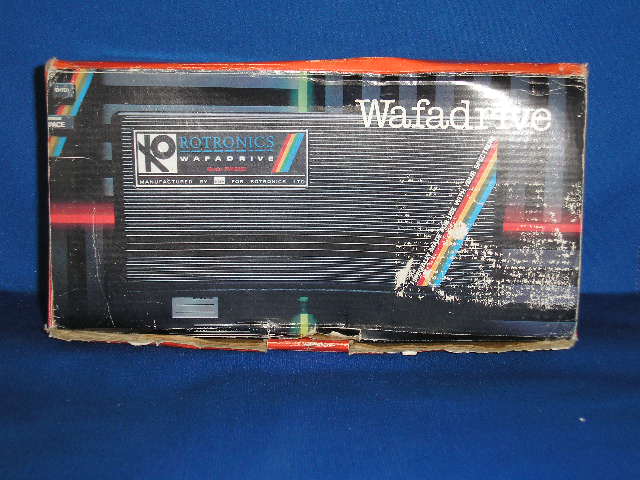
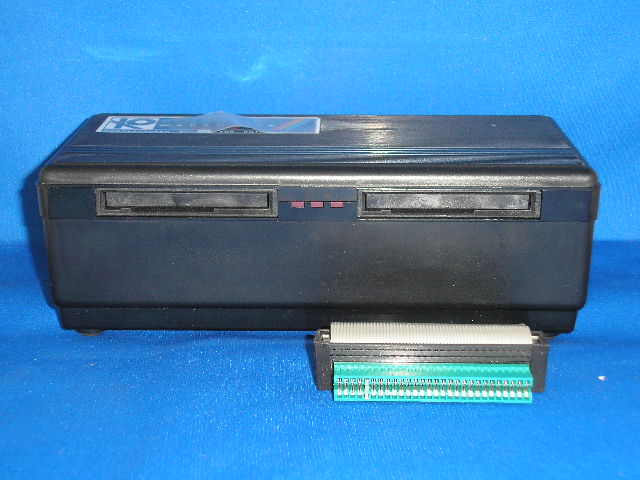
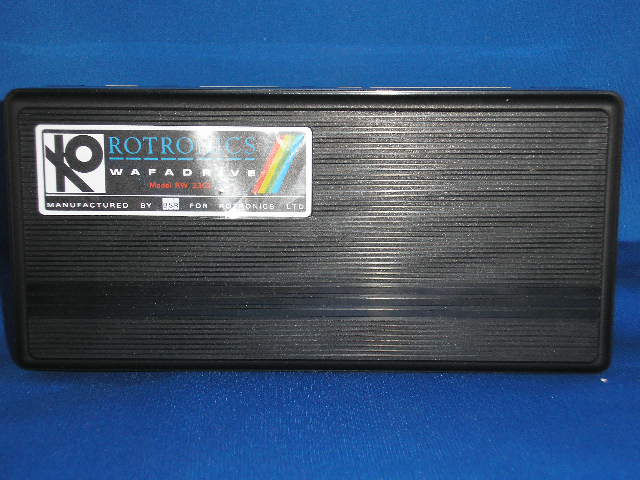
Mass data storage unit. Dual 128K drives. Centronics & RS232 ports.
Discussion
Nobody has started a thread about this yet.
Remarks
SPOT: advertised at a wide (and progressively diminishing) range of prices; often unreliable microdrive alternative
Documents
- RotronicsWafadrive_UserManual.pdfInstructions 282 KB
Files and rights
No permission is on record either way. Screens and pictures are copied here on a take-down basis: if you hold the rights and want something removed, say so and it goes.
Credits
- Rotronicscredited
Sign in to credit somebody, or say what these people did.
In the magazines 117
ZX Computing #25May 1986 · p.98
Carol Brooksbank
SMOOTH DRIVES Carol Brooksbank looks at two utilities for owners of microdrives and wafadrives. These two programs are designed to make life easier for users of the Spectrum cartridge based storage systems - Wafadrive and Microdrive. The Rotronics Toolkit wafer has a suite of seven Wafadrive programs, some of which have appeared as listings in Rotronics' information sheets. The first gives a screen dump in three sizes on Epson compatible printers (approx. 5.5, 11 and 16.5cm wide). The smaller sizes give slight vertical distortion - a true circle on the dump must be a horizontal ellipse on the screen - but the third gives true proportions. There are programs for sending binary data to the printer so that bit image graphics modes can be used, for enabling the TAB command (usually inoperative with Wafadrive interfaces) and also for letting you specify line length and left margin width. These make the Wafadrive a much more versatile printer interface. With the Wafadrive initialised, part of the Spectrum memory is lost to its Operating System, and cannot normally be recovered without losing the program from memory. 'De-initialise' lets you do that - an important facility if you are trying to load long programs from wafers. Part of a program can be temporarily stored in the display file, the WOS de-initialised and the program transferred from the screen to its proper place. The "File Utility' program has nine useful menu options, letting you examine the files on a wafer, change file names without loading and re-saving, or position the tape when saving a multi-file program to achieve minimum load time. The Wafadrive's LOAD * command, which loads the first program on the wafer, requires the first item saved in a multi-file program to be the loader. Since this is frequently the last to be written, it usually means copying the whole thing to another wafer. Now you can move the last file title to the top of the directory so that it is loaded by LOAD *. The option to change the file type seems to me to be fairly useless, because unless file type and data match, it will not load. It lets the directory show BAK for backup tapes, LST for lists and so on, but I would rather let the file title show this than have to change the directory before it can be loaded. There is a file protection option which protects a file from accidental erasure, but also from the MOVE command which might permit its salvage from a damaged water. It prevents the making of another wafer copy, but not a tape copy, so the protection is not really sufficient to prevent piracy. As a protected program must auto run, and include special commands if the keyboard or the Wafadrive BASIC are to be usable, its value seems limited. One of the most useful options tries to recover a lost directory, usually caused by switching the power off with the wafer still in the drive. The handbook gives you only a 50% chance of success, but I have a faulty wafer which will only ever load in the drive in which it was formatted, and this utility loaded it in the other drive. Successful directory recovery allows you to save all the files, or, if only part of the directory was recovered, at least some of them can be salvaged. I wish there were also provision for recovering bad sectors, a much more common reason for file loss. The final program is the 'Transfer Utility', to help in transferring commercial software to wafers. It includes tape header reading, stopping autorun and anti-MERGE so that BASIC can be studied, counting the bytes on a tape file, deinitialising the WOS, and a simple monitor to allow you to examine and modify machine code. Using this program, and the excellent appendix on transferring software, I was at last able to get Psion's Scrabble onto a wafer. There is also provision for making Kempston compatible joysticks operate with the Wafadrive. Wafadrive Toolkit contains some valuable programs - plus a couple with not much more than novelty value. The second program, M-DOC, is for recovering files from a damaged or faulty Microdrive cartridge. On loading it presents 15 options, of which the one which scans the whole cartridge collecting sector details must be selected first. If you then opt for a list of all the sectors, each is listed with its number (for used sectors the filename and record number) and a status report: good, bad, missing, unreliable or unused. An unreliable sector, marked when the cartridge was formatted, will not be used, but a bad or missing one will prevent the file from loading, and these are where the program is most useful. Files, records and sectors can be examined individually, bad sectors identified, and the Microdrive channels examined and modified. Unless you know what a Microdrive channel should consist of, you will need a book about the Microdrive before you can use this vital option. Corrected channel data is put back on the cartridge. Missing records and sectors cannot usually be recovered, but dummy replacements can be made in unused sectors so that the file can be loaded and at least some of it salvaged. When bad and missing sectors have been replaced it is still probable that the data will have been corrupted, so there is a data filter option. If, for instance, the file is a word processor document, you can set the filter parameters so that non-text bytes are replaced by an asterisk, save it back to the cartridge, load it into the word processor and correct the asterisks. It is possible to correct data using the channel modification option, but easier to use the program which originally created the file. A useful supplementary program checks through BASIC correcting or marking corrupted line numbers. Lines with syntax errors are noted, and heavily corrupted lines changed to REM statements. Each time the program runs one error is marked for line editing, so it can take time to correct a badly corrupted program. When the line numbers and syntax make sense, the program is reported 'ready to edit'. You must then go through it, replacing REM statements which hold the leftovers of corrupted lines, and checking the whole program before saving it again. This is not a program for the impatient. If you want to recover lost files you must be prepared for painstaking and fiddly work, but the program is effective, provided you either, know how a Microdrive file is constructed or are willing to find out before you start to use it.
Crash #22Nov 1985 · p.114
Franco Frey
THE EXPRESS GANG PART II The crazy Express gang continues with two slightly more powerful adversaries. In the last issue, Sinclair's MICRODRIVE and the TRITON QD disk drive both provided low-cost fast storage media at for less than £120.00. This issue sees another low cost contender, which is a direct competitor to Sinclair's MICRODRIVE, Rotronic's WAFADRIVE. The WAFADRIVE provides two disk drives, RS232 serial and Centronics parallel output ports for printers and communication handled with the extended Basic commands using streams and channels. In fact, the WAFADRIVE seems to convert the Spectrum into a full specification computer,... well nearly. The other contender is Technology Research's BETA disk drive with the new updated disk operating system TR-Dos V4, This unit must be a little gem for games fanatics, as it allows them to store their hard-earned cassette software collection to disk for instant recall. If that isn't enough, the system caters for random access data files, where any specified record may be read or written to - no more long wait cycles while skipping to the required record. Although the BETA disk commands reside in the operating system, they may be accessed from Sinclair Basic or machine code. The BETA interface unit is not expensive, but it does exclude the drives, so the complete system reaches normal disk drive price levels, which are certainly above those of the previously mentioned fast storage units. In the next issue there are more drives to follow, including the KEMPSTON disk interface, the OPUS DISCOVERY and the TIMEX disk systems. The last of this series will feature a comparison table listing all the drives reviewed, so that the important decision of selecting the right drive for the right job will be that much easier... HARDWARE: The WAFADRIVE unit consists of a large black box containing two stringy floppy drives, the disk drive interfacing and the serial and Centronics parallel ports. It connects to the Spectrum via its flat cable to the system edge connector. There is a power indicator and each drive has a drive-active LED. At the rear of the unit are located the expansion bus connector and the nonstandard Centronics and serial connectors. Included in the package are two wafers, one blank, the other containing Softek's Spectral Writer word processor. SYSTEM DESCRIPTION: The WAFADRIVE belongs to the group of stringy floppy drives. The wafers are ENTREPO stringy floppy cartridges with varying capacities of 16K, 64K or 128K (formatted). As the file storage is sequential, the access time increases linearly depending on the capacity of the cartridge. The access speed is improved with the use of a fast search speed for swift file location. The extended Basic commands made available by the Wafadrive Operating System (WOS) do not come into operation until the system has been initialised with a NEW* command. Once initialised, the WOS reserves about 2K of the Spectrum's memory for its own use. The WOS resides in a special 8K ROM, which is paged automatically like Sinclair's ZX Interface 1 ROM. The WAFADRIVE unit also incorporates a Centronics parallel and a serial RS232 interface, both accessed via the extra ROM commands. Software access to these ports is via the channels and streams procedure known to the ZX Interface 1 owners. The availability of the two ports means you can connect any low-cost printer via the parallel port, while at the same time communicate with another computer system via the serial port. The inclusion of a full-blown word-processing package converts the Spectrum into a 'serious' home or small business computer. OPERATING SYSTEM: Extended Basic residing in automatically paged ROM. SYSTEM COMMANDS: BREAK aborts execution of Basic. CAT*"d:" displays the directory of the wafer in the specified drive. CAT # "d:" loads in the directory of the specified drive without displaying it on screen. CLEAR* closes all previously opened streams or data file channels and sets streams 0-3 to their default allocation. CLOSE # stream closes the stream previously opened using OPEN # and sets streams 0-3 to their default value. CLOSE #* stream closes the stream previously opened using OPEN # or OPEN #*. Closing streams assigned to data file output channels causes the file to be stored on wafer and the directory to be updated. CLS* clears the screen but also resets the attributes to PAPER 7, BORDER 7 and INK 0. ERASE*"d:filename" removes the specified file from the wafer. Wild card facility operates with ERASE. FORMAT*"R"; baudrate sets the RS232 transmit/receive data rate. Default value is 1200 baud. FORMAT*"d:wafername" formats and names wafer. INKEY$ # stream; variables reads next single character from previously opened input channel, via assigned stream. INPUT # stream; variables reads data from previously opened input channel, via assigned stream. LIST # stream, line lists program, starting at optional line number, to specified stream. LOAD*"d:filename" loads specified program, Basic or machine code. LOAD* alone loads first program in directory of wafer in default drive. MERGE*"d:filename" merges specified Basic program with that currently stored in memory. MOVE*"d:filename1" TO"d:filename2" makes a copy of file specified in filename', optionally giving it the name specified in filename2 Wildcard works with MOVE. NEW clears Basic program and also resets the WOF, freeing the reserved RAM. NEW* initialises the WOF, reserving around 2K bytes for the directories and extended system variables. NEW# clears the Basic program area without resetting the WOF. OPEN # stream, "channel" opens the specified stream and assigns it to the specified channel. OPEN#* stream,"port" opens the specified stream and assigns it to the specified port. OPEN#* stream,"d:filename" opens the specified stream and assigns it to a data file channel. The channel is opened as an output channel, if the file is new, otherwise as an input channel. PRINT# stream;"string", data, variables sends string or numeric data to previously opened output stream. SAVE* "d:filename" LINE run saves Basic program in memory to drive specified. Optional LINE suffix gives autorun facility. Error report if file already exists. SAVE*"d:filename", start, length, run saves machine code bytes from memory. Optional autorun facility. Error report if file already exists. SAVE# provides same features as above, but allows overwriting of existing file. VERIFY*"d:filename" verifies Basic or machine code program on wafer against that stored in memory. ERROR REPORTS: 26 error reports EXTRA FACILITIES: Serial RS232 interface with software selectable baud rates from 110 to 19200 baud. Sending and receiving of text and binary files. Centronics parallel output port. MANUAL: Excellent 68 page manual with good introductory instructions, full explanation of entire system including parallel and serial port usage, complete command summary, error report list and valuable information for experienced programmers including memory map and port addresses and explanation of extended system variables. APPLICATION PROGRAMS: SPECTRAL WRITER word processing package by Softek with 64 character wide display, extensive facilities including printer configuration. CRITICISM: Slow access time with high capacity wafers. Non-standard parallel and serial port connectors require specially configured cables. COMMENTS: Excellent value for money system offering two drives, Centronics and RS232 ports and useful word processing package. Despite similar performance to ZX microdrives, the drive system has a more rugged and reliable feel. The Wafadrive system doesn't provide local area networking, but has extra parallel port for low-cost printer connection. MEDIA: Entrepo stringy floppy wafers with infinite loop 1/16" width various length tape for 16K, 64K and 128K capacity. Write protection by removable tab. Life expectancy approx. 5000 passes. Prices 16K Wafa £2.49 64K Wafa £2.79 128K Wafa £2.99 TECHNICAL SPECIFICATION: Number of drives: 2 Storage capacity (formatted) max. 128K Sector size: 1K bytes Number of sectors: up to 128 Transfer rate: 18K Baud (2K bytes/sec) Tape speed: 10"/sec (fast search 15"/sec) TIMING: Formatting (approx): 16K 47 secs 64K 2 mins 30 secs 128K 4 mins 42 secs Cataloguing (approx): 16K up to 8.5 secs 64K up to 27 secs 128K up to 47 secs Loading a screen (approx): 16K up to 12.5 secs 64K up to 29.5 secs 128K up to 51 secs PRICE: £129.95 Leads: Centronics £12.95 RS232 £10.95 BETA DISK TR-DOS V4 INTERFACE PRICE: £109.25 inc VAT, plus £4.00 p&p HARDWARE: The package consists of the disk interface unit which connects to the expansion port of the Spectrum and a software disk. No disk drives are supplied. The Unit was tested using a twin disk drive unit with integral power supply kindly lent CRASH by Cumana, 'the best memory people in the business' (no chance of them forgetting their equipment on loan!). The BETA disk interface features a standard Shugart compatible disk drive port at the right-hand side, to which the required disk drive or drives may be connected via a flat ribbon cable. Up to four disk drives can be connected to the system and these can be 40 or 80 track, single or double sided. To the rear of the interface is an expansion port for further Spectrum add-ons and the 'Magic Button' which activates the RAM Image Saver. To the left is situated a reset button. SYSTEM DESCRIPTION: On power-up the system boots up in to the Disk Operating System (DOS) environment and not in Sinclair Basic. The interface automatically checks the drive specification and adjust its speed and format accordingly. Access to the disk system is gained by use of the DOS commands. At any time Basic may be called up via a RETURN command. Re entering DOS is via RANDOMIZE USR 15360. The DOS commands can be used in Basic in the form of a RANDOMIZE USR:REM: call, similarly in machine code via a CALL 15363 command after having changed the Basic variable CH ADD to point to an address line buffer. A program stored under the name of 'boot' may be run by simply typing RUN and ENTER. The DOS caters for random access files, which allows proper database operation. At the press of the 'Magic Button' the running program is interrupted and the whole image of the RAM is be saved on disk. The image may be retrieved from the disk to the RAM with the program continuing to run from where it was interrupted. This means that games may be loaded via cassette in the usual way and once the loading sequence is completed the program may be saved to disk without the change of a single byte in RAM to upset the continuation of the game. This provides a disk copy of any game which runs on the Spectrum and should prove to be a nightmare for any software house if it isn't for the fact that very few Spectrum owners can actually afford a disk system. The disk system requires a buffer of 256 bytes (one sector) and uses the printer buffer of the Spectrum. Before the buffer is used, it is stored on the system track of the disk. When the operation is completed, the original printer buffer data is reloaded from disk. RAM data is only lost if the disk is write protected. The software disk provided with the interface contains a range of useful disk utilities. OPERATING SYSTEM: BETA TR-Dos V4 SYSTEM COMMANDS: CAT lists the files on disk. The listing can be dumped to a channel when the command is extended to CAT# number. COPY copies specified source file on source drive to destination file on destination drive. Will not work with single disk system. CLOSE # channel-number closes specified channel. ERASE removes a file from disk. FORMAT checks the drive specification and formats the disk. A double-sided disk drive can be forced to format as a single-sided with a disk name starting with '$'. This is essential for use with the RAM saver. GO TO "filename"CODE loads and runs a saved RAM image. LOAD loads program from disk to memory. A Basic program stored with a line number will autorun from that line number, otherwise the program will be automatically listed. When loading a machine program, it can be relocated with LOAD "filename"CODE new address. MERGE merges Basic program with the program in RAM. MOVE repacks the files on disk. NEW changes the name of an existing file on disk. OPEN# channel-number,"filename"W opens a channel for write. To save a string to disk in filename requires a Basic function PRINT$channel-number. OPEN # channel-number,"filename"R opens a channel for read. To read data from filename on disk requires an INPUT# channel-number; variable. INPUT# channel-number; (record-number), variable-name reads a record from the file when random access file is open. OPEN# channel-number,"filename"RND, record-length opens a file for random access. PEEK reads any required part of a file on disk and transfers the data into RAM. A complete sector is read and transferred to the specified location within the Buffer RAM. POKE writes a specified sector of data from RAM to any location on disk. PRINT channel-number; record-number, variable-name writes a record to a file when random access file is open. RANDOMIZE USR 15360 calls up DOS from Spectrum Basic. RUN "filename" loads and runs Basic program filename. RUN "filename"CODE loads and runs machine code program filename. SAVE "filename" saves a Basic program. SAVE "filename" LINE number saves a Basic program run from line number. SAVE "filename"CODE n, m saves a machine code program. SAVE "filename"DATA a() or a$() saves a variable or character array. 40 informs the system that the currently selected drive is a 40 track drive. Required for drives without an end stop switch. ERROR REPORTS: Disk error indication with retry, abort or ignore option. If DOS commands are from Basic or machine code programs, the error code is stored in the Z80 register pair BC. To obtain the error code, a variable is set equal to the DOS command, The variable takes on the value of the error code on completion of the DOS command. EXTRA FACILITIES: RAM image copier for storing protected commercial programs on disk. Utility disk contains programs tapecopy and filer, which are disk utilities. MANUAL: 32 page manual with TR-DOS V4 addendum does not make for easy reading. Includes advice on using DOS commands in Basic and machine code programs, error message coding, pin connections and explanation of disk utilities. APPLICATION PROGRAMS: None. CRITICISM: - Not so easy access to DOS commands from Basic. - Confusing doubling up of DOS commands and disk utilities. - Manual confusing with TR-DOS V4 update. COMMENTS: Excellent value disk interface with random access facility and superb Ram image saver for games collection on tape (naughty but nice...) MEDIA: Depends on drives connected. TECHNICAL SPECIFICATIONS: Number of drives supported per system: 4 Storage capacity: up to 640K (80 track double-sided) Sector size: 256 bytes Number of sectors: 16 sectors per track TIMING: Formatting: approx 35sec Cataloguing: approx 2sec Loading a screen: approx 3.5sec
Your Spectrum #14May 1985 · p.28
SPEED TRIALS What's slower than the C5? Loading software into the Spectrum, of course. So, speed freak, SQ Factor has stuck the go-faster stripes on his Speccy, and taken it out for a spin. But instead of aerodynamic spoilers he's gone for four fast tape loading systems. D'you remember the excitement when the Microdrive was announced? The anticipation of speed - times never before achieved on the Speccy. And then, the long haul between promise and delivery of the first not-quite-perfect Microdrives. Now you no longer have to wait an age for them and the original, ridiculous price of the cartridges has come down to an almost reasonable two notes. But the Microdrive is no longer the only way of super-charging your Spectrum. Without going the whole hog and splashing out more than the computer cost on a disk drive, you can LOAD at high speed in a number of ways - and as you'd expect YS has the dope. So, we told the dope to draw up a chart of all the info you need to help you in your search for speed. Our chart was prepared so you can compare the features of each system in a quick and easy to follow way. Everything that cannot be compared directly in the z chart is discussed separately. TIME CHECKS The times in the chart were derived by saving and loading the same program on each system. For this, we used a truly enormous BASIC program to wit 10 DIM a$(35000) Once RUN, this program is about 35K Bytes long! Several LOAD times were averaged to get the times for the Microdrive and Wafadrive - both of these require an 'access time' which lets the drive search the tape for the file, as well as the time needed to load the file once it has been found. Access time is not a problem for the systems using ordinary cassette tapes. The times for the Wafadrive were taken using a 64K wafer. THE COMMON TOUCH All of the systems: - Have a full through connection to the Spectrum expansion port - or don't obstruct it. - Need no separate power supply. - Can SAVE the usual types of Spectrum program or data or code. - Can SAVE a Basic program to autorun - though Kwikload is a struggle. And the one feature that runs through them all is tape. I would recommend in every case that you keep backup copies in the standard tape format. You could get caught out if you rely totally on any of these systems to hold your important bits. Each system has plenty of opportunity for operator error to cause loss of data, and of course, fast moving tape will wear out eventually. GET IT TAPED Both Wafa and Micro drives can corrupt a file and make it unusable if you turn the power on or off with the cartridge in the slot. Also take care because both forms of cartridge are easily damaged (though the wafer less so) and impossible to repair. In particular, if the tape is pulled out of the cartridge even a little way, it will never go back. The Sprint mechanism does not prevent you from changing directly from rewind to play, and if you do so you will probably damage the tape, as the speeds involved are higher than normal. You are warned always to use stop between functions, but it would have been better if this was built into the hardware rather than left to the user's memory. This format is standard format (just played faster) but I would still use an ordinary cassette recorder to back up really important stuff. Kwikload is bound to catch you out using the wrong numbers or trying to SAVE with the LOAD program, simply because it's fiddly, but a bigger problem may arise because it is trying to do too much with standard hardware. Unlike the Sprint, which physically runs the tape faster to get its speed, Kwikload crams three times as much data onto the same length of tape. This pushes the average cassette recorder to its limits, and you will need good tape to get away with it. TO WIND UP Used in accordance with the instructions, any of the systems will give you much faster loading than you are used to, and reasonable reliability. The Wafadrive and Microdrive have the advantage of disk-like operating systems which start the motor and find files without you having to mess with play, record and rewind controls. This is a definite plus and makes up for having to cough up more for the cartridges. A few bitter experiences with the Microdrive bias me towards recommending the Wafadrive or the Sprint, but if you're after speed then the Microdrive must be a contender. More speed than this can only come from disks but that is another subject, and one that we'll explore when we're all rich. Let us know if it happens to you! SINCLAIR MICRODRIVES The original Microdrives may not be the best, but they are the fastest system reviewed and what's more they are now reasonably priced. It's also worth noting that software producers have been known to write for them sometimes. The occasional last file and the 'full memory' bug have stopped me putting my Microdrives to serious use - but I have been known to lose files on a disk computer, so I mustn't be too hard on Sinclair. The 'full memory' bug causes a crash if a large BASIC program is LOADed or even a small one if the RAMTOP has been moved down. This is caused by the Microdrive's shadow ROM not checking properly if there is space for both the program and a 500 byte Microdrive channel before LOADing. This can be bad news as it crashes with the drives running, which can corrupt the tape when you switch off. Further evidence of 'dickiness' is the fact that microdrive cartridges format to a different size (in the region of 90K) each time you format them. You may have been advised to format repeatedly until you get the largest number possible, but I believe that the few extra K are suspect. The whole exercise may merely fool your drives into using part of the tape which is on the edge of reliability. You can connect up to eight drives to a Spectrum via Interface 1, but you only get one in the starter package. Still, you also get an RS232 port suitable for a printer (but not usable with a full duplex modem), and the Spectrum network ports. It's said that these will now pass data with the latest version of the QL. On the language front, Microdrive syntax is unnecessarily tortuous, with no defaults and lots of needless punctuation required. You have to specify drive 1 even if you only have the one. Wouldn't it be simpler if number one was assumed to be present (rather than the network, say) unless you told it otherwise? You would save six symbols, many of them needing two keys for the commands you are likely to use most often with Interface 1. Instead of LOAD*"m;1; why not use LOAD 1 for the drive and LOAD n for the network? That would activate the error routine to page in the shadow ROM just as well as * does. Microdrives were long enough coming that these rough edges should have been knocked off well before they were inflicted on you and me. OK, you may think I'm going on a bit, but it's a fact that the drives take less time to LOAD a program than it takes me to type in a command telling them to do it! There is a saving grace though - you can have a program named 'run' which will LOAD and RUN just by entering the keyword RUN. ROTRONICS WAFADRIVES The first thing you notice with Wafadrives is that you get two drives as standard. You also get a bonus of RS232 and Centronics ports. This must make them a better buy than a single Microdrive plus Interface 1 at the same price. The wafers themselves are now more expensive than Micro-cartridges, but they come in three sizes, 16K, 64K, and 128K; and the largest one has greater capacity than a Microdrive cartridge. The wafers are also physically larger and more robust than Micro-cartridges, with a sliding door to protect the tape when it is removed from the drive. The access time varies according to the size of the wafer. The shortest for the 16K version was 6.5 seconds (worst case) as opposed to 45 seconds (worst case) for the 128K wafer. If you're after speed then go for the shorter tapes, always provided they're big enough to hold your program. There is a word processor program in the package but this is probably the only software you will ever find especially written for use with the Wafadrive. However, Rotronics have converted a number of games to wafers. Transferring tape programs onto wafer is no more difficult than with the Microdrive. However, you'll use at least 2K RAM with the wafer system instead of the half K needed for a Microdrive channel. This will almost certainly make it impossible to wafer many of the larger games. Wafer syntax is less of a mouthful than the Microdrive's as defaults are used, so you don't have to specify which drive you are using in every command. Also, fewer punctuation marks are required. ( There's just no stoppin' it. Ed.) CHALLENGE SPRINT This is a fast LOADer that takes standard tape software. It is the ideal solution if you just want to get stuck in pronto without delving into the mysteries of protection busting to transfer tapes onto a faster medium. Even headerless LOADs will work with the Sprint, though be warned, it can't cope with the now common turboload. The price is the lowest of the hardware speed-ups, and it only needs the common cassette. The syntax is also the least fussy of those reviewed - the same as for ordinary tape. On top of this, programs SAVEd on the Sprint can be LOADed (at ordinary speed) by a standard cassette player. Total compatibility at a reasonable price means a critic struck dumb when trying to find a winge to put in the minus column. However, we at YS try harder (or else! Ed.), so I'll note that the cassette unit has a tinny feel, quite out of place in an item made of plastic. Just don't drop it and you'll be all right. Early models wouldn't work with some other peripherals, notably the Microdrive, but the latest version can be switched out of the memory map to avoid trouble, rI'his unit had the tichiest manual of the lot, but that's no problem. What further instructions do you need? KWIKLOAD Now to the real cheapie - a turboloader of your very own. Of course, at this price you'll have to put up with a few drawbacks. Firstly, you'll obviously have to LOAD this tape in the standard format before you can use the routine to do fast LOADs. Secondly, it has a really user-violent syntax made-up mostly of numbers which have to be worked out, even for Basic LOADs. Thirdly, it will be less reliable than the hardware upgrades because it is pushing a standard cassette recorder to its limits. And lastly, it is the least fast of the methods we've looked at. On the plus side, the routines occupy only 220 Bytes, it uses ordinary (but not cheapo) cassettes, the speed is a useful trebling of the standard rate, and since you are likely to be using the same tape machine for SAVE and LOAD, the reliability should be better than with the commercial fastloading games. And don't forget that it costs less than a tenth of the price of the Sprint. Probably the best use for Kwikload is to make turboloading copies of your favourite games rather than doing frequent backups while developing your own programs. For this purpose, the cassette contains a header reader as well, to help you ferret out the addresses needed to make such copies. There are separate programs for loading and saving, and the whole business of making fast loading copies in the first place is fiddly and time consuming. Still, the end result is a tape that has the tricky bits in a short Basic header program. So in practice, once you've done the hard work, you can just use LOAD "" to get your program to turboload. THE 35K GRAND PRIX MICRODRIVE Time to LOAD 35K: 12 seconds System Price: £99.95 Media Price: £2.00 Media Capacity: Approx. 90K Programs Available in this Format: Some RAM Used by System: 600+ Bytes Simplest Case Syntax: LOAD *"m";1;"name" Time to FORMAT: 35 seconds Approximate Actual Transfer Speed: 121 Kilobaud Worst Case Access Time: 8 seconds Size of Manual: 61 page booklet Major Plus: Fastest Extras: Four programs on two cartridges + demo + blank WAFADRIVE Time to LOAD 35K: 40 seconds System Price: £99.95 Media Price: £3.65 Media Capacity: 16K, 64K, or 128K Programs Available in this Format: Some RAM Used by System: 2K+ Bytes Simplest Case Syntax: LOAF *"name" Time to FORMAT: 2.5 minutes Approximate Actual Transfer Speed: 18 Kilobaud Worst Case Access Time: 23 seconds Size of Manual: 68 page spiral bound Major Plus: Most for Money Extras: Word processor plus 3 blank wafers SPRINT Time to LOAD 35K: 43 seconds System Price: £64.95 Media Price: £0.50 Media Capacity: 1300K (120 min. cassette) Programs Available in this Format: Almost all! RAM Used by System: None Simplest Case Syntax: LOAD "" Time to FORMAT: N/A Approximate Actual Transfer Speed: 6000 Baud Worst Case Access Time: N/A Size of Manual: 6 page leaflet Major Plus: Most compatible Extras: Off-line Switch costs £5 extra KWIKLOAD Time to LOAD 35K: 60 seconds System Price: £4.95 Media Price: £0.50 Media Capacity: 3900K Programs Available in this Format: None RAM Used by System: 220 Bytes Simplest Case Syntax: RANDOMISE 23552-35000+USER 653000 Time to FORMAT: N/A Approximate Actual Transfer Speed: 4500 Baud Worst Case Access Time: N/A Size of Manual: 18 page booklet Major Plus: Cheapest Extras: Header reader
ZX Computing #17Feb 1985 · p.105
Colin Christmas
COLIN CHRISTMAS GETS iN THE FAST LANE. HARDWARE When fast access storage systems for the Spectrum were first introduced to us out here in User Country, everybody who could afford it went for a Drive, Disc or Micro - the members of the new elite would ask one another. What's it like? asked the rest of us taking a knife to the piggy bank. Once again it seemed that the Spectrum was being raised to new heights. Those cassette recorders suddenly seemed to look quaint and out dated. Serious micro users whether programmers or like myself just users and consumers of software and peripherals that look as though they mean business, recognised the potential of the new hardware. One of the newest is the ROTRONICS WAFADRIVE. It is an impressive , neat and businesslike unit weighing some 900g and occupying a pride of place 230mm x 110mm x 80mm behind the Spectrum. It is connected to the expansion port by a sturdy ribbon cable. It uses two magnetic tape drives incorporated in the unit and small compact plastic cartridges or wafers, 67 x 45 x 6mm in size. These are available with three nominal capacities of 16K, 64K and 128K. In practical terms, the 16K wafer is most useful when speedy access to limited amounts of information, small programs, is required, Rather like a pad or notebook, a 'try out area' before the finished data or program needs to be safely filed away and stored for future reference. Here, the other wafers fulfill their most useful function. Location of files on the 64K and 128K wafers or cartridges takes longer of course. Nevertheless with a search speed of 15 inches per second, both drives in the unit offer a maximum or 'worst' access time of 45 seconds using the 128K wafer. The infinite loop tape (one sixteenth of an inch wide) inside each wafer is completed by a conductive splice which can be 'read' by the Wafadrive System when the drives are operating. LEDs are used to indicate the status of each drive and also when the power is on in the unit. The wafers are not easily damaged, handle well and can have the information stored on them protected in the same way as normal cassettes. The novelty of rapid access, storing and retrieving programs and data, takes a long time to wear off. The Wafadrive operating system reserves about 2K of the Spectrum's memory for the two drive directories, which hold all the information about the wafers in the drives and the files stored on them. Also for systems variables, some of which can be usefully PEEKed and POKEd and also for the read/write buffers used by the system to hold sections of programs as they are read from or written to the wafers. EXTENDED BASIC The operating system also provides the Extended BASIC commands which give access to all the extra facilities of the Wafadrive. Separate interfaces are not necessary with this unit. Rotronics have incorporated both the Centronics and RS232 interfaces and along with the familiar expansion bus, ports for these are located at the rear. This means of course that the Spectrum can then drive any compatible printer. But via the RS232 interface though in many ways unsatisfactorily slow, information can be received say from modems or even other computers. Finally, a User Manual, a blank wafer and a word processor wafer are supplied with the unit. For those of us who choose to spend a lot of time over a typewriter keyboard producing vast amounts of material which then has to be documented and then filed, this latter is a useful facility which can be used as soon as the Wafadrive is connected up after unpacking. There again, word processor facilities have a special appeal if not function for me in any case. However, after using TASWORD for a long time, it is my opinion that it is hard to beat. The manual is easy to use for both beginner and expert, young and old alike. I liked its format and size, something like an office file or manuscript itself. More of a Manual than an instruction book. It contains masses of information relating to the straightforward use of the unit but at the same time offers to stretch your knowledge and experience of both the Spectrum and BASIC. Not to mention a lot of useful and well expressed information about how the unit works. Anyone going for a Drive needs to take this newcomer into account when the day comes.
Your Computer #1Jan 1985 · p.51
STORAGE AND RETRIEVAL OF PROGRAMS Spectrum owners are being fated with an ever increasing number of alternatives to the humble cassette. The three devices here all offer fast program storage at a reasonable price. The Sinclair Microdrive has been around for over a year now and has undergone various attempts to improve its reliability. It has now appeared in a pack with the interface and some software called the ZX Expansion System priced at £100. The interface also has an RS-232 port and a network. The operating system is simple to use allowing programs and data to be saved on the Microdrive. Data is stored by opening a channel and then writing data to it. One drawback with the system is that some games cannot run with the interface attached, as the operating system will grab some of the Ram. The software comprises of the popular Tasword 2 word processor, a database, Ant Attack, Games Designer and a spare blank cartridge. The number of Microdrives can be linked up, each further drive costing £50. The cartridges cost £5 each and hold about 80K. Along very much the same lines as the Microdrive comes the Wafadrive from Rototronics. The unit has two drives, RS-232 and Centronics ports and comes with two wafers and a word processor for £130. Although noticeably slower than the Microdrive, this unit scores in several areas. It is said to be more reliable than the Microdrive and the operating system is more informative. The directory command gives more than a list of files like the Microdrive. The formatting command also gives a full report of the state of the wafer. Unlike the Microdrive, it does not grab any workspace until initialised with a simple New* command. Also, should you wish to back-up a file from one drive to the other, you can do so without upsetting the contents of the memory. It saves data in a similar manner to the Microdrive. In an attempt to make up for the slower speed, the wafers come in three sizes: 16, 64 and 128K. This obviously means that the average access time on the 16K Wafer will be lower. Thus you could load the main program from a 64K wafer in drive one, and have the data you wish to continually read and write on a 16K wafer in drive in two. The wafers are also cheaper at under £4 each. Moving away from fast tapes to discs, the Beta Disk Interface from Technology Transfer allows you to interface the multitude of disk drives available for the BBC to your Spectrum. One point to bare in mind though, if the drive uses the Beeb's power source, you will need to buy a power supply. Having got over that hurdle, the system is fast, user friendly, and of course, at £1.50, the discs are much cheaper than wafers or cartridges. The DOS has all the usual commands you'd expect and you can switch it in and out as needed. It even has a disc password system to keep your software from prying eyes. You also get a free utility disc with the system with the various utilities they didn't have room for in the interface's Rom. The interface can be used with single or double density, single or double sided drives, and up to four can be connected to the one interface. The system's major limitation at the moment in that data cannot be loaded or saved on disc, but Technology Transfer promise a new Rom in the new year and will upgrade existing units. The interface costs £97.25 for single density and £109.25 for double density. Which of these systems you go for really depends on your priorities. Although the Sinclair product is the cheapest, the cost of the cartridges makes it less competitive. The cheapest medium of all, are the discs at £1.50 each. If you've got a collection of 40 discs or so, then the disc drive will have paid off.
Sinclair User #33Dec 1984 · p.97
RACING TO THE TAPE Speed, economy or reliability? We take three of the fastest systems out on the track for a test drive. It is now just over a year since the introduction of the microdrive, and in that time it has done more to inhibit the serious use of the Spectrum than any other add-on. Before you put pen to paper and write to us, an explanation is perhaps in order. Users of the BBC, Commodore and other home computers expect to be able to add a fast storage medium - disc, hobbit and so on - to their computer and to be able to buy software in that format. There is an accepted format for both interfaces and recording medium and therefore software houses can develop programs knowing that they will be able to sell them. The announcement of the microdrive, roughly a year before it actually saw the light of day, inhibited manufacturers from developing a standard, as Kempston had done with its joystick interface. The stories of unreliability, unfounded or not, also inhibited software houses as they could not ensure that any programs sold on cartridge would always work. Finally, the price, scarcity and difficulty of duplicating microdrive cartridges gave few writers the confidence to market programs on cartridge. At the time of writing the number of programs available on cartridge can be counted on one hand, with a few more that are 'microdrive compatible', and none which were specially written for it other than copiers. Despite that the microdrive is undoubtedly a remarkable device. It makes available a form of fast storage which many people would otherwise be unable to afford and, within limits, provides a usable system. It is only recently that it has been readily available and so perhaps now it will be accepted. Because of those problems and delays, other manufacturers felt that they could do better and so there are now many other fast storage devices available, with more due to be released. While some are undoubtedly better, and more expensive, than the microdrive they all share one common problem, and that is that because there are so many different systems it is largely left to the user to convert software to run on them. With the ever present spectre of software piracy few software houses make their programs open to inspection and, due to the fact that most of the systems take up valuable memory space, some programs can not be converted even if you are able to break into them. Your own programs, however, should be easily convertible; you are unlikely to write Basic programs in excess of 35-40K, and if you are able to write in machine code then you should be able to move it to an unused part of memory. The problem with commercial tapes is that the usual format is to have a Basic loader program which lowers RAMTOP and then loads a screen display followed by some machine code. It is the lowering of RAMTOP which causes the problems. A BASIC program unusually starts at address 23755 - chapter 24 of the Spectrum manual suggests that you enter CLEAR 23800 (i.e. lower RAMTOP to that address) to see what happens when the computer runs out of memory. In order to be able to enter a short line of Basic you will need about 100-200 bytes of memory, so the minimum address to which you can usefully CLEAR is 24000, giving approximately 100 spare bytes. With the more popular commercial games it is quite common to CLEAR to 24000-25000 and so you can see that there is not much space left. With a program written for the 16K machine it is not uncommon to clear down to 23900. The simple answer is that the less memory the system takes the more programs you will be able to convert. A good indication of that is the sector size. With microdrive and disc the data is held in blocks known as sectors. Those blocks are loaded into memory by the system one at a time and then moved to where they are required. For example, with microdrive the sectors are 512 bytes long, so you will need the operating system of about 100 bytes plus 512 for the sector and 83 to hold the additional channel information - say, 700 bytes spare or a minimum clear of 24700, more if you want to use two drives. Another problem may be that of speed. Almost anything is quicker than cassette; a commercial 48K game takes about five minutes to load, but the method of storage will affect the speed. A microdrive uses a continuous loop of tape and so if the sector you want is next on the tape it will be very quick. If it has just passed that sector then the microdrive will have to go all the way round the tape, and so take longer. A disc, however, normally stores the data in a number of concentric circles, known as tracks, and each track is divided into sectors. As the disc is spun very quickly those sectors are readily available. Overall, the time it takes to find a sector is largely determined by the time it takes to move from track to track. This can be as little as 3ms, 3/1000 ths of a second. There is, finally, the problem of reliability. If you are writing your own programs or using the Spectrum for business then the system must be 100 percent reliable. That can only be judged with time and any comment on a new system can therefore only be an educated guess. The first system looked at was the Challenge Sprint. That is a fairly new system and also the most straightforward. It is, simply, a normal cassette mechanism which has been converted to run the tape at four times the normal speed of 15/16 ips, (inches per second). A flexible lead plugs into the back of the Spectrum and, on the back of the cassette, there is an extension port. It takes its power from the Spectrum. The Sprint recognises all the normal tape commands, whether used from Basic or code, and therefore is very simple to operate. To load a tape you use the usual LOAD "" command and press play. The advantage of the system is that you do not have to convert any of your programs. The only programs which it would unable to load would be those which use their own, non-standard, loading routine such as Halls of the Things, or those where the time between the sections of program is very important. The reduction in loading time is good; Scrabble, by Psion, which normally takes four minutes and 48 seconds to load, now takes only 1.16 minutes. Saving a straight 64K block took 1.15 minutes. To have a means of measuring the speed of the different systems the following program has been used: 10 FOR n= 1 TO 30 20 SAVE ("test" + STR$ n) CODE 32000,200 30 NEXT n with line 20 changed as required. When saving with the Sprint it takes 2.36 minutes, and on loading 2.37 minutes. The disadvantages of the system are largely the same as those at a normal cassette. You cannot control the cassette motor from software and so you cannot load selected programs without correctly positioning the tape by hand, or running through the whole tape. A note must be kept of the tape counter in order to find a program and, due to the speed, that must be very precise. The cassette does not have any volume or tone controls and so when loading your own programs it is a case of all or nothing - if a program does not load then it is not going to. You cannot then try to load it using a normal cassette recorder without disconnecting the Sprint as it expects all tape commands to relate to itself. All the commercial tapes which were tested, however, loaded without problems. The only other possible problem is the speed itself. Cassettes are not designed to be played at the speed at which the unit operates and so, despite having a good system which accelerates the tape to playing speed, when using Stop, Fast Forward or Rewind sudden speed changes occur and the tape is liable to stretching. The only way round that would be to only use those commands when you are certain that there is nothing on the tape at that point. It will Autostop from Play at the end of a tape. Surprisingly, some people want to use the Sprint with their microdrives. Early versions were not compatible with but that is now being corrected. When ordering it would be best to state if you intend to use it with a drive or not. If all you want to do is load commercial tapes faster than normal and you do not want to worry about converting then this is the system for you. It is easy to use and provided the above points are remembered it should prove reliable. The Sinclair microdrive has a number of good and bad points but it is the least expensive way of adding a fast storage/random access device to the Spectrum. Sinclair is selling currently a package of Interface 1, microdrive and four software packages for £99.95. The software is Tasword II and Masterfile, both of which are easily convertible anyway, and Ant Attack and Games Designer from Quicksilva. An introductory program and spare cartridge are also included. The amount of space taken up by the operating system, and the increased length of the commands, have caused some users to experience difficulties in converting tape-based programs to run on it. Some games, such as Jet Set Willy, are easily convertible while others, such as Sabre Wulf or Scrabble present difficulties. In some cases it should be possible to modify the Basic loader program, either by standard memory saving techniques - such as using VAL or PI/PI to cut down the number of bytes used by numbers - or by loading the Basic in more than one part. If you are able to write your own machine code routines then a system of using the screen as a buffer, moving the Stack Pointer and then a block move will work in most cases. Each of the cartridges can hold a minimum of 85K of data. That can sometimes be increased by repeatedly formatting it, each Format command taking 24 seconds. Using the test program given above the microdrive takes 3.42 minutes to save and only 14 seconds to load. If, however, line 10 is changed to: 10 FOR n = 30 TO 1 STEP - 1 so that the sectors are not loaded in sequence, it takes 3.15 minutes. Erasing also takes quite a long time as a number of checks are made by the system when that is done. Using the test program with line 20 set to Erase it takes 3.46 minutes. Simpler commands are much quicker, a 64K block is saved in 18 seconds and CAT performs in only 7.5 seconds. As well as the usual tape based commands for BASIC, CODE and DATA it is also possible to open files to the drive and send information to it. That can be very useful but it presents two problems. Every channel which is opened takes up memory and the data can only be accessed serially, so if you want the last piece of information on the file you have to Read all the way through it. That can be time consuming. To run a microdrive you also need Interface 1. That gives you a RS232 port, useful for running a modem or printer and a network facility. Both are very useful additions but unfortunately most low-cost printers use Centronics rather than RS232 and the add-on kit for an Epson printer, for example, is in the region of £70. Moreover, while Spectrums can be networked there is some confusion as to whether or not the system will work with a QL, and if not that will mean additional software, on top of the 276 bytes used by the system. Whether you love or hate the microdrive it cannot be ignored. If your pocket will not stretch any further then it is worth consideration, but bear in mind that it cannot be used on any other computer and so when you upgrade your system it will no longer be of any use. The manual supplied with it is not up to the usual high Sinclair standard, so you would do well to get one of the many books published about it. Mastering Your ZX Microdrive, by Andrew Pennel, Sunshine Books, or Spectrum Microdrive Book by Dr Ian Logan, Melbourne House, can both be recommended. The former contains many useful programs and a list of ROM bugs, the latter was written by the co-author of the ROM and contains a wealth of information. The newest addition to the range of fast storage devices is the Wafadrive from Rotronics. That is an unashamed attempt to beat the microdrive in terms of the facilities it offers. For the price of £129.99 it offers two drives, Centronics and RS232 ports and, as an introductory offer, a word processing package, Spectral Writer by Softek, which in many ways rivals Tasword II. On power up the Spectrum behaves as usual until the Wafadrive Operating System (WOS) is called. That is done by entering NEW *, at which point a copyright message is displayed and the system is ready to run. The syntax of the WOS has been well thought out, the normal Spectrum commands are used with the addition of the * to indicate the wafadrive rather than tape in the form: SAVE *."test" That applies to all the normal tape commands except DATA. CODE can be made to autorun with the addition of a third parameter. The save name is converted to upper case by the system. A system of defaults is used so the above line would save to the default drive; if that was the A drive and you wanted to save to the B drive the command: SAVE *"b:test" would be used. The default drive can be easily changed using CAT # "b:". Other useful features are LOAD *, which loads the first program on the wafer, ERASE * "te*" which will erase all programs starting with te and SAVE #"test" which will overwrite an existing program called test. That is useful when developing a program as usually any attempt to save using an existing name will cause an error to protect your programs from accidental erasure. CLS* will reset the ink, paper and border colours to the start up black and white. It is not possible to save DATA in the usual way. A system of channels and streams, as used on the microdrive, are used with information being PRINTed to it and INPUT back; INKEY$ can also be used. MOVE is used to copy programs from one drive to the other. That will not work with programs which have been protected. FORMAT is used to format a new wafer and also to set the baud rate of the RS232 channel. When the WOS is initialised it sets aside an area of memory for its own use. That contains a directory of both drives, a 1K buffer into which the sectors of data are loaded and space for the variables used by the system. That takes up 2292 bytes, each additional channel opened takes 1044 bytes and the Centronics interface a further 11 bytes. With so much space taken up, the number of commercial programs which can be easily converted is very small. Fortunately, Rotronics are working on filing and spreadsheet programs for business users and hope to be able to release games in the near future. Wafers are available in three sizes - 16K, 64K and 128K - and the smaller the capacity the quicker the system will work. Each wafer contains a continuous loop of tape and is designed so that a metal tab protects the tape when the wafer is removed from the drive. When testing the system for speed a 64K wafer was used, being middle of the range and most useful to 48K Spectrum owners. Formatting the wafer takes 2.10 minutes; 73 sectors are found, one used for the directory leaving 72K available for storage. A maxi- mum of 32 files can be kept on a wafer due to the design of the directory. Using the test program it takes 14.55 minutes to save, due to the tape doing one complete revolution per save. It also gives an out-of-screen error after 22 saves as the drive prints what it is saving on screen. Loading in sequence takes 14.30 minutes and 14.08 when using a STEP of -1 ; when erasing it also takes 14.08 minutes. If the wildcard facility is used, i.e. ERASE it only takes 29 seconds because the tape only has to make one revolution. It would therefore seem that with a 64K wafer the minimum LOAD/SAVE time is about 30 seconds; a 64K block takes 40 seconds to save. The manual supplied with the drive is well laid out and informative about the drives but lacking in respect of the ports. Apart from setting the baud rate it does not explain how to alter any parameters when printing. It appears that codes below 32 are not sent, other than 13 and/or 10 except by using CHR$, codes 32 to 164 are sent as normal and all tokens, codes 165 and above, are expanded. That is adequate for most simple printing but some modems require parity and stop bits to be set (or not) on RS232 signals and printers can use differing line feed settings. Overall the system has much to offer, proving more reliable than microdrive due to the design of the wafers, but the memory usage is very high and its speed slow compared to other available systems. It will probably be popular with business users where reliability is paramount and the Spectral Writer program is a good indication of what can be achieved. It is very similar to Tasword II in operation, whose text files can be loaded directly, with additional features such as page headings and numbers. It is rather quicker although some of the features are not so convenient, it tends to work on the text file globally rather than by paragraphs and so when justifying the file you cannot do so selectively. It can give odd results, as is found when there are two words on a line at the end of a paragraph and the file is justified. The words are moved to the far left and right rather than both to the left margin. Provided you do not want to convert your own programs or can use the machine code method of using the screen, and you are not worried by the lack of speed then the two drives and ports are very useful. If you use the MOVE command to make back-up copies of wafers be prepared though to take a long coffee break. Next month we look at some of the floppy disc systems available for the Spectrum. Both 3in and 5 1/4in systems are now available including one which we shall be revealing exclusively and which will raise a few eyebrows. We will also include a table detailing the performance of all the drives now available. Challenge Sprint, £69.95 from Challenge Research Ltd, [redacted]. Sinclair Microdrive Expansion Pack, £99.95 from Sinclair Research, [redacted]. Wafadrive. £129.99 from Rotronics, [redacted].
Personal Computer News #90Dec 1984 · p.29
PLUG IN PARAPHERNALIA Our eight-page guide to Christmas peripherals. PICK OF THE PRINTERS MONITORS IN FOCUS DISK DRIVES ASSESSED ...AND OTHER ADD-ONS DECIPHERING THE PERIPHERALS PUZZLE Once you've had a computer for a little while,you may be wondering what else you can do with it, aside from playing games and writing the odd program. Buying one of the wealth of peripherals currently on the market can open up a whole new realm of possibilities, by presenting new programming challenges, new types of software,and providing more capabilities for your computer. The problem is, what to buy, for how much,and where from? Probably the most uninteresting peripherals are printers,which are only of real use for word processing, screen dumps,and program listings. These come in many different types, sizes, prices and capabilities,from dot matrix to daisywheel. Of much more interest these days are modems. Unfortunately,they can give you that dreaded disease known as Hackery, which includes symptoms such as high telephone bills, sleepless nights and no interest in anything else. Other add-ons include light pens and touch pads for budding computer artists. These generally come with some software, but make sure when you buy that there are some details on howto program it yourself. The same applies to joysticks and tracker balls. On some machines handling these is easy but on others, such as the Spectrum and Electron, things area little more difficult. There are so many gadgets available that it would be impossible to name them all. Out of these, perhaps the most exciting are second processors, some of which can turn your humble home micro into something approaching the power of a minicomputer. Others are just add-ons to allow a sought after CP/M system. These are much more common, being available for the BBC, Commodore 64, Amstrad CPC464, and Sinclair QL, to name but a few. One point to bear in mind when you buy something extra for your micro is what you are going to do with it when you become fed up with the applications that come with it. If you make sure that there are details on how to access and control it, you will be able to write your own routines to run it, thereby giving it a whole new lease of life. PCN's six page peripherals guide should give you some idea of what is available, how much you should expect to pay, and where you can get them from. PRINTERS Many people think they can live without printers, probably due to their high prices, but eventually you'll probably want one for your microcomputer. There are a number of types around, from the more expensive daisy wheels to the cheaper thermal or ballpoint pen printers. Not to be forgotten, too, are the ubiquitous dot matrix and the ink jet types. The former are generally judged by their Epson compatibility and features. Once the type of printer has been decided upon, there are then a number of additional features to choose from, print buffers, RS232 or Centronics, graphics capabilities, redefinable character sets, and speed being just a few. A printer with all of these the Smith Corona D200 for example - can cost up to £500. Alternatively, a ballpoint pen plotter such as a MCP-40 will cost around £150, but this only takes narrow paper and doesn't give you half the facilities. THERMAL BROTHER EP-22 The EP-22 is quite cheap and will take either thermal paper or a carbon ribbon. It has a keyboard, which makes it a word processor too. PRICE: £169.95 INTERFACES: RS232 REVIEW: Issue 35 FEED MECH: Pinch PRINT MECH: Thermal paper or thermal carbon ribbon PAPER SIZE: A4 width SPEED (APPROX): 16cps POWER SUPPLY: 4 U2 batteries AVAILABILITY: Brother [redacted] BROTHER HR5 The HR5 thermal printer from Brother basically uses the same mechanism as the EP-22 and EP-44. PRICE: £180.55 INTERFACES: RS232 REVIEW: Issue 47 FEED MECH: Pinch PRINT MECH: Thermal paper or carbon ribbon PAPER SIZE: A4 width SPEED (APPROX): 16cps POWER SUPPLY: 4 U2 batteries AVAILABILITY: Jones & Brother [redacted] DOT MATRIX SMITH CORONA D200 If you want a dot matrix that does nearly everything for your needs then the Smith Corona D200, at £483, is a good buy. PRICE: £483 INTERFACES: RS232 and Centronics, both fitted REVIEW: Issue 87 FEED MECH: Pinch and tractor PAPER SIZE: A4 width SPEED: 160cps FEATURES: 2K internal buffer, NLQ AVAILABILITY: Smith Corona dealers WALTERS WM80 If you just want a workhorse with no fancy bits, then choose a bottom-end machine such as this. PRICE: £189.75 INTERFACES: RS232 or Centronics REVIEW: Issue 43 FEED MECH: Pinch and tractor PAPER SIZE: A4 width SPEED: 80cps AVAILABILITY: Walters Microsystems International, [redacted] COLOUR INTEGREX COLORJET The Integrex Colorjet is mainly for BBC and Apple owners. A BBC screen dump program comes with this very versatile printer. PRICE: £632.50 INTERFACES: RS232 and Centronics REVIEW: Issue 51 and 44 FEED MECH: Pinch PAPER SIZE: A4 width SPEED: 37cps AVAILABILITY: Integrex [redacted] COMMODORE MPS 801 There are no frills on this and you will have difficulty attaching it to anything except a Commodore. PRICE: £395.95 INTERFACES: I triple Commodorey REVIEW: Issue 79 FEED MECH: Pinch and tractor PAPER SIZE: A4 width SPEED: 38cps AVAILABILITY: Commodore [redacted] DAISIES JUKI 6100 The Juki 6100 has above average speed at 17cps and is a nice cheap daisy wheel printer although it does have a few rough edges. PRICE: £385.25 INTERFACES: RS232 and Centronics REVIEW: Issue 17 FEED MECH: Pinch WHEEL TYPES: Triumph Adler PAPER SIZE: Up to 13in SPEED: 17cps AVAILABILITY: Most dealers SMITH CORONA L1000 The L1000 from Smith Corona is a good quality printer if a little noisy and slow. £50 extra for a parallel interface. PRICE: £368 INTERFACES: RS232 and Centronics REVIEW: Issue 78 FEED MECH: Pinch and optional tractor feed WHEEL TYPES: Smith Corona PAPER SIZE: Up to 13in SPEED: 12cps AVAILABILITY: Smith Corona dealers MODEMS Modems could well be classed as the up and coming peripheral of 1985. With the rapid growth of bulletin boards and the increase in Prestel-type systems, the number of cheap modems available has doubled since last year. One of the problems that beset their introduction was BABT/BSI approval. The modems had to be sent to the BABT or BSI for testing for compatibility with BT's telephone network. By the middle of 1984, there were so many modems awaiting the green sticker that people started selling them without. Things have settled down a bit now and there are a number of good modems on the market. These can be split up into different types - direct connection, acoustic coupler, single speed, or multi speed. The standard transmission speeds are 300/300 and 120005. The first is generally used for bulletin boards, although both Prestel and Telecom Gold are available on this speed. Whatever modem you buy, make sure you get one that fits your needs as far as baud rates go, otherwise you may feel a bit left out. COMMODORE COMMUNICATIONS Those with a Commodore 64 needn't feel left out. The Commodore Communications modem gives you access to Compunet, of course, and also Prestel. In the near future, Commodore is going to produce some software to allow user to user communication. If you want to use the various bulletin boards, you will have to acquire an RS232 port and a standard 300 modem. PRICE: £99.95 BATA?: Yes BAUD RATES: Full duplex 1200/75 INTERFACE: Commodore cartridge port and direct connection to BT CONTACT: Commodore dealers PRISM VTX 5000 One of the most popular modems for the Spectrum is the Prism VTX 5000. If you only want access to Micronet and Prestel it is ideal, although it can have a few problems with Interface 1. The way around this is to connect the whole system up without the modem and let it warm up (go and make a cup of coffee). Once warm, the VTX5000 can be connected (after powering down again) and it will work. PRICE: £99.95 BATA?: Yes BAUD RATES: Full duplex 1200/75 INTERFACE: Spectrum system bus and direct connection to BT CONTACT: Micronet 800, [redacted] PACE NIGHTINGALE The Pace Nightingale is another multi speed modem with both Bell and CCITT frequencies. It is a hard wire modem ie it connects directly into the telephone socket. Built mainly to be used with the BBC, for which the Commstar ROM is available, the complete package costs about £136. It is also available for any other RS232 compatible communications package. PRICE: £136.85 BATA?: Yes BAUD RATES: Full duplex 300/300 1200/75 INTERFACE: RS423/232 CONTACT: Pace Software [redacted] MINOR MIRACLES WS2000 The Minor Miracle WS2000 is great for bulletin board hackers and Prestel users alike. It lacks auto dial and auto answer facilities, which are a little expensive at £30 each but at least you're given the option. PRICE: £149.44 Auto dial and answer boards extra at £30 each BATA?: Yes BAUD RATES: Full duplex 300, 1200/75, half duplex 600,1200 INTERFACE: RS232 with DTR, RTS, CTS, DCD handshaking EXTRAS: Also has the Bell 103/113, 108, 202 and CCITT, V21, V23 tones standards fitted. CONTACT: Minor Miracles [redacted] SENDATA 700B For the ultimate in portability, it is hard to beat the Sendata 700B acoustic modem, distributed by Tandy. This modem will fit onto any standard telephone via its flexible connector so you can use it in a phone box if you don't mind the pips corrupting your data. PRICE: £235 BATA?: Yes BAUD RATES: Full duplex 300/300 INTERFACE: RS232 to the computer, and acoustic modem to BT CONTACT: Sendata [redacted] MONITORS The major excuse for not buying a monitor is that it's not strictly necessary if you have a TV. The counter arguments are that with a monitor you can see your superb high-resolution graphics with less eyestrain. The clincher is that someone else might want to watch TV. You mostly measure a monitor's quality by its bandwidth. This defines how fast the individual dots are scanned on the screen so obviously the faster it does this, the better the picture will be. 10MHz is at the low end of the range with the better colour monitors having over 20MHz. Another consideration is whether to buy colour or monochrome. The latter comes in various different coloured phosphors, usually green on green. Other options are orange on orange or grey on grey, if you want full colour, you must pay quite a lot more for high quality. If you are not too bothered about that there are a number of converted TV tube monitors available for much less. CHEAP COLOUR At the very cheap end come the JVC and Fidelity converted TV tube-type monitors. The JVCs come in two different versions, medium- and high-resolution. The 1302-2 is the high-resolution version but has a rather dirty white. This is generally caused by the quality of the phosphors used. However, it's not at all bad for £229.95. The lower priced version, the 1302-1, costs less at £149.95 but the bandwidth is not as good. MONITOR: JVC 1302-1/1302-2 PRICE: £253 RESOLUTION: 370 x 470 pixels/580 x 470 CRT SIZE: 14in/14in BANDWIDTH: 6MHz/10MHz CHARACTERS: 80 x 25/80 x 25 CONNECTION: RGB analogue/TTL SYNC: Pos or neg AVAILABILITY: Opus Supplies, [redacted] The Fidelity CM14 resembles the JVCs ie it's a converted TV tube. Its advantage is that it can be interfaced to a number of different machines, and has a built-in speaker and amplifier to allow access to, for instance, the Commodore 64's sound output. Cables for a number of machines are available from Tape Recorder Spares. One drawback to the CM14 is that it gives a better picture with some computers such as the Oric, but a bad one with others, notably the Dragon. MONITOR: Fidelity CM14 PRICE: £228 RESOLUTION: 370 x 470 pixels CRT SIZE: 14in BANDWIDTH: 12MHz CHARACTERS: 80 x 25 CONNECTION: RGB TTL, Audio input (1Kohm imp) SYNC: Pos or neg AVAILABILITY: Micro Peripherals [redacted] BETTER QUALITY Near the top of the range of colour monitors are Kaga, Microvitec, and one from Prism. The latter looks suspiciously like the Fidelity although it is better quality. The Kaga monitors come in a range, at the top of which is the Vision III. This has a black anti-glare tube and good colours. MONITOR: Kaga Vision III PRICE: £370 RESOLUTION: 640 x 440 CRT SIZE: 12in BANDWIDTH: 18MHz CHARACTERS: 80 x 25 CONNECTION: RGB AVAILABILITY: MBS Data Efficiency, [redacted] The Cub is popular and usually found attached to BBCs. The range is wide but the standard version is probably the most common. MONITOR: Microvitec Cub 1431 PRICE: £225 RESOLUTION: 452 x 585 CRT SIZE: 12in BANDWIDTH: 18MHz CHARACTERS: 80 x 25 CONNECTION: RGB TTL AVAILABILITY: Dealers MONOCHROME There are several monochromes around, and again, you pay for quality. A very average green-on-green monitor is Zenith's. This produces a fairly good picture on its 12in tube. It does have a switched option to allow the screen size to be altered between 40 or 80 columns. MONITOR: Zenith 123E PRICE: £90.85 RESOLUTION: 640 x 300 CRT SIZE: 12in BANDWIDTH: 18MHz CHARACTERS: 80 x 25 or 40 x 25 CONNECTION: Composite video AVAILABILITY: Most dealers Since most home micros now have an RF output socket as standard, many people want to use them with TVs. The quality of picture varies but the Sony Trinitron range is generally the best. MONITOR: Sony Trinitron KV1430 PRICE: £249 RESOLUTION: 320 x 250 CRT SIZE: 14in CHARACTERS: 60 x 25 CONNECTION: UHF switchable. AVAILABILITY: Electrical stores STORAGE Most home micros can only store data and programs on cassette, which can be a major hassle. The first big upgrade step that most micro owners take is some kind of fast access, mass storage system. For most machines this means a disk drive although for the Spectrum, Microdrives or Wafa drives are usually cheaper. As well as the disk/wafer drive, most machines need an interface to allow them to control the system. The odd one out is the Commodore 64 which has all the necessary bits and pieces built in. The problem here is that it can only be used with Commodore disk units (a typical Commodore gambit). SPECTRUM The main Spectrum storage system is the Sinclair Microdrive. This needs the Interface 1 to be fitted but once in, up to eight drives can be used, each giving access to 85K or so of storage. Unfortunately, this is not too reliable and is still rather slow, and there's no fancy filing system. The additional commands are those printed on the top row of the keyboard in red, so there are no random access files and no way of telling what type the file is until you try to load it. A better system is the Rotronics Wafa drive. This gives access to more storage space and a few more details about file types and sizes. The wafers, so far, have also been found to be much more reliable than the Sinclair Micro cartridges. SYSTEM: ZX Microdrive expansion pack PRICE: £99.95 COMMENTS: Comes with Interface 1, a single Microdrive, four pieces of software, an introductory cartridge, and a blank. Extra drives at £49.95 each. Interface 1 has a pseudo RS232 and a network port. AVAILABILITY: High street stores SYSTEM: Rotronics Wafa drive PRICE: £129.95 COMMENTS: Includes two drives, a word processor and a blank cartridge. Also includes an RS232 and a Centronics port. AVAILABILITY: High street stores BBC The BBC has one of the better filing systems found on home micros. From Basic you get proper random access files, loading and saving of programs and data with the big bonus that it is fast. The drawbacks are that you must have your Beeb altered and a disk controller fitted, costing around £100. You are also limited to a maximum of 31 files per disk and only four drives.The Acorn system is the most common, so if you don't buy its disk drives (which are not the best) you won't get a format program or a disk manual. Most dealers have sussed this and will sell you some other drives with the format disk included, or just the format disk at a nominal cost. The manual or a facsimile can be obtained in most good computer stores. There are a number of alternative filing systems for the BBC. These include the AMCOM, Watford, plus many others. They are not standard and some AcornSoft programs may not run on them. They do, however, improve on the Acorn DFS by getting around the 31 file limit. Which one you get depends on its price, performance, and what you want to do. Also for the BBC are a number of fast tape systems, including the Ikon Ultradrive and the Phloopy. The Ultradrive is better and costs about a quarter the price of a disk system. SYSTEM: Acorn DFS Upgrade PRICE: £115 Fitted DISK DRIVES: Cumana 100K £171.35, 200K £222 AVAILABILITY: Acorn Dealers SYSTEM: Watford DFS PRICE: In kit form £142.60 for single density, £97.75 for double density COMMENTS: The single density (100K 40 track) is more expensive due to the 8271 disk controller costing £90 AVAILABILITY: Watford Electronics [redacted] SYSTEM: Ikon Ultradrive PRICE: £79.95 COMMENTS: Pack of 6 cassettes £20.13 AVAILABILITY: Ikon Computer Products [redacted] AMSTRAD The Amstrad has a disk system in the offing, from Amstrad itself. This is a Hitachi drive and can be accessed from Basic using the definable I command to give IA, IB to select which drive, ITAPE, IDISC, ICPM, IDIR, IERA, and IUSER. From Basic there are, unfortunately, no random access files. The facilities are minimal with no proper filing. However, it does come with a full CP/M system and DR Logo fitted. The CP/M is the same good old standard that has been around for a number of years, the assembler is for the 8080 but on the whole, it paves the way for the Amstrad to become a full business system. SYSTEM: DDI-1 PRICE: £199.95 COMMENTS: Includes interface CP/M and DR Logo AVAILABILITY: High street stores INPUTS Input devices are things like joysticks, add-on keyboards, touchpads and light pens. Most of these can be simply plugged in and either come with their own software or can be used with existing games. Most computers have a minimum of a keyboard for input but some, most notably the original Spectrum Minus, have a keyboard that is less than suitable for a great deal of typing, as in word processing. Due to this, there has been a ready supply of add-on keyboards offerings from, for instance, Fuller, Cheetah, Transform and lately Sinclair itself, with the launch of the Spectrum Plus. Touchpads also seem to be booming with the release of the Touchmaster system for the Spectrum, Commodore 64, and Dragon. Also in the running is the KoalaPad but this is mainly for the Commodore 64 and the Apple. Also in the range of peripherals to help you with your graphics are light pens. These are usually for the Commodore 64 and imported from the US. A number of add-on Spectrum keyboards are available and most require fitting by the user. All you do is invalidate your guarantee by opening up the Spectrum's case, and pull out the keyboard connectors. These are then replugged into the add-on keyboard with the Spectrum circuit board and the add-on box re-assembled. A simpler way uses a buffer that plugs directly into the back of the Spectrum, so you don't have to invalidate your guarantee. KEYBOARD: Transform PRICE: £69.95 FITTING: Invalidates guarantee AVAILABILITY: Transform [redacted] KEYBOARD: Fuller FDS PRICE: £49.95 FITTING: Invalidates guarantee AVAILABILITY: Fuller [redacted] KEYBOARD: Stonechip PRICE: £59.95 FITTING: Plugs straight in AVAILABILITY: Stonechip Electronics [redacted] The peripheral for games players who want more speed and style is a joystick. The shape, size, and quality vary greatly but a rule of thumb is that quality costs more. Joysticks also fall into two types, is switched and analogue. The former is by far the most common with the usual connection being the standard Atari D plug with nine pins. Commodore, Atari, and Spectrum use this type and it is normally possible to obtain an interface for most other machines. The BBC micro is left out when it comes to joysticks as it uses the analogue type. These tend to be more expensive but more flexible to use. The major thing to watch out for is whether the stick might break just as you escape from the whirling hurling alien that is breathing down your back. One of the best is the Quickshot MkII, which comes with suction cups on the base to stop it slipping at tight moments. It also has its fire button built into the handle - good value for £12.95. Another good 'un is the Kempston Pro which doesn't have the fire button in the handle. It has two in tandem on the base allowing use by fight or left handers. It is also very solid. The BBC requires analogue sticks that plug into the analogue port at the back. The recommended version is marketed by Acorn but it seems to have been designed the wrong way round and is difficult to control. Other versions such as the Shado sticks from Spectrum at £16.95, come with an automatic centering mechanism that improves things no end. Of the light pen systems available, most and by far the best, are for the Commodore 64. The Flexidraw package from Inkwell Systems costs £140 but the accompanying software is flexible with full rubber banding, circles, fills, and a zoom. For the BBC, the best graphics package available is the BitStick. The trouble is that this does require the 6502 second processor and disk drives plus a souped-up joystick. However, for your money you get a system that will allow very high quality graphics to be designed and stored. The cleverest part is where you can zoom into part of a picture and then into a smaller part and so on until you run out of disk space. This means pictures can be designed with much more detail than is possible to see on screen. The major drawbacks are the price (£375 plus £199 for the second processor), and the lack of a suitable printer/plotter to obtain hard copy. The Spectrum is way behind in the graphics stakes with Touchmaster, DK'Tronics, and Stack being the few to produce something. The packages that come with these systems are primitive compared with other machines. The problem appears to be lack of interest from the US. The Touchmaster system costs £149.95 and is available from Touchmaster on [redacted]. The DK'Tronics light pen costs £19.95 and is available from DK'Tronics [redacted].
Sinclair User #32Nov 1984 · p.43
WAFADRIVE V MICRODRIVE The Rototronics Wafadrive is likely to be the main competition to the Sinclair Interface One and microdrives. The unit is more compact and better designed than Sinclair's, containing both RS232 and Centronics printer interfaces as standard. The power for the drives is taken from the Spectrum user port and fed through a ribbon connector which is fitted onto the base of the Wafadrive. That connection could be a disadvantage as it limits the range of other peripherals that can be put onto the user port at the rear of the drive. The large manual supplied with the drive shows that the storage medium contained within the cartridges can have 16K, 64K or 123K formatted capacity, approximately 40K more than a ZX Microdrive. Before use a tape cartridge has to be FORMATted. Once that has been done the drive will display drive name, wafer name, list of files, type of code, size of each file and how much space is left on the wafer. Once SAVEd, programs are easily LOADed. The drive is slower than a microdrive but faster than cassette. It is also more reliable than the Sinclair storage unit and all Basic programs run after LOADing from it ran first time. Backing up programs is easy with the Rotronics unit. Code can be copied from drive A to drive B using the system software supplied by the manufacturer. Cartridges are, however, guaranteed for a lifetime of 5000 hours and, a cost of £3.99 each, they represent better value than the Sinclair cartridges. One small criticism of the drives concerns the printer interfaces which use push-on connectors. It is possible that they might wear quickly if maltreated and that normal plugs might have been better. The Wafadrive is sold with two manuals, two free wafers, a word processor package together with an extra manual describing its use. It costs £129.00 and can be obtained from Rotronics Ltd, [redacted].
Your Spectrum #9Nov 1984 · p.3
If the Microdrives are driving you to delirium, why not take a look at the Wafadrive - an alternative tape-based storage system for the Spectrum. The device used two string/floppy cartridges (called Wafers, would you believe?) which can each store up to 128K; there's also a Centronics and RS232 interface lurking around somewhere as well. Wafers are available at the reasonable price at £3.45 (16K), £3.65 (64K) and £3.95 (128K), and the whole bundle will set you back £129.99. Perhaps the best news is that there's already a range of commercial software available on Wafer. Contact Rotronics on [redacted].
Personal Computer News #80Sep 1984 · p.42
Stuart N Cooke
THE WONDER OF WAFA Now Spectrum owners can throw their Microdrives out the window, says Stuart Cooke. PRODUCT: Wafadrive PRICE: £129.95 MANUFACTURER: Rototronics OUTLET: Mail order from SMT, [redacted]. Also computer stores. The Rotronics Wafadrive offers Spectrum users a better substitute for a real disk drive than the Interface 1 and Microdrives ever have. Its far greater reliability knocks the competition into the ground. FIRST IMPRESSIONS The Wafadrive resembles the Spectrum (ie it's black) and sits directly behind the Spectrum in use. The only connection to the micro is by a ribbon cable which simply pushes onto the edge connector at the rear. The Spectrum edge connector is carried through to the rear of the Wafadrive so any peripherals you may wish to use can be plugged into the back of the drives. Many Spectrum peripherals lack this facility to use anything else with them. The front of the machine sports two 'wafadrives' - A and B. Between the two drives are three LEDs. One light is used to indicate power on, the other two show which drive is on. A power light is a good idea - how often have you left your Spectrum cooking overnight? Rotronics has not developed its own drives for use in the Wafadrive but has instead chosen to use drives that were already manufactured. The drives were originally developed for industrial applications by ASTEC/BSR; BSR is a name that should be familiar with hi-fi buffs. Obviously, because the drives are intended for industrial use, they have to be extremely reliable, which is definitely one up on the Microdrive. The cartridges used with the Wafadrive resemble the Microdrive cartridges in method of operation. The continuous loop of tape held inside is used to store your programs on. The Wafadrive cartridges are about twice the size of a Microdrive cartridge but much more robust. When removing a cartridge from a drive, a cover automatically protects the tape from prying fingers, dust, and ball point pens. Again, the professional finish of the cartridges is because they are designed for industrial use. According to Rotronics the tape's life expectancy is in the region of 5,000 passes: with normal use your cartridge should last around five years. Rotronics claims that with careful use the life expectancy of a cartridge is more likely to be twice that. Will the Spectrum still be around in ten years? On the rear of the machine sit two extra edge connectors. One of these is for a Centronics cable, the other is RS232. Both the connectors are non-standard and you will have difficulty purchasing plugs to make up your own cables. However, Rotronics charges far less for the cables than other manufacturers of equivalent leads. Having a Centronics port built in as standard is a great plus for the Wafadrive. It gives the Spectrum access to most of the high-quality printers without having to buy extra boards for the printer or yet another add-on. The RS232 both sends data out through this port and also receives it. So you could link two Spectrum's together, use a modem etc. The Wafadrive essentially gives your Spectrum the same facilities as one Interface 1, two Microdrives and one Centronics interface put together. There is no network facility on the Wafadrive, but how many people would have rather had a Centronics interface on the Interface 1 than a network? IN USE The first thing you notice once the Wafadrive is switched on, is you can't use it. None of the Wafadrive commands function so you are left with just a plain Spectrum with a box stuck out of the back. Before you can use the drive you must initialise it. All you need do is type 'NEW*' and you're away. The Wafadrive sets up all the system variables it requires, and gives you its signing-on message. This isn't as silly as it sounds. If you have ever used a Spectrum with an Interface 1 attached, you probably know you can't run all the software available. This is because the software uses some of the same RAM as the Interface 1 system variables. The only way you can run this software is to remove the two screws which hold the Interface 1 onto the Spectrum and remove it. The Wafadrive gets around this problem by leaving the initialisation of its operating system to the user and, until you do this it takes up none of the Spectrum RAM. This means all software runs from cassette even if it doesn't run with the Wafadrive initialised. As with a disk or Microdrive the tape in the Wafadrive cartridge has to be formatted. This is done quite simply by means of the FORMAT command. There are three sizes of tape available for the Wafadrive - 16K, 64K and 128K. Obviously, due to the differing length of tape within the cartridge, formatting takes a different amount of time. This also effects access time when loading or saving programs. The 16K cartridge has a worst case access time of around six seconds, while it can take up to 45 seconds to access a file on a 128K cartridge. These are worst case figures and in practice the access time is a fraction of this. Checking the contents of a cartridge is simplicity itself: all you do is type CAT*. This displays the contents of the current drive. There are two drives on the Wafadrive and you can specify which one of these is the default or simply name the drive that you want to use. Once you have catalogued a cartridge, any further catalogues are almost instantaneous, as the Wafadrive sets aside two areas of memory to hold the catalogues for each drive and the catalogue has to be read in only once. The catalogue of the cartridge gives information on the names of the files, what type of file they are, the size of each file, the number of files on the wafer and the amount of remaining storage. Loading and Saving programs is slightly slower than the equivalent process using a Microdrive and Interface 1, especially if you are using a 128K cartridge. This is, however, a small price to pay for the greater reliability. As with the Interface 1, it is possible to open stream and channels to the devices in the Wafadrive. As previously mentioned these are the two drives, the RS232 interface and the Centronics interface. Once I had the correct leads it was only a matter of seconds before the LLIST and LPRINT commands were listing out to an Epson printer through the Centronics port rather than the ZX Printer. To test out the RS232, the Spectrum was connected to a Brother EP44 typewriter and a short Basic program made it possible for any keypress on the Spectrum to appear on the Brother and any key-presses on the Brother to appear on the Spectrum screen. As well as this two-way communication, it proved extremely easy to LLIST and LPRINT to the Brother. To test the reliability of the Wafadrive, a program was written that would store a thousand numbers on the drives, read them back and then start again. Having left the program running all night, no errors had occurred. I wouldn't like to try this with a Microdrive. VERDICT Would anyone like to buy a secondhand Interface 1 and Microdrive?
COMMANDS FOR USE WITH WAFADRIVE NEW * - Initialises Operating System NEW # - Clears Basic program NEW - Clears Basic and OS FORMAT *"d:wafername" - Formats new wafer CAT *"d:" - Displays wafer directory CAT # "d:" - Sets default drive SAVE *"d: filename" - Save BASIC program SAVE *"d: name" LINE - Save with auto-run run SAVE *"d:", start, length, run - Save machine code SAVE # - Save with replace LOAD * - Load first program LOAD *"d: filename" - Load specified program LOAD *"d: name", start, length - Load and relocate machine code MERGE *"d:filename" - Merge programs VERIFY *"d:filename" - Verify program ERASE *"d:filename" - Erase file MOVE *"d:name" TO "d:name2" - Copy file .OPEN #*stream; channel - Open stream to channel CLOSE #*stream - Close stream and channel PRINT #stream; (string/data/vars) - Send data to stream INPUT # stream) (variables) - Get data from stream INKEY$ stream; (variables) - Get character from stream CLEAR * - Close all opened streams FORMAT *"R"; baud rate - Set RS232 baud rate CLS * Clear screen and reset colours
Full-page ad36
- Your Sinclair #34Oct 1988 · p.82
- Sinclair User #78Sep 1988 · p.99
- Sinclair User #64Jul 1987 · p.68
- Sinclair User #44Nov 1985 · p.53
- Sinclair User #43Oct 1985 · p.47
- Sinclair User #42Sep 1985 · p.39
- Sinclair User #41Aug 1985 · p.73
- Sinclair User #40Jul 1985 · p.38
- Sinclair User #37Apr 1985 · p.49
- Your Computer #4Apr 1985 · p.117
- Sinclair User #36Mar 1985 · p.16
- Your Computer #3Mar 1985 · p.101
- Popular Computing Weekly #6Feb 1985 · p.15
- Popular Computing Weekly #8Feb 1985 · p.10
- Personal Computing Today #6Jan 1985 · p.78
- Sinclair User #33Dec 1984 · p.197
- Your Computer #12Dec 1984 · p.60
- Your Computer #12Dec 1984 · p.217
- Your Spectrum #10Dec 1984 · p.103
- ZX Computing #16Dec 1984 · p.35
- ZX Computing #16Dec 1984 · p.122
- Sinclair User #32Nov 1984 · p.165
- Your Computer #11Nov 1984 · p.168
- Your Spectrum #9Nov 1984 · p.27
- Sinclair Programs #25Nov 1984 · p.28
Advert22
- Your Sinclair #33Sep 1988 · p.35
- Your Sinclair #20Aug 1987 · p.83
- Sinclair User #48Mar 1986 · p.92
- Your Sinclair #3Mar 1986 · p.32
- Your Spectrum #21Dec 1985 · p.52
- ZX Computing #22Dec 1985 · p.17
- Sinclair User #44Nov 1985 · p.98
- Your Spectrum #20Nov 1985 · p.42
- Sinclair User #43Oct 1985 · p.98
- Your Computer #10Oct 1985 · p.18
- Your Spectrum #19Oct 1985 · p.54
- ZX Computing #21Oct 1985 · p.25
- Sinclair User #42Sep 1985 · p.56
- Your Spectrum #18Sep 1985 · p.40
- Sinclair User #41Aug 1985 · p.48
- Your Computer #8Aug 1985 · p.35
- Your Spectrum #17Aug 1985 · p.20
- ZX Computing #20Aug 1985 · p.34
- Sinclair User #36Mar 1985 · p.66
- Sinclair User #35Feb 1985 · p.75
- Your Computer #2Feb 1985 · p.109
- Popular Computing Weekly #2Jan 1985 · p.9
Classified11
- Sinclair User #72Mar 1988 · p.94
- Sinclair User #70Jan 1988 · p.120
- Your Sinclair #25Jan 1988 · p.119
- Sinclair User #69Dec 1987 · p.145
- Your Sinclair #24Dec 1987 · p.120
- Sinclair User #68Nov 1987 · p.120
- Your Sinclair #23Nov 1987 · p.104
- Sinclair User #67Oct 1987 · p.113
- Sinclair User #66Sep 1987 · p.100
- Your Sinclair #21Sep 1987 · p.96
- Sinclair User #65Aug 1987 · p.97
Feature10
- The Spectrum ShowDec 2013 · p.26
- Crash #48Jan 1988 · p.146
- Your Computer #6Jun 1986 · p.50
- ZX Computing #23Feb 1986 · p.66
- Crash #22Nov 1985 · p.114
- Your Spectrum #14May 1985 · p.28
- Your Computer #1Jan 1985 · p.53
- Personal Computing Today #6Jan 1985 · p.74
- Sinclair User #33Dec 1984 · p.97
- ZX Computing #16Dec 1984 · p.96
Letters9
- Sinclair User #66Sep 1987 · p.69
- Your Sinclair #13Jan 1987 · p.21
- Sinclair User #53Aug 1986 · p.16
- ZX Computing #24Apr 1986 · p.49
- Sinclair User #42Sep 1985 · p.45
- Sinclair User #40Jul 1985 · p.45
- Your Spectrum #16Jul 1985 · p.19
- ZX Computing #19Jun 1985 · p.9
- Sinclair User #37Apr 1985 · p.45
News/Note9
- Your Sinclair #15Mar 1987 · p.6
- Sinclair User #58Jan 1987 · p.10
- Sinclair User #42Sep 1985 · p.7
- Home Computing Weekly #101Feb 1985 · p.4
- ZX Computing #16Dec 1984 · p.58
- Sinclair User #32Nov 1984 · p.43
- Your Spectrum #9Nov 1984 · p.3
- Games ComputingNov 1984 · p.7
- Popular Computing Weekly #25Jun 1984 · p.5
CompoEntry3
- Crash #26Mar 1986 · p.89
- Sinclair Answers #2Jan 1985 · p.52
- Your Spectrum #10Dec 1984 · p.71
Review3
- Sinclair Answers #2Jan 1985 · p.13
- Games ComputingDec 1984 · p.97
- Popular Computing Weekly #41Oct 1984 · p.19
Offer2
- Your Sinclair #11Nov 1986 · p.50
- Your Sinclair #5May 1986 · p.39
CompoResult1
- Your Spectrum #14May 1985 · p.6
Two-page ad1
- Sinclair Programs #23Sep 1984 · p.41
Related
- Elsewhere
- WorldOfSpectrum
- Same entry at
- Spectrum ComputingZXInfo
Reviews from people here
Sign in to write about this, or make an account. It takes a minute and lets you correct the catalogue too.
Everything ZXDB can hold about this is here.
Sign in to correct or add to this.
Hold the rights to this and want it taken down?