
ZX Spectrum 48K
Hardware: Computer
Sinclair Research Ltd · 1982 · Pound sterling 175.00
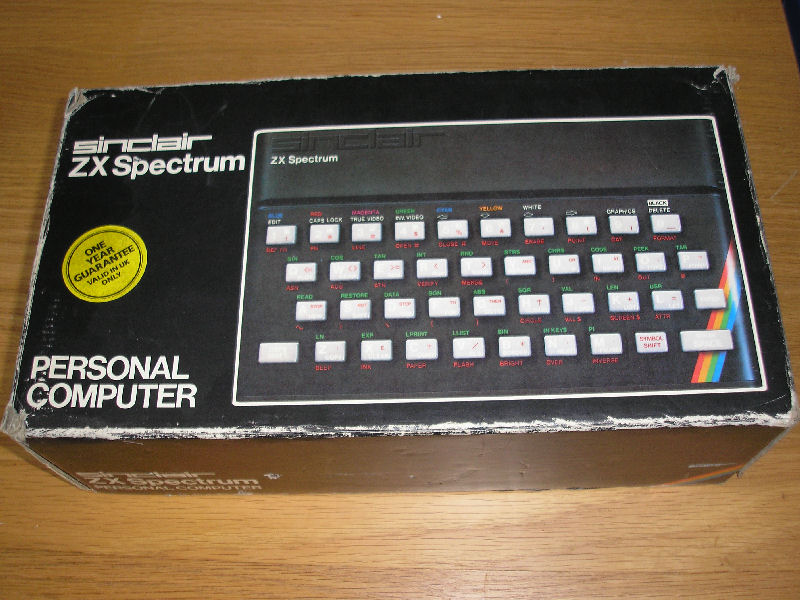
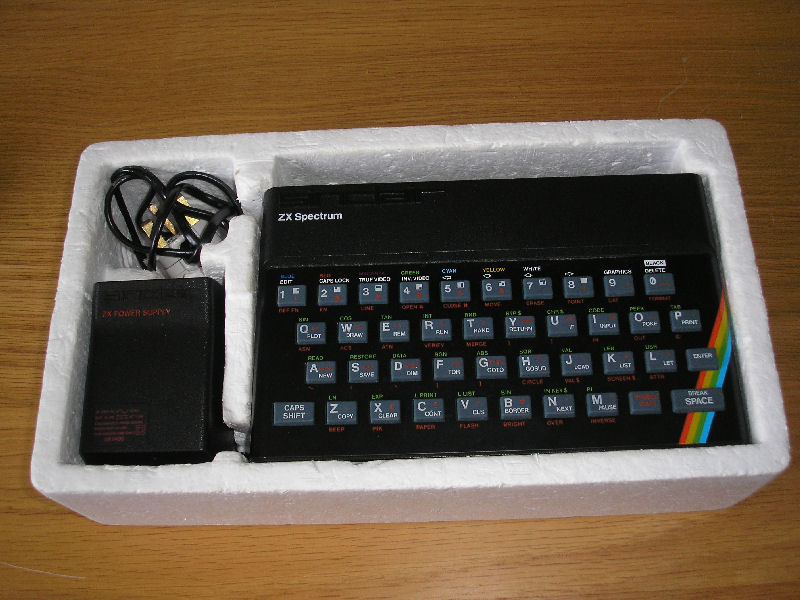
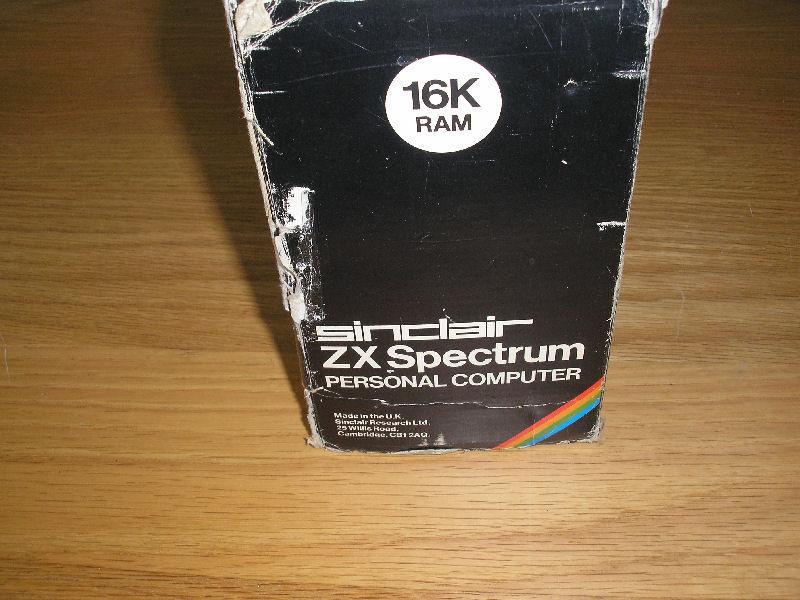
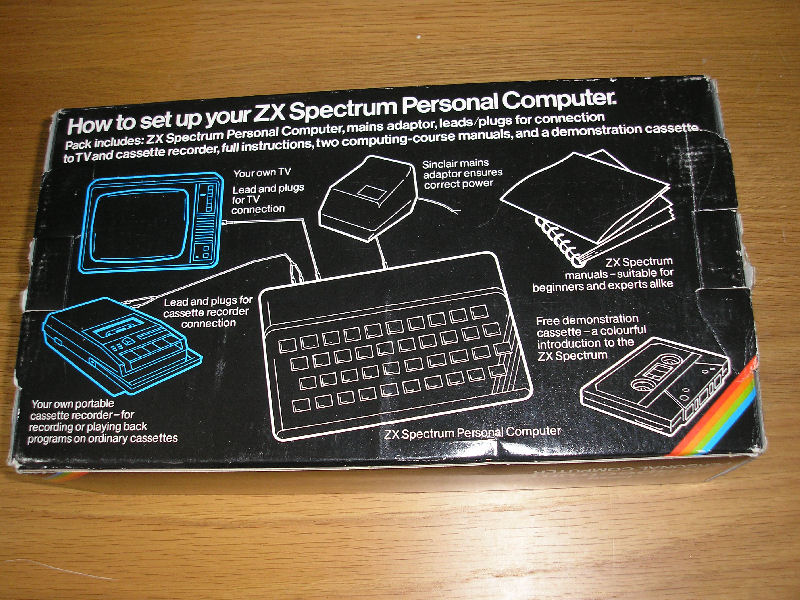
Discussion
Nobody has started a thread about this yet.
Remarks
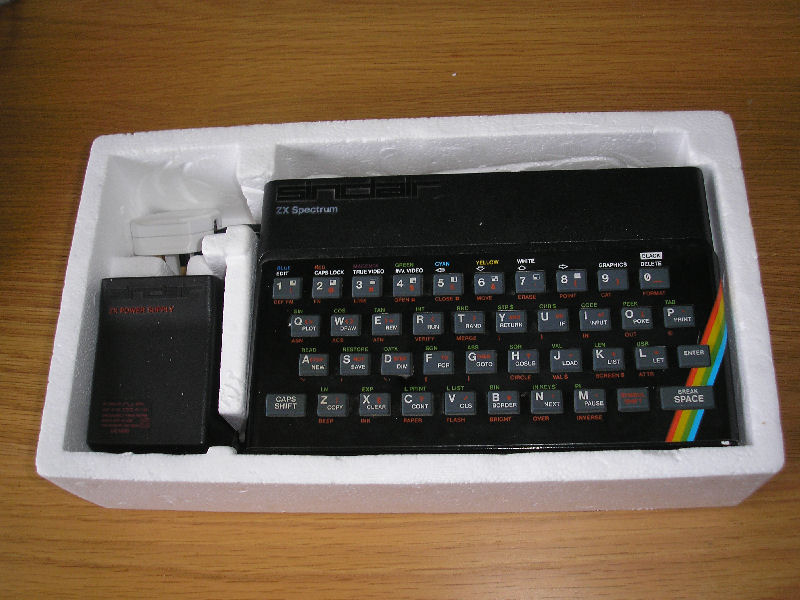
The package included the books {ZX Spectrum Introduction|Sinclair Research Ltd|2000512} and {ZX Spectrum BASIC Programming|Sinclair Research Ltd|2000438}.
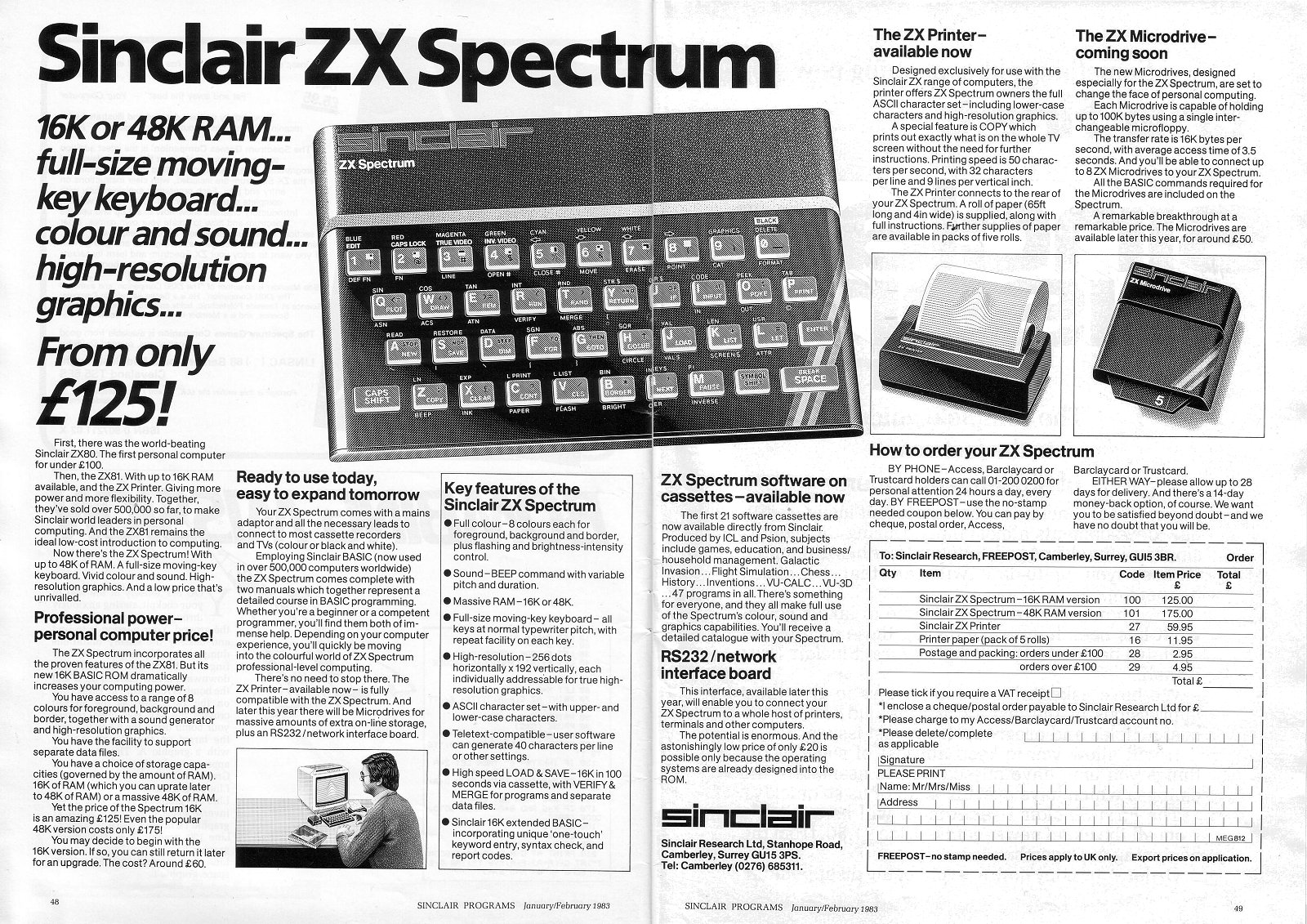
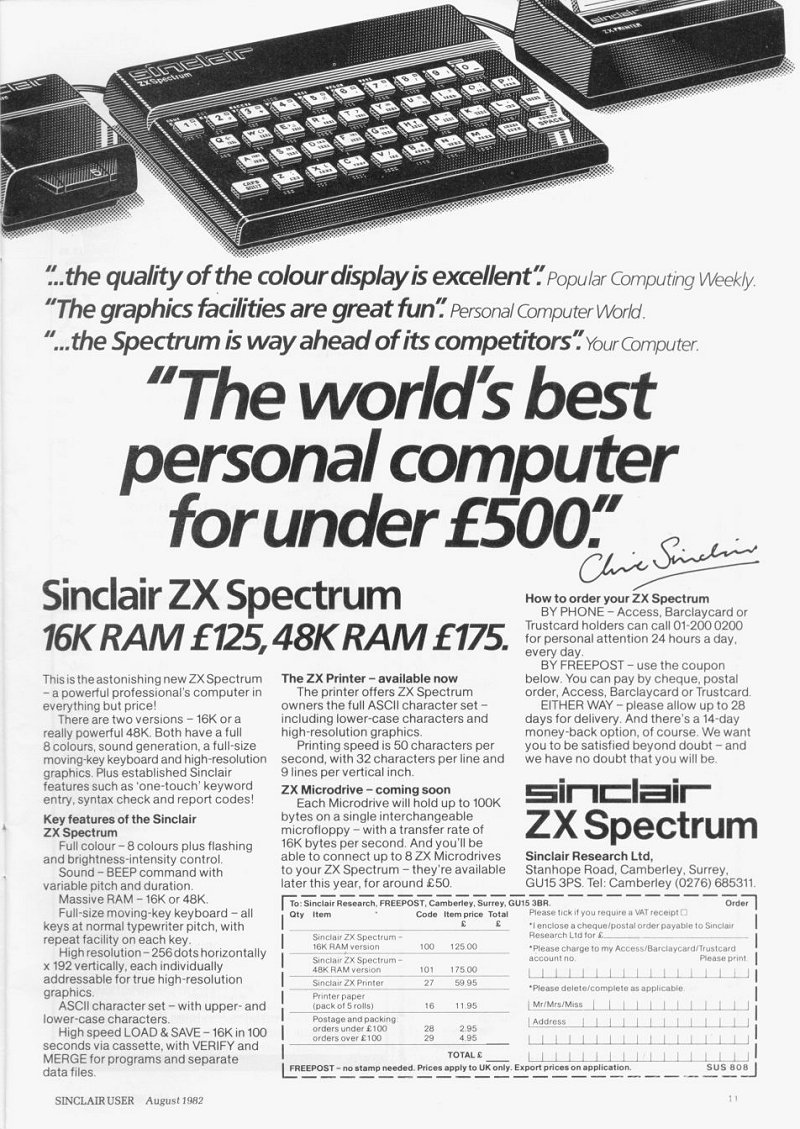
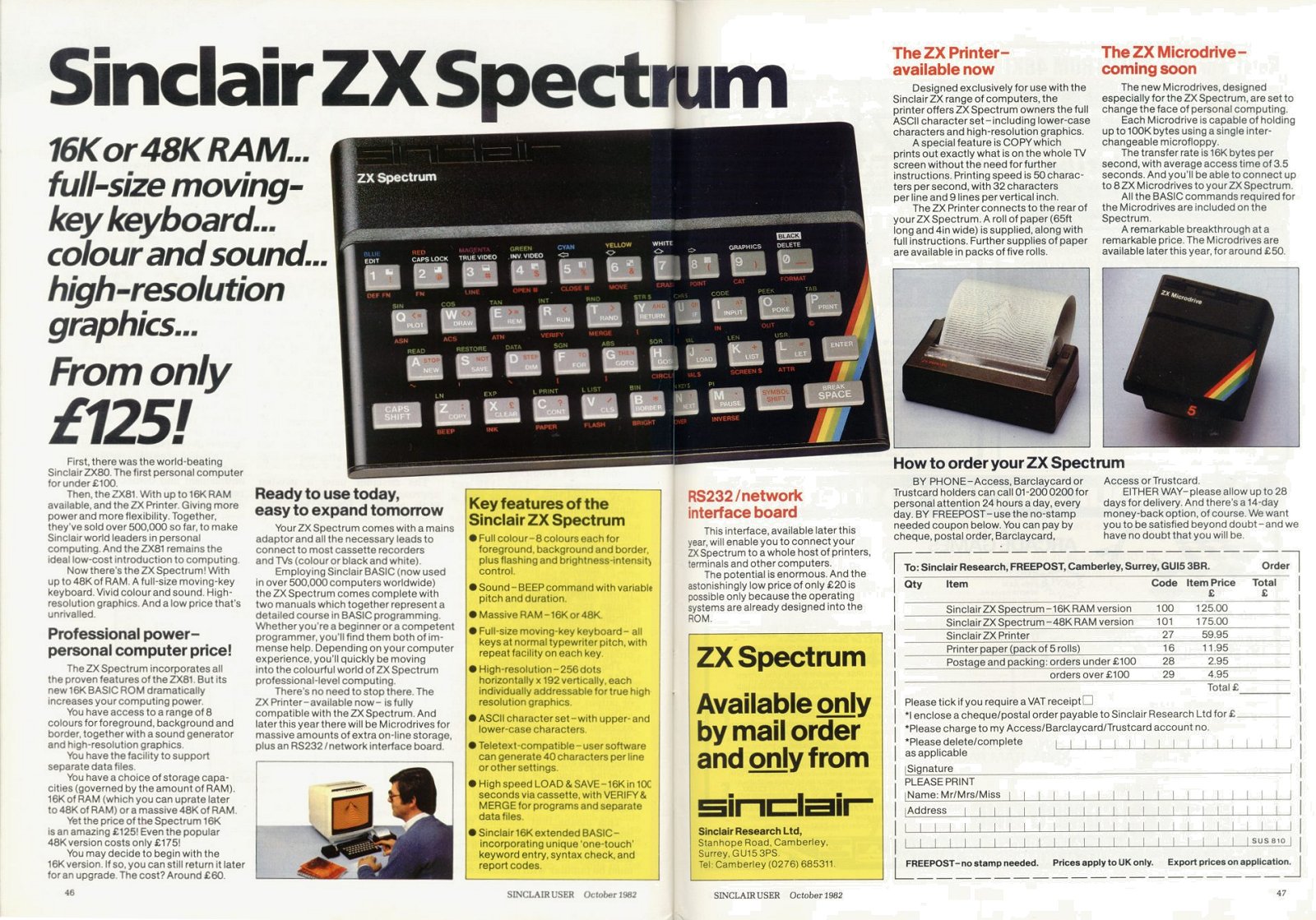
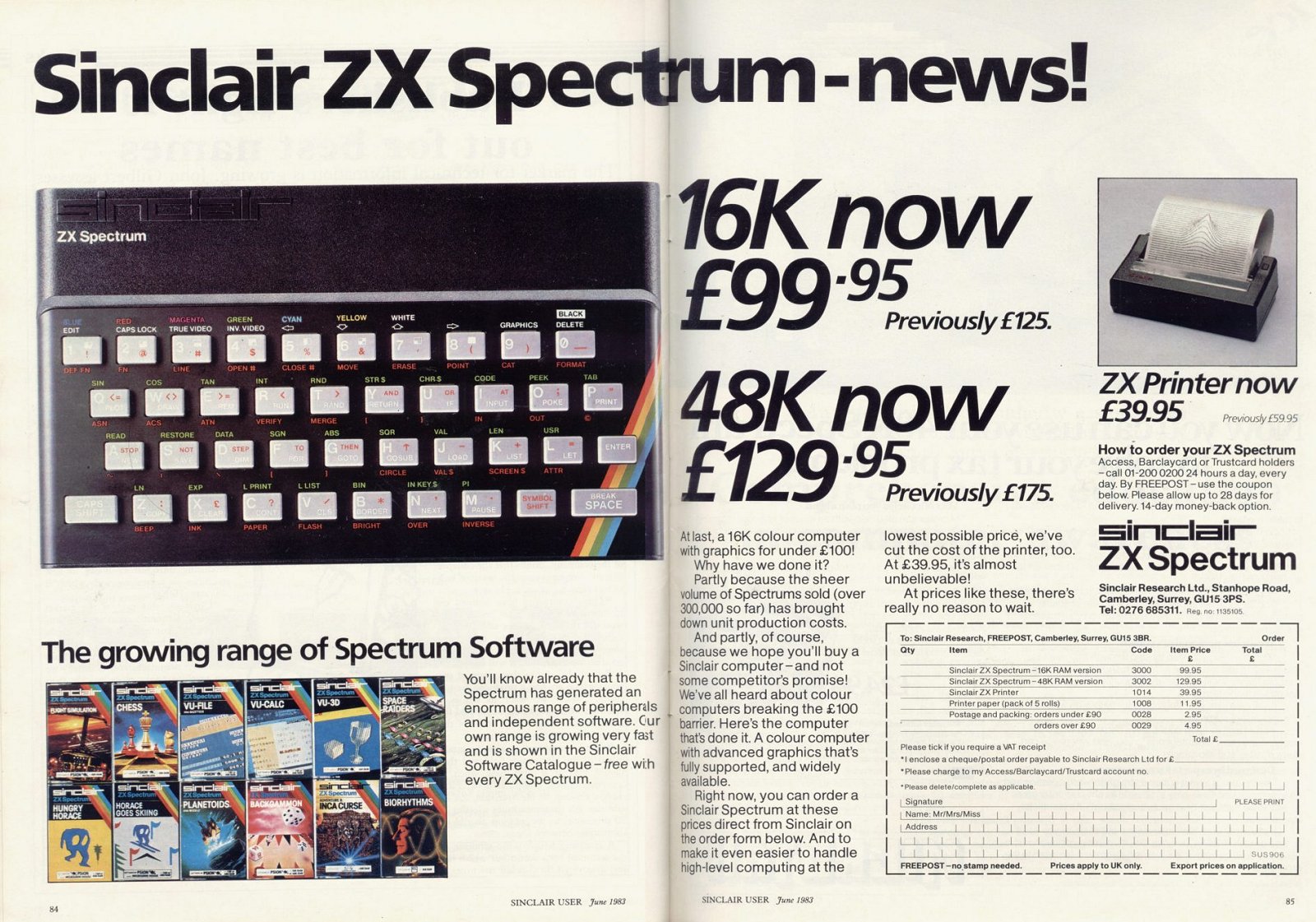
SPOT: prices are for 48k; 16k prices £125/£99.95
Play
- 48_ArabicV1.rom.zipComputer/ZX Interface 2 cartridge ROM image dump 13 KB
- 48.rom.zipComputer/ZX Interface 2 cartridge ROM image dump 12 KB
Documents
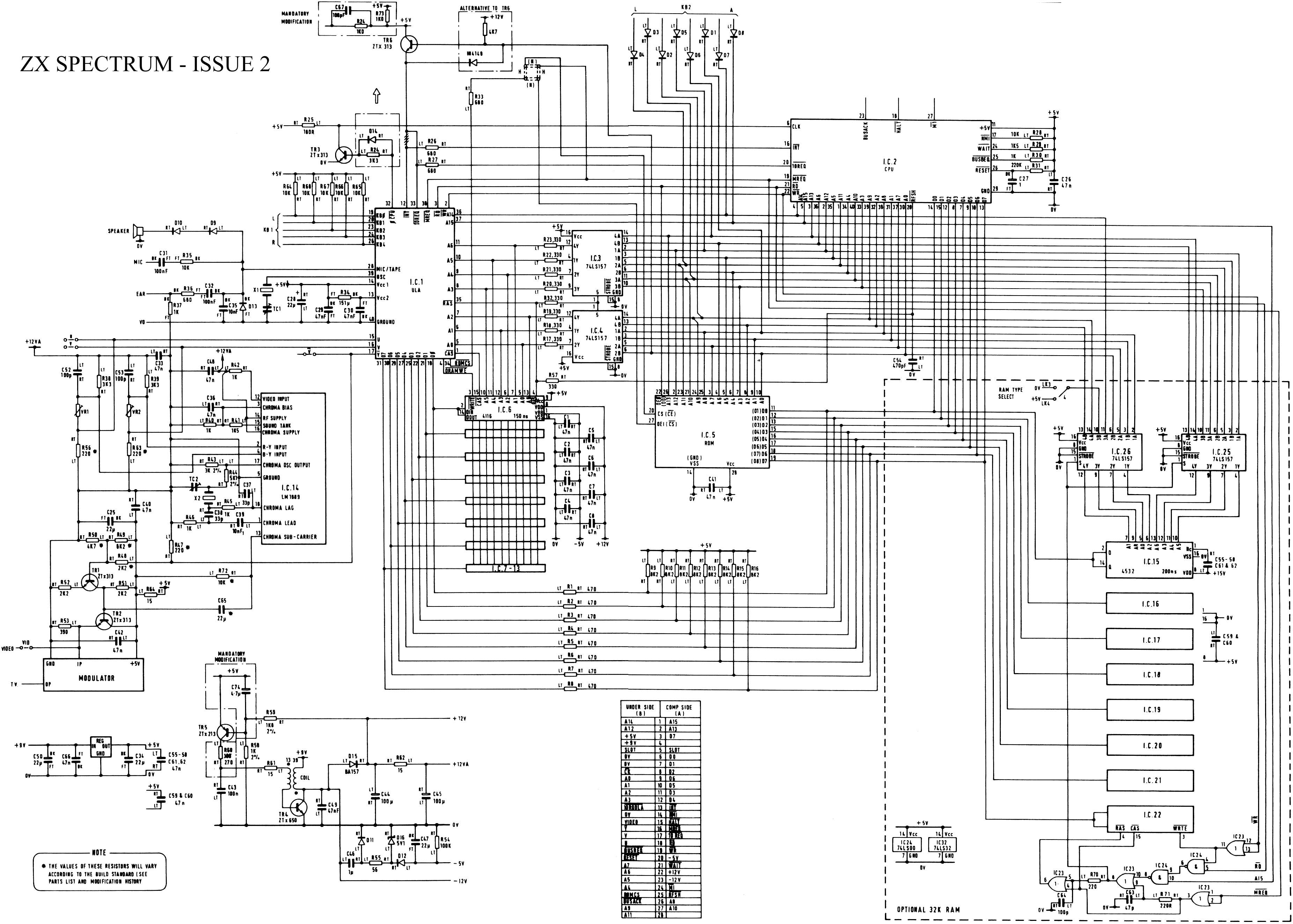
- ZXSpectrumIssue1+2-Schematics.pdfHardware technical documentation 181 KB
- ZXSpectrum48K_ServiceManual.pdfHardware technical documentation 639 KB
- SpectrumRepairGuide.zipHardware technical documentation 163 KB
Other files
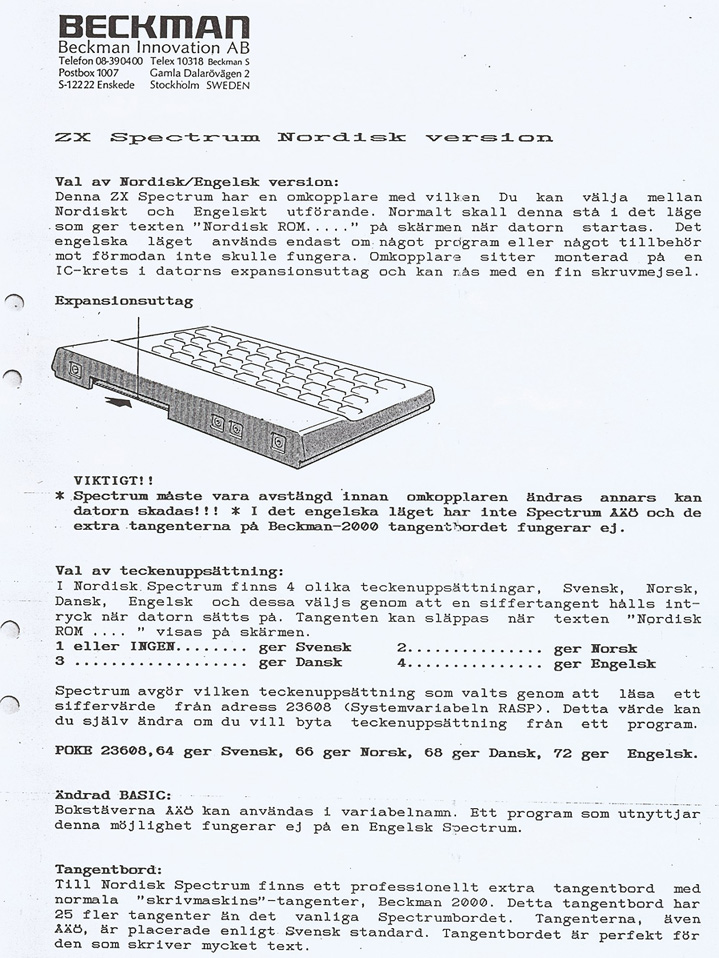
- ZXSpectrum48K_NordiskVersion.zipHardware advertisement scan 312 KB
- roms.htmlRemote link English
Files and rights
Distribution permission is on record, granted to another archive rather than to this one. Screens and pictures are copied here; everything else links to the archive that holds it.
- AllowedSinclair Research Ltd → WorldOfSpectrum
Scores
Elsewhere on the web
- WorldOfSpectrum 9 votes10.00
Awards and competitions
Big K - Readers Poll 1984
- 2Good Idea But... (of the Year)
In the magazines 395
Personal Computer News #93Jan 1985 · p.26
Gavin Monk
STILL GOING STRONG Sinclair's best-seller still holds its own against strong competition. Gavin Monk evaluates the reasons for it success. PRICE: £129.99, £179.99 for Spectrum Plus PROCESSOR: Z80A RAM: 48K ROM: 16K STORAGE: Cassette as standard, Microdrives can be purchased AVAILABLE: High Street Stores When the ZX Spectrum was launched in spring 1982 it offered fantastic value for money, and demand soon exceeded supply. Now things have changed, and competitors have had a chance to catch up enough to influence Sinclair's plans. For instance the 16K version is not now being manufactured. With Atari and Commodore chopping their prices, will Sinclair follow? The answer to these questions lies mainly with Sinclair but it's a fair bet that very soon the 48K model will cost around £100, which would offer better value. In order to give the Spectrum a new lease of life the Spectrum Plus has been launched. FEATURES The Spectrum offers 16K ROM, 48K RAM (16K models may still be available), 192 by 256 pixel graphics, eight colours plus flash and bright options, 21 user definable graphics, single channel sound, single key entry with syntax checking, a membrane qwerty keyboard, cassette interface, TV output, and a user port. The 16K ROM contains both the Basic and operating system which are both more or less bug free. Of the 48K approximately 41K can be used to store programs, data, etc. The screen takes up almost all the other 7K and the rest is taken up by the systems variables, printer buffer, and user defined graphics area. Although the graphics are 192 by 256 pixels, an area of only 176 by 256 pixels can be used for high-resolution work in Basic, as the bottom two lines of the screen are for input messages and error reports. The two lines, however, can be used in the same way as any other screen area from machine language. The screen is memory mapped but in a non-standard fashion. Screen memory starts from 4000 hex and ends at 5800 hex, then followed by the attributes file. The screen is mapped by dividing it into three sections: top, middle, and bottom, each containing eight screen lines. The memory map for the screen is now laid out as follows: The top row of line 0 followed by the top row of line 1 etc up to line 7, then the second row of line 0, then the second row of line 1 etc up to line 7. This is repeated until the top section is mapped and then the same occurs for the middle and bottom sections. If you have access to a Spectrum, run the following program to show you the effect. 10 FOR I*16384 TO 22527: REM screen map 20 POKE I, 255 30 NEXT I This of course doesn't matter in Basic much, but it's a headache for machine code programmers. This is why several commercial software programs use the screen in three different parts. The Spectrum supports eight colours which can be set to appear on the screen extra bright, flashing, bright and flashing or just normally. However, the colour resolution is only 32 by 24 from both Basic and machine language. This causes great problems as high-resolution graphics colours tend to get mixed up. This means that careful planning is needed when programming. The user defined graphics (UDG) allow another 21 characters to be added to the character set. An almost infinite range of characters can be defined for games writing but Greek letters, subscripts, and the like are possible too. The UDG area on the memory map occupies the top 168 bytes of RAM although it can be moved by poking suitable values into the system variables. Sound is one of the Spectrum's failings. Without an external audio amplifier it sounds like a small squeaky animal, and it is not only quiet but also limited. The program execution halts during sound output so continuous sound from Basic is near impossible. However, sound output is also present on both the mic and the ear sockets at the rear of the computer, so it can be amplified or recorded easily. The single key entry method is often criticised but it's easy to use once you learn which functions are on which keys. Unfortunately system keywords must be used, so even small words like TO must be entered using the correct function keys - both symbol shift and F must be pressed. Why not T, then 0? However, it does prevent the entry of invalid commands and along with the built-in syntax checker prevents many errors in program entry. Once a line has been typed in and the Enter key pressed the line is checked by the computer to see if it contains a syntax error. If so, the line is kept in the edit area of the screen (the bottom two lines) and a flashing question mark appears where the error was detected. This means silly typing errors can be detected and corrected before the program is run. Once the line's syntax has been checked and found to be correct, the line is accepted and displayed on the upper screen along with the lines close to it. This neat idea means the program lines always appear in order on the screen even when editing. The Spectrum's keyboard (or lack of it) is famous. It is made from a special membrane onto which rubber keys are pressed causing contact. It may be acceptable to the novice who just wants to learn to program and play a few games, but a lot of typing requires the addition of a full-size keyboard (see hardware section). Sinclair must have realised its mistake with the keyboard as the Spectrum Plus is really only a normal Spectrum with a 'real' keyboard added. The reliable cassette interface operates at 1500 baud. A slight quirk is that the ear lead must be removed when saving to prevent feedback. No cassette motor control is present which can be annoying should you forget to switch off the tape recorder. Basic programs, data files (numeric and character), machine code, and screen displays can be saved and all except for screens can be verified. Cassette files can be given a ten-character file name which is displayed on the screen when the files are loaded back. This means that you don't have to remember the file names or load each file to see what it is. The TV output is excellent and a clear stable picture is displayed. Early issue one and two Spectrums play up when used with certain makes of TV but this has been cleared up with the release of the issue three board. A composite colour or black and white monitor can be run straight from the new issue three Spectrums as the video signal is present on the user port. Issues one and two need a small link to be added to the circuit board first. Output on a composite monitor matches that of a good TV. At the back of the Spectrum is a large hole through which the circuit board is exposed. This is known as the user port or edge connector. It contains almost every single line that any user would ever want, except the RAM CS line has been excluded. This means no memory mapped devices can be added to the Spectrum and all interfaces must be addressed via a port. BASIC Spectrum Basic was carried over from the ZX80 and ZX81 and was enhanced and extended. For the first time on a Sinclair machine multi-statement lines were allowed. Sound and graphics commands were added along with the keywords ready for the Microdrives when they arrived. There are some obscure commands in Spectrum Basic and their operation differs slightly from other Basics. DIM is used to dimension arrays and subscripts start at 1 (not 0 as in most other Basics). TO is used in string splicing (as well as for loops) ie if a$= 'ZX Spectrum' then a$(5 TO 8)= 'pect'. ATTR checks the attributes of a given screen position. IN and OUT read and write to a specified port. POINT - gives a 1 or 0 depending on if a specified pixel is set or reset. SCREEN$ gives the character at a specified screen position. VAL$ evaluates a string as a numerical expression and places the result in a string. BEEP produces a note of pitch and duration specified. BORDER, PAPER, INK set colours as specified. The Spectrum stores numbers to an accuracy of nine digits with the largest around 10'38 and smallest 4*10'-39. The main drawback to Spectrum Basic is that line numbers can range only from 1 to 9999 and must be integers. You can soon run out of line numbers if you follow the standard practice of separating lines by 10. HARDWARE The Spectrum has more hardware available for it than any other home computer. Sinclair supplies much of it. Now that production of Sinclair's low-cost ZX printer has ceased the Alphacom 32 is the only one available that can be plugged straight into the Spectrum. It produces a 32 character per line output on blue heat sensitive paper, and in all other respects is the same as the ZX printer. INTERFACE 1 This is really several interfaces in one for £49.95. It provides RS232, networking, and the hardware to drive up to eight Microdrives. The RS232 socket is a nine-pin inverted D-type socket. It can be used for driving printers, modems, and interfacing to other computers. Baud rates from 50 to 19,200 can be set but the transmit and receive baud rates must be the same. This means that connection to most modems is very difficult unless they are going to be used only to transmit or receive all of the time. Networking between other Spectrums and QLs is possible and fast. Both programs and data can be transmitted and received over the network although it is only really practical to transmit data to a QL. It does however mean that Microdrives, printers etc can be shared by several users. The most useful feature of Interface 1 is its ability to drive up to eight Microdrives. At a cost of £49.95 the Microdrive offers fast storage and reliability. Access time ranges from almost nought to ten seconds per file and once a file has been found data is transmitted at 16K per second. The Microdrive system does, however, have two main drawbacks. The cartridge cost of £4.95 for 90K storage is expensive, and no mass duplicating service is available yet. The first problem will diminish as cartridge prices should eventually fall to around £2. The second is more serious as duplication is only possible by connecting several Spectrums together via the network and plugging eight microdrives into each. INTERFACE 2 This provides a ROM cartridge socket and two joystick sockets. The maximum size of a ROM cartridge is 16K and when one of these is inserted the entire Basic ROM in the Spectrum is paged out. This means programs on ROM cartridges cannot call ROM routines and, the programmer must start from scratch. What's more, ROM cartridge programs cannot use the Microdrives, so should utilities ever be released on ROM cartridge it seems they will still have to use cassettes for data storage. The joystick sockets mimic keys 1-5 and 6-0 and work as well as can be expected. Many other interfaces are available from independent suppliers, mainly for joysticks. Centronics printers, speech synthesis, sound synthesisers, and input/output ports. The Kempston joystick interface was one of the very first joystick interfaces for the Spectrum. It is read by using port 31 and also works with the ZX81. The Kempston Pro joystick interface is new and works with Sinclair, cursor keys and the Kempston (port 31) protocols. The interface also contains a ROM cartridge socket. Others include the RAM Turbo joystick interface which has exactly the same protocol, the AGF cursor interface which is compatible with the cursor keys and the AGF programmable interface which makes hardware programmable by flying leads and clips. The AGF Protocol 4 is hardware programmable by custom cards. As supplied it can be made compatible with Sinclair, Kempston, cursor key, and one other mode. It also contains a computer reset button for clearing machine code programs. Protek's cursor key interface is the same as the AGF' cursor interface, while the Protek Pro interface is compatible with Sinclair, Kempston, and cursor key protocols. DK'Tronics makes several joystick interfaces, which carry several different protocols. A cheap way to add ROM cartridges to your system for those who prefer keyboard control or already own a programmable interface is provided by the AGP ROM slot. Currah's Microspeech interface produces speech via the allophone method using built-in software. Each key press is also enunciated with sound output through the TV speaker. This unit has an increasingly large amount of software support. The Cheetah Sweet Talker also uses allophones but the allophone numbers must be output via a port. Many expansion sound boards are available, all rather similar, and offering three channel sound facilities. Several floppy disk interfaces have been announced but few have taken off. The early versions were hard and slow to use but the new Morex one looks promising. Input/output port interfaces are easy to come by and all seem to offer a standard 8-bit IIO port for connecting relays and so on. Many Centronics and RS232 interfaces use cassette software to change the standard LPRINT and LLIST commands so they now output via the Centronics port. Companies selling this type of interface include Cobra, Hilderbay, Tasman, and Kempston. Within the last few months, however, two new interfaces have arrived which contain their software on EPROMS - the Kempston E and ZX LPRINT III. These are both Centronics type and contain software to give screen dumps via the COPY command as well as working with LPRINT and LLIST. The Rotronics Wafadrive is a direct competitor with the Sinclair Interface 1 and Microdrive. For£129.95 you get two drives, an RS232 port and a Centronics port. The Wafadrive is not compatible with the Interface 1 and a different type of tape is used for storage. Of course, keyboards are not true interfaces but a series of electrical switches, but a large number are available and most can hold Interface 1 inside. The most popular is the Fuller FDS, but other alternatives worth a look are those from Transform, Dean Electronics, and DK'Tronics. SOFTWARE The Spectrum also has more software than other micros. About 90 percent is games with the rest being educational, utilities, and specialist interests. The Spectrum has been treated to versions of almost every arcade game, some of them matching the originals. But the most popular ideas are original ones which have produced such inspired games as Jet Set Willy, Manic Miner, Sabre Wulf, Lunar Jetman, Atic Atac, Ant Attack, and The Hobbit. Educational software ranges from spelling and punctuation practice to GCE O-level revision packages. The two most popular utilities are Tasword II and Masterfile. These are both Microdrive and full-size printer compatible and Sinclair will be giving them away free with its Interface 1 Microdrive system. This review was written using Tasword II, so from personal experience I can recommend it. It produces 64 readable characters per line on the screen with justification of both the left and right-hand margins. The maximum file length is 320 lines and the line and column count is displayed on the bottom line. Printer control characters can be written into the text to give underline, italics, and the like. Pressing the Edit key accesses two useful help pages. The second page deals more with formatting, setting margins, and block commands. Pressing the Stop key (Symbol Shift A) in text mode takes you to the main menu, which offers several facilities including Save, Load, or Merge text to cassette or Microdrive, print text, return to text or Basic, define graphics/ printer, and save Tasword. All are self-explanatory except for define graphics/printer which allows you to alter the codes that will be sent to your printer, to produce special effects such as underline and bold strike. Control codes for your type of printer interface must also be entered and almost every type of Centronics or RS232 interface can be used. Tasword also drives the ZX and Alphacom 32 printers although print quality is poor. Tasword does fall down on its lack of a block delete command which means large areas of text not required must be deleted line by line. Sinclair gives away Tasword II when you buy the expansion system consisting of a Microdrive and Interface 1. Masterfile is possibly the only decent database program available for the Spectrum, with its instant searching and sorting of fields, multiple report formats, up to 51 characters per line, 26 fields per record, and a number of records limited only by memory space. Masterfile holds approximately 32K of data which can be searched for almost anything you care to think up. Numeric, character, greater than, less than, equal, and not equal searches can be carried out with immediate results. Setting the report and data formats ready for Masterfile takes a little time and good planning is needed for best results. However the excellent manual gives details of all of this plus a step by step example to follow. Data files can be saved to cassette or Microdrive as required but printing can only be produced on a ZX or Alphacom printer with the standard package. However, the manufacturer, Campbell, has released MP-Print, which allows printing of data to full-size printers via most of the popular interfaces. Report widths are variable and all this is done without any reduction in data space. Masterfile is another package now given away with the Spectrum expansion system. Several companies produce Z80 assemblers and monitors for the Spectrum but Hi-Soft and Picturesque stand out. Newcomers to machine code would do best with Picturesque, while the more experienced would prefer Hi-Soft. Both packages offer all the following facilities: storage of files to cassette and Microdrive, assembly from Microdrive of huge files, printouts to both full size and ZX/ Alphacom printers. The main difference between these two packages is in the editors. Hi-Soft's is simple, line-based and operated by using single letter commands, like P and G which stand for Put and Get but really are just Save and Load. The Picturesque editor is more user friendly with keywords (as in ZX Basic) and a neat 40 column display. It produces automatic field spacing by pressing the space key. An abundance of languages is available including Forth (Abersoft and East London Robotics are the most popular producers), Pascal (Hi-Soft), C (Hi-Soft), Micro Prologue (Sinclair), and Logo (Sinclair). None aims to teach the language and only details of use are given. So if you want to learn Pascal, for instance, you must buy the package and instruction book. VERDICT The Spectrum is ideal for playing games, learning about programming and hardware, word processing and filing. It's a good machine for a good price. It is probably too limited for a small business, but with a full keyboard, Microdrives and some of the excellent software, it may still be worth considering.
Numerous manufacturers produce add-ons for the Spectrum.
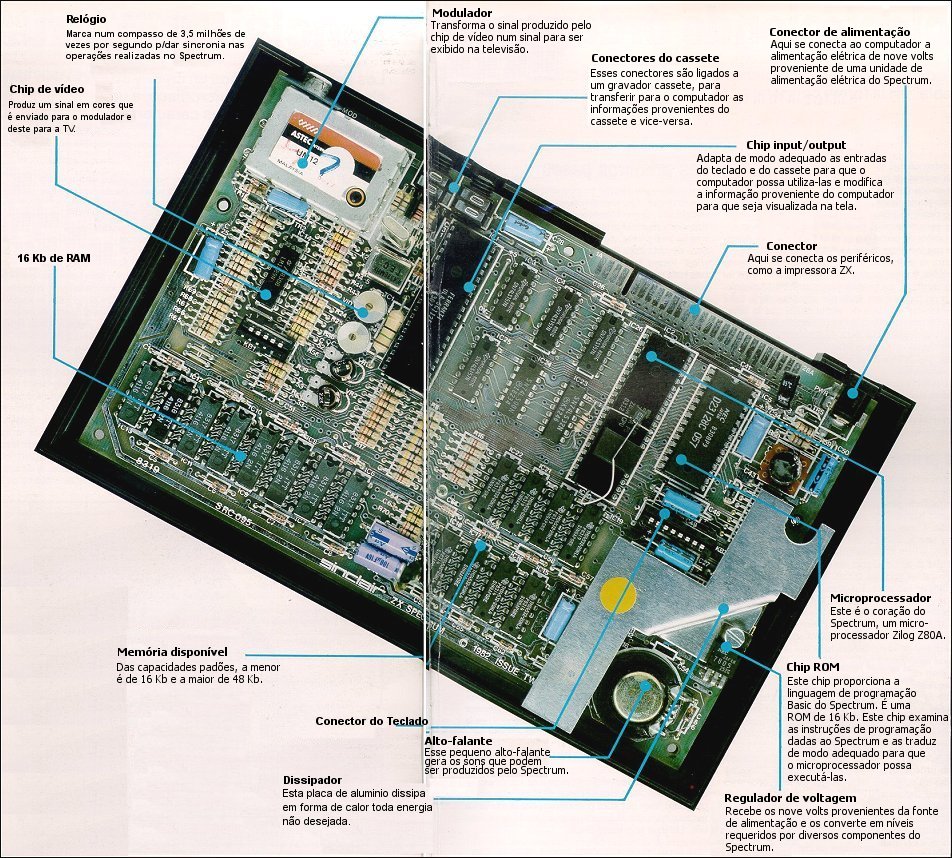
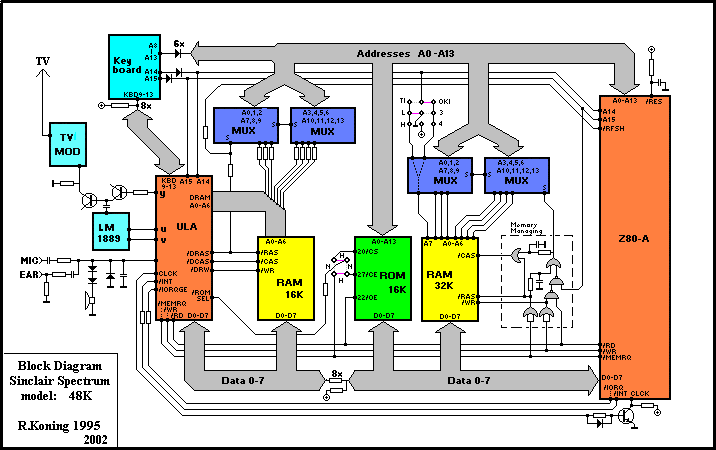
T.V. Cassette in. Cassette out. Microprocessor (Z80) Edge Connector Power in. Speaker ROM Keyboard Connectors Memory ULA
The Interface 2 allows you to use ROM cartridges and joysticks with the Spectrum.
The Microdrive and Interface 1 are Sinclair's cheap substitutes for disk drives.
Big K #9Dec 1984 · p.84
Bill Bennett
HARDWARE THE COMPLETE BUYERS GUIDE A comprehensive Christmas guide to the boxes bidding for your bucks. By Bill Bennett. SINCLAIR SPECTRUM Sinclair's Spectrum is the Model T Ford of home computers. (It comes in any colour so long as it's black.) Now facing its third Christmas, the old Spectrum magic is beginning to wear a bit thin. However, at £129 for a 48k machine, you could do a lot worse. For: basically a million-plus owners can't be wrong. This huge user base means that software sellers and hardware hawkers can't afford to ignore the Spectrum. Software hackers have exploited the hardware to the limit; recently the pace of software development may have slowed a little but the Spectrum has the widest software range of all the home computers. There is something for everybody, and some of the software is simply brilliant. Against: For all it s good points, the Spectrum is a bit naff around the edges. I found that a Spectrum tends to break down after a lot of use. Sometimes the machines just die, but a lot of people find that the "dead flesh" rubber keyboard tends to wear out. Microdrives might be technically clever, but they are no substitute for a real disc drive. I'm not impressed by the need to pay extra money for a joystick and cartridge port, and again there isn't much decent software available on cartridge. No sane person would use the Spectrum for any serious purpose such as word-processing or running a business. To build a Spectrum up to specification approaching that of, say, an Atari 600XL can set you back around £400. Pose Value: One of the Boys. SINCLAIR QL Sometimes I think Clive Sine.lair and Malcolm Maclaren are the same person. Both have ginger hair, both have the art of hype down to an artform and they share a motto: "Cash from Chaos". All the same, the generous 128k RAM and meaty Motorola 68008 processor make most punters' eyes water. For: SuperBasic is everything you want from a version of the world's most popular programming language, though it may not be fully debugged yet. The QL has what passes for a real keyboard, even if it doesn't feel as good as those on more expensive machines. The local area network will appeal to sociable computer users. Unlike previous Sinclair micros, the QL has been treated to a liberal dose of user ports. The QL comes together with four software packages, which are not wonderful, but are enough to get you started. Some of the QL's features are imperfect implementations of very advanced facilities, for example "windows" and "multi-tasking". Against: The QL is slow, even though it uses the 68008 chip running at a zippy 7.5MHz. The 68008 is a junior member of the ultra-wonderful 68000 chip family, and is a powerful processor capable of addressing vast quantities of RAM. However, although it may be a 32-bit processor internally, externally it uses an 8-bit bus. This is a bit like reducing a motorway to a single lane of traffic, and makes the QL a sheep in wolf's clothing. Any new machine suffers from lack of software, but the QL has been around for some months now and there is still hardly any software, and (to my knowledge) no games. This is because the QL uses microdrives and doesn't have a cassette port. The microdrives can't hold much data either and spare cartridges are not easy to get hold of. Pose Value: Sloane Rangers and Hooray Henries. COMMODORE 64 Love it or loathe it, you can't ignore the Commodore 64. There are certainly a lot of 'em out there in Userland. At about £190 a time, the 64 is good value, and can grow into a useful system with discs, printers and modems all available as add-ons. Commodore claim that it is equally useful in the home and in the office, though I find it too slow for any serious computing. The keyboard isn't really up to the kind of bashing that most working micros have to take, and the 40 column screen rules out decent word-processing. It uses the 6510, a special version of the vintage 6502 eight-bit processor and boasts 64k of memory. For: In my book the 64 passes the most important test of all; there are lots of other users about. This means book, magazine and software publishers will continue to support owners for a while yet. With a 64 you aren't likely to be left high and dry. Sprites and the Sid chip sound synthesiser give the 64 some powerful hardware features. Peripheral addicts can choose from a wide range of add-on printers, a disc drive, and a modem f or Commodore. Independently produced add-ons include MIDI interfaces that can connect the 64 to music equipment, speech synthesisers, light rifles and loads of other goodies. Against: although the 64 has some tasty features like sprites, hi-res graphics and a beefy sound synthesiser, the BASIC is incapable of supporting them, and there isn't much of the 64k memory left once you use graphics. This means that to get a 64 to do anything interesting you have to learn machine-code, or pay out for a BASIC extension. That might be painful, but reading the manual makes a visit to the dentist seem like fun. Believe me, if you can get information out of the supplied manual, you should apply for a job with MI5. Loading games from cassette is very slow. Newer games use special fast ("turbo") loaders to get around this. The disc unit isn't that rapid either. I find that the 64's TV output tends to give a poor picture, and curing this with a colour monitor can set you back £200. Pose Value: Hacker. MSX MSX seems to be the flavour of the month, but not everyone agrees. Britain's micro-computing big-wigs think that they can ignore it and it will go away. For: MSX is a good idea, allowing users to build "mix and match" systems, similar to component hi-fi rigs using parts from different manufacturing ranges. All MSX machines use the same BASIC, which is one of the better versions of the language, and there is already an impressive software range for the machines. The computers are all nicely designed, and come with proper keyboards and stylish cases that look terrific on coffee tables. MSX-DOS is very similar to MS- DOS, the system used by the IBM-PC, so will give MSX users access to a larger software base. Against: In many ways MSX is not all that it's cracked up to be. For a start, the different versions of BASIC are NOT identical. Software houses cannot guarantee that MSX software will run on every machine. MSX computers are overpriced. These machines are no better technically than computers costing £100 less. What annoys me is that MSX machines are all based on old technology. Which means an MSX computer is severely limited from day one. Pose Value: Habitat Customers. AMSTRAD WHEN I heard that Amstrad was going to launch a computer I wasn't surprised. After all, Sony and JVC make hi-fi and computers, Amstrad makes cheapo hifi so why not make cheapo micros? The best thing about the Amstrad micro is that a single purchase buys a complete system. For the price of two weeks in Torrermolinos you can pose in the comfort of your home with a computer, built-in cassette unit and a colour monitor. Amstrad could have picked a snappier name than "CPC-464" for the machine. I suppose it means something to someone. Like most other fashionable computers the Amstrad uses the Z80, which is to micros what Linndrums are to hit records. For: as eight-bit computers go, the Amstrad is quick. In most respects it is as quick as the BBC model B; it beats heavyweight so-called 16-bit micros like the Sinclair QL and IBM-PC, and is about four times as rapid as the Sinclair Spectrum. On its own these statistics don't mean much, but it all adds up to a well designed ROM. Against: it's a shame you can't buy the monitors separately. An even bigger shame is that you can't upgrade from a monochrome monitor to a colour version. Instead you must pay for an adaptor allowing the monochrome version to use a colour television. If you already have a tape-recorder you have to pay for bits you don't need. At the moment there isn't a great deal of brilliant software but some is on the way. Pose Value: Move over, Paul Weller. ATARI 600XL and 800XL Atari Micros have been consistently underrated by the UK press and public alike. This is probably due to the curious pricing policy of the machines in the past. But now they are as cheap as any and the Atari 600XL is brilliant value at around £89. Much of what applies to the 600XL applies to the 800XL. It uses the same 6502 processor, has the same graphics and runs the same software. But it has a full 64k memory whereas the 600XL has a measly 16K. For: Unlike almost every other range of computer, any Atari computer can run on any Atari computer software. Atari did this ages before anyone heard of MSX. This means that the amazing games available on cartridge for the Atari 400 and 800 will run on the 600XL and 800XL. Graphics and sound have been standard on Atari computers for years now, and Atari was the first manufacturer to use sprites. It's not so much a question of the Atari being a little out of date, more that the competition has taken a long time to catch up. I really like the Atari peripherals which include a graphics tablet and a track-ball. Against: the cartridge software is very good but the cassette software can be both expensive and boring. Not only that but I found that the cassette loading can be unreliable. This doesn't matter in the USA where everyone is so rich they can afford floppy disc drives. Over here in the UK all peripherals seem expensive, especially compared with the cost of the actual main computer unit. So far the Atari has not achieved the kind of sales to create a lot of excitement in the UK, though the new low prices could change that. Pose value: Space Cadet. ACORN BBC MODEL B As advertised on the television, night after night. Hardly an episode of Tomorrow's World goes past without a free plug. The Beeb has a large following in the UK, but is unheard of in the rest of the world. Its success is due to two factors: the good name of the British Broadcasting Corporation, and a government that handed them out willy-nilly to schools. If it was simply called the Acorn Proton, it would have been forgotten ages ago. A 6502 and 32K of ROM isn't world-shattering, but Acorn have made a creditable attempt at pushing the hardware to the limits. For: everybody knows that the Beeb is a powerful computer. A decent keyboard with function keys, sensible ports - and, maybe the best version of BASIC in the civilised world combine to make it a serious proposition for businessmen and home users alike. Recently I have seen some excellent games software for the Beeb, and there is also a great deal of educational, engineering and scientific software for the machine. There are also two very good word-processors. A lot of tasty add-ons are available for the Beeb, including MIDI interfaces, modems, extra ROMs and a teletext adaptor. It is even possible to add second processors (Z80 and 6502). The Beeb is also one of the very fastest machines around. Against: the Beeb is expensive for what it is; so are the Acorn add-ons. Adding a disc can be very expensive - you need a chip which costs nearly £100, making the effective price of the full spec Beeb... £500 Pose Value: Guardian Reader. ACORN ELECTRON Concerned parents everywhere love the Electron. It has worthiness written all over it. Being an Acorn, the Electron isn't cheap, in fact you have to be holding a fair bit of folding to find £200 for a micro with just 32K of RAM. For: programming the Electron is similar to programming the BBC. Certain software written for the Beeb can transfer to the Electron. Against: expensive with a small memory. I would expect to see a printer port and a pair of joystick ports included in the basic machine. To add these on seems to cost an arm and a leg. This seems to be part of Acorn's policy of simply not making any concessions to the customers. On the whole Electron software is dreary. At times the Electron appears to be no more than a sawn-off Beeb. It isn't quite BBC-like enough. If Acorn had given it a better spec, then the Electron would have hit sales of the flagship model B. Pose Value: Teacher's Pet. ORIC ATMOS Heavy Metal fans will love the Atmos because it is LOUD. Not only is this beasty big on the decibel front, but it has built-in sound commands like SHOOT, ZAP, PING and EXPLODE. The demonic black and red colour scheme of the case will liven up any headbanger's dungeon. Destined to become one of life's also-rans - the Atmos actually isn't a bad little machine. For: The Atmos does have a lot of memory spare for a 48K machine. The keyboard is fairly good and capable of taking a thrashing from decibel-crazed users. Also the Atmos has a built-in parallel printer port so it can be used with an Epson printer or the Oric four-colour plotter. Against: Oric had a second chance with the Atmos. But amazingly, the tape operating system was actually made less reliable in the new machine. Software houses haven't exactly fallen over board to produce software for the Oric machines and a lot of what does exist is boring. Pose Value: Headbanger.
C&VG (Computer & Video Games) #36Oct 1984 · p.115
Robert Schifreen
BUG HUNTER'S GUIDE TO THE SPECTRUM This is the second of the C&VG Bug Hunter wallcharts. You'll find everything that a beginner needs to know about the Spectrum on this page. Including all the best games. So cut it out and stick it on the wall next to your machine, and you'll never be lost for the facts. HARDWARE ADD-ONS There are more peripherals around for the Spectrum than for any other micro at the moment. Maybe it's because the Spectrum's hardware lacks so much that other companies decided to supply the missing pieces. DK'Tronics make a proper keyboard for the machine, as do Fuller. These are quite expensive but certainly make the computer a lot easier to use. If you're fed up with using cassettes, then Microdrives are now freely available. They cost £49.95 and the same again for the Interface 1 which controls them. They will load most games in around 20 seconds, but the cartridges are still overpriced at £4.95 each. The most popular joystick interfaces are made by AGF and Kempston, although the official Sinclair Interface 2 is catching up fast. The Sinclair ZX printer is no longer being made, so you may be able to snap up one cheaply as dealers try to clear their shelves. Otherwise, go for an Alphacom 32 which, at £69, is great value and has better print quality. You can also buy a Centronics interface to connect the Spectrum to a proper printer. You can link a Spectrum up to Micronet with a VTX 8000 modem. More details from Micronet on [redacted]. If you can't afford Micronet's charges, then there's always the TTX 2000 Teletext adaptor from OEL. This will turn your Spectrum into a Ceefax and Oracle receiver. The interface costs £125 but, once paid for, all of Ceefax's and Oracle's pages are free. And there're no telephone calls, either. SPECTRUM GAMES FROM C&VG We try to publish at least one Spectrum listing in every issue of C&VG. They're all games, but not all alien-blasting keyboard-bashers. For the ultimate in spy strategy games, there's Treachery by Mike (Seventh Empire) Singleton. This fills the memory of a 48K machine and also took up quite a few pages in March '84. If you like board games, then try Micropoly from May and if you find it hard to tear yourself away from the soap operas on TV to read your copy of C&VG, then you can't have missed August's special soapy edition, complete with a game based on a certain well known soap opera. BEST IN THE SHOPS There's never been any shortage of games for the Spectrum. The classic arcade games are Jet Set Willy and Manic Miner, from Software Projects. Then there's Jet Pac, Lunar Jet Man, Atic Atac and Sabre Wulf from Ultimate, whose graphic screens must be seen to be believed. Jet Pac runs in 16K, but the rest need a 48K machine. Psion's Horace series is also very popular, as is their Scrabble game. Top of the Adventure league for many a month was The Hobbit which is still good value. And if you can solve that, try Valhalla from Legend. For the top-selling games, keep an eye on the C&VG/Daily Mirror chart which is published in each issue of the magazine. LOADING AND SAVING The Spectrum is very reliable when it comes to saving or loading programs. To save a Basic program, type SAVE "name". When it has saved, use the VERIFY command to check that it was saved correctly. If you don't, and you turn off the machine, then there is no way to recover your program if you find that it did not save properly. If you want your program to auto-run on loading, type SAVE "name" LINE 10 which will start the program running from line 10 as soon as it is loaded. You can change the 10 to any number, to start at the line you wish. If you want to load an auto-running program but don't want it to run, use MERGE instead of LOAD. You won't be able to do this with a program on microdrive, though. SINCLAIR BASIC Sinclair wrote their own version of Basic to be used on the Spectrum. It is similar to that used on the ZX81 but has more commands, including those to handle the extra graphics and sound facilities. It's unlike any other version of the language and can be difficult to learn if you are used to programming, say, a BBC or a Commodore machine. If you're trying to learn machine code on a Spectrum, then Melbourne House publishes The Complete Spectrum ROM Disassembly. This is the best place to start, for beginners and experienced programmers alike. A good assembler program is Hisoft's Devpac. MORE DETAILS You can get further information on all of Sinclair's hardware and software from their office at [redacted]. Or telephone them on Camberley [redacted]. Sinclair publishes a Spectrum software catalogue with details of all their programs for the machine. If you've ever bought anything from them by mail order, then you'll already be on their mailing list for leaflets and catalogues.
C&VG (Computer & Video Games) #26Dec 1983 · p.70
Richard Frankel
THE GAMES PLAYERS' GUIDE TO THE MICRO Our motto at Computer & Video Games has always been to advise our readers and save them money by pointing them in the direction of quality and value for money. This Christmas, we present 11 full machine reviews for you to scrutinise, offering advice and more importantly, helping to put your inquisitive minds at rest and make the right decision. Our reviews, compiled by Richard Frankel, cover the popular machines as well as some of the latest contenders to the home market, which we feel will be successful in the near future. We make an assessment on the famous Atari 400 and 800 as well as revealing Atari's new baby the 600XL. In addition we look at the VIC-20 and CBM-64, the Acorn Electron and BBC, Japan's latest contribution, the Sord M5, and the increasingly popular Oric-1. SINCLAIR SPECTRUM There's no doubt that the Sinclair Spectrum is a winner. Sinclair's basic aims have always been to provide comprehensive and powerful systems at a fraction of the price of their competitors. One other breakthrough that the Spectrum - and its predecessors - has achieved is highly integrated circuitry, which drastically reduces the number of chips needed without sacrificing computer power. And it's the top games playing machine of the moment. HARDWARE PROCESSOR BASED: Z80A (3.5MHz) RAM: 16K or 48K ROM: 16K POWER SUPPLY: external R.F OUT: phono socket (channel 36) GAME PORTS: no VIDEO OUT: no EXPANSION PORT: edge connector KEYBOARD: 40 (auto repeat) keys, limited travel, membrane SOUND OUTPUT: on board speaker/cassette output CASSETTE I/O: two 3.5 jack sockets SOFTWARE TEXT DISPLAY: 24 lines by 32 characters (eight by eight pixels), upper/lower case. HI-RESOLUTION: 256 by 192 pixels SOUND: over ten octaves; pitch and duration may be specified BASIC: Sinclair Basic USER DEFINED GRAPHICS: maximum of 21 COLOURS: background, border, foreground may be set from one of eight colours; normal, flash, inverse or bright settings; colours available — black, blue, red, magenta, green, cyan, yellow and white GRAPHICAL SYMBOLS: 16 preset PRICES AND OTHER OPTIONAL EXTRAS SINCLAIR a-SPECTRUM (16K) £99 (Inc. VAT) SINCLAIR a-SPECTRUM (48K) £129 (inc. VAT) ZX-MICRODRIVE (100K): £50 (inc. VAT) ZX-PRINTER (50 CPS): £50 (inc. VAT) INTERFACE 1: £29.95 (when bought with Microdrive) INTERFACE II: £19.95 MICRONET 800 ADAPTOR: £99.95 Further information from: Sinclair Research Ltd, [redacted]. BASIC/GRAPHICS/SOUND Sinclair Basic is powerful, extremely easy to learn - but very slow. The Spectrum will space out program lines very neatly, an important factor for those users who need a clear and concise listing. Variable names can't contain characters "*" and "-", although quotation marks can be included with the format AS "Hello" "Uncle" Sinclair"! MID$,LEFT$ and RIGHT$ are not used. Instead a general string slicing procedure is applied with the expression A$ (f to 1), where f and 1 represent the first and last character numbers of the slice. Error detection is immediate on attempting to input a line, resulting in an error cursor showing the appropriate position. This should be especially helpful to the novice programmer as it will cut down error correction on program execution. A comprehensive set of functions exists, including the usual comparisons and mathematical operations which are all easy to use. The text display holds only 32 characters by 24 lines making the potential for word processing extremely limited. However, software is available to give 64 characters per line. If desired, text may be inverted to produce a white on black effect, as well as being individually coloured. On the good side, the reception on the whole is clear and distortion-free. LOAD "filename" and SAVE "filename" are for loading or saving a Basic program. Arrays may be loaded or saved with LOAD "filname",DATA () and SAVE "filename",DATA (), SAVE(or LOAD) followed by "filename" SCREEN$ will save or load the screen memory. This is useful if you have created a detailed picture, which takes a matter of seconds to load as opposed to the long winded procedure of redrawing it from within the program. MERGE is used to merge a file from tape with the existing program in memory, overwriting line numbers and variables that already exist in the old program. However MERGE cannot be used with arrays, or specified "byte" files. The graphics are a pleasure to use! The resolution is quite adequate for the power and cost of the machine, giving a 176x256 pixel display. PLOT x,y will plot a single pixel, and POINT will report if a particular pixel is set or not. The DRAW statement may have up to three parameters: and a, where x,y are the finishing coordinates and "a" determines the positive or negative drift of the line. Before DRAW is executive, PLOT must specify the starting co-ordinate, otherwise it will be assumed as 0,0. For example, if you want to draw an arc, say a quarter of a circle starting at position 100,100, the procedure would be PLOT x1,y1: DRAW x2,62, PI*0.5, where s1,y1 and x2,y2 are the starting and finishing coordinates, respectively. x2,y2 also determines the size of the arc (PI$0.5 is taken as 0.5$PI radians). DRAW x,y, where no third argument is implied with draw a straight line. CIRCLE inevitably draws circles! Its syntax is CIRCLE x,6,r, where x,y represent the centres location, and r is the radius. User defined graphics are easily created using the BIN statement, and are designed on OVER can also be used to "overprint" (merge with) existing characters. This could be put to good use for adding accents over letters and so on. There is, unfortunately, no FILL command. The colour grid is divided up into 32 columns by 24 rows (like the text screen). The snag is that each colour block contains the normal eight by eight pixel formation, and can an eight by eight block grid, with a maximum of 21 user definitions. Each BIN statement takes care of one line on the grid, so eight consecutive statements are required. It is then simply a matter of poking the character into the memory. The Spectrum has eight different colours altogether. PAPER is used to colour the background. INK (logical names, aren't they?) is used to colour foreground and BORDER to colour the screen border. All of these may use one of eight available colours. If FLASH is set, characters will flash between their respective and inverse colours. Characters may also be set to normal or BRIGHT levels. It is also possible to interact these commands with PRINT statements e.g. PRINT PAPER 6; "on blue", which will only print the words "on blue" on a blue background, but will leave the PAPER variable unchanged for text outside the PRINT statement. Therefore when you change the colour on a pixel, all different colours within that eight by eight grid block change to the colour you're using. This of course means that you cannot have two different coloured adjacent pixels unless they lie either side of a block boundary. Despite this, some interesting effects have been created with multi-coloured lines!! Sound generation techniques are very basic. BEEP is used to create a note. Duration and pitch values may be whole or fractional machine code subroutines are applied. All notes above middle "c" are positive, and notes below are negative. Incrementing or decrementing the pitch will result in a semitone raise or drop, respectively. There is no facility to create envelope shapes unless contain only one colour. The tiny built in speaker produces a distorted feeble tone, which quiet folks will regard as a blessing. There's not much more to say about sound generation except that it is rather weak compared to other micros in the same price range such as the Vic-20 or Oric-1. KEYBOARD/CURSOR CONTROL AND EDITING FACILITIES The keyboard is awful! There are 40 rubber keys altogether with auto-repeat, fixed to a membrane keyboard. The feel is totally frictionless, resembling calculator buttons rather than keys. All reserved words are entered "by one key entry". This means that all statements, functions, commands, procedures and most characters are labelled - on or by the appropriate key - in different colours, depending on their function. Some keys have 6 functions! Even the eight colours are labelled (in their respective colours) along the top! This type of keyword input was introduced on Sinclair's first computer, the ZX80 and has been followed through on consecutive machines ever since. I found myself scanning the keyboard, scrutinising each key and all its labels each time I wanted to enter a keyword! Despite this, many seasoned Spectrum users tell me that after a while you can memorise where all the keywords are - and the respective shift keys for obtaining them - and get quite quick at typing them in. Program line editing is straightforward. There are four keys used to move the cursor up. down, left and right. Each time you enter a line, it is automatically displayed at the top of the screen in its correct line position. A separate editing cursor points to the most recent line typed-in and this may be moved with the direction keys to point to any other line. Once the cursor is positioned on the desired line for editing, one must press the EDIT key - which will display that line separately near the bottom of the screen - then move the cursor to the desired position. DELETE will delete characters to the left of the cursor. ENTER may be pressed and the line will take as place in the listing at the top. PERIPHERALS AVAILABLE Cassette input is via two 3.5mm jacks, though there is no remote facility for computer control. As data is being loaded into the computer the screen displays a series of moving horizontal lines within the border. One of the most important add-ons this year for the Spectrum is the microdrives. These can hold up to 100k bytes per mini-floppy tape, with a transfer rate of 16K per second. Up to eight microdrives can be connected to a Spectrum, giving you 800K accessible storage. The best part is that they're only £50 each (compare that to the price of an average 5" drive!). A Sinclair thermal printer is also available. These retail for around £40 and print at 50 CPS with 32 CPL. One command will produce an exact copy of what's on the screen, to the printer! "Interface II" allows you to connect two joysticks plus ROM program cartridges that simply plug in. Another powerful add-on for the Spectrum is the Micronet-800 modem. This will allow you to download software straight into the Spectrum via the telephone lines, and also give you access to Prestel's 1/4 million pages! CONCLUSION What can you say about the Spectrum? For a micro priced at under £100 with 16K and under £130 with 48K, with hi-res colour graphics and sound it offers unbeatable value for money. The machine is backed up by the largest amount of games software available for any current machine and the vast majority of it is of a high quality and modestly priced. However, the keyboard is not so hot and the Spectrum's sound capabilities are limited. Its slow Basic is not suitable for the programmer who wants to create more intricate games without using machine code. Having said that the Spectrum offers a wide scope for machine code applications. Finally, it's the micro that every other manufacturer wishes they had produced! THE BBC MICRO The BBC computer was the machine everyone waited for. And they weren't disappointed! The BBC offers powerful graphics, sound and basic as well as having a good quality keyboard and well documented manual. The machine came in two versions - Model A and Model B. The Model A came in at £300 and the B at £400. The Model A is no longer available so this review deals with the 'B'. The machine now comes with 32K RAM and 32K ROM as standard. HARDWARE PROCESSOR BASED: 6502 RAM: 32K (non expandable) ROM: 32K POWER SUPPLY: internal R.F. OUT: phono socket GAME PORTS A-D CONVERTOR: 25 pin connector VIDEO OUT: 5 pin din/phono socket OTHER CONNECTORS: Tube, 1 MHz Bus (for connection to teletext adaptor), Printer, Disc Drive, I/O user port, Econet socket, 5 pin cassette input KEYBOARD: 'Qwerty-style', 74 full travel keys, including 10 function keys SOUND OUTPUT: on board speaker SOFTWARE SOUND: four individual channels, 15 amplitude levels, 255 pitch variations, 255 duration lengths. 14 part envelope generator. BASIC: Acorn Structured Basic USER DEFINED GRAPHICS: maximum of 30. 8 x 8 block grids COLOURS: 8 NORMAL: black, red, green, yellow, blue, magenta, cyan, white 8 FLASHING. black-white, red-cyan, green-magenta, yellow-blue, blue-yellow, magenta-green, cyan-red, white-black. GRAPHICAL SYMBOLS: none PRICES AND OTHER OPTIONAL EXTRAS BBC MICROCOMPUTER 'B': £349 (+VAT) SINGLE 5.25" DISC DRIVE: £230 (+ VAT) DOUBLE 5.25" DISC DRIVES: £799(+VAT) TELETEXT RECEIVER: £195 (+VAT) PRESTEL RECEIVER: £90 (+VAT) 12" B/W MONITOR: £90(+VAT) 14" COLOUR MONITOR: £250 (+VAT) ACORN DATA CASSETTE RECORDER: £26 (+VAT) GAMES PADDLES (PER PAIR): £11.5 (+VAT) SPARK JET PRINTER (MAX 132 COL.): £365 VOICE SYNTHESISER: £55 (inc. VAT & fitting) SECOND PROCESSOR 6502: £170 Prices correct at time of going to press. BASIC/GRAPHICS/SOUND The BBC uses "structured" Basic which is becoming more common on new machines and is considered a more logical approach to programming. For those not familiar with structured Basic. Structured programming eliminates statements like "Goto" and "Gosub". Instead subroutines are named when they are created and can then be called by name as opposed to line number. Other Structures include IF... THEN... ELSE, ON... GOTO(SUB) While... Do loop. LISTO will give you a listing where all structured loops are indented for easy identification and neat format. Procedures and functions may be defined using local and neat format. Procedures and functions may be defined local variables, and any reference to a local variable outside its procedure or function results in a "NO SUCH VARIABLE" message. Procedures are defined outside the main program and may be called from inside the main body of the program. The 6602 based BBC executes Basic programs extremely quickly. Machine code routines may be executed using either USR or CALL. This will be particularly useful for programs where areas of coding need to be executed at "Basic" speed like text instructions. Most reserved words may be abbreviated i.e. L. for List or P. for Print. This system works for statements as well as direct command entries. Upper and Lower case characters have different values in variables therefore lower case characters can not be used as reserved words. The text display works in conjunction with the eight graphics modes. The maximum text display is in Mode 0 which will give you 80 x 32 characters, and the minimum - Mode 2 or 5 - which has a 20 x 32 display. The BBC's graphical capabilities are far superior to any other machine in its price range. There are eight different modes with a maximum resolution of 640 by 256! The coordinate 0,0 is in the bottom left hand corner of the screen in all modes. Changing the graphics mode when graphics have been created on a given mode results in the machine replotting the points to fit the new mode. In other words a program that uses graphics will run in any mode and the coarseness of the plotting will adjust accordingly. Plot v,x,y where v varies from 1 to 88 and x and y are the screen co-ordinates has 88 different options. This may be used for drawing lines, plotting points or even filling in defined areas such as rectangles, triangles or arty irregular shape or area. It is possible to mix the graphics and text windows and set them anywhere on the screen e.g. you could have a graphics window in the centre of the screen surrounded by text. There are 16 colours available and the ability to change the drawing colour, background and text foreground. Of course, you are restricted to the number of colours allowed on the screen at any one time, depending on the mode in operation. In the text modes it is possible to colour each individual letter as desired. Generally speaking the higher the resolution the less amount of colours allowed on the screen at any one time. The BBC's sound generator is phenomenally good. There are four individual channels, 15 amplitude levels, 255 pitch variations and 255 variable durations. If that's not enough to contend with there is a 14 part envelope generator. It is possible to synchronise all four channels to form a chord by marking the appropriate note with the number of channels to play at once. The sound generator techniques may be confusing at first, but once mastered becomes a powerful tool. KEYBOARD AND CURSOR CONTROL The keyboard is good quality although slight "play" is apparent on all keys. It is housed in a plastic injection moulded case which is a little on the weak side. While on the subject of the case, it may also be of interest to know that it is not supported at all being impractical to house the monitor or disc drives on the top. There are 74 keys each with a variable auto repeat feature. Located along the top of the keyboard are ten function keys. These may be used for anything from a simple function to a complex string of commands. They are easy to program too. For example if you wanted to put "Print Sqr(A)" into function key number two, the procedure would be as simple as *Key 2 "Print Sqr(A)". There are three L.E.D.s which light when Caps Lock, Shift Lock and Cassette Motor are in operation. Editing is unusual. The procedure is to list the appropriate line, use the cursor direction keys to reach the first character and then press the Copy key to produce a direct copy of the line, stopping when an insertion is needed or skipping a character if it is to be deleted. PERIPHERALS AVAILABLE Although Acorn supply a cassette recorder for about £26, you may use one of your choice as input is via a seven pin din socket, which can be computer controlled if you have a remote socket. To load a program you must type "LOAD" or "CHAIN" followed by the file name. You may use "" as the file name to load the next program on the tape. Ease of data transfer is disappointing as one has to judge when the data sound is just right i.e. not too loud or soft and at exactly the right tone. Otherwise when levels are correctly adjusted, data transfer is a reliable source. Single or double 5.25in disc drives are available from Acorn and retail for around £230 for single and £799 for double sided. Other extra options available include a teletext receiver, Micronet 800 adaptor, a colour or black & white monitor, dot matrix printer, voice synthesis and even a second 6502 processor - which gives you the ability to "download" software over the telephone lines and gives you access to Prestel's 250,000 pages. One area that some enterprising manufacturer could look at is a joystick. There are none on the market that really work effectively - but we do have some top secret information that Vulcan Electronics are planning to release a good quality stick soon. CONCLUSION The BBC is an extremely versatile and adaptable machine, competitive priced when you take into account all it has to offer. Many high quality, low cost, games exist for the BBC, and you'll find lots of games listings in magazines it like C&VG. It's also an ideal machine to start learning on - and it expands with you as you learn. It's advanced enough to cope with the experienced programmer. If you can afford one - go for it! ACORN ELECTRON The Electron may appear to some as a revamped model A. Retailing for under £200 and aimed at the Spectrum/Dragon market. Although it is in their price range, it offers superior capabilities. Many of the BBC's features have been included on one chip on the Electron. Apart from this, there are other features which differentiate the two which we shall examine. HARDWARE PROCESSOR BASED: 6502 A RAM: 32K (non expandable) ROM: 32K POWER SUPPLY: external R.F. OUT: phono socket GAME PORTS A-D CONVERTOR 25 pin connector VIDEO OUT (R.G.B.): 5 pin din COMPOSITE VIDEO OUT: B.N.C. OTHER CONNECTORS: Edge board expansion connector KEYBOARD: 'Qwerty-style, 56 full travel keys SOUND OUTPUT: on board speaker SOFTWARE SOUN: four individual channels, 15 amplitude levels, 255 pitch variations, 255 duration lengths, 14 part envelope generator BASIC: Acorn Structured Basic USER DEFINED GRAPHICS: maximum of 30 8 x 8 block grids. COLOURS: 8 NORMAL: black, red, green, yellow, blue, magenta, cyan, white 8 FLASHING: black-white, red-cyan, green-magenta, yellow-blue, blue-yellow, magenta-green, cyan-red, white-black GRAPHICAL SYMBOLS: none PRICES AND OTHER OPTIONAL EXTRAS ACORN ELECTRON: £199 (inc. VAT) 12" B/W MONITOR: £90 (inc. VAT) 14" COLOUR MONITOR: £250 (inc VAT) ACORN DATA CASSETTE RECORDER: £26 (inc VAT) GAMES PADDLES (PER PAIR) £11.5 (inc. VAT) OTHER AVAILABLE LANGUAGES (D = disc, C= cassette) FORTH: £15 (C) +VAT/£18 (D) + VAT LISP: £15 (C) +VAT/£18 (D) + VAT MAIN SUPPLIER BBC Microcomputer Systems [redacted] BASIC/GRAPHICS/SOUND The Basic used by the Electron is almost identical to that on the BBC machine. It is slightly slower than the BBC, but still one of the fastest for its price. A vast majority of BBC programs run on the Electron requiring little or no detail changes. The Basic used is "Structured" which still excludes the Structured loop WHILE... DO. Upper and lower case characters are available and hold different values. They are distinguishable in variable names so variables may use reserved words as long as they are in lower case e.g. 10 print=1435456. Integer variables have absolute accuracy with a maximum size of 2,147,483,647. Like the BBC, string variables may be a maximum of 255 characters long. The EVAL statement allows the user to input a numerical function e.g. 10*5/sqr(56), which will be EVALuated by the computer for use within the program if necessary. Built into the system is an elapsed-time clock which has an assigned variable called TIME. It may be cleared or preset to any value and it is incremented every 1/100 of a second. This feature is particularly useful for games playing where it may be necessary to time the player for input or reaction. Variables may be defined as 'local' within a procedure or function. Procedures may be defined from outside the program and can easily be called to from inside the main body of the program. For direct memory manipulation, peek and poke are not used. Instead three operators are introduced. The symbols used are as follows: ?, ! and $. These are used to poke a value into a location or return the existing value (PEEK) operate peek and poke on four consecutive locations and place a string into memory respectively. A full set of self explanatory error messages are used, requiring no referencing. The Electron has ten programmable function keys. These could be used to good effect for commands like "LIST" or "RUN" a complex string of procedures. For assembly enthusiasts, the Electron allows you to include assembly instructions within the bounds of a basic program for routines that require speed. The hi-resolution graphics on the Electron are identical to that on the BBC except Mode 7 which, disappointingly, is not present. I say disappointingly as it only uses 1k of memory as opposed to the other modes memory usage of 8k to 20k! Other modes are intact giving you a range from 165 x 256 resolution up to an astonishing 640 x 256 resolution, and a text display ranging from a large charactered 20 x 32 display up to a generous 80 x 32 display - ideal for word processing! While on the subject of resolution, the Electron - and BBC - have a marvelous unique resolution plotting system. 0,0 is in the left bottom corner with a theoretically 1280 points across and 1024 points upwards, regardless of what mode you are in. When I say points don't mistake it for resolution, as a DRAW 1279, 1023 in Mode 2 will result in a diagonal line much thicker than the ultra fine diagonal line you will get with DRAW 1279, 1023 in Mode 0. This system means that graphics created in any of the graphics modes, will also work in any of the other four graphical modes, readjusting the design to the available resolution! Now if that seems a little heavy, relax. All other BBC graphical commands are available like DRAW, PLOT and MOVE, although the ability to scroll graphics sideways is only available through machine code. VDU can be used to redirect text and graphics windows, shade in assigned shapes, redefine characters and much more. There are 16 colours available - eight normal and eight flashing. These can be used to good effect for drawing colour, background, background and text foreground. The amount of colours available within the various modes, generally decreases as the resolution increases. Text characters may be individually coloured if so desired. The otherwise sophisticated sound on the Electron is spoilt by the inability to play two or more voices together. There is a 14 parameter part envelope generator. KEYBOARD AND CURSOR CONTROL The "QWERTY" style keyboard is really excellent - even better than the BBC's - and in my opinion is the best under £400! There is no 'play' which spoilt the otherwise good quality BBC keyboard and it is very quiet too. There are 56 auto repeat keys altogether - 17 less than the BBC's - of which most have around three functions. On most keys are 'one entry' keywords - like the Spectrum - which are optional - unlike the Spectrum! These are accessed via the function key. The ten function keys - found separate from the keyboard on the BBC - are combined with the numerical keys 0 to 9. A few other keys found separate on the BBC are combined with other keys on the Electron - which explains its slightly smaller keyboard. Shift lock is missing. The case is beautifully designed and attributes to ones overall good impressions. Cursor control and editing is also like the BBC. To edit a line, one must move the cursor up to the line with the direction keys, then press the copy key to reproducing a copy of that line at the block cursor - located underneath - stopping for insertions, or skipping unwanted characters. This is not one of my favourite features! PERIPHERALS There are sockets for domestic TV, R.G.B. monitor and composite video output. The R.F. output is clear and stable, but if you must have a colour monitor, they retail for around £230. There is no command for picture centring as on the BBC. On my standard colour television the top of the display was lost. The Electron hasn't got all the output sockets that the Beeb has got so Acorn are planning an expansion box, to which hopefully disc drives, printer and Prestel could be connected. As yet I have no details of whether existing BBC peripherals will be compatible. It also looks sceptical whether the more serious BBC expansions like extra processor - requiring 'tube' connector. CONCLUSION The Electron is an ideal machine for those of you who fancy owning a BBC B - but just can't afford one! It doesn't have the expansion potential of the BBC, but its certainly a winner in terms of design, power, quality and competitive pricing. Although the Electron is in the lower price bracket it is unfair to compare its abilities to the Spectrum or Atari range. It's simply a superior machine - powerful enough to satisfy the most demanding gamer who wants his micro to do other things as well. COMMODORE VIC-20 When Commodore announced the arrival of their Vic-20 computer in August 1981, it was considered a very good value for money package, at under £200 it incorporated hi-resolution colour graphics, a full travel keyboard and a sophisticated sound generator. The Basic that it uses is the standard Commodore Basic. At the time its closest rivals were the Tandy Colour Computer and the Atari 400. For those potential buyers who are comparing the Commodore-64 with the Vic-20, it must be noted that the 64 has not only great potential as a games machine but as a business machine, whereas the Vic-20 is really aimed directly at the home user market. The Vic initially contains only 3.5k of user RAM! However, an eight or 16K expander cartridge is available. The Vic-20 is one of the most readily available computers around, being obtainable at most hi-fi and computer shops across the nation. Its closest rival today is the Spectrum which has also been reviewed elsewhere in this supplement. For around £140 or less, today's Vic-20 buyers will get the main console, a cassette deck (previously retailing for around £44), a compilation game cassette and a written introduction to Basic. HARDWARE PROCESSOR BASED: 6502 RAM: 5K (expandable to 32K) ROM: 20K POWER SUPPLY: external R.F. OUT: five din socket to external R.F. modulator GAME PORTS: nine pin Atari compatible VIDEO OUT: five pin din SERIAL PORT: six pin din USER I/O: 24 contact, printed circuit connector MEMORY EXPANSION: 44 contact, printed circuit connector CASSETTE OUT: 12 contact, printed circuit connector KEYBOARD: Qwerty style, 65 key, full travel SOUND OUTPUT: television speaker SOFTWARE TEXT DISPLAY: 23 x 22 characters HI-RESOLUTION: 184 x 176 SOUND: four channels (voices) three octaves, 15 volume control settings BASIC: Commodore 'New Rom' Basic USER DEFINED GRAPHICS: yes COLOURS: black, white, red, cyan, purple, green, blue, yellow, orange, light orange, pink, light cyan, light purple, light green, light blue, light yellow. GRAPHICAL SYMBOLS: 68 PRICES AND OTHER OPTIONAL EXTRAS VIC-20 COMPUTER WITH CASETTE RECORDER, COMPILATION TAPE AND INTRODUCTION TO BASIC PART 1.: £150 (inc. VAT) 1541 SINGLE DISC DRIVE: £229 (inc. VAT) DOT MATRIX PRINTER (30 C.P.S.): £279 (inc. VAT) DOT MATRIX PRINTER (60 C.P.S.): £346 (inc. VAT) COLOUR PRINTER PLOTTER: £170 (inc. VAT) COLOUR MONITOR: £230 (inc. VAT) 16K MEMORY EXPANSION: £39 (inc. VAT) 8K MEMORY EXPANSION: £29 (inc. VAT) 3K MEMORY EXPANSION: £19 (inc. VAT) SUPER EXPANDER: £35 (inc. VAT) PADDLES: £14 (inc. VAT) JOYSTICK. £8 (inc. VAT) VIC WRITER WORD PROCESSOR: £25 (disc), £20 (cassette) *prices correct at time of going to press. OTHER AVAILABLE LANGUAGES (C = cartridge, S = soft) FORTH: £39 (D), £20 (C) BASIC/GRAPHICS/SOUND The Basic used in the Vic-20 is Commodore's Basic Version 2.0. Unfortunately it is not very fast so it makes it impractical for high speed graphical animation. All of the usual features of Microsoft Basic are present. There is a full set of error messages which are sell explanatory, eg "bad subscript error" or "formula too complex error", unlike other machines' coded error messages which require tiresome referencing. All Basic keywords can be entered in a shortened form. These are mostly two or three characters long. For example the abbreviation for READ is represented by R 'SHIFT' E. The text character display is disappointingly small, only 22 x 23 characters. On the good side lower and upper case letters are available by touching the Commodore logo key with either business or full graphical symbols. The Vic was named after its Video Interface Chip which plays an important role within the computer. It is primarily used to handle sound routines, graphics joystick and light-pen control. This can be manipulated by the user to alter its operations to suit the intended application. Its internal registers control areas like where the location of the screen window occurs, the whereabouts of the character set or where the screen RAM may be found. There are eight programmable functions, which can easily be programmed to activate anything from a short function to a string of commands accessible at the touch of a key. Compared to the Spectrum the Vic's graphics are feeble giving only 184 x 176 resolution as opposed to the Spectrum's 256 x 192. It is possible though difficult to create user defined graphics on an 8 x 8 block grid, and to alter the character set pointer to point to characters that you have designed, which may then be accessed via the keyboard. By adding the super expander plug-in cartridge you will have access to fairly powerful graphics features. These include CIRCLE - which gives you the ability to create variable sized circles and PAINT - which allows you to shade in specified areas or shapes. It must be noted that having said hi-resolution graphics are available, unless you own the super expander cartridge you will find them incredibly difficult to use. For example, if you wanted to draw a line between say the points 0,0 to 100,80 you would have to poke each individual location in memory for each point on the screen making it a laborious job to create a simple picture. Other simple graphical techniques are obtained by using the 64 piece graphics character set, colouring the blocks if necessary. This is implemented by pokeing the 22 x 23 text screen locations with the appropriate graphical character code. There is a total of 16 colours. However, there are limitations. The border can only be one of eight colours, the background may use one of 16 colours and the hi-resolution allows you to use only two colours (foreground and background). If desired, text characters may be individually coloured. The Vic's sound capabilities are advanced and flexible. It has four channels which include three voices (Alto, Tenor and Soprano) and also a white noise channel. The sound is output through the TV speaker, so the volume may be adjusted on the TV or from the computer's pre-amped 15 volume levels. There are just over three octaves altogether and voices may be synchronised to play simultaneously. The white noise channel allows you to create almost any type of sound and may be used in conjunction with the other three voices if desired. The manual thoughtfully supplies you with 20 different sound settings that range from a wolf whistle to the rushing sound of ocean waves! KEYBOARD AND CURSOR CONTROL The keyboard on the Vic-20 is the same excellent one also found on the CBM-64. It is slightly curved to aid ease of typing. Down the right hand side of the keyboard are the four function keys each with two functions. The keys are supported by a metal plate which stops the circuit board bending if a key is struck hard. Included are "shift lock" and "run/stop" keys. All graphics symbols and colours are accessible via the keyboard. Also like the 64, and other Commodore machines, cursor control allows you to "insert" and "delete", move cursor up, down, left or right. One useful feature is that after editing a character or word in a program line, you may press "Return", there is no need to go to the end of the line. You may also move the courser to any character, change it and press Return. This is known as 'Full Screen Editing". PERIPHERALS AVAILABLE A dedicated cassette recorder is supplied with the computer. It is the standard Commodore version with fixed volume and tone controls for trouble free loading. The cassette is a reliable data transfer source, and will load programs first time! A disc drive is available from Commodore but few commercial programs have been produced on disc. It will set you back about £225. The games port is compatible with Atari-type joysticks, and there's plenty of those on the market to choose from! Other peripheral devices available from Commodore are three types of printer and a colour monitor. Neither Light Pen nor Graphics Tablet seem to have been planned by either Commodore or any electronics independents, and I doubt if any will. CONCLUSION This machine is ideal for children or beginners who want to learn the fundamentals of programming. The price has dropped to a very reasonable price - around £99 - with the cassette player and programming aids thrown in thanks to tough competition from the Spectrum. You may like to add the super-expander to your Vic for about £35 - without this it has very little to offer the more advanced games player/writer. The machine's graphic text and expansion limitations will discourage the serious games programmer. On the plus side there is still a lot of games software around for the now rather elderly Vic-20. THE COMMODORE 64 For those considering a Commodore Vic-20, it may be worth your while (if you can stretch your budget) to look at the Commodore-64. The CBM-64 was initially a replacement for the Vic-20. It's far superior with powerful graphics, sound and memory. The CBM-64 originally retailed at £350 but now, due to competition from Atari, the price has dropped to around £225, although it is possible to find one for below £200. The machine contains a hefty 64k of RAM leaving about 32k to the user. This should be enough to accommodate the most sophisticated and lengthy of games. The machine has such a large memory as it was primarily built for business purposes but it obviously suits advanced games too! 20k of ROM is also included which is used for the powerful graphics, sound and Basic that the machine uses. HARDWARE PROCESSOR BASED: 6502 RAM: 64 (non expandable) ROM: 20K POWER SUPPLY: External R.F. OUT: Phono: channel 36 GAME PORTS: Two Atari compatible KEYBOARD: 66 "Qwerty" style, full travel, four double programmable function keys SOUND OUTPUT: television speaker or hi-fi system. SOFTWARE TEXT DISPLAY: 40 x 25 characters HI-RESOLUTION; 320 x 200 lines (64000 pixels) SOUND: Three voices, eight octaves, wave shape programmable using envelopes (AMR) BASIC: Commodore basic. Same version as VIC-20 and new ROM Pets. USER DEFINED GRAPHICS: Up to eight sprites on a 21 by 24 block grid GRAPHICAL SYMBOLS: 61 (on keyboard) PRICES AND OTHER OPTIONAL EXTRAS (inc VAT) COMMODORE 64: £199 DISC DRIVE (5.25"): £225 COLOUR MONITOR: £230 CASSETTE UNIT: £44 DOT MATRIX PRINTER 1525: £230 LIGHT PEN: £20 OTHER AVAILABLE LANGUAGES (C –.cartridge, s=soft) FORTH (C): £P.O.A. Z80 CARD CP/M (S): £P.O.A. PASCAL (C): £P.O.A. LOGO (S): £P.O.A_ COMAL (C): £P.O.A. PILOT (S): £P.O.A. *prices correct at time of going to press BASIC/GRAPHICS/SOUND The CBM-64 uses the same Basic as the Vic-20 - and the new ROM Pets - although there are other hardware features which differentiate the two and disqualify compatibility. The screen display is 40 characters by 25 (upper or lower case) as opposed to the Vic's 22 x 33 character display. This will cause problems if trying to run a Vic program on the CBM-64, as for example, references to locations in the revised Video Interface Circuit will differ. The hi-resolution graphics offer 320 x 200 resolution with a choice of 16 colours for drawing, background, border and coloured text. One particular graphical feature which is extremely useful is the ability to create and manipulate sprites. This is a feature that any serious games writer will need, whether writing in Basic or Assembly language. You may draw an object say an alien on a 21 x 24 block grid. Each individual block may be a different colour if necessary. When the object is complete you can store the sprite in memory by a series of poke statements, and recall the sprite to any part of the screen, and move it around if necessary. Up to eight sprites can be stored at any one time. The Video Interface Circuitry allows sprites to move over each other. One sprite may be given a higher priority so that the others may appear to pass behind it. A sprite collision indicator may be called from the program. This would be necessary in fast action games for missile hit or explosion target for example. Sprites may also be given high or low priority when passing in front of or behind text. Sixty-one graphical symbols are also available which may be used in the 40 x 25 text character mode. The CBM-64's sound capabilities are powerful, offering three voices in eight octaves, Envelopes (ADSR) may be developed allowing one to create the right sound effect for the purpose intended. This method determines the shape of the sound curve. Sound may be outputted through the television speaker or hi-fi system. KEYBOARD AND CURSOR CONTROL The "Qwerty" style keyboard is excellent, easy to use and is bounce free. It has 66 keys in all with four programmable keys incorporating eight functions - two per key. Graphics symbols -characters - and colour selection may be made from the keyboard via the control key, One useful feature is the shift lock key. The keyboard is housed in a strong moulded plastic casing. Cursor control is the same as all other Commodore machines using three keys plus the shift key to allow the user to delete or insert text - which some otherwise good micros lack - move left, right, up or down. PERIPHERALS AVAILABLE If cassettes are to be used for data storage purposes, a Commodore cassette player will have to be purchased. This has a unique interface connector and is computer controlled having fixed volume and tone levels. For the more serious user Commodore 5.25" disc drives are available. These are half the normal height and retail for around £225 which is comparatively cheap. It is possible to connect the CBM-64 to Pet double drives - 8030 or 8050 - but in this ease an IEEE 488 interface and new operating system (DOS) will be necessary. The interface will set you back about £60. There are plenty of good Atari compatible joysticks available from Commodore and other electronics independents. Joystick prices start at around £10 and go up to about £50 for a really good remote control one! A light pen may be obtained for around £20 and a Commodore printer may be plugged into the serial port socket located at the back. CONCLUSION The Commodore 64 will eventually supercede the Vic-20. It offers powerful graphics, sound and that big 64K memory. An increasing amount of software is becoming available for this new micro, and with the pre-Christmas drop in price it is well worth considering - if you can stretch your budget to around £285 which will include the Commodore cassette player. THE SORD M5 What makes a good machine is a combination of quality and value for money. The Sord M5 (by CGL Home Computers) has broken into the sub £200 market retailing for around £190. For that price you get the basic machine, a rather large external power supply, television lead, Basic I cartridge - a very simple and limited integer Basic - and joypads! There is 20k of RAM. A full 16K is taken up for video RAM, giving superb graphic capabilities. There are three types of Basic available, of which two we shall investigate. The processor used is the Z80A running at 3.58MHz with only 8k of ROM (expandable to 16K with the expansion cartridge). HARDWARE PROCESSOR BASED: Z80A 3.58 MHz RAM: 20K-4K user RAM ROM: 8K-expandable to 16K POWER SUPPLY: external R.F. OUT: phono socket GAME PORTS: two times six pin mini din VIDEO OUT: phono socket SOUND OUT: phono socket SERIAL PORT: built in centronics interface-16 pin KEYBOARD: 55 key touch sensitive membrane SOUND OUTPUT: television speaker CASSETTE I/O: eight pin din socket SOFTWARE GRAPHICS AND TEXT MODES: text, 24 x 40 characters GI, 24 x 32 text and keyboard graphics characters multi-colour, "tessellated" 4x4 matrix graphics patterns GII, 256 x 192 resolution, up to 16 x 16 size graphical sprites plot, draw, circle, box, bar, paint- BASIC-G COLOURS: transparent, black, green, light green, deep blue, light blue, deep red, cyan, red, light red, deep yellow, light yellow, deep green, purple, grey, white:- background, "backlight plane", sprite, character or pixel may be individually coloured, colour code from $0 to $f (hex) SOUND: six octaves, 15 volumes, 255 tempos, 8 envelope shapes, three voice harmony, four channels including noise generator BASIC-I: integer BASIC-G: integer-advanced graphics USER DEFINED GRAPHICS: up to 224 characters GRAPHICAL SYMBOLS: 128 — including Greek italics. SPRITE DEFINITION: max 32 individually controlled, 16 x 16 or 8 x 8 definition, 0 to 31 priority level PRICE SORD M5 COMPUTER: £190 OTHER AVAILABLE LANGUAGES BASIC-G: £35-advanced graphics BASIC-F: £35-floating point arithmetic FAL-C: £35-applications package BASIC/GRAPHICS/SOUND The Basic-I cartridge is very limited in terms of functions and capabilities. For starters its calculations are integer only with a range of -32767 to 32767. If a decimal is used in a calculation, the result will be "syntax error"! Also, exceeding the integer range limit during the steps of a calculation, i.e. 10 PRINT (100 * 1000/1000) will give you an overflow error, even though the final result of the calculation is in range. Keywords may be entered by one key press via the function key, although this is, thankfully, optional. Both upper and lower case characters are available but hold the same values, so LIST and list would be acceptable, also LET A = B would be the same as LET A = b and so on. Variable names maybe up to a maximum of 16 characters long which is quite adequate. LET statements are optional as with the variable reference in NEXT. When inputting lines, the computer will put a space between the line number and first character but will not separate Keywords. If you do not put a space after a Keyword, it will result in a syntax error. This procedure is extremely annoying and will prove frustrating especially to newcomers in the programming field. Read and Data statements are also limited. Firstly data containing alphanumerics must be separated by commas and quote marks, ie. DATA "a", "b", "c" etc. and you are not allowed to read straight into an array, e.g.... 10 FOR a = 1 to 10 20 READ s(a) 30 NEXT a Arrays of any size have to be dimensioned. A new command normally found on more expensive machines is HEX$(). This is used to return the hexadecimal value of the string enclosed in the brackets. Error messages is another area which would not be helpful to the newcomer. Basic-I is not equipped for complex graphics, but can produce simple graphics symbols. These are accessed via FUNCTION together with "3". By simply inserting special control codes in the PRINT statement it is possible to scroll the screen in four directions. To use the M5 to its full. a Basic-G cartridge will have to be purchased. This will turn the M5 into a very powerful graphics machine which is ideal for games. It contains all the features mentioned in Basic-I and many more. Built into the Basic are some impressive interrupt and timing features. For interruption of the keyboard and joystick, ON KEY GOSUB and ON JOY GOSUB are used. Error handling is controlled by ON ERROR GOSUB. There are four screen modes to choose from. These are text mode, which gives a 24 x 40 display - 8 x 6 - character grid; GI, which gives a 24 x 32 text display plus all the graphics symbols: multi-colour mode which can't display text but 'tessellated' graphics patterns, from graphical symbols - 4 x 4 dot matrix size - corresponding to ASCII codes 32 to 255; and finally GII, the hi-resolution mode with full size sprites. Up to 32 sprites can be displayed and moved individually. You have the option of creating a sprite on a 16 x 16 or eight by eight block grid. Similar to sprites on the Commodore 64, they are each given a priority level - from 0 to 31. The lower the level, the higher the priority, so a sprite of level five will 'eclipse' a sprite of level six and so on. The statements used to manipulate the sprites are: LOC, location of the sprite on the screen; SCOD, to assign the sprite code; SCOL, to colour the sprite and ERASE, followed by the sprite code to erase it. DISC and DRcr are used to calculate the distance between sprites. As well as sprite creation, there is a potential of 224 user definable characters. The high-resolution graphics give a 256 by 192 display. There are some other powerful statements too. PLOT is used to plot a single point: GMOVE to position the graphics cursor; DRAW to draw a line from graphics cursor to the given co-ordinates; BOX, used to draw a square or rectangle and BAR, the same as BOX but solid. Two even more powerful statements are CIRCLE and PAINT, used to shade an enclosed area. Initially there are two alternate screens - screen 0 and screen 1. It is possible to enter text into one while the other is being displayed, transfer text in one screen to the other - or vice versa - or rapidly switch between the two. View windows may also be set up. These are formatted VIEW X0,Y0,X1,Y1, where X0,Y0 are the upper left corner, and X1,Y1 are the lower right corner. Sound generator techniques are also very sophisticated. There are six octaves with 15 variable volume settings, 255 variable tempos, four channels and eight preset envelope shapes! KEYBOARD AND CURSOR CONTROL The keyboard is the 'touch sensitive' type - similar to the Spectrum. It has a much more solid feel than the Spectrum, needing the minimum amount of pressure to activate a key. The keys are an odd shape, some square and some rectangular, with the bottom right hand corner chopped off! Most keys have three functions though others have an extra control function, e.g. mode GII. The letters A to Z have FUNCTION accessible keywords. Each Key produces a click through the TV when pressed. This may be turned off if desired. Editing is simple. There are four keys which when used in conjunction with the control key move the cursor up. down, left and right. Operating SHIFT + DEL will delete a character, and CONTROL + "P" is used for inserting text. Once an insertion or deletion has been performed, you may press RETURN, as the computer will input everything before and after the cursor on that line number. PERIPHERALS AVAILABLE You may use any cassette recorder of your choice. The cassette input is an eight pin din socket which supports a remote facility. Apart from Basic-I and Basic-G, there are two other ROM cartridges. These are Basic-F - designed for floating point arithmetic - and FALC applications package. No information or other languages like Pascal or Forth has been released yet, but there are plans for a 32K memory upgrade. CONCLUSION The Sord M5 is a quality machine with some powerful features. But, without the Basic-G cartridge it is nothing special. The cartridge will set you back about £25 - upping the price of the machine to £225. The vast amount of memory taken up for graphics means that most of the graphical implementation is already set up for you, and this makes the 4K user RAM look not so bad. ATARI 600XL It's not often that a new computer system is heavily backed up by software, experience. The Atari 600XL is one such computer. It's a modernised and extended version of the now famous Atari 400 and 800. The 600XL will retail for around £160 and the 800XL for around E250. There are some major aspects which differentiate the 600XL and the previous Atari 400/800 models. HARDWARE PROCESSOR BASED: 6502 RAM ATARI 600XL: 16K standard RAM ATARI 800XL: 16K expandable ROM: 10K POWER SUPPLY: external R.F. OUT: phono GAME PORTS: 2 VIDEO OUT: 5 pin din SERIALPORT: 13 pin KEYBOARD: 55 'Qwerty' style full travel SOUNDOUTPUT: television speaker NEWCASSETTE 1010: 600bps, 100K bytes, 4 track, 2 channel, auto playback, volume, 3 digit tape counter, digital/audio NEWDISCORIVE 1050: built-in 6507 microprocessor, on board ROM, auto standby, capacity, dual density, single sided SOFTWARE GRAPHICS AND TEXT MODES: MODE 0: 40 x 24 text; MODE 1: 20 x 24 text; MODE 2: 20 x 12 text, five colours; MODE 3: 40 x 24 graphics; 4 colours; MODE 4: 80 x 48 graphics, 2 colours; MODE 5, 80 x 48 graphics. 4 colours; MODE 6: 160 x 96 graphics, 2 colours; MODE 7: 160 x 96 graphics, 4 colours; MODE 8, 320 x 192 graphics, 2 colours; MODE 9: 80 x 192 graphics, 1 colour; MODE 10: 80 x 192 graphics, 9 colours; MODE 11: 80 x 192 graphics, 16 colours; MODE 12: 40 x 24 graphics, 5 colours; MODE 13: 40 x 12 graphics, 5 colours; MODE 14: 160 x 192 graphics, 2 colours; MODE 15: 160 x 192 graphics, 4 colours COLOURS: grey, gold, orange, red-orange, pink, pink-purple, purple-blue, blue 1, blue 2, light blue, turquoise, green-blue-green, yellow-green, orange-green, light orange.; luminosity level between 0 to 15. SOUND: four voices, 15 sound variations-distortion,255 pitch variations and 16 sound levels. BASIC: Atari extended Microsoft Basic. USER DEFINED GRAPHICS: yes 8 x 8 block grid GRAPHICAL SYMBOLS: 26 PRICES AND OTHER OPTIONAL EXTRAS ATARI 600 XL: £160 ATARI 800XL: £249 CASSETTE UNIT: £45 CASSETTE 1010: £49 COLOUR PRINTER LETTER: £199 LETTER QUALITY PRINTER 1027: £299 DISC DRIVE 810: £269 DISCDRIVE 1050: £299 CP/M: EP.O.A. TOUCH TABLET: £70 TRACK BALL: £40 LIGHT PEN: £P.O.A. OTHER AVAILABLE LANGUAGES (C=cartridge, S=software) MICROSOFT (D): £60 (inc. VAT) PILOT (consumer): £60 (inc. VAT) PILOT (educated: £90 (inc. VATI ATARI LOGO: £60 (inc. VAT) MACRO ASSEMBLER: £60 (inc. VAT) ASSEMBLER EDITOR: £40 (inc. VAT) BASIC/GRAPHICS/SOUND The Basic used is standard Atari Basic with a few additions to the graphics. Unlike the 400/800 the Basic is already built into the machine and is operative the moment you switch on. One interesting new feature is the SELF TEST mode. This is accessed by either holding down SELECT before and after the computer is turned on, or imputing the command "BYE". You have then a four option menu. The first is "MEMORY' which tests all ROM/RAM and reports if any are malfunctioning. The second is AUDIO/VISUAL which checks the graphics and musical channels. The third checks the keyboard, while "ALL TESTS" runs through everything. There are 15 modes altogether as opposed to the 12 on the 400/800 models, with a maximum resolution of 320 - 192. Three modes are provided for text and graphical characters, while the other nine are used for full screen graphics or mixed graphics and text PLOT will plot a single point, and DRAW will draw a line to a specified position from the last coordinate used. A potential 256 colours can be created by varying the luminosity from 1 to 16 in conjunction with the 16 available shades. SETCOLOUR is used to set the shade and luminance of the chosen colour. These will include background, border or drawing colour. Alternatively, COLOR is used in modes three to eleven for the PLOT statement. Atari still provide no conceivable way of turning off the "auto colour variation" which operates after a specified time if no key has been pressed. Sound is produced using SOUND C,F,D,V, where C is the channel number - zero to three, F is the frequency, D is the distortion-pure tones and sound effects, and V is the volume setting from zero to 15, These channels may be synchronised to perform simultaneously. KEYBOARD AND CURSOR CONTROL The "Qwerty k style keyboard is very reminiscent of the Atari 800 model. There are 56 full travel keys altogether with either upper or lower case lettering. Most of the keys have auto repeat facility. The 800's rather large reset, option, select and start have been replaced on the 600 by small flush metal buttons, which contribute to the 600's rather neat design. One new addition is the "help" key. There are seven editing keys for cursor manipulation. When used in conjunction with CONTROL, four keys are used to move the cursor up, down, left or right. CONTROL DELETE BACKSPACE will move character to the right of the cursor, deleting each character in turn; DELETE BACK SPACE will move the cursor left, deleting characters; CONTROL INSERT is used for inserting text; SHIFT INSERT will insert a line space; SHIFT DELETE BACKSPACE will delete a line and SHIFT CLEAR will clear the screen and home the cursor. CONTROL A to Z accesses the 26 graphical characters - another set of inverse duplicate characters are available through PRINT CHRS( 128- 154). PERIPHERALS AVAILABLE The Atari 600XL uses a dedicated cassette - the same as the 400/800, which has twin channels, one for data and the other for music or voice. It is capable of storing 100K on a 60 minute tape and transfers data at 600 baud. Into the same peripheral socket can b e connected the new 1050 controlled logic disc drive. Colour, dot matrix and letter quality printers are also available. Only two joystick ports exist as opposed to four on the Atari 800. As mentioned, the program-or ROM socket is compatible with all previous Atari 400/800 cartridges. At the back of the machine is a parallel bus. This will be used to take the 48K memory expansion. In addition, a general expansion box with several slots will be available in April '84. Into this could be plugged a whole host of goodies like voice synthesis or perhaps dual processor - let your imagination wander! I'm not sure what the power supply will look like as mine was a rather oversized prototype, but it connects with a seven pin din socket - not compatible with previous Atari power supplies. Finally there's a five pin din socket for connection to a colour monitor though Atari don't make their own! All of this makes it a worthy son of the Atari 400/800 range - and an ideal games machine. CONCLUSION The Atari 600/800XL range is more flexible than its predecessors. The 600XL is a beautifully designed machine, and like all Atari's, is a great micro for games players. However the 16K machine, priced at around £160 will meet strong opposition in shape of the more powerful Acorn Electron. Mind you, Acorn don't have over 1,000 readily available software titles! ATARI 400/800 Due to massive price decreases Atari computers are becoming more affordable to a wider range of micro users. When the Atari 400/800 was launched, the 800 retailed at around £600 and the 400 for around £400. The only main differences were the keyboards and the amount of memory supplied. If the 400 is brought up to 800 memory specifications it will be fully compatible. Many dealers selling the machines will add the extra memory to the 400 and sell it as a fully expanded machine, although Atari do not officially recommend it. Although Atari describes both machines as all purpose micros they are built in many aspects as games machines and little business or scientific application programs exist. Also it is worth noting that on buying an Atari for programming purposes neither machine comes with Basic, this can be purchased for around £40 as a plug in cartridge. Atari say that they expect to include the Basic cartridge plus a couple of manuals in with the price this Christmas. HARDWARE PROCESSOR BASED: 6502 RAM ATARI 800: 48K standard RAM ATARI 400: 16K ROM: 10K POWER SUPPLY: external R.F. OUT: built in wire GAME PORTS: 4 VIDEO OUT: 5 pin din SERIALPORT: 13 pin KEYBOARD -800: 61 'Askey' style full travel KEYBOARD -400: 61 'Askey' style touch sensitive NEWCASSETTE 1010: 600bps, 100K bytes, 4 track, 2 channel NEWOISCDRIVE 1050: BUILT/IN 6507 microprocessor, on board ROM TEXT DISPLAY: 40 x 25 characters Hi-Res: 40 x 24 LUMIN: 4 COL: 4 MEM: .25K Hi-Res: 80 x 48 LUMIN: 2 COL: 2 MEM: .5K Hi-Res: 80 x 48 LUMIN: 4 COL: 4 MEM: 1K Hi-Res: 160 x 96 LUMIN: 2 COL: 2 MEM: 2K Hi-Res: 160 x 96 LUMIN: 4 COL: 4 MEM: 4K Hi-Res: 320 x 192 LUMIN: 2 COL: 1 MEM: 8K Hi-Res: 80 x 192 LUMIN: 16 COL: 1 MEM: 8K Hi-Res: 80 x 192 LUMIN: 9 COL: 9 MEM: 8K Hi-Res: 80 x 192 LUMIN: 1 COL: 16 MEM: 8K SOUND: four voices, 15 sound variations-distortion-, 255 pitch: variations and 16 sound levels. BASIC: Atari extended Microsoft USER DEFINED GRAPHICS: yes GRAPHICAL SYMBOLS: yes PRICES AND OTHER OPTIONAL EXTRAS ATARI 800: £269 ATARI 400-16K-: £135 CASSETTE UNIT: £45 CASSETTE 1010: £49 COLOUR MONITOR: £P.O.A. COLOURPR1NTER LETTER: £199 LETTERQUALITY PRINTER 1027: £299 DISC DRIVE 810: £269 DISC DRIVE 1050. £299 CP/M: £P.O.A. GRAPHICS TABLET: £P.O.A. TRACK BALL: £P.O.A. LIGHT PEN: £P.O.A. OTHER AVAILABLE LANGUAGES (C=cartridge, S=softvvare) MICROSOFT (D): £60 (inc. VAT) PILOT(consumerl: E£60 (inc. VAT) PILOT (educational) £90 (inc. VAT) ATARI LOGO: £60 (inc. VAT) MACRO ASSEMBLER: £60 (inc. VAT) ASSEMBLER EDITOR: £40 (inc. VAT) BASIC/GRAPHICS/SOUND Atari Basic is fairly standard Microsoft but unfortunately rather slow. It uses the 6502 microprocessor. String variables of up to 100 characters are allowed with a maximum of 128 variable names. The 800 comes with 48K of RAM and 10K of ROM. The memory is divided up into blocks of 16K-plug in cartridges. The 400 may also be expanded from the originally specified 16K to 48K and 10K of ROM. Now we come to the bit you've all been waiting for - graphics! Atari graphics are excellent, giving the games programmer great potential for fast, colourful action games (providing they are in machine code!) inside the Atari the graphics chips have 12 different modes altogether - - but the manual does not explain this fully. These modes vary in resolution together with the number of colours available. The maximum resolution is a 320 x 192 line display although using only one colour. To get the full use of 16 colours one must use the 80 x 192 resolution. Other combinations of colours and resolution can be found in the rest of the modes. Graphics functions are fairly powerful too. To draw a line first you must specify the starting position - ie PLOT x, y - then you may draw to another point on the screen - ie DRAWTO x2, y2. From there on you can continue to use the draw statement to draw to following coordinates. One powerful feature is the ability to shade specified areas on the screen which saves a lot of tiresome calculation. You have the option of using full screen of mixed graphics and text. A full set of graphics characters are available as well as the ability to create user defined graphics. Colour is one area where the Atari excels. There are 16 colours altogether each with a luminosity of 1 to 16 giving a potential of 256 colours in total. Some amazing graphics have been created using this technique and the result is almost a life-like graphical representation. The SETCOLOR statement is useful though takes time to get used to, as there is a separate COLOR command as well, ie COLOR 1. SETCOLOR uses three parameters - background colour, border and drawing colour - SETCOLOUR BA, BO, D. It is also possible (by one command) to change all pixels on the screen of one particular colour to a different colour. Atari sound will be familiar if you've ever walked into an arcade! Four voices, 15 sound variations, 255 pitch variations and 16 sound levels are used. It is possible to create almost any type of sound varying from the mellow harmonies of Chopin to the rocket blast whirl of an extra-terrestrial space ship on the rampage! Sound is output through the television speaker. It is hard to criticise Atari sound but it lacks a duration parameter. This is resolved by the laborious use of nested loops. KEYBOARD AND CURSOR CONTROL The Atari 800 full travel keyboard has a nice feel though it is not perfect. I found the blip-noise - as a key is touched - irritating to the point of distraction. There are 61 keys in all including option, start and select keys. Four keys are used to move the cursor up, down, left and right and these are used in conjunction with the control key. Delete/backspace is on one key while insert is separate. Either upper or lower case characters are available. As well as graphics characters which are accessible via the control or escape keys. The Atari 400 keyboard incorporates all the keys on the 800 model but instead is only touch sensitive similar to that of the ZX81. I found that I had to press quite hard to get a contact. There is however a shallow rim around each key to help your finger select it! If your price bracket falls inline with the 400 but you dislike the keyboard, you will be pleased to know you can replace it with a full travel one, for about £30. PERIPHERALS AVAILABLE Both cassette and disc drive are available for both micros. The cassette has a special interface, similar to that of the Commodore - so whether you already own a cassette or not you will have to fork out an extra £45 for an official one! Actually the Atari's cassette is quite special. It has a stereo head for twin channel output. One channel is used for the data and the other for the voice or music. Atari says that a new cassette will be available in the near future for around £50. It incorporates four tracks, two channels, auto playback facility and digital/audio signal. Atari make a 5.25 inch disc drive which retails for around £269. This plugs into the side of the computer and the cassette ma y then be plugged into the disc drive! Among the other products planned for the near future are a graphics tablet, C/PM, track ball, light pen colour and letter quality printers, CONCLUSION Now that the price of both the 400/800 have dropped they are both well worth considering. The 400 will perform just as well as an 800 when fully expanded. The machines are heavily backed by a range of high quality games software - although this is often pretty expensive compared to other machines. At around £269 for the 800 and £135 for the 400 we reckon these machines are worth taking a look at. THE ORIC-1 Despite a circulation of around 30,000 machines in France, the Oric-1 has never really taken off in Britain. A small computer with a Spectrum-style keyboard, limited graphics and a price under £100, is bound to be compared with the popular Sinclair computer. Unfortunately the Oric-1 falls far short of the Spectrum. The Oric-1 was introduced as the first computer under £100 with hi-resolution graphics, colour and sound. Although this may sound attractive, the main problem was that the Oric's potentially good features were badly implemented. The manual is badly documented and the ROM is full of bugs! However we have secret plans of a new ROM which will hopefully iron out all the defects - but as yet there is no date for release. The Oric with 16K retails for around £100, and the 48K version for around £140 - more expensive than the Spectrum. HARDWARE PROCESSOR: 6502 RAM: 16k or 48k ROM: 16k-operating system and Basic interpreter. GAMES PORTS: none PARALLEL PRINTER PORT: 20 pin "Centronics type" connector KEYBOARD: 57 key, membrane type-auto repeat SOUND OUTPUT: on board speaker SOFTWARE TEXT DISPLAY: 29 x 27 HI-RESOLUTION: 240 x 200 SOUND: six octaves, 15 volume levels, noise and pure tone channels, six preset envelope shapes, four preset sounds — SHOOT, EXPLODE, PING and ZAP BASIC: Oric "Microsoft type" USER DEFINED GRAPHICS: 8 x 8 black grid COLOURS: black, red, green, yellow, blue, magenta, cyan, white GRAPHICAL SYMBOLS: Oric block graphics + italic greek characters PRICES AND OTHER OPTIONAL EXTRAS ORIC-1 16k: £99.95 ORIC-1 48k: £139.95 MICRO DISC DRIVE 3": £200 COLOUR PRINTER/PLOTTER MCP-40: £170 BASIC/GRAPHICS/SOUND For the most part, the 6502 processor based machine uses what seems to be fairly standard Microsoft Basic. There are only a few extensions, IF THEN ELSE is included. REPEAT UNTIL and DEF FN may be used for numerical defined functions. Two additional memory manipulation procedures - also found on the Nascom II - are DEEK and DOKE. DEEK and DOKE are double byte versions of PEEK and POKE which are also available. The text display is 39 x 27 characters with either lower or upper case characters. in TEXT mode it is possible to extend the user RAM by about 7K. I found it impossible to get an adequate screen display, despite trying two televisions. There is an R.G.B. socket at the back to supply a colour monitor, but that means spending at least another £200! Apparently, later production models had improved R.F. output modulators. The graphics are fairly fast though are difficult to use. Three modes are provided; LORES 0, LORES 1 and HIRES. In the LORES modes, text, graphics characters and blocks can be PLOTed on the 39 x 27 grid. SCRN (X,Y) returns the ASCII value at position X,Y. In HIRES mode you may draw lines from previous plotted points, draw circles, change the way lines are drawn with the PATTERN command or fill in an area of specified number of rows. The hi-resolution is a 240 across by 200 points down with four lines of text at the bottom. For some reason graphical modes improved the reception. In addition user definable graphics are available. There is a maximum of eight colours. PAPER is used to set the background colour and INK will set the foreground colour. INK and PAPER may also be used in TEXT mode for coloured characters and background. Sound is about the only area on the Oric that is good, well not fantastic! There are 6 octaves, 15 volumes, noise and pure tone channels, frequency and six preset envelope shapes. There are 4 preset sound effects which are executed by one word each. These are SHOOT, EXPLODE, PING and ZAP! That should be enough to keep anyone occupied! KEYBOARD/CURSOR CONTROL/EDITING There are 57 keys - most with auto repeat - planted on a Spectrum-style keyboard. The keys need a fair bit of pressure to activate them compared to the rather frictionless feel on the Spectrum. Each key produces a click when depressed, which may be turned on or off by CONTROL "F". The keys are a very narrow shape which frequently causes you to miss them. Fast typing is totally out of the question! The space bar is sensibly placed in the normal position. The keyboard is mounted in an ugly case, though it is robust and sturdy. Oric's cursor control is so bad it shouldn't be allowed! The procedure is to move the cursor up to the space before the beginning of the line, then press CONTROL "A" to enter the desired part of the line, changing text as necessary or deleting text with the DEL key. There is no facility to insert text or scroll part of the line to close a gap. On the good side TRON and TROFF are used to activate trace on or off. PERIPHERALS AVAILABLE When I tried loading and saving programs on our recorder, frequent errors arose. It was very difficult to adjust level settings although some commercially produced programs were a little easier to load. The loading and saving procedures are CLOAD "filename" and Csave 'filename", respectively, where the filename may be up to 17 characters in length. The loading and searching messages are printed at the top of the screen above the text window. Micro disc drives are expected sometime early next year, and these will be Hitachi 3" size. The expected price is around £200. Already available is a four colour printer plotter. It prints either 40 or 80 columns a line at a speed of 12 CPS. It has its own power supply and plugs straight into the Ono. It retails for around £170. FORTH is available in cassette form which will cost you around £18. Extended Basic and Pascal are being planned. At the back of the machine is a 20 pin printer connector and a 34 pin bus expander, which will probably connect to the microdrives - when they come! CONCLUSION The Oric is the cheapest colour and sound computer around, and as a games machine if offers reasonable facilities. But there is a limited amount of software backing it up - so far. THe machine is aimed at beginners - but the manual is badly written, superficial in details and badly in need of an immediate revamp! The keyboard is suitable only for one finger typists. It will be interesting to see what the new extended Basic is like in terms of improving the Oric's capabilities. As mentioned Oric have produced a new ROM which they say has cleared up most f the machine's irritating features. There is growing speculation that the Oric with this new ROM will be produced in a new case - and a completely new name! Oric have no said if the ROM will be sold separately to allow existing owners to update their machines. TEXAS TI 99/4A The TI-99/4a falls into the same price range as the Oric-1, Spectrum and Vic-20, retailing at around £100. HARDWARE RAM: 16K (expandable to 48K) ROM: 26K (expandable to 62K) GAME PORTS: 2 KEYBOARD 48 key (auto repeat), full travel, "Qwerty" layout SOUND OUTPUT: T.V. speaker TEXT DISPLAY: 29 x 24 HI-RESOLUTION. 256 x 192 SOUND: four channels. BASIC: Texas Basic (TI-extended Basic is optional) USER DEFINED GRAPHICS: yes (8 x 8 block grid) COLOURS: 16, transparent, black, medium green, light green, dark blue, light blue, dark red, cyan, medium red, light red, dark yellow, light yellow, dark green, magenta, grey: any one of 16 colours may be used for background or Foreground. All may be on the screen at once if necessary. PRICES AND OPTIONAL EXTRAS TEXAS TI-99/4A: £100 PERIPHERAL EXPANSION SYSTEM: £90 DISC DRIVE: £170 DISC DRIVE CONTROLLER CARD: £120 80 COLUMN PRINTER: £570 SPEECH SYNTHESISER: £50 RS-232 CARD: £90 32K EXPANSION: £90 JOYSTICK: £25 CASSETTE: £45 CASSETTE CABLE: £10 OTHER AVAILABLE LANGUAGES (cartridge) TI EXTENDED BASIC: £70 TI LOGO II: £70 RESERVED WORDS TI BASIC abs, append, asc, atn, base, break, bye, call, chr$, close, con, continue, cos, data, def, delete, dim, display, edit, eend, else, eof, exp, fixed, for, go, gosub, goto, if, input, int internal, len, let, list, log, new, next, num, number, old, on, open, option, output, permanent, pos, print, randomize, read, rec, relative, rem, res, resequence, restore, return, rnd, run, save, seg$, sequential, sgn, sin, sqr, step, stop, str$, sub, tab, tan, then, to, trace, unbreak, untrace, update, val, variable. TI EXTENDED BASIC abs, accept, all, and, append, asc, at, atn, base, beep, break, bye, call, chr$, close, con, continue, cos, data, def, delete, digit, dint, display, else, end, eof, erase, error, exp, fixed, for, go, gosub, goto, if, image, input, int, internal, len, let, linput, list, log, max, merge, min, new, next, not, num, number, numeric, old, on, open, option, or, output, permanent, pi, pos, print, randomize, read, rec, relative, rem, res, resequence, restore, return, rnd, rpt$, run, save, seg$, sequential, sgn, sin, size, sqr, step, stop, str$, sub, subend, subexit, tab, tan, then, to, trace, ualpha, unbreak, untrace, update, using, val, validate, variable, warning, xor. BASIC/GRAPHICS/SOUND There are two Basics available. These are the built-in standard TI Basic, and TI Extended Basic. Both Basics are extremely slow. The Basic is not structured at all, being similar to Microsoft Basic. One very bad feature is the inability to have multiple statement program lines. Two useful routines built in to the system are auto line number and line renumber procedures. Although these are easy to use, again they take time to execute. This alone will restrict games programming quite considerably in terms of speed, as graphics animation requires detailed arithmetic calculations. Even though the hi-resolution is 256 by 192 pixels, it's a pain to use! For a start there are no commands for drawing or plotting. The procedure is to define a character as a line segment in the intended direction, then repeat the character for the necessary length to make up the desired line. User defined graphics are created on an eight by eight block grid using the CALL CHAR command, which determines which pixels should be set (on) or reset (off). The standard set of characters (ASCII codes 32 to 127) may be redefined, or another 31 characters from ASCII codes 128 to 159 are definable for extra characters. Single pixels are plotted by defining a character with only one block turned "on", and then printing it in the desired screen location. With the extended Basic module in place, graphics are greatly expanded. The most important addition is the programming of sprites - like the Commodore-64. Sprites can be moved smoothly around the screen as necessary. They also may be magnified, have set speeds and vector directions. COINC is used to detect sprite collision which would be essential for use when your games character has been hit by the opponent!! Sprites are also given a priority factor. A higher priority sprite will eclipse any lower priority sprite, without erasing it. Sprite creation and manipulation are about the only really good graphical points on the Texas. There are 16 colours available. Two colours may be included in one defined character although all sixteen may be on the screen at any one time, Each of the sixteen colours are different, not eight flashing like the BBC. The "subprogram" COLOR is used to set a character's background and foreground colour. Sound is another good area! There are four individual channels which can be set to run separately or synchronised together. The best part is that program execution may continue while sound is being played. This could be put to good use as a background tune while a game is being played. In addition there are four preset values for "white noise" and four for "periodic noise". KEYBOARD/CURSOR CONTROL/EDITING The "qwerty" style keyboard consists of 48 full travel keys, most with auto repeat. Quite a few features - like quotation marks - are accessible via the function key, and other combinations of CTRL and SHIFT. The general feel of the keyboard is spongy, frequently causing the wrong keys to be hit. This, of course, limits fast and accurate typing. Also the Return key is irritatingly small. Four cursor direction keys are accessed through the FCTN key. Although the keyboard is not of good quality, it is very strong, and is mounted in a beautifully designed metallic style case. PERIPHERALS AVAILABLE Cassette input is via an Atari joystick type socket, located at the rear. The lead does not come with the machine and costs an extra £10. Texas do make their own cassette recorder which is quite an expensive investment at £45, which comes complete with lead. I used a standard cheap model which loaded and saved each time without any trouble. A whole feast of peripherals can be linked together. Unfortunately, most of these require their own power supplies. A superb speech synthesiser may be directly plugged into the side on the machine. The realistic voice patterns that it uses are reminiscent of the Texas Speak and Spell. Other peripherals like the disc drives and printer require the "peripheral expansion system", which alone costs £90! The expensive joysticks are of poor quality and retail for around £25. All additional language modules are also very expensive. These include TI Logo-II and extended Basic which will set you back another £70 each. The power supply and PAL modulator are both external, also rather large and cumbersome. CONCLUSION The Texas TI 99/4a was originally very expensive but - as with most micros these days - the price has dropped to around £100 due to the extreme competition. However, even though the machine is cheap the majority of peripherals are expensive. The Basic is extremely slow, the graphics limited and without the Basic module very little in the way of games graphics can be achieved. Software is often hard to come by and it's expensive too. SCREEN GEMS The Computer and Video Games review team has been hard at work throughout 1983 bringing you news of all the top games for all the popular computers. On this page we take a look back at games we have tested during the past 12 months and pick our favourites. So once you've chosen your micro - using our Gamers Guide of course - you'll be able to select games software to go with it! SPECTRUM TOP TEN JET PAC: Fly around the planet gathering pieces of space craft. When assembled and fuelled blast off to another planet. Ultimate £5.50. MANIC MINER: Miner Willy has to climb twenty screens of obstacles to win his prize. Bug Byte £5.95. ARCADIA: Several waves of aliens queuing up to attack your ship. Imagine £5.50. THE HOBBIT: Graphics and text adventure based on Tolkien's world famous book. Melbourne House £14.95. JUMPING JACK: Hop your little man up through a precarious series of moving platforms to find out the mystery poem. Imagine £5.50. PENETRATOR: Scramble type game - fly your ship through tunnels and city skylines - bombing and shooting the radar bases and fuel dumps. Melbourne House £6.95. FLIGHT SIMULATION: Take off, fly, and land an aircraft with authentic flight controls. Psion £7.95. TRANZ AM: Shades of Mad Max as you drive through America searching for fuel and the seven gold cups of Ultimate. Ultimate £5.50. SCRABBLE: Play the classic board game on this superb computer version. Psion £14.95. SPLAT! Help Zippy survive the rocks and spikes and make sure he eats enough grass to keep his strength up. Incentive £5.50. BBC TOP TEN PLANETOIDS: Brilliant version of the arcade game defender. Without doubt the finest shoot-em-up available on any micro. Acornsoft £9.95. KILLER GORILLA: Help Mario climb the Empire State Building and rescue the girl from the monkey's evil clutches. Program Power £6.95. SPACE ADVENTURE: Explore a drifting and apparently empty space ship. A graphical adventure with real time action. Virgin £7.95. ZALAGA: A galaxians type game but with much much more action. Squadrons of aliens swoop past and dive bomb your laser base. Will test even the most experienced vidkids to their limit. Aardvark £6.90. PHILOSOPHER'S QUEST: Classic Dungeons and Dragons adventure cleverly written with lots of - twists in the plot. Acornsoft £9.95. PAINTER: A simple but very addictive game. Travel round the maze filling the squares with colour while avoiding the pursuing monsters. A&F £8.00. SNAPPER: Of all the Pac-man clones available for the BBC this version comes closest it's hard to believe that it's not the real machine. Acornsoft £9.95. HOBBIT: Text only adventure based on Tolkien's world famous book. Melbourne House £14.95. STARSHIP COMMAND: Save the galaxy from the evil clingons and become the Federation's top Starfleet Commander. Acornsoft £9.95 COMMODORE 64 TOP TEN HOVER BOVVER: An original game involving mowing lawns, but watch out for the flower beds and your erratic dog Rover. Llamasoft. STIX: Trap the roaming spark in your force field. Looks a simple game but becomes really challenging. Supersoft. THE HOBBlT: Graphics and text adventure based on Tolkien's world famous book. Melbourne House £14.95. ATTACK OF THE MUTANT CAMELS: Destroy an army of laser spitting mutated camels with your flying laser cannon. Llamasoft SKRAMBLE: Earth has been taken over by an alien being. His defences are formidable rockets, fireballs, meteors and dangerous tunnels have to be defeated before you get a chance to destroy him. Anirog. VIC 20 TOP FIVE CHOPLIFTER: Rescue the hostages and fly them safely back to base. Great flight graphics as the chopper banks and dives in this action packed cartridge from Audiogenic at £24.95. TUTANKHAM: The hit arcade game converts splendidly for the Vic. A real winner of a cartridge from Parker Brothers at £29.95. ARCADIA: Good standard shoot 'em up with a variety of aliens. Imagine £5.50. OMEGA RACE: A most accurate conversion of a little known - though incredibly addictive arcade game. Commodore's best cartridge at £9.99. SKY HAWK: A hybrid of Defender and Scramble with exceptionally good graphics. Quicksilva £5.95. ATARI TOP TEN DONKEY KONG: Carpenter Mario duels with the gorilla yet again, in a bid to save the kidnapped girl. Atari £29.95. QIX: Trap the roaming spark in a force field, simple to understand but very difficult to master. Atari £29.95. MINER 2049'er: Help "Bounty Bob" explore the gold mine and claim it for himself. Danger lurks in every mine shaft from uranium mutated creatures. Calisto £29.95. DEFENDER: Landers, mutants, pods and baiters they're all there no compromises have been made in this superb all action game. Atari £29.95. S.S. ACHILLES: You must abandon your damaged space ship in the escape shuttle, but you must collect the supplies littered around the ship before it's destroyed. Beyond £14.95 (disc). ZAXXON: A three dimensional defender type game. Battle through the defence forces to reach the robot. Coleco £29.95. POLE POSITION: You've got to keep a steady hand on the wheel even to qualify to race against Atari's top ten drivers. Atari £29.95. CENTIPEDE: A copy of the arcade game where your job is to make sure the garden is free of all those nasty pests. Atari £29.95. MINED OUT: Cross the treacherous minefield saving damsels in distress as you go. Quicksilva £6.95. GALAXIANS: Protect your laser base from the swarms of diving bird men. Atari £29.95. TEXAS INSTRUMENTS TOP FIVE PARSEC: Superb scrolling shoot 'em up with speech synthesis. TI's best game at £29.95. ALPINER: The best talking game for any computer. Mountain climbing game with a few surprises £24.95. SOCCER: The TI plays an excellent game of football with this first division cartridge £14.95. MUNCH MAN: TI's answer to PacMan. If you must have a gobbling game for your micro then this is it. £29.95. CHISHOLM TRAIL: All action grid style shoot 'em up. This one will really test your reflexes. £19.95.
NICK AND DAVE CHIPS WITH SOME ENTERPRISE! Well, just who are Nick and Dave? Chips, that's who - or rather, what. Nick handles graphics and Dave the sound in the much publicised Elan Enterprise micro - officially launched in October. But now for the bad news. You won't be able to buy one until next April. Elan will be attempting to persuade you not to buy another computer before their new micro comes on the market with a £2 million television advertising campaign. The Elan will sell at around £200 and will have a basic 64K memory, a QWERTY style keyboard and a novel addition of a built-in joystick for playing games or manipulating text. Elan Enterprise marketing manager Mike Shirley says that the company will be making 150,000 computers a year and is aiming for a 10 percent share of the British micro market. He added that Elan wanted to produce a machine better than the BBC and sell it at half the price. If you want to you can join the Elan users club even before you've laid a finger on the keyboard of one of these mysterious machines. The club promises newsletters and special offers for potential Elan users. As for the rest of us, we'll just have to wait until the Spring before we can find out just what Nick and Dave can do.
Personal Computer News #39Dec 1983 · p.305
Geof Wheelwight
Igor Thomas
John Lettice
PC MICROPEDIA VOL 13 PART 1 CHRISTMAS MICRO BUYER'S GUIDE HOW TO BUY A MICRO If you're thinking of buying a micro, you've probably already decided you need a guide. And if you've been looking for any length of time, contradictory advice from sales assistants may even have made you wonder if you need a guide to the guides. But before you despair, remember that micros today are better and cheaper than they've ever been before, so if you choose wisely, you'll get a bargain. But equally, if you get it wrong, and buy a micro that doesn't suit you, you could end up putting yourself off the beasts for a very long time. So how do you start? If you're new to micros, it's possibly best to stick to the more popular machines, because although you may find a gem just right for you somewhere in the micro jungle, you're much more likely to pick up a complete turkey. Your first step should be to find out what you can afford - there's no point in spending your time salivating over a Sirius if your wallet will only fit a ZX81. So you should first list the micros that fall into your price range, and then decide between them on the basis of what you want from your micro. Inevitably you're the one who's going to be best equipped to say why you want to buy a micro, but there are a number of common reasons: 1. You feel you want to learn about programming, or 2. You want to play games 3. You want to use a micro for home filing 4. You think a micro would be helpful in your business It's likely that you'll fall into several of these categories, but bear in mind, the more you want from your micro, the more it's liable to cost. Naturally you'll still want to get the best deal that you can, and therefore you should be looking at the expansion potential of your choice, but again this will cost money. The availability of software is also something that should concern you. For example, you could buy a dynamic new machine with specifications streets ahead of other micros in its price range. But unless you just want the machine to write your own programs, you'll almost inevitably have to wait, first for the machine, and then for people to start writing and selling the software. In the case of some machines, the now deceased Jupiter Ace for example, this never happens, so if you decide on a new and untried machine you should either be quite straight in your mind that you're either going to write your own software, or that a wide body of software is guaranteed. Perhaps a word about guarantees would be in order at this juncture. The micro industry has a sorry track record on promises, to the extent where it is the exception rather than the rule when a product is launched on time. So when the word is a micro is due to be launched in the next few months, take it with a pinch of salt, as you may find yourself hanging on for a lot longer than you bargained. Similarly, if you decide you're going to need add-ons, either immediately or in the near future, buy a machine that already has them available. You could wait a long time-and plenty of people already have - for a printer interface and disk drives for your micro, and if you happened to be buying a micro for word processing, you'd feel pretty silly, check? If you want a micro to learn about programming, you may not need to be so concerned about support. Unless you're feeling particularly masochistic, you'll probably want to buy one with a good, well-debugged Basic, but provided it's got that, along with good documentation, it's a safe bet you've got enough to get started. For example, both BBC and Sinclair Basic have been around long enough to be relatively bug-free, and the manuals, although perhaps a little on the turgid side, are informative. Oric and Lynx Basic, on the other hand, are only now starting to shape up, as bugs are found and fixed, and the manuals are still being 'updated' through the good offices of various user groups. Fine machines for those who know what they're doing, but a little dispiriting for a beginner who bought one just after they came out. For games, your requirements are liable to be a little different. The first thing you should look at here, naturally, is the games available for the micros on your shortlist. You might also like to bear in mind that it isn't just a question of what's available - you've also got to think about what is available near where you live, unless you want to trust mail order companies. There are other things you'll need to consider. Does your choice have a built-in joystick interface, and if not, can you buy one for it? You may want to be able just to plug games in, rather than having to wait for them to load from tape, so you must also ask whether or not your machine will take cartridge software. Finally, ask yourself how much the games cost for the various machines. You may find yourself buying a machine that costs less initially, but in the long run costs you a lot more because of the price of the software. Using a micro for home filing or for work is again a question of software, but you're also likely to want to use a printer, and if the jobs you intend to do are big, then you may well want disk drives. So first you should check to see what software is available, say in fields such as home accounts, word processing and filing. You should also, check out a few reviews of these packages, because there's little point in buying a micro that only has third rate and/or inconvenient-to-use serious software supporting it. For large files, disks will be a must, as slowly and laboriously saving information on tape will take up too much time, and may limit the size and versatility of your files. So make sure your choice of micro can be connected up to a disk system, and also to a printer, if you're going to want written output. If you're going to spend a lot of time writing on your micro, you'll want a proper typewriter style keyboard. You may find yourself thinking that you could make do with one of the cheaper variants, such as the Oric, but resist this temptation. Keyboards do come in all shapes and sizes, but you can really only do professional word processing tasks on full sizes, full-travel keyboards. And if you're still confused? Don't despair: as we said at the outset, micros today are incredibly cheap, and really the best way to learn about them is to get on. So, if you can't make up you mind, don't buy an expensive system - buy a cheaper, tried and tested one. Sure, in a year's time you'll probably be thinking of upgrading, but once you've been bitten by the bug, that goes for all of us... Micropedia Editor: Geof Wheelwright Contributors: Igor Thomas, John Lettice Design: Nigel Wingrove NEXT WEEK: Next week we continue our series of buyers guides with a look at peripherals - printers, plotters, disk drives, monitors. Don't miss it. Over the next 13 pages we'll give you not one, but two complete home micro buyer's guides. Each on its own would be valuable in helping you choose a micro for Christmas, but taken together they are an unparalleled complementary package for the discerning micro buyer. The first eight pages of this guide consist of details of 17 home micros under £400 and four notable business micros over £900 - comparing similarly-priced machines and giving thumbnail sketches of what software and hardware is available for each machine. . The last six pages is our Databasics section, normally published at the back of the magazine. To make it easy to use with this special Micropaedia buyer's guide, we have put the two together as one quick reference package, in the comparison charts the machines are compared for price, standard RAM offering, maximum RAM, and the maximum text and graphic resolutions. MACHINE: ZX81 PRICE: £45 STANDARD RAM: 1K MAX RAM: 16K TEXT: 32 x 24 GRAPHICS: 64 x 42 MACHINE: Aquarius PRICE: £60 STANDARD RAM: 4K MAX RAM: 52K TEXT: 40 x 24 GRAPHICS: 80 x 72 MACHINE: Laser 200 PRICE: £70 STANDARD RAM: 4K MAX RAM: 64K TEXT: 32 x 16 GRAPHICS: 128 x 64 MACHINE: Oric 1 PRICE: £99 STANDARD RAM: 16K MAX RAM: 48K TEXT: 40 x 28 GRAPHICS: 240 x 200 MACHINE: Spectrum PRICE: £99 STANDARD RAM: 16K MAX RAM: 48K TEXT: 32 x 24 GRAPHICS: 256 x 192 NAME: Sinclair ZX Spectrum PRICE: £99 (for basic 16K model), £125 (for 48K model) COMMENTS: The best-selling colour computer in the UK, with arguably both the biggest third-party peripherals and software base of any machine bar the Apple II. Although some may gripe about the Spectrum's 'spongy keys', they have kept the price of this machine consistently low. And enough third-party peripheral houses have made their own 'real' keyboard available to mean that this is no longer a major issue. INTERFACES: Printers, disk drives, (Microdrives), joysticks, cartridge software, networking, memory expansion: you name it, it seems it can be plugged into the Spectrum. Sinclair itself offers the Microdrive, a cartridge software and joystick interface, an RS-232C, Microdrive and network interface and the ZX printer (which can also be used with the ZX81). But that's only a fraction of what's available from third-party peripheral developers. SOFTWARE: Again, there are reams of it, including a lot of very good games. NAME: ZX81 PRICE: £45 (new ZX-81 starter pack) STANDARD MEMORY: 16K with expansion pack included in the starter pack. COMMENTS: The original black-and-white soundless 'starter computer' from Sinclair costs £45. With the vast library of software established for the machine over the past few years, it's probably the best black and white first computer you can get. It's also one of the few black and white computers that has survived. INTERFACES: Cassette, TV and expansion port. The ZX81 is by nature a simple beast, but so many people have felt challenged by its simplicity that a vast range of peripheral devices from 80-column printer interfaces to disk drive connectors have been developed for it by third party hardware manufacturers. SOFTWARE: Given the machine's limited memory and graphics - and its lack of sound - some quite stunning packages have been produced for it, most of them games. But with the machine's flat keyboard it's perhaps surprising that a number of software houses have produced professional word processors and spreadsheets for it. Lots of good games for this starter computer and a surprising number of serious computing utilities. NAME: Aquarius PRICE: £59.95 STANDARD MEMORY: 4K expandable to 52K COMMENTS: This micro started life as the Mattel Aquarius, but has been taken over by the machine's manufacturers Radifon Electronics. However, the market pressures that caused the switch to direct sales by Radifon also forced Mattel to drop the machine's price to £59.95 just before it made that switch. The new price makes the Aquarius one of the cheapest colour computers, although Radifon has indicated they will push the price back up after Christmas INTERFACES: The Aquarius currently offers expansion to run an own-brand cassette recorder, a small thermal printer, games paddles and cartridge games. The mini-expander unit also allows memory upgrade, initially with 16K memory pack. The machine uses a Spectrum-style rubber keyboard and allows for overlays that help to assign specific tasks to different keys in both games and applications packages. SOFTWARE: This has, until recently, been almost exclusively in the cartridge format. Radifon has promised, however, to have 50 cassette programs on the shelves by Christmas - releasing them at the rate of three a week. NAME: Laser 200 PRICE: £69.96 STANDARD MEMORY: 4K (Immediately expandable to 20K, with promise of future expansion to 64K). COMMENTS: Until the Aquarius price drop, this machine wore the mantle of the cheapest colour computer in the UK. It is billed as a competitor to Sinclair's Spectrum colour computer and has a good deal in common with that machine: the same type of rubber keyboard, single-key Basic keyword entry and the same Z80 processor. INTERFACES: The Laser offers the standard TV output, cassette I/O plug-ins, a memory expansion and the traditional cartridge expansion slot. The 16K RAM expansion -which brings the price of a 20K Laser up to the price of Sinclair's Spectrum (£99) - slots into the said memory expansion slot at the back of the machine. Promised for the future are printer, joystick and disk drive interfaces. SOFTWARE: This is perhaps the biggest question-mark surrounding the Laser. Although the machine sports a standard Microsoft Basic, it's early days yet to predict how much software will be written for it. Abbex software has committed itself to producing some packages, but it's a 'wait and see' situation. NAME: Oric-1 PRICE: £99 (£79.95 mail-order from Oric) STANDARD MEMORY: 16K expandable to 48K COMMENTS: There are actually two models of Oric, the 16K and the 48K, but for the purposes of this buyers guide they are more or less the same machine. After a difficult first year when the Oric was greeted with mixed reactions, and the company had considerable problems with its ROM, Oric has achieved considerable success in France and a good software base has developed for the machine here. INTERFACES: It has a keyboard somewhat superior to its major competitor - Sinclair's Spectrum -and supports more standard interfaces, including a built-in parallel interface (to use standard 80-column dot-matrix printers) and Oric's own colour printer/plotter, a plug-in for RGB professional colour monitors and an expansion 'bus' that will soon take promised three inch disk drives. Oric has also promised a modem for the machine which will use its built-in Teletext graphics facility to connect to Prestel. SOFTWARE: Here again, Oric has recently found itself recovering from teething troubles. Word-processing, spreadsheet and machine language software is now available, in addition to a growing collection of both arcade and adventure games. MACHINE: Tandy MC10 PRICE: £99 STANDARD RAM: 4K MAX RAM: 20K TEXT: 40 x 24 GRAPHICS: 64 x 32 MACHINE: Vic 20 PRICE: £139 STANDARD RAM: 3.5K MAX RAM: 32K TEXT: 22 x 23 GRAPHICS: 160 x 176 MACHINE: Sord PRICE: £150 STANDARD RAM: 4K MAX RAM: 32K TEXT: 40 x 24 GRAPHICS: 256 x 192 MACHINE: Atari 600XL PRICE: £160 STANDARD RAM: 16K MAX RAM: 64K TEXT: 40 x 24 GRAPHICS: 320 x 192 MACHINE: Colour Genie PRICE: £168 STANDARD RAM: 16K MAX RAM: 32K TEXT: 40 x 24 GRAPHICS: 160 x 102 MACHINE: Dragon 32 PRICE: £175 STANDARD RAM: 32K MAX RAM: 32K TEXT: 32 x 16 GRAPHICS: 256 x 192 NAME: Sord/CGL M-5 PRICE: £150 STANDARD MEMORY: 4K available RAM, 16K video memory (expandable to 32) COMMENTS: Since this machine arrived in the UK last spring, it has consistently been passed off as 'nice, but pricey' by reviewers - but Sord and CGL (Sord's major distributor in the UK) are hoping a drop from £190 to £150 will change all that. The machine comes with only 4K of memory, but that memory is a good deal more useful than it might appear as the 16K video memory does a lot of work with the screen. INTERFACES: The Sord comes with interfaces for motor-controlled cassette storage, joysticks, cartridge software (plug-in game and business packages) and colour television display, it also includes a plug-in for Centronics full 80-column printers like the Epson MX-80F/T. SOFTWARE: Software development for such machines as the M5 is a chicken and egg question. Well-built and high-quality machines like the M-5 always come with some software, but the availability of more depends greatly on whether the machine sells well enough to impress third-party software houses. But sales of any machine always depend to some extent on the software available, so the whole thing is rather circular and you're probably going to have to decide whether or not to buy the machine on the basis of what it will do rather than on what it can do just now. NAME: Commodore Vic-20 PRICE: £139 STANDARD MEMORY: 5K (expandable to 32K) COMMENTS: This old standard from Commodore rivals the Sinclair machines in popularity and - in its current 'starter-pack' form - offers very good value. The starter pack includes the standard 3K RAM Vic-20, the dedicated Vic cassette recorder and a cassette including 20 programs. INTERFACES: The standard Vic comes with joystick port, serial port, expansion slot and user port, and TV output modulator (both the picture and sound are output through the TV). SOFTWARE: The standard Vic-20 comes with a cassette containing 20 programs including 'Type-a-tune', 'Blitz' and 'Hoppit', but that's only the briefest hint of the vast array of software that's been built up for this machine. Software on both cartridge and cassettes is available from Commodore and many other third party software houses. NAME: Tandy MC-10 PRICE: £99.00 STANDARD MEMORY: 4K (expandable to 20K) COMMENTS: The MC-10 is Tandy's first entry in the under £100 computer sweepstakes and provides a low-cost counterpart to the company's more upmarket ColourComputer. The machine is small - not much larger than the ZX-81 - but supports hard-plastic keys, a printer interface and an RS-232C communications port. The machine also allows single-key Basic keyword entry and a modified version of Microsoft Basic called Micro Colour Basic. INTERFACES: Tandy offers a small thermal printer with the MC-10, as well as it's range of peripherals such as computer cassette recorders, dot matrix printers and plotters. Tandy is also expected to produce a cheap modem that would allow the machine to 'talk' to other computers over the telephone. SOFTWARE: Given that it uses much the same Basic as the Colour Computer - and that Tandy is certainly capable of putting out lots of its own software - there should soon be a great deal of software available for this machine. But the operative words here are 'should' and 'soon'. Just how true that prediction is depends entirely on Tandy. NAME: Atari 600XL PRICE: £160 STANDARD MEMORY: 16K (expandable to 64K) COMMENTS: The Atari 600XL is not a great deal different from its predecessors, the Atari 400 and Atari 800. Like the 400, the 600XL has 16K memory as standard kit - but unlike the 400, the price also includes a full travel keyboard, the Basic programming language built into the main board of the machine and expandability to 64K. At £160, it represents very good value - particularly since it can run the whole range of existing Atari disk, cartridge and cassette software. INTERFACES: The 600XL uses Atari's nonstandard peripherals interface for disk drives, cassette recorders and printers. Using Atari's standard peripheral expansion interface, you can also hook up standard parallel printers in addition to the new range of Atari dot matrix and letter quality printers. There's also a parallel bus and even a planned Expander box that give you dual RS-232C connectors, a Centronics port and eight other expansion slots. SOFTWARE: There's loads of it - although a surprising amount is still only available in the more expensive cartridge form. But a large range of applications are represented in the Atari software list, including an official implementation of Visicalc and a quite respectable cartridge word-processor called Atariwriter. NAME: Colour Genie PRICE: £168 STANDARD MEMORY: 16K RAM (expandable to 32K) COMMENTS: Also known as the EACA EG2000, the ColourGenie is distributed by Lowe of Matlock, which offers full support and service. One of the earlier contenders in the USA home micro marketplace, the Colour Genie is generally comparable to both the Vic and TRS-80/1 moulds. INTERFACES: Like other (more expensive) members of the Genie family, a healthy selection of plugs and sockets ensures that most kinds of add-on can be tailored for the Colour Genie. Serial, parallel, audio, video, cassette, television, and expansion connectors, as well as an internal speaker, are standard fixtures and fittings. SOFTWARE: Supplied with the machine is a demo cassette, containing programs written in Basic. Unless you have some add-ons, you are pretty much limited to using the built-in (Microsoft-styled) ROM Basic language. The semi-high resolution graphics are great for games, but the text display is somewhat resistant to more serious applications. NAME: Dragon 32 PRICE: £175 STANDARD MEMORY: 32K COMMENTS: The Dragon has a common heritage with the Tandy Colour Computer, but has traditionally maintained a lower price than its chief (but much larger) rival. Most colour computer software will run on the Dragon, and in the year or so that it's been available the Dragon has built up a good software base of its own - mostly from third-party software houses. Dragon have also been no slouches in producing their own peripherals, releasing both joysticks and a disk drive. INTERFACES: The Dragon comes with a standard parallel printer interface, plugins for joysticks, a composite video monitor socket, a cassette interface and its own expansion port. Dragon's recently released disk drive unit and disk controller round out the expansion options - with the disk controller containing an upgraded version of Microsoft Basic. SOFTWARE: The Dragon's compatibility with the Tandy colour computer gave it a software advantage to start with, and with the large numbers of Dragon programs written and released in the past year, the machine is one of the better-equipped popular micros. In addition to a plethora of games, a number of both word-processing and spreadsheet programs have been developed for the machine. MACHINE: Tandy Color PRICE: £179 STANDARD RAM: 16K MAX RAM: 32K TEXT: 32 x 16 GRAPHICS: 256 x 192 MACHINE: Electron PRICE: £199 STANDARD RAM: 32K MAX RAM: 32K TEXT: 80 x 32 GRAPHICS: 640 x 256 MACHINE: Lynx PRICE: £275 STANDARD RAM: 48K MAX RAM: 192K TEXT: 40 x 24 GRAPHICS: 256 x 248 MACHINE: Commodore 64 PRICE: £229 STANDARD RAM: 64K MAX RAM: 64K TEXT: 40 x 24 GRAPHICS: 320 x 200 MACHINE: BBC Micro PRICE: £399 STANDARD RAM: 32K MAX RAM: 32K TEXT: 80 x 32 GRAPHICS: 640 x 256 NAME: Sharp MZ700 PRICE: £275 STANDARD MEMORY: 64K RAM COMMENTS: Another young machine, the MZ700 offers complete compatibility with its predecessors, the Sharp MZ80 series. As such, the considerable number of school and business MZ80 users will find everything they know, plus more, within this latest machine from Sharp. With its lithe and stylish keyboard, the MZ700 approaches the realm of professional micros, although it is not very well known yet. INTERFACES: The most prominent feature of the MZ700 is its ability to hold both its optional cassette recorder and colour printer/plotter within its cabinet. Included in the standard machine are both a real keyboard and internal loudspeaker. Standard connectors include cassette, printer, television, video monitor, RGB monitor, joysticks, and I/O. SOFTWARE: Apart from the Sharp Basic language, a word processor and a few games, there are few MZ700-specific programs available. However, the standard 64K 280A design and wide range of MZ80 software should be enough. NAME: Commodore 64 PRICE: £229 STANDARD MEMORY: 64K RAM COMMENTS: The youngest member of the well-known Commodore family (remember the PET?) offers one of the better values for money in Santa's sackful. As well as a real keyboard, you get powerful colour graphics, sound generator, lots of RAM memory, ROM Basic, and a reliable expansion system. INTERFACES: Like the Commodore Vic 20, the 64 offers serial (RS232), parallel, cassette (Commodore standard), joystick, and television (picture and sound) connectors. A cartridge/expansion connector allows games and peripherals to be fitted quickly and easily, notably Z80 processor, floppy disk, and 80-column screen expansions. SOFTWARE: There's now much software to choose from for the 64 with word processors, databases, and some excellent games. Watch out for a software explosion with the announcement of the CP/M operating system interface for the 64, and if you can afford the prices. American import packages are exceptional. NAME: BBC Model B PRICE: £399 STANDARD MEMORY: 32K RAM COMMENTS: Here is the most expensive machine in our list, although by no means the most expensive home micro on the market! There is presently nothing to beat it at this price for versatility. Its very name reinforces its pedigree, as well as assuring additional acceptance by both education and business users. Also, the BBC Basic language is very likely to become a world-wide standard, if it isn't already. INTERFACES: There are many products available, and countless more in the pipeline. The standard Model B has a full real keyboard, ROM Basic, colour graphics, and sound generator with built-in loudspeaker. Standard connectors include cassette, printer, television, video monitor, RGB monitor, and analog (includes voltage-measuring, light pen, and joysticks). Also provided, but requiring extra components to be fitted, are speech, network, floppy disk, and second-processor connectors. SOFTWARE: Quite a lot of it and largely of very high quality. There's a wide choice for games players and, thanks to the machine's educational pedigree, a lot of packages in that area too. The majority of what's available comes on cassette although there are many utilities and business applications on plug-in ROMS. Surprisingly little disk software so far. Serious programmers are very well catered for with a number of language implementations. NAME: Apricot PRICE: £1,890 STANDARD MEMORY: 256K RAM COMMENTS: The newest addition to the blossoming tribe of true 16-bit micros, and portable as well. Only a very old-fashioned businessperson would not develop technological twinkles in the eyes at finding this marvel under the Christmas tree. INTERFACES: In step with most business micros, the Apricot has most of the fundamentals included, such as video monitor and disk drives. Connectors provided are minimal but essential: Centronics parallel and RS232 D-type serial. Expansion is obtained through (only) two internal connectors, which may be used to implement the imminent new products. SOFTWARE: Where the Apricot has staked much of its faith is in its built-in 3.5 inch microfloppy disk drives from Sony. Although the machine supports CP/M-86, MS-DOS, and Concurrent CP/M-86, it maybe slightly difficult to keep it fed with new disks for a while. NAME: Apple IIe (Europlus) PRICE: £972 STANDARD MEMORY: 64K RAM (expandable) COMMENTS: Not to be confused with its (now retired) predecessor the Apple II, the lIe is the current version of 'The thing that started it all'. INTERFACES: If it moves, it can be interfaced to an Apple. Although the basic machine carries only cassette, video, and games connectors, there is a plethora of interface cards which can be slotted into the internal expansion connectors. This is where the cost starts to mount, as a quick total of essential business add-ons will show. Some dealers may still sell older Apple cards which will not work in the current model, but the bulk of standard cards (printer interfaces, expansion RAM, floppy disk, Winchester disk) will work without alteration. SOFTWARE: It's doubtful if anyone actually knows how much there is. Languages, business, education, games. Should any of you feel slightly wary of having to actually write your own programs, no other micro can offer as wide a catalogue of existing software as Apple. NAME: IBM PC-1 PRICE: £2,392 STANDARD MEMORY: 64K RAM (expandable to 576K) COMMENTS: At last we settle down to our well-earned Christmas rest with the famous IBM PC micro. Actually, the PC is currently available in two versions (three in the New Year), so here we describe the lowest-price model, the PC-1. The entire concept of using micros in business took a big jump when IBM revealed its idea of how to do it. A detached keyboard, a separate cabinet and a standard cabinet and a standard video monitor. All with the unmistakable air of legitimacy which only IBM can exude. Not the cheapest, not the fastest, but what better insurance can you get against micro obsolescence than those three little letters? INTERFACES: The basic philosophy of the IBM PC is very simple: nothing more than you need. Standard facilities include serial and parallel interfaces and the requisite video monitor output, but like the Apple anything else is extra. The five internal expansion connectors have spawned a truly awesome range of products, with RAM expansions, high-resolution RGB interfaces, second processors, video digitisers, speech recognition devices, fibre optic systems, and many more. SOFTWARE: Even IBM is a relative newcomer to the micro marketplace, but the amount of software currently available for the PC is more than some other machines will ever see in their lifetimes. Most software for the PC is designed to run under MS-DOS or CP/M-86, the two most popular 16-bit operating systems. Why not come in from the snow, and gather round the nice warm glow of the mighty IBM software furnace. NAME: NEC PC-8201A PRICE: £475 STANDARD MEMORY: 16K RAM (expandable to 128K) COMMENTS: Perhaps unfairly, at the bottom of our business person's Christmas shopping list is a true battery-operated professional micro. The eagle-eyed shopper will notice more than a slight physical similarity to the Tandy Model 100, although the NEC is designed differently, has twice as much RAM and actually costs £24 less. INTERFACES: With its own built-in 40-column screen display and plug-in RAM storage cartridges, the NEC doesn't really need (hence doesn't offer) either video display or disk drive facilities. The main machine memory can be expanded four-fold, although there is no limit to the number of slot-in 32K CMOS RAM storage cartridges which you may use to save your inscrutable data. Provision is made for either serial or parallel printers, a bar-code reader device, and RS232 gadgets (such as modems). SOFTWARE: The NEC is supplied with both Microsoft Basic and a word processor as built-in ROMs, and additional Basic programs on standard cassette tape. The latter include a name & address book, an investment portfolio calculator, and of course some entertainment generators (games).
1. List all the micros you can afford. 2. If you have any specific tasks to perform, such as word processing eliminate any micros where this will be impossible/inconvenient. 3. Look at the software available for the micros left on the list, and cross off any which are poorly served, or which do not have the software you're liable to need for specialist tasks. 4. Look at the peripherals available, and cross off any with problems similar to those under software, above. 5. if you've let any micros through on the grounds that software and peripherals are 'coming soon' go back to 3 and 4 and cross them off. 6. Ask yourself if there's anything non-standard about the micros still on the list. For example, you need an interface if you want to run any printer but the ZX Printer off the Spectrum, and Commodore machines tend to lock you into Commodore peripherals. Add any extra cost you're liable to incur. 7. Now - and only now - look at the specifications of the machines on your shortlist. How many colours do they have? How much memory? What is the screen resolution? Do they have user defined graphics? Do they have sprites? 8. Look at the supporting literature. 9. If you're still not down to one micro, or if one on your list hasn't turned out to be miles ahead of the others, buy the cheapest.
Sinclair User1983 · p.53
Robin Bradbeer
SPECTRUM CLOSE-UP The biggest micro news item of the year was the introduction by Sinclair Research of a colour and sound microcomputer, the Spectrum. While retaining many of the features of the earlier ZX-81, improvements were made in a number of areas. Two of our leading writers assessed its capabilities. COLOURFUL ADDITION TO SINCLAIR RANGE Robin Bradbeer impressed by value. The Spectrum is a colour and sound computer for the incredibly low price of £125. At that price it undercuts the BBC Microcomputer Model A, its direct competitor, by around £175. In designing the new machine it is clear that the rejection of the Sinclair offer to build the BBC Micro was foremost in the company's mind. The specification is very similar and will certainly affect sales of the Acorn-based machine. It is as if Clive Sinclair has turned to the powers that be in the Government and BBC and said: "I told you so." The Spectrum is a small computer measuring 233 x 144 x 30mm, or slightly wider but not so deep as the ZX-81. The basic model has 16KB of RAM and 16KB of ROM. That compares to most other common computers for ROM but it is more RAM than most models in the less than £300 price range. Another 32KB of memory is available at around £50 and that plugs into some sockets already built into the main board. The 48KB RAM model, therefore, is potentially as powerful as the very common Apple II computer costing around three times the price. The Spectrum plugs into a normal UHF TV tuned to channel 36 and all characters are shown lower-case unless specified by using the capitals shift. There is a capitals lock, which is very useful. The Basic is based on that of the ZX-81 and some of the features lacking on the original model have been included in the latest one. The screen can display 24 lines of 32 characters, although the individual pixels which make up each character - 64 in all - can be accessed and changed at will. That means that 256 x 192 pixels is available for graphics. The screen format is very similar to the Commodore Vic, with a border area and the active screen within the border. At switch-on, the system automatically enters a mode where border and screen area, or paper as it is called, are white and the letters, or ink colour, black. That overcomes the strange effect noticeable on some colour computers where the border area is different from the working area, which makes the screen look smaller than it is. The colours of the border, paper and ink can be changed easily with commands of the same name. Eight colours are available, although judicious use of the graphics characters available makes intermediate colours, like orange, possible. It is also possible to have 21 user-defined graphics characters, which will allow Greek or other alphabets to be used. Unlike some computers built in the States, the Spectrum also has a £ sign on the keyboard. Everything can be printed on the ZX printer; the ZX-81 expansion memory pack cannot be used with the Spectrum. Many commonly-used routines in the graphics are available automatically. For example, a circle can be drawn with the 'circle' command by specifying the centre and diameter. In addition to the ink and paper commands, the Basic has brightness and flashing commands. Other useful graphics functions include an over command which allows characters to be super-imposed at any point. The six colour-control commands can be used over the whole active screen area or locally within each individual 8 x 8 pixel group which makes up each character. Like the ZX-81, the plot command accesses one pixel at a time and the attributes of each block can be used to control the characteristics of that pixel. Colour control codes, which can be accessed directly from the keyboard, can be inserted into text or program listings and, when displayed, will over-ride the globally-set colours until another control code is encountered. All control commands can also be used within strings and it is entertaining to define a string which has different-coloured characters and background colours in it. A simple print command using that string causes it to be printed to screen just as stored. Editing is the same as for the ZX-81 but the addition of auto-repeat on every key makes editing easy, especially when the cursor is moved around a long line. Some additions to the Basic include the means to enter a binary number directly. That is the method of generating the user-defined characters, of which there can be 21 directly-attributable to some of the keys on the keyboard. The 8 x 8 matrix is made up by defining the character as a series of eight bytes, each byte being one line of the character. A 1 indicates a pixel and a 0 the absence of one. Other new functions include READ, DATA and RESTORE, something which was sorely missing on the ZX-81. FN and DEF FN are also there. One of the best new additions to the specification is the ability to type in lower-case. That certainly makes reading and writing programs easier, especially as the keywords are still capitals. So strings, variables and arrays can be specified in a way which is simpler to use. Unlike the ZX-81, the Spectrum uses true ASCII codes for its alphanumeric characters and control codes. That means that ZX-81 cassettes cannot be read into the Spectrum. Other than the absence of SLOW, FAST and SCROLL, however, the Basic is identical. There is no need for FAST or SLOW, as the memory-mapped screen overcomes the need for screen writing during interlacing, as on the ZX-81. The Spectrum has the speed of the ZX-81 in fast mode with the screen characteristics of the ZX-81 in slow mode. The Spectrum has an expansion port similar to the ZX-81, with the addition of the colour video information. Thus a colour monitor could be attached to give a high-quality display. Full data, address and control buses for the Z-80 processor are available and the ZX printer can be plugged-in directly. The LPRINT, LLIST and COPY commands work with Spectrum Basic, with the additional bonus that any user-defined graphics will also be printed. It is also possible to run a number of other peripherals at which Sinclair has only hinted. There will be an RS232C interface, so that standard printers can be attached. There will also be a network with an interface which fits on the expansion port, as will the ZX-Microdrive, to be launched later. It is possible to access all I/O ports by using the IN and OUT commands in the Basic. The Spectrum has a very basic sound capability. The internal speaker emits a 'raspberry'-like sound, set normally at a frequency of middle C. The pitch and duration of the note can be defined in the Basic with the BEEP command. The centre frequency being middle C, any other note can be defined by the number of semitones above or below that frequency. It is also possible to have fractional intervals. In summary, the ZX Spectrum is a very fine computer and at the price will give Commodore, Acorn/BBC and Atari a run for their money.
Sinclair User1983 · p.55
Stephen Adams
SPECTRUM CLOSE-UP The biggest micro news item of the year was the introduction by Sinclair Research of a colour and sound microcomputer, the Spectrum. While retaining many of the features of the earlier ZX-81, improvements were made in a number of areas. Two of our leading writers assessed its capabilities. TAKING THE LID OFF The Spectrum is very similar in shape and style to the ZX-81 and there are many similarities. Sinclair retained the original keyboard to save space but has provided a rubber sheet with moulded keys on it which fits over the top. The sheet is suspended over the flat keys - which on the Spectrum are bigger than the ZX-81 - so that when a key is pressed it bends to give some feel to the keyboard. That, and the fact that the keys repeat if held down for longer than one second, even when using SHIFT, makes the keyboard much easier to use. The single keyword system has been retained and that saves memory, as all the Basic words can be stored as one byte. It also means that two SHIFT keys are required to reach all the functions; one is called CAPS SHIFT and the other SYMBOL SHIFT. They are at opposite ends of the keyboard and as they are often used one after another, it tends to slow the input speed as you are constantly swapping hands. For instance, RUBOUT and the cursor movements use CAPS SHIFT and + -* are SYMBOL SHIFT. It would have been a better idea to put both on the left-hand side, as they often need to be used together and could be pressed with one hand while the other searches for the appropriate key. The keyboard is an input-output mapped device, as on the ZX-81, and along with the ZX printer, which is the same for the ZX-81 and the Spectrum network R3232 interface, discs, loudspeaker, tape interface and border colours require only one address line to work. That means that you must make all of the lower five address lines a binary 1 to use your own devices. The input-output map access has been improved greatly, however, with the addition to the Basic commands of IN and OUT. They give an instruction IN A[c) or OUT A(c) where registers BC give an address from 0 to 65535. The memory-mapped addressing of the RAM/ROM occupies 0-16K and the RAM 16K-32K on the basic 16K model. There is provision for an extra 32K board to be plugged into IC sockets at the back of the printed circuit board. The 48K version will have the board fitted but to add it later will cost £60, which seems expensive. There would be no difficulty in adding extra ports to the memory map, as on the ZX-81, above 32K - on the basic version - but for two things. There is no line, so that the extra RAM can be turned-off if required on the edge connector and the edge connector address lines have been moved to the outer edges so that it is incompatible with the ZX-81. The Spectrum has a 28-way double-sided edge connector of the same style as the ZX-81, with the keyway on pin 5. That makes any input-output device compatible with the ZX-81 but any memory-mapped devices would have to be rearranged. The edge connector also has a number of new signals on it which are not explained in the manual, plus a video output and colour outputs for VDUs. All the voltages used on the Spectrum are also brought out, namely +5V, -5V, +12V and -12V. They are obtained from the same buzzing transformer as is used in the 16K RAM pack and most of that RAM pack seems to have been transplanted onto the Spectrum. The obvious additions to the circuitry are the PAL colour mixer under the metal can, which contains the video modulator, and two crystal-controlled oscillators are used, one for the ULA, which controls the screen among other things, and the other for the colour mixer. The 14mHz clock for the ULA is also used to drive the Z-80A microprocessor after it has been reduced to 3.5mHz. That is 0.25mHz faster than the ZX-81. The Z-80A has also been freed of the job of putting-out the screen - by the ULA - and so no longer requires the commands FAST or SLOW, as it works at top speed all the time except when BEEP or PAUSE is used. PAUSE and BEEP both cause the Z-80A to stop for a time determined by the programmer and so it will do nothing else while these commands are being done. BEEP commands should be kept short in a program for that reason; 0.01 seconds is a good speed to PRINT AT and BEEP at the same time. As for programming the Spectrum, it can be considered as an extension of the ZX-81 Basic. The PAPER, INK, BRIGHT and FLASH commands for each character square are stored in a memory map above the dots for each character. They are all stored in one byte per character and can be read by the Basic word ATTR and altered either by Basic commands or POKEs. The dot screen is a different matter, however, and cannot be altered so easily, as the dots are stored in peculiar order, so you have to use the graphics commands - which can define all the dots on the 22 line by 32 character screen available to the user - or the SCREEN command. The screen takes up 6,912 bytes of the 16K memory and the system variables take up another 738 bytes. The rest of the memory is not free for the user to use as 11 other areas float above location 23733 and can expand and contract as required by the Spectrum. The program and variables are sandwiched in the middle of those, so REM statements cannot be used for machine code. There is an area, however, which can be used for machine code programming above RAMTOP which is ignored by the Basic and its length can be defined by the user. The user-definable characters area is stored above that so they can be retained from program to program. There are many tape arrangements which can be made with the Spectrum. The program, strings or machine code can all be SAVEd, LOADed and VERIFYd separately. The variables and screen can also be stored on tape but cannot be VERIFYd. As each is SAVEd, a message to start the tape recorder will appear and wait for you to press a key. SAVEing or LOADing causes the border to flash red and green or red and blue, depending at which part of the tape you are looking. All the tape programs LOADed correctly.
Your Computer #6Jun 1982 · p.20
Tim Hartnell
The new Sinclair has arrived at last - a book-sized microcomputer with colour and sound and an extended version of ZX Basic. It came through its test well ahead of the competition but, as Tim Hartnell found, even Sinclair Research cannot work miracles. Launching the Spectrum, Clive Sinclair confessed that there had been considerable disagreement within his organisation over the name of the new computer. "At one point", he said, "we thought of calling it 'Not the BBC Micro'". In March last year, Sinclair unleashed an angry tirade against the BBC for giving Acorn the right to make the computer for the TV series, saying that he had told the BBC he could produce a computer - within their specifications - for just over £100. The ZX Spectrum is the fulfilment of that promise. The Spectrum has eight colours, a built-in sound generator and loudspeaker, and the closest Sinclair Research has come to a "real" keyboard. Its specifications exceed those of the Model A BBC machine, and come close to the Model B in many areas. At just £125 for the 16K model, the Spectrum is the same price as a ZX-81 with 16K pack when first launched. With 48K the Spectrum costs £175. The Spectrum uses a "superset" of ZX-81 Basic, and any ZX-81 program can be typed in with the minimum of changes; ZX-81 tapes cannot be loaded into the Spectrum. The new computer loads and saves much more quickly than does the ZX-81, at 1,500 baud as against around 250, and the upward compatibility of listings should mean a lot to organisations like Muse which are building up a library of educational ZX software. Publishers of ZX literature or ZX software breathed a sigh of relief on hearing that ZX-81 listings could be entered directly. The Spectrum works in upper and lower-case letters, and does so like a typewriter: capital letters appear only when you use the shift key. The computer does not differentiate between upper and lower case when naming variables - so A$ is the same as a$ - and will ignore spaces in variable names. The range of characters is standard, and symbols such as ! and # are available on a ZX machine for the first time. There is a range of three different curly brackets and a cute little © copyright sign. The © sign, and the words "Sinclair Research Ltd" appear on the screen in black letters on a white ground when you first turn it on. Pressing New LList or Copy produces some remarkable flashing-border displays, and in Save and Load you are treated to a lollypop-striped screen in reds, blues and yellows. The error codes are fascinating, and in English rather than the odd little numbers and letters of the ZX-80 and ZX-81. If all goes well in a Load, a Save, a program execution or whatever, the computer prints "OK" at the bottom of the screen. If you manage to make it swallow an incorrect line or parameter - which is difficult to do, because all lines are checked for syntax before being accepted into the main body of the program - the computer prints the delightful line Nonsense in BASIC. Whoever wrote the ROM had a sense of humour. There is much in Spectrum Basic to tempt you to enhance your programs. It includes Beep, a single-channel "music" command with both duration and pitch under user control, Ink to determine the colour of the Print output and Paper for the background colour. The Border command allows the area round the main display to be independently coloured and changed, Flash sets all Printed material flashing into its inverse colour, and Bright intensifies the colour of selected pixels. All commands can be put into a Print, or Input statement, such as PRINT PAPER 4; INK2; AT 10,10: "hi there" for red letters on a little green strip just underneath the letters, or can be entered within the program to alter everything that comes afterwards. A line reading Ink 1 followed by Paper 6 will make all printed matter blue, and the whole screen yellow; Border 2 puts a bright red frame around the screen. The colours are easy to use, and the keys are clearly marked, with the colours they represent. The screen is memory-mapped and the computer runs as fast as the ZX-81 does in Fast mode, but with a rock-steady permanent display. Nevertheless, the ZX Basic is considerably slower than BBC Basic. High-resolution graphics of 256 by 192 can be achieved, and the Plot command works on a grid this size, but the control is not available to the same resolution. Colour works on a grid of 32 by 22, the same grid as for letters. Read, Data and Restore are available, as well as Def FN and FN, and enhance the capabilities of the computer considerably. It is obvious that Sinclair has listened to those who have criticised some shortcomings of the ZX-80 and ZX-81. The Load and Save procedures on the earlier machines, in particular, left a great deal to be desired. The Spectrum Loads in blocks, sets the record level automatically and suppresses noise. Once you think you have a program successfully on tape - and before you New it from the computer - you can play it back into your computer using the Verify command, to make sure it is there safely. The very first program I attempted to save on the Spectrum Saved, Verified and Loaded successfully at first attempt. The new Load and Save, along with the fact that the memory can be relied on not to drop out unexpectedly, make working with the ZX Spectrum a pleasure. The awful fear that your carefully keyed-in program is about to vanish into thin air has been banished. The 16K or 48K memory is permanently fixed inside the Spectrum. You cannot use the ZX-81's 16K pack, though the new computer does operate the ZX printer. The ZX Spectrum is small and flat, rather wider than the ZX-81 but not as deep. The keys are rubbery, and appear to press on to a standard ZX keyboard. You can use them without looking at the keyboard, once you know your way around it, and a touch-typist will soon feel at home. The key action is positive - although you need to squeeze the keys rather than press them - and there is no need to keep checking the screen to see that each keystroke has been entered. All keys have auto repeat, which is a boon for running out parts of lines or for moving the cursor along the long line you wish to edit. The Spectrum makes a clicking noise while auto repeat is working. If you start the auto repeat with a key which requires Shift such as Delete you can take one finger off the Shift and just leave it on the Delete key once the auto repeat is underway. The Edit facility is the simplest to use of any computer on the market, it is better than that on the BBC Micro, except that you cannot join together parts of separate program lines. SYMBOLS AND KEYWORDS The keys on production models are to be light-blue, with the alphanumeric symbols and keywords marked in white. Function symbols such as ?, At, Then and + are in red. Sinclair invented the "one-touch key" system for the ZX-80, which ensured that the computer knew that the first key pressed after a line number, or alter the word Then, would produce a keyword, such as Let, Print, Poke or Goto. This meant that programming was fast and positive. The ZX-81 demanded a sequence of key presses - such as Shift, then Function, then a key - to get the results you wanted. Sinclair is obviously wedded to the one-touch entry system, but it is really not suited to the Spectrum. The sequence of key presses required for Ink and Atn, for example, requires the same number of key presses as would be needed to type the word in directly. There are now two Shift keys, a white one and a red one. The white one works like the standard shift key on a typewriter, turning lower-case letters into capitals and, in the Graphics mode, producing the graphic rather than the number from the keys 1 to 8. The red Shift key, on the bottom right-hand corner of the keyboard, is used for words such as At, Or, And, Then and Step, along with the full stop, the colon for multi-statement lines, and the $ sign. The = sign is also accessed by using this shift, then pressing L, but as these are next to each other, you will soon find yourself pressing both keys at once with your right hand to enter the = sign. You must press both shift keys at once, followed by another key press, to enter words such as Int, Rnd, Chr$ and Codes. Other commands, such as Ink, Paper and Beep, require both shift keys to be pressed at once, then the red one to be held down while the relevant key is pressed. Unfortunately, the command New is as easy to access as Print and Goto - no Shift keys or juggling needed. This is sure to result in programs being wiped accidentally, especially as New lies between Copy and Plot. By contrast, the harmless Stop command, on the same key, needs two key presses. Designing the New like this suggests that not enough thought has been given to human behaviour. Other aspects of the keyboard show more care in their design. The Then and Goto are on the same key, as these are often accessed one after the other; the same goes for For and To. There is a single apostrophe - a wise lesson learned from Atom and BBC Basic - to move the Print statement down a line, so PRINT ' ' "HI" will skip two lines before printing the word "HI". The List command takes some getting used to. Pressing List will give you a page of program, then the message scroll? will appear in the bottom left-hand corner. Pressing any key except "n" allows the listing scroll to continue, page by page. The current-line cursor, an inverse > symbol on the ZX-81, has been replaced by the same symbol displayed in normal mode. It is not particularly easy to see, and you can spend a lot of time running your eyes up and down the column after the line numbers to find it. Using List n to find a line you have requested is almost comically difficult. The Beep command is simple to use, and the volume from the internal speaker is adequate. The sound output can be tapped from both the Mic and Ear sockets at the back, to drive an earpiece or to feed into an amplifier. The word Beep is followed by two parameters. The first is the duration of the tone in seconds - fractions of a second, such as .05 or 17/36, are also accepted - followed by a comma, followed by the frequency. Middle-C is a 0, so Beep 1,0 will play middle-C for one second. Higher numbers produce higher notes, with negative numbers for notes below middle C. There is a range of around 130 semitones, and fractions of a tone are accepted. The graphics are a development from those of the ZX-81. All the standard ZX symbols are there, made from quarters of a character square, with black and grey, along with their inverses. The new Draw command draws a remarkably fine line from the co-ordinates of the Plot command and can therefore be used as a substitute for Move. The Draw command can also be used to draw parts of circles by adding a third parameter, the angle to be turned through. The Circle command - naturally enough, it draws a circle - needs three parameters: the x and y co-ordinates of the centre, and the radius. The circles drawn appear very close to true circles, especially if a fairly large radius is used. LOWER-CASE LETTERS The lower-case letters, formed on an eight-by-eight character grid, are fairly good, although the descenders only go down one pixel. You can define up to 21 of your own characters, using a remarkable function called Bin - for binary - which allows character shapes to be Poked into position. The new character can be assigned to any key. Chr$8, is a back-space which does not erase the character, and you either overprint, using the command Over, or underline. Far more sophisticated than on the ZX-81, the Spectrum graphics will prove a boon for improving screen and printer output, although they will also be more difficult to master. It is good that Sinclair has decided not to kill the ZX-81 as it is still the ideal first computer. Those who know how to program a ZX-81 will find they can gain reasonable facility with the Spectrum within a couple of hours. After countless hours staring at the black, greys and whites of the dumb ZX-81, the brilliant colours and the Beeps from the Spectrum will ensure that even your dullest programs at least look interesting. CONCLUSIONS With powerful colour and sound commands, the ZX Spectrum is a remarkable computer, exceeding the BBC Model A in specification. Its use of a Basic very similar to that of the ZX-81 provides a ready-made source for software, though ZX-81 tapes cannot be loaded into the Spectrum. Programs can be saved and loaded without the problems which plague the ZX-81. Built-in memory means that sudden program loss should no longer be a problem, but ill-considered keyboard design means that programs could still be lost by inadvertently keying New. The moving-key keyboard is an improvement on the touch-sensitive board. The one-touch entry system, retained from the ZX-81, is not suitable for the Spectrum and leads to complicated multi-shift operations when keying some functions. It should have been discarded. Despite minor faults, the Spectrum is way ahead of its competitors. There is certain to be a rush for orders.
News/Note144
- Sinclair User #126Aug 1992 · p.8
- Your Sinclair #79Jul 1992 · p.8
- Sinclair User #123May 1992 · p.10
- Your Sinclair #77May 1992 · p.8
- Sinclair User #122Apr 1992 · p.9
- Sinclair User #120Feb 1992 · p.7
- New Computer Express #154Oct 1991 · p.33
- Your Sinclair #54Jun 1990 · p.7
- ACE (Advanced Computer Entertainment) #33Jun 1990 · p.7
- New Computer Express #65Feb 1990 · p.14
- Sinclair User #86May 1989 · p.31
- New Computer Express #26May 1989 · p.36
- New Computer Express #5Dec 1988 · p.55
- ACE (Advanced Computer Entertainment) #10Jul 1988 · p.10
- Popular Computing Weekly #29Jul 1988 · p.5
- Crash #53Jun 1988 · p.65
- Your Computer #12Dec 1986 · p.9
- Crash #35Dec 1986 · p.111
- Your Sinclair #5May 1986 · p.12
- Popular Computing Weekly #21May 1986 · p.1
- Popular Computing Weekly #21May 1986 · p.4
- Sinclair User #47Feb 1986 · p.7
- Your Computer #1Jan 1986 · p.20
- Your Computer #1Jan 1986 · p.21
- Popular Computing Weekly #5Jan 1986 · p.4
Feature77
- New Computer Express #135Jun 1991 · p.55
- Your Sinclair #42Jun 1989 · p.58
- New Computer Express #17Mar 1989 · p.25
- Your Sinclair #27Mar 1988 · p.62
- ACE (Advanced Computer Entertainment) #5Feb 1988 · p.111
- ACE (Advanced Computer Entertainment) #4Jan 1988 · p.135
- ZX Computing #38Jun 1987 · p.42
- Popular Computing Weekly #18May 1987 · p.35
- ZX Computing #36Apr 1987 · p.60
- Your Computer #2Feb 1987 · p.54
- Your Sinclair #14Feb 1987 · p.40
- Your Computer #1Jan 1987 · p.64
- Your Sinclair #13Jan 1987 · p.88
- Your Computer #12Dec 1986 · p.22
- Computer Gamer #21Dec 1986 · p.62
- ZX Computing #31Nov 1986 · p.64
- Popular Computing Weekly #47Nov 1986 · p.31
- ZX Computing #30Oct 1986 · p.72
- Your Sinclair #8Aug 1986 · p.23
- Computer Gamer #17Aug 1986 · p.14
- Your Sinclair #7Jul 1986 · p.24
- Your Computer #6Jun 1986 · p.50
- Your Sinclair #6Jun 1986 · p.40
- Crash #27Apr 1986 · p.106
- Sinclair User1986 · p.101
Two-page ad52
- Sinclair User #16Jul 1983 · p.42
- Your Computer #7Jul 1983 · p.210
- C&VG (Computer & Video Games) #21Jul 1983 · p.118
- Sinclair User #15Jun 1983 · p.84
- Your Computer #6Jun 1983 · p.100
- ZX Computing #7Jun 1983 · p.68
- Computing TodayJun 1983 · p.54
- C&VG (Computer & Video Games) #20Jun 1983 · p.122
- Home Computing Weekly #14Jun 1983 · p.40
- Popular Computing Weekly #24Jun 1983 · p.8
- Sinclair User #14May 1983 · p.84
- Your Computer #5May 1983 · p.94
- Computing TodayMay 1983 · p.58
- Which Micro? & Software ReviewMay 1983 · p.70
- Personal Computer News #9May 1983 · p.28
- Home Computing Weekly #9May 1983 · p.40
- Popular Computing Weekly #20May 1983 · p.18
- Sinclair User #13Apr 1983 · p.54
- ZX Computing #6Apr 1983 · p.38
- C&VG (Computer & Video Games) #18Apr 1983 · p.86
- Sinclair Projects #3Apr 1983 · p.4
- Popular Computing Weekly #15Apr 1983 · p.18
- Sinclair User #12Mar 1983 · p.46
- Sinclair Programs #6Mar 1983 · p.6
- C&VG (Computer & Video Games) #17Mar 1983 · p.62
Multipage ad41
- Sinclair User #22Jan 1984 · p.125
- Your Computer #1Jan 1984 · p.29
- Computer ChoiceJan 1984 · p.47
- C&VG (Computer & Video Games) #27Jan 1984 · p.125
- Sinclair User #21Dec 1983 · p.181
- Sinclair Programs #14Dec 1983 · p.15
- C&VG (Computer & Video Games) #26Dec 1983 · p.145
- Personal Computer News #40Dec 1983 · p.67
- Home Computing Weekly #41Dec 1983 · p.63
- Sinclair User #20Nov 1983 · p.135
- Your Computer #11Nov 1983 · p.155
- Personal Computing Today #4Nov 1983 · p.69
- Practical Computing #11Nov 1983 · p.9
- Home Computing Weekly #38Nov 1983 · p.55
- Sinclair User #19Oct 1983 · p.115
- Your Computer #10Oct 1983 · p.15
- Sinclair User #18Sep 1983 · p.115
- Your Computer #9Sep 1983 · p.115
- C&VG (Computer & Video Games) #23Sep 1983 · p.87
- Personal Computer News #26Sep 1983 · p.59
- Home Computing Weekly #29Sep 1983 · p.47
- Sinclair User #17Aug 1983 · p.39
- Your Computer #8Aug 1983 · p.23
- ZX Computing #8Aug 1983 · p.45
- Computing TodayAug 1983 · p.41
Letters34
- New Computer Express #137Jun 1991 · p.30
- ACE (Advanced Computer Entertainment) #11Aug 1988 · p.104
- ACE (Advanced Computer Entertainment) #7Apr 1988 · p.97
- ACE (Advanced Computer Entertainment) #5Feb 1988 · p.20
- Sinclair Programs #32Jun 1985 · p.9
- Your Spectrum #13Apr 1985 · p.17
- Your Spectrum #12Mar 1985 · p.17
- ZX Computing #17Feb 1985 · p.8
- Your Computer #12Dec 1984 · p.48
- Your Spectrum #10Dec 1984 · p.19
- Your Spectrum #9Nov 1984 · p.14
- Popular Computing Weekly #41Oct 1984 · p.7
- Your Computer #1Jan 1984 · p.52
- Home Computing Weekly #44Jan 1984 · p.38
- Your Computer #11Nov 1983 · p.199
- Popular Computing Weekly #40Oct 1983 · p.7
- Home Computing Weekly #20Jul 1983 · p.15
- Computing TodayMay 1983 · p.70
- Popular Computing Weekly #14Apr 1983 · p.7
- Popular Computing Weekly #9Mar 1983 · p.7
- Your Computer #1Jan 1983 · p.27
- Popular Computing Weekly #1Jan 1983 · p.7
- Sinclair User #8Nov 1982 · p.3
- Personal Computing Today #4Nov 1982 · p.16
- Sinclair User #7Oct 1982 · p.5
CompoEntry15
- C&VG (Computer & Video Games) #56Jun 1986 · p.99
- TV GamerNov 1984 · p.20
- TV GamerApr 1984 · p.26
- C&VG (Computer & Video Games) #28Feb 1984 · p.21
- Your Spectrum #1Jan 1984 · p.44
- Personal Computer News #38Nov 1983 · p.44
- Home Computing Weekly #1Mar 1983 · p.23
- Home Computing Weekly #2Mar 1983 · p.12
- Home Computing Weekly #3Mar 1983 · p.25
- Popular Computing Weekly #11Jul 1982 · p.21
- Popular Computing Weekly #12Jul 1982 · p.21
- Popular Computing Weekly #13Jul 1982 · p.21
- Popular Computing Weekly #14Jul 1982 · p.21
- Popular Computing Weekly #15Jul 1982 · p.21
- Sinclair User #3Jun 1982 · p.64
Full-page ad11
- Your Computer #6Jun 1984 · p.83
- Your Computer #5May 1984 · p.52
- Popular Computing Weekly #18May 1984 · p.13
- Sinclair User #6Sep 1982 · p.6
- Your Computer #9Sep 1982 · p.44
- C&VG (Computer & Video Games) #11Sep 1982 · p.86
- Sinclair User #5Aug 1982 · p.11
- ZX Computing #2Aug 1982 · p.11
- C&VG (Computer & Video Games) #10Aug 1982 · p.6
- Popular Computing Weekly #17Aug 1982 · p.28
- Popular Computing Weekly #13Jul 1982 · p.28
CompoResult5
- TV GamerOct 1984 · p.7
- TV GamerJul 1984 · p.22
- Home Computing Weekly #7Apr 1983 · p.4
- Which Micro? & Software ReviewMar 1983 · p.14
- Your Computer #9Sep 1982 · p.98
Advert3
- Home Computing Weekly #36Nov 1983 · p.9
- Practical Computing #4Apr 1983 · p.26
- Practical Computing #3Mar 1983 · p.26
Poster2
- Crash #19Aug 1985 · p.66
- Sinclair User #36Mar 1985
Review1
- Popular Computing Weekly #17Aug 1982 · p.13
Reviews from people here
Sign in to write about this, or make an account. It takes a minute and lets you correct the catalogue too.
Everything ZXDB can hold about this is here.
Sign in to correct or add to this.
Hold the rights to this and want it taken down?