
ZX81
Hardware: Computer
Sinclair Research Ltd · 1981 · Pound sterling 69.95
Discussion
Nobody has started a thread about this yet.
Remarks
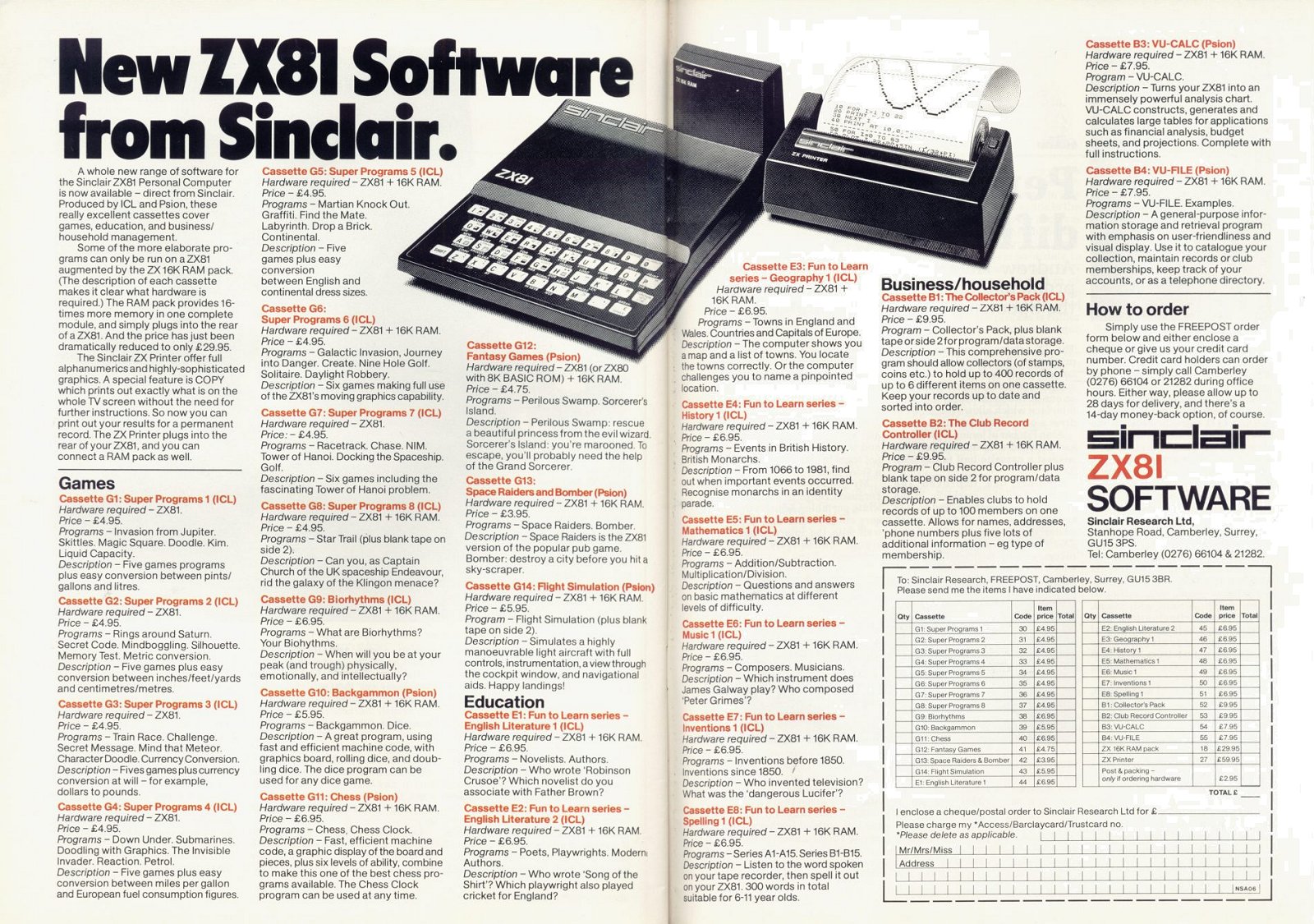
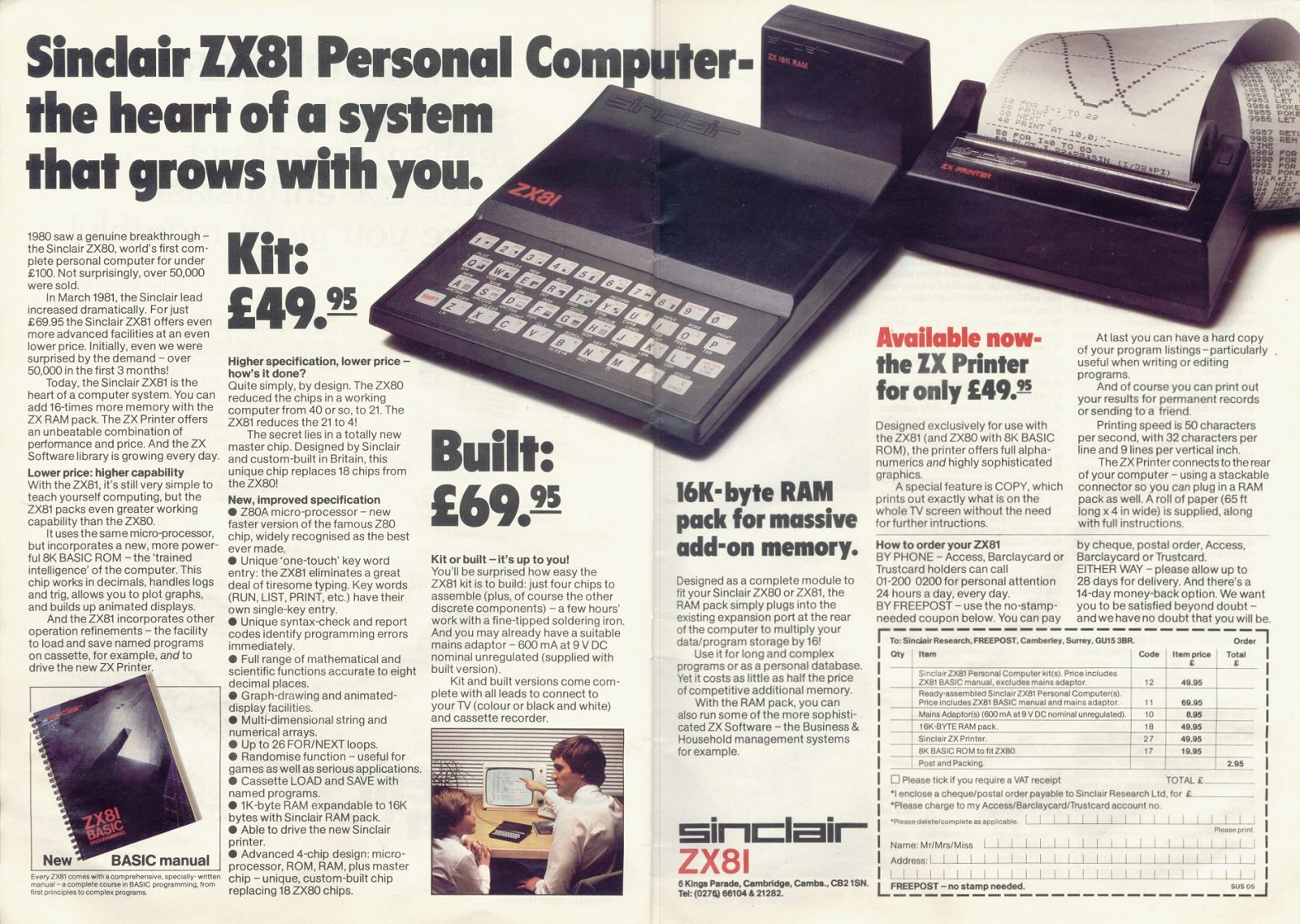
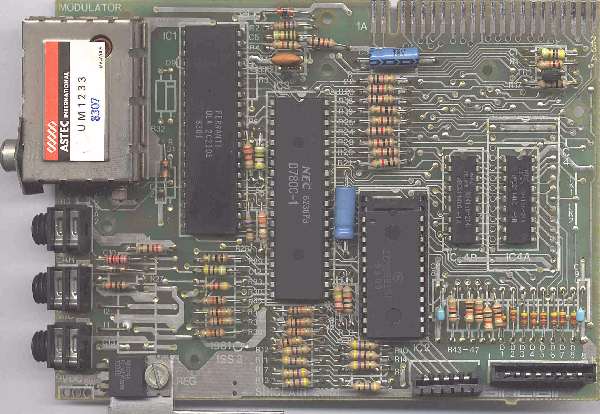
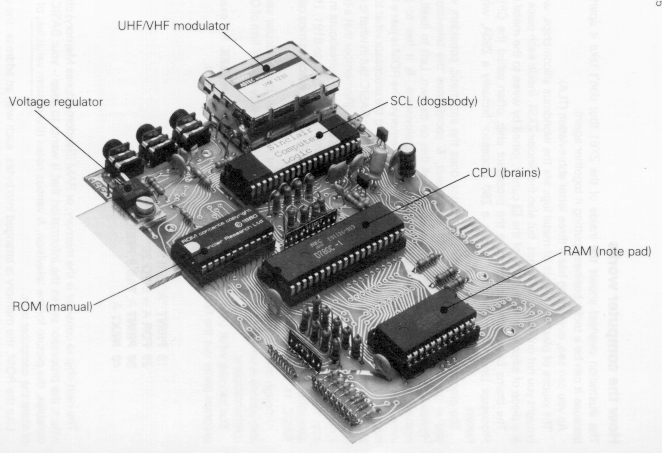
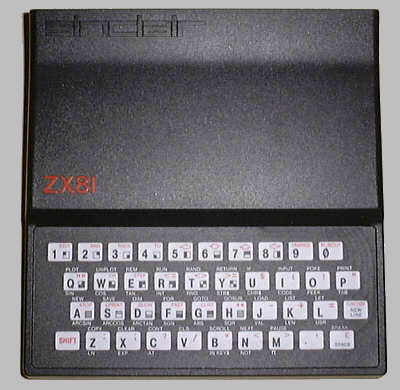
Successor of the {ZX80|Sinclair Research Ltd|1000979} with custom ULA and SLOW mode, equipped with 8Kb ROM (floating-point support) and 1Kb of RAM (expansible to 56Kb).
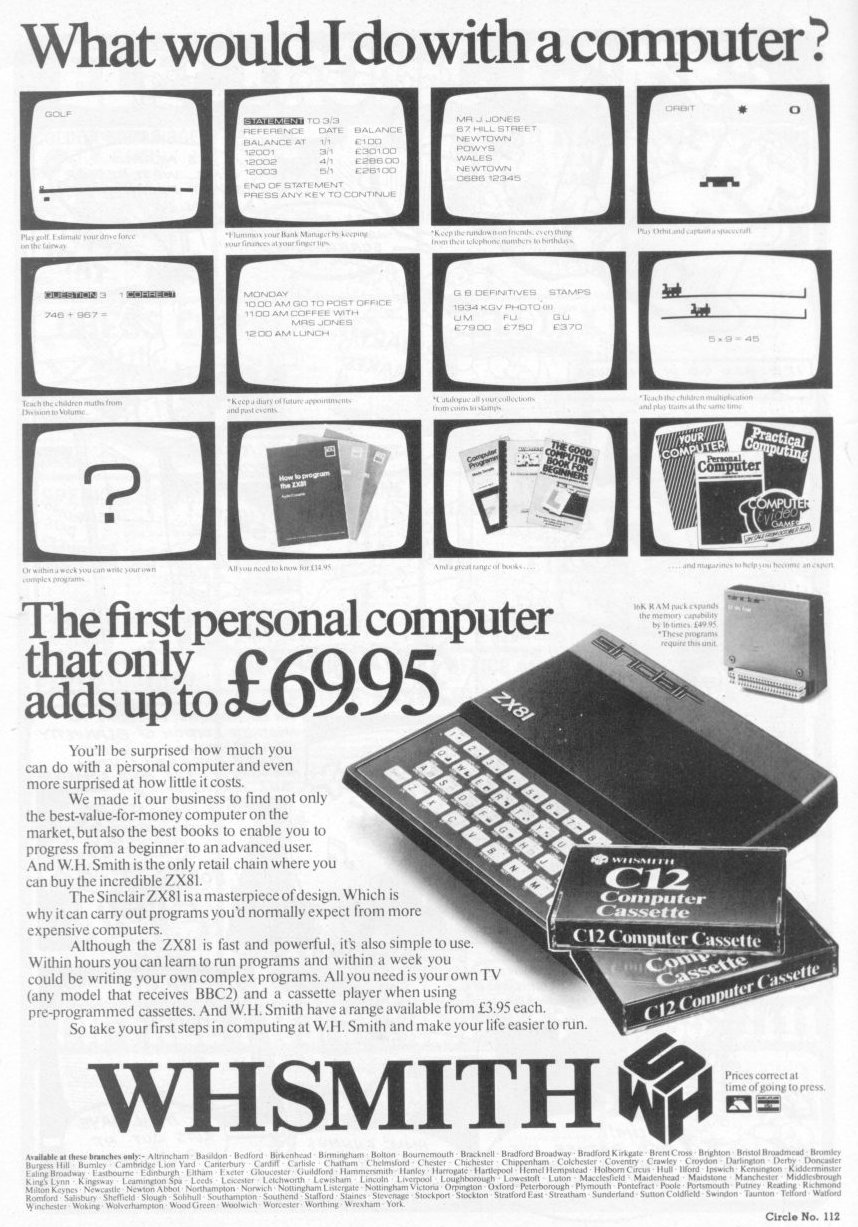
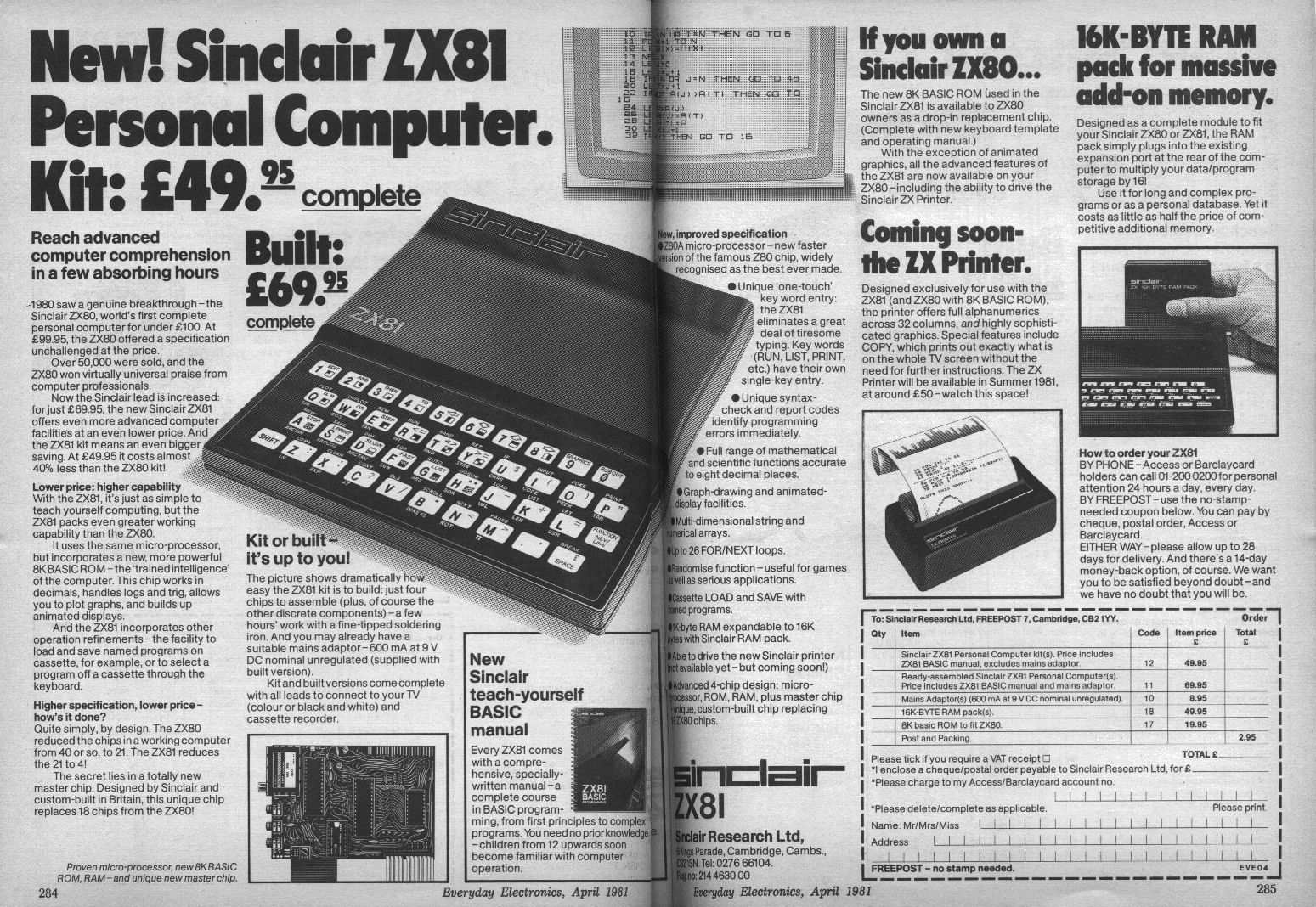
Release price: £69.95 (£49.95 as kit)
Known Errors
Running "LPRINT 0.00001" results in the Timex printer outputting "0.0XYZ1".
Documents
- ZX81_Schematics.pdfHardware technical documentation 1,297 KB
- ZX81_ServiceManualAndAssemblyInstructions.pdfHardware technical documentation 722 KB
Other files
- zx81faq.txt.zipArchive file 4 KB
Files and rights
Distribution permission is on record, granted to another archive rather than to this one. Screens and pictures are copied here; everything else links to the archive that holds it.
- AllowedSinclair Research Ltd → WorldOfSpectrum
In the magazines 4
Personal Computer News #39Dec 1983 · p.305
Geof Wheelwight
Igor Thomas
John Lettice
PC MICROPEDIA VOL 13 PART 1 CHRISTMAS MICRO BUYER'S GUIDE HOW TO BUY A MICRO If you're thinking of buying a micro, you've probably already decided you need a guide. And if you've been looking for any length of time, contradictory advice from sales assistants may even have made you wonder if you need a guide to the guides. But before you despair, remember that micros today are better and cheaper than they've ever been before, so if you choose wisely, you'll get a bargain. But equally, if you get it wrong, and buy a micro that doesn't suit you, you could end up putting yourself off the beasts for a very long time. So how do you start? If you're new to micros, it's possibly best to stick to the more popular machines, because although you may find a gem just right for you somewhere in the micro jungle, you're much more likely to pick up a complete turkey. Your first step should be to find out what you can afford - there's no point in spending your time salivating over a Sirius if your wallet will only fit a ZX81. So you should first list the micros that fall into your price range, and then decide between them on the basis of what you want from your micro. Inevitably you're the one who's going to be best equipped to say why you want to buy a micro, but there are a number of common reasons: 1. You feel you want to learn about programming, or 2. You want to play games 3. You want to use a micro for home filing 4. You think a micro would be helpful in your business It's likely that you'll fall into several of these categories, but bear in mind, the more you want from your micro, the more it's liable to cost. Naturally you'll still want to get the best deal that you can, and therefore you should be looking at the expansion potential of your choice, but again this will cost money. The availability of software is also something that should concern you. For example, you could buy a dynamic new machine with specifications streets ahead of other micros in its price range. But unless you just want the machine to write your own programs, you'll almost inevitably have to wait, first for the machine, and then for people to start writing and selling the software. In the case of some machines, the now deceased Jupiter Ace for example, this never happens, so if you decide on a new and untried machine you should either be quite straight in your mind that you're either going to write your own software, or that a wide body of software is guaranteed. Perhaps a word about guarantees would be in order at this juncture. The micro industry has a sorry track record on promises, to the extent where it is the exception rather than the rule when a product is launched on time. So when the word is a micro is due to be launched in the next few months, take it with a pinch of salt, as you may find yourself hanging on for a lot longer than you bargained. Similarly, if you decide you're going to need add-ons, either immediately or in the near future, buy a machine that already has them available. You could wait a long time-and plenty of people already have - for a printer interface and disk drives for your micro, and if you happened to be buying a micro for word processing, you'd feel pretty silly, check? If you want a micro to learn about programming, you may not need to be so concerned about support. Unless you're feeling particularly masochistic, you'll probably want to buy one with a good, well-debugged Basic, but provided it's got that, along with good documentation, it's a safe bet you've got enough to get started. For example, both BBC and Sinclair Basic have been around long enough to be relatively bug-free, and the manuals, although perhaps a little on the turgid side, are informative. Oric and Lynx Basic, on the other hand, are only now starting to shape up, as bugs are found and fixed, and the manuals are still being 'updated' through the good offices of various user groups. Fine machines for those who know what they're doing, but a little dispiriting for a beginner who bought one just after they came out. For games, your requirements are liable to be a little different. The first thing you should look at here, naturally, is the games available for the micros on your shortlist. You might also like to bear in mind that it isn't just a question of what's available - you've also got to think about what is available near where you live, unless you want to trust mail order companies. There are other things you'll need to consider. Does your choice have a built-in joystick interface, and if not, can you buy one for it? You may want to be able just to plug games in, rather than having to wait for them to load from tape, so you must also ask whether or not your machine will take cartridge software. Finally, ask yourself how much the games cost for the various machines. You may find yourself buying a machine that costs less initially, but in the long run costs you a lot more because of the price of the software. Using a micro for home filing or for work is again a question of software, but you're also likely to want to use a printer, and if the jobs you intend to do are big, then you may well want disk drives. So first you should check to see what software is available, say in fields such as home accounts, word processing and filing. You should also, check out a few reviews of these packages, because there's little point in buying a micro that only has third rate and/or inconvenient-to-use serious software supporting it. For large files, disks will be a must, as slowly and laboriously saving information on tape will take up too much time, and may limit the size and versatility of your files. So make sure your choice of micro can be connected up to a disk system, and also to a printer, if you're going to want written output. If you're going to spend a lot of time writing on your micro, you'll want a proper typewriter style keyboard. You may find yourself thinking that you could make do with one of the cheaper variants, such as the Oric, but resist this temptation. Keyboards do come in all shapes and sizes, but you can really only do professional word processing tasks on full sizes, full-travel keyboards. And if you're still confused? Don't despair: as we said at the outset, micros today are incredibly cheap, and really the best way to learn about them is to get on. So, if you can't make up you mind, don't buy an expensive system - buy a cheaper, tried and tested one. Sure, in a year's time you'll probably be thinking of upgrading, but once you've been bitten by the bug, that goes for all of us... Micropedia Editor: Geof Wheelwright Contributors: Igor Thomas, John Lettice Design: Nigel Wingrove NEXT WEEK: Next week we continue our series of buyers guides with a look at peripherals - printers, plotters, disk drives, monitors. Don't miss it. Over the next 13 pages we'll give you not one, but two complete home micro buyer's guides. Each on its own would be valuable in helping you choose a micro for Christmas, but taken together they are an unparalleled complementary package for the discerning micro buyer. The first eight pages of this guide consist of details of 17 home micros under £400 and four notable business micros over £900 - comparing similarly-priced machines and giving thumbnail sketches of what software and hardware is available for each machine. . The last six pages is our Databasics section, normally published at the back of the magazine. To make it easy to use with this special Micropaedia buyer's guide, we have put the two together as one quick reference package, in the comparison charts the machines are compared for price, standard RAM offering, maximum RAM, and the maximum text and graphic resolutions. MACHINE: ZX81 PRICE: £45 STANDARD RAM: 1K MAX RAM: 16K TEXT: 32 x 24 GRAPHICS: 64 x 42 MACHINE: Aquarius PRICE: £60 STANDARD RAM: 4K MAX RAM: 52K TEXT: 40 x 24 GRAPHICS: 80 x 72 MACHINE: Laser 200 PRICE: £70 STANDARD RAM: 4K MAX RAM: 64K TEXT: 32 x 16 GRAPHICS: 128 x 64 MACHINE: Oric 1 PRICE: £99 STANDARD RAM: 16K MAX RAM: 48K TEXT: 40 x 28 GRAPHICS: 240 x 200 MACHINE: Spectrum PRICE: £99 STANDARD RAM: 16K MAX RAM: 48K TEXT: 32 x 24 GRAPHICS: 256 x 192 NAME: Sinclair ZX Spectrum PRICE: £99 (for basic 16K model), £125 (for 48K model) COMMENTS: The best-selling colour computer in the UK, with arguably both the biggest third-party peripherals and software base of any machine bar the Apple II. Although some may gripe about the Spectrum's 'spongy keys', they have kept the price of this machine consistently low. And enough third-party peripheral houses have made their own 'real' keyboard available to mean that this is no longer a major issue. INTERFACES: Printers, disk drives, (Microdrives), joysticks, cartridge software, networking, memory expansion: you name it, it seems it can be plugged into the Spectrum. Sinclair itself offers the Microdrive, a cartridge software and joystick interface, an RS-232C, Microdrive and network interface and the ZX printer (which can also be used with the ZX81). But that's only a fraction of what's available from third-party peripheral developers. SOFTWARE: Again, there are reams of it, including a lot of very good games. NAME: ZX81 PRICE: £45 (new ZX-81 starter pack) STANDARD MEMORY: 16K with expansion pack included in the starter pack. COMMENTS: The original black-and-white soundless 'starter computer' from Sinclair costs £45. With the vast library of software established for the machine over the past few years, it's probably the best black and white first computer you can get. It's also one of the few black and white computers that has survived. INTERFACES: Cassette, TV and expansion port. The ZX81 is by nature a simple beast, but so many people have felt challenged by its simplicity that a vast range of peripheral devices from 80-column printer interfaces to disk drive connectors have been developed for it by third party hardware manufacturers. SOFTWARE: Given the machine's limited memory and graphics - and its lack of sound - some quite stunning packages have been produced for it, most of them games. But with the machine's flat keyboard it's perhaps surprising that a number of software houses have produced professional word processors and spreadsheets for it. Lots of good games for this starter computer and a surprising number of serious computing utilities. NAME: Aquarius PRICE: £59.95 STANDARD MEMORY: 4K expandable to 52K COMMENTS: This micro started life as the Mattel Aquarius, but has been taken over by the machine's manufacturers Radifon Electronics. However, the market pressures that caused the switch to direct sales by Radifon also forced Mattel to drop the machine's price to £59.95 just before it made that switch. The new price makes the Aquarius one of the cheapest colour computers, although Radifon has indicated they will push the price back up after Christmas INTERFACES: The Aquarius currently offers expansion to run an own-brand cassette recorder, a small thermal printer, games paddles and cartridge games. The mini-expander unit also allows memory upgrade, initially with 16K memory pack. The machine uses a Spectrum-style rubber keyboard and allows for overlays that help to assign specific tasks to different keys in both games and applications packages. SOFTWARE: This has, until recently, been almost exclusively in the cartridge format. Radifon has promised, however, to have 50 cassette programs on the shelves by Christmas - releasing them at the rate of three a week. NAME: Laser 200 PRICE: £69.96 STANDARD MEMORY: 4K (Immediately expandable to 20K, with promise of future expansion to 64K). COMMENTS: Until the Aquarius price drop, this machine wore the mantle of the cheapest colour computer in the UK. It is billed as a competitor to Sinclair's Spectrum colour computer and has a good deal in common with that machine: the same type of rubber keyboard, single-key Basic keyword entry and the same Z80 processor. INTERFACES: The Laser offers the standard TV output, cassette I/O plug-ins, a memory expansion and the traditional cartridge expansion slot. The 16K RAM expansion -which brings the price of a 20K Laser up to the price of Sinclair's Spectrum (£99) - slots into the said memory expansion slot at the back of the machine. Promised for the future are printer, joystick and disk drive interfaces. SOFTWARE: This is perhaps the biggest question-mark surrounding the Laser. Although the machine sports a standard Microsoft Basic, it's early days yet to predict how much software will be written for it. Abbex software has committed itself to producing some packages, but it's a 'wait and see' situation. NAME: Oric-1 PRICE: £99 (£79.95 mail-order from Oric) STANDARD MEMORY: 16K expandable to 48K COMMENTS: There are actually two models of Oric, the 16K and the 48K, but for the purposes of this buyers guide they are more or less the same machine. After a difficult first year when the Oric was greeted with mixed reactions, and the company had considerable problems with its ROM, Oric has achieved considerable success in France and a good software base has developed for the machine here. INTERFACES: It has a keyboard somewhat superior to its major competitor - Sinclair's Spectrum -and supports more standard interfaces, including a built-in parallel interface (to use standard 80-column dot-matrix printers) and Oric's own colour printer/plotter, a plug-in for RGB professional colour monitors and an expansion 'bus' that will soon take promised three inch disk drives. Oric has also promised a modem for the machine which will use its built-in Teletext graphics facility to connect to Prestel. SOFTWARE: Here again, Oric has recently found itself recovering from teething troubles. Word-processing, spreadsheet and machine language software is now available, in addition to a growing collection of both arcade and adventure games. MACHINE: Tandy MC10 PRICE: £99 STANDARD RAM: 4K MAX RAM: 20K TEXT: 40 x 24 GRAPHICS: 64 x 32 MACHINE: Vic 20 PRICE: £139 STANDARD RAM: 3.5K MAX RAM: 32K TEXT: 22 x 23 GRAPHICS: 160 x 176 MACHINE: Sord PRICE: £150 STANDARD RAM: 4K MAX RAM: 32K TEXT: 40 x 24 GRAPHICS: 256 x 192 MACHINE: Atari 600XL PRICE: £160 STANDARD RAM: 16K MAX RAM: 64K TEXT: 40 x 24 GRAPHICS: 320 x 192 MACHINE: Colour Genie PRICE: £168 STANDARD RAM: 16K MAX RAM: 32K TEXT: 40 x 24 GRAPHICS: 160 x 102 MACHINE: Dragon 32 PRICE: £175 STANDARD RAM: 32K MAX RAM: 32K TEXT: 32 x 16 GRAPHICS: 256 x 192 NAME: Sord/CGL M-5 PRICE: £150 STANDARD MEMORY: 4K available RAM, 16K video memory (expandable to 32) COMMENTS: Since this machine arrived in the UK last spring, it has consistently been passed off as 'nice, but pricey' by reviewers - but Sord and CGL (Sord's major distributor in the UK) are hoping a drop from £190 to £150 will change all that. The machine comes with only 4K of memory, but that memory is a good deal more useful than it might appear as the 16K video memory does a lot of work with the screen. INTERFACES: The Sord comes with interfaces for motor-controlled cassette storage, joysticks, cartridge software (plug-in game and business packages) and colour television display, it also includes a plug-in for Centronics full 80-column printers like the Epson MX-80F/T. SOFTWARE: Software development for such machines as the M5 is a chicken and egg question. Well-built and high-quality machines like the M-5 always come with some software, but the availability of more depends greatly on whether the machine sells well enough to impress third-party software houses. But sales of any machine always depend to some extent on the software available, so the whole thing is rather circular and you're probably going to have to decide whether or not to buy the machine on the basis of what it will do rather than on what it can do just now. NAME: Commodore Vic-20 PRICE: £139 STANDARD MEMORY: 5K (expandable to 32K) COMMENTS: This old standard from Commodore rivals the Sinclair machines in popularity and - in its current 'starter-pack' form - offers very good value. The starter pack includes the standard 3K RAM Vic-20, the dedicated Vic cassette recorder and a cassette including 20 programs. INTERFACES: The standard Vic comes with joystick port, serial port, expansion slot and user port, and TV output modulator (both the picture and sound are output through the TV). SOFTWARE: The standard Vic-20 comes with a cassette containing 20 programs including 'Type-a-tune', 'Blitz' and 'Hoppit', but that's only the briefest hint of the vast array of software that's been built up for this machine. Software on both cartridge and cassettes is available from Commodore and many other third party software houses. NAME: Tandy MC-10 PRICE: £99.00 STANDARD MEMORY: 4K (expandable to 20K) COMMENTS: The MC-10 is Tandy's first entry in the under £100 computer sweepstakes and provides a low-cost counterpart to the company's more upmarket ColourComputer. The machine is small - not much larger than the ZX-81 - but supports hard-plastic keys, a printer interface and an RS-232C communications port. The machine also allows single-key Basic keyword entry and a modified version of Microsoft Basic called Micro Colour Basic. INTERFACES: Tandy offers a small thermal printer with the MC-10, as well as it's range of peripherals such as computer cassette recorders, dot matrix printers and plotters. Tandy is also expected to produce a cheap modem that would allow the machine to 'talk' to other computers over the telephone. SOFTWARE: Given that it uses much the same Basic as the Colour Computer - and that Tandy is certainly capable of putting out lots of its own software - there should soon be a great deal of software available for this machine. But the operative words here are 'should' and 'soon'. Just how true that prediction is depends entirely on Tandy. NAME: Atari 600XL PRICE: £160 STANDARD MEMORY: 16K (expandable to 64K) COMMENTS: The Atari 600XL is not a great deal different from its predecessors, the Atari 400 and Atari 800. Like the 400, the 600XL has 16K memory as standard kit - but unlike the 400, the price also includes a full travel keyboard, the Basic programming language built into the main board of the machine and expandability to 64K. At £160, it represents very good value - particularly since it can run the whole range of existing Atari disk, cartridge and cassette software. INTERFACES: The 600XL uses Atari's nonstandard peripherals interface for disk drives, cassette recorders and printers. Using Atari's standard peripheral expansion interface, you can also hook up standard parallel printers in addition to the new range of Atari dot matrix and letter quality printers. There's also a parallel bus and even a planned Expander box that give you dual RS-232C connectors, a Centronics port and eight other expansion slots. SOFTWARE: There's loads of it - although a surprising amount is still only available in the more expensive cartridge form. But a large range of applications are represented in the Atari software list, including an official implementation of Visicalc and a quite respectable cartridge word-processor called Atariwriter. NAME: Colour Genie PRICE: £168 STANDARD MEMORY: 16K RAM (expandable to 32K) COMMENTS: Also known as the EACA EG2000, the ColourGenie is distributed by Lowe of Matlock, which offers full support and service. One of the earlier contenders in the USA home micro marketplace, the Colour Genie is generally comparable to both the Vic and TRS-80/1 moulds. INTERFACES: Like other (more expensive) members of the Genie family, a healthy selection of plugs and sockets ensures that most kinds of add-on can be tailored for the Colour Genie. Serial, parallel, audio, video, cassette, television, and expansion connectors, as well as an internal speaker, are standard fixtures and fittings. SOFTWARE: Supplied with the machine is a demo cassette, containing programs written in Basic. Unless you have some add-ons, you are pretty much limited to using the built-in (Microsoft-styled) ROM Basic language. The semi-high resolution graphics are great for games, but the text display is somewhat resistant to more serious applications. NAME: Dragon 32 PRICE: £175 STANDARD MEMORY: 32K COMMENTS: The Dragon has a common heritage with the Tandy Colour Computer, but has traditionally maintained a lower price than its chief (but much larger) rival. Most colour computer software will run on the Dragon, and in the year or so that it's been available the Dragon has built up a good software base of its own - mostly from third-party software houses. Dragon have also been no slouches in producing their own peripherals, releasing both joysticks and a disk drive. INTERFACES: The Dragon comes with a standard parallel printer interface, plugins for joysticks, a composite video monitor socket, a cassette interface and its own expansion port. Dragon's recently released disk drive unit and disk controller round out the expansion options - with the disk controller containing an upgraded version of Microsoft Basic. SOFTWARE: The Dragon's compatibility with the Tandy colour computer gave it a software advantage to start with, and with the large numbers of Dragon programs written and released in the past year, the machine is one of the better-equipped popular micros. In addition to a plethora of games, a number of both word-processing and spreadsheet programs have been developed for the machine. MACHINE: Tandy Color PRICE: £179 STANDARD RAM: 16K MAX RAM: 32K TEXT: 32 x 16 GRAPHICS: 256 x 192 MACHINE: Electron PRICE: £199 STANDARD RAM: 32K MAX RAM: 32K TEXT: 80 x 32 GRAPHICS: 640 x 256 MACHINE: Lynx PRICE: £275 STANDARD RAM: 48K MAX RAM: 192K TEXT: 40 x 24 GRAPHICS: 256 x 248 MACHINE: Commodore 64 PRICE: £229 STANDARD RAM: 64K MAX RAM: 64K TEXT: 40 x 24 GRAPHICS: 320 x 200 MACHINE: BBC Micro PRICE: £399 STANDARD RAM: 32K MAX RAM: 32K TEXT: 80 x 32 GRAPHICS: 640 x 256 NAME: Sharp MZ700 PRICE: £275 STANDARD MEMORY: 64K RAM COMMENTS: Another young machine, the MZ700 offers complete compatibility with its predecessors, the Sharp MZ80 series. As such, the considerable number of school and business MZ80 users will find everything they know, plus more, within this latest machine from Sharp. With its lithe and stylish keyboard, the MZ700 approaches the realm of professional micros, although it is not very well known yet. INTERFACES: The most prominent feature of the MZ700 is its ability to hold both its optional cassette recorder and colour printer/plotter within its cabinet. Included in the standard machine are both a real keyboard and internal loudspeaker. Standard connectors include cassette, printer, television, video monitor, RGB monitor, joysticks, and I/O. SOFTWARE: Apart from the Sharp Basic language, a word processor and a few games, there are few MZ700-specific programs available. However, the standard 64K 280A design and wide range of MZ80 software should be enough. NAME: Commodore 64 PRICE: £229 STANDARD MEMORY: 64K RAM COMMENTS: The youngest member of the well-known Commodore family (remember the PET?) offers one of the better values for money in Santa's sackful. As well as a real keyboard, you get powerful colour graphics, sound generator, lots of RAM memory, ROM Basic, and a reliable expansion system. INTERFACES: Like the Commodore Vic 20, the 64 offers serial (RS232), parallel, cassette (Commodore standard), joystick, and television (picture and sound) connectors. A cartridge/expansion connector allows games and peripherals to be fitted quickly and easily, notably Z80 processor, floppy disk, and 80-column screen expansions. SOFTWARE: There's now much software to choose from for the 64 with word processors, databases, and some excellent games. Watch out for a software explosion with the announcement of the CP/M operating system interface for the 64, and if you can afford the prices. American import packages are exceptional. NAME: BBC Model B PRICE: £399 STANDARD MEMORY: 32K RAM COMMENTS: Here is the most expensive machine in our list, although by no means the most expensive home micro on the market! There is presently nothing to beat it at this price for versatility. Its very name reinforces its pedigree, as well as assuring additional acceptance by both education and business users. Also, the BBC Basic language is very likely to become a world-wide standard, if it isn't already. INTERFACES: There are many products available, and countless more in the pipeline. The standard Model B has a full real keyboard, ROM Basic, colour graphics, and sound generator with built-in loudspeaker. Standard connectors include cassette, printer, television, video monitor, RGB monitor, and analog (includes voltage-measuring, light pen, and joysticks). Also provided, but requiring extra components to be fitted, are speech, network, floppy disk, and second-processor connectors. SOFTWARE: Quite a lot of it and largely of very high quality. There's a wide choice for games players and, thanks to the machine's educational pedigree, a lot of packages in that area too. The majority of what's available comes on cassette although there are many utilities and business applications on plug-in ROMS. Surprisingly little disk software so far. Serious programmers are very well catered for with a number of language implementations. NAME: Apricot PRICE: £1,890 STANDARD MEMORY: 256K RAM COMMENTS: The newest addition to the blossoming tribe of true 16-bit micros, and portable as well. Only a very old-fashioned businessperson would not develop technological twinkles in the eyes at finding this marvel under the Christmas tree. INTERFACES: In step with most business micros, the Apricot has most of the fundamentals included, such as video monitor and disk drives. Connectors provided are minimal but essential: Centronics parallel and RS232 D-type serial. Expansion is obtained through (only) two internal connectors, which may be used to implement the imminent new products. SOFTWARE: Where the Apricot has staked much of its faith is in its built-in 3.5 inch microfloppy disk drives from Sony. Although the machine supports CP/M-86, MS-DOS, and Concurrent CP/M-86, it maybe slightly difficult to keep it fed with new disks for a while. NAME: Apple IIe (Europlus) PRICE: £972 STANDARD MEMORY: 64K RAM (expandable) COMMENTS: Not to be confused with its (now retired) predecessor the Apple II, the lIe is the current version of 'The thing that started it all'. INTERFACES: If it moves, it can be interfaced to an Apple. Although the basic machine carries only cassette, video, and games connectors, there is a plethora of interface cards which can be slotted into the internal expansion connectors. This is where the cost starts to mount, as a quick total of essential business add-ons will show. Some dealers may still sell older Apple cards which will not work in the current model, but the bulk of standard cards (printer interfaces, expansion RAM, floppy disk, Winchester disk) will work without alteration. SOFTWARE: It's doubtful if anyone actually knows how much there is. Languages, business, education, games. Should any of you feel slightly wary of having to actually write your own programs, no other micro can offer as wide a catalogue of existing software as Apple. NAME: IBM PC-1 PRICE: £2,392 STANDARD MEMORY: 64K RAM (expandable to 576K) COMMENTS: At last we settle down to our well-earned Christmas rest with the famous IBM PC micro. Actually, the PC is currently available in two versions (three in the New Year), so here we describe the lowest-price model, the PC-1. The entire concept of using micros in business took a big jump when IBM revealed its idea of how to do it. A detached keyboard, a separate cabinet and a standard cabinet and a standard video monitor. All with the unmistakable air of legitimacy which only IBM can exude. Not the cheapest, not the fastest, but what better insurance can you get against micro obsolescence than those three little letters? INTERFACES: The basic philosophy of the IBM PC is very simple: nothing more than you need. Standard facilities include serial and parallel interfaces and the requisite video monitor output, but like the Apple anything else is extra. The five internal expansion connectors have spawned a truly awesome range of products, with RAM expansions, high-resolution RGB interfaces, second processors, video digitisers, speech recognition devices, fibre optic systems, and many more. SOFTWARE: Even IBM is a relative newcomer to the micro marketplace, but the amount of software currently available for the PC is more than some other machines will ever see in their lifetimes. Most software for the PC is designed to run under MS-DOS or CP/M-86, the two most popular 16-bit operating systems. Why not come in from the snow, and gather round the nice warm glow of the mighty IBM software furnace. NAME: NEC PC-8201A PRICE: £475 STANDARD MEMORY: 16K RAM (expandable to 128K) COMMENTS: Perhaps unfairly, at the bottom of our business person's Christmas shopping list is a true battery-operated professional micro. The eagle-eyed shopper will notice more than a slight physical similarity to the Tandy Model 100, although the NEC is designed differently, has twice as much RAM and actually costs £24 less. INTERFACES: With its own built-in 40-column screen display and plug-in RAM storage cartridges, the NEC doesn't really need (hence doesn't offer) either video display or disk drive facilities. The main machine memory can be expanded four-fold, although there is no limit to the number of slot-in 32K CMOS RAM storage cartridges which you may use to save your inscrutable data. Provision is made for either serial or parallel printers, a bar-code reader device, and RS232 gadgets (such as modems). SOFTWARE: The NEC is supplied with both Microsoft Basic and a word processor as built-in ROMs, and additional Basic programs on standard cassette tape. The latter include a name & address book, an investment portfolio calculator, and of course some entertainment generators (games).
1. List all the micros you can afford. 2. If you have any specific tasks to perform, such as word processing eliminate any micros where this will be impossible/inconvenient. 3. Look at the software available for the micros left on the list, and cross off any which are poorly served, or which do not have the software you're liable to need for specialist tasks. 4. Look at the peripherals available, and cross off any with problems similar to those under software, above. 5. if you've let any micros through on the grounds that software and peripherals are 'coming soon' go back to 3 and 4 and cross them off. 6. Ask yourself if there's anything non-standard about the micros still on the list. For example, you need an interface if you want to run any printer but the ZX Printer off the Spectrum, and Commodore machines tend to lock you into Commodore peripherals. Add any extra cost you're liable to incur. 7. Now - and only now - look at the specifications of the machines on your shortlist. How many colours do they have? How much memory? What is the screen resolution? Do they have user defined graphics? Do they have sprites? 8. Look at the supporting literature. 9. If you're still not down to one micro, or if one on your list hasn't turned out to be miles ahead of the others, buy the cheapest.
ZX Computing #1Jun 1982 · p.92
Peter Freebrey
A CLOSER LOOK How good is the ZX81? How does it compare with the ZX80? Does it represent a good buy for £69.95? We attempt to answer these questions for you. It can be pretty hard trying to decide which computer you'll buy. For the benefit of those unlucky souls who do not yet own a ZX81, Peter Freebrey takes a close look at the ZX81, and compares it with its predecessor, the ZX80. The ZX81 gives the impression of being more robust than the ZX80, and although the keyboard is still the now familiar 'touch type' as on the ZX80, I find the slightly textured matt finish gives me a greater feeling of control than its glossy forerunner. The ZX81 comes complete with separate mains power supply and leads to connect it to your TV set and tape recorder. The 212-page instruction manual is comprehensive and is Sinclair's best yet. The ZX81 uses the new 8K ROM which was announced in 1980. There are some 20 commands and/or statements that were not available to the ZX80. From the list of these in Table 1 you can see that they include the option of a FAST or SLOW mode - this is certainly a useful improvement. When running in the FAST mode the ZX81 operates in a similar manner to the ZX80 - fast operation, with a very noticeable flicker on the display whenever a key is operated or command actioned together with a blank grey screen while computations are taking place. In SLOW mode operation you get a flicker-free picture. Although the ZX81 does not have a memory mapped display, it refreshes and updates the screen information while still proceeding with the program it is running. This mode is much slower in operation: a FOR...NEXT loop of 10000 takes 176s in SLOW and 44s in FAST mode. Even though SLOW really does mean slower operation it gives the user the option of using moving graphics-apart from making the display less of a strain to the eyes! Whereas the ZX80 was limited to integer calculations the ZX81 has a full floating point notation and this has meant the addition to its repertoire of such functions as logs and trig. These, together with its ability to PLOT pixels (quarter square graphics) means you can draw, among other things, sinewaves across your TV screen to your heart's content! Another advantage of the new 8K ROM is the option of adding a printer to your system. The ZX printer offers full alphanumerics across 32 columns and the ZX81 has the commands necessary to LPRINT and LLIST to the printer. It also has the facility to COPY, which will print out exactly what is displayed on the TV screen without further commands. PROGRAMMING TECHNIQUES For those not familiar with the ZX80, the ZX81 uses a 'one touch' keyword entry technique - when you have entered a program line number the next requirement must be a command of some description. The ZX81 recognises this necessity and the next single key pressed will result in the related command being entered and appearing on the screen in front of you. If you have entered a line number and then press key 'P' you will actually enter PRINT, press 'H' and get GOSUB, and key 'N' gives NEXT. Likewise, after THEN a command is expected: key 'P' again gives PRINT, 'Y' gives RETURN, and so on. Many keys are multi-function: some are capable of generating up to three keywords, a letter, that letter reversed and also a graphics character! Initially this can be a little daunting, not to say confusing, but you will soon get used to the operation of the keyboard. It has a fairly logical sequence and like any new keyboard can pose an unfamiliar operator with a few initial problems. The cursor takes the form of a reversed character: if 'K' is displayed this indicates that a keyword will be generated, should the next key pressed have such a function. If the cursor displays a 'G' then either a graphics symbol or a reversed character will appear. A reversed 'F' indicates that a further set of keywords such a SIN, COS, RND will be called. Should a reversed 'S' be displayed then you have a syntax error and the ZX81 will not allow the entry of that line to the program until you have made the necessary correction. READING MATTERS The manual has 28 chapters and three appendices. Chapter one gives instructions on how to connect and set up the ZX81 for operation initially. It also recommends that those already knowing BASIC should read Appendix C to familiarise themselves with ZX81 BASIC and use the remainder of the instruction manual as reference as and when needed. The main bulk of the book is for the novice, explaining clearly and concisely all the statements and commands. Most of the chapters are essentially a 'hands-on' teaching programme in ZX81 BASIC, with a number of useful exercises to extend the knowledge gained in the preceding text. Chapters 26, 27 and 28 introduce the idea of machine code, the organisation of the memory, and explain what the system variable are and where they are stored. Appendix A lists the character set, Appendix B gives the Report (Error) codes and Appendix C give a short resume of the ZX81 and its individual characteristics under the heading: "The ZX81 for those that understand BASIC". The index is useful and comprehensive, giving not only page references but also the key sequences required for all keywords and shifted characters. Those who already have some knowledge of BASIC will note from the command/statement list that there are a few common BASIC commands that are noticeable by their absence, principally DATA, READ, RESTORE, ON-GOTO, LEFT$, MID$, RIGHT$ and TL$. These are listed in the index but not in the bold type, indicating that they are ZX81 keywords. Although the ZX81 does not have these commands, the manual explains the use of simple routines to obtain access to the first four effectively. The latter four deal with string manipulation, and whereas the ZX81 does not have these specific commands the way in which it deals with strings is comprehensive, albeit nonstandard. It uses a notation called 'slicing' for describing substrings. This can be applied to arbitrary string expressions and takes the general form... 'string expression (start TO finish)' so that "ABCDEF" (2 TO 5) = "BCDE" and "ABCDEF"(3) = "C" Different as this may be from other common micros it is easily understood and will readily yield the results you would expect from the more usual string commands. USING IT In use, the ZX81 presents no real lasting problem to operate. If you are new to using a computer then you have probably used a calculator and so the keyboard spacing wilt not seem all that different. If, on the other hand, you regularly use a typewriter keyboard, you will take a few hours to adapt to the diminutive size of the ZX81: but then those few hours will enable you to become accustomed to the fact that some keys may give up to six different results! One very small but important improvement on the ZX81 is its rubber feet. The ZX80 and ZX81 are both very light in weight, and with its new feet at least the ZX81 does not skate all over the table as you use it! All in all, I can recommend the ZX81 to any intending purchaser - it is very good value for money. It does not have the facilities one would require for a business machine but anyone wanting to learn personally what a computer can do, without initially spending a fair amount of money, should seriously consider one. After all, the ZX81 does not cost much more than the cassette recorder that you will need to buy for some makes of micro. The only personal drawback to the whole Sinclair ZX episode is that my seven-year-old son tends to look upon the ZX80 and the ZX81 as more his size! He does not have quite the reverence for the ZXs as he does for other micros of the desktop variety. Demand for its use seems to be unending and we often hear "Press NEWLINE, silly!" as he instructs his five-year-old sister in the uses of twentieth-century technology.
The interface that speaks seven languages - say no more.
C&VG (Computer & Video Games) #7May 1982 · p.86
HARD CORE - A GAMES PLAYERS GUIDE TO THE ZX81 In the spring of 1980, home computing was lifted out of the realms of the expensive hobbyist market and offered to a receptive public. The Sinclair ZX80 was the reason and it was superceded the following year by the ZX81 model. Love or hate these machines, they were instrumental in putting computers at the fingertips of the public at a price they could afford - and utilising such house-hold items as a TV set and a cassette recorder. Among the 81's limitations were a difficult to operate, touch-sensitive keyboard, crude graphics and it was launched with only 1K of memory and no printer facilities... it still sold 50,000 in the first three mouths and Sinclair ownership has now risen to 150,000 in the U.K. and 260,000 worldwide. The printing and memory deficiencies were made up towards the latter end of last year and many other firms realised the potential for producing Sinclair peripherals and software. These names and addresses, are laid out below - if an address is missing it will be included elsewhere. The ZX81 in kit form costs £49.95 and £69.95 assembled. It is built by Sinclair Research of [redacted]. ONE TOUCH WORDS The Sinclair is based around a Z80 microprocessor, and for your money you will initially receive a startlingly small, light, box with a "Qwerty" keyboard on it, a power pack, leads for a television and cassette recorder and one of the best written Basic manuals for beginners to get to grips with. The Sinclair Basic is very close to the Microsoft variety but does without such well-used command words as READ and DATA. It also has the time-saving notion of one-touch key words which come up on the screen when you need them. An example is to touch the "P" on the keyboard after a program line number, then PRINT will appear on the screen, already spaced for you. Beginners will find this confusing initially but with usage it becomes automatic. MEMORY APLENTY Memory capacity tor the ZX81 is expanding and prices are coming down. Memotech now offers a 64K RAM pack for £79. Details can be obtained from the company at [redacted]. A variety of 16K RAM packs are available. JRS Software produces one at £35, DK'tronics sells a ready built pack for £42.95, and a kit for £32.95. It also produces a 2K pack at £15.95 and a 4K pack for £22.95. Other firms which offer memory expansion packs include Byg Byte of [redacted], 16K for £42.95. And Audio Computers of [redacted] does a 16K for £33; 32K for £45; 64K for £73 and 128K for £123. Sinclair Research's 16K RAM pack costs £49.95. The ZX81's membrane keyboard has proved a problem for some users. There are now several typewriter-style keyboards available. Fuller Micro Systems produce a keyboard which comes ready-built and costs £39.95. The ZX81 fits neatly inside the case, as does the power supply and memory boards with no leads hanging about outside. Details from Fuller Micro Systems, [redacted]. DK'tronics also produces a keyboard, at £27.95. Redditch Electronics produces a keyboard in kit form for £20.50. A keyboard connector is optional and costs a further £1.95. D K Computer Keyboards produces a keyboard, at £28.95. Voice recognition and music are possible on the ZX81. William Stuart Systems produces a speech recognition system for the ZX81 called Big Ears. It allows speech input through a microphone provided with the system, and costs £49. It also produces a music synthesiser which can be used to put out sound effects and music. Through its input and output lines the ZX81 can monitor a home security system and control a robot arm. Details can be obtained from William Stuart Systems Ltd., [redacted]. The 50-character-per-second printer developed by Sinclair for the ZX81 allows the user to have hard copy of program listings or of program output. It costs £49.95. It is useful to have a holder for the ZX81 and its peripherals, to contain all those loose wires. Various units are available including the ZX81 Workstation, a specially-moulded tray from Peter Furlong Products, [redacted]. If you prefer a wooden workstation, try ZX Business Systems' £15 console. The address is [redacted]. ARE YOU GAME? There is no shortage of software for the ZX81 from independent suppliers. Many firms have set up producing both business and games for the machine but the standard of some of these is very poor. Sinclair Research itself sells four tapes of programs which users have submitted to the firm. Included in the range is a tape containing six games, Orbit, Sniper, Meteors, Life, Wolf Pack and Golf. There is a junior education tape, and a business and household management tape. You can buy the tapes mail order from Cambridge based Sinclair for £3.95 each. Many of the firms are sown, one-man outfits which operate on a mail order basis. Prices for software range from £3 to £10 and the more you pay the better the quality tends to be. The main firms involved in software production are: Bug Byte, [redacted]. This firm has about a dozen games on its books including versions of most of the popular arcade games like asteroids, space invaders as well as an adventure game. It also supplies a multi-purpose filing program, a machine code program, and a disassembler/debugging program. Artic Computing, [redacted] has a trio of adventure games for the ZX81 with 16K. Premier Publications, [redacted], is a games supplier offering a wide range of generally good quality. The prices start at just under £4. Quicksilva, [redacted] currently has three well presented games on the market. They are all versions of popular arcade games, Space Invaders, defender and asteroids and all cost £5.50. Silversoft, [redacted] produces games for the ZX81 with a starting price of £4.95. Macronics, [redacted]. This firm has nine games on sale which start at £3.95 going up to £6.95. Games included are space invaders, breakout and a music pack. DK'tronics, [redacted], offers centipede, a version of the recent arcade game, and a 3D labyrinth game. Prices start at £3.95. Micro-Gen, [redacted], is a small firm supplying a couple of games for the ZX81, including a chess program, for £6.50. Humorous games come from Automata, [redacted]. Advertised as suitable for adults only, the series of three starts at £3. J. K. Greye Software, [redacted] produce a range of games with a lot of variety. Lowest price is £3.95. Psion Computers. 20 Clifton Court, [redacted], sells sci-fi fantasy games based on the adventure concept. Again the price is low at £3.85. Other suppliers are: Axis, [redacted]. J. O'Connor, [redacted]; Bridge Software, [redacted]; Giltrole, [redacted]; Michael Orwin, [redacted]; Second Foundation, [redacted]; Control Technology, [redacted]; Timedata, [redacted]; JRS Software, [redacted]; Video Software, [redacted] and Richard Shepherd Software, [redacted]. A USER'S STORY What's the user's view of the ZX81? Well! To set up the computer it is much like any other, fairly easy if you read the manual. It is when you come to type in a program that the trouble starts. The membrane keyboard is difficult to get along with, especially if you are used to a regular keyboard. Most people I have talked to heartily dislike it as well. I found the keyword system slow and awkward to use at first. If you are new to computing don't bother to use the manual that comes with the unit. I found it easier to grasp the basic principles using a book like the ZX81 Basic Book. A lot has been said about loading problems, but I have not encountered very many. For the record, I use a Ferguson 3T15 portable cassette player. All sorts of hard and software is becoming available for the ZX81 and it must be said that some of it is of dubious quality. Buy software carefully, read the reviews published in this and other magazines. This year will see a multitude of peripherals for the ZX81. Sinclair's own printer has just become available and various bits and pieces are coming on the market monthly. Joysticks, memory packs, sound boards and desk units. I would recommend that you join a group of local users if there is a club in your area. The interchange of ideas is invaluable. Another source of advice, programs and reviews is the National ZX81 Users Club. For details send an S.A.E. to [redacted]. The ZX81 represents good value for money. Sinclair's product support does leave a lot to be desired especially if you mail order. Order lead times are quite long. WEALTH OF BOOKS A wealth of books are now on sale to help you glean every piece of information about your Sinclair machine. Many of them cover the same subjects, like programming your ZX81, machine language and the use of subroutines, but treat the topic in varying ways. We have included a selection with comments. The Explorer's Guide To The ZX81 by Mike Lord of software house, Timedata. It covers programming aids, lists some games, applications, machine language and goes over the hardware side and expansion. It costs £4.95 from Timedata, [redacted]. It claims to carry on where the Sinclair manual leaves off. And for £4.75, Timedata sells the ZX81 Magic Book. Getting Acquainted With Your ZX81 by Tim Hartnell. It contains 80 programs for the unexpanded 1K ZX81 and is available in three editions. Numbers two and three cost £3.95 and £4.95 respectively from the ZX81 user club's magazine interface by mail order. The address is [redacted]. And 49 Explosive Games For The ZX81 by Hartnell costs £5.25 and contains listings to program into your Sinclair. Stretching Your ZX81 To Its Limits by Trevor Sharpies and Hartnell is available from Computer Publications, [redacted]. It costs £6.95. Mastering Machine Code On Your ZX80 is by Tony Baker and it costs £5.95. So is the Gateway Guide To The ZX81 and ZX80 by Mark Charlton for £5.95. 34 Amazing Games For The 1K 7X81 by Alistair Gourlay is priced at £3.95. All are obtainable from Interface. The ZX81 Basic Book by Robin Norman is from Newnes Microcomputer Books and the price is £4.95. He has also written a similar book for the older machine called Learning Basic With Your Sinclair ZX80, costing £4.95. Peek, Poke, Byte And RAM is about Basic programming and includes information on graphics, setting up the hardware, logic, looping and branching, character manipulation, subroutines and debugging. It is by Ian Stewart and Robin Jones and costs £4.95 from Shira Publishing of [redacted]. Byteing Deeper Into Your ZX81 by Mark Harrison gives programming tips and 37 programs to try out your newly acquired skills. Sigma Technical Press is the publisher at [redacted]. The price £4.95. The ZX81 Pocket Book deals with machine code, decimal justification, and playing adventure games as well as giving hints and tips to get the most out of your computer. Phipps Associates at [redacted] publishes this book by Trevor Toms and sells it for £5.95. Books from Kuma Computers of [redacted] are: Understanding Your ZX81 ROM by Dr Ian Logan, costing £8.95. The ZX81 Companion for £5.95. The Sinclair ZX81 Programming For Real Applications by Randle Hurley at £6.95. Hints and Tips for the ZX81 by Andrew Hewson priced at £4.25. Machine Language Made Simple for £8.95 and Not Only 30 Programs For The ZX81 at £6.95 but also 50 Rip-Roaring Games for the ZX81/81 for £4.95. Finally Making The Most Of Your ZX80 by Tim Harwell is obtainable through Interface and the following shops: Timedata, [redacted]; Foyles Bookshop, [redacted]; Syntax Software, [redacted]; The Software House, [redacted]; Mine Of Information, [redacted]; Sinclair Research, [redacted]. GRAPHICS JAM The ZX81's graphics capability is very limited. In fact there are 20 graphics characters, and an inverse space, to play with. Although it has flicker free graphics the ZX81 is not viable for programming complex graphics displays in Basic. It is possible, but it takes up an awful lot of memory and makes animated graphics displays move sluggishly and jerkily. Machine code is the other possibility, but not a good alternative for Basic for the beginner. There are several add-ons for the ZX81 that allow use of programmable and hi-resolution graphics. Quicksilva produce a programmable character generator at £26.00. It allows the user to program lower case letters, scientific notation, and space invader-type meanies to name just a few. The character generator comes with a demonstration cassette of fast machine code routines. Quicksilva also produce a hi-resolution graphics board, at £85. This enables the user to produce very detailed screen displays, such as maps and almost perfect sine waves, with a high degree of accuracy. Details of both these products can be obtained from Quicksilva, [redacted]. DK'tronics produces a graphic ROM board at £29.95. This can be attached to the ZX81 by three solder connections. It allows the use of lowercase characters and also a variety of games orientated graphics characters. Anyone who has tried playing a dexterity game on the ZX81 keyboard, will realise the value of joysticks. These are available from Micro Gen, Dept. VG, [redacted], at £9.60 each. Light pens are useful when using menu driven programs. They make the selection of items on the screen easier, without having to use the keyboard to input replies. RD Laboratories produces the "Doodler" at £32.50. Details from RD Laboratories, [redacted]. For users who have difficulty with loading, the Abacus Controller should provide a remedy. At £12 the controller switches from SAVE to LOAD by turning just one switch. Details from Abacus Electronics, [redacted]. Finally a colour programmable character generator will soon be available from Fountain Computers of [redacted]. As we went to press it was still under development and a price had yet to be fixed. But for around £90 it will let you program any character or pixel in colour.
Feature1
- ZX MagazínApr 2004 · p.6
Reviews from people here
Sign in to write about this, or make an account. It takes a minute and lets you correct the catalogue too.
Everything ZXDB can hold about this is here.
Sign in to correct or add to this.
Hold the rights to this and want it taken down?