
Super Hot Z Disassembler
Programming: Assembler/Mcode · Timex Tx2068 · 1 players · English
Ray Kingsley
Discussion
Nobody has started a thread about this yet.
Remarks
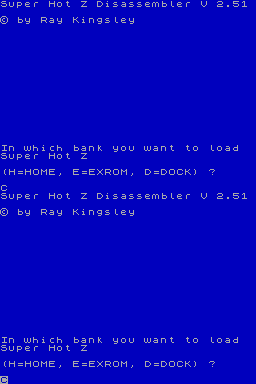
There are three different versions of this disassembler. The cartridge (AROS) version, the snapshot (EXROM) version and the normal tape version. The tape version can be loaded and run in any of the three banks - EXROM, HOME or DOCK, providing RAM is present. All versions can disassemble all Timex memory banks. The EXROM version doesn't auto boot. To run it you will need to type: CLEAR 32767: OUT 255,128: OUT 244,240: RANDOMIZE USR 32776. There are four modes, read, assemble, hexedit and single step. Press Extended mode and "H" for help. The read screen is the default screen and its help screen will tell you how to access the other screens except for step mode for which you need to access the assemble mode help screen to see. The program always initializes looking at Home bank code in the read mode. The bank that is displayed on the screen can be determined by the value displayed in the middle of the line of equal signs near the top of the screen. You can change the chunk spec for the upper 4 chunks with machine code in the single stepper mode or you can change the active chunks for each of the eight chunks by specifying a value at the "DISB" variable. To access this variable, just type in caps, DISB in the read mode. This will take you to the correct address. The first value is the chunk spec with bits for the HOME bank chunks set High. You must be very careful which chunk are set low because you can page out the machine stack and your program will crash. You won't have to worry about where your SHOTZ code is located because it will continue to operate no matter which bank of code it is loaded in. Value FC can generally be used FC to set the first two chunks to the DOCK bank or EXROM bank. The next value will determine which bank of memory you will look at on the screen. Enter 00 for DOCK, FE for EXROM or FF for HOME bank. To do this, you should go to hex edit mode by pressing the symbol shift key and the "A" key. That will take you to assemble mode. Next press the symbol shift key and the "G" key to take you to Hex edit mode. It is possible to change the displayed bank by changing the value in the middle of the equal signs but we don't know the series of key strokes to do this. It is also possible to transfer code between banks of memory and again, we don't remember how without studying it a while.
Play
- SuperHotZDisassemblerV2.51-AROS.dck.zipDOCK cartridge ROM image dump English17 KB
- SuperHotZDisassemblerV2.51-EXROM.dck.zipDOCK cartridge ROM image dump English17 KB
- SuperHotZDisassemblerV2.51.tzx.zipTape image English17 KB
- SuperHotZDisassemblerV2.51.tap.zipTape image English17 KB
Files and rights
No permission is on record either way. Screens and pictures are copied here on a take-down basis: if you hold the rights and want something removed, say so and it goes.
Credits
- Ray Kingsleycredited
Sign in to credit somebody, or say what these people did.
Reviews from people here
Sign in to write about this, or make an account. It takes a minute and lets you correct the catalogue too.
No year, tag recorded.
Sign in to correct or add to this.
Hold the rights to this and want it taken down?