
Professional Adventure Writer
Utility: Game Creator · ZX-Spectrum 48K/128K · 1 players
Gilsoft International · 1987 · Pound sterling 22.95 · Pound sterling 27.95 disk
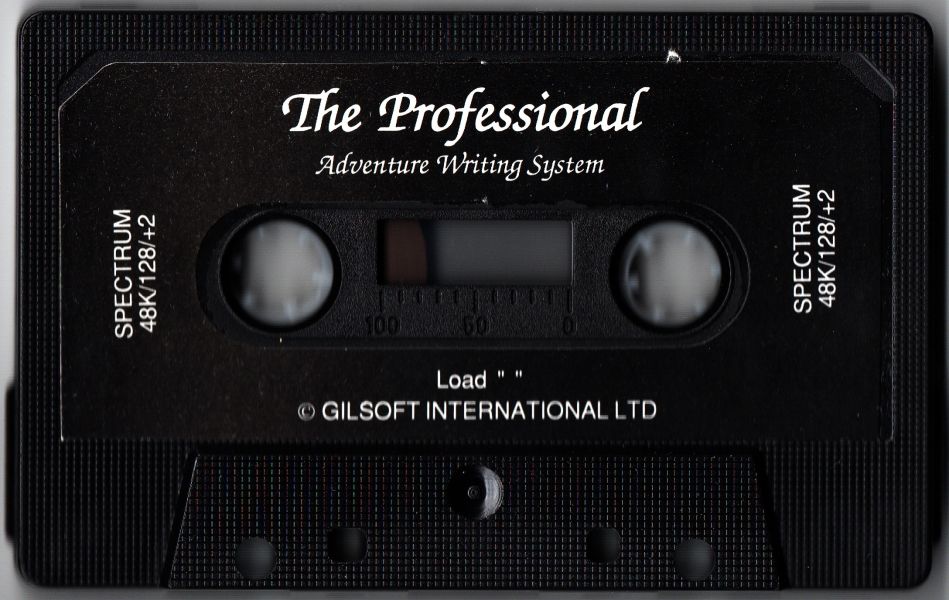
Also known as PAW (English), The Professional Adventure Writing System (English)
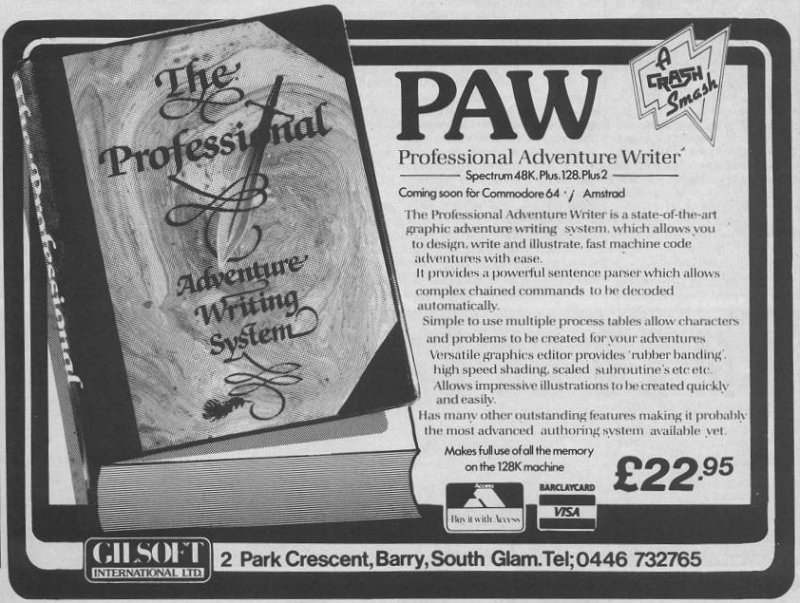
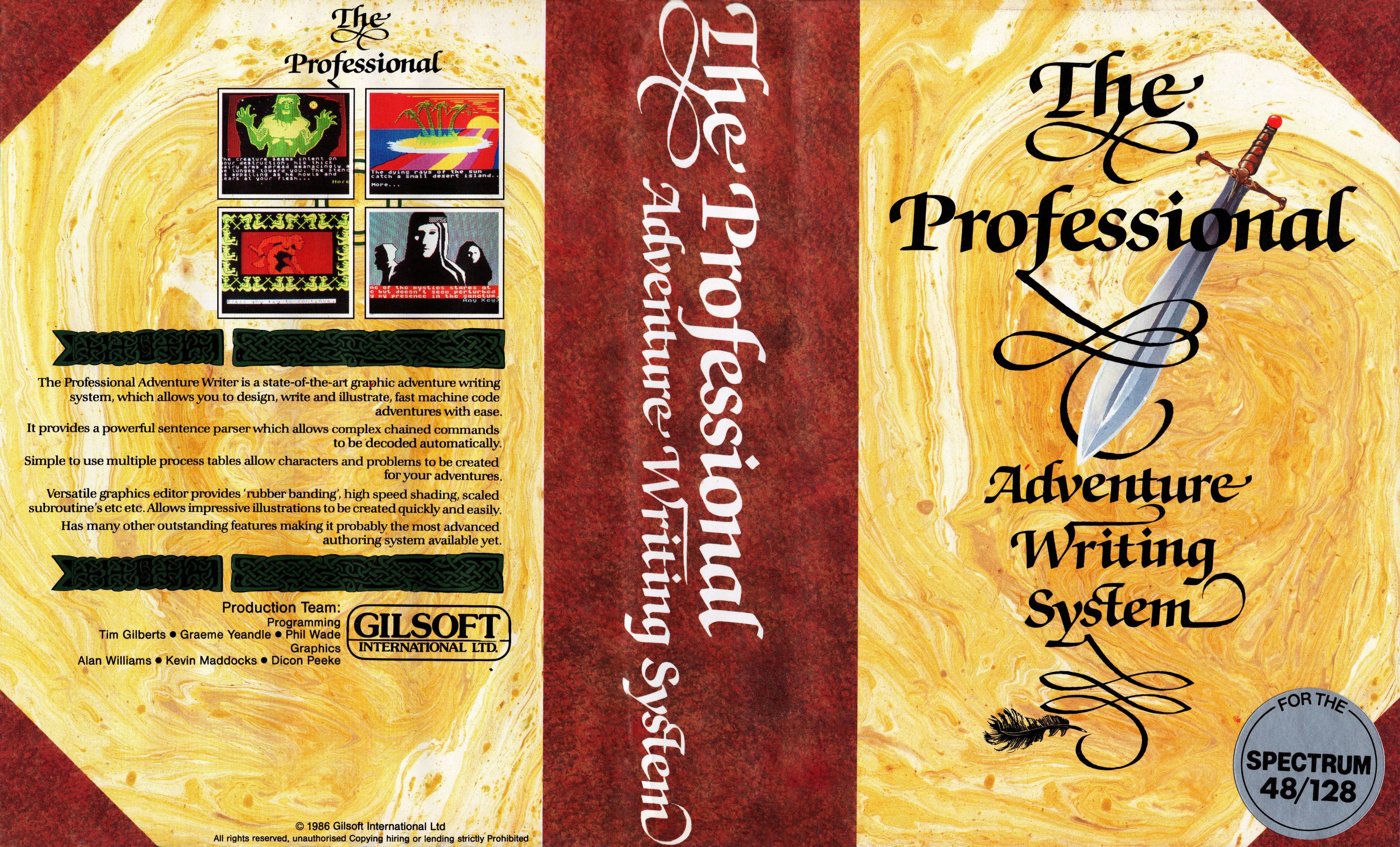
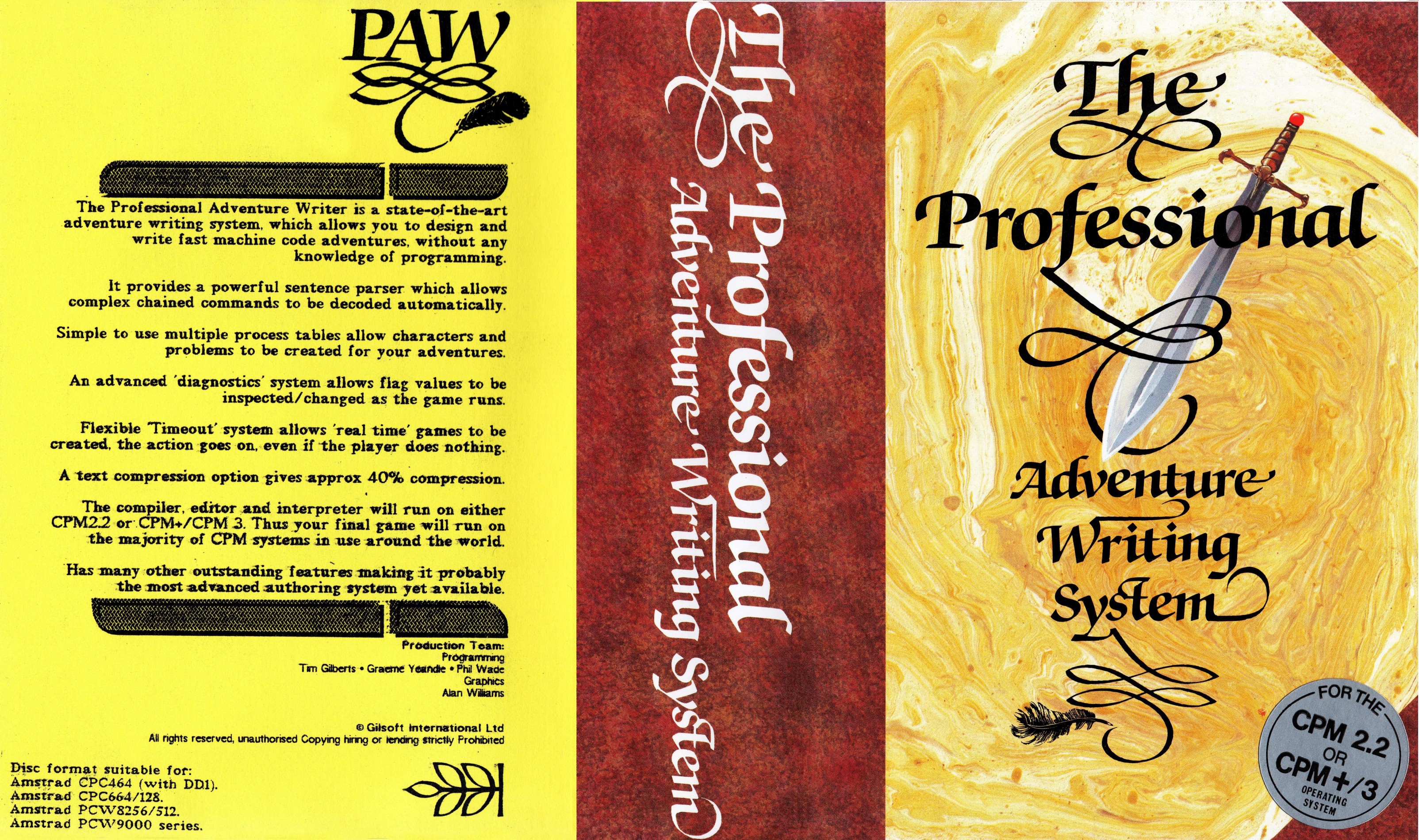
.jpg)
Discussion
Nobody has started a thread about this yet.
Releases
- 1987Gilsoft International Sold as PAW, The Professional Adventure Writing SystemPound sterling 22.95 · Pound sterling 27.95 disk
- UnknownAventuras AD S.A.Spanish peseta 3999.00
Play
- ProfessionalAdventureWriter.dsk.zipDisk image English103 KB
- ProfessionalAdventureWriter_2.mdr.zipDisk image English62 KB
- ProfessionalAdventureWriterA16D.mgt.zipDisk image English97 KB
- ProfessionalAdventureWriterB03+3(AventurasADS.A.).dsk.zipDisk image Spanish51 KB
- ProfessionalAdventureWriter.dsk.zipDisk image English49 KB
- ProfessionalAdventureWriter(a17).mdr.zipDisk image English33 KB
- ProfessionalAdventureWriter(a17charset).mdr.zipDisk image English12 KB
- ProfessionalAdventureWriter(MicrodriveVersion).tzx.zipTape image English33 KB
- ProfessionalAdventureWriterA04C.tzx.zipTape image English40 KB
- ProfessionalAdventureWriterA06C.tzx.zipTape image English40 KB
- ProfessionalAdventureWriterA09C.tzx.zipTape image English19 KB
- ProfessionalAdventureWriterA17C.tzx.zipTape image English40 KB
- ProfessionalAdventureWriterA09C.tap.zipTape image English39 KB
- ProfessionalAdventureWriterB02C(AventurasADS.A.).tzx.zipTape image Spanish37 KB
- ProfessionalAdventureWriterB01C(AventurasADS.A.).tap.zipTape image Spanish29 KB
Documents
- ProfessionalAdventureWriter_TechnicalGuide(AventurasADS.A.).pdfInstructions Spanish362 KB
- ProfessionalAdventureWriter(EN)(SuplementPlus3).pdfInstructions English361 KB
- ProfessionalAdventureWriter(EN)(Suplement).pdfInstructions English372 KB
- ProfessionalAdventureWriter(EN).pdfInstructions English2,219 KB
- ProfessionalAdventureWriter_TechnicalGuide.zipInstructions English44 KB
- ProfessionalAdventureWriter_IntroductionManual(AventurasADS.A.).pdfInstructions Spanish472 KB
- ProfessionalAdventureWriter_A16Supplement.txtInstructions English19 KB
- ProfessionalAdventureWriter.txtInstructions English2 KB
Other files
- the-gilsoft-adventure-systemsRemote link
Files and rights
Distribution permission is on record, granted to another archive rather than to this one. Screens and pictures are copied here; everything else links to the archive that holds it.
- AllowedAventuras AD S.A. → WorldOfSpectrum
- AllowedGilsoft International → WorldOfSpectrum
Credits
- Tim GilbertsCode
- Graeme YeandleCode
- Phil WadeCode
- Dicon PeekeIn-game Graphics
- Kevin MaddocksIn-game Graphics
Sign in to credit somebody, or say what these people did.
Awards
- Crash SmashCrash40 · 1987
- Sinclair User ClassicSinclair User62 · 1987
Scores
In the magazines
- Sinclair User #621987 · Overall5/5
- Crash #401987 · Overall97%
Elsewhere on the web
- WorldOfSpectrum 12 votes9.00
Awards and competitions
Crash Readers Awards 1987
- 1Best Utility
In the magazines 65
Crash #50Mar 1988 · p.78
Anthony Bailey
THE PRICE OF MAGIC Programmer Anthony Bailey finds adventure-writing made easy in the utilities GAC and PAW - which produce those good, cheap home-grown games. On the Spectrum adventure scene, 1987 was a lean year with few major releases. Games costing more than £3 were rare, and even the ubiquitous budget range was outnumbered by a mass of mail-order home-grown software. The commercial releases were distinguishable only by their packaging and sometimes their graphics, but the quality of ideas and writing to be found in the best home-grown adventures was of a very high standard. The reason for this preponderance of good software is that adventure utilities have at last come of age, allowing many amateurs to produce a professional-looking adventure. Of course, if you want to write something worth playing, you'll still need a flair for atmospheric prose and a good imagination! This article compares the two major adventure-writing utilities, those awkward-sounding acronyms GAC and PAW (Incentive's Graphic Adventure Creator and Gilsoft's Professional Adventure Writer ). ARTISTIC LICENCE If you've used any of the so-called 'arcade-game generators' you'll no doubt have noticed that all they really let you do is alter movement patterns, graphics and the map of a game rather than allow you to design anything really innovative or different. But there's much more freedom in what you can do with an adventure creator. Though Gilsoft's The Quill tends to produce adventures with a rather cloned appearance, GAC and PAW offer the user more opportunity to change the look and style of the game. Most adventures can be divided into three main segments. There is a database which contains such things as all the text describing locations and objects, and the messages and vocabulary. There's a parser which allows the player to type in a command and then decodes the input. And there's an interpreter: this is the heart of the adventure, where the computer examines the player's input and works out what messages or location descriptions should be output. Essentially, the interpreter is the part which handles the exchange of information between the player and the computer. When a programmer writes an adventure from scratch, he has to write the parser and interpreter in machine code. Now with an adventure-creator there is no need to write any code - the utility supplies the parser, provides the bare bones of the interpreter and then allows you to describe the rest of it in terms of English words and expressions. For example, with PAW if you want something to happen only when the player is carrying a certain object you use the word CARRIED. In effect you are using a very simple and user-friendly programming language. PAW and GAC are both rather good adventure creators and both deserved the Smashes they received when reviewed in CRASH (in issues 40 and 32 respectively). And they cost the same: £22.95 on cassette, £27.95 on microdrive (there's now a +3 disk version of PAW as well). But which utility is more useful? SLICK AND SIMILAR The packages are similar. Their presentation tries hard to justify the apparently high price tag; a single cassette wallows in a huge plastic case, The cassette contains the main program and a 'quick start' database with some basic vocabulary command, along with short but impressive demonstration games, and in PAW's case some alternative character sets. GAC has a well-written, informative, detailed manual; the two PAW manuals are excellently written, with straightforward, chatty prose in the introduction and further detail and a reference section in the technical guide. So the new user should have no problem getting to grips with the utilities straight away. PAW allows 16K of program to be written straight off, and from then on it will overwrite parts of itself which are automatically reloaded from tape if they are required again. This technique allows another 11K of space to be used (giving a total of 27K per game). And if you have a 128K Spectrum PAW takes full advantage of the extra memory and lets you write a massive 117K adventure! But GAC games sit complete in memory, giving you about 23K of free memory to write in. But Incentive doesn't plan to release a 128K version of GAC in the near future. There's a simple menu at GAC's front end; selecting an option from this takes you through a series of question-and-answer inputs. Pressing BREAK takes you back to the main menu again. The PAW system of menus and submenus will be familiar to users of The Quill. Both systems are user-friendly, though PAW scores by allowing the author to view a scrolling list of all the entries made; GAC will only display them individually. ADVANCED PARSERS Both utilities have advanced parsers which allow sentences with up to two nouns, a verb, an adverb and a preposition. These sentences can be chained with conjunctions or punctuation to create really complex commands. And both programs will recognise IT, so GET RING AND WEAR IT is catered for. PAW allows you to qualify a noun with an adjective, so the finished game can differentiate between OPEN RED DOOR WITH SMALL KEY and OPEN GREEN DOOR WITH LARGE KEY. GAC splits vocabulary into three categories: verbs, nouns and adverbs/prepositions. Up to 255 words are allowed in each category, and as many as you desire can be synonyms (for example, GET and TAKE can be treated by the parser as the same word). PAW is similar, but subdivides the vocabulary into seven categories: verbs, nouns, adjectives, adverbs, prepositions, conjunctions and pronouns. Again 255 of each type are possible. And PAW treats the first 20 nouns in its vocabulary as 'conversion nouns': in other words, NORTH (noun 4) is treated as a noun in the command LOOK NORTH, but is converted to a verb if entered on its own. Nouns 1-50 are not recognised by IT - so as long as the author plans the vocabulary correctly, when the player types GET SWORD AND ATTACK GOBLIN WITH IT PAW will spot that IT refers to the sword and not the goblin. LOCATIONS GAC can cope with up to 9,999 locations but PAW can only manage 252; still, this should be sufficient even for a 128K creation. GAC offers 255 messages for the author's use; PAW allows these messages, too, and also has another 255 system messages. Some of these are used by the interpreter and can be altered, but most are free for the use of the programmer. User-friendly adventures require a lot of messages and the writer of a large adventure may well find himself pushed for space. Up to 255 objects can be implemented with both utilities. Commendably, both GAC and PAW let you define the weight of each object - thus a chest of treasure can take up more space than an apple does in the player's inventory. And to ease the creation of automatic get/drop/wear/remove commands, PAW asks the author which vocabulary noun and adjective correspond to each object, and also inquires whether it is wearable, a container, or both. GRAPHICS Your adventure can be text-only, or use graphics; GAC has a fixed picture size, but PAW is more flexible and allows pictures of any size. And in PAW some text can be kept onscreen while other text scrolls beneath it. If you feel ambitious, and you have memory to burn, you could use pictures created with art utilities in PAW by calling an outside routine with the EXTERN command! Anyway, reasonably good graphics can be simply produced with both systems. They employ the 'drawstring' technique: all illustrations are stored as a list of the commands that were used to create them. The pictures are basically formed by drawing and filling shapes. Both packages offer 'elastic' lines, and GAC goes one better with a facility for elastic rectangles and ellipses. But GAC has only two fill patterns; PAW offers 15 user-definable shades and the ability to create extra character sets, definable on the utility's character-generator (it's rather cumbersome and art utilities are easier to use). Pictures can be called as subroutines (which can be scaled, in the case of PAW) so that repetitive illustrations take up very little of that precious memory. TESTING When it comes to testing out the adventure, both GAC and PAW have useful options which allow the user to examine the status of the various flags and program counters during play. This is great for debugging. PAW allows experienced users to manually change the values of these flags in the middle of a test. GAC has 256 on/off switches and 128 variables that can hold values ranging from 0 to 255; PAW just has 256 such variables. Naturally, all the normal facilities such as saving and loading the database and checking on the amount of memory left, are available on both programs. PAW also has a superb text-compressor which replaces common combinations of letters with single bytes in memory and effectively gives you 40% extra text space - great for writing 48K games. TABLE MANNERS The meat of the finished adventure is the set of tables of instructions and commands which deal with all the inputs and actions of the player. GAC offers three types of table: high-priority, low-priority and local conditions. The high-priority table is checked first of all; in play, that's where the program checks whether the player is in darkness, for example. Low-priority conditions include such things as responses for GETting an object, and local conditions apply only to specific locations; OPENing a DOOR would be covered in the local-conditions table, for instance. Each table consists of a sequence of lines with a format of IF (conditions) (actions) END so a typical line might read: 'IF (VERB (18) AND (NOUN(50) OR NOUN (51))) MESS (20) WAIT END' which gives the conditions the look of a simple programming language. It's a shame that syntax errors within a line are not highlighted, and that only one line can be viewed at a lime-once programs gel complex this makes debugging rather awkward. But GAC is flexible in that all numbers can be replaced with arguments such as the contents of a certain flag or a random number; this allows you to implement such things as random messages. The CONN condition (equivalent to MOVE in PAW) is especially useful. PAW TABLES PAW 's approach has some differences. Two types of table are used, response and process, and each entry consists of a verb and a noun (which can be set to nulls) followed by a series of 'condacts' - Gilsoft's jargon for a mixture of conditions and actions. In a response table, PAW looks for a match between the player's input and the verb and noun and then carries out those entries. Unlike GAC, PAW caters for entries for GETting, DROPping, WEARing and REMOVing objects as well as for GET ALL, DROP ALL, WEAR ALL and REMOVE ALL. The condacts are rather more varied than their GAC counterparts, with commands such as EXTERN (which allows you to call BASIC and machine-code routines from within PAW RESET (which helps in the creation of multipart games), PARSE (which decodes anything within quotes in terms of a new command), TIMEOUT (allows the computer to animate graphics or move around game characters whilst the player is thinking), PUTIN and TAKEOUT (for dealing with putting objects within one another; PAW calculates the true weight of a container), and a very powerful DOALL command (which allows the author to implement his own ALL and ALL EXCEPT commands). Some of these facilities can be simulated with GAC, but PAW makes everything elegantly simple. The process tables operate in the same way, but the verb and noun are used simply as a label for the author's own reference. Process 1 is called every time a location is described, and is the equivalent of the GAC high-priority table. Process 2 is called after every input or timeout, and this is where events beyond the player's control take place. The best facility of all is PAW's ability to create another 253 subprocesses, which can then be called as subroutines from response or process tables. Calls can be nested up to ten levels, and the processes can even call be recursive (call themselves). Sensibly used, this facility contributes to programs which are beautifully structured and hence easy to debug and alter. WHICH? GAC is an excellent utility. But if you haven't got yourself an adventure creator (and if not why not? - they're tremendous fun!) the flexible and friendly PAW is the one to go for. It's probably the best utility ever written on a Spectrum and it should turn the adventuring world head over heels.
Incentive used its own GAC for The Legend of Apache Gold, released a year ago.
PAW is probably the best utility ever for the Spectrum.
Your Sinclair #18Jun 1987 · p.80
Mike Gerrard
PAWS FOR THOUGHT Want to know whether to buy Gilsoft's latest adventure writing utility, the Professional Adventure Writer? Never mind the benchmarks, Mike Gerrard applies the exclusive YS Pawmarks Test and puts some animal magic back into your adventures. FAX BOX Game: Professional Adventure Writer Publisher: Gilsoft, [redacted] Price: £22.95 (cassette) or £27.95 (microdrive) Reviewer: Mike Gerrard Are you fed up of playing adventures written by someone else? Fancy a go at writing your own? Well, Gilsoft may well have come up with the ideal package to let you try. It's called the Professional Adventure Writer, or PAW for short, and its purpose in life is to transfer your brilliant adventuring ideas from the drawing board to the Speccy. The package comes complete with a 66-page introductory manual, a 72-page technical guide, and a sample adventure called Tewk, showing some enterprising uses of PAWs facilities. So, what will you need to turn all your ideas into proper stories? Let's take it from the top... PAWQUILL? PAW works in the same menu-driven manner as The Quill, and the screen layout will look totally familiar to experienced users, 'cos many of the same single-letter commands are retained. A major difference is that the program now works on the first five letters of each word, rather than the first four, making it far more versatile. Unfortunately you still can't have both an orange and an orangutan in your game, but a mouse and a moustache will be possible! Other differences are that the text is formatted automatically on-screen (no need to fill those location descriptions up with blank spaces to make it look smart), there are 256 flags, various commands like GET ALL and PUT ALL, an understanding of IT and THEM, a much more comprehensive parser and the ability to input speech and pseudo-intelligent characters... disc jockeys, orang-utans and magazine editors, that kind of thing. RAISE THE FLAG! Of the 256 flags, many (well, 42 to be precise) are set aside for specific purposes - just like The Quill really. That still leaves you with...erm...(removes shoes to help counting)... 214 of your own to play around with. Flag 38, for instance, is always your current location, flag 1 is the number of objects carried and flag 16 is the current pronoun (to identify the use of IT and THEM). The most powerful addition here, and one that will be a real boon when testing adventures, is the ability to change a flag's value when playing through the game using diagnostics. For instance, if you discover that the snake won't move out of the way, despite the fact that you've fed it with the dead rat, and the reason is that you've forgotten to change the flag that governs whether the snake has been fed or is hungry, then you're able to alter the flag's value and carry on playing, rather than have to return to the database to do it. If you discover you haven't allowed the player to carry enough objects, increase the value of flag 37. PLAYING BY NUMBERS Words are allocated a main number, and are usually given a secondary number to indicate what type of word they are all nouns are number 2, all verbs are zero. The main number of a word is the one which identifies it in the vocabulary table. For instance, values of 19 and under are reserved for proper nouns usually the names of people and places. This means the parser will ignore them when it tries to interpret what IT or THEM refers to. Normally if you use the word IT then the parser will check back to the last noun typed in and assume that's what the IT refers to. Fine, you might say, isn't that always the case? Well, think about this sentence: GET THE BUN AND FEED THE ELEPHANT WITH IT. The parser would check back and discover that you're trying to feed the elephant with the elephant, and it'd faint at the prospect of trying to carry out that command. By giving the elephant a number of 19 or under, the parser ignores the elephant and realises that IT refers to the bun. OBJECTS Objects aren't just objects anymore, they can now be light or heavy, be worn and removed, and be containers as well. If you try to PUT THE PEANUTS IN THE PARROT, for instance, or put anything into something that isn't a container, then you can program in a suitable response such as "no way" or "What a concept!" However, you might decide to make a kangaroo into a container, so PUT PEANUTS IN KANGAROO is okay, perhaps producing a response of "You put the peanuts into the kangaroo's pouch." Giving weights to your objects is straightforward enough, and you can set a weight limit that someone can carry, rather than specify a number of objects - maybe eating a can of spinach produces extra strength, so just change the flag that covers the weight you can manage. Wearable objects are also automatically removable, but if you do want to program a straight-jacket into the game there are ways round that. PARSING TIME I suspect that an adventure could have the most stunning mega-parser in the world, and most people would still go round typing in GET HIPPO, DROP OSTRICH, and so on. But there are times when the simple verb-noun formula is restricting, and PAW will cope with a sentence containing up to one verb, two nouns, two adjectives to go with the noun one adverb, one preposition, and speech to another character. This speed, is contained in quotes and can contain up to one noun, two verbs...and so on. Don't try and put speech inside the speech, though. The maximum acceptable input is 125 characters, but within that you can string together as many sentences as you like, provided each is separated by some form of punctuation or AND or THEN. though you can change that to any other suitable word - if you can think of one! Verbs are remembered, so GET THE FERRET AND THE FROG would be understood and acted upon, and you can even manage to fool the program into understanding the word EXCEPT. The way the 'ALL' command works, &instance in GET ALL, DROP ALL, PUT ALL, is to make the verb act on each noun in turn that could possibly be got or dropped, but if you type GET ALL EXCEPT THE FROG, then 'FROG' is removed from the nouns to be got and is left where it is the verb in this case not being carried forward and repeated. Multiple input is useful when you want to whizz through a section of an adventure while you go and make a cup of tea - GO NORTH, GET THE BUN AND FEED IT TO THE ELEPHANT, THEN SAY TO THE PARROT "WEAR THE EYE-PATCH AND COME HERE." The speed with which PAW whips through a sequence of commands like this is incredible, though its hardly fair to criticise a program for being too fast! You'll have to pause the parser with the PAUSE command if you want the player to see what's happening. PAW DRAW The graphics section of PAW is similar to The Illustrator, and allows you to choose how you want your screen layout to look. Do you want a full graphics screen to be replaced by text at the touch of a key, as with the original Quill/Illustrator combination? or maybe a consistent split between text and graphics areas? Or a variable split, with some graphics taking up smaller sections of the screen? Or a text that scrolls up the screen and edges the picture out of the way? All these can be used, and varied within a game - no need to be consistent at all. There are fewer drawing options than GAC, but equally good results should be possible. The full routine seems faster than GAC, and sub-pictures can be called up, though the SCALE command seems to have disappeared. There's a Kempston joystick option, and the helpful background grid can be toggled on and off as required. CHARACTER ACTING PAW will allow up to five different character sets in memory at the same time. In addition to the standard Spectrum set, and you can switch between these as and when you choose. A file provided with PAW gives 22 fonts for you to choose from, but there's also a character editor which allows you to design your own should none of the 22 be quite right. You can also use this to design UDG's, and create 16 of your own shading patterns for use in the Graphics Editor. FOLLOW THE PROCESSION As with GAC, PAW has a series of process tables by which you give priority to various actions, the main ones being called simply Process 1 and Process 2. The first contains anything that you want to happen after the program has printed the location description but before the player takes a turn, the second responds to the player's input and awaits the next turn. In total, though, you can have up to 254 process tables, called from the main ones in the way that sub-routines work in a program. One could keep track of a particular object say, or another could look after one of the characters you've created. PSI'S ALL ROUND A pseudo-intelligent character or PSI, is a character, whose activities can be gathered together in one of the process tables, though Gilsoft's really used flags, messages and responses more intelligently. Say you want your game to have a goat, which constantly gets your goat by trying to eat some vital object you need - and you have to distract it with a pot of glue to gum its mouth up. Use one of your flags as a counter, and every ten moves the goat will arrive in the player's location. He has one chance to deal with the goat, which will be to DROP GLUE, and unless he's carrying the glue he must leave the location or the goat will eat one of the objects the player's carrying. Alternatively, the goat can be made to wander around the location, or a set of locations, by itself, and the confrontation only occurs when the player and goat turn up at the same place at the same time. Your process table for the goat will be along the lines of: is the goat in this location? if not, go back to the main table. If it is, wait for the player's input, and if this isn't DROP GLUE or an exit move then check the player's inventory for something edible and eat it. Then print a message saying THE GOAT LICKS ITS LIPS AND LEAVES YOU IN PEACE. PAW also includes a 'real-time' facility, enabling certain things to happen while the player's thinking... the adventure goes on around you. I wonder what good programmers will make of this option! One of the additional files on the PAW tape will be familiar to anyone who's bought The Press. This takes your database and searches it for common groups of letters, then changes these into single tokens to save on memory. The only drawback to this feature is the time it can take... anything up to an hour and more for lengthy adventures! TAKE-FIVE To make maximum use of the memory, Gilsoft has put five additional files on the tape after the main program, as well as the one containing the extra fonts. These are loaded in when you choose the various menu options, which might sound a little fiddly but it works perfectly well if you've got a tape counter, although you can easily transfer the CODE files to separate tapes if you wish. The files cover menu options like saving and verifying the adventure, the graphics and character editor sections. the messages table, text compressor and so on. WHAT'S IN IT FOR 128K OWNERS? Quite a lot, not surprisingly. The program checks which machine its being loaded into at the start, though 128K owners can load in 48K mode and still produce adventures for the smaller machine. Big Speccies can have an adventure database of about 112K, thanks to PAWs overlay technique. 48K owners have a series of sequential files on the tape (see 'Take-Five'), which have to be loaded in before certain sections of the PAWs menu can be worked on, but 128K owners won't need to make use of this facility till their database has passed the 92K mark. It might just be possible to squeeze a decent adventure into 112K! The DIY adventuring trail started with Gilsoft, when it bought out The Quill a couple of years ago. Incentive followed this up with the Graphic Adventure Creator, and now Gilsoft's hit back with PAW and an initial look makes it hard to fault this program. Indeed, I found PAW as pleasurable to use as The Quill when it first appeared. Although I raved over GAC in the August issue, I make no excuses for raving over PAW now - this type of utility program is constantly improving. Gilsoft's parser is much better than Incentive's, the ability to speak to characters is welcome, as is the range of fonts, the RAM save, the character editor and the 48K/128K options. It comes on cassette or microdrive at the moment, and there are Beta Disciple and Opus disk versions in preparation. There's also bound to be a Plus 3 disk version too when the machine finally appears. When you consider the quality of many of today's Quill'd adventures, just think how they'll look when they've been PAW'd. And it won't only be old adventures that get the tickling up here's bound to be a whole flood of PAW'd adventures very soon.
C&VG (Computer & Video Games) #68Jun 1987 · p.85
[ZXSR: This is a News or Preview item but is the closest C&VG ever came to reviewing this title. It reads very similar to a review.] The PAW is Gilsoft's new Professional Adventure Writing System. This, like its predecessor The Quill, is a utility program that enables the user to write an adventure game without actually writing program code. It has many advanced facilities, and to review it fairly would virtually require writing a full-scale adventure. Although much simpler than learning a language, and writing a program in it (and this has the advantages of machine code speed) it DOES require careful study of the two manuals provided. The first manual is an introduction to writing adventures with the utility, and runs into 66 pages. But more important is the 72-page technical guide, which details all the commands available from the utility. This is a professional-style manual for a professional piece of software, and requires a familiarity with computing and some of its terms. It is not for the computer-illiterate. PAW will produce adventures with full sentence input, including speech to other characters in the game. Objects are individually weighted, and can be containers for other objects. On top of that, there is a built-in RAM SAVE/LOAD facility, the ability to create real-time adventures, a powerful graphics editor, and text compression. Don't buy PAWand and think you will come up with instant results - it requires a lot of study and practice to make good use of many of the wide range of facilities it offers. I don't think that PAW will suffer the problems of Quill, in the plethora of cheap rubbishy adventures that began to get it a bad name. We will not really appreciate its full power and value, until commercial adventures created with it have started appearing. For it strikes me that it is the likes of Fergus McNeil, St. Bride's School, Rod Pike, and anyone seriously interested in writing a really worthwhile adventure, for whom PAW is intended. The Professional Adventure Writing System is from Gilsoft for the Spectrum 48/128/128+2 computers (it automatically senses which machine it is in, and makes use of the additional memory) for £22.95; Disc (3, 3.5, and 5.25 inch) for £27.95. This includes postage and packing, and you can get it from Gilsoft International Ltd., [redacted].
Crash #40May 1987 · p.54Crash Smash97%97%
Overall 97%
Derek Brewster 97%
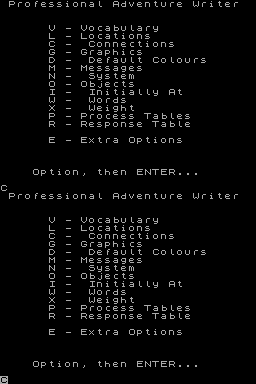
Producer: Gilsoft Retail Price: £22.95 Author: Tim Gilberts, Graeme Yeandle, Phil Wade, Alex Williams, Kevin Maddocks, Dicon Peeke Way back in May 1984 a young, lively, fresh and spirited magazine called CRASH reviewed a programming utility named The Quill. In that same issue there was an introduction to an adventure trail where adventurers could communicate with like-minded enthusiasts. That was exactly three years ago, and The Adventure Trail has now progressed to a sizeable part of its mother magazine; incorporating Reviews, Signpost for letters, Signstumps for queries, and Superheroes for adventure supermen and women. Over the years The Quill has supplied many a good game for review, but it has now begun to fall behind despite additions such as The Illustrator, The Patch, and The Press. INCENTIVE's Graphic Adventure Creator, was supposedly the answer to the adventure writer's problems. However, I remained sceptical as all around praised a utility which I thought lost an opportunity to see adventuring through the late eighties. With The Professional Adventure Writer, or PAW for short, I now think we have the kind of utility which can lead the way to better and more imaginative adventure - the beauty of which is that the manuals are amazingly accessible, even for such a complex and thorough microcomputer program. The manuals are a good place to start, because although the print is lightweight (small computer printer style) it remains immensely readable. It's hard to explain why though, as on first glance the introduction manual looks no different to any other. I attribute the manual's ability to keep the reader interested to Tim Gilberts' obvious love of adventuring, and his realisation that the odd joke or human touch can considerably lighten the load of a heavy passage. For instance, take this piece which follows a breakneck tour of your test adventure courtesy of the parser, "Right, back to the boring bit, QUIT from the game so we can deal with the next chapter in this saga." The fact that any part of any manual can be thought any more boring for interesting) than any other will ruffle purists, but this kind of humanising is right up my street. The introduction is a superb publication, making no use of the pompous style which blights so many technical [manuals]. Now for a run through what PAW can actually be expected to achieve. The major improvements are in vocabulary handling (including GET and DROP ALL), presentation options, debugging of your adventures, ability to write up to the full 128K of the new Spectrum, allocation of weight to objects which can be worn, removed and/or form a container (eg trousers with pockets), interaction of independent characters, and quick, easily-drawn graphics with rubber-banding plus high speed shading. In the line of vocabulary PAW provides a full parser, a device which converts the player's input into logical sentences which evoke suitable responses. The parser understands long, complex, chained commands using punctuation marks or the conjugations AND or THEN, including the ability to read IT for the last specified noun in the likes of GET THE SWORD AND KILL THE ORG WITH IT THEN DROP IT. The utility knows the player is referring to the sword with the pronoun IT due to the way in which nouns are numbered in its vocabulary list. In this case ORC has a value less than 50 and SWORD a value greater than 49 and hence knows that SWORD is the object referred to by the pronoun IT. Adjectives (GREEN jumper, LIT or UNLIT torch), adverbs (HAPPILY married), prepositions (talk TO him) can all be used to add colour to the vocabulary, along with the usual verbs and nouns. Vocabulary values lower than 20 are termed conversion nouns as they are treated as verbs by the program (NORTH for example). Many synonyms can be engaged to ensure that any input will receive a reply - for instance, BUS and TICKET might be given the same value of 54 while ANORAK and COAT are both 56. Seventy common words are already catered for in the vocabulary, the program recognises up to the first five letters (ensuring speed in processing and typing, along with memory saving), and all-in-all, PAW has done a very thorough job in the vocabulary field. The screen display format can be changed at any time during play and options open to you are: 1. Full Screen Graphics 2. Continuous Scrolling Text 3. Split Screen Graphics 4. Fixed Text and Graphics Windows Further variety lies in the built-in multiple character sets. These can be altered and interchanged during a game, even when between locations or in the middle of a sentence. I consider these options to be a liberating force and an escape from the cloned look of other utility adventures. Debugging a near complete adventure is made easier by two additions. The first is the use of diagnostic flags revealed during the testing of a game. There are 256 flags of which 220 are free to the user to add, subtract, copy and compare. Flags can be used for character locations, counters in subroutines, or to hold the locations of objects. Locations and flags come into their own when used in Process tables, where Condacts (Conditions and Actions) can be grouped to achieve many weird and wonderful things. Condacts such as HERE (the current location of the player and flag 38), CARRIED (location 254), WORN (location 253) and NOT HERE (anywhere else including the not-created location 252) can quite clearly be seen to be related to locations and flags. This leads us on to the second feature to aid debugging, namely those Process tables. The advantage of using these tables lies in their ability to be nested as in subroutines, with the option of devoting, say, one whole table to a character's behaviour. This not only aids debugging, it also has positive implications for developing and improving subsequent adventures written using PAW. The face a utility presents to the world is important, as it is here that the budding writer confronts the complexities of adventure composition for the first time. PAW shows a very friendly face with two pages of menu options - one primarily concerned with writing the adventure, the other with saving, loading or testing a written game. Single, mainly first letters (V Vocabulary, L Locations, C Connections, M Messages etc), lead onto sub-menus which always remind you of the way in which information is entered. The Locations sub-menu, like most of the others, allows the Insertion of text, Amendment of text, Printing on screen (List), LPrint to printer, and Z to return to the main menu. PAW checks the syntax of all entries and ignores superfluous spaces, therefore I 3 will result in the Spectrum question mark, as locations are inserted in order and require no number - deleting 3 with the usual Spectrum keys sees the input accepted. On the other hand Amend does need a number, as shown by the information at the top of the sub-menu for locations, for example A 3 fits the bill of A (Locn) and is therefore accepted. When the player turns to Connections, blank entries will be found corresponding to the locations entered as this automatic system simply acknowledges the fact that every location requires connections to somewhere! Similarly Initially at, and Weight, open up new entries every time an item in Object is borne. To say this system is child's play might be asking for trouble, but it is clear the way in which PAW is constructed allows the greatest opportunities for a comparitively meagre outlay in time and effort. This utility is a remarkable invention. It is a graphic adventure composing system of some 20K, released in one format but covering the entire range of Spectrums: the 48K (rubber keyboard), Spectrum + (plastic keys), the 128K, and the 128K Spectrum +2. Disc/microdrive versions will be available by mail order for the Opus Discovery, DISCiPLE and BETA interfaces. Anyone purchasing a cassette version now who wants to upgrade to a disc later can do so for the difference in price. Discs of 3, 3.5, and 5.25 inches will cost £27.95, while the price for microdrives is yet to be announced. The Professional Adventure Writer is just that, a professional's aid, even if only for developing games for later coding. BASIC or machine code additions are catered for and a SAVE'd database can be verified. I found the program exciting and am excited by its possible achievements.
The screenshots which accompany this article are taken from the demonstration game Tewk, supplied as a database for user to examine. It shows some of PAW's useful features; compound message listing, the multi-command parser, modification of location pictures, a simple inventory window system and the utility's stunning graphics.
ZX Computing #37May 1987 · p.13
Alan Davis
AFTER THE RELEASE OF G.A.C., GILSOFT STRIKE BACK WITH THE PROFESSIONAL ADVENTURE WRITING SYSTEM. Gilsoft £22.95 The release of Incentive's Graphic Adventure Creator (GAC) caused great excitement last year - to be followed by much debate in adventuring circles about whether it really did represent a significant advance on Gilsoft's long established Quill. Suddenly, however, it seems largely irrelevant whether it did or not. The reason? Well, coming up on the port bow, and preparing to deliver a broadside which looks as though it will settle the matter for good, is The Professional Adventure Writing System (PAWS) from Gilsoft. You might be excused for doubting that there really is a need for yet another adventure-writing system. After all, you might think that with GAC and the old Quill (with its various add-ons) to choose from, surely any budding adventure author worth his salt should be able to cope. If you have such doubts, let me dispel them at once. Gilsoft have been at this business a long time, and in PAW their experience shows. This is a magnificent piece of software, by any standards, and it's in a league of its own. THE SYSTEM For your £22.95 you get a cassette and two manuals in a large box. The first of the manuals is a 66 page introduction which gets you started by leading you through the creation of a short adventure. The second one is a technical manual which wasn't complete at the time of this review, though most of the essential information was provided. In order to release as much memory as possible for your adventure, PAWS uses a system of 'overlays'. These are recorded on the cassette as a series of short code blocks following the main program. Most of these are loaded in straight away so that at start-up most of the program's extensive facilities are available. Then, as your adventure database grows in the writing, these sections are overwritten, but can be loaded in again separately as required. This isn't much of a problem for the 128K Spectrum owner, nor will it be a problem with the microdrive version that is promised - but for those of us with 48K machines a good deal of to-ing and fro-ing with the cassette recorder is going to be necessary. There are, I think, two views one can take of this. The first is that the program is so good that it almost justifies the purchase of a 128K machine anyway; and the second is that the program is so good that the hassle of fiddling with the tape is a small price to pay for the privilege of using it! Completing the roundup a short adventure database is provided at the end of the tape, as an example. This can be loaded into the system and hacked apart at will. And the whole of the other side of the tape contains - wait for it - 22 (yes, twenty two) different character sets! This may seem like gilding the lily, and yet it is typical of the whole style of presentation which underlies PAWS. Gilsoft have done everything in their power to help you to avoid that stereotyped appearance which has been a feature of so many Quilled games in the past. MENUS Once you get the program loaded in and running, everything is menu-driven (no icons, thank goodness!). The overall 'feel' of the program will be quite familiar to those who've had experience of the Quill, though once you actually get involved, you begin to realise the enormous potential of it. It's easy to get started, using the introductory manual as a step-by-slep guide, but make no mistake - you won't master all the intricacies of PAW for some time. I must emphasise that this doesn't mean the program is difficult to use. Rather, it means that you'll go on and on discovering new possibilities as you gain experience with the system. I can't possibly cover everything that the program is capable of here, and it would take ages to explore the full potential of PAWS, but I can give you some idea of its scope by selecting a few examples. The parser, for instance, is probably as sophisticated as anyone will ever need. It accepts multiple commands (using punctuation marks, AND, or THEN, as phrase separators). ALL and IT are catered for - so that an input such as "OPEN THE CHEST, LOOK iNSIDE IT. AND GET EVERYTHING OUT OF THE CHEST" can be dealt with in a straightforward manner. The system anticipates that you may want to have other characters in the adventure, so speech can be accommodated using inverted commas in good old "Hobbit" fashion. LANGUAGE AND LOGIC When it comes to sorting out the game logic I can only say that the Gilsoft chaps seem to have anticipated pretty well anything you could possibly want to do. Again, I can give you no more than a taste, but you can, for example, define certain objects as 'containers' (i.e. capable of containing other objects) - and this alone can give rise to enormous fun, as you'll see a little later on. 'Flags' are needed to keep track of event (such as whether doors are open or closed) in an adventure, and there are 256 of these, but not all of them are available for use (though they can all be inspected) since the system uses some of them itself (eg. to store the player's current location). That still leaves more than enough for you to work with. The 'language' you use to program your game is similar to that used in The Quill, but extended in scope almost beyond recognition. Basically, commands are divided into conditions ("if so-and-so") and actions ("Do such-and-such") - but the list of available commands fills two pages of the manual! Possibly the best way to illustrate the flexibility of the system is to describe a particular sequence of events that took place while I was away actually working through the examples suggested in the introductory manual. IN THE BAG I'd arrived at a stage where I had a partly working small adventure, with a few locations in a park and a few objects. These included a canvas bag, defined as a 'container', and inputs like "PUT EVERYTHING IN THE BAG", "LOOK IN THE BAG", and so on, were working beautifully. At this point I put the manual aside and thought what a clever trick it would be to allow the player to get inside the bag himself. So the canvas bag became "an enormous canvas bag", the inside of the bag was defined as a new location, and the necessary commands added to the 'Response Table'. Next I wondered if we couldn't have some other character come along and pick up the bag while the player was still in it (and could this be done in real time?) Well, it could indeed be done. All of it. There's a facility which enables the adventure program to break away from player input after a specified time and scan the 'Process Table' (which holds a set of condition tests and actions which don't depend on input from the player) so that real-time independently acting characters are perfectly possible. By manipulating a couple of flags to keep track of what was happening, I found myself being merrily carried around the park inside the bag, by someone else, free to hop out or back in again at any point. Although this was just a bit of fun, fans of The Hobbit will remember certain notorious escapades with a barrel and a butler... Well folks, you can do all that with PAW, and it is very impressive indeed! 48K owners will possibly be worried about available memory, especially since this was an area where the GAC was somewhat deficient. At start-up, the 'Free memory' option tells you that 25434 bytes are available for your game. This might not seem significantly more than the 23194 that GAC offers, but in fact it is - for several reasons. PAWS already contains a large vocabulary and a variety of messages; since they're already there, you won't have to use precious memory to put them in yourself. The program also possesses a text compression facility which works superbly. I tried this with 1500 bytes of adventure on board, and was rewarded by the system announcing that it had just saved me 600 bytes. This is very good news indeed, and suggests that the nominal 25K of free memory will effectively be the equivalent of considerably more than 30K, taking compression into account. GREAT GRAPHICS So much for game construction and logic What about general presentation and graphics? As far as text is concerned, printing is automatically formatted onto the screen - with a word-wrapping system that works properly, unlike GAC's which doesn't, quite. Objects present at a location can be listed vertically, with each object on a new line, or as a piece of continuous text with the objects neatly linked by commas and "and" inserted where necessary. The choice is up to you. Several character sets can be stored at once, and the program will swap between them if required. In short, your text can be as varied and interesting in appearance as you care to make it. In order to design graphics, as illustrations to particular locations, it's necessary to load in an overlay. As a bonus, this includes a character designer which can be used to change the shape of letters (in case none of the 22 sets appeals to you...) and also the 15 patterns used for shading in the main graphics routines. The pictures themselves can be any size you like, and you can arrange for them to scroll away as text is printed - or to stay put while the text scrolls below them. The method for designing the pictures is effective and easily mastered. Points can be plotted, and lines drawn, areas can be filled either with solid ink, or a chosen pattern of shading, and areas of colour can be blocked in separately. Small pictures can be designed and called as subroutines for inclusion in other pictures at any one or eight scales of magnification. I found some difficulty in positioning these 'subroutines' correctly within larger pictures, but it's early days yet, and I'm sure things will improve with practice. There's no escaping the fact that graphics tend to gobble memory. PAWS' system, like GAC's, stores pictures as a string of graphic commands (rather than as a chunk of screen memory), which would be much less economical). The facility to call graphic subroutines also helps to save on bytes. For instance, if you're willing to use a standard picture of a tree in several locations you save memory because the sequence of commands for drawing the tree need only be stored once. Still, some of the pictures in the Gilsoft demonstration adventure use more than 2K each, for all that. They're very attractive as advertising material, but it would hardly be practical to devote so much memory to individual pictures (on a 48K machine, at least). Scattered about on these pages you should find some screen dumps to illustrate this. The good, highly detailed ones are the Gilsoft 2K jobs; my own rough doodles are much more primitive, costing only 500 bytes each, so you'll be able to pick them out with little difficulty! They won't, please your eye much, but they should give you a better idea of the amount of detail you can actually afford to include in a 48K machine. To sum up then, PAWS is precisely what its name claims it to be: a professional adventure writing system, with the emphasis (as far as the potential quality of its product is concerned) on "professional". It's the kind of program that an adventure writer dreams about, with what seems to be virtually unlimited scope - and I can say this confidently without even having seen the full details of the technical manual. If deserves to sell like hot cakes, and if you're at all interested in adventures, it's an essential purchase. Bring on the microdrive version, please...
Alan Davis' own simple graphics, which takes up just 500 bytes (1/2 K).
One of Gilsoft's demo graphics screens, taking up 2K of memory.
Sinclair User #62May 1987 · p.74Sinclair User Classic5/55/5
Sinclair UserSinclair User Classic
Overall 5/5
John Gilbert 5/5
Label: Gilsoft Price: £22.95 Authors: Tim Gilberts Memory: 48K/128K enhanced Reviewer: John Gilbert First DIY adventures were Quilled, then they were illustrated, Patched and Pressed. Now you can PAW them. Never a company to go over the top, Gilsoft has launched its Professional Adventure Writer to the hum of bumble bee wings rather than the clash of Oceanic Cymbals. It's a pity really because if ever a product deserved top billing this is it! PAW provides a complete orchestra of professional adventure effects. You can position graphics and text anywhere on the screen, create UDG character sets and cursors, produce real-time maze games and define pseudo-intelligent characters - a la Lord of the Rings. And, if you've already got Gilsoft's Quill and the bits which go with it, don't worry, there's enough in PAW to give your adventures that extra sparkle. For a start PAW's more compact than all those fiddly Quill utilities and on the 128 and 128K+2 nearly all the program overlays can be Loaded in at one go. It's more flexible than any of the other adventure generators - including GAC from Incentive or even the Adventure Generator on CRL's budget label. In short - there are no straight graphic/text adventures that I've seen on the Spectrum could not have been designed using PAW! OK, that's a heady claim but the package's powerful features prove that. SCENE SETTING The Set Up Locations facility is very similar to that of Quill. From the locations sub-menu you can insert, amend print to the screen and line-dump to an Epson compatible printer. Each location has an index number, the first being zero. To insert location copy just type I and PAW takes you to the next available empty location. It uses a line editor similar to the one used by the Spectrum in 48K Basic mode but the cursor moves back and forward across the lines at approximately twice the speed of Uncle Al's. If you've already used a location during an editing session you'll have to amend it by typing A and its location number. Location zero is initially set up with an example location text which you'll need to get rid of, by typing Edit twice, or using Delete before entering the title of your own adventure. PAW's introductory booklet shows more of these useful dodges - some of them built into the Spectrum's Basic editor - which can be used to make text entry easier. For instance, when you're near the centre or a line and want to move to the next line you can press Space or - and this is the dodge - press Extended Mode Seven and Delete. As if by magic the cursor goes to the beginning of the next line. You're not restricted to a maximum length of description but, as with the Basic editor, the cursor slows text entry and alteration as the number of lines grow. Unless you want to recreate The Pawn, however, you're unlikely to have a problem. Location descriptions aren't much good unless you can get from one to the other so you've gotta create a table of exits for each location in your adventure. It's done in much the same way as locations are created but you simply type the direction and the number of location to which you want the exit to be made. If, for instance, an exit North takes you to location number five you'd type N 2. Further exits can be typed on the same line and if you make a boo-boo just amend it. PAW recognises all the points of the compass and will even allow you to go up and down. OBJECTS PAW's object generator is again similar in capabilities to Quill and GAC. First you give a number to each object, then type in its location and, unlike the other, if it's something which needs to be carried for long periods, you can give it a weight rather than just specify how many objects a character can carry. You can also specify if an object can contain another item or if an object can be lit, loaded or changed in some way. The latter are Not Created objects and are appended to an item's initial state to be invoked when certain conditions are met - for instance, if a switch is pushed on the lamp. COMPLEX TALK There's no Noun/Verb nonsense with PAW. You can enter proper English sentences and the language parser will understand it. The initial vocabulary contains most of the words you normally need in an adventure - Up, Down. Say To. You add to it in the same way as you insert locations. The Vocab system is so powerful that you can insert abbreviations, so as to save typing by players and cut down on the number of spelling mistakes. For instance, you can bracket a dictionary entry so that your adventure only takes the first few letters into account. For instance, N(ORTH) would be N or NORTH while NOR(TH) would be NOR or NORTH. You can also equate a new word entry to an old one in the dictionary. For instance, you may have a game which takes place in Sky City, so you need more than one word for up and down - just as the Eskimos have lots of words for fish. So, for instance, you can make your adventure as speak-easy-English as you please - Climb, Ascend, Descend. The vocab also allows you to build multiple statement sentences using connections such as And or Then, so your could say Take the stick and beat it on the ground then pick up the stone. INTELLIGENCE If you're going to put intelligent characters in your game you define them almost as if they were objects whose movements are detailed within the main body of the location copy. Each character's movements depend on the conditions within a location such as which locations are held, where you're headed and what you're carrying. The characters can also be manipulated by the player using the Say To command or similar. PAW strips the Say To out and applies - tries to apply - your commands within quotation marks to a particular character. For instance, you could say to Bilbo Get the coals from the fire. PAW takes Get, Coal, and Fire. The PAW's response table is used to tie the replies in with the situations. It sends the response message to the screen and updates the game's status, but you'll have to do all the donkey work of I keying in the response. It may sound complicated but PAW's menu system makes it as easy as pressing options and typing in the description text. It's so flexible you can do what you like, literally. GRAPHICS There are two types of PAW graphics. The most used are the location graphic screens, but you can also create miniature real time mazes in which your character can get lost. If you've got a 48K Spectrum you'll have to load the graphics generator as an overlay. It's got a similar layout to the old version of Softek's The Artist with a black window in the centre of the screen but the commands as one word instructions at the bottom. With the initial key press of a command you can change screen colours, produce lines, arcs, circles and shapes. You can then colour fill parts of the screen, and move sections around using the windowing command. The facilities operate more slowly than the The Artist but if you're a competent artist - as are all those at Delta 4 - you can produce some stunning effects and not have to load in a screen you've designed from another package. As for the arcade game facility, it may not look hot, but it adds a real-time element to the proceedings. You can design a maze, the tunnels being one character wide, and put a one character wide cursor in it to represent the player plus any monsters you care to introduce. PAW does the rest, though I for one would regard the inclusion of such a maze into an otherwise good quality game as a bit of an intrusion. COMPILATION When you've finished testing the adventure database from within PAW - which provides a stable environment for trying to crash your game as well as routines with which to make sure that all objects are tied into locations and there are no loose ends - you can load in the Starter routine. This is the only overlay on the 128K version. The Starter takes the compiled program and adds the finishing touches to it. For instance, there's a standard Basic loader into which you can put a loading screen on to your adventure. It's a neat touch and better than scrambling around with sections of code produced by the other generators on the market. CONCLUSION PAW is the most powerful adventure building utility I have ever seen on the Spectrum. It creates adventures to order but does it with a flexibility which does not stifle creativity. All the other adventure generators leave their mark, either by the way their creations are laid out or the limitations of Noun/Verb keyboard responses. PAW, on the other hand, can create games which are truly professional even by today's standards.
Table 1: PAW - Extras the others don't have # 128K +2. auto enhanced # RAMLoad within adventures # Has programming language command structure # Pseudo intelligent characters # User-definable printer dumper RS-232 # Time-out messages - "hurry up", "carry on ... " # Combined acts - "Drop All ... # Arcade maze graphics # Object weighting table # Multi-part adventure option L # Starter structure, loading screen
News/Note14
- Sinclair User #77Aug 1988 · p.70
- Your Sinclair #30Jun 1988 · p.81
- ACE (Advanced Computer Entertainment) #5Feb 1988 · p.84
- Crash #49Feb 1988 · p.8
- C&VG (Computer & Video Games) #70Aug 1987 · p.73
- C&VG (Computer & Video Games) #68Jun 1987 · p.85
- ZX Computing #36Apr 1987 · p.7
- Computer Gamer #25Apr 1987 · p.4
- Your Sinclair #15Mar 1987 · p.55
- Your Sinclair #14Feb 1987 · p.66
- Popular Computing Weekly #6Feb 1987 · p.6
- ZX Computing #32Dec 1986 · p.8
- Crash #35Dec 1986 · p.12
- Popular Computing Weekly #44Oct 1986 · p.11
Feature13
- Sinclair User #132Feb 1993 · p.28
- Sinclair User #131Jan 1993 · p.34
- Sinclair User #130Dec 1992 · p.34
- Sinclair User #129Nov 1992 · p.36
- Sinclair User #128Oct 1992 · p.32
- Your Sinclair #70Oct 1991 · p.47
- Your Sinclair #54Jun 1990 · p.63
- MicroHobby #189Jun 1989 · p.10
- Crash #51Apr 1988 · p.58
- Crash #50Mar 1988 · p.78
- ACE (Advanced Computer Entertainment) #1Oct 1987 · p.87
- Sinclair User #65Aug 1987 · p.81
- Your Sinclair #18Jun 1987 · p.80
Advert12
- Crash #66Jul 1989 · p.35
- Sinclair User #70Jan 1988 · p.76
- Your Sinclair #24Dec 1987 · p.105
- Sinclair User #68Nov 1987 · p.78
- Your Sinclair #18Jun 1987 · p.42
- Crash #41Jun 1987 · p.65
- Sinclair User #62May 1987 · p.17
- Your Sinclair #17May 1987 · p.74
- ZX Computing #37May 1987 · p.19
- Crash #40May 1987 · p.53
- Sinclair User #61Apr 1987 · p.10
- Your Computer #4Apr 1987 · p.56
Tips8
- Your Sinclair #69Sep 1991 · p.49
- Your Sinclair #64Apr 1991 · p.60
- Your Sinclair #43Jul 1989 · p.69
- ACE (Advanced Computer Entertainment) #16Jan 1989 · p.144
- Your Sinclair #36Dec 1988 · p.78
- ACE (Advanced Computer Entertainment) #11Aug 1988 · p.75
- ACE (Advanced Computer Entertainment) #10Jul 1988 · p.101
- ACE (Advanced Computer Entertainment) #4Jan 1988 · p.55
Offer5
- Your Sinclair #73Jan 1992 · p.69
- Your Sinclair #60Dec 1990 · p.82
- Your Sinclair #50Feb 1990 · p.67
- Your Sinclair #24Dec 1987 · p.7
- Sinclair User #62May 1987 · p.27
Information1
- SSD-IISep 1999
Classified1
- Your Sinclair #37Jan 1989 · p.135
Interview1
- MicroHobby #163Feb 1988 · p.54
Preview1
- Sinclair User #57Dec 1986 · p.140
Related
- Elsewhere
- WikipediaCASAThe Tipshop
- Same entry at
- Spectrum ComputingZXInfo
Reviews from people here
Sign in to write about this, or make an account. It takes a minute and lets you correct the catalogue too.
No language, description recorded.
Sign in to correct or add to this.
Hold the rights to this and want it taken down?