
The Quill Adventure System
Utility: Game Creator · ZX-Spectrum 48K · 1 players · English
Gilsoft International · 1983 · Pound sterling 14.95
Also known as The Quill (English), The Quill Adventure Writing System (English)
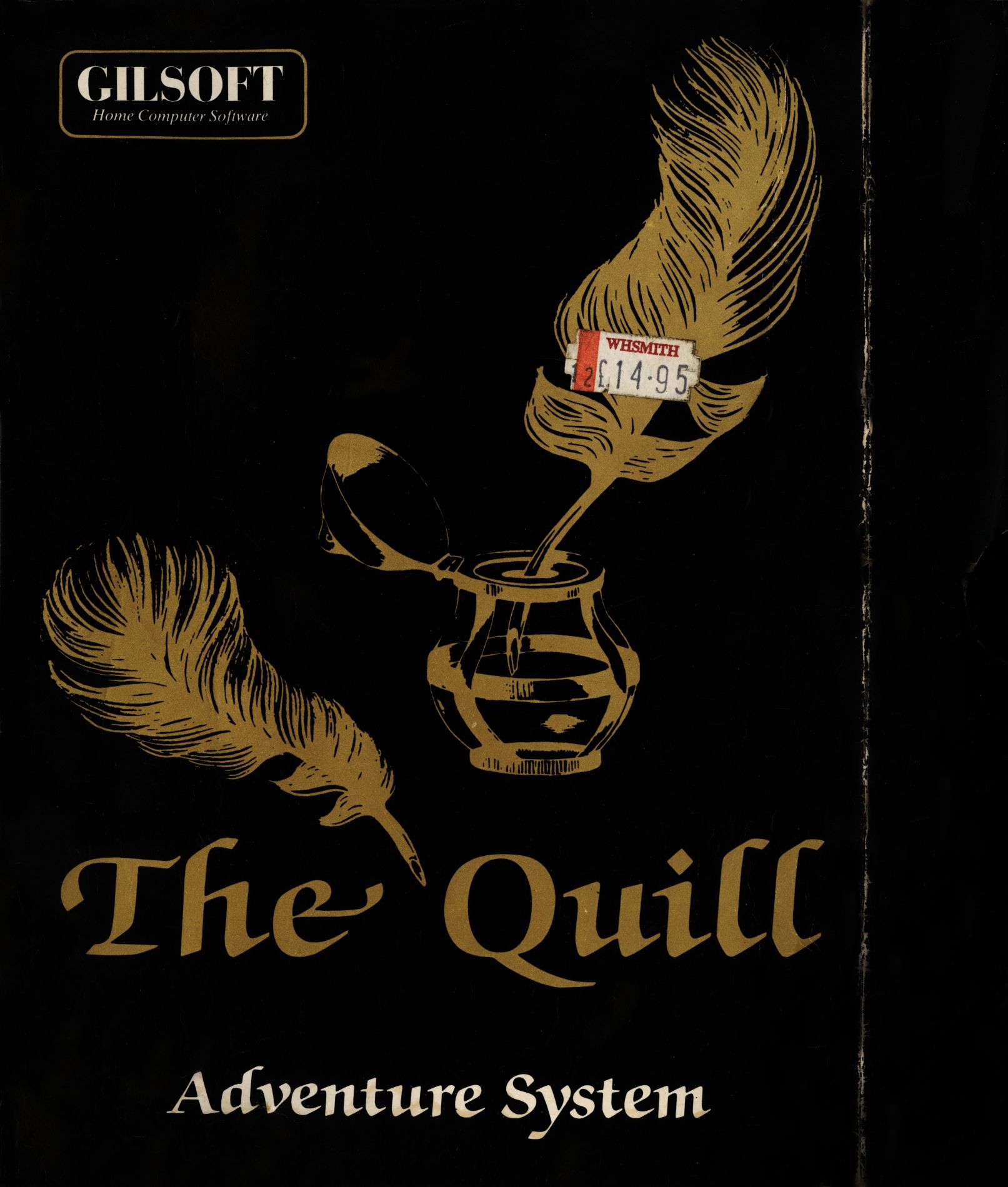
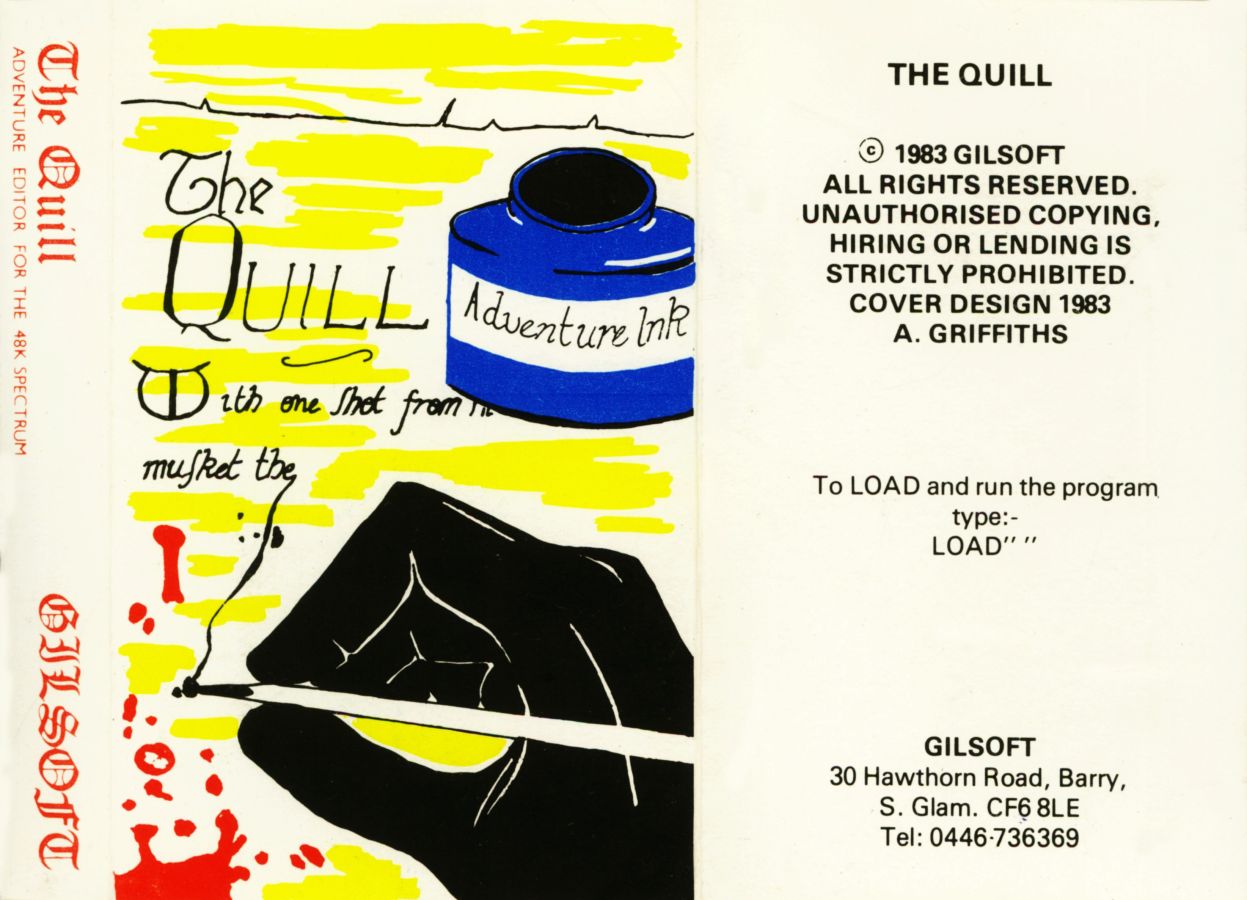
Discussion
Nobody has started a thread about this yet.
Remarks
SPOT: demo cassette available at £2
Releases
- 1983Gilsoft International Sold as The Quill, The Quill Adventure Writing SystemPound sterling 14.95
- 1983VentamaticSpanish peseta 2490.00
Play
- QuillAdventureSystemTheDemo.z80.zipSnapshot image English11 KB
- QuillAdventureSystemThe.tzx.zipTape image English7 KB
- QuillAdventureSystemTheA03.tzx.zipTape image English7 KB
- QuillAdventureSystemTheA06.tzx.zipTape image English7 KB
- QuillAdventureSystemTheA08.tzx.zipTape image English7 KB
- QuillAdventureSystemTheC02.tzx.zipTape image English8 KB
- QuillAdventureSystemTheC04.tzx.zipTape image English9 KB
- QuillAdventureSystemTheC05.tzx.zipTape image English10 KB
- QuillAdventureSystemTheA03.tap.zipTape image English9 KB
- QuillAdventureSystemTheA06.tap.zipTape image English7 KB
- QuillAdventureSystemTheC02.tap.zipTape image English8 KB
- QuillAdventureSystemTheC04.tap.zipTape image English10 KB
Documents
- QuillAdventureSystemThe.pdfInstructions English413 KB
- QuillAdventureSystemThe.txtInstructions English115 KB
- QuillAdventureSystemThe(EN).pdfInstructions English1,800 KB
Other files
- unquill.zipArchive file 52 KB
- Quill Adventure System, The (1983)(Gilsoft International).pokPOK pokes file 0 KB
Files and rights
Distribution permission is on record, granted to another archive rather than to this one. Screens and pictures are copied here; everything else links to the archive that holds it.
- AllowedGilsoft International → WorldOfSpectrum
- AllowedVentamatic → WorldOfSpectrum
Credits
- Graeme Yeandlecredited
Sign in to credit somebody, or say what these people did.
Scores
In the magazines
- Sinclair User #211983 · Gilbert Factor9/10
- Personal Computer News #531984 · Overall Value4/5
- Sinclair User #331984 · Gilbert Factor9/10
- Sinclair User #231984 · Gilbert Factor9/10
Elsewhere on the web
- WorldOfSpectrum 9 votes9.00
Awards and competitions
Crash Readers Awards 1984
- 1Best Utility Program
In the magazines 192
Micro Adventurer #17Mar 1985 · p.26
Tony Bridge
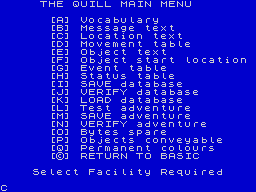
ADVENTURE GENERATORS MICRO: Spectrum 48K, CBM 64, Amstrad PRICE: £14.95 FORMAT: Cassette SUPPLIER: Gilsoft THE REST OF THE REVIEW IS EXACTLY THE SAME AS THE QUILL'S The most important program for us adventurers in 1984, was in my opinion, The Quill from Gilsoft. To be brief (for those of you who have been locked in The Goblin's Dungeon for too long), The Quill is an adventure-writing utility, released first for the Spectrum and later for the Commodore 64, enabling the user to write fully machine-coded adventures. The program thus created does not need The Quill at run-time. A veritable cottage-industry has grown up which churns out Quill'd adventures, and many are awful. Some, however, are rather good, and one or two achieve greatness. Until now, only Spectrum and Commodore owners have been able to savour the delights of The Quill, while owners of other micros have only been able to read articles and reviews of the many Quill' d adventures flooding the market. This is no longer the case, as readers of last months' News Desk will know. An American company, CodeWriter, has produced disc based versions of The Quill for the Atari, Apple and Commodore 64 under the American title Adventure Writer. The new versions are supplied on disc, although the originals were on cassette (Gilsoft supplied Commodore owners with an optional disc version). The box that Adventure Writer comes in is a huge affair, containing the disc and a 120-page manual. The only area in which the original Quill fell short was in its manual, which was rather difficult to get to grips with for the novice. Codewriter have completely rewritten it, with the aid of a trusty Macintosh, and come up with a very readable introduction to its program. There is even a welcome index, although this is not as complete as it could be (for example, inventory is not mentioned, but it is certainly in the manual). After booting up, a pretty title page of a fire-breathing Dragon precedes the initial Menu. This asks the user if he wants to carry on with Adventurewriter, or Load in the adventure included on the disc, Rescue. This is a pretty simple game, and won't win many prizes (you can only carry one object at a time, which is a bit limiting), but it's an excellent example of what can be achieved by using The Adventurewriter. But it's the other option of this menu that we're concerned with. Going into The Adventurewriter from the preamble Menu leads us to the Main Menu, which includes 17 options. (See Figure 1.) The basic building block from which an Adventure Writer database is created is the location. After carefully planning your adventure, the first option is selected - C on the Main Menu. This choice leads, as do many of the others, to a sub-menu, see Figure 2. Pressing '/' now presents a blank screen. Type the description of the first location, and this is placed in Location 0. The next description you type in will become Location 1 and so on. Should you wish to edit the description, this may be achieved by selecting 'A loc£'. But, now that the locations have all been placed in the database, how does the player get from one to the other? Setting the movements is done by selecting 'Movement Table' from the Main Menu, which brings us to another sub-menu, with the same format as that for Location Descriptions. From here we can first of all Print to the Screen a list of movement entries so far recorded. To start with, of course, all locations have null entries, set up as we were typing in the locations. Going back to the Movement Menu, we can ask to 'Alter an Entry', and then type in, for each and every location, the movements possible from that location, with the number of the target location in each direction. So we now have, in our adventure, several locations and the necessary means to get from one to another. To place objects in the various locations, we can select E and F from the Main Menu, the options which set up the object descriptions and their starting places in the adventure. After all this, we have a good framework upon which to build a detailed adventure. To make the whole thing more interesting, for example, synonyms of words may be declared. Thus N, No, Nor and Nort may all be recognised as North if so desired. Now we may also add certain status 'flags', so that, for example, the player will need the Golden Key before he can open the Secret Door. As additions and deletions are made, so location descriptions and object descriptions can be modified. There are, of course, many other facilities available to the budding adventure writer (such as a comprehensive SOUND effect creator), and the resulting game may be as simple or as complex as the writer's imagination will allow. Codewriter's version of The Quill is similar in most respects to the existing program, although the demonstration six-location adventure included with the disc (apart from the larger Rescue) is slightly different. In the 18 months or so since The Quill's release, we have seen some excellent work done with the aid of this superb utility. I hope that with this new version for the American machines, many more micro owners will give their imagination free reign. The price structure of the package is a little strange. One would expect US software to be a little higher in price than the UK equivalent, and that is so in this case. But Gilsoft are still marketing the CBM disk at £20, less the mandatory 5p (do people really still fall for that old gag?), while the Codewriter version is £25 - oh, all right, £24.95. The manual with the new version is very much more "friendly" than the original, so if you feel that this ease of use is worth £5 to you, the choice is clear. Back now to what Gilsoft have been up to. First off, an updated version of The Quill has just been released. One of the few failings of the utility was that adventures written with its aid all tended to look the same. Apart from the screen layout, which anyway with a bit of imagination and judicious character re-definition could be made to look different from the next Quill'd program, the system messages were unalterable. Thus, writers were stuck with phrases like 'I don't understand that. Try again using different words', 'You are carrying : nothing at all' as well as the dead giveaway 'Do you really want to quit now? OK. Bye have a nice day'. Now Gilsoft offer the C Series Quill, with a couple of new options from the Main Menu. One of these allows the user to alter the system messages to his taste. The other option (The Object Word Table) associates objects with words like GET, and WEAR, thus saving on memory. Several new actions have also been provided, some to take advantage of the Object Word Table, while others provide the long-missing DROP ALL (will Version D provide the equally long-awaited GET ALL?) and a facility which allows for remote positioning of objects. All this and more (plus a manual and a program to convert old Series A database to the new Series C) is available to Quill owners for just £2.99, together with the cassette inlay from your version. While I'm not adamantly set against graphic adventures - there are very many good ones - I do feel that good text is far, far better at evoking an atmosphere than the best picture. An exception to the saying 'A picture paints a thousand words'. However, it is an unfortunate fact that market forces dictate that text-only adventures will soon be struggling for existence. How much these 'market forces' owe their supposed strength to the strange ideas that the multiple chain-store buyers hold about games software consumers, I don't know. What I do know is that the overwhelming majority of letters I receive bemoan the inclusion of pointless 'pretty pictures' in adventures. I also get the same complaint from just about every software company, none of whom find the graphics make up in any way for the drastic loss of memory which could be put to better use. Ask any of them why they put graphics in their adventures, and the answer is always 'the shops won't take them otherwise'. Let's have your opinion on the subject! Until now, it has not been possible to include high-resolution graphics in Quill' d adventures. But Gilsoft's newest utility, The Illustrator, will change all this. Used in conjunction with The Quill the program produces detailed high-resolution graphics for use in your own adventures. The manual follows the usual Gilsoft format of lengthy description of each item on the Menu, followed by a summary of each section, and then a detailed look at the inner workings of the various parts of the program. After LOADing, the familiar white-onblue Quill Menu appears - this offers many of the options available from The Quill's Main Menu, such as 'Bytes Free'. Now, of course, most of the options are graphics-orientated. Gilsoft have included a demonstration database, being illustrations for the six-location adventure which will be well-known to Quill-owners from the original manual. One location, the Hall, has been left blank for the tyro Leonardo to practise on. Any micro-owner sufficiently interested in graphics to have used one of the packages like Melbourne House's Draw will be on familiar ground here, as The Illustrator is in most respects similar. Using the keys grouped around the letter 's' on the keyboard, a cursor (quaintly named the Rubber Cursor) may be moved around the screen, one pixel at a time for detail work, or very much faster, using CAPS SHIFT. Meanwhile, a cursor (the Base Cursor) remains at the original position. The second cursor's co-ordinates are continually displayed at screen-bottom, along with current status of colours and attributes. Many options are available - to draw a line between the Base Cursor and the Rubber Cursor, or a rectangle, or FILL a required figure. Detailed work can be carried out with the use of an overlaid grid of squares, which may be toggled on and off at will while drawing. Two unusual facilities are also available. The first is the SHADE command. The user requests a value of between 0 and 255, upon which the selected area is 'shaded' with a pattern. The second, more important, facility is the SUBROUTINE. Using this the artist may include in his location illustration a standard picture from a library. This library is built up by the user, and contains shapes or pictures to be used at more than one location, or several times in one location, thus bypassing the need to draw each one repeatedly. One example in the included demonstration file is the post of the four-poster bed. By positioning the cursor, and typing GOSUB X (where X is the number of the Subroutine), the picture is instantly drawn. The drawing commands for each illustration is held in a string (charmingly called, by Gilsoft, a 'drawstring'), which leads us to the very useful editing facility. Typing START returns a pointer to just before the point in the 'drawstring' where the information on the current illustration is kept. Now, typing N (for NEXT) moves this pointer along in the string to the first drawing action made. Now the user may delete this or alter it at will, or move along to the next command executed, or, indeed, back to the previous one. The illustrations created with The Illustrator may be as simple or as complex as the imagination will allow, but of course there is a cost to pay in terms of memory. Some 35K is available for the adventure writer, and this will allow between 10 and 15 fairly simple pictures to be included without the need for curtailing text (a simple picture may take about 150 bytes) but very detailed, freehand work gobbles up the memory, so a balance will have to be sought. In play, the pictures are drawn fairly quickly, though not instantaneously, and fill the whole screen. Annoyingly, they then sit there until the player presses a key, whereupon the picture scrolls up to reveal the time-honoured Quill description. When the location is revisited, the picture is not re-drawn unless R (Redescribe) is pressed. The Quill has shown us how such utilities may be used - either as a basic writing aid or as a springboard for the imagination. No doubt we will see many programs using The Illustrator to no great advantage - but one or two authors will surely see the opportunities of the package (think of illustrations being constructively used as a 'dynamic' inventory or Map).
Figure 1.
Figure 2.
Sinclair User #33Dec 1984 · p.1609/109/10
Gilbert Factor 9/10
Richard Price 9/10
BREATHING LIFE INTO FANTASY Richard Price examines aids for adventures After the last goblin has been offed or the top secret plans recovered from some rusty casket in the quicksands, do you sit back with a mild feeling of dissatisfaction and wonder whether you couldn't do just as well yourself? Even if you can barely manage to program a nested loop in Basic it does not mean you cannot translate your feverish imaginings into electronic reality by creating your own adventure. You could be surprised to find your own game design is at least as exciting as a lot of the average and uninspiring offerings now on the market. Don't kid yourself, though, that over a weekend you're going to churn out a program that will knock spots off the The Hobbit. Whether you write your programs or use tailor-made utilities, design and careful planning will require a great deal of time and paperwork before you even get started on the keyboard. Assuming you have a theme and a convincing setting the first priority will be a location map and its accompanying descriptions. Drawing the map is a time-consuming process and it is best to use graph paper, leaving plenty of space between each box for notes, messages and so on. Print 'n' Plotter make a handy Adventure Chart with pre-drawn location boxes which should help simplify the task. The size of a large sketch pad has been produced primarily for players, but should be just as useful for games design. Once a preliminary map is completed you will feel your fantasy world is taking shape. Adding descriptions will help put living flesh on those bare bones and, if the text is inventive, informative and atmospheric it will increase the game's playability enormously. Take a look at the superb Level 9 games to see how detailed text can add to the overall effect. A word of warning - if you are a complete novice don't attempt a giant scenario with hundreds of locations. It's easier to practise on adventures with few locations and simple plots. Remember, too, that the Spectrum memory is limited and may not be able to cope with your dramatisation of War and Peace or the two thousand page Chronicles of Ganglewoop you have written in your spare time. The next step is to work out all the likely interconnections between the locations, listing them meticulously. Objects and treasures - some obvious, some hidden - must be scattered around and you must decide what purpose they will have for the explorer of your world. It is probably that area of design which produces most difficulty as a game will stand or fall on the originality of its problems and puzzles. If they are too tough or obscure players are likely to give up in disgust. If they are too simple there will be little challenge or incentive to continue. If you realise that a deduction problem will be impossible without help then put cryptic clues in the descriptions or the Help data. Anyone who has played Mountains of Ket will remember the magic word 'Polo' which gets you past the wall in 'mint condition'. Touches like that increase a program's attraction. Once again, you must keep track of all puzzles and the objects or conditions needed to solve them. Next you face the task of developing the game vocabulary. It is essential to provide a variety of synonyms wherever possible. That increases versatility and should mean that players will not constantly see 'I can't do that' or similar reports on screen. It is occasionally useful to include an action which can be achieved only by a particular word combination but there is nothing more aggravating to the adventurer than searching through the entire Oxford English Dictionary for some obscure synonym. Having created that large interlocking network of places, characters, objects and actions the major problem of getting your creation into the computer then pokes you in the eye. Don't panic. The market is well provided with books and programming utilities to help you. If you have little programming experience it is essential that you do some preparatory reading and practise. Many routines used in adventure are standard and, once learned, can be re-used time and again with new data. Not all books on adventure programming are as useful as they may claim on the back cover. One of the simplest and clearest is Write Your Own Adventure Programs from Osbourne. Jenny Tyler and Les Howarth have made no assumptions about their readership and write in an uncomplicated style, taking you step by step through the entire process. The book is not Spectrum-specific but includes a section showing all the necessary conversions into Sinclair Basic. ZX-81 owners will find that they also have not been forgotten. Like most other books it takes a model adventure as its base and uses pleasantly daft illustrations to demonstrate the various processes. At £1.99 the paperback is extremely good value and contains as much information as many of the more expensive tomes on the shelves. However, because it is not machine-specific it does not run a section on graphics - as if they mattered anyway. Spectrum Adventures - Sunshine Books, £5.95 - by Tony Bridge and Roy Carnell is more sophisticated, more expensive. Like many of the large books it includes a history of the computer adventure whilst the main body of the book concentrates on the creation of a graphic adventure. It is not to be recommended for beginners but if you want hints on the use of graphics it may prove useful. It contains information on combat sequences, in true Carnell D & D style, and has the full listing of a 48K game. Adventures do not always stick to the preset location style. Robert Speel's paperback New Adventure Systems for the Spectrum - Fontana, £3.95 - gives listings and advice on a number of formats. Speel makes things easier by slicing up the programs into sections, each of which can be added to a foundation program. He tends to gloss over how the routines work and the use of Sinclair printer listings makes reading a bit daunting. One of the best and most user-friendly guides is Peter Gerrard's Exploring Adventures on the Spectrum 48K - Duckworth, £6.95. The three sample programs are pure text games and the author discusses data handling concepts with clarity and some sympathy for those who wriggle in panic when phrases like 'numeric arrays' are bandied about. As a general guide, beware of books which contain vast listings and precious little else. Those programs take time to type in and will not necessarily teach you much about the structures they use. Always go for books which provide adequate explanations. If you are not prepared to devote the time required for developing programming skills you will have to obtain a commercial adventure-writing program. The Quill is now justly famous and can produce machine-coded games of high quality and fast response. At £14.95 cheap it isn't but it offers the embryonic games designer a means of creating complex scenarios quickly and slickly without any programming knowledge at all. The program is menu driven and includes a comprehensive instruction booklet, and though the style is sometimes difficult it is worth persisting until you understand it. Although a simple graphic set is included in the package The Quill is not intended for games needing complex graphics. You will find that there is room for about 30K of data, enough for lots of locations and fine detail. With imagination you will be able to make commercially viable adventures as others have done already - look at the software ads and you will see. Dungeon Builder from Dream appears slightly more user-friendly than The Quill. It features a graphics capability using a sketch pad style to draw screens. The functions are manipulated by menus and the location map is shone on screen using a system of interconnecting cells. Regrettably, its available memory is quite limited - around 10K - and that is a disadvantage in creating large adventures. The Dungeon Master - Crystal Computing - is a different kettle of fish. This game program allows you to create a monster-bashing scenario set in an underground labyrinth. All the hazards, treasures and options are predefined and give little scope for exercising your own imagination. You will not be able to use it to make standard text adventures but you should find it entertaining if you enjoy a bit of hacking and smashing. It is often said that computer gaming is an essentially passive occupation, stunting the imagination and critical faculties. Anyone who has played adventure will know that to be an unjustified and sweeping generalisation. If you decide to go further and create your own adventures you will certainly extend your imaginative range and logical skills. You might even trawl a little brass on the way.
Big K #9Dec 1984 · p.69
Fin Fahey
THE EXTENDED SPECTRUM Fin Fahey checks out a smattering of utility programs for Old Rubber Keys. System Software, as we old computer industry hacks call programming tools, is hardly destined to set the world alight. It smacks of hard work and late night sessions over a hot keyboard and seems light years away from the glamour and fun of, say, a new Melbourne House adventure release. But for people interested in stretching their minds, and their machines, some of these trusty workhorses may well turn out to have hearts of gold. But why go beyond the facilities offered by Sinclair BASIC? (One may well ask.) Quite simply, no machine, and particularly no BASIC interpreter, fills all the needs of the budding programmer, and for a lot of requirements like arcade games, just hasn't got the speed. There area fair number of - packages which just add a few useful commands to BASIC extensions r programmer's toolkits, these generally give you the sort of goodies you've always needed to develop your BASIC programs. There's no line Renumber command on the Spectrum, and for this you'll have to buy a toolkit. The same goes for many other 'system' commands. Trace, to give you a continuous listing of program lines being executed, Map, to tell you which variables have been specified, and Block Delete, so you can get rid of more than one line at a time, to name but a few. Super Toolkit, from Nectarine, has all of these plus such things as a Crunch command, to get all those useless spaces and REMs out of your program before running. It clocks up a total of 12 commands, as does Toolkit from IMS Software, which includes an Auto line-numbering routine. Slightly fewer facilities on CP Software's Spectrum Extended BASIC, only 10 commands in this case, and the only one unique to this package is Find, which will look fora specific string text in your program. CP, however also do Supercode, a machine code toolkit, incorporating a hundred off-the-shelf machine code routines. These include an impressive range of scrolling effects, high-resolution diagonal scroll, low-resolution shutter and ripple scrolls and many others. There are four sound effects generators too, but the truly impressive thing is that you can include CP's code in your own BASIC and machine code programs, an amazing bit of altruism. Each routine has full in-program documentation and a demo mode shows you what they can do. It's got to be good value. From off-the-shell machine code to creating your own. If you've decided that BASIC's too slow for your program design, then you'll probably want to write machine code. Some people seem quite happy programming this byte by byte as BASIC POKEs, but for really effective development you'll need an assembler. Assemblers allow you to put Z80 code in assembly language, a much more understandable form, even though it's a lot more obscure looking than BASIC. A good assembler will allow you to specify addresses and constants as meaningful labels which makes the code a lot easier to follow. In such a symbolic assembler, the JP instruction (equivalent of BASIC GOTO) could be rendered JP LOOP instead of giving an actual address, say JP $4000. But before actually using one of these things, you may need to learn what it's all about. To help you, there are a number of tutorial programs, and some of these actually allow you to set up and test code. Sinclair's Beyond BASIC offers a tutorial on the internal structure of the Z80 plus lessons on each assembler instruction. These are illustrated with simple moving graphics. There is an experimenter section where you can watch the effects of your own code on memory and registers. Sadly, this one doesn't cover the entire instruction set. More complete is New Generation's Machine Code Tutor. This comes on two cassettes and covers everything. Once again, you can write your own code and 'run' it on a diagrammatic simulator. Although this is rather harder work than Sinclair's, I think it gives a closer feeling to using an actual assembler. Dream Software also have a simulator. This has much nicer printed documentation than the other two, but unfortunately it describes an imaginary chip which resembles the Z80 in many respects. I think that this may be unnecessarily confusing, but as long as its borne in mind, the transition to the real chip shouldn't be too hard. So now you can get down to some real coding... Sinclair themselves market the Zeus Assembler, which allows full symbolic instructions. Lines of code are entered much as in BASIC, and editing is similar, so this should be an easy one for beginners to move to. Picturesque's Editor/Assembler, on the other hand, has a rather better editor than the Spectrum, but the key response seemed a bit slow to me. This latter program is very tolerant about the format in which you enter code. Very different from these two is Oasis Software's Spectre Macro-assembler, and I certainly wouldn't recommend this one for beginners. It's a very professional product, but using it is more like learning a new computer language than anything else. It doesn't use Z80 instructions directly; they have to be set up as procedure definitions much as in high-level languages like Forth or Pascal. This makes it very powerful, since it's just like building your own interpreter. But, as I say, not for newcomers. An indispensable tool when developing machine code is some sort of Monitor. A Monitor provides easy ways of getting at memory, moving it, changing it, searching it for particular values, that sort of thing. You can also usually get dumps of Z80 register values and step through a machine code program. The Zeus assembler has a reasonable monitor with it, but Sinclair do a more extensive version as a separate product. This also allows you to Disassemble code, which means to translate machine code back to assembly format. Useful for looking at the ROM, but maybe you'd be better off buying one of the 'Spectrum ROM disassembled' type books which also give explanatory notes. Picturesque's Editor/Assembler has no attached monitor and you have to buy theirs separately, although both programs can be loaded at the same time. Agai, there's a disassembler. Assembly language isn't the only way of getting fast code. Scope II, from ISP, is a simple language aimed at producing fast machine-code animation. The makers call it a medium-level language, as it's mid-way between BASIC and assembler. I feel it's rather closer to machine code, but it's certainly a lot easier to use. Once you've written code in SCOPE II, it is boiled down by the program to machine code routines, which can be run without Scope being present, so you develop commercial products, or give copies of your games to your friends without fear of committing piracy. This process of boiling down machine code is known as compilation, and it's possible to do it to BASIC. The only BASIC compiler we had available to look at was Softek's. This is certainly fast. From running a few simple loops, it looks roughly about 150-200 times faster than interpreted BASIC. It does have some serious drawbacks, though. For one, there a quite a few BASIC functions it can't translate, floating-point arithmetic and arrays among them. More seriously, compiled programs will not run without Softek's run-time routines being present. Unfortunately, the company is being quite prickly about this, and are claiming that if you develop your program and compile it with their program. then they've suddenly acquired a share in it, Whatever the legal position, this seems a little dubious to me, and it's certainly a discouragement to using Softek's product for commercial development. The final approach to fast code is to use Forth. This high-level language is closer to machine code than BASIC, and for most purposes runs up to ten times faster. Not spectacular maybe, but it can make a difference. The speed saving is nice, but it's not really the central point about Forth. The language takes a fundamentally different approach to BASIC, and one which provides a much sounder design discipline. It would certainly be easier to write good machine code after a grounding in it. Forth is known as a 'procedure-oriented' language. That means there's no more complaining about there not being a command in BASIC to do something. If it's not there in Forth, then you just write your own command, which is compiled into the language vocabulary. Although you can theoretically do this in BASIC by using subroutines, compiled procedures are much faster and easier to use. Forth is easier to structure too. There are at least four versions of Forth available on the Spectrum. It's hard to decide between them, but Melbourne House's Abersoft Forth is the only one recognised by the independent Forth interest Group. Sinclair also do a Forth which to my relatively untutored mind seemed much the same, both in terms of speed and usability. Both versions have minimal printed documentation, since they rely on the user going out and acquiring a Forth manual. The sad thing about Forth is that. unless you're a fan of the ill-fated Jupiter Ace, you can't market any of your programs since they won't run without someone else's product. While on the subject of languages, Logo has been stirring up interest as a teaching language, particularly for younger children. Unfortunately, the version I looked at, Snail Logo by CP Software, really merited its name. Logo is high-resolution graphics oriented, and the user commands a 'turtle', or in this case a snail, to draw shapes on the screen. The CP interpreter turned out to be written in BASIC, so every command is interpreted twice. Slow? I can't imagine anyone, adult, or child, having the patience to work through the manual, let alone use it. Something of a weirdie, but one I find particularly fascinating, is Micro -Prolog, from Sinclair. Prolog represents yet another direction in new languages, and is particularly suited for Artificial Intelligence and linguistic purposes. Its very odd to use after command oriented type languages like BASIC, or even Forth, because a program in Prolog (it stands for PROgramming in LOGic) is mostly a way of organising data, not of setting up a fl ow of commands. Now I've got the point, I want to know more about this one. Sinclair Micro-Prolog's documentation isn't bad either. Dr Ming back to the problem of generating programs, if you're an adventure game writer, you haven't really got one, The Quill, from Gilsoft, and Dream's Dungeon Builder can both be used to generate adventures of any complexity. We've reviewed them before, and they're both good value. Dungeon Builder has the edge in user-friendliness, and can be used to add graphics to adventures, while Quill has a more mechanistic approach. Both Gilsoft and Dream are perfectly happy for people to market games produced with their packages. Right on! On which cheery note I'll roll the credits and fade to black, but not before noting that this is far from being a complete survey, so if you've discovered an utterly wonderful, or unspeakably awful bit of useful/useless software in this field let us know. BASIC EXTENSIONS: SUPER TOOLKIT from NECTARINE TOOLKIT from IMS Software SPECTRUM EXTENDED BASIC from CP Software Price: £9.95 SUPERCODE from CP Software Price: £9.95 MACHINE CODE TUTORIALS: BEYOND BASIC from Sinclair Price: £9.95 THE COMPLETE MACHINE. CODE TUTOR from New Generation Software Price: £7.95 MACHINE-CODE FOR BEGINNERS from Dream Software Price. £0.00 ASSEMBLERS: ZEUS ASSEMBLER from Sinclair Price: £12.95 EDITOR/ASSEMBLER from Picturesque Price: £8.50 SPECTRE MAC-MON from Oasis Software Price: £14.95 MONITORS: MONITOR/DISASSEMBLER from Sinclair Price: £12.95 SPECTRUM MONITOR from Picturesque Price: £7.50 COMPILER from Softek Price: £9.95 LANGUAGES: SCOPE II from ISP Price: £11.95 FORTH from Sinclair Price: £14.95 ABERSOFT FORTH from Melbourne House Price. £14.95 SNAIL LOGO from CP Software Price: £9.95 MICRO-PROLOG from Sinclair Price: £24.95 ADVENTURE GENERATORS: THE QUILL from Gilsoft Price: £11.95 DUNGEON BUILDER from Dream Software Price: £9.95
Crash #6Jul 1984 · p.86
Vic Groves
In order to be able to write a good text adventure for the Spectrum, you need three vital factors: (a) an original idea; (b) a good deal of time; and (c) the ability to program your computer in order to write your adventure. The first of these factors - inspiration - can come to you at any time: sleep, on the bus, at the launderette, or indeed, all three at once, asleep on the bus going to the launderette! The (b) factor - time - can, believe it or not, usually be found, especially when you have come up with what seems to be a good factor (a). The real problem arises with factor (c). Let's be honest about this: When you first bought your Spectrum you were full of good intentions. It wasn't just going to be a games machines, was it? You were going to learn all about Basic and then all there was to know about Machine Code. It wouldn't be too long before you were programming along with the best of 'em. It didn't quite work out that way for most of us though, did it? The Sinclair book got a bit heavy going, Space Raiders was only a fiver and you couldn't ever find quite enough time to really get to grips with 'strings' without tying yourself up in knots. If you have ever had your dreams of writing adventures cast away on such a tide of lethargy, prepare to have your creative buds re-awakened by The Quill, from Gilsoft. What they have done is to virtually take off your hands the programming part of adventure writing, and design a framework, into which, following prompts on the screen and instructions in the manual, you put your own ideas and create your own masterpiece. Now comes the time to put my cards on the table. I am not a computing genius and know precious little about programming in Basic and even less about Machine Code. Given this background, the book and software which go to make up The Quill has to be fairly straight forward for me to be able to follow it. It must have been so, because follow it I did, even if it was not as easy as falling off a log or, in adventuring terms, as easy as being decapitated by a Troll. Understanding took a bit of effort, a couple of sitting and a good few cups of coffee. In a perverse kind of way it is here that you can be pleased the program costs £14.95. At that kind of price you feel obliged to 'carry on', whereas a £5.95 price tag may make the temptation to give up and return to another onslaught of Galaxians too great. The manual takes you through a mini-adventure, explaining as you go how to set up various aspects of the adventure. When you understand the various concepts you are in a position to design your own adventures on the same lines, The Quill being more than flexible enough to make each different adventure an original piece of work. Amongst the options open to you are the describing of each location, a dictionary of each word the game understands, a method of counting so that events can occur after a given number of turns, a movement table so that the designer can control where each command will send your player, and a random chance element, handy in battles and similar situations. The basic concepts are well explained, despite a small mistake on page 22 of the manual, but the fact that even I could rectify the error at least proved that the concept was well explained! My only other niggle was that I could not find out how to control the 'Flash' command. However, having said that, I must give full marks to Gilsoft for explaining it to me upon request. Sound can be incorporated into the adventure by the usual Beep commands, as can graphics, but I have to be honest and say that at this stage I am not sufficiently familiar with the program as to include my own User Defined Graphics. However, they can be used, so watch out Picasso! On my first attempt at adventure writing with The Quill I was able to design a 75-location game. No mean feat for someone who even had trouble with for-next loops using Basic! Should you design a game you would like friends to be driven mad with, it can be Saved and Run without The Quill, thus enabling you to pass it around, and should you believe your game is marketable, all Gilsoft ask for is a mention, so you can drive the whole country insane and still collect all the royalties. There is lithe doubt that the £14.95 price tag is off-putting at first glance, but there is equally no doubt that with a little effort and patience The Quill will be the best investment you made since buying the Sinclair Hand-Warmer itself.
Personal Computer Games #8Jul 1984 · p.91
Steve Cooke
DO-IT-YOURSELF WIZARDRY Fed up with rip-off games? Has life in other universes lost its sparkle? The answer's simple - write your own adventures and refresh the parts of your imagination other games cannot reach. Up till now you couldn't do this without a good knowledge of programming - preferably in machine code - and a few months to spare into the bargain. Now you can turn out a competent machine code adventure (even one with graphics) in less than a day - without having to poke a single byte. Programs that enable you to do this are called 'adventure generators' and there are now two of these on the market. At the moment you'll need either a Spectrum or Commodore 64 to run them, but versions are being considered for other machines. Gilsoft's Quill is probably the best known. It costs £14.95 on either the Spectrum or Commodore 64 (£19.95 on disk for the 64) with BBC, Atari, and (possibly) Oric versions available later this year. It comes with an excellent 40-page manual and although it's text-only has a number of useful features. The first is that it leaves you with 30,553 bytes of spare memory (Spectrum version). This means you can produce a very decent-sized adventure on it without running out of space. Other useful options include easy control of colour when printing your text on screen, and the option to list your adventure on a printer if required. Having designed your game, you then work your way through the locations in order, typing in the description for each one, adding objects, traps. monsters etc, as you go along. One very useful feature is a set of 'status flags' which allows you to test for certain conditions and alter the game accordingly. For example, you may decide to include a snake in your game which bites the player. However, you don't want him/her killed straight away, and decide that the adventurer should be given five moves to find an antidote. Using the 'status flags' you can test for the number of moves made and act accordingly. The Quill is a very professional product that will enable you to produce first-class text-adventures, Gilsoft will even help you put them on the market if they're good enough, and you'll find a game written using The Quill reviewed elsewhere on these pages. Dream's Dungeon Builder works in a rather different way to Gilsoft program. Instead of typing in your location descriptions one by one, the screen displays a huge grid of octagonal shapes, each one representing a location. Using a keyboard you manoeuvre a cursor from one octagon to the next, and follow the different instructions presented to either enter text, remove walls (to create doors and passages), or edit locations. The main advantages of this are first that you have a useful visual representation of your adventure 'map', and secondly that you don't have to enter the locations in any particular order. This does mean, however, that you have to be very disciplined in the way you make your entries, otherwise you can lose track of which rooms you put where. The disadvantages of Dream's program compared to The Quill are the lack of available memory space on the Spectrum (only 10,000 bytes) and the slightly confusing manual which needs to be worked through very carefully to get the best from the program. The memory won't be such a problem for 64 owners, however. What's more, there's a microdrive version coming out for the Spectrum that will enable you to get round the lack of space by saving different sections of your game onto tape. However it's the graphics that are the biggest attraction of Dream's program. You can include a picture for any location if you wish, and since each line you draw takes up only 3 bytes of memory you can fit in a surprising amount. There's a special drawing aid included in the program, that allows you to draw line and 'fill' different areas with colour. Even if you're not interested in drawing pictures, this is an important facility that will enable you to include maps, diagrams, and other visual elements in your game. Once I'd mastered the manual, I found Dungeon Builder a joy to use. It doesn't have as many features as The Quill - no 'status flags', for example - but if you're clever you can use the facility for 'conditional commands' to get round this. At £9.95 it's considerably cheaper than its main rival, and the added attraction of graphics makes it a very tempting package, especially if you can get hold of a Commodore 64 or microdrive version. If you want to market your games, Dream won't charge you any royalties providing you credit them on the packaging and in the program. Gilsoft's Quill offers the Spectrum owner more space and more facilities, but no graphics. Dungeon Builder has graphics and is £5.00 cheaper. Both of these programs are excellent products and offer exciting possibilities to the imaginative adventurer.
Your Spectrum #5Jul 1984 · p.58
Thomas Green
THRILLS FROM THE QUILL After all those hours spent playing other people's adventures, the time has come to create some of your own. Thomas Green takes a look at the do-it-yourself package from Gilsoft. Although the scenarios of adventure games differ widely, their worlds always comprise a series of locations and a number of objects, some of which have to be found by the player and assembled in a specified location. Hidden workings present various puzzles; in one classic adventure (said to be the granddaddy of them all) you have to catch a bird to get past the serpent, but you can't catch the bird if you're holding the black rod. Far more elaborate situations can and have been devised - the art, in fact, is to set puzzles of the right difficulty - but most of them depend on discovering combinations of objects, on carrying out appropriate actions in certain locations, or on performing specified actions within a limited number of turns. The player controls the game by typing commands: 'GO EAST", 'GET ROD' or 'CATCH BIRD'. The computer usually replies along the lines of 'OK' or 'I CAN'T'; particular situations may evoke longer, more descriptive messages - 'THE BIRD FLUTTERS AWAY FROM YOU AND SITS SINGING JUST OUT OF REACH'. As each new location is entered, the computer describes it and lists any objects (coins and jewels, for example) that may be visible. These objects can be picked up or dropped, sometimes worn, and so on. WHAT'S ON THE MENU Big adventures contain many hundreds of rooms and dozens of messages. They cannot be written ad hoc; you need a systematic approach and a database that records, for instance, which objects are where, etc. The Quill supplies just that. There's a convenient menu-driven database Editor, which allows you to create or amend the locations, the objects, the messages, and the events taking place in response to the player's commands. When the database is ready to be tested, the interpreter runs the adventure, keeping track of the player's commands. Finally, when the adventure is complete it can be saved as a stand-alone program, with facilities for saving and restoring games and keeping the score. Entities in The Quill's database are linked by numbers. For instance, each message has a number, 'THE BIRD FLUTTERS AWAY FROM YOU' might be message 3. The bird itself might be object 13, and the black rod might be object 20. At the heart of the system, the Event Table will describe how to interpret the command 'CATCH BIRD'. It will do so using tests, such as PRESENT 13 ('Is object 13, the bird, present?') or NOTCARR 20 ('Is object 20 not being carried?), and actions such as MESSAGE 3 ('Print message number 3'). These are all combined in an 'Adventure' language like this: CATCH BIRD conditions: PRESENT 13 NOTCARR 20 actions: GET 13 OK CATCH BIRD conditions: PRESENT 13 CARRIED 20 actions: MESSAGE 3 DONE The interpreter responds to the player's command 'CATCH BIRD* by scanning the Event Table and checking the conditions for each possible interpretation of the words. As soon as it finds a possibility in which all conditions are met, the specified actions are performed. The Event Table is supplemented by a Movement Table, which handles unconditional movements or single-word actions, such as North or its synonym 'N', and a Status Table which checks the current state after each turn, and will perform any actions whose conditions are met. Numbered flags can record past events, such as having eaten an apple; all the more interesting and unexpected parts of an adventure are likely to make heavy use of flags. There are particular flags which record the number of moves taken, whether the light is on for example, and there are a number of flags which are automatically decremented on each turn. These might be useful, say, if the player triggers the fuse on a bomb and is allowed five turns to reach safety. The systematic approach is clearly far better than any ad hoc efforts are likely to be. Moreover, the Editor makes it simple to change the text describing a location, the movements from a location, the Status and Event Tables, and soon. Hard copy on the Spectrum printer is easily produced. Although essentially designed for text adventures. The Quill permits user-defined graphics and provides changes of INK and PAPER colours, bleeps, and pauses. The code is very speedy, with no waiting for even the longest room descriptions. "Well over 200 locations" are allowed, and small adventures will run in the 16K Spectrum (although The Quill itself needs 48K). Some of the messages from the interpreter seemed a little ponderous and, in most instances, I would have preferred the laconic 'What now?' to the boring 'I am ready for your instructions'. The messages use 'I' by default; a special file switches to 'you', but not consistently. A pity the user can't tailor them. THE QUALITIES OF QUILL In its own terms. The Quill is without doubt exceedingly usable, with its speedy editing and testing of adventures and unusually clear documentation. While testing adventures, a diagnostic table can be displayed to show the current location and the value of each of the flags, thus you can work out why something didn't do what you expected - a facility that makes debugging a much easier task. One small quibble though: all built-in scoring is in percentage terms, which means if you add a bit more to the adventure you have to adjust the existing scores. Working with The Quill certainly helps warm imagination's wings, and there's an impressively wide variety of worlds to accompany the adventure's in Gilsoft's pipeline. But, despite my admiration for the system as it stands, it tends to encourage rather 'noddy' results - mainly because the interpreter fails to allow actions that would surely have been quite easy to include. It would have been nice, for instance, to perform an action if A is true OR if B is true; move an object from one location to another; set a flag; print the value of a flag (for example, 'YOU HAVE ONLY x TURNS LEFT BEFORE THE EXPLOSION'); change the description of a room after an event; and be able to GET any object present, without further specification (this would allow me to construct a version using single key pushes only, for younger children who can read but not yet type - if Atic Atac can do it, so can The Quill). Although a number of these requirements cannot be met at all, some, like the OR, can quite easily be but with a clumsy and inscrutable result. Others, such as moving an object, or changing the description of a room, demand a degree of ingenuity; making an animal follow you seemed at first impossible until the mysteries were explained to me. (Hint: you have to make it both a message and an object.) Ingenuity is fun, but slow to create and sometimes tricky to debug. These features would allow more sophisticated worlds and more interesting relationships. As it stands, The Quill makes it easier to hide a torch in one arbitrary place and a battery in another than to create a world with a lunatic logic; easier just to make the player die and be forced to start again than to create bizarre but comprehensible events. Two Quill-written adventures came with the test package - Magic Castle and Diamond Trail - and both fell into that 'Snakes and Ladders' trap. By keeping the interpreter language simple, however, the authors have made sure that it's highly compact and very easy to learn. It's just a question of balance. Another problem is that despite the excellent Editor and the diagnostics for testing adventures, the structure of the database is not far removed from that of machine code, because of all those inflexible numbers linking things together. You can't use the command MESSAGE "HARD LUCK"; you have to store 'HARD LUCK' in the Message Table, note the message number x, and use the command MESSAGE x. Similarly, the separation between unconditional movements and conditional - handled respectively by the Movement Table and the Status Table - obscures the structure of the adventure, making it more difficult to develop interesting and unforeseen happenings - and easier to introduce inconsistencies. The problem is particularly acute with flags. Flags have numbers, not names, and their relationships are distributed through perhaps a substantial number of entries in the Event and Status Tables; these are very difficult to grasp in their entirety. The result is that new inspirations are very hard to work in while creating an adventure, and modifying an existing one is more difficult still. In short. The Quill is 'first-generation'. It's a great improvement over run-of-the-mill adventure programs, but we can expect the next generation to offer increased levels of comprehensibility and modifiability. One can anticipate symbolic names for flags, a structure that allows 'events dealing with the bird and the rod' to be treated as a unit, and being able to edit the interpreter messages. And there'll be adventures for foreign-language speakers, adventures for younger children, educational adventures for teaching foreign languages, and adventures describing how to use computer packages. Compared to the general level of software documentation, the instructions and information that accompany The Quill are undoubtedly excellent. A 52-page A 5 booklet describes the design of a small but well-chosen adventure that exhibits most of The QuilFs features and explains them clearly enough for anyone to understand; it then goes on to give a detailed account of every part of the system. Grammar, punctuation, spelling and proofreading are very accurate (something it would be nice to take for granted, which is hardly the case with many manuals). It would have been helpful had the author given novice adventurers a little more guidance in some of the recognised tricks of the trade - how to set up a maze, or how to make an animal follow the player from place to place. Gilsoft says it is considering producing a book on the craft of adventure-writing; let's hope so... It might make good reading. ALL IN ALL Setting up an adventure demands resources rather like those needed for writing programs - plus the added ingredients of creativity and wit. It also takes a long time, but if you want to give it a try then The Quill at £14.95 is a robust, well-documented and very usable system. But beware... If you thought playing adventures was addictive, just try writing them!
A BIRD IN THE HAND This example is a rather short adventure game based on the Bird/Rod saga in classic adventures. The game has only two rooms and two objects but serves to show the way adventures are built up. All the basic information is stored in a set of tables - messages, location descriptions, possible movements and so on. The Vocabulary table lists all the words the game understands - most of these are predefined by Quill. Finally, the actual 'program' is the Event Table which, using the other tables, dictates how the game responds to the player's commands. VOCABULARY TABLE 1 N 1 NORT 2 S 2 SOUTH 3 E 3 EAST 4 W 4 WEST 5 NE 6 NW 7 SE 8 SW 9 U 9 UP 9 CLIM 9 ASCE 10 D 10 DOWN 10 DESC 11 BIRD 12 ROD 14 LOOK 100 GET 100 TAKE 101 DROP 102 REMO 103 WEAR 104 I 104 INVE 105 R 105 REDE 106 QUIT 106 STOP 107 SAVE 108 LOAD MESAGE TABLE MESSAGE 0 The bird flutters away and sits singing out of reach. MESSAGE 1 You've played this before haven't you? MESSAGE 2 <<< CLANG !!! >>> MESSAGE 3 God, that's heavy LOCATION TABLE Location 0 You are in a vast hall. A tiny tunnel leads east. Location 1 You are in a tall thin cave. The only way out is west. Location 0 E TO 1 Location 1 W TO 0 Object 0 A Black Rod Object 1 A Cheerful little bird EVENT TABLE LOOK _ Conds Acts DESC GET BIRD Conds NOTCARR 0 Acts GET 1 MESSAGE 1 OK GET BIRD Conds CARRIED 0 Acts MESSAGE 1 OK GET ROD Conds Acts MESSAGE 3 GET 0 OK GET I Conds Acts INVEN DROP ROD Conds Acts MESSAGE 2 DROP 0 I Conds Acts INVEN D Conds Acts INVEN QUIT Conds Acts QUIT TURNS END SAVE _ Conds Acts SAVE LOAD _ Conds Acts LOAD OBJECT START LOCATION TABLE Object 0 at location 0 Object 1 at location 1 "You are in a vast hall. A tiny tunnel leads east. I can also see:- A Black Rod" Description of your location are taken from the Location Table. You start in a vast hall, Location 0. The rod is Object 0 (Location Table) and starts off in Location 0 (defined by the Object Start Location Table). "Tell me what to do. >GET ROD God, that's heavy OK." GET ROD is looked up in the Event Table. There are no restrictions on picking up the Rod although Quill will automatically object if it's not present. The response is Message 3 from the Message Table. "Tell me what to do. >E" E uses the Movement Table to move to Location 1. "You are in a tall think cave. The only way out is west I can also see:- A cheerful little bird I'm ready for your instructions. >GET BIRD The bird flutters away and sits singing out of reach." First attempts to pick up the bird are rejected. The Event Table entry for GET BIRD specifies that if Object 0 (the Rod) is being carried then the response should only be Message 0. "Tell me what to do. >DROP ROD <<< CLANG !!! >>>" Only when the Rod is not being carried (NOTCARR 0) will "GET BIRD" let you pick up the bird. "I await your command. >GET BIRD You've played this before haven't you? OK." INVEN lists the objects you are carrying. Notice that the Vocabulary Table takes only the first four letters of words so INVE, INVEN, INVENTORY would all work. Also, INVEN is a synonym for I (they both have the number 104) and it's actually the entry "I -" in the Event Table that causes Quill to execute the INVEN command.
Sinclair Programs #20Jun 1984 · p.30
June Mortimer
TAKING THE EASY ROUTE TO BETTER PROGRAMS Games Designer, Hurg and The Quill allow beginners to produce machine-code games. We look at these three programs in detail. Programming a Spectrum with an original game is not difficult. Simple games can be written within hours of first using a computer, with the knowledge gained from reading the first chapters of the manual. When those games are compared, as they are bound to be, to professional software, they are found to be sadly lacking. The graphics are unsophisticated, the sound is unexciting, and the speed is slow. As original home-made creations they have their charm but many programmers find themselves wishing they knew an easy route to machine code and good programming. It is for everyone who ever wished they knew such an easy route that three programs have been put on the market. The Quill by Gilsoft, Games Designer from Software Studios and Hurg from Melbourne House are all easy routes to professional-style games programming. Games Designer is complete with eight pre-recorded games which have been written using the designer program. While playing the games, common themes become apparent. Each consists of one creature/object, defending itself by destroying attacking waves of other objects/creatures. Each creature is a sprite graphic; that is a graphic which is much bigger than a user-defined graphic and which moves smoothly across the screen as a whole. The movement is smooth and fast and the sound is not a series of beeps, as in a Basic program, but a variety of rising and falling machine-coded noises. MENU-DRIVEN Games Designer is menu-driven and arrives with a short instruction booklet. The main menu allows the user to load, save or play a game, to change the game being played, to alter the sprites, their configuration, their movement and the attack waves. Once one of those options has been chosen, a secondary menu or some other list of options is displayed. The configuration option on the main menu produces a variety of options. The background or foreground colour of the screen during the game can be changed, sounds can be defined, and the general format of the game can be changed. Game formats are based on existing types of game. The choices are Invaders-type, Asteroids-type, Scramble-type and Berserk-type. TWO HOURS ONLY Games Designer is fairly simple to use and a first game can be completed in two hours. Once each section of the program and of the instruction manual has been understood the program can be used easily and machine-coded games can be designed quickly and efficiently. A major difficulty is that the games are all of the same type and that it does not take long for the format to become uninteresting. The Hurg package is complete with three games designed with its help. They show far more variety than those in the Games Designer package. One is a version of Pac-man, while the other two are unlike other games on the market. The games feature animated sprite graphics, including a manic koala bear, complicated screen layouts and a variety of scoring procedures. The catch is, of course, that no games design program, however good, can do all the work and there is a great deal for the player to do before a professional-looking game can be produced. Each sprite graphic must be designed, the screen layout must be produced, complete animation cycles in all directions must be devised-the list goes on and on. BEWILDERING VARIETY With so much to do and so many options in it, Hurg necessarily contains a bewildering variety of menus, within which it is easy to become lost. The instruction manual is not nearly clear enough and leaves much to guesswork. Despite the comment at the beginning of the booklet that "any combination of options can make a valid game", a large variety of combinations can produce nothing like a valid game. At the end of the instruction booklet, hidden in Appendix A, are the instructions which would best be given at the beginning of the manual, on how to find and use the correct menu at the correct time and thus write a simple Hurg game. The first step is to re-set Hurg and thus clear any previous attempts at games. The next stage is to create the background which will appear onscreen. That should be designed separately and LOADed into the main program at that point. There is no help with design, although it is suggested that the program Melbourne Draw could be used. It would have been more helpful to let users know before they LOADed the main program that the screen design should be completed previously. Users without Melbourne Draw will find that some knowledge of Basic programming is needed to create a satisfactory background. Designing the player's character is done in a sub-menu. The character can be a variety of sizes although, at first, it is best to follow the instructions and create the simplest possible character of the size two columns by two rows. As in Games Designer, a grid is supplied on which characters can be designed quickly and easily. The design menu is slightly confusing. If you have chosen an animation count of 2, as suggested in the booklet, the program will expect you to design two characters. The game will then use those characters alternately to produce an animated effect, so designing, for example, a lettuce followed by a cricket bat, wilt quickly prove a strain on the eyes. The easiest shapes are lines and crosses of varying lengths and sizes, for they give an effect of animation quickly and easily. Once the player has been defined and modified, the first alien can be produced in the same way and the fire button action can be chosen. Any other necessary aliens can be defined. The game will probably, at that point, resemble a machine-coded version of a beginner's Basic game - very crude, undeveloped and probably not very exciting. EFFECTIVE AID Users who reach that stage will already have spent some hours using the program, criticising the very sketchy instruction booklet and sorting-out one menu from another. Hurg is a very effective tool for producing games but it is not as simple to use as the publicity suggests. It seems likely that people who have the time and patience to learn to use it will also be those who have the time and patience to use machine code. Nevertheless, even to people who can use machine code it would be useful for trying ideas. If Melbourne House were to produce a better instruction manual, preferably with a detailed breakdown of how one of the pre-recorded games was created, together with diagrams, Hurg would be unbeatable value. Hurg allows users to produce any arcade game for the Spectrum. The Quill by Gilsoft enables users to produce any text-only adventure. Gilsoft also allows users to market games produced in that way and a number of games already on the market were written using it. As with Hurg, The Quill very quickly makes it clear that the user cannot expect something for nothing. An adventure contains a large number of location descriptions. Each of those must be typed into the computer. An adventure has a large vocabulary and each word to be understood must be entered. Most important, everything which the adventurer asks the computer to do must provoke some response and each of those responses must be entered. The manual explains in detail how to create a very simple adventure, which involves exploring a house, opening a safe, removing a jewel and taking it to the correct part of the house. That is a very short adventure, with very few locations and very limited vocabulary. TEN OPTIONS To create your own adventure of that size, using The Quill would take some five hours' work. The sheer volume of information to be entered means that, even when the user knows exactly what to enter, and has already debugged it, an adventure of that size would take around an hour-and-a-half to enter, longer for inexperienced typists. Ten options in the main menu are those used to create the main body of the adventure. The vocabulary table must contain every word which the program will be expected to understand. Adventurers who have been puzzled when a location description in an adventure contains words which the computer does not understand will see that the reason is that the location table is different from the vocabulary table. Each word in the vocabulary is given a number. Synonyms, such as UP, U and ASCEND, are all given the same number, so that they will all be treated in the same way by the computer. PROVOKE RESPONSES The words with the lowest numeric values in the vocabulary table are treated by the program as directions, so that they provoke the response "I can't go in that direction" if they cannot be used in a location. Words with higher numeric values provoke the response "I can't" when used at the wrong time. The object table is separate from the vocabulary table. It must include every object to be used, e.g., sword, food, light. Object zero will always be treated by the program as a source of light, a torch for example, which will illuminate dark places. Some objects which seem the same must be listed separately . The open safe and the closed safe are treated by the computer as two different things, as are the torch and the lighted torch. Once objects have been entered, the text for each location should be entered. Locations, like objects and vocabulary, are all given numbers . Objects can then be given a start location, which tells the computer in which room to place them. Some objects, such as the lighted torch, do nor have a start location and must be defined as not created . DRAW A MAP When creating an adventure it is best to begin with a map, which will serve as a reminder of where everything is. It is also useful to write on paper exactly what has been typed into the database. In that way, if the spanner is to begin life in the living room it is not necessary to refer to different tables to find that the spanner is object one and the living room location 20. The Quill is an excellent program which enables patient users to produce thought-provoking, professional adventures. It also provides valuable insights into how adventure games are put together. By using the program for a few hours it is possible to learn a good deal about how adventures are created and how they can be solved.
Crash #4May 1984 · p.49
Lloyd Mangram
GRIPPING GOLD - QUILLED ADVENTURES Producer: Gilsoft Memory required: 48K Retail Price: £14.95 Language: Machine code Utility reviews tend to be written by people who know what they are talking about, the sort of technical wizard who can tell you where RAMTOP starts and RAMBOTTOM ends, and what to do with your UDGs in between. This makes a lot of sense in almost every case even, in this particular case, as long as the reader likes to know what makes a utility tick. But Gilsoft's The Quill program is really far more fundamental than the average utility. The very choice of its name is indicative of its use. It is a writing utility, very much the pen and ink to the adventurer's paper. Consequently, the success of this utility depends much less on knowing how and why it works than the fact that it does, so in this case a review written by someone who wouldn't know a RAM from a TOP makes some sense. What is essential to using The Quill is care, concentration and a developed sense of logic. To a person who has had even minimal experience of Spectrum BASIC, i.e. that gained from the cursory glance through the computer's manual, the language used by this editor makes immediate sense; moreover, it makes sense in a straightforward way. The result is a utility which will allow anyone to write an adventure with surprisingly large scope and eventually run the program quite independently of The Quill itself. Naturally, this leads to the thought of perhaps marketing that program, and Gilsoft have no objection to that as long as you give them a credit in the program. The Quill is accompanied by a comprehensive booklet, in as much as it takes you through the stages of constructing a small adventure based on six locations. Despite its size, this is sufficient to get across some quite sophisticated ideas, although as soon as you start to try and write your own, you will no doubt come across some problems not answered easily in the first part of the manual. In brief, after loading is complete you are presented with a large menu, the important options as far as this review is concerned are: Vocabulary Message text Location text Movement table Object table Object start location Event table Status table Test adventure Bytes spare Objects conveyable Permanent colours Return to BASIC A lot of the options are instantly obvious, but the important functions are also far from clear. Vocabulary takes you to a sub-menu and allows you to insert all the words you will want the computer to understand. Each word is given a number. Words may be entered, deleted or the entire list printed on screen for checking, or synonyms of a word printed if they exist in the vocabulary already. The program comes with the most important adventure words already in the vocabulary, like North, South, etc. Location text is another sub-menu. Your first action is to Amend a text since The Quill comes with location 0 (everything is numbered from zero) already written in. Selecting A brings it to view, where it may be deleted and rewritten to suit your adventure. From then on pressing Insert results in a line at the top saying, 'Location 1,' etc. When all the texts are written and entered, the Object Text may be selected. This lists all the objects which may be manipulated in the adventure and gives them an object number. They must be in the vocabulary, of course. Object Start Location is self-evident. Every numbered object must now be entered so that it already exists in the location in which it will first be found. This is done in the form of '3 4' (obj 3 whatever it may be in location 4, whatever that is). Objects such as keys hidden in drawers are entered as 'not created.' Similarly objects worn or carried have a special code to denote this fact. The Movement table is very important. Here the directions which may be taken from any location to any other location are entered. Again, using this part of the editor is simplicity itself and only requires some careful thought in terms of the actual game rather than the program. If from location 1 you can go north to location 2 and west to location 6 this would be entered as 1 N 2 W 6. The heart of the editor is the Event table, and it is here that the most complex work is undertaken. This controls the inventory and recall or re-describe functions; here you may set up conditions that will allow objects to be picked up, opened, closed, switched on or off, and inhibitions may be placed in the database which only allow certain actions to take place at specific times and/or locations. One of the great flexibilities of The Quill comes with the flag system used in the Event table. Flags can be set up to inform the computer that particular actions have taken place or not and can be used for scoring inhibiting actions until conditions are correct, making rooms light or dark if certain conditions are not met, causing messages to appear, and so on. Messages are created in the Message text, like 'I'm hungry,' 'I'm dying of starvation,' 'I'm dead!' The messages are entered and numbered so that they can be called up when required. At all points the adventure may be tested to check that things are happening as they should. When they do not, you begin to realise another point in the logic of using The Quill - the order in which entries relating to an action are made in the Event table. It would take up far too much space to go into any further detail here, and the booklet accompanying the program is very good despite a very few shortcomings which may become apparent as you go along. But Gilsoft are only too happy to help you out if you should get seriously stuck with a problem. The Quill opens up a huge area of complex programming to thousands of people. It might be thought that this single program would ruin the market for the commercial software houses selling adventure games, but I don't think that is at all likely. After all thousands, millions, of people own typewriters, but how many of them write novels? The most critical element that you can't buy in with The Quill is imagination and actual writing ability of the literary kind. Even if you are not thinking of writing adventures in order to market them The Quill is a massively worthwhile investment since it is one of the few programs for the Spectrum on the market which will give lasting satisfaction and arouse the creative urge. At £14.95 it is almost ludicrously under-priced for what it does and, more importantly, what it allows others to do. Already, a number of adventures are available which have been written with the aid of The Quill, a recent notable being the engaging and infuriating Denis Through The Drinking Glass by Applications. But Gilsoft themselves are now marketing a range of adventures written by several authors who have used The Quill under the umbrella name of The Gold Collection. We take a look at some of them now.
Big K #2May 1984 · p.56
Dave Rimmer
THE QUILL IS MIGHTIER THAN THE SWORD Writing your own Adventures isn't as arduous as it used to be, thanks to a neato invention called The Quill. Commercial adventure programs written with the aid of this remarkable system are already appearing on the shelves. Dave Rimmer has been getting his fingers inky. THE QUILL - price a mere £14.95 - is simply brilliant. It's an "adventure system" that provides you with all the necessary mechanics of a text adventure - 225 possible locations, objects, events and so forth - but leaves it up to you to decide what the locations are, how they connect up, what objects to find, where to leave them and so forth. In short, you write your own game. And that, frankly, is more fun than playing most of them. If, like me, you're fed up with the standard sword 'n' sorcery, kill-the-goblin-find-the-treasure plotline, then this thing is a Godsend. It can be anywhere and involve anything you want. You are limited only by your imagination and sense of humour and - let it be said - by certain built-in parameters of the structure (on which more later) that are I suppose necessary. A friend and I spent two happy afternoons recently writing a game based on a mutual acquaintance who's always depressed. The object is to cheer yourself up by visiting friends, going shopping, dealing successfully with parents, coping with your job and the like. Not as simple as it sounds. Getting into Marks & Sparks to buy the thick and creamy yoghurt you're going to need later on can be as difficult as bridging a bottomless chasm or killing that belligerent goblin, believe me. Naturally, by the time we'd finished it was crawling with in-jokes and comprehensible only to about three other people in the whole of Britain, but what a hoot we had doing it. Despite what the manual says, there's no need to plan everything out beforehand. In fact it seems to be more fun if you start out with a vague idea and slot in the complexities as they occur to you. Once you've written two locations, for example, there's nothing to stop you slotting another in between. "HAVE A NICE DAY' Attention to detail is of course vital, and you continually have to stop and run through it. The pile of lists and maps you have to keep can get a bit irksome, but that's only one of a few minor drawbacks. Another is the fact that you can't change some of the basic text: it's always the rather servile "I await your instructions", for example, and the sign-off line is invariably a sickly rejoinder "Have a nice day". But these are quibbles. Put a bit of work into The Quill and you can write a game as quick and slick as any on the market. And if you want to sell one you've written with The Quill, the author asks only that you give his system a mention somewhere. And now all the legwork has been taken out of the writing, maybe some more will go into creating new types of scenarios and problems. In other words, maybe it's bye-bye to that bloody goblin.
Personal Computer News #53Mar 1984 · p.524/53/55/54/55/54/54/5
Features 4/5
Documentation 3/5
Performance 5/5
Usability 4/5
Reliability 5/5
Overall Value 4/5
Bob Chappell 4/5
QUILL CREATION Bob Chappell seeks out adventure with a program generator. NAME: The Quill SYSTEM: 48K Spectrum PRICE: £14.95 PUBLISHER: Gilsoft, [redacted] FORMAT: Cassette LANGUAGE: Machine code OTHER VERSIONS: None OUTLET: shops. Would-be programmers of adventures should welcome this utility with open arms. The Quill is an adventure generator - you supply the plot and it produces the finished program. OBJECTIVE One admirable objective only: to take away much of the pain, drudgery and complexity involved in programming an adventure. You still have to provide all the details such as plot, verbs, objects and actions but, using the information you feed it. The Quill will generate a working program. PRESENTATION A neatly typed 52-page instruction manual comes with the cassette. The first 20 or so pages are a tutorial, devoted to getting you started with the system, the remainder describing in detail the facilities provided. It is essential to read and understand the tutorial before attempting to use the Quill seriously. Parts of it are fairly complicated. IN PLAY The Quill system consists of three components: - A database which you build up. This will contain all the information such as vocabulary, events and movement tables necessary for playing the adventure. - An interpreter, the heart of the system, which uses the database and executes the adventure. - An editor, allowing you to set up a new database or make changes to an existing one. On loading the program. The Quill confronts you with the editor's main menu, at first sight a formidable list of 18 options. However, many are fairly easy to understand and use. The simpler options include saving, verifying and loading a database, changing border, paper and ink colours, finding out how much memory is available, returning to Basic, and saving and verifying a complete adventure of database plus interpreter. Most of the other main options have sub-menus which are fairly similar in content. These sub-menus normally allow you to amend, delete and insert entries, display them all on screen or have a permanent record by using a printer. All words, messages, actions and events are given a number to be used both by you and the interpreter for quick reference purposes. One option handles the part of the database dealing with the adventure's vocabulary. Here, all the verbs and nouns that will be recognised by the final adventure are stored. Synonyms can be used, being tied to the main word by use of the same number. So GET and TAKE might both be word number five. Other options cover messages to be output by the adventure, the description of each room or location, and the name of each object (such as key or lit torch) and their initial whereabouts (room number, already being carried or not yet existing). As an example of the latter, the lit torch exists only as a torch until, say, it is switched on. The movement table lets you set up the paths between locations using the usual N,S,E,W,U,D directions coupled with the location number. For example, if the only exit from the kitchen (room 1) is north to the hall (2) and west to the garden (3), then the entry against the kitchen is simply N 2 W 3. The heart of the database is the event table, where commands can be linked to conditions and actions. For example. GET HAT (hat having vocabulary reference number 6) could be set up as GET 6 OK which would signify that if the hat was present at the current location and was not already in the possession of player, it could be picked up. Or you could link the command TORCH OFF with the condition that the lit torch must be present (PRESENT 1), the action being that the lit torch is replaced by the unlit torch (SWAP 0 1 OK). The conditions can also reference any of 33 status flags: some are reserved for special purposes such as keeping count of the number of objects carried or whether it is light or dark. The rest may be used as you like. There are 15 conditions and 26 actions allowed by the interpreter. While this naturally puts limitations on the scope of the finished program, there are enough there to keep most adventure writers satisfied. Conditions include whether an object is present or absent from the current or a specified location, or whether a flag is zero, non-zero, less than, greater than or equal to a specified number. DIAGNOSTICS Actions cover taking an inventory, saving and reloading a game-state, displaying a message, destroying or creating an object, setting, clearing, adding or subtracting flags, and many others. A comprehensive selection, in other words. One excellent feature lets you test the adventure as you build it. Optional diagnostics are available to let you know the contents of all the status flags at every move. This facility takes a lot of the pain and effort out of debugging an adventure. When you save the completed adventure, it can be loaded and run by itself. Just like any other program - everything it needs is already built-in. When you've created an adventure, it's yours to do with as you like. All Gilsoft ask is that you include an acknowledgement to The Quill in the completed adventure. More than generous, I would say. Gilsoft already has Diamond Trail, created by the Quill system, on the market. Fairly straightforward, it involves a hunt for the Sinclive Diamond. Quite enjoyable in its own right and worth buying just to see what a finished Quill product looks like. VERDICT An extremely valuable utility; the best answer yet to the adventure writer's dream of painless programming.
Sinclair User #23Feb 1984 · p.449/109/10
Gilbert Factor 9/10
John Gilbert 9/10
SPRITES PUT LIFE INTO THE GAMES OF YOUR COICE John Gilbert looks at some of the new designer packages on the market. Creation and programming of games on the Spectrum has always been left to the imagination of those who had the nerve to enter the world of machine code and had the creative talent to produce such products as Manic Miner and The Corridors of Genon. That elite club has been broken by some software companies which have produced packages to allow even a beginner to produce competent arcade and adventure games. Those packages contain machine code routines which can be manipulated to produce the sound and vision necessary for games play. The first company to produce such a utility package for the creation of arcade games was Quicksilva, with Games Designer in 1983. The user can create up to eight games in the package, each with varying formats and characters. For instance, you could create a mixture of all the classic arcade games using Space Invaders Defender and even Pacman. Those characters are limited only to what the imagination of the users can produce. Quicksilva produced eight example games in the package to show what kind of effects can be obtained. They include mutant hamburgers, flying tanks and jet-propelled spiders. All of those characters are created using a sprite technique. Sprites are graphics characters, like user-defined graphics on the Spectrum, which are four times the size of one character square. A sprite can be anything which moves in those pre-defined squares and the sprite editor in Games Designer will allow you to set up several of those characters. Most of them have already been used to create aliens for the example games but you can alter them for your own programs. There are also two spare sprites which have not been used for design and you can use them if you wish to start building from scratch. When you have selected the 'alter sprite' option from the main menu, the computer will display a 12 x 12 grid on the screen with the current shape of the sprite displayed in it. Using the cursor keys you can alter the places in which ink is inserted and omit pieces of the design you do not want. There are various types of sprite characters you can use and they include aliens spaceships and explosion sequences. When you have finished altering one of the sprites you can change the colour of the object if necessary by using the 'alter attributes' option on the sprite editor page. Aliens and explosions can be animated by using several sprites which show progressively the course of the action - like stop-frame photography. When each of the sprites is switched on to the screen in sequence, the characters taking part in the game seem to move. You can change the colour of each individual sprite so that it is possible to make an animated figure, or explosion, flash after each movement. The movement of the sprites round the screen can be achieved by using another main menu option. For movement you must form a pattern of numbers which represent the movement of an individual sprite into an attack wave. Sprites can be made to dive-bomb, swoop on the player-figure, or even to loop the loop. It is possible to change the concept of a game by changing only a few numbers in the movement patter-n. Another important feature of the package, listed on the main menu, is the 'configuration' option. It will allow you to change one game into another and one of its functions is to create the format of the game you are designing. The format will decide whether the game has the movement patterns of Galaxians, invaders, defenders or asteroids and whether your laser base or spaceship moves vertically or horizontally across the screen. To add to the excitement you can also introduce special effects on to the screen. They include stars if you want your game in space, shields for the defence of spaceships, and a factor which will determine whether the aliens appeal individually or in groups. The other features in Games Designer include a sound generator with which laser zaps can be created. A high score table, like the one Quicksilva uses in its other games, is also included at the end of each of the games created. When the package is used initially it is novel in concept and many entertaining games can be created using it. Unfortunately there are some snags with the package. You can load and save new games which you have created but they can be used only when the creator program is running. You will also find that after you have created several games they will all seem similar in movement and content. All you can create is one type of game - zap the objects or be zapped. Apart from that small criticism the series of routines provided in Games Designer should provide a great deal of entertainment and its use is limited only by the creator's ingenuity. Melbourne House, publisher of The Hobbit, announced a similar product at the same time as Quicksilva. The package, the HURG, reached the market later than Games Designer. Its purpose is the same and with it you should be able to create some imaginative arcade games. The HURG is slightly different from Games Designer as it asks the user questions for the construction of the player shapes which are to be manipulated on the screen. The package also provides subroutines for creating graphics and sound explosion effects. Like Games Designer, the software created using it can be played only with the HURG control program. That makes the two packages alike, the only major difference in concept and design being that Melbourne House has only three example programs in its package as opposed to the Quicksilva eight. If you do not like arcade games, or become disenchanted with them, you might like to try writing adventure games in machine code without the trouble of writing the code. The Quill, from Gilsoft, will set up a database for your own textual adventure and all you have to do is enter the text and directions of the locations through which you want the player to move. You can then enter the items which can be found in the adventure scenario and the locations into which they should be situated. Provided with the program is an excellent manual which takes the user through the setting-up procedure of a simple adventure scenario, as well as showing the meaning of all the options on the main menu. The adventures need not consist only of picking up objects or moving around locations. The machine code routines in The Quill will allow complex adventure actions, including switching torches on and off and providing specific actions for players to perform, such as eating apples, shaking leaves from a tree, or wearing a hat. Once you have finished setting up the options you want to enter into your adventure you can test it by using the demonstration mode. You can go through the locations and test all the traps without destroying the main database creator. If there is something which is incorrect in the scenarios you can change them by using the database editor. When finally you are pleased with the adventure you have created you can SAVE it to tape. Unlike the two arcade games designers, the adventures you create using The Quill can be run independently from the control and creator program. Gilsoft will permit users to market games which have been created using it so long as its name is displayed prominently on all labelling. It has also gone to the lengths of describing The Quill program and how it produces an adventure game. That means you have complete control over what you produce and an interesting insight into a program which should keep adventure players happy for a long time. Unlike the arcade games designers there are virtually no limits to what type of adventure scenario you produce. Program generators provide an excellent opportunity for users of the Spectrum to produce games and not to rely so much on professional manufacturers. It must be said, however, that the arcade and adventure games which you produce will provide few surprises when you play them. The packages available allow you to write games for other people to play. There is nothing more uninteresting than playing your own adventure games. The generators will provide a good deal of fun but are more likely to be used as utilities and not as a replacement for professional software. Professional manufacturers will still provide the quality and originality in software. No package, even if it is brilliant in the production of games using the sausage machine technique, will provide an answer to properly machine-coded and original games. Quicksilva Ltd. [redacted]. Melbourne House, [redacted]. Gilsoft, [redacted]
"If you do not like arcade games, you might like to try writing adventure games without the trouble of writing the code."
"The series of routines should provide a great deal of entertainment and its use is limited only by the creator's ingenuity."
Micro Adventurer #3Jan 1984 · p.9
Tony Bridge
IMAGINATION'S THE ONLY LIMIT Gilsoft has developed a program that turns novices into adventure designers - Tony Bridge reports. In the past few weeks a couple of programs have appeared (Hurg from Melbourne House and Games Designer from Quicksilva) which will allow the budding arcade game designer to create his own Zaxxon. From Gilsoft comes the adventurers' equivalent, The Quill. It is an adventure system for the 48K Spectrum. Written by GY The Quill is an interpreter program to compile your own adventures. The tape is accompanied by a 52-page manual which explains things in great detail, and rewards a close reading. A SAMPLE On LOADing, an 18-point menu is presented, then you open the manual. After a page of introduction: what is an adventure? and a page of 'getting started', or how to LOAD the program, the user is given a quick tour of the menu. Pressing O, for instance, informs us how many bytes are to spare. At the start there is some data in the program, so we have 30,553 bytes free. A sample mini-adventure is then presented which eases us gently into the creation process. A six-location map is shown, with the objects present, and the routes between the locations. Following the example adventure will give you practice in using The Quill. To write your own adventure you must first of all map out the locations and decide what objects you will initially leave lying around. Then work out how the player can move from one location to the other,. In the manual's example map the player will start in the hall where there is a hat and a coat. From here the player may proceed west into the bedroom, east to the kitchen, south to the lounge or down to the dark cellar and the dining room. The sixth location may be reached from the lounge and the kitchen. Now to set it all up: Pressing C, at the main menu gives us our location text menu, from which we may choose to (I)nsert a text, (A)mend a text, or PRINT (to the screen) or LPRINT (to the printer) a text. Start by printing a text to the screen and you'll see all the locations so far defined, along with their descriptions as written by you. In the database included in The Quill, is the first location, O. The description demonstrates all the modes that may be used in your own descriptions, such as BRIGHT, FLASH, INVERSE and so on. If you wish, and to get a bit of practice, you may CLEAR the description of this location by pressing CAPS SHIFT and '1' together. The text may then be amended to your heart's content, and of course changed completely. Descriptions of other locations may be inserted in the database, and amended as necessary. Once all this is satisfactorily accomplished we can go on to the movements routine. Press 'D' on the main menu and another sub-menu, much like that for the location routine is presented. (P)rinting the movement table at this point shows is that, in fact, there are no movements recorded at present. Back to the mini-menu, and the press (A)mend. There is (I)nsert here; creating a location automatically inserts a null entry for that location in the movement table, so the user can only amend it. From location O, the hall, we have decided that we want the adventurer to go east to one. The kitchen down to five, the cellar and so on. Note that locations must be created before attempting to make movement links between them. Once the movement table has been completed, the table may be printed or LPRINTed for inspection. DINING ROOM Now the adventure may be tested to ensure that it works, insofar as it exists. Select (L) from the main menu and the program will ask if you require diagnostics. Forget this for the moment. This option will only be required later when a lot more data is present. On refusing this option you'll see the first location appear on-screen and the statement: Tell me what to do. There's nothing clever you can instruct the computer to do at this stage (after all, you've typed in nothing more than the basics) so type S, or south, and you'll find yourself in the lounge. This is as it should be. Type W or west and the reply will be, "I can't go in that direction". Type E and you'll arrive at the dining room. Assuming that you've typed everything in correctly you will be moving around the locations in the way you want. Anything else will elicit the reply "I don't understand". (R), however, will redescribe the location and (I) will give you an inventory of objects carried (nothing so far!). Note that, as the program is written in machine code, the responses are just about instantaneous. To make the adventure more interesting scatter a few objects around. The above procedure is followed here: select (E) from the main menu and a mini-menu is presented from which you may decide to (P)rint, or (L)Print the list of objects so far present in the adventure. (I)nsert or (A)mend the object text. (P)rinting will show that the database already contains "a source of light", which will be found at location O. Insert the rest of the objects using the map in the manual as a guide. You'll find, for instance, a torch, the source of light, a sharp knife and an apple. Some may be carried while others are not created, that is, not immediately visible until a certain condition is met, such as opening the safe.. 30 WORDS Careful working out is needed in order to cover all possibilities but the manual makes things very clear. For instance, the act of opening the safe creates the jewel and destroys the closed safe. If the player then takes the jewel, the jewel ceases to exist as an object and becomes a carried object, which is treated differently. And so it goes on. Each and every object and location must be thoroughly initialised through the menu. The vocabulary menu for The Quill already contains more than 30 words, such as up, down, east, north, take and wear. These should be sufficient for much of your adventure. The vocabulary also allows you to inspect the synonyms of all these words. Ascend will also yield U, up, clim(b), as well as asce(nd). North is recognised by N and nort(h) for as long as you want. Asking for (G) in the main menu will put us in the event menu. From here we may see all the actions that the program will take to respond to the player's input. The word values input by the player will be matched against each entry in the event table and the appropriate action taken. I, or INVENT (for inventory), is answered by "I have with me:...". And so the adventure is constructed building it up from our initial framework and adding and amending as necessary. To start with, we'll be working on the mini-adventure presented in the manual, which is good practice for writing your own. DETAILED LOOK The 29 pages of the manual are taken up with the set-up of the adventure. It includes all the actions such as quit, save (present game), load (previous game), and so on. All these words may be specified to your own taste. The remainder of the bulky manual contains a more detailed look at the adventure editor. After entering the data as indicated you'll have written a full-blown machine-code adventure. In summary all you have to do is draw out the map of your adventure. Decide what text will describe each location, what objects you want around, the exist from the location and if light is needed. Write in your own vocabulary and decide what conditions have to be met at each point. A person without any programming experience can construct an adventure. Imagination is the only limiting factor. The Quill rates 10 out of 10 and will be an indispensible aid to any adventure writer. The final good facet of The Quill is that Gilsoft asks to be mentioned somewhere in the finished adventure, which seems a small price to pay. Gilsoft seems to have no objection to the commercial sale of adventures constructed with The Quill. I foresee many highly imaginative adventures coming onto the market in the future, from the quills of people who otherwise would not even contemplate the idea. At £14.95 the price seems rather high but it is worth every penny. The adventures created with the aid of the system, I think will be passed around the adventuring community at a very low cost. To illustrate what can be done Gilsoft provides a copy of its own adventure, Diamond Trail, based on The Quill system. It takes the form of a traditional adventure but I would expect somebody to create a more unusual scenario as they become familiar with the system. Imagination is the only limit.
A map of the adventure in which the objective is to find the jewel and place it in the dining room.
Sinclair User #21Dec 1983 · p.489/10
Gilbert Factor 9/10
HANDY QUILL OPENS-UP ADVENTURE GAMES Adventure games have always proved a popular part of the Sinclair software market but until now it has proved almost impossible for a user who knows little about computer programming to write one. That has changed with the introduction of The Quill, an adventure game utility for the 48K Spectrum. The program will allow you to design an adventure game, complete with dungeons, monsters, items and treasures. It will then compile all the information into a machine code file. That means the game you obtain finally from the program will be in machine code. If that is not good enough the machine code game can then be loaded independently of The Quill program. Each adventure can be different from the last and they can be made as easy or as difficult as your imagination will allow. With the utilities available in the package you can create a dictionary of words specific to your needs. Of necessity they will usually be a verb followed by a noun. The package is backed-up with a well-structured manual which starts with the simple concepts of creating an adventure with The Quill. It then goes into detail about how the package is structured. The author does no seem to be concerned how much the user knows about the package. As a final note the manufacturer does not mind if adventures created using The Quill are sold commercially by their creators. It would, however, like to be mentioned on the cassette inserts and the program. The Quill opens a wide area of activity to people who have always wanted to write adventure games. Now all you have to do is provide the story lines to make them interesting. It can be obtained from Gilsoft, [redacted] and is inexpensive at £4.95.
C&VG (Computer & Video Games) #26Dec 1983 · p.90
Robert Schifreen
Once upon a time if you wanted to write a good game then you needed to be a good programmer. But not any more. Programs are appearing which allow you to create games without knowing anything about the computer. Robert Schifreen tested the two latest offerings. If you've always fancied yourself as a designer of video games but don't think you are skilled enough to program your own games, then this new software innovation might interest you. Called The Games Designer, this program allows you to design your own video games - even if you know nothing at all about programming! The games are all in machine code and, says the maker, will be as good, if not better than most of the commercial software currently available for the machine. If all this sounds too good to be true, then you should realise that there are some limitations to the system. Firstly, you cannot design your own unique game from scratch. You are only allowed variations on the theme of Invaders, Asteroids, Scramble and Berserk. Once the tape has loaded, you are presented with a menu of options. At this point, there are 8 separate games stored in the system and you can select any one of them. The games are not stand-alone programs but are banks of data which need the actual designer program to run. A game can be saved and loaded once written. You can either alter one of the 8 demo games supplied, or create your own. The only limitation here is that it can only be one of the 4 main types mentioned above. The first option in the menu is to play a game. This plays the current game and uses the cursor keys for movement. The zero key is used to fire. To change the current game to another of the eight, you choose option two. Taking option 3 puts you in to the sprite editor. Sprites are 12 pixels square as opposed to the normal 8 available in Basic. These are the characters which will appear in your game including all the aliens, ships, missiles and the like. If you want animation, like a space invader which constantly blinks, you can define two different sprites and the program will constantly flick between the two during play.. The menu option which has the most dramatic effect on a game is the configuration section. Selecting this option takes you to yet another menu which allows various characteristics of the game to be set. Most important is the game format which is a number between 1 and 4 corresponding the four types game. Adding 4 to any of these values makes the game joystick compatible. You can also set the background and foreground colours here. There is also a special effects section which does wonderful things like scattering random stars over the playing area. You can also specify whether aliens appear singly or in groups. You can provide a shield for the laser base if you wish. Next come the sound effects. Entering this option lets you alter the sounds by means of 4 sliding controls displayed on the screen. There is a reasonable simulation of a definable envelope command here, and the sounds available are quite good. There are 4 different options, with different noises producable for missile sound, bomb sound and explosions of ship and alien. The attack wave command allows control of movement on the screen. Here you can set up your attack waves, and specify which sprites will be used to form them. The actual movement is controlled by another menu option. There are a number of different movement paths which you can define and then link them to each other creating long chains. Whilst setting up the attack waves, you are also given control over such matters as how many points will be awarded for destroying certain aliens and also the maximum number of aliens in an attack wave. Once you have created your masterpiece you can save it to cassette. The system used differs from The Quill in that the cassette is not a self contained game. It is simply a data file which needs to be loaded along with the designer itself. Although this package is sold as a games designer, there is a limit to the originality of the games which can be produced. You are always limited to variations on a theme, although it should be said that these variations can be quite divorced from the original. However, you can produce smooth, fast machine code games with little effort - and you get 8 demo games as well. Games Designer comes from Quicksilva at £14.95 and runs on a 48k Spectrum. If you've ever tried your hand at writing a Adventure program then you'll know just how long and complicated a job it can be. But that's been made a lot easier with The Quill, a program for the Spectrum which allows you to design your own adventure games. You can now put all your effort into creating the scenes and pitfalls, and leave The Quill to do the programming for you. The best way to test such a program is to use it to create a simple Adventure, so that's what I did. Firstly I designed the game by drawing a map showing all the locations and how they were connected. There were just four locations in my example, although in reality you aren't limited to any size. The program itself takes around 8k, so the database for the game can be massive if you have the time to design it. Once you have your map designed, you then have to tell the interpreter about the locations. You type in the text which is associated with that particular location. The entire program is menu driven. There's a main menu with around 20 options such as alter vocabulary, select movement table etc., and you can alter any part of your game at will. Within each of these choices there's a small sub-menu with 2 or 3 choices. Once you have defined the locations you have to tell , the program how they are interconnected. For each location, you need to specify all possible routes from it, and the number of the location which taking that route will lead you to. No adventure is complete without a number of objects like keys, torches and jewels. You can have up to 255 objects in your Adventure and you define them in the same way as the locations. For each object number you type in the appropriate text. Once you've specified your objects you can place them at their starting positions in the game. Again you use the location numbers to specify positions. There are also a few special object, numbers, tor example 254, which implies that the object is currently being carried by the Adventurer. The most important part of an Adventure is the range of words which the computer can understand. The program may not understand TURN ON THE LIGHT, but may be totally familiar with a command to LIGHT LAMP. The heart of the Adventure is called the event table. It is this which links the actions which the program takes, to the commands which the player types in. All the normal commands associated with Adventures are available, like Inventory, Describe and Quit. A player can also save the current game to tape and continue his quest at a later date. This is distinct from saving the completed adventure to tape which can be done not by the player but by the person creating the game with The Quill. Because certain actions are dependent on other conditions being satisfied, The Quill provides a number of flags which the program can set. For example, if a player picks up a key the program may set flag five to a value of one. Then, if the player tries to open the door the program will look at the value of flag five to see if the player has the key. If he or she does, then the door will be opened. If not, then the Adventure will say something like ""you cannot open the door without the key"". Additional commands also exist such as BEEP, which enables you to add limited sound effects to the game. No doubt most people getting killed by a dragon will do so to the accompaniment of the Death March. At any time you can test your Adventure and alter any part of it. Using The Quill lets a computer user create a playable Adventure game. It will take quite some time to produce a good game, and a clear map is essential. Nevertheless, you do not need to know anything about programming. In fact, using The Quill will teach a novice something about writing programs as he works through the simple language which the Adventure interpreter understands. This software is very professionally produced. It comes with a 52 page manual which takes you step by step through the creation of a simple Adventure. Obviously if someone creates a Adventure he will wish to save it. You can do this with The Quill and it will save both the Adventure and a short Basic loader program. This means that the tape produced will auto-run and appear no different from a commercially produced program. Gilsoft, creators of The Quill, are quite happy to let people sell their creations to others. They do not demand royalties as Softek do on their compiler. There is simply a message in the manual saying that if you intend to sell an Adventure written with The Quill we would be grateful if you could mention somewhere in it that it was written with The Quill". Now that's the way to handle such matters, isn't it. The Quill is made by Gilsoft which is based in Barry, South Glamorgan. You can buy a copy from selected computer outlets or direct from Gilsoft by mail or phone [redacted]. If you're an adventure fan then you'll find it worth every penny of the £14.95 price tag. Melbourne House have a similar program on offer for Spectrum owners. It's called the high resolution user friendly real time games designer, or HURG for short! Unfortunately there's only one copy of the program in the world at the moment, and that's in Australia. However, Computer and Video Games has discovered information about the program and it sounds very similar to the Quicksilva offering. Again it is driven by a series of question and answer routines. It has the facility for creating various graphics characters and these can be animated. You can also speed up the game or make the aliens more vicious. Any game can be saved on cassette, but you will still need the games designer loaded as the control program. The Hurg comes with three demo games as opposed to Quicksilva's eight. There is also a monthly competition which Melbourne House will be running for the next few months to find the best game created with the Hurg. All the finalists will then be judged to produce a grand winner, with a prize of £1,000. The Hurg should be available from you local W. H. Smith soon, and it also costs £14.95. With the introduction of these programs, it now seems possible that games written with such systems will be offered for sale on cassette. As for the quality of this software we shall have to wait and see. As for the question of copyright I think that an interesting situation could develop.
Micro Adventurer #1Nov 1983 · p.19
Tony Bridge
REVOLUTION ON THE QUILL MICRO: Spectrum 48K PRICE: £14.95 FORMAT: Cassette SUPPLIER: Gilsoft, [redacted] Once in a while, a product comes along to revolutionise the whole microcomputer scene. The Quill is one such, and will change the face of microcomputer adventure. With this package, anyone, even those with absolutely no programming experience, can write their own adventures for the Spectrum. All that is required is for the user to read the bulky, well-written manual, plan the adventure on paper, and then key in the data. The Quill takes care of the rest. A long menu is shown on-screen to begin, allowing the user to input all the text messages, or edit existing ones. A similar process takes care of the movement allowed, objects to be found, special conditions (for example, the player must GET the lamp before being allowed to switch it on), and all the other parameters of a good adventure. The finished framework may then be tested, and amended if necessary, Gilsoft will allow the writer to sell the resulting adventure - all it asks is that it be given a mention. Although programs resembling this one have been available before (such as Crystal Computing's Dungeon Master), these have been aids to Dungeon and Dragon-type play-board creators, and not aids to writing complex and difficult adventures. With The Quill, anyone can sit down, let their imagination run riot and fashion satisfying programs. Admittedly, many attempts will be rather repetitious - for a start, graphics are not supported, although UDGs are catered for. Such an important program really needs more space devoted to it than I have here, and next month, Micro Adventurer will be looking in depth at The Quill.
Advert105
- Crash #64May 1989 · p.78
- Popular Computing Weekly #28Jul 1988 · p.48
- ZX Computing #25May 1986 · p.87
- Sinclair User #49Apr 1986 · p.83
- Your Sinclair #4Apr 1986 · p.74
- ZX Computing #24Apr 1986 · p.72
- Sinclair User #47Feb 1986 · p.101
- Popular Computing Weekly #7Feb 1986 · p.21
- Crash #24Jan 1986 · p.163
- Sinclair User1986 · p.78
- Sinclair User #45Dec 1985 · p.39
- Crash #23Dec 1985 · p.119
- Crash #22Nov 1985 · p.125
- Crash #21Oct 1985 · p.111
- Popular Computing Weekly #42Oct 1985 · p.5
- Crash #20Sep 1985 · p.93
- Crash #19Aug 1985 · p.93
- Crash #18Jul 1985 · p.101
- Sinclair User #39Jun 1985 · p.120
- Your Spectrum #15Jun 1985 · p.25
- Crash #17Jun 1985 · p.101
- Your Computer #5May 1985 · p.134
- Your Spectrum #14May 1985 · p.56
- Crash #16May 1985 · p.117
- Sinclair User #37Apr 1985 · p.70
Feature23
- Your Sinclair #23Nov 1987 · p.86
- ACE (Advanced Computer Entertainment) #1Oct 1987 · p.87
- ZX Computing #34Feb 1987 · p.36
- Your Computer #9Sep 1986 · p.36
- Computer Gamer #14May 1986 · p.27
- Your Computer #2Feb 1986 · p.54
- Sinclair User #37Apr 1985 · p.68
- Micro Adventurer #17Mar 1985 · p.26
- Crash #12Jan 1985 · p.104
- Popular Computing Weekly #2Jan 1985 · p.38
- C&VG (Computer & Video Games)1985 · p.84
- Sinclair User #33Dec 1984 · p.160
- Big K #9Dec 1984 · p.69
- TV GamerSep 1984 · p.28
- Micro Adventurer #10Aug 1984 · p.20
- Sinclair User #28Jul 1984 · p.127
- Your Spectrum #5Jul 1984 · p.58
- Sinclair Programs #20Jun 1984 · p.30
- Micro Adventurer #8Jun 1984 · p.37
- Sinclair Programs #19May 1984 · p.44
- Sinclair User #23Feb 1984 · p.44
- Computer ChoiceFeb 1984 · p.56
- Micro Adventurer #3Jan 1984 · p.9
News/Note14
- Your Sinclair #14Feb 1987 · p.66
- Sinclair User #56Nov 1986 · p.10
- Popular Computing Weekly #27Jul 1986 · p.20
- ZX Computing #24Apr 1986 · p.7
- Popular Computing Weekly #44Oct 1985 · p.28
- Popular Computing Weekly #38Sep 1985 · p.28
- Micro Adventurer #15Jan 1985 · p.13
- Big K #9Dec 1984 · p.6
- Popular Computing Weekly #48Nov 1984 · p.54
- Popular Computing Weekly #18May 1984 · p.47
- Micro Adventurer #4Feb 1984 · p.9
- Home Computing Weekly #41Dec 1983 · p.37
- Your Computer #11Nov 1983 · p.55
- Popular Computing Weekly #45Nov 1983 · p.57
Classified9
- Your Sinclair #43Jul 1989 · p.87
- Your Sinclair #41May 1989 · p.87
- Your Sinclair #39Mar 1989 · p.91
- Your Sinclair #37Jan 1989 · p.137
- Sinclair User #75Jun 1988 · p.113
- Your Sinclair #29May 1988 · p.112
- Sinclair User #72Mar 1988 · p.96
- Your Sinclair #27Mar 1988 · p.95
- Sinclair User #69Dec 1987 · p.144
Hack/Poke8
- Your Sinclair #27Mar 1988 · p.85
- Your Sinclair #18Jun 1987 · p.72
- Your Sinclair #17May 1987 · p.64
- Crash #37Feb 1987 · p.55
- Crash #34Nov 1986 · p.102
- Your Sinclair #10Oct 1986 · p.69
- Crash #31Aug 1986 · p.77
- Crash #27Apr 1986 · p.24
Letters7
- Popular Computing Weekly #41Oct 1986 · p.11
- Sinclair User #53Aug 1986 · p.16
- Popular Computing Weekly #14Apr 1986 · p.25
- Popular Computing Weekly #1Dec 1985 · p.6
- C&VG (Computer & Video Games) #41Mar 1985 · p.28
- C&VG (Computer & Video Games) #38Dec 1984 · p.166
- Your Spectrum #9Nov 1984 · p.16
Review5
- Sinclair Answers #2Jan 1985 · p.30
- Sinclair Answers #1Sep 1984 · p.36
- Popular Computing Weekly #3Jan 1984 · p.55
- Popular Computing Weekly #50Dec 1983 · p.18
- Home Computing Weekly #38Nov 1983 · p.23
Tips3
- Your Sinclair #36Dec 1988 · p.78
- Sinclair User #66Sep 1987 · p.82
- Crash #33Oct 1986 · p.100
CompoEntry2
- Your Sinclair #19Jul 1987 · p.83
- ZX Computing #25May 1986 · p.24
Offer1
- Popular Computing Weekly #15Apr 1986 · p.33
Related
- Compilations
- The Quill & Illustrator
- Ports
- (Amstrad CPC), (Atari 8-bit), (BBC Micro), The Quill: Adventure Writing System (Commodore 64), (Acorn)
- Same entry at
- Spectrum ComputingZXInfo
Reviews from people here
Sign in to write about this, or make an account. It takes a minute and lets you correct the catalogue too.
Everything ZXDB can hold about this is here.
Sign in to correct or add to this.
Hold the rights to this and want it taken down?