
Computer-Wordsearch
Puzzle Game: Problem-Solving · ZX-Spectrum 48K · 1 players · English
Softfirm · 1985 · Pound sterling 4.95
Discussion
Nobody has started a thread about this yet.
Play
- Computer-Wordsearch.tzx.zipTape image English18 KB
- Computer-Wordsearch.tap.zipTape image English20 KB
Documents
- Computer-Wordsearch.txtInstructions English0 KB
Files and rights
No permission is on record either way. Screens and pictures are copied here on a take-down basis: if you hold the rights and want something removed, say so and it goes.
Credits
- J. Tomkinscredited
Sign in to credit somebody, or say what these people did.
Scores
In the magazines
- Crash #251986 · Overall33%
Elsewhere on the web
- WorldOfSpectrum 2 votes3.50
In the magazines 2
Crash #25Feb 1986 · p.2541%39%53%60%32%28%33%
Use of Computer 41%
Graphics 39%
Playability 53%
Getting Started 60%
Addictive Qualities 32%
Value For Money 28%
Overall 33%
Unknown
Unknown
Unknown
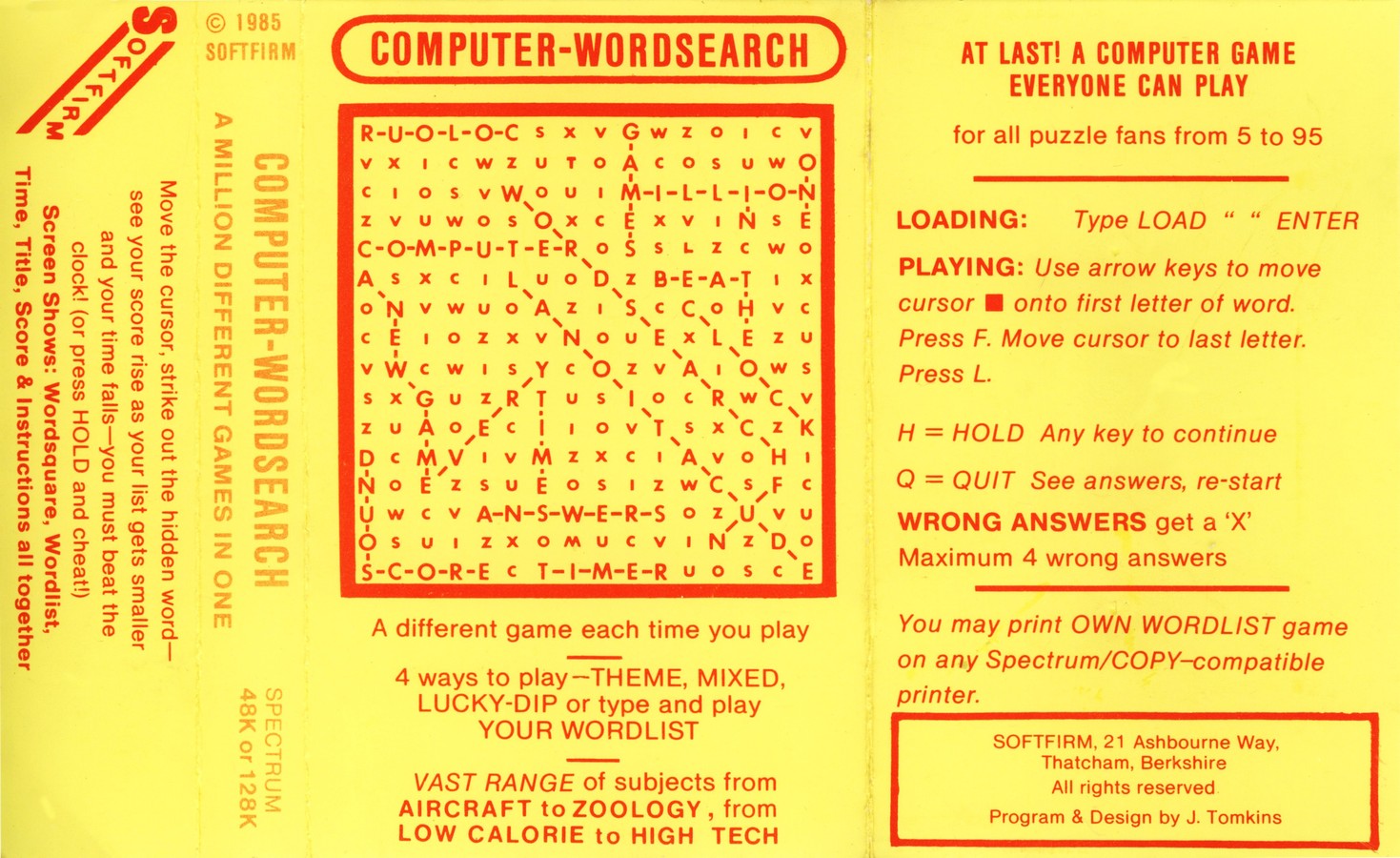
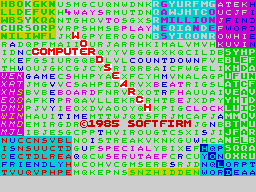
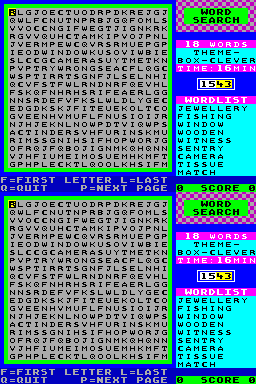
Producer: Softfirm Retail Price: £6.95 Language: Machine code Author: J Tomkins Computer-Wordsearch puts those word-finding puzzles beloved of Competition Minions and Puzzle Fans onto your Spectrum's screen, and boasts a "vast range" of subjects from which wordsearch puzzles can be built - over a hundred are available from the subject menu once the game's loaded. The main menu screen provides four options to choose between: words on a set theme, which gives access to the sub-menu of subjects and allows the player to choose how many words the square will contain (9, 18 or 27); mixed words taken from a variety of subject areas (the player can chose to have 9 or 18 words in a mixed square); number of words that will be in the square at random, and finally, the player can opt to enter up to eighteen words of 2 to 10 letters for inclusion in a specially created wordsquare. Once the type of wordsquare desired has been selected and the number of words it contains entered if appropriate, the program then constructs the wordsquare inthe playing area. All the wordsquares are 20 columns by 20 rows and are drawn row by row into a box which occupies over half the screen area. To the right of the main playing area are the status panels. One gives details about the square currently being played, including the number of words it contains, the theme of the square and the target time for finding all the words hidden away in the grid. There is a counter, which decrements in real time to remind you that you are supposed to be up against the clock, but a cheat mode (press H) allows you to suspend the passage of time - well halt the clock, anyway - in order to have a good think. Below the counter is a display area which lists nine of the words which have to be found. This can be paged if the square contains more than nine words. A score-line advises the state of play. Once a square has been entered in the main playing area, the cursor keys control a flashing block which can be moved around to cover letters in the grid. When a word has been found the cursor needs to be moved over its first letter and the F key depressed, then over its last letter and the L key hit thus telling the computer that a word has been discovered. If the cursor has been used correctly, the word is then struck through with a blue line on the grid and removed from the wordlist. At any time in a searching session it is possible to quit the game, and before returning to the main menu screen the computer strikes through all the words in the square that have not been found - thus proving to the player that they WERE there all the time! If 20 x 20 wordsquares suddenly start appearing in the magazine, you can be sure that the Competition Minion has got hold of this program - it allows you to print out a wordsearch you have created... COMMENTS Control keys: cursor keys to control flashing cursor, F to mark first letter in a found word, L to mark last letter, H to pause, Q to Quit Joystick: Cursor if you wanted Keyboard play: perfectly adequate Use of colour: a bit garish Graphics: unsubtle - text a bit tiring to read Sound: beep! Skill levels: one Screens: menus and main wordsquare
Advert1
- Popular Computing Weekly #46Nov 1985 · p.37
Related
- Ports
- (Commodore 64)
- Elsewhere
- UVL
- Same entry at
- Spectrum ComputingZXInfo
Reviews from people here
Sign in to write about this, or make an account. It takes a minute and lets you correct the catalogue too.
No description, tag recorded.
Sign in to correct or add to this.
Hold the rights to this and want it taken down?