
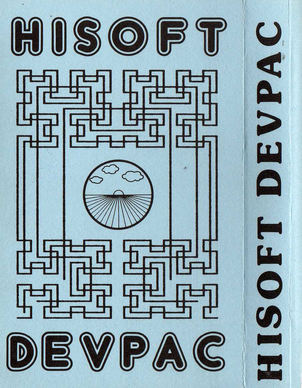
HiSoft Devpac
Programming: Assembler/Mcode · ZX-Spectrum 48K · 1 players
HiSoft · 1983 · Pound sterling 14.00 · Pound sterling 12.95 budget · Pound sterling 19.95 disk
Also known as DevPac (Swedish), Dr. MG (English), Ensamblador / Desensamblador (English)
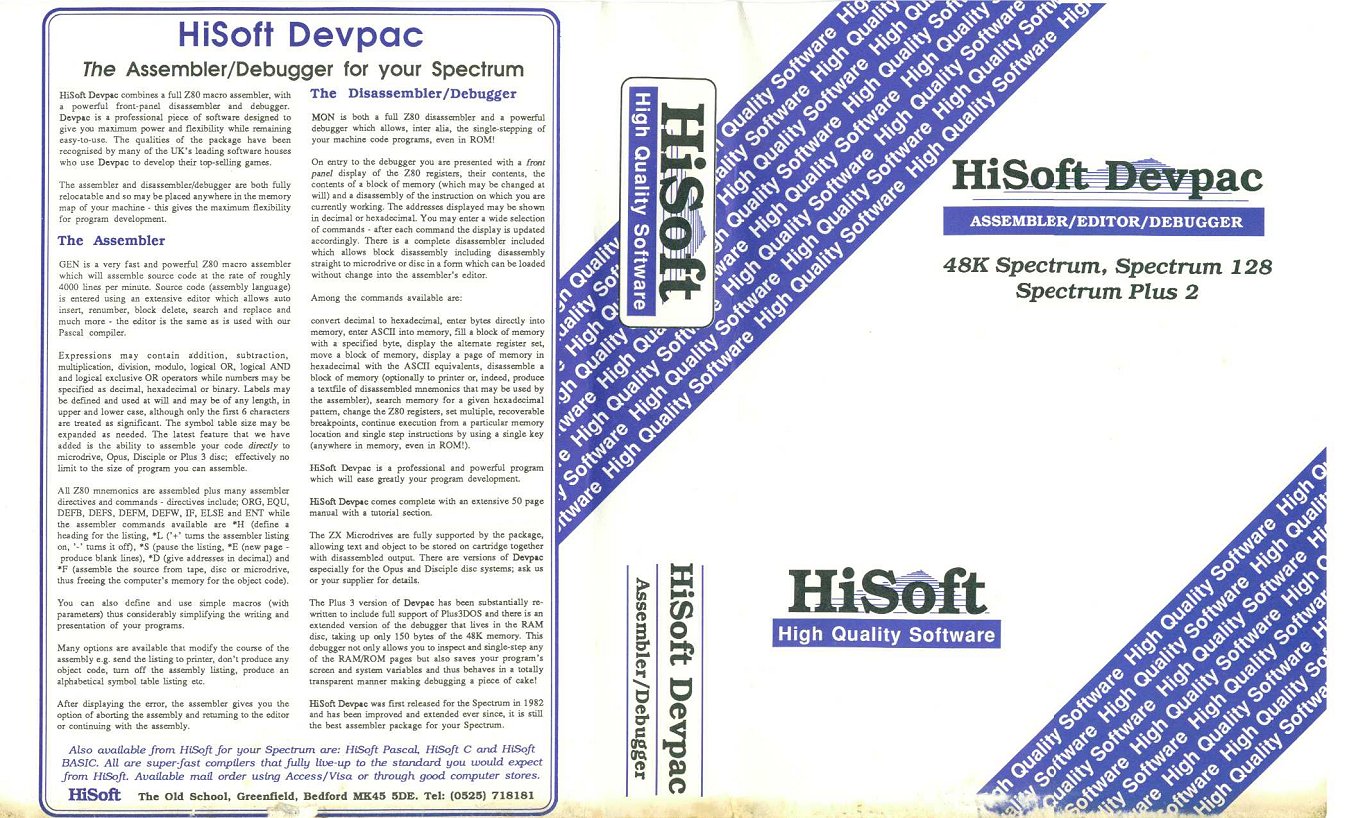
(StanislavKmecPeterZiman)_Front.jpg)
.jpg)
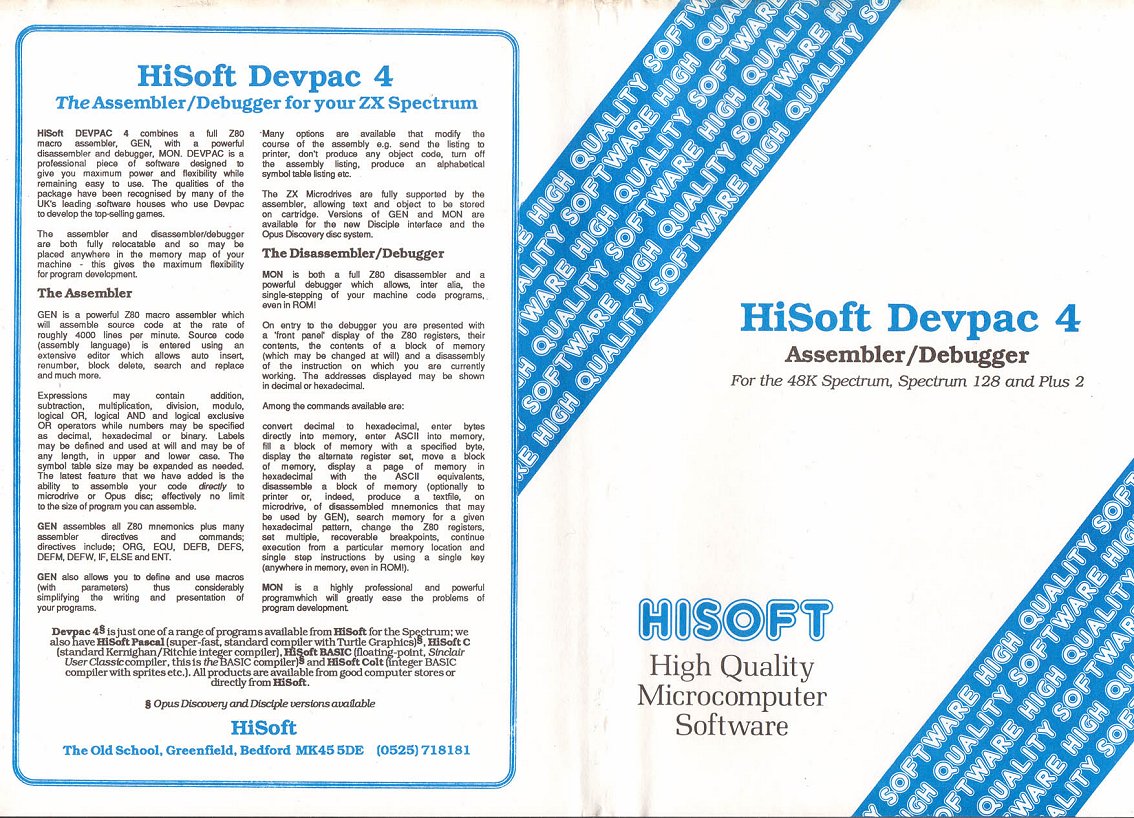
(StanislavKmecPeterZiman).png)
Discussion
Nobody has started a thread about this yet.
Remarks
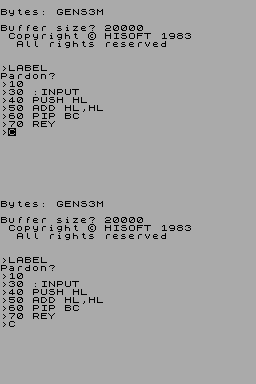
GENS editor/assembler + MONS monitor/debugger
Releases
- 1983HiSoftPound sterling 14.00 · Pound sterling 12.95 budget · Pound sterling 19.95 disk
- UnknownMastress Software
- 1986Stanislav Kmec + Peter Ziman Sold as Dr. MG
- 1983Ventamatic Sold as Ensamblador / DesensambladorSpanish peseta 2490.00
- 1983Digilog Software Sold as DevPac
Play
- HiSoftDevpac.dsk.zipDisk image English41 KB
- HiSoftDevpac.opd.zipDisk image English20 KB
- HiSoftDevpac.tzx.zipTape image 10 KB
- HiSoftDevpacV3M21(Ventamatic).tzx.zipTape image English14 KB
- HiSoftDevpacV3(Dr.MG)(StanislavKmecPeterZiman).tap.zipTape image Slovak19 KB
- HiSoftDevpacV4.1bGensMicrodrive.tap.zipTape image English9 KB
- HiSoftDevpacV4.1Mons.tap.zipTape image English6 KB
- HiSoftDevpacV4.tap.zipTape image English20 KB
- HiSoftDevpacV3M21.tap.zipTape image English13 KB
- HiSoftDevpacV3M2Mons.tap.zipTape image English5 KB
- HiSoftDevpacV3M2Gens.tap.zipTape image English8 KB
- HiSoftDevpacV3.tap.zipTape image English12 KB
- HiSoftDevpacV2.tap.zipTape image English11 KB
- HiSoftDevpacV4.1M.tzx.zipTape image English20 KB
- HiSoftDevpacV4.1MONS.tzx.zipTape image English6 KB
- HiSoftDevpacV4.1GENS.tzx.zipTape image English14 KB
- HiSoftDevpacV3M21MONS.tzx.zipTape image English5 KB
- HiSoftDevpacV3M21GENS.tzx.zipTape image English8 KB
- HiSoftDevpacV3M1.tzx.zipTape image English13 KB
- HiSoftDevpacV3M.tzx.zipTape image English13 KB
- HiSoftDevpacV3.0.tzx.zipTape image English12 KB
- HiSoftDevpacV2.0.tzx.zipTape image English11 KB
Documents
- HiSoftPascal+Devpac-MicrodriveVersion_2.pdfInstructions English2,218 KB
- HiSoftDevpac(FR).pdfInstructions French5,347 KB
- HiSoftDevpac(DrMG)(StanislavKmecPeterZiman)(CS).pdfInstructions Czech2,153 KB
- HiSoftPascal+Devpac-MicrodriveVersion.pdfInstructions English1,508 KB
- HiSoftDevpacV4.txtInstructions English10 KB
- HiSoftDevpacV4.1(MastressSoftware).pdfInstructions Spanish129 KB
- HiSoftDevpacV4.1_Plus3VersionNote.txtInstructions English6 KB
- HiSoftDevpacV4.1.txtInstructions English140 KB
- HiSoftDevpacV4.1.pdfInstructions English868 KB
- HiSoftDevpacV4.0.pdfInstructions English7,944 KB
- HiSoftDevpacV3M21(Ventamatic).pdfInstructions Spanish174 KB
- HiSoftDevpacV3.txtInstructions English124 KB
- HiSoftDevpacV3.rtfInstructions English241 KB
- HiSoftDevpacV3.pdfInstructions English216 KB
- HiSoftDevpacV4.1_Plus3VersionNote.pdfInstructions English111 KB
- HiSoftDevpacV2.pdfScanned instructions English2,083 KB
Other files
Files and rights
Distribution permission is on record, granted to another archive rather than to this one. Screens and pictures are copied here; everything else links to the archive that holds it.
- AllowedVentamatic → WorldOfSpectrum
Scores
In the magazines
- Personal Computer News #431984 · Overall Value5/5
Elsewhere on the web
- WorldOfSpectrum 16 votes8.75
In the magazines 139
Crash #50Mar 1988 · p.62
Simon N Goodwin
(Simon N Goodwin owns the copyright to this review. Please visit http://simon.mooli.org.uk to find original articles and updates, much new material and his contact details.) SOFT BUT STRONG Power to the programmer from software tools OLD-TIME QUALITY FROM +3 DEVPAC Hisoft's DevPac is a golden oldie. It was arguably the first 'serious' machine-code assembler for the Spectrum when first released in 1982; since then it has been revised several times, and has outlasted all competitors. And as far as I know it's the only Spectrum assembler still being marketed and developed. It may be that most assembler programmers have graduated to other machines. Spectrum Z80 machine code is tricky stuff, with lots of restrictions and inconsistencies, especially when you compare it with the machine code of the 68000 processors in more recent machines. But Spectrum programmers who want speed must still write in Z80 code, and they should have quality utilities. DevPac is a pair of programs: GENS and MONS. GENS is an editor/assembler - it lets you type in machine code programs in mnemonic (shorthand English) form, and then converts the text into binary code that the processor can understand. MONS, the monitor/debugger, lets you test machine code interactively. DevPac 5.1 is supplied on one 3-inch disk, like HiSoft BASIC it's easy to make a backup copy on another disk, as all the files will fit on the RAM disk. Version 4.1, for earlier Spectrums, is much the same as 5.1 but works with microdrive or cassette rather than disk, and ignores the extra RAM of a Spectrum 128K. DevPac does not come with any example files; the manual includes a worked example illustrating the use of GENS, but no example explaining MONS. PAINLESS EDITOR GENS, the program-generator, lets you type in up to 30K of program text in one lump on any Spectrum. This is enough for between 2K and 5K of machine code, though you can compile larger programs from disk, as explained later. There's no fixed relationship between the size of an assembler program in text form and the corresponding machine code. The ratio depends on your programming style, and whether or not you include comments so you can understand what you've written when you come back to it after a few months. Editing is fairly painless if you're used to line editors in the style of CP/M's ED or Microsoft BASIC's EDIT. Lines are stored in numeric order, and can be edited individually by moving a cursor back and forth along the line in a variety of modes. This is no substitute for a screen editor, but it's not too hard to get used to and doesn't need much code, leaving extra space for text. The display can use standard 32-column text or a compact but readable 51 characters per line. Assembler programs are written in five columns - line number, label, instruction, operand and comment - so I prefer the 51-column display even though it's a bit slow, taking about four seconds to redraw the whole screen. Groups of spaces are compressed into a single byte when a line is stored, saving memory. The cursor keys have rather arbitrary effects - the right arrow is a tab key to skip between columns, but the left arrow throws away the entire line. The up and down arrows don't appear to have any effect at all! The editor includes a full set of multiline commands, including automatic line-number generation, renumbering, searching for text - you can replace it with something else - block printing, deleting, saving and loading. Files can be stored and catalogued on disk, tape and RAM disk. SLOW ASSEMBLER GENS can translate your completed program into code at about 50 lines a second, if the program text is already loaded. That may seem rather slow, but it won't bother you if you only assemble a few hundred lines at a time. If you want to assemble a big program you must split the text into several files and tell GENS to read the text from disk rather than from RAM. This slows things down even more, especially as GENS has to read the entire text twice. Version 5.1 assembles about 309 lines a second when reading text from RAM disk, and 20 lines a second from floppy. If you're really prolific you can spread a program over two drives and the RAM disk, so there's virtually no limit on the size of program you can assemble if you're willing to wait a 16K program could take about 7 minutes. The assembler has some professional facilities. You can use macros with parameters: in other words, you define new symbolic commands that stand for a group of instructions of your choice, saving typing and text space. Whenever you write a macro name GENS inserts the whole group of instructions, plugging parameters in as required. You can also imbed calculations and conditions in the code, so that a change at the start can turn any part of the code on or off. This feature, known as 'conditional assembly', is useful if you want to maintain one file of code for several slightly different systems or need to switch features on and off easily LIMITATIONS, FRUSTRATIONS Unfortunately, you can't refer to other macros inside macro definitions, or put conditions within conditions. These are serious limitations, because they make it hard to take a consistent, structured approach to your work. It's also very frustrating that GENS ignores characters after the first six when comparing names in your program, and insists that you TYPE INSTRU IN CAPITA LETTER (type instructions in capital letters). Ugh! GENS produces a detailed listing when assembling, with page headings and code values. The actual code can be stored in RAM or a file. GENS may issue error messages during each of two passes from the beginning to the end of your program; but I'd prefer to have all the reports at one time, in order. Errors are reported by number, rather than explained in English. This is frustrating at that, but at least it leaves extra space for your program. TESTING PROGRAMS WITH MONS You use MONS when you've written your program and want to test it. Assembly language gives you a great deal of freedom of expression, so it's easy to end up with a program that assembles perfectly but won't work as expected. The Spectrum can execute almost a million machine-code instructions in a second. Inappropriate instructions usually crash the machine, and you must then reset and reload all the memory before trying again. It can be very hard to track down the errors in machine code, and that's where MONS comes in useful. MONS stands for 'monitor' - it lets you analyse machine code and step through it at your own pace, checking the effect of each instruction. MONS shows you the contents of memory and registers (stores inside the processor) so you can tell exactly what's going on at any time. The program lets you search, move and edit memory, in the form of text or numbers. Numeric RAM contents are always shown in base 16, known as 'hexadecimal' or 'hex'. This means numbers appear as a mixture of digits and letters A to F! You can enter values in decimal or hex. HiSoft's Andy Pennell defends the fixed hex output, saying 'it's a common bug in humans, not having the right number of fingers...' The +3 can handle two 'screens' internally, and MONS switches between them so that the monitor doesn't mess up your program display. This works well, though it would be nice to be sable to turn the switching off - it sometimes causes a lot of flicker. MONS will disassemble code properly, translating the code into a program text file that you can reload into GENS (the file will have labels but no comments). This is useful if you want to edit someone else's routines. MONS always uses a standard 32-column screen. Other Spectrum packages have managed to work with more columns, and some users are accustomed to more information when debugging a Spectrum program. The MONS front panel looks cramped, but it works. The monitor lets you step through programs line by line, or skip routines, or run quickly up to a certain 'breakpoint' when the monitor screen reappears. Version 5.1 of MONS fits in the +3's extra RAM, using only 160 bytes in the normal 48K program area. It lets you switch through all the Plus Two memory configurations, so you can examine all the memory of the system, but you can't select 64K RAM modes - because MONS uses routines in the Spectrum ROM. HiSoft says that people who want to use the 64K modes, designed for the CP/M operating system, will have to wait till Locomotive Software puts CP/M on the +3 (See CP/M & BASIC in A +3 Pack in this section) - then you'll be able to run the 64K CP/M version of DevPac. You'd do well to look at other CP/M assemblers at the same time. DEVPAC - THE VERDICT DevPac is a well-thought-out package, but it's showing its age. To be fair, the only Spectrum package I've seen that is clearly more powerful is the 128K version of Laser Genius, originally from Oasis but now unobtainable. Even so, there's room for a Spectrum assembler that's simpler and more friendly than either. But DevPac seems to have the market to itself at the moment. And DevPac 5.1 has all the features you need to develop large machine-code programs, though assembly can be rather slow and structured programming is not encouraged. HiSoft's address is [redacted].
Personal Computer News #43Jan 1984 · p.535/54/55/53/54/55/55/5
Features 5/5
Documentation 4/5
Performance 5/5
Useability 3/5
Reliability 4/5
Overall Value 5/5
Ted Ball 5/5
NAME: Devpac APPLICATION: Assembler & machine code monitor SYSTEM: 48K ZX Spectrum PRICE: £14.00 PUBLISHER: Hisoft, [redacted] FORMAT: Cassette LANGUAGE: Machine code OUTLETS: Mail order ASSEMBLY PAC Ted Ball reviews an impressive assembler and machine code monitor for the 48K Spectrum. Devpac is an assembler and machine code monitor for the 48K Spectrum, providing extensive and powerful facilities to help you develop and debug machine code programs. Devpac includes many features intended to appeal to experienced programmers working on large programs but can also be used by beginners. FEATURES Devpac consists of two separate programs, the assembler/editor GENS3 and the machine code monitor MONS3. These can be loaded into any part of the memory and automatically relocate themselves to run at the loading address, making it easy to work with object code anywhere in the Spectrum's memory. The assembler is very close to the Zilog standard, with standard opcode mnemonics, operand syntax, labels, and the directives ORG, EQU, DEFB. DEFW, DEFS, DEFM. Operands may include decimal, hex, binary and character constants; labels. "$" to represent the location counter; expressions involving addition, subtraction, multiplication, division and modulus (remainder) and the logical operations AND, OR, XOR. The main difference from standard syntax is the notation for binary and hex numbers: GENS3 requires you to precede binary and hex numbers with % and # instead of the Zilog form where the numbers must end with B or H. There is also a large number of assembly options and commands, most of them concerned with specifying the format and amount of detail in assembly listings. GENS3 includes two very powerful features - conditional assembly and the ability to assemble source code from tape as well as from memory - these make it particularly suitable for developing large programs. Being able to assemble from tape allows you to assemble very large programs without having to split them into sections that can be assembled separately and the two features together allow you to keep a file of commonly used subroutines on tape and incorporate the routines you need at assembly time instead of having to retype them whenever you write a new program. The machine code monitor, MONS3, includes all the usual monitor features, allowing you to inspect and alter the computer's memory and the processor's registers, run machine code programs, set breakpoints, etc. There are two other noteworthy features: first is the disassembler, which includes the option of disassembling into a labelled text file that can be edited and reassembled by GENS3. The other is the single step function which allows you to run a machine code program one instruction at a time, with full 'front panel' display, and works on programs in RAM and in ROM. PRESENTATION The cassette contains two copies of GENS3 on one side and two copies of MONSS on the other, but the labelling does not distinguish between the two sides. The documentation consists of a 45 page booklet, with separate sections on GENS3 and MONS3. The features and the syntax for the assembler, editor and monitor commands are all explained clearly, although a beginner may have difficulty with the descriptions of some of the more advanced features. However, there are fully worked examples that you can follow through step by step and which help you understand how to use the package. IN USE Devpac includes a great many features, so there are a lot of different types of commands. Most require a single key, or a shift key and another key to specify what is to be done, and some have to be followed by parameters. This kind of system is never easy to use when there are many non-mnemonic commands, and it is particularly difficult in Devpac where there are three sections, the editor, the assembler, and the monitor, with similar commands used to do different things. If you use Devpac regularly you will eventually learn the commands you use most often, but you will inevitably have to do a lot of searching through the manual for the less common commands. The assembler is reasonably fast when using a source code file in memory - with no listing it took about 4 seconds to assemble 150 lines, it is, of course, much slower when assembling from tape, but the loss of speed is a small price to pay for being able to assemble a source file that is much too big to fit in memory. The MONS3 'front panel' displays a great deal of information: a disassembly of the instruction starting at the current memory pointer; the contents of all the registers and, for each 16-bit register or register pair, the contents of the 7 bytes starting from the address pointed to by the register as well as the contents of 24 bytes centred on the memory pointer. Nevertheless, the display is clearly laid out and easy to interpret. Debugging a program with the aid of breakpoints and the single step can be tedious, but the manual gives a great deal of help on how to go about it. RELIABILITY The assembler performs extensive error checking and will find almost all errors in the source code. The only bug that I found in the error checking was that it will assemble the incorrect instruction "LD (HL),(HL) and the corresponding forms with the index registers IX and IY. There also seems to be a bug involving the conditional assembly, where the object code is not displayed in the assembler listing. Conditional assembly does, however, generate the object code even though it is not displayed. The monitor checks that commands are valid, and the manual gives many warnings about commands that could cause trouble or crash the machine. There is one case where I think that the warning in the manual should be replaced by additional error trapping in the program - when you single step, the program counter and the memory pointer must have the same value otherwise the consequences are unpredictable. MONS3 and GENS3 are, however, quite reliable in normal use and should not give any trouble with reasonable care. VERDICT The assembler is closer to the Zilog standard and includes more features than any of the numerous other assemblers available for the Spectrum. The monitor is also very good and includes many advanced features. Although Devpac is not very easy to use - partly because there is so much in it - it is very powerful and this far outweighs the difficulties in using it, and the few minor bugs. Devpac is also very reasonably priced. Although it gives you much more the price is still about the same as other assembler/monitor packages for the Spectrum. Highly recommended.
Advert121
- Your Sinclair #26Feb 1988 · p.89
- Your Sinclair #25Jan 1988 · p.41
- Your Computer #12Dec 1987 · p.73
- Your Sinclair #24Dec 1987 · p.20
- Your Computer #11Nov 1987 · p.68
- Your Computer #10Oct 1987 · p.47
- Sinclair User #60Mar 1987 · p.94
- Sinclair User #59Feb 1987 · p.83
- Sinclair User #58Jan 1987 · p.70
- Sinclair User #57Dec 1986 · p.77
- Popular Computing Weekly #51Dec 1986 · p.81
- Sinclair User #56Nov 1986 · p.90
- Popular Computing Weekly #44Oct 1986 · p.39
- Your Sinclair #9Sep 1986 · p.76
- ZX Computing #28Aug 1986 · p.41
- Your Sinclair #6Jun 1986 · p.76
- Your Sinclair #3Mar 1986 · p.25
- Your Sinclair #2Feb 1986 · p.87
- Your Sinclair #1Jan 1986 · p.111
- Your Computer #12Dec 1985 · p.114
- Sinclair User #44Nov 1985 · p.114
- Your Computer #11Nov 1985 · p.101
- Your Spectrum #20Nov 1985 · p.22
- Sinclair User #43Oct 1985 · p.105
- Your Computer #10Oct 1985 · p.78
Feature7
- Crash #50Mar 1988 · p.62
- MicroHobby #150Oct 1987 · p.25
- MicroHobby Especial #6Jun 1987 · p.81
- ZX Computing #34Feb 1987 · p.36
- MicroHobby Especial #2Mar 1986 · p.20
- MicroHobby Especial #2Mar 1986 · p.21
- Your Computer #5May 1983 · p.54
Classified4
- Your Sinclair #39Mar 1989 · p.90
- Your Sinclair #38Feb 1989 · p.99
- Your Sinclair #37Jan 1989 · p.136
- Your Sinclair #36Dec 1988 · p.120
News/Note3
- Crash #53Jun 1988 · p.8
- Home Computing Weekly #41Dec 1983 · p.36
- ZX Computing #8Aug 1983 · p.68
Information1
- Crash #55Aug 1988 · p.87
Offer1
- Your Sinclair #18Jun 1987 · p.54
Related
- Ports
- (Amstrad CPC), (MSX)
- Elsewhere
- Centre for Computing History
- Same entry at
- Spectrum ComputingZXInfo
Reviews from people here
Sign in to write about this, or make an account. It takes a minute and lets you correct the catalogue too.
No language, credit recorded.
Sign in to correct or add to this.
Hold the rights to this and want it taken down?