
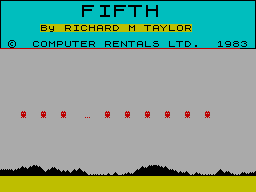
Fifth
Programming: BASIC · ZX-Spectrum 48K · 1 players · English
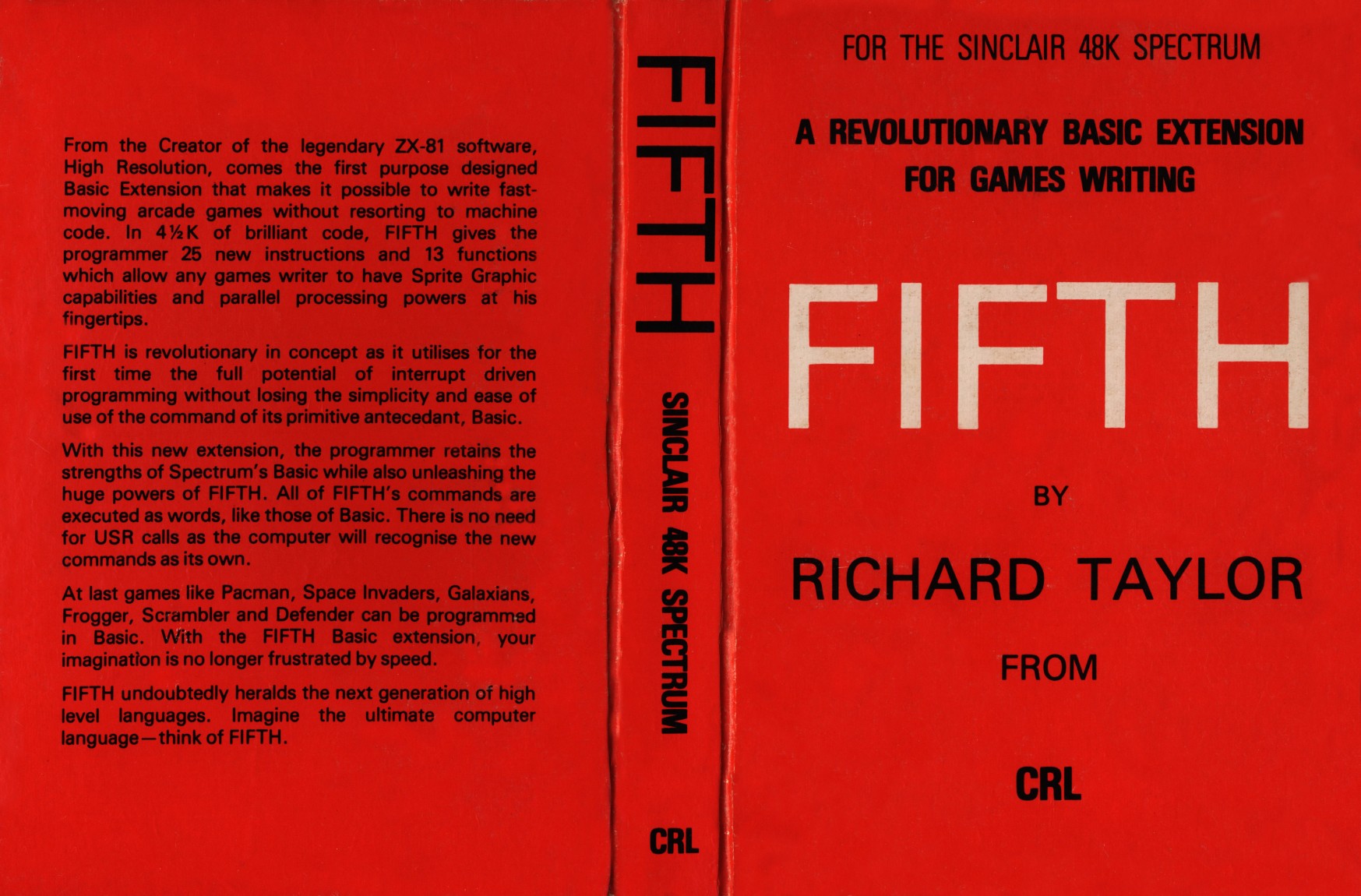
CRL Group PLC · 1983 · Pound sterling 9.95
Discussion
Nobody has started a thread about this yet.
Remarks
BASIC extension for writing games
Play
- Fifth.tzx.zipTape image English12 KB
- Fifth.tap.zipTape image English5 KB
- FifthDemo.tap.zipTape image English9 KB
Documents
- Fifth.pdfInstructions English101 KB
- Fifth.txtInstructions English87 KB
- Fifth(EN).pdfInstructions English2,487 KB
Files and rights
Distribution permission is on record, granted to another archive rather than to this one. Screens and pictures are copied here; everything else links to the archive that holds it.
- AllowedCRL Group PLC → WorldOfSpectrum
Credits
- Richard M. Taylorcredited
Sign in to credit somebody, or say what these people did.
Scores
In the magazines
- Personal Computer News #241983 · Overall Value5/5
In the magazines 19
Personal Computer News #81Oct 1984 · p.18
David Lester
GAME GENERATORS David Lester scans four pieces of software that claim to allow users to create games of a relatively good commercial quality. Commercial software becomes more sophisticated all the time, or so the adverts would have us believe. Not only can you buy games which use ultra-smooth, high resolution graphics to enhance your playing, but you can also buy programs that let you create games of commercial quality without any programming knowledge. At least that's what some software houses claim. But can their programs back this up? All four pieces of software dealt with here have the same objective, but go about achieving it in slightly different ways. Hurg, from Melbourne House, employs a series of menus from which you can select the options you want to build up your game. Fifth on the other hand adds new commands to the standard Spectrum Basic. These let you program fast-moving, smooth graphics from Basic, as each command is the equivalent of calling a machine code routine. The other two Scope 2 from ISP and White Lightning from Oasis Software, are actually completely new languages. HURG Probably Hurg's greatest asset is that it's easy to use. In fact, you can operate most of it using just a joystick. Unfortunately, it also produces the least appealing results as far as games are concerned. Its sprite designer/editor is good and you also get an animation routine. This switches the computer between a number of sprites, for example to show the different leg positions of somebody walking. You can set the movement pattern quite easily, but that is about as far as it goes. You need to create any background graphics yourself, and then load them in as a SCREEN. There are no sound facilities whatsoever. I found it difficult to do any more than get a sprite moving around the screen. Although provision is made for setting the conditions for explosions and deaths, the manual is poor and the menus almost impossible to decipher. Melbourne House claims that you can 'design your own computer games in minutes', and that 'the hardest thing you will have to do is to think of a game title and design the characters.' Not a chance - it will take you a long time to get to grips with the package. A good hint as to the potential of each of these four games designers is the demonstration provided by the software houses. Hurg comes complete with 3 'ready to play, fast action arcade games'. I suppose each one is better than the so-ocalled 'full arcade game' in another Melbourne House release. Mugsy, but even so, they are terrible. And if that is the best Melbourne House can do, what chance has anyone else got? FIFTH Fifth is probably the easiest of the four programs to get decent results out of, provided you can program in Basic, as all you need to do is learn a few new commands. Once you have loaded the program in, you simply put the new commands in REM statements in the same way as you do with some assemblers. You can still use REMarks in the normal way by putting an asterisk at the start of any real REM statement. Two of the more useful commands are GET and PUT - these will be familiar to anyone with any experience of a Dragon. With these you can store sections of the screen in a string variable, or array, and then recall it using the PUT command anywhere on the screen. Fifth also uses interrupts for such things as collision routines, which enables the main body of the program to run much faster than it would otherwise. Although the manual is poorly printed, and a touch confusing in places, the commands are well-named and I soon found myself quite happy with them. Another advantage with Fifth, as opposed to Hurg, is that it includes some new sound commands - and the sound effects you can achieve from machine code (yes, even on a Spectrum) are infinitely better than those obtainable from Basic. The demo program included is probably the best of any of the pieces of software reviewed here, and shows that speed and smooth motion can be achieved with very little effort. It only uses small graphics, however, and this limits it. Fifth is a good extension to Basic, but the results will not be as good as the best arcade games. They will almost certainly be better than the average game listing you might find in a magazine - this worthy publication excepted, of course. SCOPE 2 Scope 2 is, believe it or not, an improved version of the award winning Scope, and actually provides you with a new language specifically designed for writing arcade games. It includes commands for colour, sound and graphics, as well as more normal things like variables. When you have written a program in Scope 2 (in REM statements) you compile it into machine code, which is why the result is faster than Basic. You can then use your Scope program either as a machine code routine in your Basic program or as a complete program (depending, obviously, on what you write in Scope 2). The commands are fairly similar to machine code, as is the structure of the whole language. This could be either an advantage or a disadvantage. If you wanted to learn machine code but found it too hard, this program might be a good stepping stone to it, or you might find that it's alternatively also too hard to learn. Despite a reasonable manual, some of the commands are quite difficult to grasp if you don't know anything about machine code. You could be forgiven for thinking that a program written in Scope 2 was an assembly language listing. That said, the program goes further toward offering a completely versatile games-designing package than either of the two previously mentioned offerings. The results can be every bit as good as most commercial arcade games, although to get equivalent results you need to put in a lot of effort. The demo routines are notably bad, and ISP would seem to have misjudged things a bit. When I saw the demo I thought that the package was a waste of money, but once I started to get to grips with the language a little bit, I found it had great potential. There is even a Sprite facility, including collision detection - just what you want for arcade games. WHITE LIGHTNING This is similar to Scope 2 in that it is a complete language, but it is much, much more. In fact, it is a fully-fledged games development system. The system has several distinct sections: the White Lightning language itself (really two languages: a version of Forth and an additional graphics language called Ideal) and a sprite development package for use within programs that have been written with White Lightning. The main section, the White Lightning language, is complicated. Unless you already know Forth you will need to spend a long time trying to learn it. Ideal on its own has over 100 commands. But once you've mastered it, I'm sure it will be an extremely versatile tool for developing games. I say 'I'm sure' because after a week's trying I am by no means proficient in it. The sprite designer maintains the high standard set by the language itself. It enables you to define up to 255 sprites, some of which can even be larger than the screen display. You design your sprite either in sections one character square large or as hexadecimal numbers. You can do all the usual things to your design too, such as inverting and rotating it. When you have finished your sprites, you can save them to tape for use in your White Lightning programs. If you feel you have had enough trouble becoming a Matthew Smith, and do not want to emulate Leonardo da Vinci as well, don't worry - there's a whole set of ready-to-use sprites on the tape. These cover most games (PacMan, Defender, and all the usual ones). But for me, half the fun of designing a game is creating the graphics, so I can't see these being used very much. Oasis provides a detailed manual, and you'll get a shock when you see it as it's a substantial-sized book. The best way to get started with the package is probably to write a few routines with it first. You can call these as machine code routines from within a Basic program until you feel confident enough to write an entire program using White Lightning language. Once you have got the hang of it, White Lightning provides some incredible features: interrupt-driven routines, good sprite handling and more besides. My only doubt is that, if you are going to the trouble of learningWhite Lightning, why not go that little bit further and learn machine code? However, White Lightning is slightly more user-friendly. CONCLUSIONS As you can probably tell, the packages are similar in concept but different enough to be able to survive in the same market together. There seems to be, inevitably I suppose, a trade-off between how powerful a package is and how easy it is to use. Forget the adverts - none of the packages here will give you an easy way to create the next number one game. But Fifth will let you write very playable games very quickly. Scope 2 gives you better quality graphics but takes more effort, and at the top of the scale is White Lightning, which is capable of creating something almost as good as Jet Set Willy - just don't make me write it. As for Hurg, it is basically a waste of money. With no sound and making you define your own backgrounds separately, it is a dead loss as a games designer package. WHAT YOU NEED TO KNOW ABOUT COPYRIGHT Should you write a good game with one of these packages and want to sell it, it would help if you know the views of various software houses about copyright. Since one aim of each of these pieces of software is to enable anyone, programmer or not, to produce games of a commercial standard, it is quite likely that you will be interested in whether, and if so how easily, you can sell games you write using these products. The easiest of the products to answer this for is Hurg. To start with, it is most unlikely that you will produce good enough programs with it, but more importantly, the host program Hurg must be in memory for your game to work. This means that a substantial part of the package you would try to sell would belong to Melbourne House - so you would be breaking the law to try and sell it. Fortunately, all is not lost, as Melbourne House offers to market such games if they're good. CRL makes no mention of the problem in the Fifth manual, except to provide a copyright notice. Because of the way it works,however, Fifth must be present in memory, so that you would probably be breaking the law if you tried marketing a program which uses it. Scope 2 is much better in this respect, since it compiles your Scope programs into machine code, and you don't need to have Scope 2 in memory to be able to run your own games. For this reason Scope 2 performs much the same task as an assembler, and so I see no reason why you should not be free to sell anything you write with it to a software house, if you can find one that wants to buy it. White Lightning is the same as Scope 2 in this respect, but it also has several notices regarding the subject of you marketing games written using it. Unfortunately, these contradict one another. For example, on the back of the plastic cassette wallet is a notice saying: 'Programs written using White Lightning can be marketed only by arrangement with Oasis Software'. But the manual it says: 'Software produced using White Lightning can be marketed without restriction'. It then goes on to say that a mention on the cassette sleeve would be appreciated - more that fair, it seems to me. I am inclined to take this latter as being the true case, but if in doubt, ask the software house you intend to sell your game to. Whichever package you have, if you have written a piece of good software with it, the people likely to be most interested are the software house which sells the original program. After all, if it is good it helps advertise their product, at the same time as making them (and hopefully you) some money. Do remember that there have been almost no test cases as far as computer copyright goes, and that a Portuguese company is openly selling other companies' games without paying a penny in royalties and is unlikely to be prosecuted. The fog will no doubt clear eventually, but it could take sometime.
Your Computer #4Apr 1984 · p.77
Simon Beesley
GAMES WRITING PACKS Producing fast-action games without the need to learn machine-code programming - Simon Beesley reviews a crop of games designers including the newly-released Hurtg. There are few more dismal experiences than playing a version of Space Invaders written in Basic. The invading aliens dawdle across the screen while your missiles take an age to reach them. The fact is that Basic is usually too slow for writing adequate arcade games. For best effects you need the speed and flexibility of machine code. But for most of us learning machine code is a daunting task. As an alternative there are now a number of programs which offer a more painless way of writing arcade quality games. These are either extensions to Basic or full-blown games designers. Melbourne Houses's Hurg is such a program. Hurg, incidentally, stands for High-Level, User-Friendly, Real Time, Games Designer. The terms High-Level and User-Friendly refer to the fact that by using Hurg you can design a game without writing a line of code - the entire system is menu driven. It offers, in fact, an extensive hierarchy of menus and sub-menus which between them cater for almost every aspect of designing a game. DEFINE EIGHT OBJECTS Not only, for example, can you define up to eight different objects but you can also animate each in a different way and determine how it is to move. Movement can be described in considerable detail. You could instruct an object to mimic the movement of another object or give a weighting to movement in certain directions. Alternatively you could define eight paths and link four of them together. The animation facility is extremely impressive. Each object can be given up to eight animation sequences. It can either be allotted two different shapes for each direction or be made to pass through an entire eight shape cycle in every direction. Once you have defined its shapes you can set the speed at which animation occurs as well as the speed with which the object moves across the screen. Two Shape Generator is one of the most enjoyable features of Hurg. In effect it lets you construct the frames for a cartoon. As soon as you have defined at least two different shapes you can see tour cartoon character in motion. There are a host of other options such as a regeneration menu, a collision table, and a games variation menu. To take just one of these, the games variation menu allows you to alter the pattern of a game after a specified event. Thus you could instruct the ghosts in a PacMan-type game to move away from the player when a power pill has been eaten. Although there is no facility for designing a background you can load in a predefined screen. This means that an assortment of different games can be designed. Two of the demonstration games included with Hurg show its range. Manic Koala is a creditable Manic Miner type game - with only one screen - while Ms Hortense is a Pac-Man variation. Designing a complete game with Hurg is quite a complicated business. The program's facilities are so extensive that they need much fuller explanations than are given in the manual. More examples are needed. The manual gives an example of how to write a simple game but this is rather sketchy. When I came to design an Invaders type game I was unable to make my missile leave its silo. Doubtless I had made an elementary mistake but detailed step by step instruction would have been handy. Quicksilva's Games Designer is easier to use bin more limited in its scope. Essentially it is an instant shoot em up kit. Seven game formats are open to you - Invaders, Asteroids, Scramble and so on - but these are really a matter of fixing the directions the aliens come from and how your character moves. The program does not allow you to design a game at the same level of detail as Hurg. So you are confined to producing variations on the same shoot-em-up theme: aliens approach and you blast them out of the skies. Again it is menu driven. There are eight options on the main menu; Play Game, Select New Game. Alter Sprites, Configuration, Movement, Attack Waves, Load from Tape, and Save to Tape. Selecting any one takes you to you to another section. The sprite option, for example, takes you to a character definer where you can define either your own player and missiles or the enemy characters and their missiles. Included in the configuration sub-menu is quite a sophisticated sound editor - a feature lacking in Hurg. By moving a slide up and down on five scales you can create he sound of your choice for explosions or missiles. Given the range of different sounds that can be produced this is particularly simple to use as well as being fun to play with. Although you can give the aliens a limited degree of animation and set their flight path you cannot animate your own character. This feature does not begin to compare with Hurg's extensive facilities for defining animation and movement. Only one set of aliens can appear on the screen at any one time and all move in the same way. Nor is it possible to define the background. The background option reduces to a choice of colours and the decision to include stars or not. But for all its limitations Games Designer is a highly effective package. The eight are predefined games which are included with it show that you can certainly design games of commercial quality. If shoot-em-ups are your taste then this program will allow you to indulge yourself to the full. Games Designer programs, however, have their frustrations. They restrict you to a set course menu. With Hurg, for example, it is possible to design a Pac-Man game but you could not instruct the ghosts to move intelligently. As the blurb for Interactive Software's puts it, such programs cannot satisfy those who enjoy the challenge of true programming. Scope is a computer graphics language. It has 31 command words which are tagged onto Basic Rem statements. They cannot, however, be intermingled with Basic. Once you have written a Scope routine it needs to be compiled into object code in another area of memory. The idea is that once compiled your graphics routine can be called from Basic. ENTIRE GAME IN SCOPE You could also write an entire game in Scope: although with only 31 commands on hand this would be a daunting task. Scope does not allow floating point variables so the sine and cosine functions cannot be used. Nor are there commands for multiplication and division. User-defined graphics need to be set up in Basic. At first glance Scope's syntax seems rather complex. To set up the equivalent of the empty loop FOR A = 0 to 100 NEXT requires the following commands: 10 REM Var,a,0; 20 REM Label; A; 30 REM Inc;a,1; 40 REM Test,194,a,100,A; But the language's graphics commands like Plot, Draw and Attr are familiar enough; while Fscr is a useful addition which scrolls the screen pixel in any direction. By using Scope to build up graphics routines you could undoubtedly speed up your Basic programs considerably. It is also an interesting introduction to lower-level languages - a compromise between Basic and assembly language. As an alternative to Scope one could use a fully-fledged Basic compiler or Forth. Richard Taylor's Fifth is a more accessible aid to writing fast games and, arguably, just as effective. One of Your Computer's regular contributors Richard Taylor needs, as they say, no introduction. In an interview he once said that he like to make machine do thing they are not designed to do. Having given the ZX-81 high resolution and speeded up its loading rate, he is now doing amazing things for the Spectrum.Fifth is a 4K extension to Basic which lets you harness effects normally only available through machine code. It supplies 25 new commands and a further 13 functions. To use them you simply enter the commands and their parameters after Rem statements. The largest group of commands provide the Spectrum with a sprite facility. The beauty of this is that since the sprites are interrupt driven they move independently of your program. You can specify the direction of one of up to 255 sprites and then set the speed and number of pixels un;p at a time. Once set in motion the sprites carry on moving while the program attends to something else. If a sprite collides with another object or veers off the screen control returns to Basic whereupon you can redirect it. Along with the spite facility Fifth offers a number of other new commands. Among them are Sound, a far more powerful instruction than Beep, and Replace which changes colours on screen in a similar way to the BBC's VDU 19 command. With Get and Put you can store away any rectangular section of the screen and then reprint it at a new position. Put together these facilities make up a hugely useful tool for writing games without dipping into machine code. The sprites are particularly impressive. As they can be set to move pixel by pixel at a rate of 50 jumps per second they are both fast and smooth. The Commodore 64 already has sprites but using them in Basic is a slow and tedious business. Almost unchanged since the days of the PET Commodore's Basic now looks a little long in the tooth. It has no specific commands to handle sprites, high resolution graphics or the 64's sophisticated sound chip. To access these facilities you must instead rummage through the manual in search of the requisite Pokes. Simon's Basic remedies this state of affairs. It is an extension to Basic which makes good the resident Basic's shortcomings with a further 114 commands. NUMBER OF NOVELTIES With the Simon's Basic cartridge in place Commodore's Basic can hold its own and indeed feel superior to any other versions of the language on the market. Before writing it David Simons drew up a shopping list of all the commands and features he would like to see in his idea of Basic. And here they all are: structured programming features such as Repeat Until and local variables; programming aids such Auto, Trace and Remember; error trapping commands, extra string handling commands, scroll commands for any direction; and, of course, an extensive range of instructions to deal with sound, high-resolution graphics and sprites. There are also a number of novelties like Delay which varies the rate at which a listing is printed and Disapa which hides a program line as a security aid. The graphics commands, in particular, do all you could hope for. To mention just a few, Paint fills in an enclosed area, Rec draws a rectangle, while Rot will rotate and expand a predefined shape. In return for 8K of your RAM Simon's Basic gives you a remarkable number of new software features. Some were sorely needed, other cans be considered bonus extras.The pity is that Commodore did not think to rewrite its Basic at the outset incorporating some of these features in the ROM. FIFTH 48K Spectrum £9.95 CRL GAMES DESIGNER 48K Spectrum £14.94 Quicksilva H.U.R.G. 48K Spectrum £14.94 Melbourne House SCOPE 48K Spectrum £11.95 ISP Marketing Ltd SIMON'S BASIC Commodore 64 Business UK Ltd
Personal Computer Games #3Feb 1984 · p.15
Stuart N Cooke
MAKING MONSTERS A wave of new Spectrum programs allows you to design your own games and graphics. Stuart Cooke investigates. The computer market is flooded with machines offering high resolution graphics, sound and joystick ports. It's therefore not surprising that a person who is learning a new computer language usually starts by trying to draw pictures on the screen or even attempting to program a game. This may be either one of their own design, or a copy of an arcade game. Usually this results in disappointment because the game is too slow and objects jump around the screen; nothing like the smooth graphics in the arcades or even in the programs that come from the well-known software houses. Software packages designed to aid graphic creation are now appearing on the market. These range from games designer programs to self-contained graphic languages which enable the owner of a home computer to produce games with something like arcade quality, including smooth graphics and good sound effects. The Sinclair Spectrum, being one of the best selling micros in Britain at the moment, has perhaps the widest range of graphic software. For the person who wants to design their own graphic games easily. Quicksilva have produced a menu-driven games designer program, unoriginally named Games Designer. Quicksilva's claim that you get 'a lifetime of games in one package' is probably a little exaggerated. Nevertheless, for a person who wants to design his own games this package is an ideal introduction. Games Designer is menu driven. This means that you need no programming knowledge at all to use it as you never have to write a single program statement. When loaded, Games Designer automatically runs and the main menu is displayed on the screen, giving you a list of eight options. These are: 1 PLAY GAME, 2 SELECT NEW GAME, 3 ALTER SPRITES, 4 CONFIGURATION, 5 MOVEMENT, 6 ATTACK WAVES, 7 LOAD FROM TAPE, and 8 SAVE TO TAPE. Option 1 allows you to play the 'current' game. The program automatically uses the cursor keys for movement, but it is possible to select other keys and even use a joystick. The second option allows you to select one of the games included within Games Designer. There are eight of these, for example - Attack of the Mutant Hamburgers and Halloween. Quicksilva claim that four of the games supplied with the program were designed by people with no programming expertise but, in fact, all were high quality. The characters used in Games Designer are called sprites. Each sprite consists of a 12 x 12 square in which each dot can be either the foreground or background colour. Option 3 lets you define your character on the 12 x 12 grid. There are 31 sprites in all and these are grouped as follows: 00-15 are the aliens; 16-23, player's ships or bases; 24, player's missile; 25, missile for the aliens; 26, spare (used for moving sprites around); 27, shield; and 28-31, explosion sequence. All of the keys used to design a character are displayed on the screen making it very easy to design a character of your choice. Pictures overleaf and on page 17 show the 31 sprites from the Halloween game and one of these sprites being designed. The configuration section allows you to choose the game format, screen colours, special effects and to define the sounds for the bombs and explosions. Game format allows you to choose from Invaders type, Asteroids type, Scramble type and Berserk type of game. The special effects select whether you have a blank screen or stars as the background (but no other choice is available). You can also select whether the aliens appear singly or in groups and whether a shield will protect your ship. Defining a sound is simplicity itself. When you select the sound you want, the sound editor chart appears on the screen. This consists of five slide controls. FREQ sets the pitch of the sound; RAMP 1 sets the speed at which the pitch increases; RAMP 2 sets the speed at which the pitch decreases; LEVEL sets the amount of pitch change caused by Ramps 1 and 2; and TIME sets the length of the sound. Any change that you make to the controls can be heard by pressing the symbol shift key. A wide range of sounds can be made by altering the slides and as much fun can be had defining the sounds as in playing the games themselves. You can define the movement of the aliens or monsters by using the fifth option. This is a little limited as you can only move the character in any of eight directions following one of eight programmable movement patterns which can be linked to each other. Basically the movement pattern consists of a series of numbers, each representing a certain direction as specified below. North: 0 North East: 1 East: 2 South East: 3 South: 4 South West: 5 West: 6 North West: 7 So for example 0, 0, 0, 2, 2, 2 would move three units up then three right. As can be seen it's a little crude but nevertheless. some complex movement patterns can be designed. When option 6 is selected the ATACK WAVES chart will appear on the screen. This screen allows you to choose which aliens appear on the screen, whether or not the aliens are animated, the score value and speed of the aliens and which movement pattern they follow. As previously mentioned this option is used to animate the sprites and it is possible to 'chain' together either two or four slightly different sprites, this enables you to make wings flap or eyes move, for example. The main problem with Games Designer is that even though you can redefine the graphics and the movement patterns, the games designed are all basically the same. If you choose the Invaders format what you get is essentially a game like Space Invaders with graphics that you have designed. Another disappointment is that you can't define your own background. The only thing you can do is select the colour and whether you wish to have stars or not. Despite these limitations Games Designer is simple and fun to use. It is possible to produce fast games with smooth graphics and good sound without having to know a thing about programming. For the programmer who doesn't want the limitations of a menu driven games designer, such as the Quicksilva program, and who is willing to put a little more effort into his programming, two new 'graphic languages' have appeared for the Spectrum. Fifth from Computer Rentals Ltd (CRL) and Scope from ISP Marketing Ltd. The first of these packages, Fifth, is not so much a new language but rather an extension of Basic, giving the Spectrum owner another 25 commands. These new commands are placed within REM statements so that the Spectrum will accept the words and not reply with a syntax error. Compared with some of its (dearer) rivals, one of the main disadvantages of the Spectrum is that it lacks sprites. A 'sprite' is a user-defined graphic, that once set moving on the screen, will continue independently while the Basic program performs some other function. It will only return to the Basic program if the sprite collides with another object or goes off the screen. With Fifth the Spectrum user now has access to sprites or rather to 'objects', the name given to sprites in this program. An object can be defined as any of the Spectrum characters, both alphanumeric and user-definable graphics. Once an object has been defined it's possible to set it moving in any of 16 directions using the VECTOR command to set the direction and then MOVE to start the object in motion. Once it's moving the program can 'go away and perform another function while the object 'glides' across the screen pixel by pixel on its own - an effect which is really amazing to watch! The SPEED command allows you to change the speed at which an object moves on the screen. As well as commands to move 'objects' around the screen there are other graphic commands. For example FILL changes the ink and paper colours of the whole screen without clearing it, a function that is not possible in Basic. REPLACE is similar in effect to FILL but is only changes a colour to another specified one. For example: 10 INK 0: PAPER 7 20 PRINT INK 0: PAPER 1 30 REM REPLACE This will change all occurrences of black ink on blue paper to black ink on white paper. Fifth also provides a new sound command, having no fewer than four parameters rather than the usual two. The effects that can be produced are simply amazing and are as good, if not better than the sound in commercial games programs. The second of the two, Scope, unlike Fifth is a self-contained graphics language. A 'SCOPE' (Simple Compilation Of Plain English) program is written within Basic in REM statements and is then COMPILED by the Scope program. The Scope manual states that, 'SCOPE is primarily intended for high speed handling of graphics, colour, sound and animation', and fast it certainly is. Scope offers 31 commands, nearly all of which have an equivalent Basic instruction, the difference being that Scope is much faster. However, most of the commands only handle integer numbers in the range 0 to 255 and it is possible to set up variables (A to Z and a to z) with the VAR command. Because there will be occasions when you need a larger number, for example to hold a score in a game, Scope also provides a BVAR (Big Variable) command which allows you to calculate and print numbers between 0 and 65535. A possible limitation of Scope is that variables can only be increased or decreased. There are no commands for multiplication, division or any scientific functions. Scope is a structured language, which means that a program can be written in small separate sections, then tested as you write the program in. Later routines can then call up those which you have previously tested. For the serious programmer who wants to write fast games programs, (or any program which includes graphics) both Scope and Fifth deserve to be looked at. Both packages have their good and bad points but Fifth appears to be more flexible allowing you to use Basic as well as Fifth commands and to pass variables between the two. As well as programs that enable you to write faster and smoother games programs, there are those that are invaluable to anyone wishing to produce a graphics display, be it for a games program or some other purpose. Two such programs are Melbourne Draw, produced by Melbourne House and Spectrographics, by Bridge Software. Both these programs are 'sketch pads' which enable you to draw more objects on the screen. They each have their good and bad points, but one failing of both programs is that it is difficult to draw curves. It is only possible to move the 'pen' in eight directions. Spectrographics has a built-in user definable graphic producer, making it easy to define your graphics characters, while Melbourne Draw allows you to save an area of the screen for graphic characters. Another good feature of Melbourne Draw is its ability to enlarge sections of the screen, thus making it much easier to see exactly what you're drawing. Both packages enable you to fill in an area of the screen with the current ink colour, if there are any holes in the object, the ink will leak out of the shape and spread all over the screen. Melbourne House's program has a facility that allows you to stop the fill command, and return the screen to its original condition before the fill was started. However, with Spectrographics you will have lost your picture. Melbourne Draw only has facilities to draw lines while Spectrographics allows you to draw boxes, triangles, and circles, automatically. Both programs save time when designing any playing areas or other graphics for use in a program, though it would have been nice to draw curves easily. Paintbox, a graphics program from Print 'n' Plotter Products offers similar facilities to Melbourne Draw and Spectrographics. Paintbox allows you to define 84 user-definable graphics and is the only package seen that allows you to draw curves easily. All you need to do is specify the two ends of the curve and then enter a positive or negative number depending on the direction and strength of the curve. Unfortunately this program was received too late for this review to cover it in depth. First impressions are that it is a very comprehensive drawing/graphic design program offering some of the facilities that other graphics packages are missing. Sound is a very important feature in any games program. With the Spectrum using the BEEP command in Basic, it's very difficult to get the sound you require. But with packages like Scope and Fifth it's possible to produce excellent arcade-type sounds. Auto-Sonics from Buttercraft Software allows you to create the sound effect of your choice and then the program gives you the Basic statement to produce your sound. Auto-Sonics has 26 pre-programmed sound effects, including sounds such as a frog, pig and telephone. An on-screen 'synthesizer' control panel allows you to modify any of the supplied sounds, or you can create your own. You can instantly hear the effect this has on any sound. The control panel allows you to control such settings as pitch - whether the sound rises or falls and the speed at which it does so. All alterations can be made by one key press, and all the necessary keys are shown on the screen. It must be remembered that the sounds produced by this program are all from the Basic BEEP function, and therefore are not as good as a machine code program such as Fifth. Nevertheless, the sounds that Auto-Sonics produces are reasonable, and the Basic statement produced can be put into any program. Auto-Sonics is an excellent program that allows you to create the sounds you want very easily. The above programs are only a small sample of the aids that a games programmer can buy. All of them have their good points and their rough edges. Before buying any package, consider the cost, and check that it will perform the functions you're after. You might find you need to use two programs, each offering similar facilities before you end up with the game that you require.
Bridge Software's Spectrographics allows you to define up to eight graphic characters on the screen at the same time.
Buttercrafts' on screen 'sound synthesizer' program gives finger tip control of the Spectrum's BEEP command.
Just move the sliders to create your own sounds for your latest game created with Games Designer.
Sprite number 0 from Halloween being designed with the 'alter sprites' option.
The first screen of Games Designer's Halloween.
The sprite table for the game Halloween supplied with Quicksilva's game designer program.
Personal Computer News #24Aug 1983 · p.315/53/55/54/55/55/55/5
Features 5/5
Documentation 3/5
Performance 5/5
User Interface 4/5
Reliability 5/5
Overall Value 5/5
Ted Ball 5/5
NAME: Fifth APPLICATION: Games programming language SYSTEM: 48K ZX Spectrum PRICE: £9.95 PUBLISHER: Computer Rentals Ltd, [redacted] FORMAT: Cassette LANGUAGE: Machine code OUTLETS: Mail order and High Street stores from mid-September. CHANGE UP TO FIFTH Arcade games programming in Spectrum Basic? Ted Ball enters the Fifth dimension... You can write arcade style games in Basic but unless the game is very simple it is likely to be too slow to be worth playing. The usual solution is to write, the game in machine code or a faster high-level language like Forth. Fifth is an extension to Spectrum Basic that provides commands specifically designed for graphics and games programming. It makes it easier for you to write the programs and gives you moving graphics at a speed that is otherwise impossible without machine code. FEATURES The most important and most useful part of Fifth is the facilities it provides for moving graphics. It allows you to create moving objects on the screen. Once the objects have been created they will continue to move without needing any further program instructions. The objects are created in groups or types by the command OBJECT (name), (number), where (name) is a string used to name the group and (number) is the number of objects in the group. You also have the commands USE and ALL to specify whether to move one only or all of the objects in a group and PRINT and COLOUR to specify the character used to represent the objects in a group and the colour they are shown in. VECTOR and SPEED set the direction and speed of movement, and MOVE sets the initial position. The only limit to the number of groups and the number of objects in each group is the amount of memory available. The objects are moved by Fifth independently of Basic by using the interrupt system of the Z80 microprocessor in the Spectrum. Interrupts are normally used only by machine code programmers working at the hardware level. When you are using a high level programming language you usually don't need to know anything about interrupts. However, in Fifth two objects colliding, or an object going off the edge of the screen, are treated in a similar way. In order to detect collisions or objects going off the screen you use the commands INTERACT (line-number) and LIMIT (line-number), which give the line number of a 'service routine' which is called when the appropriate condition occurs. A service routine is similar to a subroutine but the call to the service routine can occur at any point in the program. Within these routines you have special commands iNTPARAM and LMTPARAM that tell you which objects have collided or which object has gone off the screen. As well as the commands for moving graphics there are a number of functions that allow you to obtain current information about the object's position, speed, direction, etc. There are also two separate commands that are useful for moving graphics: GET, which stores a rectangle from the screen into a string variable, and PUT, which restores a previously saved rectangle to the screen. These can be used for moving graphics because a rectangle does not have to be put back in the place from which it was taken. There is a limitation in Spectrum Basic which prevents you from changing colours over the whole screen at once. Fifth includes commands to overcome this limitation. TEMPS is used to define colours, without changing anything on the screen. FILL changes all the colours on the screen, and REPLACE changes one specified colour into another. Fifth also has a command LARGE which allows you to print large characters on the screen. The characters can be any size from the normal character size up to 32 columns wide by 22 rows high. Sound effects are an important part of games, but in Spectrum Basic all you can get is simple beeps. Fifth includes a SOUND command that allows you to produce more varied sound effects by rapidly changing the pitch. PRESENTATION The advance copy provided for review was recorded on an ordinary cassette. The documentation consisted of 30 pages photocopied from a typed original. However, Computer Rentals does package its programs properly and the production version should have a clearly labelled cassette and a printed instruction booklet. GETTING STARTED There is a lot to learn before you can use Fifth properly, and although the information is all given in the instructions. It is not laid out very well and much of the detail is not explained clearly. The instructions go through the commands one at a time describing what they do and giving some short example programs. This format is useful to give you an idea of what can be done with Fifth, but it is difficult to find the details you need when you come to write programs for yourself, important details that apply to a number of commands are explained under the first command that uses them and are not mentioned in the explanation of later commands. For example, details of the format for the parameters needed in the Fifth commands are given under SOUND but it is not clear that this format applies to all commands that require parameters and not just to the SOUND command. The instructions really need to be rewritten to make them useful for reference, with an index and a separate section giving precise details of the overall syntax of Fifth and the syntax for the individual commands. IN USE When you write a program with Fifth you have to mix its commands with Basic. A Fifth command goes into a REM statement with parameters usually being passed by single letter numeric variables. For example, to set up 10 space invader figures you would start with something like: 100 LET a =10: REM OBJECT invader, a There are some minor inconsistencies in the syntax but these are fairly easy to remember. The most important inconsistencies are that the LARGE command is not followed by its parameters, instead it takes its parameters from the variables x,y,t,w and a$. You can use a string variable to hold the name of an object type in most commands but not in the OBJECT command itself. You can write: 100 LET a = 10: REM OBJECT invader,a 110 LET a$="invader": REM ALL a$ but not: 100 LET a = 10: LET a$="invader: REM OBJECT a$,a There are also some inconsistencies in whether you can use a space or a comma between the object name and the next parameter. In some cases you may use either but in other cases only a comma is allowed. The limited syntax for parameters in Fifth commands does mean that you need to include quite a lot of supplementary Basic in order to use it. As well as having to use LET statements to pass a constant parameter to a Fifth command, calculations have to be carried out in ordinary Basic and the result passed to Fifth command in a single letter variable. With only 26 variable names available you may need to re-use some of the names in a large program. This could cause problems unless you are very careful to keep track of the variable names and where they are used. However, the ease with which you can produce smooth moving graphics and have several objects moving rapidly on the screen at once makes these limitations less important. RELIABILITY Fifth has extensive error checking. There is one important difference from Spectrum Basic, in that Fifth does not check the syntax when you type in a line. Thus, if you have made a mistake you will not find out until the program is run and Fifth tries to execute the invalid command. The only case I found where it will accept and execute an invalid command was with PRINT. The form for a Fifth PRINT command is: REM PRINT (name),(character) So the command: REM PRINT invader, a would cause all 'invader' objects to be printed as the letter 'a'. However, anything following the character is ignored and no error message is given. For example, you might try: . LET a$="x": PRINT invader, a$ to set the invader objects to the letter x, but it would actually set them to the letter 'a'. The only other bug I could find was the effect it has on the LLIST and LPRINT commands. If you try to LLIST a program after it has run, the first line does not come out on the printer, and if you include LPRINT statements the first line of output does not appear on the printer. VERDICT Fifth provides an excellent set of commands for programming arcade type games and makes it easy for you to write fast moving games in Basic. The few bugs are very minor and are unlikely to cause you any problems. The documentation does contain all the information you need to write programs in Fifth, but it is badly laid out and really needs to be rewritten to separate the reference and explanatory parts. Fifth is a very useful extension to Spectrum Basic and I recommend it highly.
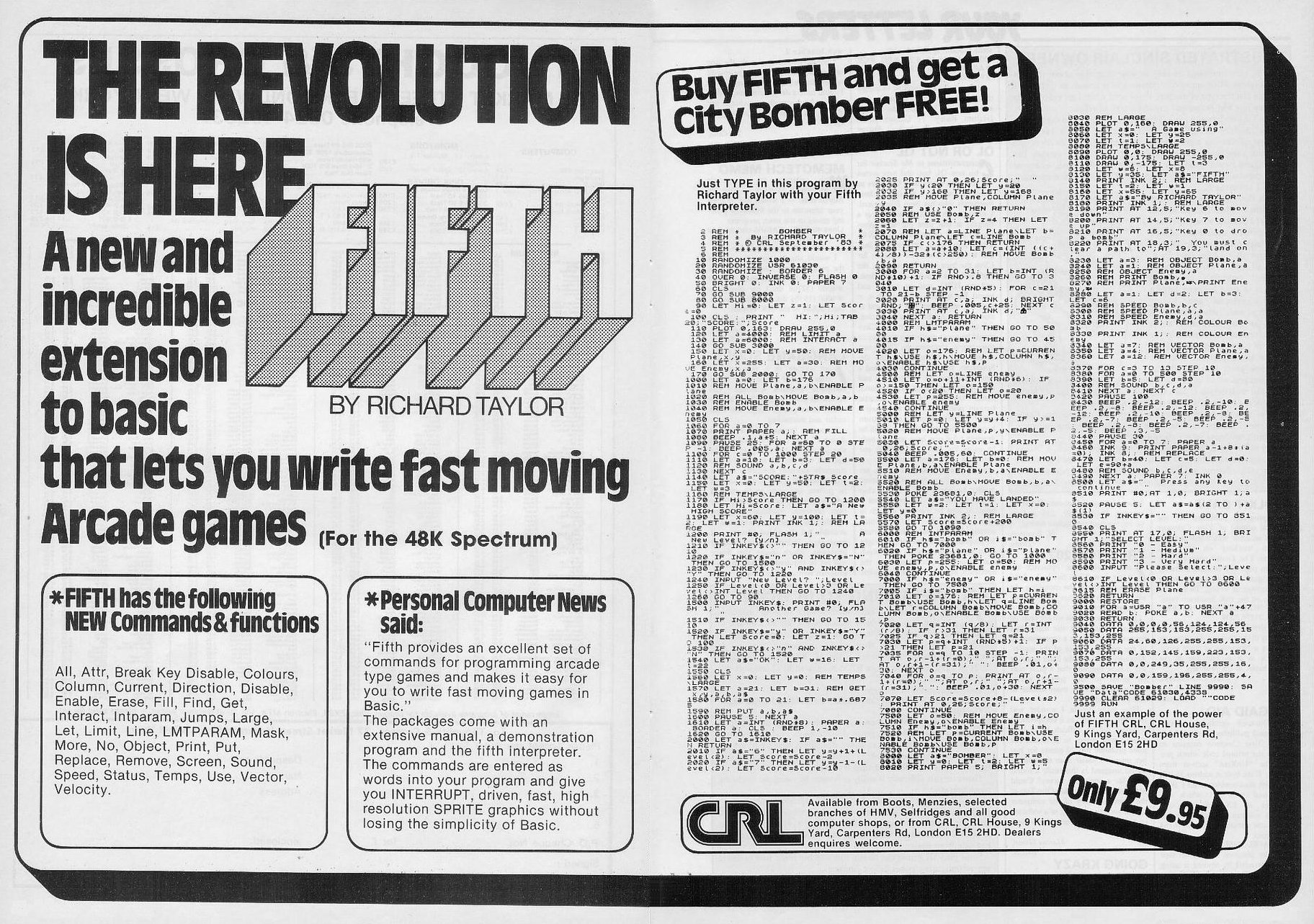
Sample of the kind of fgames programming with Fifth 10 RANDOMIZE 1000 20 RANDOMIZE USR 61030 30 FOR a = 0 TO 255 40 PLOT a, 0 50 DRAW OVER 1; 255 — 2*3, 175 60 NEXT a 70 FOR a = 0 TO 175 80 PLOT 0, a 90 DRAW OVER 1; 255, 175 - 2*a 100 NEXT a 110 PAUSE 50 120 PRINT PAPER RND*7; INK 9 130 REM FILL 140 GO TO 110 10 RANDOMIZE 1000 20 RANDOMIZE USR 61030 30 LET a = 6000: LET b = 8: REM OBJECT ball. bLIMIT a 40 REM PRINT ball, 0 50 LET a = 1: REM SPEED ball, a,a 60 LET x = 124: LET y = 50: REM MOVE ball, x, y 70 LET a = 1: GO TO 70 6000 REM LMTPARAM 6010 LET b=INT (RND*3) + (7 AND i = 0) + (11 AND i = l)+(15 AND i =2) + (3 AND i = 3) 6020 IF b > 15 THEN LET b = b - 16 6030 REM LETC = CURRENT h$USE h$, hVECTOR h$, bENABLE h$USE h$, c 6040 CONTINUE
Two-page ad5
- Your Computer #5May 1984 · p.40
- Your Computer #4Apr 1984 · p.224
- Your Computer #2Feb 1984 · p.56
- ZX Computing #10Dec 1983 · p.68
- Your Computer #12Dec 1983 · p.236
News/Note5
- Your Computer #11Nov 1983 · p.55
- Your Computer #9Sep 1983 · p.40
- Personal Computer News #24Aug 1983 · p.8
- Home Computing Weekly #21Jul 1983 · p.8
- Popular Computing Weekly #29Jul 1983 · p.5
Feature3
- Your Computer #4Apr 1984 · p.77
- Personal Computer Games #3Feb 1984 · p.15
- ZX Computing #10Dec 1983 · p.68
Advert2
- C&VG (Computer & Video Games) #32Jun 1984 · p.115
- Your Computer #6Jun 1984 · p.58
Related
- Same entry at
- Spectrum ComputingZXInfo
Reviews from people here
Sign in to write about this, or make an account. It takes a minute and lets you correct the catalogue too.
No tag recorded.
Sign in to correct or add to this.
Hold the rights to this and want it taken down?