
FORTH
Programming: General · ZX-Spectrum 48K · 1 players · English
Abersoft · 1983 · Pound sterling 19.95
Also known as 16k FORTH (Swedish), Abersoft FORTH (English), fig-FORTH (English)
.jpg)
_Back.jpg)
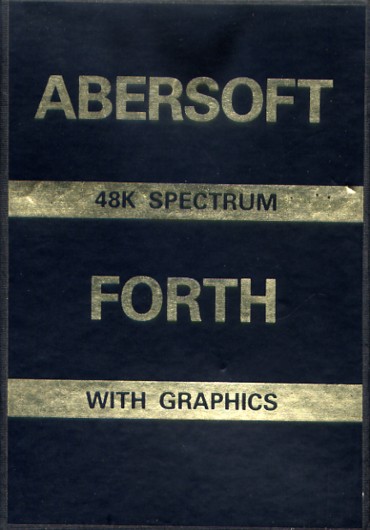
_Front.jpg)
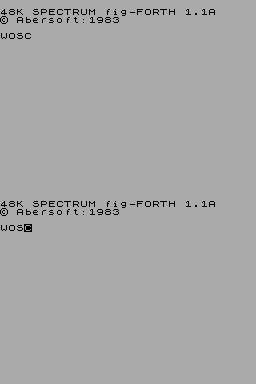
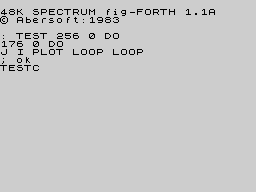
Discussion
Nobody has started a thread about this yet.
Releases
- 1983Abersoft Sold as Abersoft FORTH, fig-FORTHPound sterling 19.95
- 1983Melbourne House
- 1983Microbyte [ES]
- 1983Digilog Software Sold as 16k FORTH
Play
- FORTH.tzx.zipTape image English6 KB
- FORTHV1.1A.tap.zipTape image English6 KB
- FORTH(MelbourneHouse).tzx.zipTape image English9 KB
- FORTH(Microbyte1).tzx.zipTape image English6 KB
Documents
- Forth.txtInstructions English73 KB
Other files
- en.program.abersoft_forth.htmlRemote link English
Files and rights
Distribution permission is on record, granted to another archive rather than to this one. Screens and pictures are copied here; everything else links to the archive that holds it.
- AllowedAbersoft → WorldOfSpectrum
Credits
- John Jones-Steelecredited
Sign in to credit somebody, or say what these people did.
Scores
In the magazines
- Personal Computer News #131983 · Overall Value5/5
Elsewhere on the web
- WorldOfSpectrum 4 votes8.25
In the magazines 99
Big K #9Dec 1984 · p.69
Fin Fahey
THE EXTENDED SPECTRUM Fin Fahey checks out a smattering of utility programs for Old Rubber Keys. System Software, as we old computer industry hacks call programming tools, is hardly destined to set the world alight. It smacks of hard work and late night sessions over a hot keyboard and seems light years away from the glamour and fun of, say, a new Melbourne House adventure release. But for people interested in stretching their minds, and their machines, some of these trusty workhorses may well turn out to have hearts of gold. But why go beyond the facilities offered by Sinclair BASIC? (One may well ask.) Quite simply, no machine, and particularly no BASIC interpreter, fills all the needs of the budding programmer, and for a lot of requirements like arcade games, just hasn't got the speed. There area fair number of - packages which just add a few useful commands to BASIC extensions r programmer's toolkits, these generally give you the sort of goodies you've always needed to develop your BASIC programs. There's no line Renumber command on the Spectrum, and for this you'll have to buy a toolkit. The same goes for many other 'system' commands. Trace, to give you a continuous listing of program lines being executed, Map, to tell you which variables have been specified, and Block Delete, so you can get rid of more than one line at a time, to name but a few. Super Toolkit, from Nectarine, has all of these plus such things as a Crunch command, to get all those useless spaces and REMs out of your program before running. It clocks up a total of 12 commands, as does Toolkit from IMS Software, which includes an Auto line-numbering routine. Slightly fewer facilities on CP Software's Spectrum Extended BASIC, only 10 commands in this case, and the only one unique to this package is Find, which will look fora specific string text in your program. CP, however also do Supercode, a machine code toolkit, incorporating a hundred off-the-shelf machine code routines. These include an impressive range of scrolling effects, high-resolution diagonal scroll, low-resolution shutter and ripple scrolls and many others. There are four sound effects generators too, but the truly impressive thing is that you can include CP's code in your own BASIC and machine code programs, an amazing bit of altruism. Each routine has full in-program documentation and a demo mode shows you what they can do. It's got to be good value. From off-the-shell machine code to creating your own. If you've decided that BASIC's too slow for your program design, then you'll probably want to write machine code. Some people seem quite happy programming this byte by byte as BASIC POKEs, but for really effective development you'll need an assembler. Assemblers allow you to put Z80 code in assembly language, a much more understandable form, even though it's a lot more obscure looking than BASIC. A good assembler will allow you to specify addresses and constants as meaningful labels which makes the code a lot easier to follow. In such a symbolic assembler, the JP instruction (equivalent of BASIC GOTO) could be rendered JP LOOP instead of giving an actual address, say JP $4000. But before actually using one of these things, you may need to learn what it's all about. To help you, there are a number of tutorial programs, and some of these actually allow you to set up and test code. Sinclair's Beyond BASIC offers a tutorial on the internal structure of the Z80 plus lessons on each assembler instruction. These are illustrated with simple moving graphics. There is an experimenter section where you can watch the effects of your own code on memory and registers. Sadly, this one doesn't cover the entire instruction set. More complete is New Generation's Machine Code Tutor. This comes on two cassettes and covers everything. Once again, you can write your own code and 'run' it on a diagrammatic simulator. Although this is rather harder work than Sinclair's, I think it gives a closer feeling to using an actual assembler. Dream Software also have a simulator. This has much nicer printed documentation than the other two, but unfortunately it describes an imaginary chip which resembles the Z80 in many respects. I think that this may be unnecessarily confusing, but as long as its borne in mind, the transition to the real chip shouldn't be too hard. So now you can get down to some real coding... Sinclair themselves market the Zeus Assembler, which allows full symbolic instructions. Lines of code are entered much as in BASIC, and editing is similar, so this should be an easy one for beginners to move to. Picturesque's Editor/Assembler, on the other hand, has a rather better editor than the Spectrum, but the key response seemed a bit slow to me. This latter program is very tolerant about the format in which you enter code. Very different from these two is Oasis Software's Spectre Macro-assembler, and I certainly wouldn't recommend this one for beginners. It's a very professional product, but using it is more like learning a new computer language than anything else. It doesn't use Z80 instructions directly; they have to be set up as procedure definitions much as in high-level languages like Forth or Pascal. This makes it very powerful, since it's just like building your own interpreter. But, as I say, not for newcomers. An indispensable tool when developing machine code is some sort of Monitor. A Monitor provides easy ways of getting at memory, moving it, changing it, searching it for particular values, that sort of thing. You can also usually get dumps of Z80 register values and step through a machine code program. The Zeus assembler has a reasonable monitor with it, but Sinclair do a more extensive version as a separate product. This also allows you to Disassemble code, which means to translate machine code back to assembly format. Useful for looking at the ROM, but maybe you'd be better off buying one of the 'Spectrum ROM disassembled' type books which also give explanatory notes. Picturesque's Editor/Assembler has no attached monitor and you have to buy theirs separately, although both programs can be loaded at the same time. Agai, there's a disassembler. Assembly language isn't the only way of getting fast code. Scope II, from ISP, is a simple language aimed at producing fast machine-code animation. The makers call it a medium-level language, as it's mid-way between BASIC and assembler. I feel it's rather closer to machine code, but it's certainly a lot easier to use. Once you've written code in SCOPE II, it is boiled down by the program to machine code routines, which can be run without Scope being present, so you develop commercial products, or give copies of your games to your friends without fear of committing piracy. This process of boiling down machine code is known as compilation, and it's possible to do it to BASIC. The only BASIC compiler we had available to look at was Softek's. This is certainly fast. From running a few simple loops, it looks roughly about 150-200 times faster than interpreted BASIC. It does have some serious drawbacks, though. For one, there a quite a few BASIC functions it can't translate, floating-point arithmetic and arrays among them. More seriously, compiled programs will not run without Softek's run-time routines being present. Unfortunately, the company is being quite prickly about this, and are claiming that if you develop your program and compile it with their program. then they've suddenly acquired a share in it, Whatever the legal position, this seems a little dubious to me, and it's certainly a discouragement to using Softek's product for commercial development. The final approach to fast code is to use Forth. This high-level language is closer to machine code than BASIC, and for most purposes runs up to ten times faster. Not spectacular maybe, but it can make a difference. The speed saving is nice, but it's not really the central point about Forth. The language takes a fundamentally different approach to BASIC, and one which provides a much sounder design discipline. It would certainly be easier to write good machine code after a grounding in it. Forth is known as a 'procedure-oriented' language. That means there's no more complaining about there not being a command in BASIC to do something. If it's not there in Forth, then you just write your own command, which is compiled into the language vocabulary. Although you can theoretically do this in BASIC by using subroutines, compiled procedures are much faster and easier to use. Forth is easier to structure too. There are at least four versions of Forth available on the Spectrum. It's hard to decide between them, but Melbourne House's Abersoft Forth is the only one recognised by the independent Forth interest Group. Sinclair also do a Forth which to my relatively untutored mind seemed much the same, both in terms of speed and usability. Both versions have minimal printed documentation, since they rely on the user going out and acquiring a Forth manual. The sad thing about Forth is that. unless you're a fan of the ill-fated Jupiter Ace, you can't market any of your programs since they won't run without someone else's product. While on the subject of languages, Logo has been stirring up interest as a teaching language, particularly for younger children. Unfortunately, the version I looked at, Snail Logo by CP Software, really merited its name. Logo is high-resolution graphics oriented, and the user commands a 'turtle', or in this case a snail, to draw shapes on the screen. The CP interpreter turned out to be written in BASIC, so every command is interpreted twice. Slow? I can't imagine anyone, adult, or child, having the patience to work through the manual, let alone use it. Something of a weirdie, but one I find particularly fascinating, is Micro -Prolog, from Sinclair. Prolog represents yet another direction in new languages, and is particularly suited for Artificial Intelligence and linguistic purposes. Its very odd to use after command oriented type languages like BASIC, or even Forth, because a program in Prolog (it stands for PROgramming in LOGic) is mostly a way of organising data, not of setting up a fl ow of commands. Now I've got the point, I want to know more about this one. Sinclair Micro-Prolog's documentation isn't bad either. Dr Ming back to the problem of generating programs, if you're an adventure game writer, you haven't really got one, The Quill, from Gilsoft, and Dream's Dungeon Builder can both be used to generate adventures of any complexity. We've reviewed them before, and they're both good value. Dungeon Builder has the edge in user-friendliness, and can be used to add graphics to adventures, while Quill has a more mechanistic approach. Both Gilsoft and Dream are perfectly happy for people to market games produced with their packages. Right on! On which cheery note I'll roll the credits and fade to black, but not before noting that this is far from being a complete survey, so if you've discovered an utterly wonderful, or unspeakably awful bit of useful/useless software in this field let us know. BASIC EXTENSIONS: SUPER TOOLKIT from NECTARINE TOOLKIT from IMS Software SPECTRUM EXTENDED BASIC from CP Software Price: £9.95 SUPERCODE from CP Software Price: £9.95 MACHINE CODE TUTORIALS: BEYOND BASIC from Sinclair Price: £9.95 THE COMPLETE MACHINE. CODE TUTOR from New Generation Software Price: £7.95 MACHINE-CODE FOR BEGINNERS from Dream Software Price. £0.00 ASSEMBLERS: ZEUS ASSEMBLER from Sinclair Price: £12.95 EDITOR/ASSEMBLER from Picturesque Price: £8.50 SPECTRE MAC-MON from Oasis Software Price: £14.95 MONITORS: MONITOR/DISASSEMBLER from Sinclair Price: £12.95 SPECTRUM MONITOR from Picturesque Price: £7.50 COMPILER from Softek Price: £9.95 LANGUAGES: SCOPE II from ISP Price: £11.95 FORTH from Sinclair Price: £14.95 ABERSOFT FORTH from Melbourne House Price. £14.95 SNAIL LOGO from CP Software Price: £9.95 MICRO-PROLOG from Sinclair Price: £24.95 ADVENTURE GENERATORS: THE QUILL from Gilsoft Price: £11.95 DUNGEON BUILDER from Dream Software Price: £9.95
Your Spectrum #1Jan 1984 · p.21
Steve Mann
COURTING COMPILERS GO-FASTER! FLIRTING WITH FORTH Once the initial association with Sinclair Basic has run its course, Spectrum owners soon come to realise its limitations - especially with regard to speed of operation. Steve Mann checks out alternative routes - in particular the 'FP'and 'IS' compilers from Softek, and the Abersoft Forth package. All Spectrum owners will have noticed that their implementation of, say, Missile Command just doesn't have the speed or the smooth, pixel-by-pixel movement that a true arcade game devotee has come to expect from a program. In fact, Basic is just about okay if the display is kept simple - PRINT AT is actually, relatively, quite fast if the number of objects that need to be moved is kept small - but once the number of moving objects reaches four or five, the movement slows down dramatically. Sinclair's highly individualistic - some might say bloody-minded - method of laying out the display file ensures that direct POKEs to the screen are more trouble than they're worth, so something different is needed. Another drawback is that anything that is moved a character square at a time is going to look jerky when compared with the single pixel steps achieved in professional programs. WHICH WAY OUT A recent innovation is the idea of a 'games design' package; Melbourne House has just marketed one of these, as has Quicksilva. But these are necessarily limited - the Quicksilva package, for example, while allowing the designer a fair amount of freedom in manipulation of sprites, insists that the resultant game is of one of four types, described as Space Invader, Asteroids, Scramble or Berserk. If you want a completely new format then, tough, you're out on your own, buster. Pundits will pontificate patronisingly... "Where's the problem?" they'll ask, "machine code will deal with all that and more" - but no one likes a smart-arse, and machine code has a reputation for sending beginners gibbering and whimpering back to the comfort of Basic. It's not that it's amazingly difficult - in fact, in some ways it's extremely simple - but it's not an easy subject to learn from books and early attempts at understanding often prove so off-putting that the whole idea gets quietly shelved in the 'forget it' tray. There has to be an easier way, and there is - in fact there are several. One way out is to learn Forth - definitely the year's most fashionable language for home computer users - and later on in this article we'll be taking a look at the Abersoft Forth compiler for the Spectrum. Another alternative is to use compiled Basic instead of the built-in interpreted version and, as Softek has released new versions of its Basic compiler, it seems only right and proper to give these the once-over. So, introductory waffle over, it's time now to move towards the highly laud- able aim of making life easy for the user. Let's get down to some specifics... THE COMPILER ROUTE Integer and Floating Point From Softek Purists may look down on Basic compilers as being something of an easy way out, but then who wants to make things difficult? The principle behind a Basic compiler is perfectly straightforward - just type in your Basic program (or load it from tape or Microdrive), hit a couple of keys and, presto, the 707 has become a space shuttle - at least that's the theory. Of course, nothing is actually that simple. The manual for the Softek compilers claims that compiled programs will run 'up to' 200 times faster (in some circumstances even 500 faster is possible), but the important point to note is that 'up to' is apostrophised (if there is such a word). In practice you will find that the compiled code is rarely that efficient and your programs are unlikely to be any more than 10 times faster. But let's not be ungrateful, a speed increase of 1000 percent is certainly not to be sneezed at! The other point to note is that there is a trade-off of speed against ease of use - the Softek 'FP' floating-point compiler offers many more features to the user; it will handle almost all Basic commands and functions, including strings and arrays (single dimension only) and a full range of 'real' numbers. The 'IS' integer compiler has many more restrictions on its use - no arrays, fewer commands and integer numbers only, in the range - 32767 to 32767 (some functions will store a number in the range 0 to 65536 - for example, PEEK, POKE and USR). Floating point numbers are stored in five bytes, whereas integers take up two only - so the IS compiler produces much quicker code than does the FP version; in some cases operation can be speeded up by using the INT function, but generally the FP compiler will run two to ten times faster and in all but optimum conditions the speed increase will be at the lower end of this range. In most instances, the 'IS' model is perfectly satisfactory, despite its more limited range of facilities, and the speed factor more than makes up for the extra care that is needed to ensure that the Basic is compilable. The lack of floating point maths need not necessarily be a drawback - integer numbers are often quite sufficient and, indeed, most Forth implementations will not handle floating point numbers anyway. As a demonstration of the comparative speeds of interpreted and compiled Basic, let's examine a very simple program that plots every point on the screen (Figure 1). A couple of FOR/NEXT loops do the job quite adequately and, as can be seen from the timings, the 'IS' compiled version is fastest by many orders of magnitude. In the segment of this review that looks at Abersoft Forth, I have included a Forth version of this routine and a timing for further comparison. MINUS MASTER KEY Both Softek compilers use the same memory addresses, and both take up approximately 6K of RAM. I had hoped to incorporate Softek's Master Key program, which defines the SPACE key as a further SHIFT and which then uses this in conjunction with the numeric keys to give user-definable function keys. Unfortunately Master Key, which worked a treat on my earlier Spectrum model, is another fine program that has fallen by the wayside now that Sinclair has started mucking about with the ULA (see Front Lines, Sinclairwatch). Your author's much-loved Issue 2 Spectrum gave up the ghost a few weeks ago and despite having now got a replacement - also categorised as an Issue 2 - affections for the new model are already strained by the number of programs that now fail to work. Sinclair Research may claim that it's all the fault of software manufacturers who have jumped to conclusions about specifications, but one program that resolutely refuses to run on my new machine is Sinclair's own IQ Test! Anyway, Master Key would have been a boon when used in conjunction with the compiler. It would have enabled Basic programs to be compiled at a single keypress, thus obviating the need to remember the somewhat clumsy RAND USR command needed both to compile and then to run programs. I just hope that Softek produces a revised version for later Issue 2 and Issue 3 machines. Anyway, even without Master Key, Softek's compilers work well enough. The compiler is first loaded and the user is asked if RAMTOP is okay at 40000 (48K version). RAMTOP may be moved to allow many different short routines to be linked together. After typing in the Basic, all that is needed is to key in RAND USR 59300. The compiler makes two passes through the program, printing on-screen the start and end addresses and detailing any errors. Compilation stops at any mistake and the offending line may be pulled down and edited in usual Basic fashion. Once any errors have been dealt with, all that's needed is to make a note of the start address and use this in another RAND USR call to RUN the program. The Basic program remains in memory if desired, so both interpreted and compiled Basic programs may be run. Initially, all but the simplest programs will probably refuse to compile when using the 'IS' version - but it's not too difficult to rewrite the offending sections to allow for the limitations (arrays will obviously take some thought - one solution is to POKE the required information into spare memory for later retrieval). Only skimpy, provisional documentation was available to work with while writing this review, but Softek assures us that full manuals will be available very shortly. The 'FP' compiler is much less finicky, although it did seem impossible to use a third parameter in a DRAW statement, despite the manual's claims to the contrary. One particularly nice feature is the use of special REM statements to give commands and facilities not normally available in Sinclair Basic. These include such features as ON ERROR GOTO; ON n GOTO, where n must be a single-letter variable: and, most useful of all, REM S a,x,y which plots the character whose ASCII code is at PLOT position x,y. This REM statement allows some very smooth pixel-by-pixel movement (sec Figure 2) and can be used with user-defined graphics to produce mini-sprites. There were some slight problems with graphics when using the compilers - the Union Jack program from the Sinclair manual, for example, gained some extraneous black blobs when compiled - but there was certainly nothing that could not be put right after a little thought. Hopefully the final version of the manual will go into a little more detail than the preliminary effort - but even with just this, both Softek compilers proved easy to use and gave some impressive results. It's also nice to see that Softek has dropped its demand for royalty payments on programs that are produced with its compilers - all the company now asks is that the use of a compiler is acknowledged on packages and advertising. The 'FP' Compiler costs £19.95, the 'IS' Compiler £9.95 and both together the price is £24.95. You can get them from Softek, [redacted]. SHIFT INTO FORTH Abersoft helps trash Basic speed limits. The Forth language was originally developed by Charles Moore in the 1960s as a language for controlling radio telescopes. Since then it's been used for a wide variety of applications, including arcade video games. Unlike Basic, which is usually ROM-based, Forth is generally supplied on disk and, with its sudden surge in popularity over the past year or so. now on cassette too. The newcomer to the language will notice two major differences between Forth and Basic Forth uses Reverse Polish Notation (ie. Basic's PRINT 2+2 is replaced by 2 2 + . ), and makes great use of the stack for virtually every operation. There are now many versions of Forth available for the Spectrum - Abersoft's implementation is basically fig-FORTH (the modishly lower case 'fig' referring to the Forth Interest Group) with extensions to handle the machine-specific graphics and sound commands. Forth was originally designed for use on disk-based systems, and the Abersoft version emulates disk operation by setting aside an 11K chunk of memory and using this as a 'pretend' disk. Although 11K does not sound like an incredible amount of memory, the compactness of Forth allows some very complex programs to be developed. The version looked at here has no provision for Microdrives, but it would be relatively simple to implement these, giving in effect a true (although slow) disk-based system. The 11 K of 'RAMdisk' is organised into pages of 1K, each containing 16 lines of 64 characters. This is hardly ideal for the Spectrum's 32-character display but is a Forth standard and, in fact, gives rise to no real problems in use. HOW IT OPERATES For those who are totally unfamiliar with the language, it should be said that Forth is used by defining words, using the basic building-blocks of the standard words in the dictionary. Each new word is treated as a new dictionary entry, and further words may be defined by using these. Thus, eventually, a complex program may be defined and run by the typing of a single word. The stack assumes paramount importance, being used for almost every operation - even to the extent of passing values from word to word and doing the same job as a Basic variable. It is in fact a surprisingly easy language to gel to grips with, once the user has grasped Reverse Polish. Words may be defined direct from the keyboard - in which case the definitions go straight into the dictionary; or by using the editor - in which case they are not compiled immediately but wait until the blocks of text from the editor are LOADed. For most of the machine-specific extensions, Abersoft has stuck to the familiar Basic names, but Reverse Polish means that parameters go before, rather than after, the keyword the Basic PLOT x,y becomes, for example, x y PLOT (note the absence of a comma). In some cases the familiar words have a slightly different meaning - the Basic DRAW, which uses relative coordinates (DRAW 50,50 would mean draw to a point 50 pixels horizontally and 50 pixels vertically away from the last plotted position) is replaced by absolute co-ordinates, with 50 50 DRAW meaning draw a line from the last point plotted to the screen coordinates 50,50. The CIRCLE routine in ROM could be called from Forth. The Basic BEEPcommand is omitted completely, which is a pity. However, the facility exists to insert machine code routines and so the CIRCLE becomes the Forth BLEEP, used in the format nl n2 BLEEP to produce a tone of duration n1 and pitch n2. User-defined graphics are fully supported, and the manual contains a routine to define any character by using the word UDG. In addition to the Spectrum graphics and sound extensions, Abersoft Forth supports the Pascal-like CASE structure for handling multiple decisions, and the word FREE which - surprise, surprise! - tells you how many bytes remain free for use. The Abersoft documentation makes no claims about the use of Forth, instead concentrating on the Spectrum-specific extensions and giving a glossary - with a few omissions - of the words in the dictionary. Unfortunately the glossary contains some misprints, but as the novice user will need a proper Forth instruction book, these should not be too troublesome. It's a good idea to supplement the Abersoft manual, and whatever book is decided on for teaching purposes, with the fig-Forth installation documentation; this costs a fiver and is well worth shelling-out for (the contact address is given at the end of this article). All in all, then, Abersoft Forth is highly recommended for the beginner who wishes to learn more about this fascinating language. With an increase in speed of up to 5000 percent over Basic, Forth provides a good alternative to machine code for fast-running programs and speedy graphics and its use in arcade machines testifies to its success as a language for the programming of all-action games. It's impossible to give more than a rough idea of the language's capabilities in this short article - but hopefully, at least, your curiosity will provoke you into investigating Forth on your Spectrum. Abersoft Forth costs £14.95 and is available from Abersoft, [redacted].
"I agree it's quite remarkable that we can run the whole of BL on a Sinclair Spectrum - but do we really need 17,340 people to operate it?"
GOOD READING The Complete Forth - Alan Winfield (Sigma Technical Press). Discover Forth - Thom Hogan Forth Programming - Leo Scanlon Forth installation documentation is available from Forth Interest Group UK, [redacted].
Your Computer #10Oct 1983 · p.84
Fintan Culwin
Machine: Spectrum Language: Forth Company: Abersoft Price: £14.95 Abersoft 48K Spectrum Forth - with graphics - impressed me almost as much as the Sinclair Forths. This loaded in just 70 seconds, including the editor. This is a Fig Forth Implementation with extensions to make best use of the Spectrum capabilities. All the Forth standard words are included and a better selection of double-precision operators. The Spectrum specific extensions include graphics words such as Draw, Attr and At but apparently no Circle. All these words are the same as their Basic synonyms. Beep is not the same as Spectrum Basic Beep. Its two parameters are related directly to the machine-code loops, allowing the sound to be more creative if less easy to use than Basic. User-defined graphics conversely are easier to construct. There are two ways to Save definitions, both of them non-standard. The first of these is a routine to Save the Forth nucleus definitions and you definitions in the same for as the system is supplied in. This is non-standard but a good idea. The other method involves 10 standard Forth screens. Each screen can be composed individually, but can only be transferred to and from tape as a group of 10 screens. Abersoft promises Microdrive file support in the near future. Hopefully this will allow the screens to be individually numbered and the filing operations to be carried out automatically. The Forth screen editor is again a standard Forth editor. The presentation of the screens on the VDU is a little different. It is usual for a Forth screen which conventionally consists of 15 lines of 84 characters to be presented as 16 blank lines. This allow the whole Forth screen to be visible on the VDU screen. This editor initially presents each line as 84 question marks causing it to spread off the screen. This is inconvenient but Forth is friendly and flexible - a dangerous word can be defined which puts a carriage return only onto each line. Also included is a printed booklet which includes the usual introduction to Forth loading details and a glossary.
Personal Computer News #13Jun 1983 · p.345/53/55/54/55/55/55/5
Features 5/5
Documentation 3/5
Performance 5/5
Usability 4/5
Reliability 5/5
Overall Value 5/5
Ted Ball 5/5
NAME: Abersoft Forth APPLICATION: Programming language SYSTEM: 48K ZX Spectrum PRICE: £14.95 PUBLISHER: Abersoft, [redacted]. FORMAT: Cassette LANGUAGE: Machine code. OUTLETS: Mail order A FORTH FIRST FOR THE SPECTRUM Looking for a speedier Spectrum? Ted Ball reviews a Forth-coming attraction from Abersoft. FOrth is becoming a very popular programming language on small microcomputers because it's almost as easy to use as Basic and almost as fast as machine code. Abersoft Forth is an implementation of FIG-Forth, with disk simulation in RAM, and a number of extensions which are mostly to allow you to use the special features of the Spectrum. FEATURES Being an implementation of FIG-Forth, Abersoft Forth includes the complete standard FIG-Forth vocabulary, and with the disk simulation in RAM you can enter and run published program listings without having to make changes. The disk simulation uses 11K of memory to represent a disk, and the disk handling words treat this block of memory as if it were a disk. There is an editor which allows you to type programs into the 'disk' area. In the usual FIG format where each 1K of disk is treated as a 'screen' with 16 lines of 64 characters. Although this is not really suitable for the Spectrum's 22 x 32 screen. Abersoft has kept it for the sake of compatibility. Abersoft's extensions to FIG-Forth include sound, colour, graphics, tape, keyboard and printer commands. Where possible it has the same names as the corresponding commands in Basic, but you have to use them in Forth's normal Reverse Polish form. All the colour and graphics commands from Spectrum Basic have equivalents in Abersoft Forth, except CIRCLE, presumably because of the difficulty of implementing and using this command in an integer-only language. DRAW is rather different from the Basic DRAW command. In Abersoft Forth, xy DRAW draws a line from the current position to the point (x, y), while the Basic command DRAW x,y draws a line from the current position to a point at a distance x horizontally and y vertically fromthe current position. For sound, Abersoft Forth has the word BLEEP, which allows you to set values of duration and pitch related to the processor clock cycles. With the extra speed of Forth you can produce more varied sounds with BLEEP than with the BEEP command in Basic, where you have to give duration in seconds and pitch in semitones. As well as the extensions that allow you to use the special hardware features of the Spectrum there are some miscellaneous non-standard words. These, include CASE, ENDCASE, OF, ENDOF, which together give a case statement of the type found in Pascal and other structured languages. There are also some words that operate on 32-bit numbers - 2DUP, 2OVER, etc. PRESENTATION The tape and a neatly printed instruction booklet come in a clearly labelled box. The booklet is mostly for reference, but it does have a short introductory section to help you get started. It describes some differences in using the computer in Forth instead of Basic. For example, there is a different method for getting the symbols which are printed in red below the keys. There is a short explanation of some of the extensions, mainly the graphics and input/output words. The section on the editor defines the editor commands, and gives some explanation of their use. More than half the booklet's 28 pages are a glossary listing words available in Abersoft Forth, giving precise definitions of what the words do, the inputs they expect and the outputs they give. But there are misprints and omissions in this section. Some misprints could give you a lot of trouble, particularly if you've just started learning Forth. For example > appears as < at the heading of its definition, and the words R0 and S0 (with the digit '0') appear as RO and SO (with the letter O). Most of the omissions are words that Abersoft has added. The introduction mentions UDG, which allows you to set up user-defined graphics characters, but UDG is missing from the glossary. There are also words which come up in the vocabulary when you use VLIST, but are not in the glossary, for example, INCX, INCY, X1, and Y1. The glossary doesn't tell you which words are in the FIG-Forth standard and which have been added. If you want to write portable programs you need to get the FIG implementation Manual to find this out. IN USE The editor has been taken from the listing in the FIG implementation Manual, and is rather complicated to use. For example, to edit a line you first have to give a command to copy the line into the editing buffer, and then if you want to insert extra text into the line you have to give a command to move the editing cursor to the position you want and another command to insert the extra text. Other forms of editing require a similar sequence of commands. If you are experienced in using Forth you can add extra commands to the editor, or replace it with another, but if you are learning Forth a complicated editor like this can make things difficult. Once you have got used to the Reverse Polish Notation and the idea of using the stack instead of variables. Forth is an easy language to use, and the graphics commands in Abersoft Forth allow you to do anything in Forth that you can do in Basic. However, the extra speed of Forth makes a big difference. You can get speed improvements of ten to 50 times, making it possible to produce moving graphics you would otherwise have to write in machine code. VERDICT Although at £l4.95, Abersoft Forth is more expensive than most versions of Forth for the Spectrum, its features make it well worth the price. I could not find any bugs, and the only real fault is the omissions and misprints in the documentation. Abersoft also promises low-priced additions including Microdrive file handling, a Z80 assembler, floating-point arithmetic, and a more expensive compiler to allow you to compile Forth programs into a stand-alone form that can be sold in a self-contained form. These additions will make Abersoft iorth a very useful programming system.
All you need is Abersoft's implementation of Forth, a Spectrum and this program and you can produce the above demonstration.
Advert76
- C&VG (Computer & Video Games) #35Sep 1984 · p.91
- Home Computing Weekly #77Aug 1984 · p.17
- C&VG (Computer & Video Games) #34Aug 1984 · p.82
- Home Computing Weekly #69Jul 1984 · p.17
- Your Computer #7Jul 1984 · p.21
- Home Computing Weekly #65Jun 1984 · p.49
- Home Computing Weekly #67Jun 1984 · p.17
- Sinclair User #26May 1984 · p.42
- Your Computer #4Apr 1984 · p.19
- Sinclair User #24Mar 1984 · p.92
- C&VG (Computer & Video Games) #28Feb 1984 · p.93
- Crash #1Feb 1984 · p.53
- Personal Computer Games #3Feb 1984 · p.138
- Your Computer #2Feb 1984 · p.183
- Sinclair User #23Feb 1984 · p.96
- Popular Computing Weekly #1Jan 1984 · p.44
- Your Spectrum #1Jan 1984 · p.73
- Micro Adventurer #2Dec 1983 · p.36
- ZX Computing #10Dec 1983 · p.25
- Personal Computer Games #2Dec 1983 · p.132
- Personal Computer News #35Nov 1983 · p.32
- Your Computer #11Nov 1983 · p.191
- Sinclair Programs #13Nov 1983 · p.45
- C&VG (Computer & Video Games) #24Oct 1983 · p.153
- Personal Computer News #30Oct 1983 · p.57
Feature11
- Big K #9Dec 1984 · p.69
- Sinclair User #24Mar 1984 · p.107
- Computing TodayMar 1984 · p.48
- Sinclair User #23Feb 1984 · p.111
- Sinclair User #22Jan 1984 · p.71
- Your Spectrum #1Jan 1984 · p.25
- Sinclair User #21Dec 1983 · p.116
- Sinclair User #20Nov 1983 · p.113
- Your Computer #10Oct 1983 · p.77
- Sinclair User #19Oct 1983 · p.93
- Sinclair User #18Sep 1983 · p.95
News/Note4
- Your Spectrum #9Nov 1984 · p.4
- ZX Computing #11Feb 1984 · p.87
- ZX Computing #11Feb 1984 · p.84
- Home Computing Weekly #41Dec 1983 · p.3
Full-page ad3
- Sinclair User #22Jan 1984 · p.114
- Sinclair User #20Nov 1983 · p.58
- Popular Computing Weekly #47Nov 1983 · p.42
Review1
- Home Computing Weekly #43Jan 1984 · p.28
Related
- Tags
- MicroSolver
- Elsewhere
- GitHub
- Same entry at
- Spectrum ComputingZXInfo
Reviews from people here
Sign in to write about this, or make an account. It takes a minute and lets you correct the catalogue too.
No description recorded.
Sign in to correct or add to this.
Hold the rights to this and want it taken down?