
Melodian
Utility: Music · ZX-Spectrum 48K · 1 players
Music Soft · 1984 · Spanish peseta 3800.00
Also known as Music Typewriter (English)
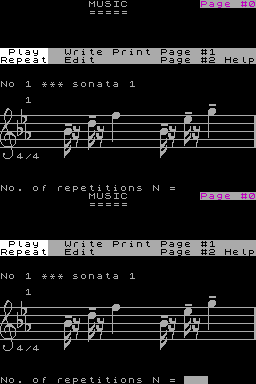
.jpg)
.jpg)
_KeyboardOverlay-1.gif)
_KeyboardOverlay-2.gif)
.png)
Discussion
Nobody has started a thread about this yet.
Releases
- 1984Music SoftSpanish peseta 3800.00
- 1984Romantic Robot UK Ltd Sold as Music TypewriterPound sterling 9.95 · Pound sterling 7.95 budget
Play
- Melodian.tzx.zipTape image Spanish12 KB
- Melodian(MusicTypewriter)(RomanticRobotUKLtd).tzx.zipTape image English22 KB
- Melodian(MusicTypewriter)(RomanticRobotUKLtd).tap.zipTape image English27 KB
Documents
- Melodian.pdfInstructions Spanish118 KB
- Melodian(MusicTypewriter).txtInstructions English13 KB
Files and rights
No permission is on record either way. Screens and pictures are copied here on a take-down basis: if you hold the rights and want something removed, say so and it goes.
Credits
- B. Mikolasekcredited
- V. Meiercredited
Sign in to credit somebody, or say what these people did.
Scores
In the magazines
- Your Spectrum #121985 · Overall4/5
- Sinclair User1986 · Overall4/5
In the magazines 130
Crash #47Dec 1987 · p.114
Ben Stone
Dominic Handy
CHRISTMAS LISTE Ben and Dom, Crash, [redacted]. What's small and black and bursts the seams of a stocking? A Spectrum add-on, of course - there are hundreds of little black boxes for music, printing, screen art and program transfer. Dominic Handy suggests some utilities and hardware for the Christmas list, and Ben Stone brings joysticks to the world - but don't fight over them, or they'll all be broken by little black Boxing Day. JOYSTICKES TERMINATOR Supersoft £19.9 Like most pointless street cred - take Raybans, expensive earplugs on a Radio Shack personal stereo and the Beastie Boys - the Terminator does serve a purpose, but only just. And its wacky design takes a lot of getting used to. Being so tiny the Danish stick has a lot of travel, so it's quite unresponsive. And the fire pin is difficult to use: you have to hold the grenade and fire with the same hand, but you can get it to work fairly quickly it you're prepared to go through hand-ache agony. The Terminator is all but indestructible, made of very thick plastic and durable electrical parts, but for nearly 20 quid I'd expect something a little more efficient than this. OMPETITION PRO 5000 Dynamics £14.95 (£15.95 with transparent case, Competition Pro Extra £16.49 with autofire and go-slow mode) This is THE joystick. The fire action is brilliant and the stick performs like a dream. It looks much the same as the Euromax Professional, but for just a pound more you can get it with high-tech clear casing (as in the picture). It's durable, because the shaft is made of steel and the microswitched mechanism inside is remarkably simple (and pretty much user-serviceable). The fire buttons work with reed switches, sometimes considered unreliable, but I've never had any trouble. Sadly, there's no autofire on either model, though there's a souped-up version on the market (the Competition Pro Extra) with autofire option and a go-slow mode never before seen on any joystick. SPEEDKING Konix £11.99 (£12.99 with autofire) The Speedking was a novelty when it appeared - the first truly hand-held joystick that worked well. It's easy to use, though it has the problem of the Euromax Professional in reverse: the diagonals are a pig to find and use quickly, which makes playing games like fighting sims very difficult. The position of the fire button really makes your hand ache if you're pressing it a lot - shoot-'em-ups turn into a nightmare when you're doing well! - though it would be difficult to have it anywhere else on the compact little body of the Speedking. There is a Speedking with autofire available. Earlier this year Konix claimed one Speedking lasted for 17,604,000 waggles (that's 27 days of nonstop waggling, folks!), but the story is not now believed, Our Waggling Editor writes. PROFESSIONAL Euromax £15.95 (£18.95 with autofire) The Euromax Professional has most of the features now becoming standard in the joystick world: posey design and microswitches, and an autofire option if you want to pay a bit extra. (It's the autofire version in the picture.) At first it's a little difficult to get to grips with, literally, because it's biased slightly to the diagonals. Theoretically this means the joystick's eight directions are equally easy to use, but in practice the stick often slips out of the vertical/horizontal into a diagonal. But the Euromax Professional has a brilliant fire action. And it's a great stick for games where deft, precise movements aren't needed; it feels rather flimsy, but the couple that were in the office had fairly long lives considering the hammering a CRASH joystick gets! 125 SPECIAL Cheetah £12.99 This new joystick, introduced in last issue's PCW Show report, has the usual eight directional controls as well as two independent fire buttons - and a special rotate function which allows the player to twist the joystick for extra-realistic movement. Of course a joystick of such complexity needs more than the usual five pin in/outputs; you'll have to have an extra joystick port, or use both ports on the +2 and +3/. There is an autofire function. IN THE BLEAK MIDWINTER MIDI INTERFACE Cheetah Marketing £49.95 With this interface box and accompanying software you can control any MIDI instrument via the Spectrum. It's superb for people who can write music but can't play - just enter the notes and the computer plays the instrument. Or do it the other way round: you play the music and the computer puts it into musical notation. Including a MIDI lead for connecting the interface to your instrument, the MIDI interface was reviewed in issue 40. MK5II KEYBOARD Cheetah Marketing £199.95 This 61-key fully polyphonic board with foot switch and MIDI output ports comes packed in a rugged steel case. It's an ideal accessory to Cheetah's MIDI interface. MUSIC MACHINE Ram Electronics £49.95 'One of the best all round music add-ons for the Spectrum' - Jon Bates, Issue 34. A sound sampler, sequencer, editor, drum machine and composer all in one little black interface, the popular Music Machine is supported by a wide range of software. Recent additions include Quasar Software's Sample Editor (reviewed last issue) and Tectrics's chord construction kit Compuchord (Issue 45). SPECDRUM Cheetah Marketing £29.95 Now the standard drum add-on for the Spectrum, the SpecDrum comes complete with eight samples of real drum sounds. Extra drum sounds can be loaded in from tape: the Electro Kit and Afro Kit both retail at £4.99 and the older Latin Kit at £3.99, and all come complete with their own editors. The SpecDrum plugs into most hi-fis via a connecting phone lead. Jon Bates enthused over it in Issue 27. MUSIC TYPEWRITER Romantic Robot £7.95 Coming complete with keyboard overlays (48/+), this clever piece of software is a sophisticated tool for music on the Spectrum. Music written on Music Typewriter is displayed onscreen using realistic graphics which can be dumped to most dot-matrix printers, so you can print your own music. And your compositions aren't limited to Music Typewriter - all your tunes can be converted to machine code for use in your own programs. Jon Bates went sharpening and flattening on Music Typewriter in Issue 16. PRINTING MULTIPRINT Romantic Robot £39.95 A printer interface with all the options, the Multiprint can dump any Spectrum screen to an Epson-compatible printer in three different densities - it's handy for listings, too. There's more info in Issue 43. RAM PRINT Ram Electronics £34.95 Not only does this little black box drive your printer using a very easy menu-driven system (all stored on a ROM chip), it's also useful for those apres-Christmas 'thank you' letters because it comes with a built-in word processor, accessible from BASIC at any time and also on ROM. And if you ever get bored of all those line feeds and ESCape codes you can always plug your joystick in the built-in Kempston port and bash away at a game. See the details in issue 35. FOR THE ARTIST THE OCP ART STUDIO THE ADVANCED OCP ART STUDIO Rainbird £14.95, £24.95 'Probably the best art utility on the Spectrum' - Mike Dunn (On The Screen Editor). Need we say more? Several versions of the mouse- and joystick- compatible Art Studio utility are available for different Spectrum setups; The Advanced OCP Art Studio, which really needs an Interface One and microdrive to use its full potential, is much more powerful than the original. It has a Scrapbook library facility so you can combine and paste together pictures. Issues 24 and 40 have reviews of The OCP Art Studio and The Advanced OCP Art Studio respectively. VIDEO DIGITISER Sunset £128.00 Ever wanted to change Prince Charles's ears, or rub out out that blot on Gorbachov's forehead? You can do this and more, provided you've a video recorder, with the Sunset Video Digitiser. This little black box has all the connections for grabbing TV pictures from the video and then using them anywhere you want - even in games. Sadly, there's no printer ribbon that will put them onto T-shirts. Franco Frey got frame-grabbing in issue 31. VIDEOFACE DIGITISER Romantic Robot £69.00 plus £1.00 postage and packing The Videoface Digitiser is amazingly cheap and fast - it's all here. You can grab and scan three pictures a second, and then produce a very realistic animation sequence using up to six screens. At about hall the price of the Sunset Video Digitiser, this represents unbelievable value for money. NOT A CREATURE IS STIRRING, EXCEPT FOR A MOUSE KEMPSTON MOUSE Kempston Data £49.95 There's no WIMPing out with Kempston's version of the yuppie controller, with button eyes and connecting tail. Don't forget to lock up your cheeseboard and keep the cats indoors. Kempston is still bundling Rainbird's OCP Art Studio with this rodent at £69.95. Or those with a Spectrum +3 you can get Kempston's new Desktop utility package for +3 DOS and the mouse for exactly the same price. COMCON Frei £17.95 (single port), £19.95 (twin port) This is guaranteed to work with any product that uses the Spectrum keyboard. By connecting the six plugs to the miniature keyboard add-on you can have eight directions and TWO independent fire buttons (provided you have the correct joystick - also available from Frei). A twin-port version is also available for complex games. Lloyd reviewed the single-port version way back in Issue Eight. AND... MULTIFACE ONE, MULTIFACE 128, MULTIFACE 3 Romantic Robot £39.95, £44.95, £44.95 'One of the most versatile and user-friendly units on the market' - CRASH Issue 29 - Romantic Robot's Multifaces are ideal for the serious gameplayer or utility user with a fast storage device: they can put cassette games on Beta, Opus and Kempston disks. The Multiface 3 (pictured) can transfer cassette programs for the Spectrum and 128 to the - +3's Amstrad disks. It was welcomed in Issue 45 as a good reason to buy the +3, though Sixword's Swift Disc and Rockfort Product's Disciple are also worthwhile disk systems. The Multifaces have other uses: most POKEs can be entered using the ROM-based toolkit. And printer-owners are also catered tor with a COPY command, ideal for dumping your greatest high scores! All these options are available at any time at the press of a little red button. CRASH first saw the Multiface One in Issue 26. PLUS D Miles Gordon Technology £49.95 (£129.95 with 3.5-inch 780K-capacity disk drive) The Plus D is a new disk and printer interface from the designers of Rockfort Product's Disciple. Its Snapshot button will save all 48K and 128K cassette programs to disk, it's claimed, and the interface can make single and double-size screen dumps to a printer. The Plus D is also available in a package with a disk drive. GAMMA-STRIKE Gamesware £24.95 Gamesware's Gamma-Strike target-shooting system is a novel combination of hardware and software - you plug a target into the Spectrum, shoot at it with a model gun and watch the computer monitor your score! It's all done with the latest signal-detection techniques, and Gamesware promises more 'plug-in games' including darts and snooker soon... look out for the CRASH review. Thank you Santa, lots of luv Ben and Dom xxxxx
ZX Computing #27Jul 1986 · p.22
ZX WAXES MUSICAL WITH A SURVEY OF SOFTWARE PACKAGES FOR THE SPECTRUM. MUSIC TYPEWRITER Romantic Robot £7.95 (With Supplement £9.95) This is my all time favourite music program for the ordinary Spectrum. It is probably the most complex to use yet has the easiest system of note entry that I have seen. This company were using icons before icons were the "in" system! A keyboard overlay for the rubber key Spectrum overlay and user manual, eight, small print pages of concise and well written intructions are included. Constant access to three program pages, each with their own help options, is provided while the program is operating. All the control options and variations on tempo and key signatures are included plus notes which range over six octaves. On screen graphics are superb! Of course the end result is still monophonic and lacks expression giving tunes the bland Spectrum music sound. However if was to Romantic Robot that Micro Musical came when they wanted software written for their Midi Keyboard and interface - but that's another story... Since the early version, which I had, they have produced an even more sophisticated program with the supplement program. This provides a superb printout via a dot matrix machine through a variety of interfaces. Most Epson style printers operate well, except my CP80! which loses a couple of notes at the end. A conversion program for M/drive is also provided. My biggest moan about this, and many similar programs is that you could not use the end product in your own programs and games. The extra supplement provides a program to take files created by the typewriter program and convert them to stand alone machine code music. (i.e. tunes play without the main program to play them). After over a year this is still the best program around in my opinion. I can't wait to see what they produce for the 128.
Sinclair User1986 · p.604/54/10
Overall 4/5
Theodora Wood 4/10
A FIRST CLASS ROMP Theo Wood finds that educational software is a boon to teachers. One feature which stands out when you look back on 1985 is the increasing sophistication of software in the learning field. While previous years saw a mass of new software the quality was not necessarily good. There was a feeling that publishers were keen to jump on the bandwagon and produce software quickly for a perceived, rather than an actual, market. Some of those programs were distinctly dull, but 1985 saw an increase in the games element and the fun/educational borderline became blurred. PRESCHOOL LEARNING For the pre-school and infant age group Romper Room from Beyond is another attempt at using the Spectrum for initial alphabet teaching. Romper Room is much more lively than previous programs of this type. It features a character called Max who illustrates each letter with an action. The screen picture above is one example. On the first game, Watch the Letters, both capital and small letters are shown together with a small sentence to be read by the parent. Max then sets the word, such as dancing for D. That is much more fun than a static graphic of an object. The three other games in the package, Press a Letter, Find a Letter, and Letter Quiz work from that basis. Letter Quiz is the hardest of the games, where the player has to observe Max's action, determine the initial letter, and then press the letter on the keyboard. Education publisher Macmillan has produced games which follow on from the kind of skills learnt in Romper Room. Tops and Tails and Castles and Clowns are designed with the help of Betty Root, who is the 1985 President of the United Kingdom Reading Association. Those games are involved with the recognition of initial sounds and Tops and Tails introduces sound blends. Both feature games and, interestingly, two people can play. That is really useful when you have two children squabbling over who should play with the computer. Mr T Meets His Match by Good Housekeeping, deals with memory skills. The players have to pick out pairs of animals as they turn over cards on the screen. The one-player option allows Mr T to be a forgetful or clever computer opponent. At a higher level the animals on the cards change to geometric shapes. The other game, Switcheroo, provides food for thought as the task is to change one animal into another in four moves. That can be done by changing the size, colour, or animal. Mr T Meets His Match is an interesting package which deals with non-verbal skills using entertaining graphics. Paddington's Garden Game is a gentle arcade frolic in which Paddington has to go around the garden to find a pot of marmalade, catching butterflies as he goes. The butterflies are released at the end of the game. Joystick control ensures easy use. The game is innocent enough for the younger age group for which it is designed. Paddington fans should enjoy it, while practising hand/eye coordination. SIMPLE ARITHMETIC While today's educational thinking encourages calculators for yesterday's burdensome tasks of long division and multiplication, elementary numeracy cannot be ignored. Several programs work on that problem and are so designed as to deal with varying skill levels from five to 11. Mirrorsoft's Ancient Quests pack age has a game called The Count which provides practice of simple counting to more complicated sums such as division and multiplication. Moving around the castle you must solve the problems posed before reaching the library where the Count can be overcome. The other game, King Tut's Treasure includes arcade action. You must move Professor Diggins around the screens, avoid the hazards and dig for the matching shapes, match a fraction with a decimal or fraction with a name. Psion and ASK collaborated on two of the year's best programs which deal with numbers. Estimator Racer is another arcade classic in which you have to race around a track as fast as possible. The faster you go the more frequently you have to answer questions. The speed and level can be selected and depend on the type of car and player's control. Estimator Racer is different from other similar programs in that it is not the correct answer which is needed but the one nearest to the answer. That skill is useful when using a calculator, and encourages quick thinking without the need for complete accuracy. Number Painter is another program with the same pedigree. This time the aim is to reach the target number by painting out other numbers - such as +2, +3 - until the target is reached. Based on a platform and ladders game, and operating at a number of different skill levels, Number Painter is great fun and has enough action to appeal to players who are hooked on games. ADVENTURES Adventure games have proved popular and the format is selling well in adventure books with multiple choice options. Taking an active role in the development of the plot, young readers are encouraged to improve their reading skills. Mirrorsoft's Phineas Frogg must be considered a classic of its type for eight to 10 year olds. A story book is provided to fill in the plot background before you start the game, and a multiple choice of action is shown on each screen. There are also several arcade games which have to be played to solve the mystery, which is to save the scientist Mole from the Secret Lair of the Terrible Hamsters - SLOTH for short. Jack in Magiciand could be played by the same age group, or as with Phineas, with younger non-readers as an alternative to reading a story. Based on the old tale it too has options. As a text-only adventure it lacks some of the interest of Phineas, but that is compensated by using a more descriptive text. SIMULATIONS Simulations are one way of introducing a subject and practising skills. Weathermaster by Sinclair/Macmillan is one of my favourites. Using it you can play at being a weather forecaster. Onscreen you see a picture of the British isles and the frontal systems moving over the chart. The aim of the game is to provide a correct forecast. That must be done for each region until the whole country has been covered. If you can do that you can become a weathermaster - no mean feat. Oilstrike is another in the Science Horizons series from Sinclair/Macmillan. It is a simulation similar to Weathermaster but this time you have to survey and drill for oil. The secret is to find suitable oil-bearing strata before drilling, otherwise costs mount turning the operation into what could prove to be a fruitless exercise. The success of sports simulations in the software charts proves their popularity. Two sports simulations which require more skill than usual are Yacht Race and Run For Gold, both from Hill MacGibbon. Yacht Race is an introduction to the art of sailing and comes with a printed chart of the different courses. There are six levels of difficulty which allow the novice to learn by coping with steering the dinghy before moving on to trimming the sails and setting the balance. Run For Gold similarly requires a learning curve to fully master the pace and steering of your two chosen runners. Setting the pace too high for your runners will quickly tire them out. The object of the game is to increase your fitness level in local meets, before moving on to reach Olympic standard. The Spectrum is not noted for its musical capability but one program stands out which uses what little there is to the full. Music Typewriter, from Romantic Robot, enables you to print out a score on to a wide selection of printers and interfaces. The product is a real aid to budding composers who are working with a musical instrument. You can ENTER the notes with the help of the keyboard overlay which is provided, and edit the tune bar by bar. A substantial section dealing with setting key changes, rhythm or tempo, as well as right or left-hand play options, means that the package can cover a wide variety of musical styles. You cannot use chords, but that is a failing of the hardware. MORE LOGO LOGIC Sinclair's own version of Logo was a critical success in 1984 and provided Spectrum owners with the chance to experiment with a full implementation of the language. Two Logo lookalikes were released in 1985 which offer Logo facilities of Logo at a reduced price. Spectrum Logo Graphics from Sigma deals purely with turtle graphics. Using a keyboard overlay the main commands can be ENTERed with single key stroke. Spacing between commands is added automatically. That may be of some help to younger children but the entry of commands will not deter most children. The big drawback with the program is, however, that routines cannot be SAVEd. The second Logo program was Picture Logic, from Addison Wesley. The program is a reworking of Heather Govier and Malcolm Neave's earlier program Logo Challenge. Picture Logic adopts the structured approach to turtle-type graphics. The book accompanying the software takes you through the first stages and beyond by a series of exercises, called challenges, with many hints and tips to help beginners. In neither of the two programs is there any list processing facility which can be found in the full Sinclair version. If, however, you want turtle graphics and want a structural approach Picture Logic is the best buy. One package which is easy to use and provides access to the Spectrum's graphics capability is New Generation's Light Magic. The program allows you to draw onscreen, change brush size and generally play around with colour and pattern without any programming skills. A program such as that can give some insight into how a graphic system works as well as being instantly usable. BOOKWARE For 11 to 16 year olds the Century Communications book Maths Tutor for the Spectrum is to be recommended. It is not a revision package but a self-contained maths course in book form with a tape for a few pounds extra. A maths course could well be very difficult to follow but author Robert Carter has brought a masterly use of language into play which ensures that the whole subject does not become too dry. The explanations in the book are oustandingly clear and simple, and use of the programs in the book reinforces understanding of the mathematical concepts required up to O Level. Revision programs are the mainstay of the program lists for secondary school age. The best of those on the science side are the Pan/Hill MacGibbon packages, called Pan Course Tutors. They cover all the usual science subjects and come with a text book. There are diagnostic tests at the beginning of the programs which help students to identify weak spots in their study course. The student is then directed to a suitable module. The modules make extensive use of screen windows, with one for the explanation, one for a question and a third for hints. Penguin has released more titles in its study range, which mostly cover English Literature. Those operate on database techniques which allow you to browse through and follow characters in a novel or play. As the study of English Literature is largely interpretive, and the space for text is extremely limited, it would seem that those and other, similar, packages offer little real advantage over revision notebooks. WORLDLY WISE A program for older students which does not concern revision is Worldwise, a study of nuclear weapons. It operates as a database as well as providing a basis for playing negotiation simulations. It is meant as a factual program and not, in itself, an opinion former. The Richardson institute for Conflict and Peace Research, at Lancaster University, operates an update system for members of the user group WUG - Worldwise Users Group, membership £2.00. Extra copies and microdrive versions can be obtained through the group at a special price. Programs such as Worldwise can be used to provide the basis for intelligent discussion in an area which is renowned for bias and emotion, frequently unsupported by hard facts. All in all, 1985 has been a good year for educational software. As it becomes less easy to rely on simple rule and drill exercises, producers of software are showing imagination and wit in their programs. In doing so the packages are becoming more attractive to use and more fun to play.
Ancient Quests, opposite.
Phineas Frogg, below.
C&VG (Computer & Video Games) #47Sep 1985 · p.888/108/10
Graphics 8/10
Ease Of Use 8/10
MELODY MAKERS Music, maestro, please. C&VG tunes into all the latest noteworthy music software programs for your computer. TITLE: Music Typewriter SUPPLIER: Romantic Robot PRICE: £9.95 This was by far the best of the Spectrum packages we looked at. The graphics, though a little dull, are large and clear, the menu-driven pages are easy to use and everything is very fast. Music notation is strictly adhered to, even to using triplets and specifying staccato. The only problem we found with this very professional-looking package is the use of the keyboard. Rather than moving a note on a stave, the pitch is decided by the key you press. To facilitate this, Romantic Robot kindly include a key overlay which is useless to anybody with a replacement keyboard, or a Spectrum Plus. STAVE NOTATION: Yes, fully ENTER MUSIC: Yes PLAY MUSIC: No SAVE TO TAPE: Yes PRINTER: Yes - wide range of interfaces and printers. TEMPO CHANGE: Yes KEY SIGNATURE: Yes TIME SIGNATURE: Yes TRANSPOSE: Yes STORAGE: 254 bars (with up to 16 different melodies, each with its own name) 48K/16K: 48K
Catch up on the reviews of all the latest music software packages available.
Computer magic in the studio: A musical note is displayed as a three-dimensional image on the super sophisticated Fairlight Computer Musical Instrument.
Computers are now playing a major role in the creation of music in the recording studio. We look at how new rock band Beat the Sharks used a computer to help with their new single "Runaway".
Make music with your micros with our listings for the BBC, Commodore 64, Vic 20, Spectrum and Atari.
The Yamaha CX5 in action in the studio.
I bet you thought musicians went into a recording studio with their guitar slung over their shoulder, played a few tunes, sang a bit and then emerged with a smash hit number one record! Well WE did at C&VG until we delved into the amazing world of computers and music. Read on and find out how the micro is making a big noise in the pop world...
MAKING TRACKS So you've always fancied yourself as the next Frankie Goes to Hollywood? You have a great idea for a song. It goes something like doo dum da doo doo doo dum da Relax. But there are two slight problems. First, you think you may have heard the song before somewhere Second, you have just raided the piggy bank and you are still £50,000 short for the necessary computer gadgetry. Don't panic! As pop group Beat the Sharks discovered, the technology is available and it's cheaper than you think. So relax, write a new song and read on... The story so far... New record label Pure Trash had signed the Sharks to release a single called "Runaway". That was the good news. The bad news was that Trevor Horn would not let them play with his costly-computerised music toys. Unabashed they turned to the little Yamaha CK 5M, an MSX micro with an add-on piano keyboard and excellent music chip. Indeed inside its small frame it packs half of a Yamaha DX9 synthesiser's voice generator. The band's main interest was to take what is basically a home computer system into the studio and come out with a production that was truly professionaL The aspects of the system which most appealed to the band were its ability to synchronise another keyboard and drum machine. Also, using the optional music computer software, some of the backing tracks could be programmed before going into the studio. This obviously saves money. The idea was to lay down a pulse track from the CX 5M onto an outside track of the studio's 16-track tape deck. This pulse could then be used to drive the computer, as well as the drum machine. Drum rhythms for the whole song had already been programmed into a Yamaha RX11 drum machine. The most useful bit of software available with the CX 5M is the FM Music Composer. This allows you to write up to eight different parts into the computer. Individual notes are entered one at a time, either using the computer keyboard of piano keyboard. The music score is then displayed on the monitor. And if you have an MSX-compatible printer then you also get your own sheet music printed! The whole writing process is a bit fiddly and long-winded but you soon get the hang of it. Obviously it helps if you've some knowledge of music, especially if the rhythm is complicated. So, having recorded the pulse (sync) track, you can then use this to drive the computer and drum machine. Each of these machines can now be edited at any time during the recording and still keep accurate time. In theory it's a great facility to have. You don't have to commit anything to tape until it's all how you want it to sound. The main advantage as far as Beat the Sharks were concerned was that this cut the cost of studio time as a lot of the backing could be pre-programmed. The other benefit is that when using a relatively small recording studio you save lots of those precious tracks by putting all of the programmed backing onto the same piece of tape. The single "Runaway" was recorded at a 16-track studio so obviously all of these techniques were very important. But it wasn't all sweetness and light! Having set everything up and pressed the start key, engineer Richard Joseph and producer Mike Burdett did have some problems with keeping the sync track at a constant speed. But these were soon sorted out. What you hear on the record then are computer controlled drums, bass and keyboards. The rest of the tracks, guitar, keyboard and vocals were then played on top, live, by the Sharks Basically the system used in the studio could be set up by any budding songwriter in their bedroom. All you need to start is the CX 5M music computer and a tape deck. Improvements and refinements to the package would certainly be welcome and from what I hear may well be on their way. Yamaha appears to be sorting out the syncing problem and also developing new software The present method of programming in step-time (note by note) is a bit of a pain. Far more flexible would be the real-time software which is apparently coming. With that, you play what you want on the piano keyboard and it is then written in exactly how you play it. Far less fiddly altogether. There is also talk of Yamaha developing a digital sampling facility for the machine. This would allow you to sample any sound, for example a car starting or someone talking, and punch it into a song at the press of a button... just like P-P-Paul H-H-Hardcastle on "19"! So happy programming and if you want to know how the Beat the Sharks session turned out listen out for them on the radio. Yamaha CX 5M computer £449; mini keyboard (mini). £P.O.A. keyboard (normal size) £P.O.A.
One of the most important scene-setting elements of all the best games must surely be the music. Though for many years this feature was largely ignored, nowadays even the rather limited capabilities of the Spectrum's sound chip are being used to the full. Although micro music still has a long way to go before rating comparison with your average symphony orchestra, some game music is of a very high standard. The phenomenal effort required to produce such tunes as Ghostbusters on the Commodore 64 must rival the amount of time spent programming the game itself. This is all very nice for companies large enough to handle this, but what about the home computer games programmer? Well, fortunately for us, the increased awareness of the value of micro music has led to the development of a number of music utilities. We've looked at a few of these on the Spectrum, BBC and Commodore 64 computers, and you'll find our comments on the next few pages. Firstly, however, let's consider a few basic considerations which you should take into account when choosing a music utility package. One of the first things to decide is what you hope to gain from your music package. These can be divided into three main areas of use: educational, home use and game programming. These uses will also depend, to a large extent, upon your own musical abilities. On the educational front, if you're an absolute beginner to music, then your main requirement is likely to be learning how to write music, not a package allowing you to transcribe three-part harmonies which assumes you know exactly what you're doing. Alternatively, maybe you know a little about music but want to find a package which will teach you how to write even better tunes. Home use will be to either enter tunes onto a musical stave, or use the facilities of the micro as a sequencer/synthesiser. Then again, games programmers are going to want to be able to enter tunes and use the resultant data. This might be by manually transferring the composed tune to BASIC, or possibly even using the tune data directly from their own programs.
SPECTRUM The Spectrum is by no means an ideal music instrument. With only one channel or rather poor sound, its capabilities are, to say the least, limited. This has not stopped a number of companies from producing some very good music utility packages.
TEXT To make your choice slightly easier, we've tabulated the basic features of each package. The meaning of these features is as follows: STAVE NOTATION: Does the program show the entered tune in proper musical stave notation, use bars, treble and bass clefs, and so on? ENTER MUSIC: Can music be entered directly, one note at a time onto a musical stave? PLAY MUSIC: Is it possible to record music by "playing" the Qwerty keyboard? The advantage of this method is directly proportional to your dexterity on the keyboard! ALTER RHYTHM: If you can "play music", can you subsequently edit (and correct) the timing of each note, say, by tapping the rhythm on a single key? SAVE TO TAPE/DISK: Can the tune data be saved to tape or disc for loading at a later date? PRINTER: Does the program have facilities to print out the tune data? This will usually only be relevant on packages with stave notation. TEMPO CHANGE: Can the speed of playback be changed? In other words, can you change your peaceful ballad to allegro at the touch of a button?! KEY SIGNATURE: Is it possible to define the key (eg. C major) in which a tune will be played? TIME SIGNATURE: Can the time signature be specified? TRANSPOSE: Does the package allow tunes to be transposed? Transposing a tune changes the key signature. STORAGE: How large a tune(s) can the system handle? DEFINE ENVELOPES: Can pitch/amplitude envelopes be altered? Envelopes define the type of sound that a note will produce (eg. piano-type or guitar-like). This feature does not apply on the Spectrum. Finally, we have given a score (out of ten) for the GRAPHICS and EASE OF USE of each program. Though these comparisons should prove useful in helping you decide which program is best for your own needs, always bear in mind what you intend to use the program for. Also, don't use the tables to compare different micros. For instance, the BBC and Commodore programs are not only dealing with better sound chips than the Spectrum, but tend to be far superior programs.
ZX Computing #19Jun 1985 · p.49
Romantic Robot £9.95 [redacted] Excellent, although S/time entry only. Graphics and ease of use make this program worth the high price. Printout option provided and accurate timing on replay. Top marks!
Crash #16May 1985 · p.6010/109/109/102/10
Graphics 10/10
Musicality 9/10
Userfriendliness 9/10
Educational Value 2/10
Graeme Kidd
Jon Bates
MUSIC MICRO, PLEASE Just to prove that Tech Niche isn't all soulless stuff about insensitive peripherals, JON BATES and GRAEME KIDD throw away their joysticks and take up the baton to conduct a round-up of sensitively musical software. No matter how wonderful you believe your Spectrum to be, in arguments with Commodore, BBC or even Amstrad owners, you will have to concede that they have the edge when it comes to sound. The Amstrad, for instance, has three channels, which allows you to create a stereo sound and a white noise generator. Your 'umble Speccy doesn't have a chip dedicated to sound generation and gets by when it comes to making sound by switching the 'speaker' on and off, more rapidly for higher notes, less rapidly for the lower ones. The BASIC Manual is a bit naughty when it tells you: '...because there is only one loudspeaker in the computer you can only play one note at a time, so you are restricted to unharmonised tunes.' 'Loudspeaker' it ain't, but the only reason why you can't play more than one note at a time is because there's only one channel which can be switched on and off to generate noise. Other computers, which have dedicated sound chips, let you use several channels and that allows more complicated, harmonised tunes to be put together. Like the manual says, if you want anything more than simple unharmonised tunes on the Spectrum 'you must sing it yourself.' As you might expect, there's quite a lot of specialised hardware and software available which extends the capabilities of the Spectrum, moving it towards (and maybe even past) the level of musical competence achieved by other machines. We'll be taking a look at these bolt-on musical goodies in future Niches; for the present we've confined ourselves to a close examination of the software which runs on the basic Spectrum. We found six programs which, to a greater or lesser extent, take the pain out of programming tunes in the 'BEEP 1,0: BEEP 5,3:' format, and three musical education packages which go part of the way to helping the musically illiterate get to grips with the subject. Rather than plunge in at the deep end on our own, we persuaded a real live musician - Jon Bates - to help evaluate the software. A professional keyboard player, author of a book on synthesisers and keyboard teacher, Jon invented a new rating for the purposes of these reviews - MUSICALITY. We've taken account of Graphics, Educational Value and User-friendliness, but Musicality is, in effect, a musician-friendliness rating and depends on the musical accuracy of the software. Before awarding the Musicality rating for each program, Jon asked himself the question, 'is it in accordance with the basic rules of how music is written and sounds?' 0/10 for Musicality would make a musician scream, he told us! The other half of the dynamic reviewing duo, Mr Kidd, claims to know a bit about computers but is a self-confessed music illiterate. Nuff said about him. MUSICMASTER Sinclair/Incognito £9.95 Musicmaster allows you to enter notes either direct onto the stave, pressing keys for the name of notes A-G and prefacing them with S for sharp, L for flat or N for natural, or you can use the keyboard overlay supplied with the cassette to make the two top rows of your Spectrum's keyboard simulate a real keyboard. The program offers all the basic elements needed to start making music with your computer, allowing the user to 'music process' a tune once it is entered into the machine using the editing facility. Only one tune can be held in memory at any one time, which can be mildly infuriating at times, given that there is room for up to 1000 notes for events, as a rest counts as a note), but there is a facility which allows you to save a completed tune to tape so it can be loaded back into the computer at a later stage. When you enter a tune and play it, the computer plays the notes sequentially from start to finish. If a section of music is to be repeated, it's necessary to edit that section into the sequential tune file. Another minor disadvantage of Musicmaster is the lack of a repeat command - to replay a tune you have to go back through the menu, but it does allow a tune to be played back at different speeds. Overall Musicmaster is a reasonable package which assumes no musical knowledge on the part of the user. Between them, the manual and the help function in the program were good, giving the user enough to get by on musically to make full use of the programs capabilities. While it isn't intended to be an 'educational program' as such, being more for amusement, it quite neatly teaches a little about keyboards. In striking the middle line, aimed at someone who is neither a dedicated programmer with no musical knowledge on the one hand, nor a keyboard wizard who's scared stiff of computers on the other. Musicmaster is a success. It's a realistic way of converting a Spectrum into a music processor and keyboard which presented our team with no problems whatsoever in use. FINAL VERDICT Graphics: 7/10 Good, if a little on the tiny side. Userfriendliness: 8/10 Musicality: 7/10 Slightly limited on pitch range and lacks the ability to put expression in music Educational Value: 7/10 Help facility and manual would give a total novice a reasonable start into keyboard music COMPOSER Contrast Software [redacted] £5.95 Composer appears to have been written more for someone who already knows about music. The program presents a bit of an intellectual challenge to the user, in that you can write and 'music process' tunes but not in the conventional notation used for music. The cassette inlay gives a brief summary of the modes used by the software, but the full instructions are presented on screen in one long chunk - which can be printed out, admittedly. The inlay states that full screen instructions can be recalled any time, but in use there didn't seem to be any help function which could be called up for advice on what to do next. Without a hard copy of the instructions in front of you, it was easy to get lost in the program, and it wasn't easy to write a tune into the computer to begin with. Composer uses a numerical notation, by which the duration of a note is entered as a fraction of a second rather than by note names - crochet, quaver etc. From the musician's point of view this is an added difficulty, and non-musicians could also be put off. Tunes written into the computer are not displayed onto a musical stave, and as a result it would be very hard for a non-musician to copy in a scored piece of music. A tune of up to 199 notes or events can be entered into memory. One useful feature worthy of comment was the facility which allows you to hear a note once it is selected, and before it is entered into your growing composition, which allows you the option of changing your mind! Overall Composer has the feel of a nice idea poorly executed. The displayed keyboard, for instance, has the keys labelled for the notes they represent - but the labels are out of alignment; the program is far from user-friendly, coming up with unhelpful error prompts like 'out of range, retype' rather than actually reminding the user of the range of acceptable values before requesting 'retype'. Composer presumes the user knows all about music before sitting down at the Spectrum, it doesn't help you get into the subject or the software, and then proceeds to present a new form of musical notation on the screen. FINAL VERDICT Graphics: 3/10 Some alignment problems; is blue text on a blue background ideal? Musicality: 3/10 Apart from the numeric notation, there seemed to be a slight timing inaccuracy in the demo tune which was repeated Userfriendliness: 4/10 Screen layouts were not self-explanatory and a help function could have made life much easier. With a printed set of instructions in front of you and the patience to get into the program, no doubt quite rewarding. Educational Value: 0/10 MUSIC MAKER Bellflower Software [redacted] £5.75 Music Maker comes with a fairly detailed inlay card which takes the reader on a whistle stop tour of musical notation and theory. It makes good sense to someone in the know but might be a little confusing to the novice. It must have been a difficult task to compress so much information into such a small space, and it's unfortunate that there's no additional help in the program itself, which is a bit complicated. The input method, using cursor keys (which move rather rapidly when selecting) takes a bit of getting used to. The screen displays the bar you're working on, and while it plays each note as you add it - giving you the option to delete it immediately - there's no real editing facility. Notes can only be deleted from the end of an assembled tune, and if you find the third note in your fifty note composition is wrong, there's no option but to delete the last forty seven notes you input before you get to the mistake, and then lay them all back in again. It can get a bit tedious keying in a long tune, and if you're re-keying an old tune which you've just deleted by editing, the aggravation factor increases dramatically. Musically the program is a bit limiting, in that there are only ten playback speeds to choose from, and it seemed impossible to tie notes together so that they can be sustained over a bar for instance. The program accepts up to 200 notes or events and allows tunes to be stored on cassette and printed out. In the main, a worthy piece of programming which scores plus points for printing a couple of tunes on the inlay for the user to try out. FINAL VERDICT Graphics: 6/10 A bit chunky, and the screen display is rather cluttered Musicality: 6/10 The pitch range is slightly limited, as is the range of beats per minute on offer, but quite accurate overall Userfriendliness: 5/10 Only half way there! Educational Value: 4/10 The inlay card reads like it was written as an afterthought, in a bit of a rush and could confuse as easily as enlighten. SPECTUNE XORsoft [redacted] £9.95 Both the demo section and the learning mode are well put together, and despite some misapprehensions about the graphics, the whole package is well ordered and comprehensive. The demo and keyboard/stave familiarisation games provide the user with a simple but good background to what he or she is about to do - and the range of options, including the facility to store a total of 2,500 events and up to 26 different tunes at any one time is truly impressive. The editor is a true music processor, which allows you to edit tunes by scrolling to the left and right. Short sections of music can be written and then merged together to compile one long tune, and while the editor can be a bit difficult to get to grips with, it's well worth the effort, being very accurate and comprehensive. The inlay instructions are straightforward and well set out, and given the sheer volume of facilities on offer, are bound to be complicated. Overall, the biggest plus has to be the facility that allows you to use the Spectrum keyboard to emulate a two and a half octave keyboard. In the practice mode, you can play music merrily, and once the piece is perfect you can play it into memory in real time. Given that a tune memorised from the keyboard can then be edited or printed out, the program could be very useful as a real-time music printer/sequencer, not least for the untrained musician who can't score out his tunes played by ear. This program was very accurate musically and while it would benefit from a keyboard overlay and a little graphical tidying up, it's well worth the effort required to get to know the complicated editing routines. Spectune would appeal to both the total musical novice and the competent musician equally - it's just a pity that the Spectrum isn't polyphonic! FINAL VERDICT Graphics: 8/10 Room for some improvement, a little clumsy at times Userfriendliness: 7/10 Complicated at times, but worth getting to know Musicality: 9/10 Educational Value: 8/10 MUSIC TYPEWRITER Romantic Robot [redacted] £9.95 Music Typewriter is a very impressive and well thought out package which assumes a level of musical knowledge before you start - and the booklet that comes with the program points out that no attempt is made to explain musical theory in the manual or in the program. The graphical representation of notes and staves is quite brilliant, putting to shame the displays generated not only by the other Spectrum programs we've taken a look at but bettering the offerings of most expensive professional music systems. A joy to look at indeed. Musically it is the most accurate of the Spectrum software allowing the use of bass and treble clefs and it's the only program to allow staccato and legato phrasing - music can be written exactly how a musician would write it out to be played expressively. Music Typewriter comes with a keyboard overlay which renders input both user and musician friendly. The program allows hard copy to be generated as well as providing a transposition facility, with all incidentals being adjusted automatically. Up to sixteen tunes can be stored in memory, which has a cataloguing facility and tunes may be repeated a discrete number of times or endlessly. Up to 254 bars of music may be stored at any one time. Working from a three screen menu the program is well documented and has a well ordered editing and cataloguing facility. Interestingly, Romantic Robot can supply a version of the software to drive a sound generation chip or even a MIDI interface (More about them next issue). Sadly there isn't a real time sequencing facility as offered by Spectune, and a little niggle is caused by the continental notation used for the note 'B' which appears as 'H', which might just confuse a few people. Overall a very respectable program, visually attractive which is simple to use and is bound to appeal to any musician. For a musical illiterate background reading would be vital - as the manual suggests - and the software would provide a useful visual illustration of the theoretical concepts. FINAL VERDICT Graphks: 10/10 Eat your heart out Fairlight Musicality: 9/10 Incorporates expression Userfriendliness: 9/10 (but see educational value) Educational Value: 2/10 not for the complete beginner; it is not intended as an educational program. PLAY, TYPE AND TRANSPOSE Hilton Computer Services [redacted] £9.00 This program is in a different league to all the others reviewed in this column. It is not a LOAD AND RUN FUN program, but a musical utility which has limited graphical presentation, lengthy and complicated documentation and is designed to be used by someone who has a fair knowledge of both music and programming. Notes are written to the 'play' program using BEEP statements, but putting in abbreviations for the standard names of musical notes rather than timings. A fair bit of pen and paper work is required before you start composing, and in many respects the program is a half way house for programmers who can't be bothered to work out the BEEP section of their Spectrum Manual. The type and transpose program allows you to type notes onto bass and treble staves and then transpose from one page to another. The music typewriter controls are more complicated than the average Chinese typewriter and the end result is less than graphically stunning although the transposition facility could be useful enough to a non-musician to justify the effort of getting there! All in all a very complicated package, with a large explanatory manual which is less than straightforward. It could be worth the mental anguish necessary to get to grips with the programs but there's very little offered in the way of musical explanation and there's no way someone could work out how to input a piece of music without prior musical knowledge. The program is in a fairly primitive state, and has obviously been written by a dedicated hobbyist, well wrapped up the subject material. An oddity which could be easy to dismiss out of hand; it's hard to work out quite who this package would appeal to. When it was first written several years ago it would have been 'state of the art', but the art has advanced by leaps since, and left it far behind. FINAL VERDICT Graphics: 1/10 Musicality: 1/10 Userfriendliness: 0/10 Educational Value: 1/10 All in it's fairly clear that you get what you pay for in the music software market - with a possible exception in the case of Play, Type and Transpose, where it's not clear as to what you are actually getting until long after you've got it, by which time it might be too late. If a CRASH Smash was being handed out here it would have to be shared by Music Typewriter and Spectune. Super graphics give Romantic Robot's product the edge while the real time sequencing facility pushes Xorsoft's program to the fore. The non-musician, hoping to learn something about music theory and have fun playing tunes on the Spectrum could be guided by price but would do well to go for either Musicmaster or Spectune. The more affluent muso, keen to produce good looking print-out of real time sequenced works would want to splash out on Spectune to do the work and Music Typewriter to do the display. Masochists will love Play, Type and Transpose. EDUCATIONAL INTERLUDE Why should Rosetta McLeod have all the fun? Three music education packages came our way during the course of the research for the feature, and so Jon Bates loaded them into a Spectrum and reviewed them with the assistance of his musically illiterate mate, Graeme, aged 28 and tone deaf! LEARNING TO READ MUSIC Rose Software [redacted] £5.95 Somehow, the four games contained in this package, which are all quite easy, basic and short, while being musically sound and logical don't quite carry through. The games are not appealing in their own right and probably wouldn't stimulate a real interest in music from a casual look. I got the impression that they have been designed somewhere between education-for-it's-own-sake and games, and have fallen towards simplistic education at the expense of entertainment - they don't offer much in the way of reward for the correct answer and are rather schoolmasterish in approach. Treble Clef is a straightforward note recognition game, confined to the treble clef only as its name implies, which offers a permanently available help facility and colour codes the notes (this could have been carried over to other games in the package, forming a link but wasn't). Yes, up to three people can play together, and yes they could learn to recognise notes on the treble clef - but what about the base clef? Scale position again uses the treble clef only, and was specifically designed to help Grade 5 theory and as such would no doubt assist - but surely a sharp or flat default would have helped. A bit technical this one - obviously not much relevance to the novice. My assistant hadn't got a clue. Note Values requires the user to enter notes or rests onto the stave displayed on the screen which build up into a sequence. A random time signature is chosen by the computer and the player will become familiar with the names of notes and their values. Unfortunately the whole stave moves to the left as the game progresses, and the novice could lose his or her position in the bar being assembled. Keyboard is the final program in the package, and is intended to teach the beginner the relationship between notes on the keyboard and notes on the stave. The player uses the cursor keys to find the notes displayed on a keyboard at the base of the screen, and gets three attempts before being given the correct answer. Without getting too technical, the logic is a bit out of order, in that flats and sharps on consecutive white notes on the keyboard could lead to severe confusion given the way the program presents them. A bit worthless for the beginner really. The four programs in this package, taken separately don't follow through under the title of 'Read Music'. If they had been linked together better, had been a lot more informative and most importantly more fun, the package could have been a good one. FINAL VERDICT Graphics: 2/10 Uninspiring, not much fun and it looked like some routines were transferred from one program to another rather inappropriately. Musicality: 5/10 Half way there Userfriendliness: 4/10 'the player can get help and a score is given at the end', and that's yer lot Educational Value: 5/10 tries to cope with too wide a range of abilities in one package perhaps. FIREWORK MUSIC & WATER MUSIC [redacted] £6.95 Musically the four games in the two packages from Software Cottage are accurate and have been designed with children in mind, but proved to be appealing to my not too young assistant. Firework Music is a charming little note naming game, in which you have to protect your box of fireworks against a descending spark by naming a note displayed on the screen's stave. A correct answer wins an extra firework, and the player is treated to a firework display after ten correct answers have been given. Water Music gives training in identifying sharps and flats, again displayed on either the Bass of Treble Clef. The player is encouraged to develop a familiarity with accidentals, playing against time as with Firework Music, only this time trying to raise a bucket in a well. The bucket slowly falls to the bottom of the screen as time passes, jumping up each time a correct response is given. Both games have an optional 'lesson' at the start (without which my assistant couldn't have attempted them) and are designed for children in the 7-12 age range. All in, the help facilities are quite good and the graphical presentation was quite cheerful. JUMPY SNAKE BLUES & HONY TONK Software Cottage £6.95 Jumpy Snake Blues is a musical game of snakes and ladders which helps to train the players ear to recognise musical intervals. Again, a demonstration program heads up the game, and the player can play against the computer (which gets the answer right every time, allowing for practice between turns) or against a friend which introduces an element of competition. The computer plays two notes and the player(s) have to recognise the interval - the correct answer moves the player's counter on the snakes and ladders board forward by the interval just identified. The winner is the player who gets to the top of the board first. Honky Tonk is a note matching game which helps develop the players sense of pitch. A grand piano, perfectly in tune acts as a reference while the player tries to tune a honky tonk piano by moving the pitch of its notes up or down in small or large steps. Each time the player refers to the grand piano for the correct note, ten points are knocked off the score so far, which starts at 1000. There are 4 levels to the game. At the lowest, where the honky tonk tunes up in quarter and semitones, even my assistant seemed to be able to cope passably well.At level four, where the steps are sixteenth and thirty-seconds of a tone, a very sharp sense of pitch is needed to achieve a high score. When the player believes the honky tonk piano is in tune, the games ends and it plays a rag-time tune - going out of tune painfully if the honky tonk wasn't tuned perfectly. (Even Graeme winced at this losers rendition of the tune)! Overall there is definitely a place for the games in the classroom. They're easy to use, friendly but perhaps a little repetitive on the graphics and visual strings offered up as rewards. Jumpy Snake Blues and Honky Tonk are aimed at anyone from 7 up who wants practice at training their ear and would be particularly useful to someone learning an instrument. Jumpy Snake would certainly help with Grade 5 or CSE Musical exams. Firework and Water Music could easily have been tied in with a Handel tune to add that extra bit of gloss - I wonder why Software Cottage didn't take this step. They're an interesting way to teach the basics of music, and I liked the way they coped with leger lines on both the Bass and Treble Clefs. The four games assume no musical knowledge at all and are quite fun to play as well as being instructional - though making a musician out of Graeme is probably beyond anyone's capabilities! FINAL VERDICT Graphics: 6/10 Cheerful, but a trifle repetitive methinks Musicality: 8/10 Userfriendliness: 9/10 Educational Value: 7/10
Your Spectrum #12Mar 1985 · p.444/54/5
Overall 4/5
Peter Shaw 4/5
INTO THE MUSIC Over the past couple of years, apart from the odd snatch of a tune in games software, very little attention has been dedicated to the development of good music utilities. Compose and designer Adrian Wagner checks out five of the latest packages to see of the wait was worthwhile. Reviewing our musical software is modern composer and electronic designer, Adrian Wagner. Adrian can claim four LPs to his name - Distances Between Us, Instincts, Inca Gold and Disco Dream of the Androids - all featuring his own compositions on the synthesiser. But, unlike his great-grandfather Richard Wagner, Adrian's not just concerned with writing music, he's also heavily involved with the production of synthesisers. Adrian was instrumental in the invention of the Wasp and Gnat synthesisers and, at present, he's working with Francis Monkman (ex-Sky and Curved Air) on a long-term project that they hope will revolutionise the synthesiser as we know it today. As I'm speaking among friends, we can all admit that, musically, the Spectrum's not up to much. But although its sound capabilities are certainly limited, they can prove to be very usable. Trouble is, the Spectrum itself doesn't come prepared, either from the hardware or software point of view, to make beautiful music. But, of course, there's a way around this problem... and the answer's in the software. First, though, let's review the present situation. ONBOARD OPTIONS You've got three basic parameters to play with in order to make music, and they can all be found in chapter 19 of the Spectrum manual; they are, of course: BEEP - the frequency or pitch of the note; PAUSE - the time before the next note; and duration - the 'on-time' of the note. Circumventing the need to get too musical, the Spectrum allows the pitch to be expressed in numerical terms, with middle C at '0', concert A at '9' and the C below middle C at '-12'. Duration of the note and pauses are expressed as '1' for a one second burst, '.5' for a half a second, and so on. By using a look-up table, it's quite simple to create a program that's an easy-to-use musical sequencer (See Tuning Up this issue. Ed). There are a number of musical utilities on the market and I've chosen five which purport to extend the musical capabilities of the Spectrum. It's best to have a good idea of what you're looking for in a music package - do you want to learn how to write music, play pretty tunes, or both? As you'll see from the five packages I've looked at here, they do vary quite dramatically in their musical awareness, and if you imagine that they've had the same programming dedication lavished on them as on much of today's games software, you're in for a shock! Please be extremely careful when choosing the right program to buy - some can be really disappointing. MUSIC MAKER PRICE: £1.99 SUPPLIER: Malan Associates, [redacted]. This package offers little instruction on its use other than the blurb on the badly printed paper index card. This is a shame, because I found it quite easy to use - the only exception being that R Green (the programmer) decided to use a 10-line stave instead of the five line standard. As much as we need innovation in the world of music, I'm afraid this only adds to the confusion. The screen information was enough to help me to store notes with ease but, unfortunately there's no facility to introduce sharps and flats! This, of course, makes the program musically unusable. But even worse, on playback it turns out that the notes are not what they say they are; for instance, a scale of C turns out to be a row of semitones starting from C and ending with G! I think R Green would be well advised to take some music instruction before attempting any more music programs! PLAY, TYPE AND TRANSPOSE PRICE: £4.95 SUPPLIER: Hilton Computer Services, [redacted]. This software package comes complete with a seven-page manual, which tells you that the Play program plays tunes entered as a series of BEEP and PAUSE Basic statements. The question is, why was the program written at all? Having loaded the cassette, you're asked how many sharps and flats are required; the problem here is that your key signature will contain either sharps or flats, but not both! After you've waded through a couple of screens giving you information on the pitch card and how to cope with metronome markings, you're in for a real thrill. The program breaks out and asks you to type your tune in Basic. What all this means is that after you've shelled out your hard-earned money for this package, you're told to type in the equivalent of what appears in chapter 19 of your Spectrum manual. Out of interest, I tried writing a tune and altering the musical parameters, but it made not the slightest difference. The other program in this package is Music Typing and Transposing which is much the same as Play - tedious and boring. MUSIC TYPEWRITER PRICE: £9.95 SUPPLIER: Romantic Robot, [redacted]. This package contains a very fast and easy-to-use non-real time sequencer that can process up to 16 tunes in memory. The writing and editing facilities are slightly easier to use than on Spectune, but then they're also musically more precise. You're even able to use complex timings like triplets and staccato notes with this package. But the exceptional part has got to be the notation - it has to be seen to be believed! The way Music Typewriter prints up musical notation on-screen puts many expensive professional computer music systems to shame. The notes are tied together when necessary and, when in play mode, the music's printed out as the piece is played. The accuracy, even at fast speeds, is astonishingly good. The program contains three pages of menu: Page 0 provides facilities to play, repeat, write, edit, and print; Page 1 changes key signatures, time signatures and tempo: and Page 2 catalogues the tunes with their respective titles and length. The supplied manual comes complete with a keyboard overlay - which does help when you're playing the Spectrum as a musical keyboard. It would have been nice to see a demonstration program (like the one in Spectune), but you pays your money and you takes your choice. For me, though, the advanced musical notation definitely gives this one the edge. MUSIC MAKER PRICE: £5.75 SUPPLIER: Bellflower Software, [redacted]. This program comes neatly packaged with a helpful index card; the instructions have been well-written and are very easy to follow. Unlike some of the other packages in this review, the programmer obviously has some knowledge of music - which I do feel is important! The screen has been quite well laid out; the only problem here being that it displays only one bar at a time while you're inputting notes. Staying with the process of writing your tune on-screen, the program won't allow you to delete more than one note back - and even then, it has to be in the same bar. This means that if you do make an error, you've got no choice but to start all over again. On playback, it first prints the notes on the screen in non-real time and then plays them back in real time. Music Maker allows you to add to the existing melody and store it on to cassette for later use; if you possess a printer, you can also obtain a hard copy and alter the speed of the playback. Overall, this program's pretty good - but it should have included a suitable editing facility. SPECTUNE SUPPLIER: XORSoft Spectune converts the Spectrum keyboard into a two and a half octave musical keyboard that can be made to record, recall, edit, save, merge and print. The instructions explain concisely how to change the length of each note, the tuning mode (which re-tunes any note for interesting scales), selecting key signatures, time signatures, writing and editing, and so on. Diving straight into the teaching part of the software, a user starting from scratch can learn the basic techniques of playing and writing music in very simple terms. Using an on-screen keyboard, the relevant keys blink in red and an explanation of how music is printed follows. When you've had enough of the demonstration program, you're then ready to load in the main operating program. You're offered three options from the on-screen menu, the first of which is a learning game to help you sort out exactly where you are on the keyboard. A note's printed up on-screen and you've got to find it on the keyboard within three lives. It's fun and a useful learning aid - something other programmers should take note of. Returning to the main menu, the second option - edit/write mode - is very easy to use. Having selected a note and specified its length, it's entered into the sequencer. If you change your mind, you can go straight into the editing mode and change any notes by scrolling to the left or right to insert, delete or alter any part of the composition. The last option on the menu is the play mode. You're now programming music in real time and the sequencer's recording exactly what's played, including your mistakes! But, even if you have entered your tune in real time, the editor still allows you to remove or change any unwanted notes. Spectune allows up to 26 different tunes in memory at any one time; these can be merged together in any sequence in the final composition. You can also make a hard copy of your tunes on a printer. Overall, Spectune is a very well-written program, and one that I can recommend. It's a useful educational tool that's fun to use. OUT OF TUNE? Here at YS, we have piles of software flung our way by various suppliers - some good, some bad, but all worthy of mention. Trouble is, once the review copy came back from Adrian, we realised that no-one had the slightest idea where XORsoft is based and how much its package, Spectune, retails at. Standing up to its first test, the YS filing system broke down completely - so now it's up to you! If you've heard of XORsoft and can tell us where the company's based, give Trouble-shootin' Pete a ring on 01-636 2416. It's a pretty good package, and deserves a little more than anonymity.
ZX Computing #17Feb 1985 · p.115
Ray Elder
MUSIC MICRO PLEASE! An outline of some of the more harmonious programs and devices recently produced. Ray Elder takes up the Baton and conducts the investigation. For the professional/dedicated/expert musician there is the Midi interface and synthesiser system, but for many others, including yours truly, the cost of such equipment is beyond the realms of an overdraft. For us interested but impoverished would be musicians there are a few more affordable, though much less versatile, alternatives. FORTE! An essential first step is to do something about the BEEP, there are several ways around this, you can simply amplify the thing or, if you want to get the most from the computer, then you will need to purchase a unit which incorporates a sound chip. Most of these units use a version of the AY-3-8910/8912 chip and this is a well tested and reliable chip which can produce some impressive sounds. Simple amplification of the BEEP can be achieved in several ways and is the least expensive of the two options. Beep amps either have a built in speaker or send the sound to the TV and some such units are: THE CHEETAH BEEP AMP, this puts the sound through the TV and is in the same size box as their other units, complete with a full through port for other peripherals. Cost £9.95. CURRAH MICRO SPEECH unit. This is primarily a speech unit but it also routes the Spectrum Beep through the TV and is worth considering if you want to investigate the world of speech as well. Cost £29.95. DK'TRONICS BEEP AUDIO AMP. This is a self contained unit in two parts, the amplifier interface and a separate 1" pod mounted loudspeaker. The interface has a full through port and, although lipped, fits both versions of the Spectrum securely. Cost £14.95. THE TRICHORD, a full sound box including AY chip, amp and speaker and software for both ZX81 and Spectrum, available from Newtech Developments Ltd. Cost ranges from £24.95 to £26.95 depending on model and internal amp fitted or not. WILLIAM STUART SYSTEMS sound generator unit, designed to go with their speech recognition and synthesiser units but can be used on its own (if plugged into a stereo system it sounds superb). Software is available separately and is excellent, the ARP program kept me fascinated for hours. FULLER (reinstated by Nordic) have a sound unit and a master unit which includes speech, we have not tried one out yet, but the new look packaging is nice. And finally DK'TRONICS again, identical to their beep amp in size and shape is a full Sound Synthesiser. This is based on the AY chip and is supplied with a demo tape. Cost £29.95. THE DK'TRONICS 3 CHANNEL SOUND UNIT I will give a detailed account of this unit as it is one of the few still left in my possession, most of the others had to be returned after each specific review, and anyway its one of the latest on the market, and most are similar in operation. This is supplied with an eight page booklet which gives setting up details, the volume is adjustable by a small screwdriver through a little hole in the top of the unit, full volume is loud enough for most purposes! Some demo programs are given which explain the basics of programming the beast, these are in BASIC but a machine code programmer can glean enough information to enable him/her to incorporate routines in their programs. Most of the manual is dedicated to operating instructions for the program supplied, these are brief and there are gaps which left me confused - the use of the Envelope generator for instance. The software itself is good and allows you to create tunes in 3 part harmony and is cursor controlled, this means that it can be operated by a joystick. However I found it a little tedious to use and the editing is almost non-existent, an error early on means re-entry of the rest of the line. During playback the three lines of music are shown as a letter/number representing note and octave. Without prior musical knowledge you may find it hard to get anything of worth from it. The sound quality itself is very good, the speaker handles the output with minimal distortion and many a long hour was happily spent with this program. A unit which is nicely made, looks and sounds good and is well worth considering. It also works well with other peripherals, the Technology Research Disk drive unit functioned without problems and it was easy to convert the software supplied to disk. The ZXLprint III Centronics unit also sat at the back quite happily, and of course DK's own units, joystick interface etc. proved compatible. MAKE MUSIC is a program produced by the Buffer micro shop which works in conjunction with any Spectrum sound unit using the AY-3-8912 chip and attempts to emulate a three track recorder, similar to the BBC Music Processor program. It is quite successful although rather awkward to operate, the screen display is not as informative as the BBC, and envelope control is non existent. Good, but not as versatile as it could have been, and as far as I know, the only one of its type for the Spectrum. XOR from a company called Xorsoft and described by reviewer Clive Smith as "one of the better ones" and Music Maker from Malan are two programs which help you compose simple tunes with the inbuilt Beep. Music Maker from Bellflower is an early attempt which didn't quite come up to scratch, editing and printer copies are virtually non-existent and there are irritating pauses when a new line is needed. Sinclair's own offering is Musicmaster. When it came out I said that it probably pushed this aspect of Spectrum computing to the limit and it remains a top program in this field. This has two modes of entry, note names and keyboard simulated, editing is good, replay is fast and a stave printout is provided. AND FINALLY... from a small company (you may like to play "spot the advert" for their products) comes my favourite program so far! MUSIC TYPEWRITER from Romantic Robot, [redacted] is a very professional piece of programming, easy to use, excellent screen presentation, error trapping and helpful prompts. Fast replay, versatile editing, stave and note printouts, transposing to other keys, six octaves, treble and bass clefs, 23-255MM (metronome scale), menu driven and up to 16 pieces of music held in memory at one time. Even without an amp it sounds good. Do you get the impression I'm impressed? A keyboard overlay is provided and versions of the program are available for use with a sound generator chip and even with the Midi interface if you so require. If you are interested in music and own a computer then get it. Cost £9.95. For those of you who enjoy DIY then watch out for our Beep amp hardware project and some musical programs soon to be published in ZX Computing.
Crash #11Dec 1984 · p.79
Franco Frey
ROLL OVER SPECTRUM Alright, your Sinclair Spectrum is not noted to be a very good musician - how would you sound with a tiny piezo ceramic mouthpiece - but it has got an excellent memory for tunes and a finger dexterity second to none. So why not tap in on these resources and extend your musical repertoire with the speccy... PROGRAM: MUSIC TYPEWRITER Producer: Romantic Robot Retail Price: £9.95 Author: B. Mikolasek & V. Meier Address: Romantic Robot, [redacted] Converting a personal computer into a practical synthesizer usually requires a large amount of hardware - from musical keyboards to countless sound generators and filters. ROMANTIC ROBOT avoids this problem by converting the Spectrum into a music typewriter. The result is a respectable storage and retrieve type melody maker, not a realtime instrument. MUSIC TYPEWRITER stores up to 16 different music pieces within 254 bars, which can be edited and played with varying rhythm and tempo. THE INSTRUMENTS MUSIC TYPEWRITER comes complete with a manual and a keyboard overlay in a library box. The program lets you set paper and ink colours and then presents itself with the main menu. MUSIC TYPEWRITER is organised in three program pages. For each page a help menu may be called up for on screen instructions. Page 0 contains the main menu, which also gives access to the other pages. Page 1 provides a selection of the key and time signatures, tempo, clef and tail display of the music to be written. Page 2 contains the catalogue of existing music pieces and provides the controls for creating, deleting, saving and loading of other music hors d'oevres. Throughout the program, SPACE moves the selecting cursor, ENTER executes the selected command or value, Q quits any operation and returns you to the main menu and BREAK reinitialises the program to the original colour selection. The first excursion should lead to page 2, where the catalogue of existing music pieces will be displayed with their index number, name, number of bars and how many bars are still available. The piece to be written, edited or played is selected with NEW (for a new piece) or OLD (for an existing piece). Q brings back the main menu. The second excursion should lead to page 1, where all the key and time parameters will have to be set up for the piece to be written, unless one operates with the default values. All the major keys are available at the touch of their key. Existing music pieces will be transposed taking care of all sharps, flats etc. Any time signature may be selected from 2/4 to 8/4 or 2/8 to 15/8. Tempo can be set anywhere between 23 and 255 of the metronome scale. Treble and bass clefs and tail direction are selected for the correct notation. Pressing Q returns you to the main menu where write mode may be selected. The music is written directly on the Spectrum keyboard. The overlay converts the Spectrum into a musical keyboard with the 3rd row from the top as white keys. The black keys, which can either be sharps or flats depending on notation can be accessed either on the 2nd row from the top (sharps) or the 4th row from the top (flats). There is just over 1 octave available at any time, but the whole range can be shifted an octave lower with caps shift & 2 or an octave higher with symbol shift & 2. The shift can be cancelled by pressing caps or symbol shift & 3. There are two clefs, the bass clef using the lower and the treble clef the upper part of the full 6 octave range. The basic note values are selected on the top row and range from a semibreve to a semiquaver (additional signs such as staccato, tenuto, dotted notes, triplets can also be selected) and apply until a new value is selected. The selected value is displayed in the top left corner of the screen. Pressing any of the music keys or PAUSE will play the note and display it simultaneously in the bar following the last entered note. Caps shift & 0 deletes the notes from right to left starting with the last written note. STEP steps you through existing notes from left to right without altering them. The program takes care of the bar tines and end line. Upon completion of the music piece the write mode is left by pressing ENTER upon completion of the last bar. The tune may now be played by selecting PLAY from main menu, and the music parameters may be changed and experimented with. REPEAT repeats a piece N times. The range is from 1 to 255 with 255 being an endless loop. If only certain bars of a music piece need to be altered EDIT will enable you to step through and change notes in a bar number N and onwards. CRITICISM MUSIC TYPEWRITER is an extremely user friendly program, which lets you get started within minutes. As the music has to be written in real notation, it is not suited for musicians who play by ear. You cannot play a melody with varying note values just by modulating the keys, so creating a rhythmical sequence will have to be worked out in the mind. MUSIC TYPEWRITER has tremendous potential as an educational program for young kids who have to come to grips with writing or reading a musical piece and have to team the scales. Disappointingly there is only one 'instrument' available. It would have been nice to have a range of instruments to choose from. After all, it's the one thing you expect from an electronic instrument. This together with the limitation of one voice only limits the pleasure of using MUSIC TYPEWRITER for anything more serious. One other drawback is the way in which the notes are displayed in playback and write/edit mode. The notes appear simultaneously when they are played or entered, but there is no forward vision. It is impossible to read (or learn to read) the notes on playback, as the preceding notes are invisible. It would have been far better to indicate the current play position by a change of ink colour using a less solid colour for the notes still to be played. The same goes for editing or writing an old piece, where you would li ke to do alterations by stepping with SPACE to copy the existing notes and to overwrite a certain section with new notes. As you are not aware of the next note you end up pressing STEP (SPACE) followed by DEL. (CAP SHIFT & 0) because of the blindness. There is however full facility of making hard copies of your master pieces with a print command in the WRITE/EDIT mode for the current bar and in the main menu for an entire music piece. The music piece can be saved and loaded from tape by accessing page 2. The keyboard overlay solves the problem of not having a dedicated musical keyboard and all the major commands are annotated for instant accessibility. There are a string of error reports which warn you of impending dangers and together with the HELP pages this makes for a very user friendly program. Apart from any serious educational application MUSIC TYPEWRITER is an ideal pastime for any lingering musician. You can write the most masochist tune and see how the computer copes without any hiccups...
Advert108
- Sinclair User #69Dec 1987 · p.33
- Your Sinclair #24Dec 1987 · p.16
- Crash #47Dec 1987 · p.135
- Sinclair User #68Nov 1987 · p.81
- Your Sinclair #23Nov 1987 · p.24
- Crash #46Nov 1987 · p.96
- Sinclair User #67Oct 1987 · p.68
- Your Sinclair #22Oct 1987 · p.90
- Crash #45Oct 1987 · p.107
- Your Sinclair #21Sep 1987 · p.26
- Sinclair User #65Aug 1987 · p.73
- Your Sinclair #20Aug 1987 · p.22
- Sinclair User #64Jul 1987 · p.73
- Your Sinclair #19Jul 1987 · p.6
- Sinclair User #63Jun 1987 · p.17
- Your Sinclair #18Jun 1987 · p.34
- Sinclair User #62May 1987 · p.109
- Your Sinclair #17May 1987 · p.42
- Popular Computing Weekly #17May 1987 · p.46
- Sinclair User #61Apr 1987 · p.7
- Your Computer #4Apr 1987 · p.48
- Your Sinclair #16Apr 1987 · p.44
- Sinclair User #60Mar 1987 · p.17
- Your Computer #3Mar 1987 · p.18
- Your Sinclair #15Mar 1987 · p.57
Feature9
- MicroHobby #93Sep 1986 · p.28
- Sinclair User #52Jul 1986 · p.50
- Popular Computing Weekly #23Jun 1986 · p.8
- MicroHobby Especial #2Mar 1986 · p.28
- Crash #22Nov 1985 · p.120
- Your Computer #10Oct 1985 · p.38
- Your Spectrum #12Mar 1985 · p.44
- ZX Computing #17Feb 1985 · p.115
- Popular Computing Weekly #2Jan 1985 · p.21
CompoResult1
- Crash #26Mar 1986 · p.60
CompoEntry1
- Crash #24Jan 1986 · p.69
Review1
- MicroHobby #15Feb 1985 · p.15
News/Note1
- Your Spectrum #9Nov 1984 · p.7
Related
- Compilations
- Load 'n' Run issue 52
- Tags
- Keyboard Overlay
- Same entry at
- Spectrum ComputingZXInfo
Reviews from people here
Sign in to write about this, or make an account. It takes a minute and lets you correct the catalogue too.
No language, description recorded.
Sign in to correct or add to this.
Hold the rights to this and want it taken down?