
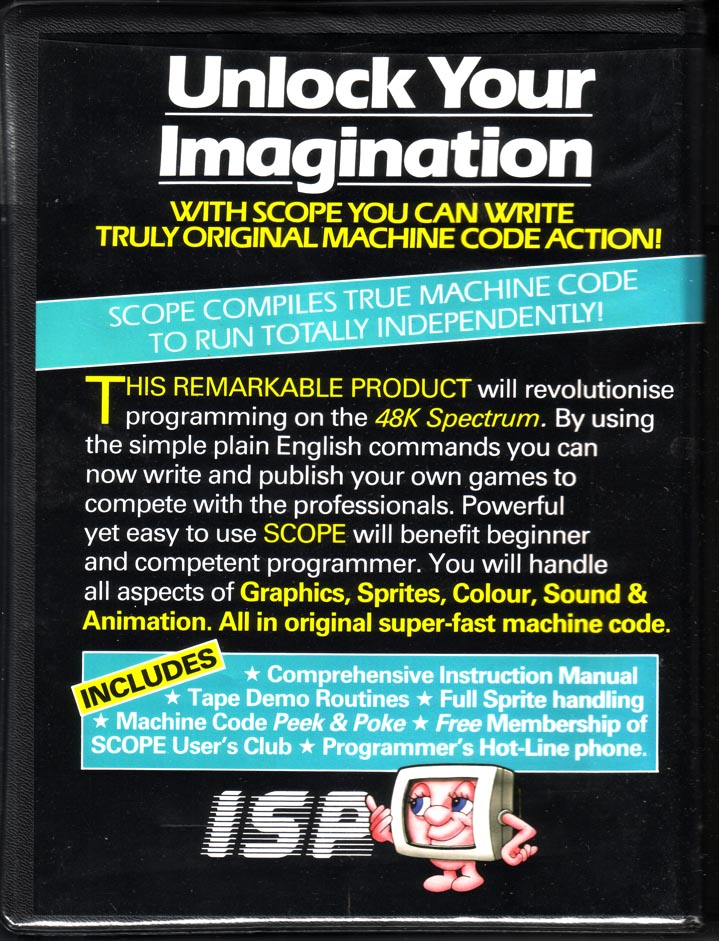
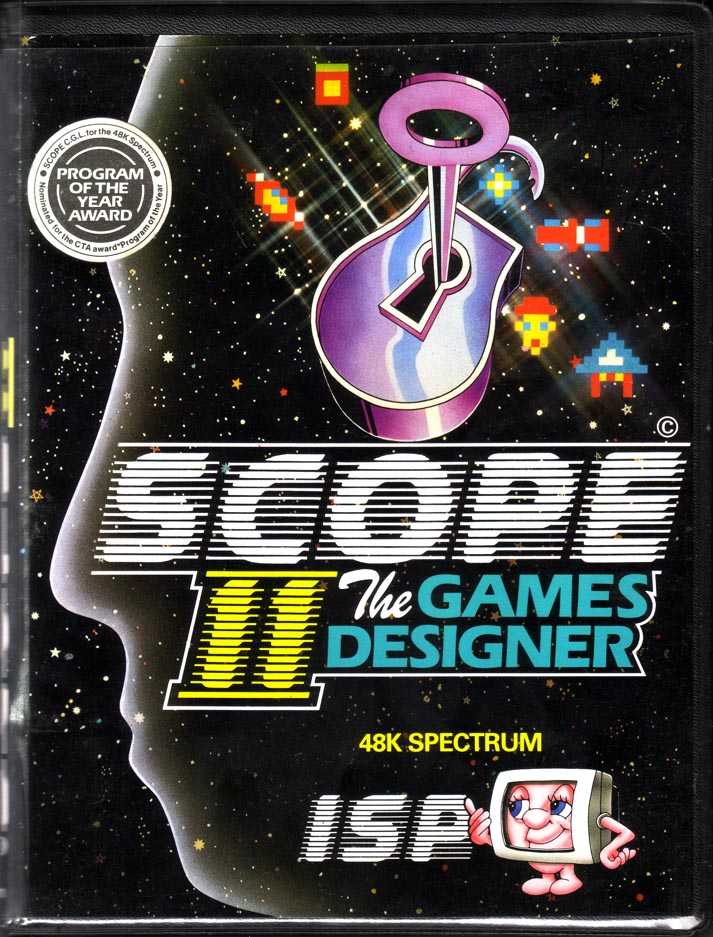
Scope II
Programming: General · ZX-Spectrum 48K · 1 players · English
Interactive Software People · 1985 · Pound sterling 17.95
Also known as Scope II: The Games Designer (English)
Scope, 2 of 2
← Scope
Discussion
Nobody has started a thread about this yet.
Play
- ScopeII.tzx.zipTape image English9 KB
- ScopeII.tap.zipTape image English10 KB
Documents
- ScopeII.txtInstructions English102 KB
- ScopeII(EN).pdfInstructions English413 KB
Files and rights
No permission is on record either way. Screens and pictures are copied here on a take-down basis: if you hold the rights and want something removed, say so and it goes.
Scores
In the magazines
- Big K #61984 · Overall3/3
In the magazines 16
Big K #9Dec 1984 · p.69
Fin Fahey
THE EXTENDED SPECTRUM Fin Fahey checks out a smattering of utility programs for Old Rubber Keys. System Software, as we old computer industry hacks call programming tools, is hardly destined to set the world alight. It smacks of hard work and late night sessions over a hot keyboard and seems light years away from the glamour and fun of, say, a new Melbourne House adventure release. But for people interested in stretching their minds, and their machines, some of these trusty workhorses may well turn out to have hearts of gold. But why go beyond the facilities offered by Sinclair BASIC? (One may well ask.) Quite simply, no machine, and particularly no BASIC interpreter, fills all the needs of the budding programmer, and for a lot of requirements like arcade games, just hasn't got the speed. There area fair number of - packages which just add a few useful commands to BASIC extensions r programmer's toolkits, these generally give you the sort of goodies you've always needed to develop your BASIC programs. There's no line Renumber command on the Spectrum, and for this you'll have to buy a toolkit. The same goes for many other 'system' commands. Trace, to give you a continuous listing of program lines being executed, Map, to tell you which variables have been specified, and Block Delete, so you can get rid of more than one line at a time, to name but a few. Super Toolkit, from Nectarine, has all of these plus such things as a Crunch command, to get all those useless spaces and REMs out of your program before running. It clocks up a total of 12 commands, as does Toolkit from IMS Software, which includes an Auto line-numbering routine. Slightly fewer facilities on CP Software's Spectrum Extended BASIC, only 10 commands in this case, and the only one unique to this package is Find, which will look fora specific string text in your program. CP, however also do Supercode, a machine code toolkit, incorporating a hundred off-the-shelf machine code routines. These include an impressive range of scrolling effects, high-resolution diagonal scroll, low-resolution shutter and ripple scrolls and many others. There are four sound effects generators too, but the truly impressive thing is that you can include CP's code in your own BASIC and machine code programs, an amazing bit of altruism. Each routine has full in-program documentation and a demo mode shows you what they can do. It's got to be good value. From off-the-shell machine code to creating your own. If you've decided that BASIC's too slow for your program design, then you'll probably want to write machine code. Some people seem quite happy programming this byte by byte as BASIC POKEs, but for really effective development you'll need an assembler. Assemblers allow you to put Z80 code in assembly language, a much more understandable form, even though it's a lot more obscure looking than BASIC. A good assembler will allow you to specify addresses and constants as meaningful labels which makes the code a lot easier to follow. In such a symbolic assembler, the JP instruction (equivalent of BASIC GOTO) could be rendered JP LOOP instead of giving an actual address, say JP $4000. But before actually using one of these things, you may need to learn what it's all about. To help you, there are a number of tutorial programs, and some of these actually allow you to set up and test code. Sinclair's Beyond BASIC offers a tutorial on the internal structure of the Z80 plus lessons on each assembler instruction. These are illustrated with simple moving graphics. There is an experimenter section where you can watch the effects of your own code on memory and registers. Sadly, this one doesn't cover the entire instruction set. More complete is New Generation's Machine Code Tutor. This comes on two cassettes and covers everything. Once again, you can write your own code and 'run' it on a diagrammatic simulator. Although this is rather harder work than Sinclair's, I think it gives a closer feeling to using an actual assembler. Dream Software also have a simulator. This has much nicer printed documentation than the other two, but unfortunately it describes an imaginary chip which resembles the Z80 in many respects. I think that this may be unnecessarily confusing, but as long as its borne in mind, the transition to the real chip shouldn't be too hard. So now you can get down to some real coding... Sinclair themselves market the Zeus Assembler, which allows full symbolic instructions. Lines of code are entered much as in BASIC, and editing is similar, so this should be an easy one for beginners to move to. Picturesque's Editor/Assembler, on the other hand, has a rather better editor than the Spectrum, but the key response seemed a bit slow to me. This latter program is very tolerant about the format in which you enter code. Very different from these two is Oasis Software's Spectre Macro-assembler, and I certainly wouldn't recommend this one for beginners. It's a very professional product, but using it is more like learning a new computer language than anything else. It doesn't use Z80 instructions directly; they have to be set up as procedure definitions much as in high-level languages like Forth or Pascal. This makes it very powerful, since it's just like building your own interpreter. But, as I say, not for newcomers. An indispensable tool when developing machine code is some sort of Monitor. A Monitor provides easy ways of getting at memory, moving it, changing it, searching it for particular values, that sort of thing. You can also usually get dumps of Z80 register values and step through a machine code program. The Zeus assembler has a reasonable monitor with it, but Sinclair do a more extensive version as a separate product. This also allows you to Disassemble code, which means to translate machine code back to assembly format. Useful for looking at the ROM, but maybe you'd be better off buying one of the 'Spectrum ROM disassembled' type books which also give explanatory notes. Picturesque's Editor/Assembler has no attached monitor and you have to buy theirs separately, although both programs can be loaded at the same time. Agai, there's a disassembler. Assembly language isn't the only way of getting fast code. Scope II, from ISP, is a simple language aimed at producing fast machine-code animation. The makers call it a medium-level language, as it's mid-way between BASIC and assembler. I feel it's rather closer to machine code, but it's certainly a lot easier to use. Once you've written code in SCOPE II, it is boiled down by the program to machine code routines, which can be run without Scope being present, so you develop commercial products, or give copies of your games to your friends without fear of committing piracy. This process of boiling down machine code is known as compilation, and it's possible to do it to BASIC. The only BASIC compiler we had available to look at was Softek's. This is certainly fast. From running a few simple loops, it looks roughly about 150-200 times faster than interpreted BASIC. It does have some serious drawbacks, though. For one, there a quite a few BASIC functions it can't translate, floating-point arithmetic and arrays among them. More seriously, compiled programs will not run without Softek's run-time routines being present. Unfortunately, the company is being quite prickly about this, and are claiming that if you develop your program and compile it with their program. then they've suddenly acquired a share in it, Whatever the legal position, this seems a little dubious to me, and it's certainly a discouragement to using Softek's product for commercial development. The final approach to fast code is to use Forth. This high-level language is closer to machine code than BASIC, and for most purposes runs up to ten times faster. Not spectacular maybe, but it can make a difference. The speed saving is nice, but it's not really the central point about Forth. The language takes a fundamentally different approach to BASIC, and one which provides a much sounder design discipline. It would certainly be easier to write good machine code after a grounding in it. Forth is known as a 'procedure-oriented' language. That means there's no more complaining about there not being a command in BASIC to do something. If it's not there in Forth, then you just write your own command, which is compiled into the language vocabulary. Although you can theoretically do this in BASIC by using subroutines, compiled procedures are much faster and easier to use. Forth is easier to structure too. There are at least four versions of Forth available on the Spectrum. It's hard to decide between them, but Melbourne House's Abersoft Forth is the only one recognised by the independent Forth interest Group. Sinclair also do a Forth which to my relatively untutored mind seemed much the same, both in terms of speed and usability. Both versions have minimal printed documentation, since they rely on the user going out and acquiring a Forth manual. The sad thing about Forth is that. unless you're a fan of the ill-fated Jupiter Ace, you can't market any of your programs since they won't run without someone else's product. While on the subject of languages, Logo has been stirring up interest as a teaching language, particularly for younger children. Unfortunately, the version I looked at, Snail Logo by CP Software, really merited its name. Logo is high-resolution graphics oriented, and the user commands a 'turtle', or in this case a snail, to draw shapes on the screen. The CP interpreter turned out to be written in BASIC, so every command is interpreted twice. Slow? I can't imagine anyone, adult, or child, having the patience to work through the manual, let alone use it. Something of a weirdie, but one I find particularly fascinating, is Micro -Prolog, from Sinclair. Prolog represents yet another direction in new languages, and is particularly suited for Artificial Intelligence and linguistic purposes. Its very odd to use after command oriented type languages like BASIC, or even Forth, because a program in Prolog (it stands for PROgramming in LOGic) is mostly a way of organising data, not of setting up a fl ow of commands. Now I've got the point, I want to know more about this one. Sinclair Micro-Prolog's documentation isn't bad either. Dr Ming back to the problem of generating programs, if you're an adventure game writer, you haven't really got one, The Quill, from Gilsoft, and Dream's Dungeon Builder can both be used to generate adventures of any complexity. We've reviewed them before, and they're both good value. Dungeon Builder has the edge in user-friendliness, and can be used to add graphics to adventures, while Quill has a more mechanistic approach. Both Gilsoft and Dream are perfectly happy for people to market games produced with their packages. Right on! On which cheery note I'll roll the credits and fade to black, but not before noting that this is far from being a complete survey, so if you've discovered an utterly wonderful, or unspeakably awful bit of useful/useless software in this field let us know. BASIC EXTENSIONS: SUPER TOOLKIT from NECTARINE TOOLKIT from IMS Software SPECTRUM EXTENDED BASIC from CP Software Price: £9.95 SUPERCODE from CP Software Price: £9.95 MACHINE CODE TUTORIALS: BEYOND BASIC from Sinclair Price: £9.95 THE COMPLETE MACHINE. CODE TUTOR from New Generation Software Price: £7.95 MACHINE-CODE FOR BEGINNERS from Dream Software Price. £0.00 ASSEMBLERS: ZEUS ASSEMBLER from Sinclair Price: £12.95 EDITOR/ASSEMBLER from Picturesque Price: £8.50 SPECTRE MAC-MON from Oasis Software Price: £14.95 MONITORS: MONITOR/DISASSEMBLER from Sinclair Price: £12.95 SPECTRUM MONITOR from Picturesque Price: £7.50 COMPILER from Softek Price: £9.95 LANGUAGES: SCOPE II from ISP Price: £11.95 FORTH from Sinclair Price: £14.95 ABERSOFT FORTH from Melbourne House Price. £14.95 SNAIL LOGO from CP Software Price: £9.95 MICRO-PROLOG from Sinclair Price: £24.95 ADVENTURE GENERATORS: THE QUILL from Gilsoft Price: £11.95 DUNGEON BUILDER from Dream Software Price: £9.95
Personal Computer News #81Oct 1984 · p.18
David Lester
GAME GENERATORS David Lester scans four pieces of software that claim to allow users to create games of a relatively good commercial quality. Commercial software becomes more sophisticated all the time, or so the adverts would have us believe. Not only can you buy games which use ultra-smooth, high resolution graphics to enhance your playing, but you can also buy programs that let you create games of commercial quality without any programming knowledge. At least that's what some software houses claim. But can their programs back this up? All four pieces of software dealt with here have the same objective, but go about achieving it in slightly different ways. Hurg, from Melbourne House, employs a series of menus from which you can select the options you want to build up your game. Fifth on the other hand adds new commands to the standard Spectrum Basic. These let you program fast-moving, smooth graphics from Basic, as each command is the equivalent of calling a machine code routine. The other two Scope 2 from ISP and White Lightning from Oasis Software, are actually completely new languages. HURG Probably Hurg's greatest asset is that it's easy to use. In fact, you can operate most of it using just a joystick. Unfortunately, it also produces the least appealing results as far as games are concerned. Its sprite designer/editor is good and you also get an animation routine. This switches the computer between a number of sprites, for example to show the different leg positions of somebody walking. You can set the movement pattern quite easily, but that is about as far as it goes. You need to create any background graphics yourself, and then load them in as a SCREEN. There are no sound facilities whatsoever. I found it difficult to do any more than get a sprite moving around the screen. Although provision is made for setting the conditions for explosions and deaths, the manual is poor and the menus almost impossible to decipher. Melbourne House claims that you can 'design your own computer games in minutes', and that 'the hardest thing you will have to do is to think of a game title and design the characters.' Not a chance - it will take you a long time to get to grips with the package. A good hint as to the potential of each of these four games designers is the demonstration provided by the software houses. Hurg comes complete with 3 'ready to play, fast action arcade games'. I suppose each one is better than the so-ocalled 'full arcade game' in another Melbourne House release. Mugsy, but even so, they are terrible. And if that is the best Melbourne House can do, what chance has anyone else got? FIFTH Fifth is probably the easiest of the four programs to get decent results out of, provided you can program in Basic, as all you need to do is learn a few new commands. Once you have loaded the program in, you simply put the new commands in REM statements in the same way as you do with some assemblers. You can still use REMarks in the normal way by putting an asterisk at the start of any real REM statement. Two of the more useful commands are GET and PUT - these will be familiar to anyone with any experience of a Dragon. With these you can store sections of the screen in a string variable, or array, and then recall it using the PUT command anywhere on the screen. Fifth also uses interrupts for such things as collision routines, which enables the main body of the program to run much faster than it would otherwise. Although the manual is poorly printed, and a touch confusing in places, the commands are well-named and I soon found myself quite happy with them. Another advantage with Fifth, as opposed to Hurg, is that it includes some new sound commands - and the sound effects you can achieve from machine code (yes, even on a Spectrum) are infinitely better than those obtainable from Basic. The demo program included is probably the best of any of the pieces of software reviewed here, and shows that speed and smooth motion can be achieved with very little effort. It only uses small graphics, however, and this limits it. Fifth is a good extension to Basic, but the results will not be as good as the best arcade games. They will almost certainly be better than the average game listing you might find in a magazine - this worthy publication excepted, of course. SCOPE 2 Scope 2 is, believe it or not, an improved version of the award winning Scope, and actually provides you with a new language specifically designed for writing arcade games. It includes commands for colour, sound and graphics, as well as more normal things like variables. When you have written a program in Scope 2 (in REM statements) you compile it into machine code, which is why the result is faster than Basic. You can then use your Scope program either as a machine code routine in your Basic program or as a complete program (depending, obviously, on what you write in Scope 2). The commands are fairly similar to machine code, as is the structure of the whole language. This could be either an advantage or a disadvantage. If you wanted to learn machine code but found it too hard, this program might be a good stepping stone to it, or you might find that it's alternatively also too hard to learn. Despite a reasonable manual, some of the commands are quite difficult to grasp if you don't know anything about machine code. You could be forgiven for thinking that a program written in Scope 2 was an assembly language listing. That said, the program goes further toward offering a completely versatile games-designing package than either of the two previously mentioned offerings. The results can be every bit as good as most commercial arcade games, although to get equivalent results you need to put in a lot of effort. The demo routines are notably bad, and ISP would seem to have misjudged things a bit. When I saw the demo I thought that the package was a waste of money, but once I started to get to grips with the language a little bit, I found it had great potential. There is even a Sprite facility, including collision detection - just what you want for arcade games. WHITE LIGHTNING This is similar to Scope 2 in that it is a complete language, but it is much, much more. In fact, it is a fully-fledged games development system. The system has several distinct sections: the White Lightning language itself (really two languages: a version of Forth and an additional graphics language called Ideal) and a sprite development package for use within programs that have been written with White Lightning. The main section, the White Lightning language, is complicated. Unless you already know Forth you will need to spend a long time trying to learn it. Ideal on its own has over 100 commands. But once you've mastered it, I'm sure it will be an extremely versatile tool for developing games. I say 'I'm sure' because after a week's trying I am by no means proficient in it. The sprite designer maintains the high standard set by the language itself. It enables you to define up to 255 sprites, some of which can even be larger than the screen display. You design your sprite either in sections one character square large or as hexadecimal numbers. You can do all the usual things to your design too, such as inverting and rotating it. When you have finished your sprites, you can save them to tape for use in your White Lightning programs. If you feel you have had enough trouble becoming a Matthew Smith, and do not want to emulate Leonardo da Vinci as well, don't worry - there's a whole set of ready-to-use sprites on the tape. These cover most games (PacMan, Defender, and all the usual ones). But for me, half the fun of designing a game is creating the graphics, so I can't see these being used very much. Oasis provides a detailed manual, and you'll get a shock when you see it as it's a substantial-sized book. The best way to get started with the package is probably to write a few routines with it first. You can call these as machine code routines from within a Basic program until you feel confident enough to write an entire program using White Lightning language. Once you have got the hang of it, White Lightning provides some incredible features: interrupt-driven routines, good sprite handling and more besides. My only doubt is that, if you are going to the trouble of learningWhite Lightning, why not go that little bit further and learn machine code? However, White Lightning is slightly more user-friendly. CONCLUSIONS As you can probably tell, the packages are similar in concept but different enough to be able to survive in the same market together. There seems to be, inevitably I suppose, a trade-off between how powerful a package is and how easy it is to use. Forget the adverts - none of the packages here will give you an easy way to create the next number one game. But Fifth will let you write very playable games very quickly. Scope 2 gives you better quality graphics but takes more effort, and at the top of the scale is White Lightning, which is capable of creating something almost as good as Jet Set Willy - just don't make me write it. As for Hurg, it is basically a waste of money. With no sound and making you define your own backgrounds separately, it is a dead loss as a games designer package. WHAT YOU NEED TO KNOW ABOUT COPYRIGHT Should you write a good game with one of these packages and want to sell it, it would help if you know the views of various software houses about copyright. Since one aim of each of these pieces of software is to enable anyone, programmer or not, to produce games of a commercial standard, it is quite likely that you will be interested in whether, and if so how easily, you can sell games you write using these products. The easiest of the products to answer this for is Hurg. To start with, it is most unlikely that you will produce good enough programs with it, but more importantly, the host program Hurg must be in memory for your game to work. This means that a substantial part of the package you would try to sell would belong to Melbourne House - so you would be breaking the law to try and sell it. Fortunately, all is not lost, as Melbourne House offers to market such games if they're good. CRL makes no mention of the problem in the Fifth manual, except to provide a copyright notice. Because of the way it works,however, Fifth must be present in memory, so that you would probably be breaking the law if you tried marketing a program which uses it. Scope 2 is much better in this respect, since it compiles your Scope programs into machine code, and you don't need to have Scope 2 in memory to be able to run your own games. For this reason Scope 2 performs much the same task as an assembler, and so I see no reason why you should not be free to sell anything you write with it to a software house, if you can find one that wants to buy it. White Lightning is the same as Scope 2 in this respect, but it also has several notices regarding the subject of you marketing games written using it. Unfortunately, these contradict one another. For example, on the back of the plastic cassette wallet is a notice saying: 'Programs written using White Lightning can be marketed only by arrangement with Oasis Software'. But the manual it says: 'Software produced using White Lightning can be marketed without restriction'. It then goes on to say that a mention on the cassette sleeve would be appreciated - more that fair, it seems to me. I am inclined to take this latter as being the true case, but if in doubt, ask the software house you intend to sell your game to. Whichever package you have, if you have written a piece of good software with it, the people likely to be most interested are the software house which sells the original program. After all, if it is good it helps advertise their product, at the same time as making them (and hopefully you) some money. Do remember that there have been almost no test cases as far as computer copyright goes, and that a Portuguese company is openly selling other companies' games without paying a penny in royalties and is unlikely to be prosecuted. The fog will no doubt clear eventually, but it could take sometime.
Big K #6Sep 1984 · p.303/33/33/33/33/3
Graphics 3/3
Usefulness 3/3
Addictiveness 3/3
Overall 3/3
Steve Keaton 3/3
VAST SCOPE MAKER: ISP FORMAT: cassette PRICE: £17.95 Don't be fooled by the "Games Designer" tag plastered across the packaging of Scope 2, this beautifully structured utility is quite unlike menu driven customisers such as Melbourne House's Hurg and Software Studio's Games Designer. It's a far more useful medium-level language dedicated purely towards the manipulation of high-speed graphics, sound and animation. And the beauty of the system is that code generated by Scope 2 will run independently of its mother tongue. The perfect tool for frustrated games writers! What's more it's exceptionally accessible! You've a mere 36 command words to master which, once written into Basic REM statements, can be instantly compiled into machine code using a simple USR call. Of course experienced m/code hackers will bemoan the system's limitations but others will find it a genuine boon. Scope 2 itself appears remarkably clean. The only bug I came across was its total refusal to recognise the NOTE command, Scope's equivalent to the REM statement. But that's a small price to pay. The package is completed by a useful sprite designer routine and some simple Scope 2 listings. With this and Gilsoft's The Ouill the Spectrum games market has been blown apart. Owners of the original Scope should upgrade immediately. Great stuff!
C&VG (Computer & Video Games) #32Jun 1984 · p.140
Robert Schifreen
MINCING WORDS Compilers are often regarded as magic. A plain program goes in at one end, and pure machine code comes out at the other. But are these programs all that they seem? Will they cope with just any program? And what about languages other than good old Basic? Will new languages, invented for the convenience of the compiler's author, perform well for the inexperienced programmer too? Bug Hunter has been trying them out and here he presents an easy-to-read jargon-free report. Basic is slow. Very slow. When you're running a Basic program, you may sit marvelling at the apparent speed with which it churns through those calculations, or moves all those aliens around the screen, but things are not quite as they seem. At the heart of any computer is a chip called the CPU (that's the Central Processing Unit). It is this chip which actually does the work of running your Basic program when you type RUN. Unfortunately, it doesn't understand Basic words like PRINT, INPUT or GOTO. The CPU can only understand programs written in a special, very complex language which is difficult for us humans to understand. These programs don't have real words, just lists of numbers which is fine for a chip, but not for a person, However, because the CPU can understand it directly, the program will run very fast. This language which the machine uses is known as machine code. So how can we make our programs easier to understand, and take advantage of the speed of machine code? What's needed is a computer which can be programmed in near English and not those endless streams of numbers. And so, in 1964, Basic was born. This was a simple programming language, where INPUT meant read the keyboard and PRINT meant print out on paper. However, there was one major problem with this language: although the programmer could understand it, the computer couldn't. The CPU, you'll remember, can only understand programs written in that simple language called machine code. So what was needed was an extra program built in to the computer which could convert one language to another. This was designed, and was given the same name as a human doing the same job - an interpreter. The interpreter is a program which usually sits in a chip of its own in the computer. This means that, although it's a program, you normally don't have to load it from tape each time you use the machine which would be time consuming. When you've finished entering your Basic program and type RUN, the interpreter takes over and translates the first line of your Basic program into lots of separate, short machine code instructions which can then be run by the CPU chip. The interpreter then starts work on the second line and so on, working its way down the program and translating each line into a form which the CPU understands. If, when running your program, the interpreter comes across a line which says 'go back to the first line', then it will have to start translating again from the top. Although it has already translated the first line once at the start, it'll still have to do it again each time it needs that line. The problem is that all this translating takes time which is why Basic programs run around 30 times slower than those written entirely in machine code. What would be ideal, then, is a program which could translate the entire Basic program into machine code at the start before running it. Although this means a short wait at the beginning, once translated, the program would run at the speed of true machine code - in fact, it would BE true machine code. We call this special kind of interpreter a COMPILER. So a COMPILER is a program which translates an entire Basic program into pure machine code. But why stop at Basic? Why not create other languages and write compilers for these, too? The program would have a choice of languages, but the final machine code would still be the same. Well, people did just that. As well as Basic compilers, you can now buy a compiler for Pascal, Forth and many other languages. Some companies have even invented their own for special tasks. ISP, for example, has a language called Scope which is designed for writing fast graphics games. It's not really a games designer, more a program language and, because it's a compiler. It produces machine code which means that the programs you write in Scope run very fast. You'll remember that machine code is a very simple language and it has very few instructions, so recreating some of Basic's more involved functions will often require hundreds of machine code instructions. For example, the Basic function LEN (A$) will work out how many characters are in string A$. Although this is simple in Basic - you just type PRINT LEN (A$) - think how difficult it is in machine code. The CPU doesn't have a built-in way of calculating lengths of strings - in fact, it can't even handle strings directly. To find the length of a string in machine code, you'd have to start at the first character and work your way along the string, counting the characters as you go. You'd also have to check that each character existed before you counted it, to make sure that the end of the string hadn't been reached. Next time you use LEN in a Basic program, think how much work the interpreter is saving. So every time the Basic program contains a LEN function, the compiler would replace it with the relevant block of machine code instructions and, apart from the name of the variable, the code would be almost identical in all cases. For this reason, the standard routines are converted into machine code and stored, along with the compiler itself, in the memory of the computer when the compiler tape is loaded. When compiling the Basic program, any LEN instruction can be replaced in the resulting machine code, not by the code itself, but just by inserting a diversion to the already-prepared machine code. However, there's one big problem with a compiler written in this way. When you save the compiled program on tape or disk, you have to save the actual compiler as well, otherwise you won't be able to run your machine code as parts of it will be missing! This means that if you write a program using a compiler of this type, and you then sell your program, you are giving away copies of the compiler tool. An example of this is some of the early copies of Blue Thunder for the Spectrum by Richard Wilcox Software. If you think that you have such a copy, load the first 5K of machine code then PRINT USR 48011. You'll then be in the compiler and, with a little experimenting, you can use it to compile your own programs. If you are going to try this, type CLEAR 27001 first, otherwise you'll get some weird lines inserted. To run the compiled program type PRINT USR 27002. Anyway, with all those different compilers around, it's about time we reviewed some. So let's start with one from Salamander Software, normally known for their Dragon programs. The compiler, though, is for the BBC and is called Turbo. Probably the best feature of this package is that it also runs on the Electron as well as the Beeb. The reason for this is twofold - first, because it lacks all the features which makes the Beeb tower over the Electron under normal Basic circumstances and second, because it's only 2K long in total. If you're now wondering whether or not you can fit a decent compiler into 2K, I'm here to tell you that the answer is definitely no. The program comes on cassette, with a tape version on one side and a disk version on the other. If you want to use the disk version, you'll have to load the cassette and then save it to disk using the instructions supplied in the manual. Other than telling the user about this transfer, the remainder of the 28-page manual serves as the entire reference on the subject. Reading through it, you begin to realise the limitations of the program which is a shame, as the idea is very good. The fact that it occupies just 2K is amazing, even if what it can do is not. The range of commands which Turbo can handle is limited. The list includes PRINT, GOTO, GOSUB, RETURN, FOR-NEXT, LET, CLS, CLG, CALL, VDU, SOUND and IF. In fact, that's about the whole list, but there's worse to come. Reading on, all line numbers in the Basic program you want to compile must be between 0 and 255. Multiple statement lines are out and so are all variables except A to Z. Strings are not directly supported nor are numbers with a decimal point. And we're only on page 10 of the manual! Although this compiler is pretty rudimentary, I admit that, If you're only interested in writing simple, fast games, then you may find it useful. However, a good compiler should allow you to load absolutely any Basic program which you have written in the past and compile it. This is certainly not the case with Turbo. If it's a Dragon you own, you can get a Basic compiler for £14.95 from Oasis Software of Weston-super-Mare. Like Turbo, it won't allow numbers with decimal points, but apart from this fairly important omission, Sprint does approach something resembling a true compiler and it will cope with nearly every command in Dragon Basic. Although it is better than Turbo for the BBC in this respect, it's partly because Dragon Basic is far less sophisticated. Anyway, to use the compiler you first write your program in Dragon Basic on the machine itself. When you're satisfied that it's working perfectly, you save it on cassette. To compile, you load the compiler and then the Basic program The compiled version can be run with an Exec command, or saved on tape and loaded later with CLOADM. This is the way it should work - your program is perfected under normal Basic and then compiled, The reason that you write it under normal Basic is that if you find bugs, you cannot correct the final machine code version as easily as a Basic listing. There are very few commands which Sprint will not support, although some are written slightly differently under Sprint to get round the lack of decimal numbers. Commands not available include CLOAD, RENUM, LIST. EDIT and MEM. The trig functions (sin, cos, tan, etc.) are also missing as these cannot be calculated without decimals. At the back of the manual is a list of hints to help in running and loading. Loading the blocks of uncompiled program is often unreliable and a few helpful POKEs are suggested. If all else fails, the final paragraph says that "you'll need to beg, borrow, buy or steal another cassette recorder". Yet the warning to potential copiers of the compiler tape itself is made very clear at the front. In addition to compilers which start with Basic, there are some which have their own language. It is this language which is converted to machine code, so the end result is no different to machine code produced from original Basic, but because the writer of the compiler also invents the language which the programmer uses, it can be made more specific to certain areas. One such product is Scope from ISP. Scope stands for Simple Compilation Of Plain English. This new language has just 46 different words, and is graphics oriented. Although its main function is to produce fast-moving graphics. ISP goes to great lengths to point out that this is certainly not just another games designer. Scope is actually a programming language. Originally available on the 48K Spectrum, it has recently been improved and renamed Scope 2. Owners of Scope 1 can simply return their original cassette and, for the difference in price of £3, obtain mk 2. Scope is now also available on cassette or disk for the Commodore 64. To write programs here, you just write it as a normal Basic program, but each line must start with REM. So although you won't be able to run the program under Basic, the Scope compiler will know what to do. A simple Sys call will compile the program, and another one will run it. The compiler does not have to be in the micro's memory for the compiled program to run. This system handles sprites. graphics and sounds. Gone are those endless POKEs to various graphics and sound control registers: four Scope commands handle all the sprites, and a few more deal with music. An added extra is that everyone who buys a copy of Scope gets free membership of the Scope Users' Group. You can send off for your free piece of plastic, complete with special membership number and, which is more useful a telephone hotline number with a friendly voice on the other end who will help you in your hour of need while trying to perfect your Scope Program. So now you know what a compiler does. Or what it should do. There are literally dozens of them around at the moment - some costing a few pounds and some costing hundreds. Oxford Computer Systems produce some very good ones, including what's called a cross-compiler. This doesn't mean that it's fed up with writing programs! What it does is allow you to write in Basic on one machine but produce machine code which will run on another. So, for example, you could write a Basic game on a Pet but compile it so that the machine code would run on a Commodore 64. If you'd like more information about what's available for your machine, have a look through the adverts in this magazine. Or try the computing section at your local library.
Advert9
- Your Spectrum #6Aug 1984 · p.71
- Your Spectrum #5Jul 1984 · p.79
- Computer ChoiceJul 1984 · p.59
- Home Computing Weekly #69Jul 1984 · p.15
- Sinclair User #27Jun 1984 · p.25
- Your Computer #6Jun 1984 · p.151
- Big K #3Jun 1984 · p.23
- C&VG (Computer & Video Games) #32Jun 1984 · p.145
- Personal Computer News #57Apr 1984 · p.35
Full-page ad3
- Your Computer #12Dec 1984 · p.99
- Big K #9Dec 1984 · p.31
- C&VG (Computer & Video Games) #38Dec 1984 · p.97
Related
- Tags
- g147
- Same entry at
- Spectrum ComputingZXInfo
Reviews from people here
Sign in to write about this, or make an account. It takes a minute and lets you correct the catalogue too.
No credit, description recorded.
Sign in to correct or add to this.
Hold the rights to this and want it taken down?