
Small Business Accounts
General: Business · ZX-Spectrum 48K · 1 players · English
Sinclair Research Ltd · 1983 · Pound sterling 12.95

Discussion
Nobody has started a thread about this yet.
Remarks
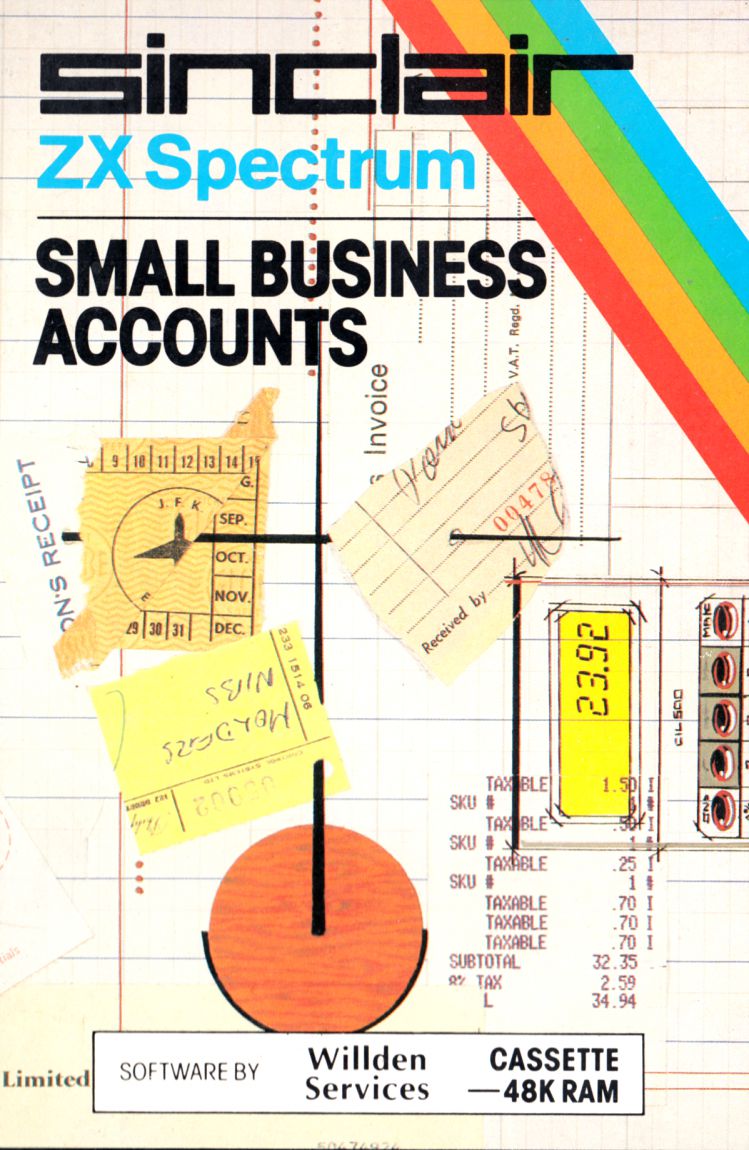
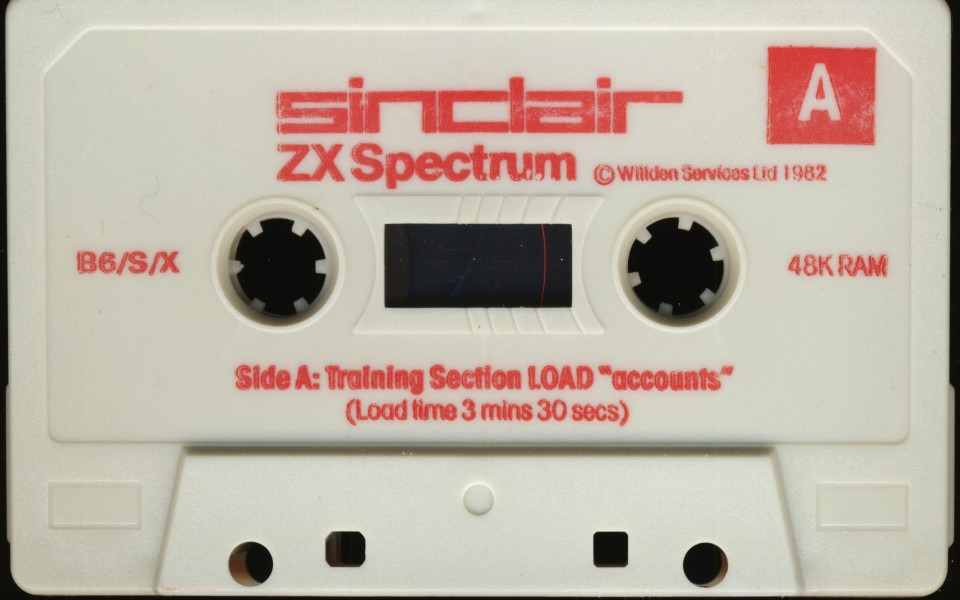
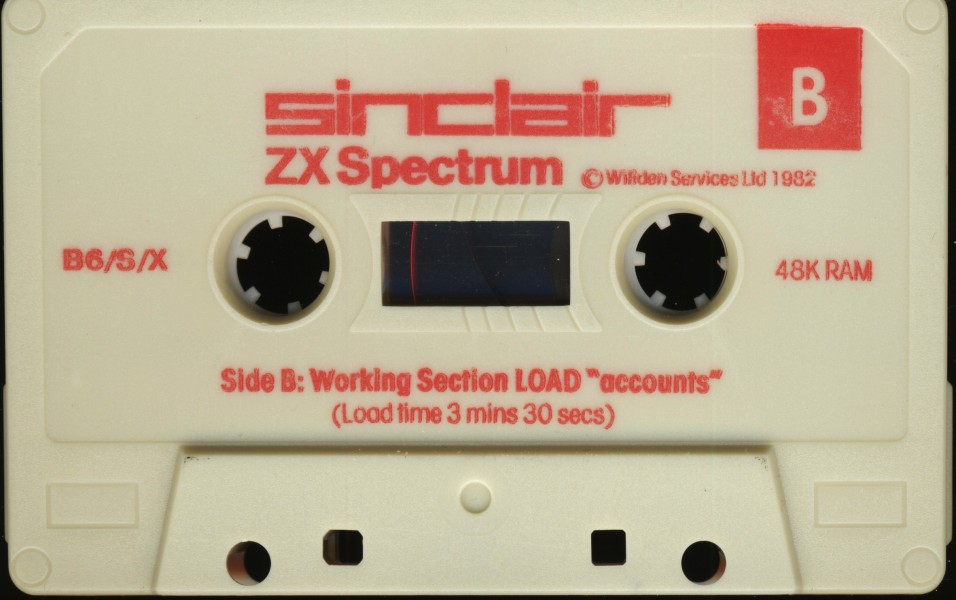
Came in 2 parts: Training and Working.
There was a recall of the Small Business Accounts program in October 1983. The replacement version has product code B6/SX (the tape itself is labeled as B6/S/X).
Play
- SmallBusinessAccounts.tzx.zipTape image English30 KB
- SmallBusinessAccounts.tap.zipTape image English29 KB
- SmallBusinessAccounts(Training).tap.zipTape image English16 KB
- SmallBusinessAccounts(Working).tap.zipTape image English14 KB
Documents
- SmallBusinessAccounts.txtInstructions English65 KB
- SmallBusinessAccounts(EN).pdfInstructions English1,534 KB
Files and rights
Distribution permission is on record, granted to another archive rather than to this one. Screens and pictures are copied here; everything else links to the archive that holds it.
- AllowedSinclair Research Ltd → WorldOfSpectrum
Credits
- Willden Computer Programscredited
Sign in to credit somebody, or say what these people did.
In the magazines 24
Sinclair User #26May 1984 · p.110
Mike Wright
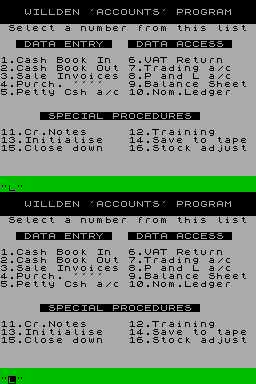
ACCOUNTING MADE SIMPLE A package for the small business The Small Business Accounts program from Willden Services under the Sinclair banner contained some bugs and was quickly withdrawn. The corrected version is now available and is in almost identical packaging to the original. A comprehensive 32-page A6-size manual includes sections on the arrays and variables and notes for an accountant. The cassette holds a training version of the program on one side and the working version on the other, with only minor differences between the two. The programs are both driven from a main menu which is split into three sections - Data Entry, Data Access and Special Procedures - see figure one. In the working program, Option 12 becomes Load Data and Option 13 is not used. It is worth running the training program several times to get the feel of it before starting. Once loaded, the program prompts for a password and allows two attempts at getting it correct. To change the password the program must be broken into and the variable for the password changed. That is explained in the manual. As a security device it seems about as useful as an open safe. The next prompt is for the date. The format is of the form 1984 FEB 24 rather than the more usual 24/02/84. The program compares that to its inbuilt financial year - initially set as January & December - and uses it to determine depreciation. Despite requiring capitals the program permits lower-case letters as part of the string. Doing so affects the depreciation routines and gives an erroneous reading. A safety check is built-in with the string displayed and the program prompting for a yes/no response to whether the information is correct. To get a feel for the program, Option 12, Training should then be taken. Before starting, the user is given a warning that it will erase any data already in memory, with the option of backing out. Once chosen, the option replaces any existing data with fictitious data and presents a balance sheet. The user has the choice either of having the balance sheet printed or of returning to the menu to try the different options. Option 1 allows entries to be made into the cash book under eight headings - cash sales, own funds, loans, external loans excluding bank overdraft interest received, sales ledger, discount, amounts deducted by customers, settlement of amounts paid in under the sales ledger, sundry used for income which is not subject to VAT or which does not affect stock, and VAT received. An entry under cash sales is also added to the gross sales, the net-sales after 15 percent VAT has been deducted, and a percentage to the gross profit total - initially 30 percent but instructions on how to change it are in the manual. The cash book out option allows a record to be made of the payments made by the payee and the amount and to assign it to one of nine pre-set allocations. They are the bought ledger, discount - they operate in a similar manner to the cash sales and discount entries in option 1; wages - the net figure after PAYE and National Insurance contributions have been deducted - that program will prompt for them to be entered separately; VAT out - used for settlement of quarterly VAT account; interest out; petty cash - entries reduce the bank account figure and increase the petty cash figure; sundry; PAYE - used for the settlement of PAYE and National insurance payments; and own use. The sales invoice option allows the number of invoices entered at one time to be set. The size of the display limits that to a maximum of eight. Once the number of invoices has been set the program prompts for the gross value and the VAT of each in turn. The amount of VAT due at a rate of 15 percent is also usefully displayed. The purchase invoice option for invoices from suppliers allows the gross value and VAT to be recorded and the supplier. It also allows the invoice to be attributed to one of 15 accounts. A maximum of six invoices can be entered at one time. Working in a similar way to purchase invoices, option 5, petty cash, deducts the amounts from the cash-in-hand entry on the balance sheet. When showing the VAT the user is also reminded that it should be zero for wages and postage. The user is asked to confirm the gross amount and VAT before allocating the bill to one of six accounts. If wages is the selected account, prompts are also made for PAYE and National Insurance contributions. The data access routines provide most of the information auditors are likely to require. The VAT return, option 6, shows the sales and purchase totals inclusive and exclusive of VAT for the current quarter, the whole year and a baseline of how much the user owes the taxman, or vice versa. The trading account shows the opening stock, purchases, closing stock, consumption, sales and gross profit, while the profit and loss account and the balance sheet - figure two - are presented in the traditional manner. The nominal ledger covers some two-and-a-half screens showing a breakdown of a company's trading into the relevant accounts. That is the only one of the data access routines which does not allow the user the option of taking a copy. A copy can be obtained by pressing N in response to the scroll? question and following it with COPY - the Z key - and ENTER. Once the printer is finished the program can be returned to the same point using CONTINUE - the C key - and ENTER. There are two differences in the working and training programs. The function of option 12, training, has already been described while the same option on the working program, Load, is self-explanatory as is option 14, save to tape. Option 13 is spare on the working side but on the training side it is used for the initialisation of the accounts before regular use of the system. Again the user thoughtfully is provided with an escape route and a warning that any previous data will be erased. The user is then taken step by step through entering the liabilities and assets as they appear on the balance sheet. Next are the prompts for the outstanding VAT figures. If you should be lucky enough for the VAT quarter and your financial year to coincide they will be zero. Once that is done the balance sheet is displayed and the data should be saved to tape before closing the training program. Once the initialisation routine is completed it is impossible to return to any data entry routine without first saving and verifying the data. The remaining two options are 11, credit notes, and 16, stock adjustment. The credit notes routine deals with the situation when goods are returned, either by you or your customer, and asks for the gross value, VAT and whether a sales or purchase note. If it is a purchase note an allocation to one of the accounts must also be made. The stock adjustment routine allows the user to change the value of stocks, after which a revised balance sheet is shown. Accounting procedures are something with which all businessmen are familiar to one degree or another. The computerisation of these records is less familiar. One reason is the inability of programs and programmers to meet the multiplicity of criteria required by differing businesses and yet at the same time remain simple. Willden Services has attempted to overcome that with Small Business Accounts and has succeeded to a remarkable degree. The program also has a high level of error-trapping to avoid the input of obviously ridiculous entries. To achieve the flexibility to meet an individual company's needs it is necessary for someone in the company to have at least a rudimentary knowledge of programming to set some of the variables. Although the manual explains the steps necessary, unfortunately it makes the program a great deal less user-friendly. Small Business Accounts is available from Sinclair Research, [redacted].
Figure 1.
Figure 2.
'The program has a high level of error-trapping.'
Personal Computer News #38Nov 1983 · p.39
Bill Quentin
NAME: Small business accounts SYSTEM: Spectrum PRICE: £12.95 FORMAT: Cassette PUBLISHER: Willden Services, [redacted] DISTRIBUTOR: Sinclair BUSINESS SPECTRUM Bill Quentin looks at a package that might ease some of your accounting burdens. There is a sharp distinction between programs written for educational or recreational markets, and programs for use in business. While an error in 'Earnest goes skiing' can cause mild irritation, an error in an accounting package can cause thousands of pounds worth of damage, and even bankruptcy. Errors occur periodically in all electronic devices, but good circuit design and well composed software minimise both the effect of an error and its frequency. Errors are normally the result of corrupted data. Data can be corrupted by electrical interference, radiation, tape mechanisms and a wide variety of other phenomena. Errors can also be caused by software bugs or mistakes by the human operator. When considering how a Computer can help your business or private finances you must first decide what errors you're prepared to accept. Verification should be present on data entry, memory storage, tape storage and tape playback. The program should also allow the crosschecking of results. Even with these precautions it would be sensible to keep a 'skeleton' manual record - just in case. The Spectrum can play a very valuable role in the administration of your business if it is used conservatively. The computer can be very useful for checking existing records, performing role calculations and any area of 'non-vital' data manipulation. It should be used with extreme caution in any task where the results cannot be cross-checked with another system. The program Small Business Accounts was written for Sinclair and is the only accounting package to be featured in the Spectrum 'Software & Peripherals Catalogue', June 1983. Sinclair advertises it as having 'high standards of performance, quality and documentation'. PRESENTATION The package contains a cassette and instruction manual which runs to 32 pages (A6 size). The manual is well-constructed and allows you to be up and running with the minimum of study. There are several diagrams and tables which help to split up the text, it is written with the small businessman in mind and requires a basic understanding of the Spectrum. However, there is no index and only a brief list of contents. The manual is a little difficult to follow in places. Colour displays are extensively used by the program. Clever use of the border and ink colours gives an indication of the state of your business, from no profit/bank overdrawn to profit and cash in the bank. FEATURES The program complements the main book-keeping requirements of a small business, its main use is in the provision of management accounting information, which allows monitoring of a business's performance in order to take appropriate action before trouble arises. In conventional terms, the books kept by the program are the cash book, petty cash book, and nominal ledger. Specific details of each transaction are not available once the data has been entered into memory. See the example above. The information saved on tape is the only data available for later analysis. The program analyses the figures during data entry and makes the appropriate changes to the Profit and Loss A/c, Balance Sheet, Trading A/c, and the VAT Return, as well as the Nominal Ledger. This allows the state of the business to be reviewed and provides some of the basic information required for Management Accounting. The Nominal Ledger has 15 expenditure accounts allowing broad analysis to be performed in the normal divisions of fixtures and fittings, motor vehicles, etc. The VAT return is an analysis of Sales and Purchases totals for the quarter and year. At the bottom of this screen is the total amount outstanding; input tax less output tax. The trading account gives a bottom line gross profit figure which is brought down into the profit and loss A/c. Gross profit is calculated from sales less purchases after adjustment of stock levels. The calculation of gross profit entails the computation of a gross profit level derived from historical data and input into the Spectrum during initialisation. The Profit and Loss Account/Balance Sheet contain information entered during initialisation and data resulting from the data entry parts of the program. IN USE A training program is provided which is a welcome introduction to any program package. The use of menus and 'on-screen' instructions makes the package easy to use by anyone with limited accounting and/or computing knowledge. Installing the system is probably the most difficult task a user will face. Instructions are given as to how the program can be adapted to different types of business, from a simple trading operation to a more complex manufacturing company. The standard 'data entry" methods given in the main menu are very straightforward. The issuing of Credit Notes and Stock Adjustment are equally as easy to perform. Problems arise when dealing with Sale of Assets and general adjustments of data entered during the initialisation stage. These alterations involve changing variables in the program itself. Although full instructions are given, it's likely to be a daunting task, but not impossible, to a non-programmer. The main limitation of the program is its inability to store details on individual transactions. This reduces its potential from a full book-keeping system to a management aid. The cash-book has no contra facility which necessitates extensive checking of the system with test-data before it can be used for any vital calculation. Gross profit is calculated on a percentage of sales basis. It would be difficult to allow for sales with numerous profit margins. The system is designed for a simple trading business with few transactions. The further your business departs from this model, the more problems you will encounter during installation. RELIABILITY Loading the program takes about five minutes. Accounting data is stored on a separate cassette which loads in one minute. The program is easy to operate during data access, as return to the main menu is executed at any stage by pressing n. During data entry it is much easier to become trapped in a routine which can only be exited by entering some figures. Pressing the wrong keys can result in a crash which necessitates either reloading the program or a BREAK and RUN command. Great care must be taken at all stages of data entry that the information is being entered into memory correctly. There are no in-built validation routines and the operator is left to test data entry by cross-checking the totals from the manual records with the totals accumulated in the Ledger. Validation is performed on both loading and saving from tape. The validation procedure involves a save and load procedure. The data from memory is first saved on the tape. Then the tape is rewound and the data from the tape is loaded back into memory to be compared, bit by bit, with the original memory. The storage of data from memory to tape was performed 20 times without error. VERDICT The program is a worthwhile training aid, and as such it may be attractive to many people. A business user considering the purchase of a large business computer and the student wanting to learn basic accounting procedure, will both benefit. The program is well written and the manual is informative. If a little vague in parts. A little knowledge of both the Spectrum and accounting techniques will greatly help your understanding. Willden has managed to put quite a lot into a very small package.
Manual Accounting Entry: Cash Book: credit - £100.00 - 2/9/83 - John Brown Esq. credit - £100.00 - 2/9/83 - Andrew Smith Esq. Purchase Ledger debit - £200.00 - 2/9/83 - Cash A/c. Willden Accounts Entry: Cash Book Out: - £100.00 - 2/9/83 - j brown - £100.00 - 2/9/83 - a smith Alteration to Willden Accounts (saved on tape): Nominal Ledger: - Creditors - £200.00 - Bank out - £200.00 Balance Sheet: - Creditors - £200.00 Owe Bank - £200.00
Advert14
- C&VG (Computer & Video Games) #23Sep 1983 · p.89
- Your Computer #9Sep 1983 · p.117
- Personal Computer News #26Sep 1983 · p.61
- Sinclair User #18Sep 1983 · p.117
- Personal Computing Today #1Aug 1983 · p.63
- C&VG (Computer & Video Games) #22Aug 1983 · p.57
- Computing TodayAug 1983 · p.43
- ZX Computing #8Aug 1983 · p.47
- Your Computer #8Aug 1983 · p.25
- Personal Computer News #23Aug 1983 · p.61
- Home Computing Weekly #25Aug 1983 · p.41
- Sinclair User #17Aug 1983 · p.41
- Personal Computer News #18Jul 1983 · p.61
- Home Computing Weekly #20Jul 1983 · p.41
News/Note7
- ZX Computing #10Dec 1983 · p.116
- Your Computer #12Dec 1983 · p.10
- Sinclair User #21Dec 1983 · p.180
- Practical Computing #11Nov 1983 · p.221
- C&VG (Computer & Video Games) #25Nov 1983 · p.170
- Home Computing Weekly #32Oct 1983 · p.21
- ZX Computing #8Aug 1983 · p.65
Review1
- Home Computing Weekly #26Aug 1983 · p.11
Related
- Tags
- g224
- Elsewhere
- Centre for Computing History
- Same entry at
- Spectrum ComputingZXInfo
Reviews from people here
Sign in to write about this, or make an account. It takes a minute and lets you correct the catalogue too.
Everything ZXDB can hold about this is here.
Sign in to correct or add to this.
Hold the rights to this and want it taken down?