
Snail Logo
Programming: General · ZX-Spectrum 48K · 1 players · English
CP Software · 1983 · Pound sterling 9.95
Discussion
Nobody has started a thread about this yet.
Play
- SnailLogo.tzx.zipTape image English10 KB
- SnailLogo.tap.zipTape image English10 KB
- SnailLogo.tzx.zipTape image French10 KB
Documents
- SnailLogo.txtInstructions English46 KB
- SnailLogo(EN).pdfInstructions English1,118 KB
Files and rights
No permission is on record either way. Screens and pictures are copied here on a take-down basis: if you hold the rights and want something removed, say so and it goes.
Credits
- Mel Daviescredited
Sign in to credit somebody, or say what these people did.
Scores
In the magazines
- Personal Computer News #281983 · Overall Value2/5
- Sinclair User #221984 · Gilbert Factor8/10
In the magazines 36
Big K #9Dec 1984 · p.69
Fin Fahey
THE EXTENDED SPECTRUM Fin Fahey checks out a smattering of utility programs for Old Rubber Keys. System Software, as we old computer industry hacks call programming tools, is hardly destined to set the world alight. It smacks of hard work and late night sessions over a hot keyboard and seems light years away from the glamour and fun of, say, a new Melbourne House adventure release. But for people interested in stretching their minds, and their machines, some of these trusty workhorses may well turn out to have hearts of gold. But why go beyond the facilities offered by Sinclair BASIC? (One may well ask.) Quite simply, no machine, and particularly no BASIC interpreter, fills all the needs of the budding programmer, and for a lot of requirements like arcade games, just hasn't got the speed. There area fair number of - packages which just add a few useful commands to BASIC extensions r programmer's toolkits, these generally give you the sort of goodies you've always needed to develop your BASIC programs. There's no line Renumber command on the Spectrum, and for this you'll have to buy a toolkit. The same goes for many other 'system' commands. Trace, to give you a continuous listing of program lines being executed, Map, to tell you which variables have been specified, and Block Delete, so you can get rid of more than one line at a time, to name but a few. Super Toolkit, from Nectarine, has all of these plus such things as a Crunch command, to get all those useless spaces and REMs out of your program before running. It clocks up a total of 12 commands, as does Toolkit from IMS Software, which includes an Auto line-numbering routine. Slightly fewer facilities on CP Software's Spectrum Extended BASIC, only 10 commands in this case, and the only one unique to this package is Find, which will look fora specific string text in your program. CP, however also do Supercode, a machine code toolkit, incorporating a hundred off-the-shelf machine code routines. These include an impressive range of scrolling effects, high-resolution diagonal scroll, low-resolution shutter and ripple scrolls and many others. There are four sound effects generators too, but the truly impressive thing is that you can include CP's code in your own BASIC and machine code programs, an amazing bit of altruism. Each routine has full in-program documentation and a demo mode shows you what they can do. It's got to be good value. From off-the-shell machine code to creating your own. If you've decided that BASIC's too slow for your program design, then you'll probably want to write machine code. Some people seem quite happy programming this byte by byte as BASIC POKEs, but for really effective development you'll need an assembler. Assemblers allow you to put Z80 code in assembly language, a much more understandable form, even though it's a lot more obscure looking than BASIC. A good assembler will allow you to specify addresses and constants as meaningful labels which makes the code a lot easier to follow. In such a symbolic assembler, the JP instruction (equivalent of BASIC GOTO) could be rendered JP LOOP instead of giving an actual address, say JP $4000. But before actually using one of these things, you may need to learn what it's all about. To help you, there are a number of tutorial programs, and some of these actually allow you to set up and test code. Sinclair's Beyond BASIC offers a tutorial on the internal structure of the Z80 plus lessons on each assembler instruction. These are illustrated with simple moving graphics. There is an experimenter section where you can watch the effects of your own code on memory and registers. Sadly, this one doesn't cover the entire instruction set. More complete is New Generation's Machine Code Tutor. This comes on two cassettes and covers everything. Once again, you can write your own code and 'run' it on a diagrammatic simulator. Although this is rather harder work than Sinclair's, I think it gives a closer feeling to using an actual assembler. Dream Software also have a simulator. This has much nicer printed documentation than the other two, but unfortunately it describes an imaginary chip which resembles the Z80 in many respects. I think that this may be unnecessarily confusing, but as long as its borne in mind, the transition to the real chip shouldn't be too hard. So now you can get down to some real coding... Sinclair themselves market the Zeus Assembler, which allows full symbolic instructions. Lines of code are entered much as in BASIC, and editing is similar, so this should be an easy one for beginners to move to. Picturesque's Editor/Assembler, on the other hand, has a rather better editor than the Spectrum, but the key response seemed a bit slow to me. This latter program is very tolerant about the format in which you enter code. Very different from these two is Oasis Software's Spectre Macro-assembler, and I certainly wouldn't recommend this one for beginners. It's a very professional product, but using it is more like learning a new computer language than anything else. It doesn't use Z80 instructions directly; they have to be set up as procedure definitions much as in high-level languages like Forth or Pascal. This makes it very powerful, since it's just like building your own interpreter. But, as I say, not for newcomers. An indispensable tool when developing machine code is some sort of Monitor. A Monitor provides easy ways of getting at memory, moving it, changing it, searching it for particular values, that sort of thing. You can also usually get dumps of Z80 register values and step through a machine code program. The Zeus assembler has a reasonable monitor with it, but Sinclair do a more extensive version as a separate product. This also allows you to Disassemble code, which means to translate machine code back to assembly format. Useful for looking at the ROM, but maybe you'd be better off buying one of the 'Spectrum ROM disassembled' type books which also give explanatory notes. Picturesque's Editor/Assembler has no attached monitor and you have to buy theirs separately, although both programs can be loaded at the same time. Agai, there's a disassembler. Assembly language isn't the only way of getting fast code. Scope II, from ISP, is a simple language aimed at producing fast machine-code animation. The makers call it a medium-level language, as it's mid-way between BASIC and assembler. I feel it's rather closer to machine code, but it's certainly a lot easier to use. Once you've written code in SCOPE II, it is boiled down by the program to machine code routines, which can be run without Scope being present, so you develop commercial products, or give copies of your games to your friends without fear of committing piracy. This process of boiling down machine code is known as compilation, and it's possible to do it to BASIC. The only BASIC compiler we had available to look at was Softek's. This is certainly fast. From running a few simple loops, it looks roughly about 150-200 times faster than interpreted BASIC. It does have some serious drawbacks, though. For one, there a quite a few BASIC functions it can't translate, floating-point arithmetic and arrays among them. More seriously, compiled programs will not run without Softek's run-time routines being present. Unfortunately, the company is being quite prickly about this, and are claiming that if you develop your program and compile it with their program. then they've suddenly acquired a share in it, Whatever the legal position, this seems a little dubious to me, and it's certainly a discouragement to using Softek's product for commercial development. The final approach to fast code is to use Forth. This high-level language is closer to machine code than BASIC, and for most purposes runs up to ten times faster. Not spectacular maybe, but it can make a difference. The speed saving is nice, but it's not really the central point about Forth. The language takes a fundamentally different approach to BASIC, and one which provides a much sounder design discipline. It would certainly be easier to write good machine code after a grounding in it. Forth is known as a 'procedure-oriented' language. That means there's no more complaining about there not being a command in BASIC to do something. If it's not there in Forth, then you just write your own command, which is compiled into the language vocabulary. Although you can theoretically do this in BASIC by using subroutines, compiled procedures are much faster and easier to use. Forth is easier to structure too. There are at least four versions of Forth available on the Spectrum. It's hard to decide between them, but Melbourne House's Abersoft Forth is the only one recognised by the independent Forth interest Group. Sinclair also do a Forth which to my relatively untutored mind seemed much the same, both in terms of speed and usability. Both versions have minimal printed documentation, since they rely on the user going out and acquiring a Forth manual. The sad thing about Forth is that. unless you're a fan of the ill-fated Jupiter Ace, you can't market any of your programs since they won't run without someone else's product. While on the subject of languages, Logo has been stirring up interest as a teaching language, particularly for younger children. Unfortunately, the version I looked at, Snail Logo by CP Software, really merited its name. Logo is high-resolution graphics oriented, and the user commands a 'turtle', or in this case a snail, to draw shapes on the screen. The CP interpreter turned out to be written in BASIC, so every command is interpreted twice. Slow? I can't imagine anyone, adult, or child, having the patience to work through the manual, let alone use it. Something of a weirdie, but one I find particularly fascinating, is Micro -Prolog, from Sinclair. Prolog represents yet another direction in new languages, and is particularly suited for Artificial Intelligence and linguistic purposes. Its very odd to use after command oriented type languages like BASIC, or even Forth, because a program in Prolog (it stands for PROgramming in LOGic) is mostly a way of organising data, not of setting up a fl ow of commands. Now I've got the point, I want to know more about this one. Sinclair Micro-Prolog's documentation isn't bad either. Dr Ming back to the problem of generating programs, if you're an adventure game writer, you haven't really got one, The Quill, from Gilsoft, and Dream's Dungeon Builder can both be used to generate adventures of any complexity. We've reviewed them before, and they're both good value. Dungeon Builder has the edge in user-friendliness, and can be used to add graphics to adventures, while Quill has a more mechanistic approach. Both Gilsoft and Dream are perfectly happy for people to market games produced with their packages. Right on! On which cheery note I'll roll the credits and fade to black, but not before noting that this is far from being a complete survey, so if you've discovered an utterly wonderful, or unspeakably awful bit of useful/useless software in this field let us know. BASIC EXTENSIONS: SUPER TOOLKIT from NECTARINE TOOLKIT from IMS Software SPECTRUM EXTENDED BASIC from CP Software Price: £9.95 SUPERCODE from CP Software Price: £9.95 MACHINE CODE TUTORIALS: BEYOND BASIC from Sinclair Price: £9.95 THE COMPLETE MACHINE. CODE TUTOR from New Generation Software Price: £7.95 MACHINE-CODE FOR BEGINNERS from Dream Software Price. £0.00 ASSEMBLERS: ZEUS ASSEMBLER from Sinclair Price: £12.95 EDITOR/ASSEMBLER from Picturesque Price: £8.50 SPECTRE MAC-MON from Oasis Software Price: £14.95 MONITORS: MONITOR/DISASSEMBLER from Sinclair Price: £12.95 SPECTRUM MONITOR from Picturesque Price: £7.50 COMPILER from Softek Price: £9.95 LANGUAGES: SCOPE II from ISP Price: £11.95 FORTH from Sinclair Price: £14.95 ABERSOFT FORTH from Melbourne House Price. £14.95 SNAIL LOGO from CP Software Price: £9.95 MICRO-PROLOG from Sinclair Price: £24.95 ADVENTURE GENERATORS: THE QUILL from Gilsoft Price: £11.95 DUNGEON BUILDER from Dream Software Price: £9.95
Sinclair User #22Jan 1984 · p.1108/108/10
Gilbert Factor 8/10
Theodora Wood 8/10
FIRST STEPS TOWARDS PAPERLESS LEARNING Theodora Wood considers the current state and the potential of educational software. Computers have now found their way into approximately one in 10 British households. Half a million Spectrums alone have been sold and presumably at least twice as many adults and children have unwrapped their cartons and plugged-in their hardware. Some will have caught the programming bug, others are small business users, and a large proportion have been shooting-down the alien hordes. Software houses were quick to supply the games market and some have provided educational software but it is only recently that the numbers of educational titles have risen, with the large educational publishing houses realising the potential of the market, complete with glossy packaging and nation-wide distribution. At present Britain lags behind the U.S. market, both in the range and number of educational programs available, and is following roughly the same pattern of development. The biggest number of programs available, for both the Spectrum and ZX-81, are of the rule-drill variety. They operate in the same way as the most traditional methods of teaching, by showing examples of the subject to be taught and then testing, sometimes by games. They can be divided into those for the younger age group - three to nine - and those which are aimed at older children as learning packages. For the younger children the lack of reading skill places a greater emphasis on the use of graphics, animation and sound in the programs used to teach bask skills such as letter recognition, counting, simple mathematics. It is important with programs such as those that there should be a substantial element of interaction with the computer - children love pressing buttons. The testing part of the programs provides for that in most cases and duplicates the worksheets and workbooks used in schools throughout the country in electronic form. First Numbers - Collins Educational, 16K Spectrum, £5.95 - is a series of five programs on one tape illustrating the concept of the electronic workbook. Instead of the examples remaining inert on the page, they bound round the screen in full colour; hopping frogs, seals bouncing balls on their noses, and elephants moving across the screen, rather too slowly, to the tune Nellie the Elephant, all emphasise the numbers one to 10. A program illustrates how to write the numbers by first drawing them on the screen and then flashing arrows following the direction of the pencil, identical to a workbook, except that there the arrows do not flash. In contrast, there is Alphabet - Widget, 48K Spectrum, £5.95 - a program to teach letter recognition which uses no on-screen movement to illustrate its point. Its use of the Spectrum sound capability is lamentable, as the reward for a correct answer is the same for every letter, and can become extremely tedious even for the youngest child. When attempting to teach letter recognition, which is essentially a sound/shape matching activity, it is important that an adult should be present, as without a voice element the objective cannot be realised. For the younger child who has little or no reading ability, better capability of the Spectrum in the area of colour, graphics and sound make it a superior machine to the ZX-81. Moving up the age range, a considerable number of programs operate on the electronic workbook level, from junior up to 0 level and beyond, and they are widely-available either at department stores or by mail order. The ZX-81 appears more regularly in those titles, where more on-screen text can be used and flashing graphics are not so important. That kind of program would be a valuable aid to learning for the motivated child and for examination revision. Rose Cassettes and University Software specialise in that kind of programs. Quiz programs are an extension of the question-and-answer format, such as the ones produced by Psion - 16148K Spectrum, £6.95 - for geography and history. Time Traveller - John Wiley, 48K Spectrum only, £9.95 - extends the scope by using the format of an adventure game, complete with wild animals, soldiers and priests, at the same time testing a child's knowledge of history through having to answer questions on historical fact correctly before passing through the time warps from 2000 BC to the present. This type of quiz would obviously have more attractions than the more straightforward versions, and would be more entertaining for groups. All the programs mentioned so far are an extension of traditional teaching methods and provide a paperless way of learning subjects as diverse as O level French revision and the history of inventions. For the younger age groups they could be a valuable aid to learning basic skills, if used for short periods, and should be compared to other hardware aids such as Speak and Spell, the Talking Computer and little Professor to assess their effectiveness. They also provide an introduction to the use of the computer and its keyboard. In the short term a child's interest would be retained probably by the novelty value of using a computer but that may later prove ephemeral as electronic workbooks become a more familiar feature at home and at school. Older children could use them in conjunction with their studies to clarify and identify areas on which they need to concentrate. Simulation programs present a real departure from the electronic workbook and use the ability of the computer to deal with interactive variables to the full. Simulation programs at their best place a child in a real situation, engaging attention in an imaginative way. Again, the superior Spectrum graphics and colour invalidate the use of the ZX-81 and most titles are available for 48K Spectrum only. Heinemann has produced a package for the eight-to-12 age group, Ballooning, which is accompanied by a glossy booklet explaining ballooning, with its history, development and suggestions for further activities. The balloon moves over a simulated landscape at the top of the screen while a child interacting with information on the dials placed below - altitude, temperature, fuel, rate of climb or fall - controls the upward or downward drift of the craft. The child can stop the action to make a decision more coolly or mark position on a graph relating to altitude and distance, thus simulating a barograph. By practising at the controls of the balloon, a novice balloonist can execute various missions set by the program, some of which are extremely complicated, and in so doing become aware of the interaction between the temperature of the air inside the balloon, its rise and fall and its limitations as a flying machine. The variety of other activities suggested in the accompanying booklet ensures that the program is open-ended and the concepts introduced in the package explored in different ways. Meanwhile, arguments rage as to who has achieved the most number of safe landings. Flight Simulation - 48K Spectrum, Psion, £7.95 - and to a lesser extent Nightflite - 16K Spectrum, Hewson - together with a 16K ZX-81 version, are similar programs suitable for nine-year-olds upwards and continue the theme of flying a machine but with greater difficulty level. Realtime means precisely that and there is no stopping the action to assimilate the information on the dials. Map reading and basic navigational skills are also needed to move the aircraft round the landscape in the case of the 48K version, and the impression of reality is enhanced by being in the cockpit, seeing the landmarks below, and experiencing the tilt of the aeroplane in relation to the horizon, as well as the dizzying effect of rushing towards the ground at an increasingly frightening rate. Simulation programs prove an imaginative vehicle for the introduction of the terminology used and the concepts involved in a particular activity and accomplish it in a different way from the rule and drill programs; instead of learning by example a child learns by the consequences of actions, albeit within the limitations of a simulated micro-world. Learning by direct experience is more valuable than learning by rote and one would expect that more programs of this kind would be available in 1984, to introduce children to a wide variety of concepts and situations. There are also programs for both the Spectrum and ZX-81 which operate in specialist areas not covered by the rule-and-drill format. Programs such as Firework Music and Tuner - 16/48K Spectrum range for 16K ZX-81, Software Cottage, £5 each - introduce children of almost any age to the basics of musical notation, pitch and keyboard use, and are ideal for use where a household has a computer but no musical instruments as, sad to say, only a minority of children retain an interest in playing music beyond a certain age. Bridge Software produces a program, Night Sky - 16K Spectrum, £8.90 - which shows the stars visible at any time of the day or night from the Midlands - 0°, 52°N - on any day of the year. The second program in the pack shows the stars appearing in order of magnitude, with the 20 brightest stars named. Although operating within a specialist field, this type of program is of note as it adds an extra dimension to the star maps in books; moving the time on hour by hour shows the viewer how the stars rise and fall throughout the night and their positions throughout the year. It also gives city dwellers a chance to look at the stars which are rarely seen through the orange glare of street lights and seen even more rarely at 3 o'clock in the morning. The state of the art of educational software for the Spectrum and the ZX-81 introduces children to the keyboard of the computer - just watch a three-year-old press ENTER - and the notion of paperless work while reinforcing the learning processes involved in gaining skills which are basic to any educational curriculum. They can also introduce new concepts in an exciting way through the use of simulation techniques. None of them however, deals with the use of the computer in the programming field. The Microelectronics Education Programme was designed initially for use in schools and contains some programs which teach skills which are the stepping stones to logic and programming techniques, as well as the more usual rule-and-drill programs. At £24.95 per pack of seven to eight programs, it seems rather expensive for home use but its use in schools is a selling point for distributors such as W H Smith. Farmer introduces problem-solving and reasoning to the seven-to-11 group, while Watchperson does a similar task for the eight-to-11 group and includes route planning. Mazes are a graphic way to introduce logical processes and many of them are available in the games section of the software departments of stores. To learn programming as a technique, the most innovative and child- centred way is to use Logo, a high-level language developed at Massachusetts Institute of Technology, under the guidance of Seymour Papert. Instead of using the computer to help a child or young adult to learn certain skills, the user programs the computer to execute commands. Logo enables children from about nine upwards to achieve results which would be much more difficult to achieve using the Basic language common to the Spectrum and ZX-81. By the use of simple commands, a child can instruct a robot/turtle to move round the screen or on the floor, drawing as it proceeds. Imagine telling someone to walk round a square shape; walk 10 steps, then turn right; at that point it would be absolutely essential to know how many degrees to turn through, otherwise the shape would have no chance of being a square. Similarly with Logo and it is in that way that the value of such a program can be seen, as geometric functions are learned not by looking at a text book but by practical use of them in an activity which has been chosen by the child. Logo does much more than introduce children to geometric function, however, because by choosing a problem, like drawing a house, the child has to split the activity into its component parts - roof, windows, chimneys - and find the best way of achieving the desired result. That type of problem-solving can be applied to any number and variety of activities and the adult version is well-known as critical path analysis, involving the exploration of logistics to determine the order in which activities are executed. Logo also introduces children to the basic concepts of programming in a simplified form - to loops, nested loops et at - and for those who have no immediate knowledge of, or affinity with, those concepts, its simplicity is an easy introduction to them. In future years robots and artificial intelligence will enter many areas of life and a knowledge of the logical way in which a programmable machine works will undoubtedly be a skill which many will need to learn. Snail Logo - Spectrum 48K, CP Software, £9.95 - is an example of this type of program which can be used either with the Zeaker turtle on the floor or displays, if desired, a snail moving on the screen. The documentation with the program is excellent, describing the concepts behind it and giving examples of programs to try. They lead the novice from simple routines to more complex ones involving the use of named procedures - subroutines - and variables. Although there are ample facilities to copy the program being worked on, there is no means of saving them, which is very irritating, as obviously children might wish to evolve a program in the space of days or weeks. It would be better also if the snail could be seen on the screen at the same time. No doubt other versions of Logo will be introduced in the coming year. Looking back on the development of educational software at the start of 1984, the main impression is that the field has scarcely been explored. Two obvious areas where development is necessary for the Spectrum and the ZX-81 is a simple word processor allowing children to type-in a piece of writing and then correct it, and the interactive database program similar to that of the Tree of Life which runs on the BBC micro. Potential exists in the simulation/adventure format and the use of Logo to stimulate children into areas of activity which would be impossible without the use of the computer. While rule-and-drill programs can be a pleasant way of learning basic skills and an introduction to the computer and its keyboard, their over-use could have the opposite effect to that desired by deterring children using computers for life. So what developments can we expect in the next few years? Interactive video must surely be an area to be explored. Based on a combination of personal computers and video tapes or disc players, interactive video will expand the use of the computer as an educational tool by introducing real speech into the learning process and enabling children to interact with the pictures. After that, perhaps children will learn to program holograms to dance round the room or a myriad of small independent robots will be whizzing round when fed their programs. Educational software? We have only just begun. Bridge Software, [redacted] CP Software, [redacted]. Rose Software, [redacted]. Software Cottage, [redacted]. University Software, [redacted]. John Wiley & Sons (Sulius Software), [redacted]. Collins, Widget, Heinemann and Psionare widely available at leading department stores.
'While rule-and-drill programs can be a pleasant way of learning basic skills and an introduction to the computer and its keyboard, their over-use could have the opposite effect to that desired.'
Personal Computer News #28Sep 1983 · p.332/54/5Not Rated2/53/52/52/5
Features 2/5
Documentation 4/5
Performance Not Rated
Useability 2/5
Reliability 3/5
Overall Value 2/5
Ted Ball 2/5
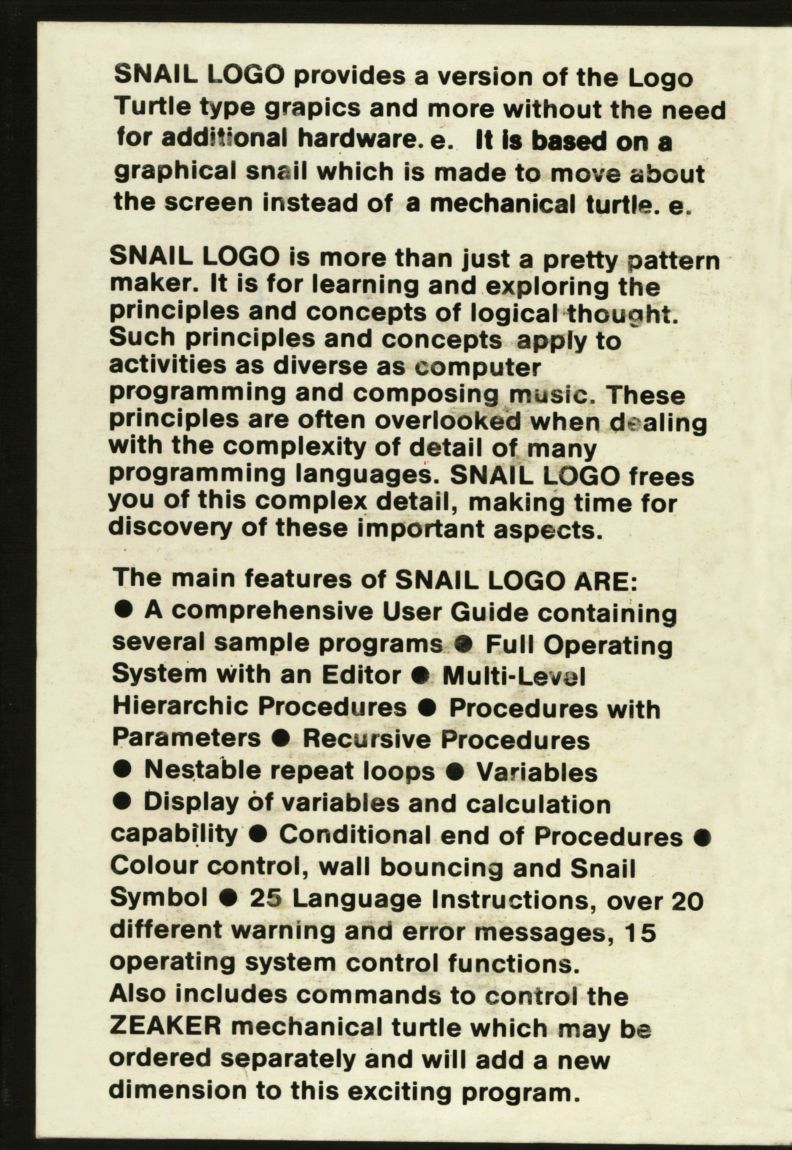
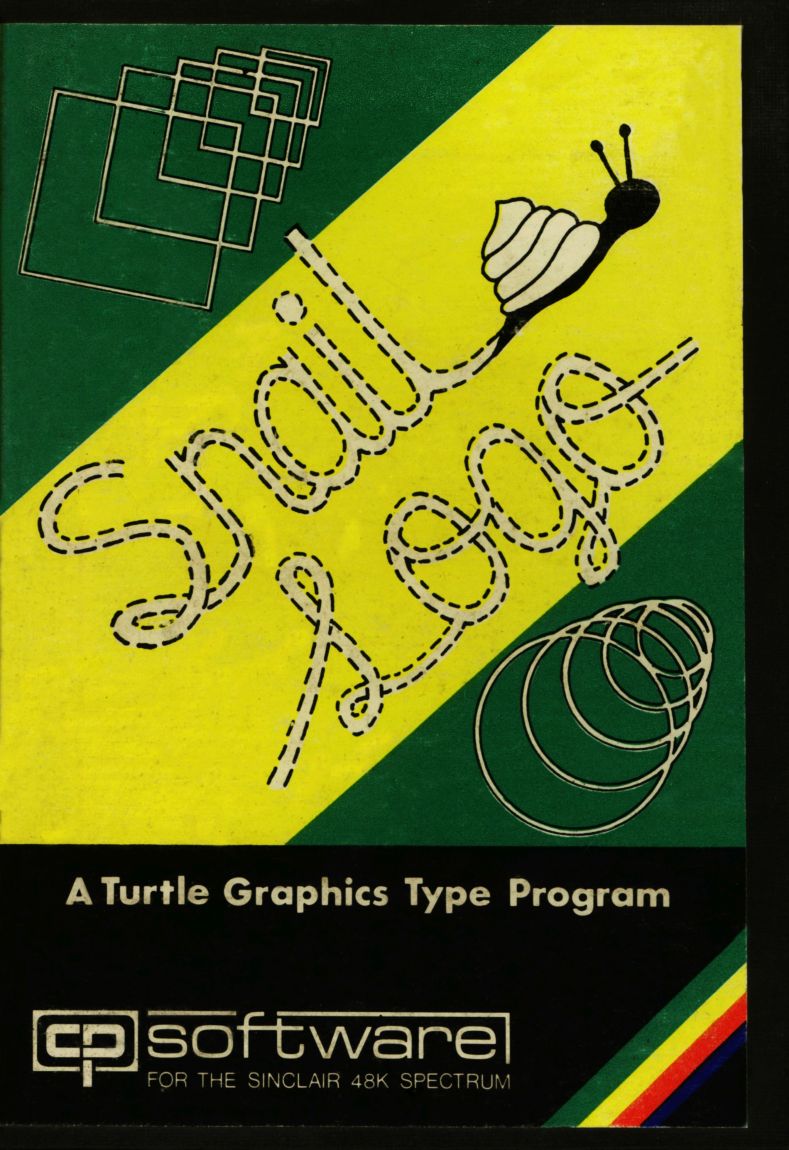
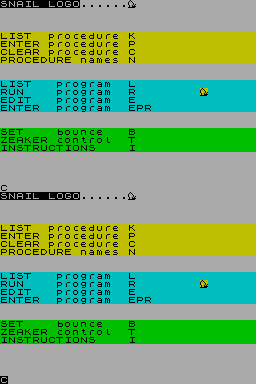
NAME: Snail Logo APPLICATION: Turtle Graphics SYSTEM: 48K ZX Spectrum PRICE: £9.95 PUBLISHER: CP Software, [redacted] FORMAT: Cassette LANGUAGE: Basic OUTLETS: Mail order SNAIL TRAIL Ted Ball logs onto Snail Logo for the Spectrum, but finds his turtle's still in the soup. Logo is a programming language, basically a dialect of Lisp, which was developed at Massachussetts institute of Technology for use in education. The feature of Logo that has received most attention, and which makes Logo particularly suitable for younger children, is Turtle Graphics, which makes it easy to draw pictures on the screen or to control a robot turtle. Snail Logo provides a version of turtle graphics, but not the full Logo language, for the 48K ZX Spectrum. FEATURES Turtle graphics is based on the commands FORWARD and BACKWARD, which draw a straight line of a specified length, and LEFT and RIGHT, which turn the direction of the line a specified number of degrees. By combining these commands you can draw any kind of picture, but for easy and efficient use of the turtle graphics commands you need the full support of a properly designed programming language. MIT Logo is a complete structured programming language that allows you to use meaningful variable names, a full range of arithmetic, logical and conditional expressions, functions and procedures with local variables, and recursion. Snail Logo, however, is cut down so much that all the features that make MIT Logo easy to use have been eliminated. Snail Logo has the basic turtle graphics commands, FORWARD, BACKWARD, LEFT, RIGHT, DOWN and UP (PENDOWN and PENUP in MIT Logo), which make the subsequent track visible or invisible, and a few additional graphics commands like POSITION, which moves the snail to an absolute position on the screen, and COLOUR, which sets the colour of the snail track. The instruction booklet claims that 'Snail Logo has a language and operating system which provides an advanced version of Turtle Graphics.' and 'Snail Logo language is very high level,' but it is very limited in its commands and syntax. Apart from the actual turtle graphics commands it is just about on the level of assembly language, and in some areas provides fewer facilities. Variable names are limited to the letters A to H, and D has a fixed meaning the current direction the snail is pointing. To give a value to a variable you use the command SET V,n where V is the variable name and n is a number. For arithmetic the commands are DECREASE V,n to subtract a number from a variable, INCREASE V,n to add a number to a variable, and MAKE V = expression where expression may be V+V, V-V, V*V or V/V (the Vs don't have to be the same each time). To define loops in Snail Logo you have REPEAT to mark the beginning and RFINISH to mark the end of the loop. Loops may be nested to any level subject to the maximum size allowed for a program or procedure. The commands FORWARD, BACKWARD, LEFT, RIGHT and REPEAT must be followed by a parameter, which may be a variable or a number. If your program requires an expression for the parameter it has to be calculated beforehand and assigned to a variable. The only conditional statements allowed in Snail Logo have the form, IFEND condition, where condition may be one of V=V, V>V, V<V. The IFEND statement terminates a procedure if the condition is true. This is the most obvious area where Snail Logo is inferior to assembly language. You are allowed to define named procedures that can be called from the main program or another procedure, or which can call themselves recursively. The variables A, B, C, and D are local to the procedures, with new copies of them being made each time a procedure is called. You can pass values of A, B and C to a procedure by giving one, two, or three numbers in the procedure call to assign new values to these local variables, or when the numbers are not given in the procedure call the current values of A, B, and C are passed on. There is a bug in the way the parameters are passed to recursive procedures. An example from the instruction booklet is: Procedure JOE FORWARD A INCREASE A,1 PROCEDURE JOE,1 END Program PROCEDURE JOE,1 END What happens when the program is run is that the snail moves forward one step when the program calls the procedure JOE (the 1 in the procedure call sets the value of A). The snail moves forward one step again the first time JOE calls itself. So far this is what you would expect, with the value of A being set to 1 each time JOE is called, but after this each successive call moves the snail two steps, three steps, etc. The booklet does not call this a bug, but tries to explain it away as being necessary for recursion, which is just not true. This is the first time I have seen anyone seriously trying to get away with implementing the traditional programmers' joke that documenting a bug turns it into a feature! PRESENTATION Snail Logo comes in a cardboard box which contains the cassette and instruction booklet. The cassette is clearly labelled and has a copy of the language on each side. The instruction booklet is neatly printed and includes a tutorial section as well as sections describing the commands, operating system and error messages. An appendix, printed on a separate sheet, gives instructions for using it with Colne Robotics' Zeaker Micro-turtle (reviewed in PCN issue 21). GETTING STARTED The instruction booklet explains the language step by step, beginning with an explanation of turtle graphics and how to run the example program provided on the tape, and proceeding through the use of the menu to list, enter and edit programs. This tutorial section includes a number of fully explained example programs for you to type in while you are learning to use Snail Logo. IN USE The first thing you notice is how slow it is. The demonstration program on the tape, which shows a flower growing, takes about 1 minute and 20 seconds to run, and even something very simple - drawing a square of ten units a side - takes 15 seconds. Using the editor to make changes to a program is also very slow. You first have to wait for the program to be listed on the screen, at the rate of about five seconds per line, and after you have made your changes you have to wait for the program to be listed again before you can do anything else. It's menu driven, with one menu for the main operating system and subsidiary menus for using Zeaker, entering programs and procedures and using the editor. Although the menus save you having to remember all the operating system commands, they make it rather tedious to use. When you come to write programs in Snail Logo it is easy to produce simple geometric shapes like triangles and squares, and to put these together to make more complicated drawings but beyond this the limited syntax makes things very difficult. For example, even something as simple as setting one variable equal to another has to be done in a roundabout way. To set A equal to 8 you would have to do something like: SET E,1 MAKE A=B*E Although it is possible to write equivalents of IF... THEN ...and IF... THEN... ELSE... in Snail Logo it is difficult and the resulting code is almost impossible to follow. It is just like trying to write programs in a cut-down Basic, where the only conditional statements you could use were RETURN IF expressions! You can list programs and procedures and copy the screen display onto the ZX Printer. But it doesn't provide any way of saving programs on tape, so if you want to use a program again you have to retype it from scratch. RELIABILITY Apart from the problem with local variables in recursive procedures, it is fairly reliable. It will not allow you to enter invalid commands and gives informative error messages for both input errors and such run time errors as division by zero and stack overflow. It is possible to get back into Basic in some situations by pressing Break, and the instruction booklet tells you that in this case you should reload Snail Logo from the tape. However, it is possible to get back in without losing your program, and apparently without any ill effects, by typing GOTO 3010. VERDICT Snail Logo is very slow and has a very limited range of commands and syntax. Although you can easily write very simple turtle graphics programs, anything except the simplest programming is very difficult and can be accomplished only by using opaque coding tricks. These may have been necessary in the days when computers had miniscule memories and could be programmed only in assembly language, but are frowned upon in educational circles today, when we have large amounts of memory and a profusion of structured high level languages. The limitation to a few single-letter variable names, the necessity for using programming tricks in anything but the simplest programs, and the recursive procedure bug make it particularly unsuitable for young children, and the slowness makes it boring for anyone. Snail Logo is cut down so much from the real Logo language that it cannot be recommended at all.
The cartridges uses a 20-foot loop of very thin tape. The tape lives on a single spindle enclosed in the cartridge. As the tape is driven over the magnetic read/write head it unwinds from the middle of the coil of tape and is wound back onto the outside. The system has been designed to sit loosely on the spindle so the tape can escape easily - even so, logic suggests that the flimsy tape undergoes considerable stress at the speed with which it is run, especially as it has to turn at right-angles as it passes over the coil. Sinclair claims it will last 5,000 accesses, but also recommends that important data be backed-up on a second cartridge. At this stage of testing we have experienced no physical tape failure but only time will tell how reliable the cartridges are - we're keeping our fingers crossed. The tape is driven from the side by a mechanism inside the Microdrive. At present, cartridges are priced at a rather expensive £4.95, but at least you can buy as many of them as you like. This endless-loop cartridge system is no remarkable breakthrough in a technical sense. The concept has been around for some time as the 'stringy floppy'. But presumably Sinclair has refined the technology to the point where it is reliable and cheap to manufacture.
Advert29
- Sinclair User #21Dec 1983 · p.163
- Your Computer #12Dec 1983 · p.88
- Home Computing Weekly #35Nov 1983 · p.24
- Home Computing Weekly #36Nov 1983 · p.19
- Home Computing Weekly #37Nov 1983 · p.12
- Your Computer #11Nov 1983 · p.92
- Sinclair User #20Nov 1983 · p.69
- Your Computer #10Oct 1983 · p.70
- Home Computing Weekly #33Oct 1983 · p.28
- Home Computing Weekly #31Oct 1983 · p.4
- Sinclair User #19Oct 1983 · p.87
- Home Computing Weekly #28Sep 1983 · p.35
- Your Computer #9Sep 1983 · p.140
- Sinclair User #18Sep 1983 · p.130
- Sinclair User #17Aug 1983 · p.15
- Home Computing Weekly #23Aug 1983 · p.24
- Home Computing Weekly #24Aug 1983 · p.27
- Home Computing Weekly #26Aug 1983 · p.28
- Your Computer #8Aug 1983 · p.113
- Popular Computing Weekly #28Jul 1983 · p.16
- Sinclair User #16Jul 1983 · p.90
- Home Computing Weekly #18Jul 1983 · p.24
- Your Computer #7Jul 1983 · p.61
- Home Computing Weekly #17Jun 1983 · p.28
- Popular Computing Weekly #24Jun 1983 · p.34
Review3
- Home Computing Weekly #67Jun 1984 · p.6
- Home Computing Weekly #28Sep 1983 · p.29
- Popular Computing Weekly #31Aug 1983 · p.46
Feature1
- Big K #9Dec 1984 · p.69
Related
- Tags
- g109
- Same entry at
- Spectrum ComputingZXInfo
Reviews from people here
Sign in to write about this, or make an account. It takes a minute and lets you correct the catalogue too.
No description recorded.
Sign in to correct or add to this.
Hold the rights to this and want it taken down?