
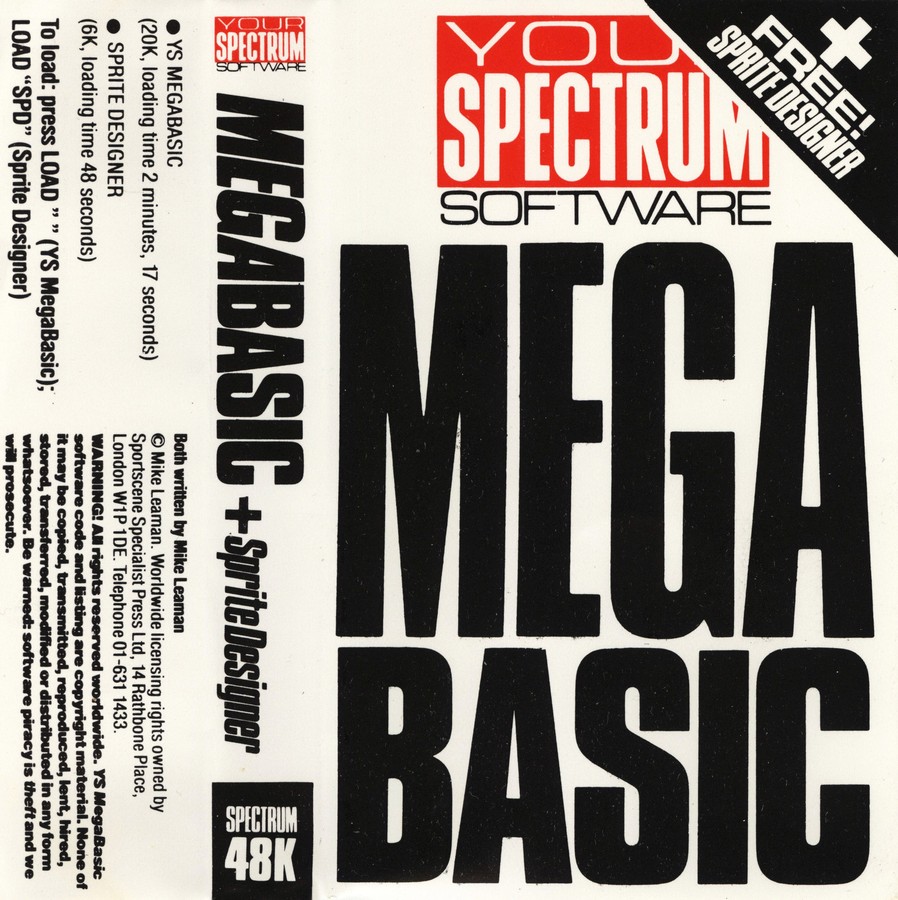
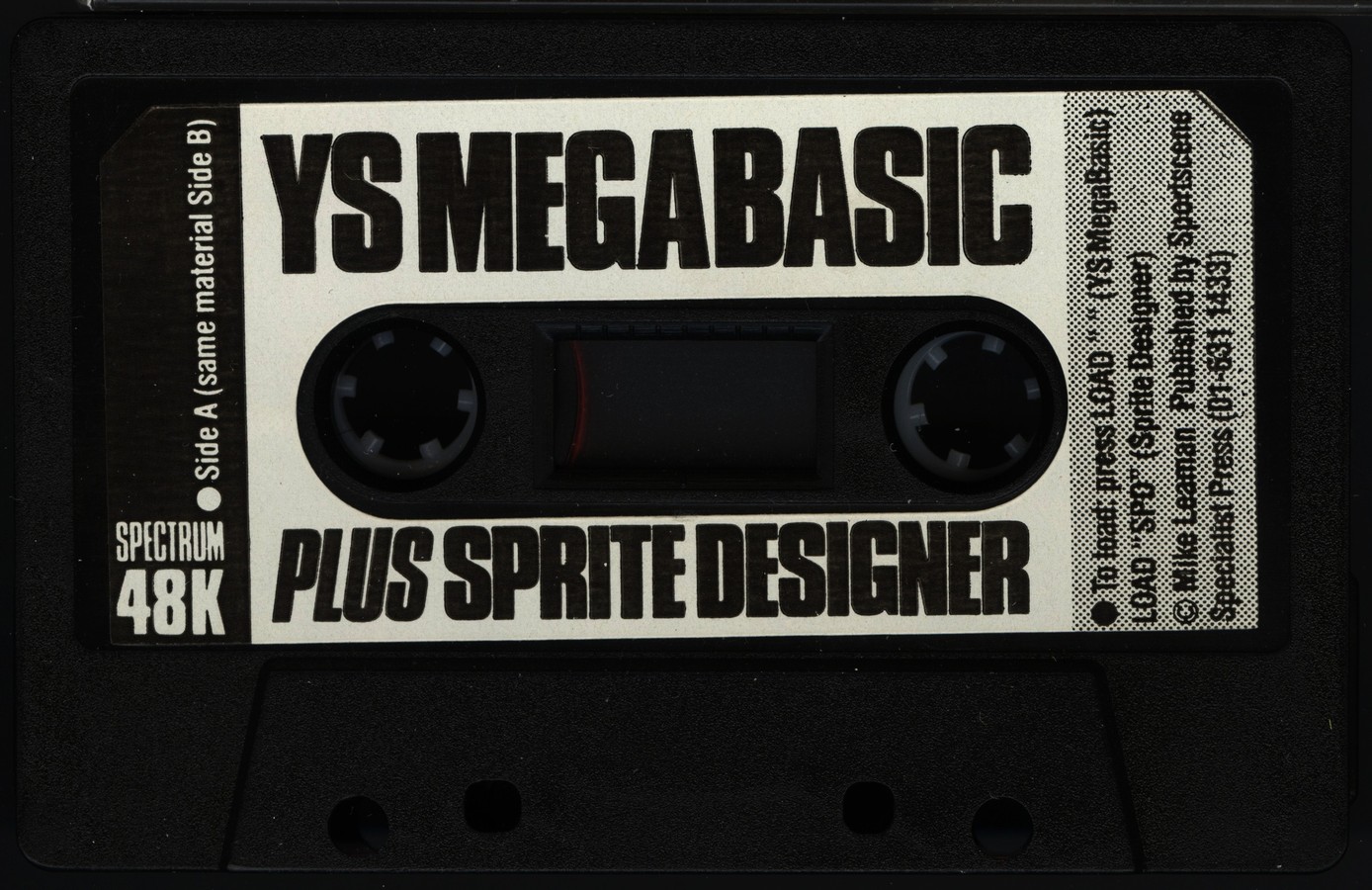
YS MegaBasic
Programming: BASIC · ZX-Spectrum 48K · 1 players · English
Your Spectrum · 1984 · Pound sterling 9.95
Discussion
Nobody has started a thread about this yet.
Remarks
extended BASIC
Play
- YSMegaBasicV1.1Demo.z80.zipSnapshot image English15 KB
- YSMegaBasicV1.1SpriteDesigner.z80.zipSnapshot image English16 KB
- YSMegaBasicV1.0.tzx.zipTape image English16 KB
- YSMegaBasicV4.0.tzx.zipTape image English16 KB
- YSMegaBasicV1.0.tap.zipTape image English13 KB
- YSMegaBasicV1.1.tap.zipTape image English13 KB
- YSMegaBasicV3.0.tap.zipTape image English18 KB
Documents
- YSMegaBasic(EN).pdfInstructions English244 KB
Files and rights
No permission is on record either way. Screens and pictures are copied here on a take-down basis: if you hold the rights and want something removed, say so and it goes.
Credits
- Mike Leamancredited
Sign in to credit somebody, or say what these people did.
Scores
Elsewhere on the web
- WorldOfSpectrum 3 votes6.67
In the magazines 49
Crash #25Feb 1986 · p.100
BATTLE OF THE BASICS Laser BASIC, £14.95 from Ocean IQ/Oasis Software, [redacted]. Mega BASIC, £9.95 form Sportscene Specialist Press (Your Sinclair Spectrum). [redacted]. Beta BASIC, £9.95 from Betasoft, [redacted]. This month's TECH TIPS looks at extensions to ZX BASIC. Ocean, Betasoft and Your Spectrum (RIP) battle it out in the contest to find the ultimate set of BASIC extensions. Laser BASIC, Beta BASIC, and Mega BASIC are the contenders - as it turns out there's no clear winner, since each utility has it's own unique advantages. ZX BASIC, built into the Spectrum ROM, is a good language for those who want to learn about programming fairly painlessly. Most of the simplest keywords can be entered at a single key press lines are checked for syntax as they are entered and the editor is easy to use. String and graphics commands are unusually simply used. Most of the error messages are in something approaching English and you can continue after making changes to a program. When it comes to serious use, ZX BASIC doesn't fare so well. It is very slow, especially when large programs are being run, and editing is laborious. The less common symbols and keywords are hidden in the obscure corners of the keyboard. The best way to speed up ZX BASIC is to use a compiler - we looked at those in a previous TECH NICHE. This month's packages build on the existing language, rather than enhance what's already there. Laser BASIC, Beta BASIC and Mega BASIC add extra facilities and utilities. Facilities include on screen sprites (animated graphic symbols), extra commands, functions and control statements. Utilities make program editing and debugging easier. I'll start by comparing their presentation. LASER BASIC - WHAT YOU GET Laser BASIC is supplied in a plastic box, like a VHS video box but even bigger. The code was written by Oasis Software who produced the Forth-based graphics package White Lightning some time ago. The program is the flagship of Ocean's new IQ range billed as 'The secret of advanced games programming'. Look out Matthew Smith, Sandy White, and all, your secret is out! - well not quite. For £14.95 you get two cassettes and a 90 page A5 manual printed on hideous but trendy green paper, to discourage pirates with old fashioned photocopiers. The cassettes contain the Laser BASIC program, two libraries of sprites, a sprite designer, a 'shop window' demonstration program and a game of three dimensional noughts and crosses which shows off the features of the system. The manual is wrapped in a black card cover, with a useful 'bookmark' flap extended from the back cover. Something is needed to help you keep your place, since the presentation is not good - the manual is typeset, but only one size type is used throughout, and the layout makes the whole volume look like a ninety page technical appendix. The style is dull and verbose, but you do get a five page alphabetic command summary and two pages of contents list, including a useful 'tape map'. 21 pages are taken up with a commentary on the demonstration program, routine by routine. BETA BASIC- WHAT YOU GET Beta BASIC is also supplied in a video box, which holds another 90 page A5 manual and a single cassette. The cassette contains the Beta BASIC extensions and an unspectacular 'turtle graphics' demonstration. This time the manual is printed on bright red paper - using this and Laser BASIC alternately is like taking part in a psychological experiment! Again the type is all a single size but this time it has been produced on a good quality daisywheel printer. Apparently, a modified version of Tasword II was used, but it is none the worse for all that. The layout is better than that of Laser BASIC, but still rather dull. The style of the manual is straightforward and readable though not as good as the original Spectrum manual, mainly because of the lack of graphics. The text is divided into a summary and a reference section, with appendices to cover errors, printers, keys and special variables. There's a tow page list of contents. Examples and observations are sprinkled through the text, and these help dilute the more technical explanations. The front cover contains a keyboard chart, showing the positions of the new commands - no overlay is provided. The back cover contains a concise syntax summary. MEGA BASIC - WHAT YOU GET Mega BASIC has the smallest but most readable manual of all: 30 A6 (double cassette sized) pages printed on white paper - hurrah! The single cassette contains two copies of the Mega BASIC system and a sprite designer. Unfortunately some one forgot to record the sprite designer onto either side of our tape, purchased (with £7.95 of real money!) at the ZX Microfair. We got a complete recording later. The layout of the manual is good and the style is informal. It is very readable, much as it's parent magazine used to be before the Megawow Geewhizz Supaspeccy style took root. There's a five page list of commands, an (incomplete) table of error messages and a single, well organised contents page. Examples are far and few between - this manual is, sadly, better to look at than it it is to use. USING LASER BASIC Beta BASIC and Laser BASIC have a lot in common, so they are reviewed together, later in this article. Laser BASIC is the odd one out, so I'll discuss its unique features individually. Laser BASIC offers no new editing facilities - it just modifies the syntax checker to allow a hundred or so new commands and functions, which must be typed in full (letter by letter) in capitals. The commands are all four letters long and start with a full stop. From .ADJM to .WRBV, they are almost all totally unmemorable and unpronouncable. Commands expect up to seven numeric parameters. Functions are three letters long, similarly unpronouncable and start with a question mark. Functions can only be used in assignments - not in expressions - so you have to copy them into a normal variable with LET before you can PRINT them for example. Most of the commands are concerned with sprite graphics. As in White Lightning you can propel sprites of almost any size, from one character to several times larger than the screen - useful for moving backdrops in games like Zaxxon or Defender. You can do all sorts of tricks if you can remember the right command - moving, scrolling, panning, recolouring, masking, rotating, animating, enlarging, shrinking, inverting and detecting collisions - in other words, you can fiddle about with patterns on the screen in almost every conceivable way. The rest of the system is a bit of a disappointment, There are very few new commands apart form those that deal with sprites. You can renumber programs, 'trace' the current line number, read groups of keys and PEEK and POKE two-byte values. That's all. There are no new commands for editing, sound effects or 3D perspective. You can use procedures - routines called by name rather than line number - but the names must only contain one letter, again making programs hard to understand. Values can be passed to a procedure and changes thereafter don't affect the original variables - in Technospeak: the values of the variables are local. The Laser BASIC demonstration shows that you can produce varied and attractive flicker-free graphics with the package, but the demo is not exactly 'state of the art' - it looks like a collection of snippets from simple games of a couple of years ago. The free game is flashy, but 3D noughts and crosses is not exactly pulse-quickening stuff. The slow speed of ZX BASIC slugs the Laser system, making it hard to keep more than one thing moving at a time. The game is played well, using an algorithm that first appeared, as far as I know, in Practical Computing in January 1981 (page 102), though the author does not acknowledge this. The Laser Sprite Generator is written in BASIC. The program is a bit slow and long winded to use, but good results can be obtained if the sprite libraries supplied are anything to go by (I can't draw). The display is rather lurid and it is a shame that you can't edit sprites with a Kempston joystick. CAN A MEGA BEAT A BETA? Beta BASIC is the oldest utility reviewed here, although the latest version - 3.0 - was only published this summer. In many ways it seems to have been produced in direct response to Mega BASIC, which rather shook up the world of Spectrum BASIC extensions when it was launched a year ago. Already Mega BASIC has outpaced Beta BASIC on the version number front - I looked at version 4.0. Beta BASIC looks just like ZX BASIC when you first load it - even the copyright message looks like the Sinclair one which we have all come to know and love or hate... depending on what we were doing before it appeared. The Mega BASIC start up screen is much more impressive. The program name, version and author appear on the top of the screen. The ink is yellow on black. The bottom line contains an indication of the mode (the cursor is now a solid block) and whether or not CAPS LOCK is enabled. TYPING PRACTICE Both systems let you dispense with the Spectrum's keyword entry scheme, which is great if you've got a proper keyboard - I used a Fuller FDS. In Mega BASIC you have to type all the commands letter by letter although they can be abbreviated to their first few letters followed by a full-stop. Beta BASIC lets you select normal keyword entry (the extra keywords are accessed from graphics mode) or letter-by-letter typing, or an ingenious mixture of both which I used most of the time. In the mixed mode, keywords at the start of a statement can be typed as normal, or type letter by letter if preceded by a space - a natural action for a touch typist, The mixed mode is convenient since it means that common commands - LET, PRINT, GO TO and so on - can be typed with one press, and the rest can be typed out with no need to look down and search for the required keyword. Both BASICs provide user defined keys - so a group of characters can be produced when the appropriate 'key' is pressed. In Beta BASIC you must press symbol shift and space, then a letter or digit. Mega BASIC expects you to select extended mode then type a shifted digit. Both BASICs improve the performance of the line editor. They allow you to edit lines by number - you don't have to LIST them first. They also let you move quickly through a line with the up and down keys as well as left and right, and provide a short-cut to the start or end of a line. In Beta BASIC you have to press Enter before changing the current line, whereas you change it by typing the AND and OR symbols in Mega BASIC. Mega BASIC also gives you a second 'copy' cursor - like the BBC Micro - which can be moved independently with a rather strange group of keys; characters can be copied from the position of this cursor to the other with a shifted keypress. Beta BASIC won't do this, but it does let you join and split lines at will. Beta BASIC tokenises lines rather slowly, but you soon get used to the slight pause after you hit Enter. It lets you put premature line-feeds into a listing (so that lines don't just run from one margin to another) but this can cause confusion when editing as the 'extra' text is not always cleared from the display. I think that BBC Micro enthusiasts will probably prefer the Mega BASIC editor, but I preferred the Beta BASIC one be cause of the facility to join lines and the neat listings - Beta BASIC indents loops and tests for you automatically if asked to do so - this time Beta BASIC collects a BBC Micro feature. One big snag with Mega BASIC is the fact that that you can't always re-edit an incorrect line- sometimes you just get a 'Bad Line' message and have to type the lot again. Ugh! The Mega BASIC keywords are not easily mastered since they almost all end with underscores - Symbol Shift Zero, if you've never needed one before - for no obvious reason. This is taking QL emulation too far. Mega BASIC is also needlessly fussy about the space character in instructions such as OPEN # and GO TO. BLOCK STRUCTURE Both BASICs provide some facilities for writing block structured, modular programs, but Mega BASIC features are not very substantial. You can define procedures (which must have names starting with an AT sign) but these can't be typed as commands and local variables aren't allowed. Simple REPEAT UNTIL loops are the only new control structure. Beta BASIC provides a range of facilities that would satisfy even an ALGOL 86 programmer (ALGOL 86 is a language so comprehensive that no one has implemented it fully yet, and they've been trying for 18 years!). It's a computer scientist's dream: you get named procedures, local or reference parameters with default values if they're not supplied you can pass lists of parameters for sequential processing. There's multi line IF THEN ELSE, a general purpose looping construct which allows exit from any point, and these structures can be nested arbitrarily. Beta BASIC even speeds up a few ZX BASIC commands. Some aspects of ZX BASIC slow up alarmingly as program size increases, Beta BASIC avoids this, so that FOR loops, GO TOs, GO SUBs and RETURNS can be increased in speed by a factor of up to twenty times in long programs. This effect is, of course, largely swamped by the execution time for other statements, but it is still a nice feature. You get long and short (single statement) forms of ON GO TO and ON GO SUB, which brings me to the only missing feature I could think of: Beta BASIC has no SELECT or CASE statement. UNIQUE FEATURES - BETA BASIC It would take a whole CRASH Christmas Special to list all the unique features of Beta BASIC, but they include commands to sort and shuffle rows from string and numeric arrays. There are new integer functions and operators such as MOD and bitwise OR. and there are some fast but low precision trigonometric functions. It is a shame that the new function are typed in as DEFined FNs since this reduces the number of user defined functions you can use. Clever print-formatting is allowed for neat tables of figures. There's an optional clock display, with an alarm, and a command which passes characters to the command line as though they were typed in - the ultimate in self-writing software. The contents of memory can be treated like an enormous string array, allowing all sorts of neat tricks. The Beta BASIC toolkit lets you list lines, groups of lines, variables, key definitions and procedures. You can search out and replace information in a program, renumber, save and delete groups of lines. You can delete groups in Mega BASIC but the rest of these tricks are beyond it. Beta BASIC graphics commands include a FILL, function which colours bounded areas of the screen for you. Filling is fairly fast and you even get a count of the number of points filled. Graphics can be shifted and scaled within a window and you can use absolute co-ordinates rather than offsets, when drawing lines on the screen. What Mega BASIC excels at is multi-tasking. The Spectrum's interrupt facility is used all over the place. You can produce intricate non-stop sound effects while a program runs, or make two programs run at once - or all three at the same time! The software multi-tasks rather crudely, executing lines from two parts of a program alternately. Mega BASIC has simple, four-character-size animated sprite graphics. The eight sprites can move, changing shape automatically, while the program controlling them does something else. It amazes me that Laser BASIC did not include this feature - in fact it DOES appear in the Amstrad and Commodore versions of Laser BASIC. The Mega BASIC Sprite Designer was a bit of a disappointment since it wasn't recorded on my cassette. We got a replacement at the next Microfair, and found it to be a competent but unimaginatively-written program - not as good as the Horizons cassette, for instance. It is written in Mega BASIC, which makes it rather sluggish but decent results can be obtained with a bit of effort. Machine code support is noticably absent from Beta BASIC, presumably because it is considered unnecessary. Mega BASIC gives you a small but useful 'front panel' to control machine code and an extended CALL statement which allows parameters to be passed to machine code but not returned. User defined graphics can be designed in a single Mega BASIC statement; as far as I know this is a neat trick from the Memotech repertoire. Strings can be printed down, rather than across the page and large characters can be printed in fuzzy, 'stippled' colours. Screen output can be redirected to machine code or a printer; in fact it's very easy to do this in ZX BASIC if you know the right command. The main Mega BASIC system includes a tape header reader which prints the details of tape files. There's also a rather dangerous cassette file copier that destroys your current program and crashes the machine if the file concerned is more than 20K long! Mega BASIC is generally frustrating to use if you make a mistake. The commands don't check their parameters properly, so silly mistakes can cause weird results or even crash the machine. The manual pleads lack of memory but my verdict is lack of effort and poor software design. SHARED FEATURES Both systems let you divert execution to a subroutine when each end of line is reached by in the main program. This can be very useful when debugging. They both have a facility to trap errors and disable break-ins from the keyboard but Mega BASIC can't trap Interface 1 errors or - more mysteriously - the error codes it generates itself! Both offer two-byte PEEK and POKE instructions, and can provide automatic line numbers. Both BASICs are associated with magazines. The glossy monthly Your Sinclair is owned by the publishers of Mega BASIC and has contained several articles based around the system in Your Spectrum days. The Beta BASIC magazine is less pretty but more substantial. It consists of fourteen typed pages crammed with neat routines and tips for Beta BASIC users. A six issue subscription costs £5.50. Windows have definitely arrived - Beta BASIC and Mega BASIC allow you to restrict display output to a limited area of the screen and dial up a range of character sizes, including a Tasword-style 64 characters per line. Areas of the screen can be scrolled smoothly in all directions, or saved for later re-display in various sizes. The attribute grid can be blasted in various ways, for special effects. Printing can be offset from the grid so you can position text with pixel accuracy. Only Mega BASIC lets you select between three possible typefaces - Spectrum, BBC and Amstrad character shapes. Of course you can redefine the characters in Beta BASIC or normal, boring ZX BASIC with just a few POKEs, but this superficial Mega BASIC advantage haunts the machine. A system running Mega BASIC just doesn't seem like a Spectrum when you use it. Beta BASIC is more subtle, and doesn't immediately appear to have changed the nature of the machine. Some people will choose Mega BASIC on the basis of this feature alone - it all depends how much you like the Sinclair style. Both systems take up a lot of memory - about 20K - which is inconvenient for business users. It's a shame the publishers don't let you choose a subset of the commands, as you used to be able to do on the venerable ZXED toolkit from Dk'tronics. WINDING UP Mega BASIC and Beta BASIC are both recommended to those who want to inject new life, and perhaps a little excitement, into their ZX BASIC programming. Both systems are very powerfull and usable, though the publishers of Mega BASIC really ought to tidy up its error-handling. I preferred Beta BASIC, mainly because of its elegance and comprehensive support for software engineering: the Spectrum was designed, oddly enough, as a programmer's machine rather than a games one (hence no joystick port, poor sound, friendly BASIC, microdrives, limited colour etc). Beta BASIC takes the Spectrum a long way onward as a programmer's machine. Others may be drawn by the multi-tasking, the machine code support and graphical gloss of Mega BASIC. If you want to push pixels around the screen then Laser BASIC is great, but the code needed is hard to read and hard to debug. At present you can't use Laser BASIC in commercial games without infringing Ocean's copyright, but a run time system, misleadingly called the Laser BASIC Compiler should be available for £9.95 by the time you read this. I don't expect that there will be many takers.
Your Spectrum #8Oct 1984 · p.50
MEGABASIC Announcing ... the ultimate software sensation - Mike Leaman's MegaBasic - a completely new concept in Spectrum programming. Discover the delights of QL-style windows, sprites galore, stunning sound effects, single letter entry, named procedures... and much, much more!! YS MegaBasic is a machine code program which dramatically enhances the capabilities of the 48K Spectrum. Mike Leaman's long-time labour of love leaves the user with about 22K of usable memory, while at the same time providing the kind of features you'd expect to find on a computer five times the price - windows, different character sizes and fonts, procedures, as well as stack of new commands. Not only that, the program was written specifically to iron out the Speccy horror number one... the nonstandard keyword entry system. Overall, YS MegaBasic is a unique way of upgrading the Spectrum - and one which doesn't involve paying out huge sums of money for expensive pieces of hardware. Fancy a trip to new worlds of Spectrum versatility? Then read on! KEYBOARD MAGIC Just take a look at the way the keyboard operates under YS MegaBasic. The keys now work as they would on a 'normal' computer, that is they only give single ASCII characters; now, all commands and functions have to be typed in letter by letter. This will allow the YS MegaBasic owner to use all the new commands easily and, of course, any user new to the Spectrum will no longer have to convert to Sinclair Research's idiosyncratic keyword system. In the land of YS MegaBasic, the Space key is used as a new Shift key and that's how you squeeze all the new functions out of the keyboard. Just one single key stroke, for example, will RUN the current program in memory or LOAD and RUN the next program on tape! Lo and behold, the Spectrum is now provided with user-defined keys. The top row (keys '1' to '0') can be programmed to produce a string of up to 255 characters. What's more, the usual 'hack' method of editing on the Speccy has been replaced by a slick sequence that's more reminiscent of the BBC Micro. The method used involves the use of a second cursor which can be moved around the screen independently of the usual input cursor. Text can be copied from the second cursor to the input cursor by just a single keystroke. The standard Spectrum screen divides up into two parts... YS MegaBasic employs three! There's a section for inputting commands and displaying error messages, another for program output, and finally an area for automatic listings. The size and position of these screen areas are completely user-definable, and the same area can even by used for two (or all three) functions. SCREEN DREAMS YS MegaBasic has done amazing things to the Spectrum's screen output facilities. Now, it offers no less than three different sizes of character: 1. 64 columns by 24 lines Here, even though the width of each character is halved, the characters still remain quite clear - even on a standard TV set. This size of character is ideal for applications like word-processing. 2. 32 columns by 24 lines This is the normal size used by the standard Spectrum. 3. 32 columns by 12 lines Now you can produce characters which are twice the normal height. And another bonus... when you're using options 2 and 3, it's also possible to select between two different character sets; in effect, this gives you five different ways of displaying characters on the Spectrum screen. Ever thought you'd have a QL-like windowing system on the Speccy? Well, courtesy of YS MegaBasic, there's now a way of keeping the display confined to a particular area of the screen. The size and location of windows is totally user-definable, and different character sizes can also be mixed within the same window. The user can even switch between several different windows at any time; in fact, the total number of active windows is only really limited by the amount of memory available. Each window can be cleared or inverted individually, and scrolled up, down, left or right. SMASH SPRITES Now, for the first time ever, the Spectrum incorporates its own sprite routine. All you do is define the direction you want the sprite to move in and then send it on its way; once started, the sprite continues of its own accord. You can also define what happens when the sprite hits another graphic object... it can either stop or keep moving. A Speccy sprite is defined by bytes in memory - just as with a user-defined graphic - and each byte represents a horizontal line of eight pixels. Each sprite can be any multiple of eight pixels wide and any number of pixels deep. In addition, each square of eight by eight pixels can have its own attribute - so sprites can be multi-coloured! With YS MegaBasic, your MegaSpectrum will automatically provide you with 10 sprites - although there are ways of getting more. Remember though, the speed at which your YS MegaBasic program runs is dependent on the size and number of sprites that you're using. The more sprites there are, and the larger their size, the slower your program will run. Since defining sprites is a very complicated process, a 'sprite designer' program is supplied free with every copy of YS MegaBasic. The program allows you first to define the sprites on the screen, and encode them into memory as bytes. You can then save these bytes as CODE which can be loaded into your own programs. MEGA COMMANDS A whole bundle of new commands will fly to your fingertips - thanks to YS MegaBasic. For instance, there's ones to handle the windows and different character sizes - such as MODE, CURRENT, WINDOW and CLW. And commands are provided which make it easier to write programs - such as TRON, TROFF, AUTO, SPEED and DELETE. These are all entered into your MegaSpectrum just as you would enter any normal Basic command, each one being spelt out letter by letter. All commands can be entered into programs, and both new and standard commands can be mixed up together on the same line. The only difference between the two is that if a new command requires parameters, then an underline character must be placed between the command word and the start of the argument. For example, the command to print an 'A' character on the screen using the keyword 'VDU' would be VDU_65. Although the existing keyboard system is non-standard and usually more of a hindrance than a help, it does actually have some advantage too. For example, when entering the command PRINT, it's quicker to stab the 'P' key than to press all five individual letters of the word. Well, the good news is that with YS MegaBasic, it's still possible to abbreviate some commands and functions (a list of minimum abbreviations can be seen as a separate table). You'll notice that the commands are input by way of a fullstop, but the abbreviations are expanded out to their full form when they're displayed as a screen listing. Any word not included in the table cannot be abbreviated and has to be typed out in full. CUSTOMISING POWER Another neat little bonus is that it's possible to customise YS MegaBasic to suit your own particular needs - simply by adding named subroutines. The system is similar to procedures in other Basics, except you can't use local variables. Parameters can be passed to the subroutines just as normal and a subroutine is terminated by a Basic RETURN instruction. You activate it by entering its name, together with any parameters required. The word 'Proc' is not required. The named subroutine really does become just like another Basic command. For example: 10 @CHARA_Z 20 FOR A=Z TO 255 30 VDU_A 40 NEXT A 50 RETURN The program example given shows how a named subroutine is defined. You activate it by entering 'CHARA_165', which results in the characters from 165 up to 255 being displayed on-screen. Subroutines can be called from anywhere in a YS MegaBasic program... they can even call themselves. Thus, lines such as 'IF A$="TOKENS" THEN CHARA_165' are valid! EXAM RESULTS A small front-panel program is hidden in the depths of YS MegaBasic... small and self-contained, and written in machine code (of course). It allows us to examine the internal workings of the Mega Spectrum, enabling the user to examine and alter memory and registers, execute machine code programs, set break-points, and move and fill blocks of memory. The program works with hexadecimal numbers only and you can activate it at any time by just pressing the Space bar and the 4 F key together. It can also be activated from within a program, by execution of the command MON. AND NEXT? From next issue on, author Mike Leaman will be presenting a series of tutorials to help you along with YS MegaBasic - the software key to a new dimension of Spectrum computing. DON'T MISS IT!
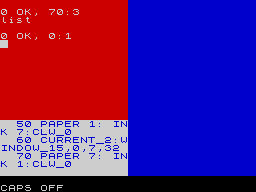
Although it might not make too much sense to you just yet, the listing on the left creates the display shown on the screen. You'll notice that, as well as producing three windows, the windows each contain multi-coloured text in three character sizes; double height, normal height and that used for 64-columns. Look closely and you'll see that the double height and 'standard' size text comes in two different fonts.
FEATURES OF MEGABASIC ZX Basic Number of Commands: 50 YS MegaBasic Number of Commands: 75 We've added all the commands Sinclair Research left on the drawing board! ZX Basic Amount of User RAM Available: 41 YS MegaBasicAmount of User RAM Available: 22 You've less room in memory to play with - but look what you've got instead! Anyway, when was the last time you wrote a 22K program? ZX Basic Maximum Number of Screen Columns: 32 YS MegaBasic Maximum Number of Screen Columns: 64 ...essential if you're into word-processing or you want to get down to business on the Spectrum. ZX Basic Number of Character Sizes: 1 YS MegaBasic Number of Character Sizes: 3 Now you've got double-height, standard size and half-width characters. ZX Basic Number of Character Sets: 1 YS MegaBasic Number of Character Sets: 2 If you've envied the BBC Micro's character set, all you need is YS MegaBasic. ZX Basic Number of Windows: N/A YS MegaBasic Number of Windows: 6 You can get six windows comfortably on-screen - even more if you've room left in memory. ZX Basic Number of Sprites: N/A YS MegaBasic Number of Sprites: 10 Again, memory is the limiting factor, but with skillful programming you should be able to squeeze a few more on-screen. ZX Basic Sound: The BEEP command YS MegaBasic Sound: The BEEP command plus more As well as BEEP, you can also string together single channel pure notes and play around with white noise. ZX Basic Keyboard Entry System: Keyword entry through a double shift system YS MegaBasic Keyboard Entry System: Now standard The keyboard now acts as a 'proper' typewriter - there are no keywords, all must be spelled out. (Abbreviations are, of course, accepted!) ZX Basic Language Extension: N/A YS MegaBasic Language Extension: Yes Defining procedures are permitted allowing the language to be extended in YS MegaBasic.
WINDOW DEMO The screen format for the input/output of YS MegsBassic. Note that, although the screen layout is set originally for three windows carrying out the tasks illustrated above, under software control the window's size and purpose can be changed. The input part of the screen- whatever you type comes up in this window. It's also the area used for editing; to edit a line, you simply type EDIT 10, for example, and the line will be printed up so that you can edit it BBC micro-style. Once you've typed in a section of program, if you press the Enter key again the program lines will be LISTed to this area of the screen. When you type RUN (or execute a direct command) the program's output will be displayed in this window.
WINDOW DEMO PROGRAM Sets up the initial colours. The procedures used to define the text in each of the three windows - each procedure calls line 50 to define the 'display' subroutine. Defines the 'display' subroutine. Selects the required character size and the standard character set. Returns from the subroutine. Print the text up on the screen in different colours (pretty standard Basic this!). Sets the position and dimension of each window. Stops the screen being corrupted by the 'OK' message.
YOU CANNOT BE SERIOUS... 64-Column text? Three character sizes? QL-Style Windows? Two character fonts? Sprites galore? Single letter entry? Named Procedures? ...ON A SPECTRUM!!?? Yes, it's all possible - once you've upgraded to a MegaSpectrum! Next month, you'll discover just how to lay your hands on your own copy of YS MegaBasic... the inexpensive miracle on cassette. If you want to transform your Spectrum beyond your wildest dreams, hang on to this copy of YS (especially the YS MegaBasic token) and all will be revealed next month. See you there!
YS MEGABASIC COMMAND ABBREVIATIONS Introducing 'proper' keyboard entry on the Spectrum, YS MegaBasic may at first seem to slow things down somewhat. To combat this, YS MegaBasic allows 53 commands to be entered in a 'shorthand' format. A.TTR BE.EP B.IN BO.RDER BR.IGHT CH.R$ CI.RCLE CLE.AR CL/OSE# C.ODE CON.TINUE DA.TA D.EF FN DR.AW ER.ASE E.XP FL.ASH F.ORMAT GO S.UB G.O TO I.NKEY$ INP.UT INV.ERSE L.EN LI.NE LL.IST LP.RINT LO.AD ME.RGE M.OVE NE.XT N.OT OP/EN# OV.ER PA.PER PAU.SE PE.EK PL.OT P.OINT PR.INT RA.NDOMIZE RE.AD RES.TORE RET.URN R.ND SA.VE S.CREEN$ ST.R$ T.AB TH.EN U.SR V.AL$ VE.RIFY
YS MEGABASSIC COMMANDS A brief explanantion of the 25 new commands in YS MegaBasic - commands that should have been there in the first place? AUTO - Cause the computer to automatically produce line numbers. BACKUP - Copies tape files. CHANGE - Manipulates the attributes file. CLW - Clears the current window on-screen. CURRENT - Changes the window used for screen output. DELETE - Erases a block of Basic YS MegaBasic program lines. DOWN - Prints a string down the screen. EDIT - Displays a program line for editing. EXAMINE - Displays headers of tape files. FADE - Produces special effects on-screen. FONT - Selects the character set used for printing. FX - Handles miscellaneous functions of YS MegaBasic. INVERT - Changes INK to PAPER and vice versa. KEY - Creates user-defined keys. MODE - Changes the current character size. MON - Jumps to front panel. PAN - Scrolls a window to the left or right, pixel by pixel. PLAY - Produces complex sound effects. RESTART - YS MegaBasic's equivalent to ON ERROR GOTO. SPEED - Used in conjunction with TRON to reduce the speed of program execution. SWAP - Swops one attribute for another. TROFF - Turns 'trace' mechanism off. TRON - Turns 'trace' mechanism on. VDU - YS MegaBasic's equivalent to PRINT CHR$. WINDOW - Defines the size and location of the current window on-screen.
Full-page ad17
- Your Sinclair #18Jun 1987 · p.103
- Your Sinclair #16Apr 1987 · p.43
- Your Sinclair #12Dec 1986 · p.90
- Your Sinclair #10Oct 1986 · p.25
- Your Sinclair #9Sep 1986 · p.71
- Your Sinclair #8Aug 1986 · p.65
- Your Sinclair #7Jul 1986 · p.31
- Your Sinclair #6Jun 1986 · p.24
- Your Sinclair #5May 1986 · p.32
- Your Sinclair #4Apr 1986 · p.72
- Your Sinclair #4Apr 1986 · p.24
- Your Sinclair #3Mar 1986 · p.40
- Your Sinclair #2Feb 1986 · p.58
- Your Sinclair #1Jan 1986 · p.75
- Your Spectrum #15Jun 1985 · p.40
- Your Spectrum #14May 1985 · p.20
- Your Spectrum #13Apr 1985 · p.39
Feature11
- MicroHobby Especial #6Jun 1987 · p.81
- MicroHobby #90Aug 1986 · p.26
- Crash #26Mar 1986 · p.82
- Crash #25Feb 1986 · p.100
- Your Sinclair #1Jan 1986 · p.72
- Your Spectrum #20Nov 1985 · p.31
- Your Spectrum #15Jun 1985 · p.48
- Your Spectrum #13Apr 1985 · p.28
- Your Spectrum #10Dec 1984 · p.48
- Your Spectrum #9Nov 1984 · p.31
- Your Spectrum #8Oct 1984 · p.50
Two-page ad7
- Your Spectrum #21Dec 1985 · p.62
- Your Spectrum #20Nov 1985 · p.64
- Your Spectrum #19Oct 1985 · p.30
- Your Spectrum #18Sep 1985 · p.32
- Your Spectrum #16Jul 1985 · p.60
- Your Spectrum #12Mar 1985 · p.20
- Your Spectrum #11Feb 1985 · p.36
Letters5
- Your Spectrum #20Nov 1985 · p.17
- Your Spectrum #18Sep 1985 · p.15
- Your Spectrum #17Aug 1985 · p.21
- Your Spectrum #16Jul 1985 · p.19
- Your Spectrum #14May 1985 · p.18
Offer3
- Your Spectrum #10Dec 1984 · p.49
- Your Spectrum #9Nov 1984 · p.32
- Your Spectrum #8Oct 1984 · p.55
Tips1
- Your Sinclair #3Mar 1986 · p.69
Related
- Elsewhere
- The TipshopZXAAA
- Same entry at
- Spectrum ComputingZXInfo
Reviews from people here
Sign in to write about this, or make an account. It takes a minute and lets you correct the catalogue too.
No tag recorded.
Sign in to correct or add to this.
Hold the rights to this and want it taken down?