
A, B, C ... Lift-Off!
General: Education · ZX-Spectrum 16K · 1 players · English
Longman Software · 1983 · Pound sterling 7.95
Discussion
Nobody has started a thread about this yet.
Play
- abcliftoff.rzxRZX playback file
- ABC...Lift-Off.tzx.zipTape image English8 KB
Documents
- ABC...Lift-Off.txtInstructions English8 KB
- ABCLift-Off(EN).pdfInstructions English373 KB
Files and rights
No permission is on record either way. Screens and pictures are copied here on a take-down basis: if you hold the rights and want something removed, say so and it goes.
Credits
- Micromegacredited
Sign in to credit somebody, or say what these people did.
Scores
In the magazines
- Personal Computer News #301983 · Overall Value3/5
Elsewhere on the web
- WorldOfSpectrum 1 votes5.00
In the magazines 19
Crash #22Nov 1985 · p.84
Rosetta McLeod
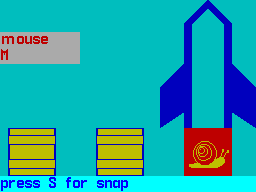
A SOFTWARE SEXTET FROM LONGMAN A slightly different format this month, as I look at six programs from Longman Software in their Early Learning series. Longman have built up a solid reputation as respected publishers of educational book materials, and they are now attempting to extend their success into the field of computer software, aimed particularly at the home market. The blurb on the attractive packaging tells us that 'each program is based on well-tried educational theories, brought alive by the creative wizardry of modern technology. Your children will be spellbound... The wonder of the computer, the power of its appeal and the balanced variety of games and activities will keep your child fascinated, absorbed... and learning.' Well, this certainly sounds good, but do the programs live up to these claims? The six programs fall into two distinct categories: a,b,c,... Lift Off! and Wild Words aim to encourage word recognition and spelling while Countabout, Hot Dot Spotter, Sum Scruncher and Robot Runner try to develop counting and number skills. Each package contains a sheet of notes for parents giving easily followed instructions on loading the program and playing the game, as well as a very useful section, Other Things To Do, which suggests some additional (non computer) ways to encourage the specific learning activity. The acquisition of literacy and numeracy skills is, of course, extremely important, and many parents, wishing to do their best for their children, purchase software which claim to stimulate children towards acquiring these skills. A word of caution for parents, however: you child's school is likely to have a carefully constructed syllabus for teaching letter and number work. If you are in any doubt about how to use a computer program to supplement this work. It might be a good idea to contact your child's teacher for a chat. a,b,c... LIFT-OFF! This letter and word-recognition program is in two parts. The alphabetic order game displays at the start a picture of an apple, the word 'apple' and the letter A. The player is then asked to press the next letter, and is rewarded with the picture of a bus, the word and the initial letter. Pressing ENTER changes the game to A. B, C Lift-Off' The screen shows a conveyor belt for loading crates onto a rocket The child has to match the object which appears on the conveyor belt with the correct word displayed at the top of the screen. If the word and object match, the S key (for Snap) is pressed, and when the rocket is fully loaded with its six objects, it takes off. This is a simple but useful program which young children will enjoy, though the speed of the Snap game is too fast for the lower age range. COUNTABOUT Another number game, Count About attempts to give practice in addition and subtraction in the number range 1 to 9. A number of objects appear on the screen (birds, clocks, crocodiles etc) together with a simple sum. For example, if two objects are displayed on screen, the player might he instructed to 'Make 6: 2 plus ? equals 6'. If the correct number key is pressed, the equivalent number of objects appears on the screen together with the completed sum. Visually this game is much more appealing than Hot Dot Spotter, and the sort of structured reinforcement approach it involves is quite useful in achieving its limited objectives. WILD WORDS Wild Words is a spelling game covering over 200 words which range from 3 to 14 letters in length. The menu offers 5 levels of difficulty - level 1 includes simple words like 'bur', while more complex spellings such as 'people ' appear at level 5. When the choice of level has been made, the target word appears for a short time at the bottom of the screen. During the game, the player can see the word again by pressing H. The game element involves the child having to use the horizontal cursor keys (or 5 and 8 on the Spectrum Plus) to move Microchimp and his wheelbarrow across the screen to catch the correct letters falling from the top. The letters must be caught in the right order to spell the target word. After each word is correctly spelled, the child is rewarded with a tune, and the flower on the right of the screen grows one step further. The children who tried this game for me didn't think much of it and rapidly lost interest. The game was not strong enough to retain their attention, and they soon gave up, claiming it was 'boring'. From an educational viewpoint, the program seemed to me to be extremely limited and totally lacking in flexibility. Spelling is taught most successfully when the words have some sort of context for the child it would have been much better if the parent had been given the option of entering his or her choice of words for the child to spell, taken perhaps from a favourite hook, or if the package had included some reading material which used the target words in context. SUM SCRUNCHER Obviously, educational software aimed at the 6 plus age group has to provide a fair amount of entertainment, but this game fails to provide much entertainment or education. This time, the arcade routine features a serpent-patrolled maze in which Microbug is trapped. There are thirty five gates with numbers on them, and the idea is that when the problem at the bottom of the screen is solved, the player moves Microbug, using the four cursor keys. to a position directly below the gate displaying the correct answer There are six levels of difficulty to choose from, ranging from easy addition and subtraction (though this 'easy' option includes sums like 59 plus 4 and 47 plus 7) to difficult division as in 56 divided by 7. A major flaw in the game is that the numbers displayed on the gates are all two digits so 5 is represented as 05 and Microbug has to be positioned extremely carefully, directly below and between the two digits, before the number is accepted. This game provides nothing more than mechanical, repetitive exercises and children are unlikely to want to play it again and again. ROBOT RUNNER Do you remember chanting out your tables at school? I certainly do land I'm not that old!), though there was little emphasis on whether pupils actually understood what the recitations meant. Robot Runner gives children practice in the 2 to 9 multiplication tables. The player has to answer the sum correctly in order to move Robot Runner across the screen to retrieve the stolen treasure of Endor. There are, however, all sorts of obstacles to be avoided on the way. At the beginning, the menu allows you to choose which of the nine tables to practise alternatively you can opt for a mixture. Instead of having to press the number keys for the correct answer, the player uses the two vertical cursors to increase or decrease the runner's speed to the number wanted. Certainly, the game element in this program is much more interesting than in Sum Scruncher, and the game is quite a useful way of reinforcing the tables. HOT DOT SPOTTER Hot Dot Spotter is a very simple number game. The player has to count the number of dots on a dropping ball and press the corresponding number key. The game starts fairly slowly, using low numbers, and as the players' skill improves the game becomes faster and more difficult. The scoring system is dependent on how quickly the correct key is pressed, and the notes tell us that 'seeing your score mount closer and closer to the High Score as you successfully catch each ball is a great thrill'. Unfortunately, my team of testers didn't seem to think so! I'm afraid I found this game to be educationally sterile. There was little motivation for the player, and the number skills involved could have been practised to greater effect with dice and bits of cardboard. GENERAL RATING All of the programs are well error-trapped but, with the exception of a,b,c... Lift Off!, they have little of real merit to commend them. This isn't to say that they are bad programs, but simply that they are no better or worse than other educational software which relies mainly on an arcade format to sweeten the drill/practice pill. They all run well, however, and are easy enough to use, but are lacking in flexibility and, generally speaking, belong more to the education system of the past than to the computer age. The programs all cost £7.95 and will run on the 16 or 48K Spectrum. * Next month, I'll be looking at an outstandingly good series of early learning programs from Five Ways, entitled The Learning Box.
Title: A, B, C, Lift Off! Educational Aim: letter/word recognition Age Range: 4 - 8 Control Keys: all letter keys used; S to snap Use of Colour: bright & attractive Graphics: in the letter recognition section, the pictures are rather small and a large part of the screen is unused Title: Wild Words Educational Aim: spelling Age Range: 6 and over Control Keys: H to see the word again, then cursor keys Use of Colour: good Graphics: uninspiring Title: Hot Dot Spotter Educational Aim: number skills Age Range: 4 - 8 Control Keys: number keys only Use of Colour: limited Graphics: very dull Title: Count About Educational Aim: addition and subtraction Age Range: 4 - 8 Control Keys: number keys only Use of Colour: good Graphics: good Title: Sum Scruncher Educational Aim: number skills Age Range: 6 and over Control Keys: cursor keys only Use of Colour: bright and clear Graphics: reasonably good Title: Robot Runner Educational Aim: multiplication Age Range: 6 and over Control Keys: cursor keys only Use of Colour: attractive Graphics: fairly good
Crash #4May 1984 · p.58
Phil Morse
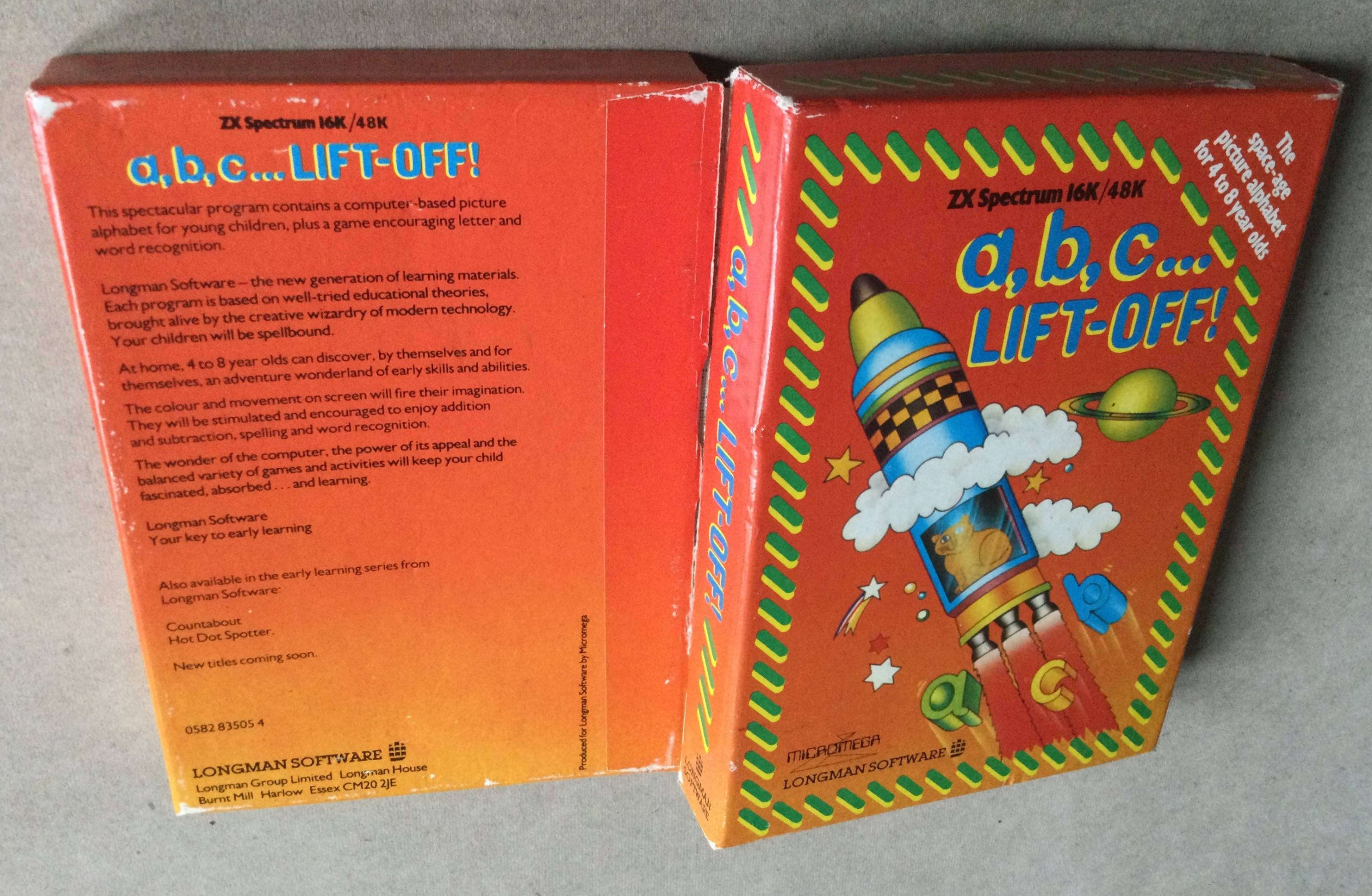
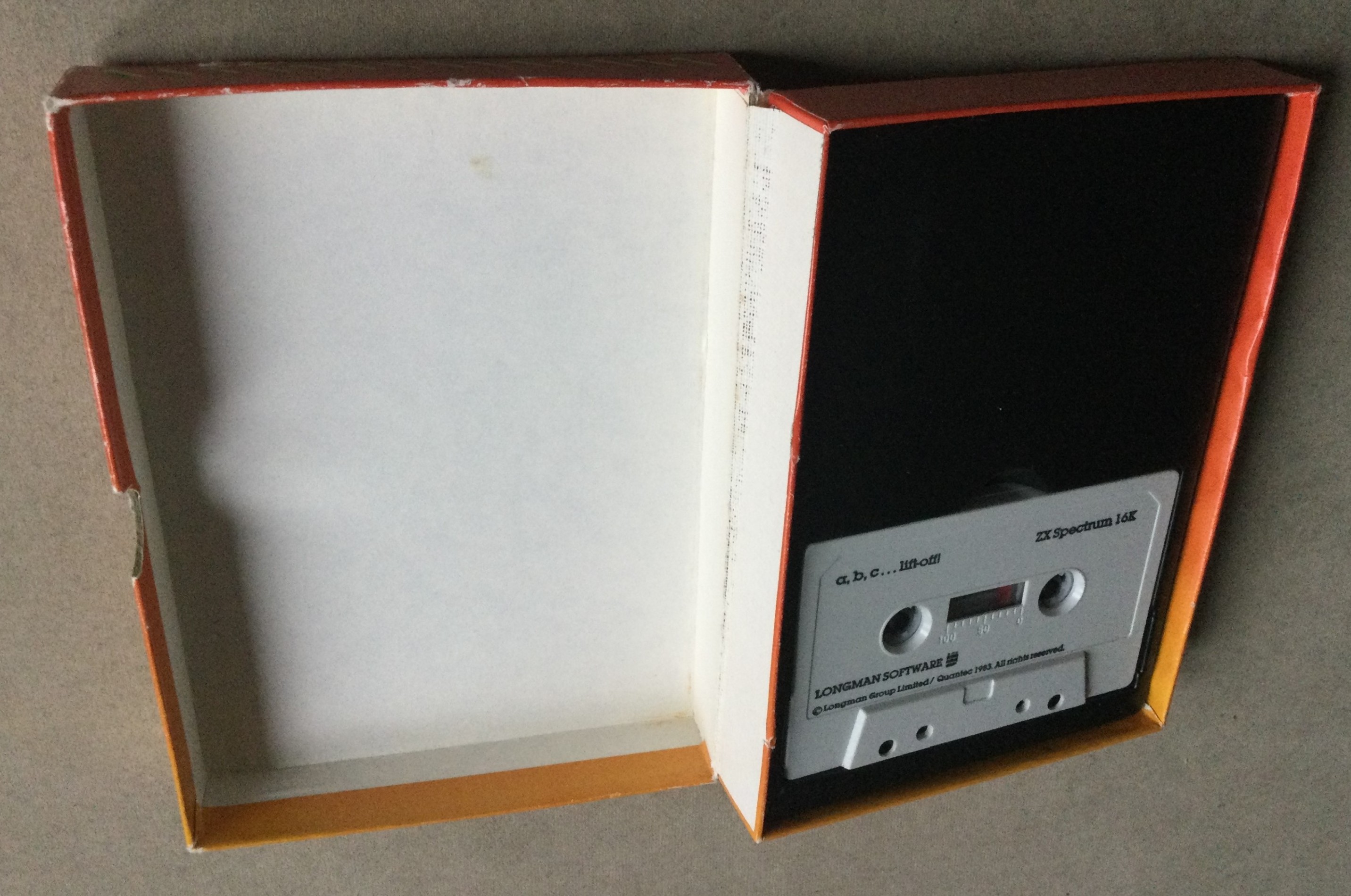
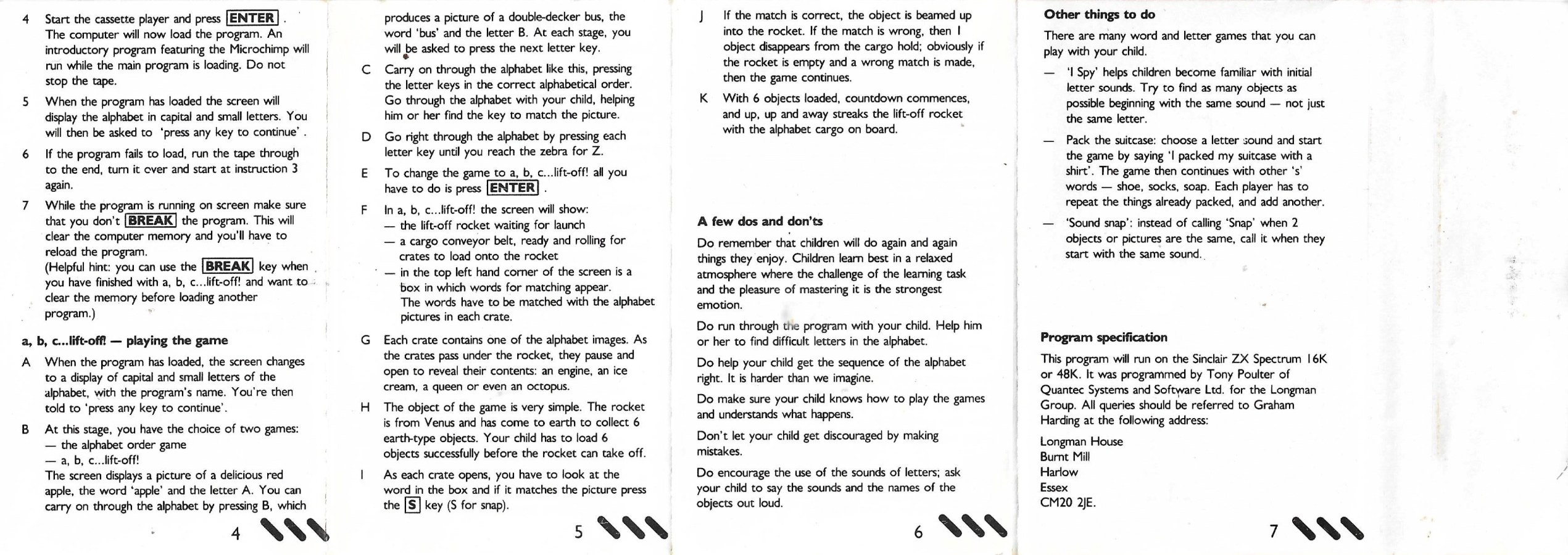
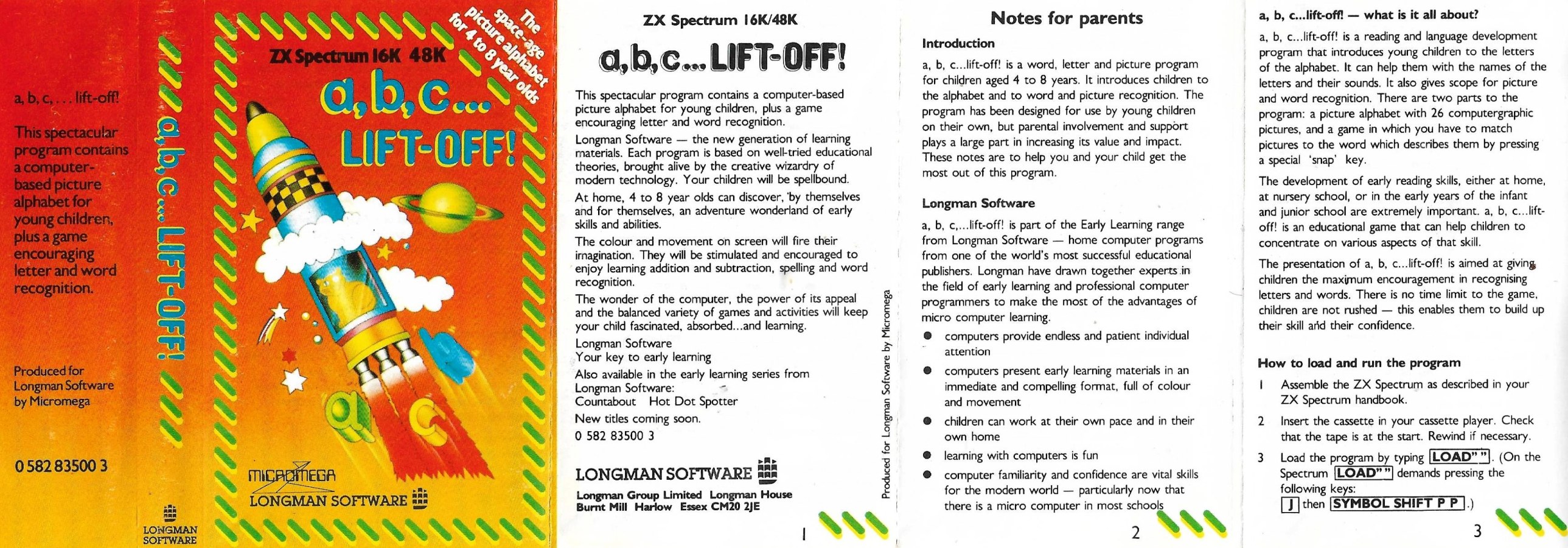
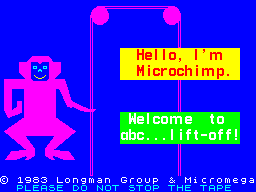
a, b, c... LIFT OFF! is supplied in a rigid, colourful box, with the cassette sitting inside in a black plastic moulded insert. The instructions are a printed sheet, folded to make a six-page booklet and contains operating instructions and general enthusiastic paragraphs about how good computer learning is for your child, not to mention high-tec advice like supplementing the work of the program by playing 'I-spy' with the given pupil: '....an adventure wonderland of early skills and abilities,' they promise. The program is recorded on both sides of the tape and on LOADing presents an introduction screen where the logos of Longman and Micromega glide on and off the display to be replaced by a monkey, who introduces himself as 'Microchimp' and welcomes you to the program. The main body of the program then loads. When the main body of the program has LOADed, two alphabets of bold and clear upper and lower case letters appear on the screen with a prompt 'press and key to continue.' If you do not do so, about 30 seconds later the program goes into the first of the two format options of the program. The first part of the program is a matching of word and letter to a computer-drawn picture and the sequence always starts at 'A.' in the lower right-hand corner of the screen a small but clear picture is drawn in a box. Into a box on the upper left-hand corner of the screen scrolls the appropriate word (all lower case letters) and below it the first letter of the word as an upper case letter. You are then asked to press the key corresponding to the 'next letter.' In response to the picture of an apple, I therefore pressed 'P,' this being the next letter in apple. I got a disapproving beep-beep from the computer. It was expecting 'B' as the next letter of the alphabet! Such an indignity, I was glad to see, need not continue, because each time a prompt appears at the bottom of the screen urging 'press ENTERING for game.' This is the real meat of the program. In the Lift Off game, a rocket is drawn on the right-hand side of the screen. Below it, scrolling smoothly along a conveyor belt, are sealed crates. The idea is centred around the rocket being a ship from Venus wishing to load up with earth-type objects to take back for inspection. As each crate arrives below the rocket it stops for four seconds and is 'opened,' its contents being drawn in it, and in the upper left of the screen a word and letter is chosen randomly and displayed. If the word corresponds to the picture you have just four seconds to press the 'S' key to register 'SNAP.' (That's a terribly short time for a four year old!) if you are quick and correct, the crate is loaded into the rocket. If you make a mistake, one crate is removed from any already loaded. When six crates have been loaded successfully a countdown begins and the rocket takes off quite dramatically, leaving you with the haunting melody from 'Close Encounters!' The 'random' choice of the displayed word, in fact, gives you about a 4-1 chance of getting a snap each time (not a 25-1 chance as you might fear). Do not be put off by the rather glib and effusive blurb in the instruction leaflet. This is quite a valuable program. My five-year-old and three-year-old children loved the Lift Off game. It avoids the fundamental mistake of trying to do what a real book can do better and concentrates on providing a good supplementary activity to an infant's early reading work or a junior's remedial reading practice. I would trust its reliability in classroom use as it has always loaded first time, every time, and has always proved to be a most popular program.
CRASH REVIEWERS COMPETITION In the first issue of CRASH (February) we ran a competition designed to discover the best reviewers of games from among readers. The results of this competition should have been announced in the third issue (April). We had, however, overlooked the fact that, as they say, everyone's a critic at heart. By the time the third hundred review dropped into the IN tray, we realised that there was no way it would be possible to process all the entries in time. Hence the one-month delay.
In addition to the winner and five runners-up, the following get a special mention, and extracts or whole reviews will be appearing in following issues. Vic Groves, Regent's Park Estate, London NW1 A. J. Green, Toddington, Beds Rob Holmes, Wirksworthy, Derbyshire David Branston, Hall Green, Birmingham S. Guillerme, London W8 R. Norfolk, Scholar Green, Stoke-on-Trent H. J. Lock, Wallington, Surrey David Dursley, Clifton, Bristol J. E. Price, St Albans, Herts
JUDGING CRITERIA What we were really looking for were reviews that managed to provide a good, concise description of the game in question and combine it with a sense of humour, personal observation and, of course, an ability to write in a fluent, interesting way. We did say that entries would not be judged on spelling ability, although it would be important to be literate. In the event, there seemed to be very few bad spellers. A number of entries tried to ape the style of presentation as seen in CRASH, which was not necessary at all, although this did not affect the outcome of the final decision; and other writers steadfastly stuck to the format that other well-known computer magazines offer. The winner and five runners-up have provided a varied selection of titles, and although it was felt that the winner stood out, he did so from the runners-up by a faint margin. All in all it was a hard Choice. And so to the most important part - the results.
Readers were asked to write three reviews of titles picked from a selection of 79 games, divided into five categories: Arcade, Adventure, Strategy /board games, Simulations, Utilities and Educational. Each review was supposed to be of between 500 and 900 words. However, due to a rather ambiguous use of language (sorry) entrants were a bit confused as to whether they should write three reviews of this length or three reviews which together added up to this length. As it was our error, no one has been penalised for picking either figure. As it turns out, it was just as well that there was a large selection of choice, but, in the main, the majority of reviewers opted for the more obvious games and there were numerous versions of Jetpac, Hobbit, Penetrator and Zoom. From among the utilities The Quill and Melbourne Draw proved favourites. We were pleasantly surprised by how many educational reviews we received, showing that this is a vital area of interest for quite a number of readers. Choosing a winner and five runners-up has been a difficult task, not only because there were so many entries, but also because the standard was extremely high throughout. A factor common to many entries was the tendency to pick games obviously well enjoyed by the reviewer, thus allowing said reviewer to rhapsodise over the game's finest points rather than actually criticise it. It's always much easier to say nice things about something than to say unpleasant things in a constructive manner. On the other hand, there were a few entries which positively reveled in tearing a program to shreds as a sort of revenge against the computer game in general!
THE WINNERS ENTRIES It would only be fair to say that in the opinion of the Editor there were several entrants who were able to provide more detailed descriptions of the games than those that will be found in the winner's reviews. But the winner managed to combine most successfully the ability to enthuse over a game while at the same time keeping a sense of overall perspective. He was able to describe the games adequately and in a very personal way. Most importantly, all three reviews start off in a highly original and entertaining manner, creating instantly an atmosphere which makes the reader want to carry on reading. As printing all the winning entries in one go would take up too much room, we have had to split them up into two sections. This month the winner, J. Singh, and runners-up John Minson and Phil Morse; next month runners-up Gary Bradley, E. Munslow and Steven Wetherill. The following month we will be printing some further entries which deserve a special mention. May we thank everyone who wrote in to take part in the competition.
WINNER - CRASH REVIEWERS COMPETITION Jaswant Singh is 19 and lives in Hadley, Telford, with his family: mother, father, two sisters and brother. He went to Manor School, just down the road from where he lives, and he left with 10 O-levels and four A-levels. He now works for Lloyds Bank. The CRASH Reviewers' Competition isn't the first competition that Jaswant has won. In May 1982 he won second prize of £300 as an A-level student in a competition organised by Barclays, writing on teaching and the microchip. He was also a runner-up in a nationwide competition organised by The Observer and Whitbread of the subject, How the Chip Will Change Society. Jaswant bought his first Spectrum in October, and says he prefers playing arcade games. He does not use a joystick, although he is thinking of getting one soon. We hope that Jaswant will be joining the team of CRASH reviewers very soon.
WINNER CRASH REVIEWERS' COMPETITION J. Singh, Hadley, Telford, Salop RUNNERS-UP (Not in order of merit) Steven Wetherill, Kexboro, Barnsley, S. Yorks E.Munslow, West Bromwich, W. Midlands Gary Bradley, Glasgow John Minson, Muswell Hill, London N10 Phil Morse, Welwyn Garden City, Herts
Sinclair User #23Feb 1984 · p.118
Theodora Wood
THE ABC OF SIMPLE KEYBOARD DRILLS Theodora Wood looks at reading programs The use of computers in teaching literacy skills, at a very early age and later as the child becomes more adept at recognising and communicating the written word, inevitably entails the gaining of skills with the computer. The use of the keyboard to answer on-screen questions and commands reinforces that aspect of educational computing. That is nowhere more true than of the many alphabet programs on the market. Learning the alphabet requires not only the ability to recognise and differentiate between shapes but also to match shapes to their appropriate sounds. Without an adult to speak the sounds, the alphabet games become merely a matter of keyboard training. Letters and Numbers, Jimjams Software, Spectrum 48K, £4.95, is an example, where the child has to press the matching key to the letters which appear on the screen. If correct, the picture appears with sound and animation, unlike Alphabet - Widgit, Spectrum 48K, £5.95. The use of voice synthesisers should alleviate this problem somewhat. abc... Lift Off - Longmans, Spectrum 16K, £7.95, is slightly different in that the child has to match a picture to a word and its initial letter in a game of snap; the child has only to press S to indicate a match. When six correct answers have been given, a rocket takes off. The action takes place quickly and is best-suited to be used as a consolidation routine, after a child has a knowledge of the shapes and sounds of the alphabet. Alphabet Games - Blackboard Software, marketed by Sinclair, Spectrum 48K, £7.95, immediately seems better value in that there are three games in the one program. There is also the possibility of customising the program or incorporating routines from it into programs a parent or teacher may be writing, and the cassette gives hints on that. Blackboard has allowed for that in all its programs, producing a degree of flexibility not found in other software. Once LOADed, the program offers the choice of three games, Random Rats, Invaders or Alphagaps. After the child's name is entered, there is then the choice between upper- or lower-case letters. The speed is fast, and can obviously be changed, but that adds to the arcade-style fervour of both Random Rats and Invaders. Both games are unashamedly keyboard trainers, matching lower- and upper-case letters. If played with a child who shouted the sounds while a parent types them it can prove to be a good practice session on this level. In Random Rats, rats appear on the screen at intervals and a white block, the gun, moves across the screen. The child has to press the letter which appears on the gun to zap a few rats. In Invaders the child has to press the letter which appears on the alien spaceship to prevent it handing by blowing it up. At the end of both games the player receives a certificate if a ZX printer is attached. The third program in Alphabet Games features training in another kind of skill that is the order of the alphabet, important in the use of indices for filling and retrieval purposes. Alphagaps shows the alphabet on the screen with some missing letters. The child has to fill the gaps with the correct letter from left to right. Sinclair has also released five programs recently which foster the whole word approach to reading as well as the use of the alphabet. Learn to Read 1-5 - Sinclair, Spectrum 48K, £9.95 each, provide a range of activities with a structural approach to teaching the reading process. All the programs feature the animals from the reading scheme, Meg the hen, Sam the fox, Jip the cat, and so on, and are very simplistic in their textual content. The year 1950 was, after all, pre-television for most children and the lack of sophistication is evident in 1984. They eschew such criticisms as sexist, which are directed at many of their contemporaries such as Janet and John, but overall have little connection with real life. Learn to Read 1-3 runs on a roughly similar format. Once LOADed, the menu appears, a box moves over the names of the activities and the child has to press a key when the box surrounds the chosen task. Names introduces new words on all three programs, ranging from the names of the animals to the last word in a sentence containing the words learned in previous programs. Those are shown at the beginning of the program to be read by an adult and then tested. In Learn to Read 1, one animal is left on the screen with a list of all the names; the child has only to press a key when the moving box is over the correct word. By the time Learn to Read 3 is attained the same task includes reading a sentence and matching two words with objects which appear at the top of the screen. If correct, the word is written in big lower-case letters. Kim is the next program on the menu increasing in difficulty over the range. It is a simple memory game where pictures with words or sentences appear on the screen and then one disappears. The child has to spell the word on the keyboard; if correct, the picture and the word appear again. That is repeated until all the words have been tested. Spell, the next game, is repeated on all three programs. In one all the animals appear on the screen and then each is labelled in turn; the child has to spell the word on the keyboard. After five attempts the computer gives the correct letter. In Learn to Read 2 bars of labelled colour appear at the top of the screen and then a sentence appears on the lower half, for example Meg the ---, and the child again has to spell the word; if correct, the animal is coloured by a dripping pot of paint and the sentence is completed, Meg the hen is yellow. A score bar builds at the side of the screen with each colour. Learn to Read 3 provides the child with a multiple choice of similarly-spelt words to fill the gaps in a sentence. A similar score bar operates as in the previous program. The final choice on all three programs is a version of the perennial educational game pairs, called Card. Over the span of the three programs the number of cards increases from eight to 12, from matching pictures, through matching pictures and words to matching pictures with their initial sounds - the first introduction to phonics in the whole scheme. The child has to ENTER the numbers of the cards to turn them over. Learn to Read 4 is devoted to teaching alphabetical order and is much more accessible than the previous activity discussed, Alphagaps, found on the Blackboard Alphabet Games. There are three choices - NEXT, MIDDLE and FIND. NEXT shows the complete alphabet, upper- and lower-case, printed to a catchy tune. Three letters appear on the screen in alphabetical order and the child has a picture clue to help ascertain the fourth letter, as well as the alphabet at the top of the screen. In MIDDLE the child is presented with three boxes, the outer two of which contain pictures and letters and the child has to guess the middle letter. After five incorrect attempts at either of the activities, the letter is given. FIND can be slow or fast - pictures in alphabetical order move across the screen; when there is a gap the child has to press the appropriate letter on the keyboard. At the end there is a house with the entries missed in the windows. The fifth tape is a series of examples and exercises to aid the learning of all those positional words, such as on, top, bottom. These words, although common in written text, often prove a stumbling block for early readers. As all the programs are based on the same animal characters, it is more difficult to imagine using the useful routines found in such a program as Learn and Read 4 out of context, and Fisher-Marriot has allowed no provision, unlike Blackboard, for doing so; CAPS SHIFT BREAK causes the program to crash. Also because the scheme relies almost completely on three-letter words, there can sometimes be nonsense sentences for the child to complete. For older children, Star Reader - Scisoft, Spectrum 48K, £6.95, is aimed at the six-to-11 age group and provides training in the meaning of words and their position in the context of a written piece of text. There are three levels of reading difficulty and two choices of activity. At each level a passage of text is shown on-screen with some words missing; the child has to ENTER the words from a choice given at the bottom of the screen. At level one the second choice of activity is to sort rumbled sentences, while the alternative choices for levels two and three concentrate on dictionary skills and filing activities, both useful for information searches. Castle Spellerous - Blackboard, Spectrum 48K, £7.95, flashes the word on the screen before the child has to spell it. The object is to release the princess from the wicked magician's palace. It is well-realised graphically and interesting, with sudden surprise attacks fended-off by pressing the appropriate letter on the keyboard. There is a choice of 10 types of words, for example 'ea' words; the word lists can be changed and the exposure time to the word can be regulated to suit the child concerned. Scisoft has produced a similar package in Wizard Box - Spectrum 48K, £6.95, - the words do not flash on the screen but can be recorded on tape. The problem of synchronisation could become acute for a child not accustomed to tape recorders. Hangman programs, either typed from books or akin to the version found in Punctuation Pete, are probably just as effective and interesting as a spelling tester. Blackboard has also released four programs to help with punctuation - Capital Letters, Early Punctuation, Speech Marks and The Apostrophe Spectrum 48K, £7.95. The titles give an obvious hint to the contents. All the programs give examples of the use of punctuation and then test the child with a piece of text on which to practise. A little stick man moves over the text and the child has to stop him at the correct place to insert the punctuation marks. If a ZX printer is attached, a certificate is printed with the number of correct answers and at the end of each set of activities there is a game. Heinemann has covered this ground with one program operating on three levels, Punctuation Pete. Unlike the Blackboard programs, there is no opportunity to change the text and it is therefore a much less flexible package. Finally, 40 Education Games for the Spectrum, by Vince Apps, Granada, £5.95, is a cheap way of providing programs in this field. It includes a spelling test, Hangman, and speed reading as well as mathematics routines. All the programs reflect current educational emphasis on drill and test, and are electronic workbooks. They familiarise a child with the keyboard but often than that offer very little which is new. A more creative approach in the field would be to concentrate on the computer as a writing tool, as adults would use it, to refine and correct a piece of written work. Heinemann, [redacted] Jimjams Software, [redacted] Longman Software, Longman Group Ltd, [redacted] Scisoft, [redacted]. Sinclair Research, [redacted] Transform Ltd, [redacted] Widgit Software, [redacted]
"Exposure time can be regulated to suit the child concerned."
"The programs have little connection with real life."
Personal Computer News #30Oct 1983 · p.273/55/54/53/5
Lasting Appeal 3/5
Playability 5/5
Use Of Machine 4/5
Overall Value 3/5
Jessica
Marcus
Norman
SYSTEM: Spectrum 16K or 48K PUBLISHER: Longman Software, [redacted] PRICE: £7.95 FORMAT: Cassette LANGUAGE: Machine Code OUTLETS: Most high street dealers. BLACKBOARD BEEB Norman, Marcus and Jessica test family educational packages for the BBC micro. There may be a Beeb in every school, but home is where the Spectrum is. So it could be a shrewd move for schoolbook publisher Longman to write its first three offerings for that machine. If you bought a computer for the kids but the five year old hasn't yet shown the expected flair for programming, these could be just what you needed. Each program is designed for four to eight year olds at home, aiming at a combination of fun and the teaching of a basic skill. The programs come in bright double-size boxes (so as not to be confused with big brother's arcade games?) together with a 'notes for parents' leaflet. The test team were my children Marcus (5) and Rebecca (8). The tapes are double-sided and all loaded first go. While the tape is running the three-masted Longman ship sails serenely across the screen (whoever designed that logo was far-sighted) and then you are welcomed to the program by 'Microchimp', who subsequently appears in one of the games. Instructions are all on screen in big easy-to-read lower case letters. We couldn't crash the program by wrong key presses, and the only function available apart from the required key is Break, which takes the place of NEW and clears the memory. This meant that we couldn't get inside the program to insert modifications while running. A tone sounds whenever a key is pressed, which is good for hesitant small fingers, and each new event has its accompanying tone or tune. Marcus was managing on his own within a few minutes of starting each new game. But parental involvement is still useful and suggestions for helping the child and supplementary activities are given. For parents wanting to know how much educational content they are getting for their money, the descriptions on the boxes are regrettably sketchy. A, B, C... This teaches the alphabet and word recognition in two linked programs. First the whole alphabet is written out and then an apple is drawn in three colours in a box. Its title, 'A apple' then appears in another box. Pressing the next letter of the alphabet brings up the next image. Only the right key press works: it might have been useful to have an option of prompting with the next letter. Press Enter at any time and action cuts to the game. Packing crates are being conveyed to a rocket on its launch pad. An alphabet image is revealed in the crate. If it matches the word that then appears in a box. '5' for snap then loads the object, while a wrong snap unloads one crate. When a full load of six has been stowed, the hatch closes, the rocket lifts off in a spectacular shower of sparks and we hear the Close Encounters theme. All the objects were easy to recognise and the children had fun trying to be first to spot which object was appearing. The match word is revealed for less than three seconds before the chance to snap is lost, but this didn't cause any difficulties. COUNTABOUT Here's an animated 'Little Professor" ... Addition and subtraction using numbers up to ten. Microchimp appears at the bottom of a banana plant and you choose addition, subtraction or a combination of both. A box is drawn, a door in one side flips open and in file a number of objects, say four red TV sets. How many are needed to make a given number? Get it right and the extra ones file in or out and Microchimp hops one stage nearer his hand of bananas. Ten right answers and he grabs the bunch, slides down and devours it. There are nine objects in any of four colours, again easily recognisable, although we just had to Christen one a crocoduck. Unlike the other games, there's no time limit on pressing the answer and attention can be fixed on the box or the written out sum underneath. Two wrong answers gives you a demonstration of what should have happened with no penalties. The objects form lines of five, which encourages estimation, and their movements are pure ballet. HOT DOT SPOTTER That's right, dot not dog. This is a real action game with rapid number estimation providing the challenge. First you type your name, which comes back at you in those gratifyingly large letters. Soon the children were inviting whole strings of fictitious characters along to play, some with distinctly naughty names. A 'dropper' releases a ball inscribed with a random number of dots in a 3X3 matrix. Punch the right number and you score points according to which of the three zones of fall you got the answer in. Guess wrong or fail to guess in time and the ball hits the bottom, a croupier's rake scoops it off screen and one of your three lives is lost. Get the highest score so far and one of a variety of very laudatory messages flashes up. Numbers and rate of fall start low and then steadily increase, while a bleeping tone inexorably rises in pitch. The ball isn't exactly slow at the beginning and it's hard to follow the parental guideline of counting with the child and still get your keypress in in time. Although the concepts on screen are quite abstract, the kids soon showed an instinctive appreciation of what was going VERDICT The colour, sound and graphics capabilities of the Spectrum are all exploited to the full. By using blocks of colour and selective scrolling, the screen never becomes cluttered. The screen images can be used in a variety of ways. The programs succeed in keeping up the interest level by providing very satisfying rewards. There are no options provided that might have extended the age range, such as changing the operating speed, but in return you get a reliable package that the kids can operate for themselves over and over again.
Countabout
Hot Dot Spotter
a, b, c... lift off!
Advert10
- Your Computer #1Jan 1984 · p.210
- ZX Computing #10Dec 1983 · p.111
- C&VG (Computer & Video Games) #26Dec 1983 · p.92
- Your Computer #12Dec 1983 · p.7
- Sinclair User #21Dec 1983 · p.4
- ZX Computing #9Oct 1983 · p.132
- Personal Computer News #30Oct 1983 · p.66
- Your Computer #9Sep 1983 · p.195
- Sinclair User #18Sep 1983 · p.47
- Personal Computer News #23Aug 1983 · p.55
Review2
- Home Computing Weekly #46Jan 1984 · p.33
- Home Computing Weekly #25Aug 1983 · p.30
News/Note2
- ZX Computing #9Oct 1983 · p.59
- Home Computing Weekly #21Jul 1983 · p.8
Feature1
- Sinclair User #23Feb 1984 · p.118
Related
- Same entry at
- Spectrum ComputingZXInfo
Reviews from people here
Sign in to write about this, or make an account. It takes a minute and lets you correct the catalogue too.
No description recorded.
Sign in to correct or add to this.
Hold the rights to this and want it taken down?