
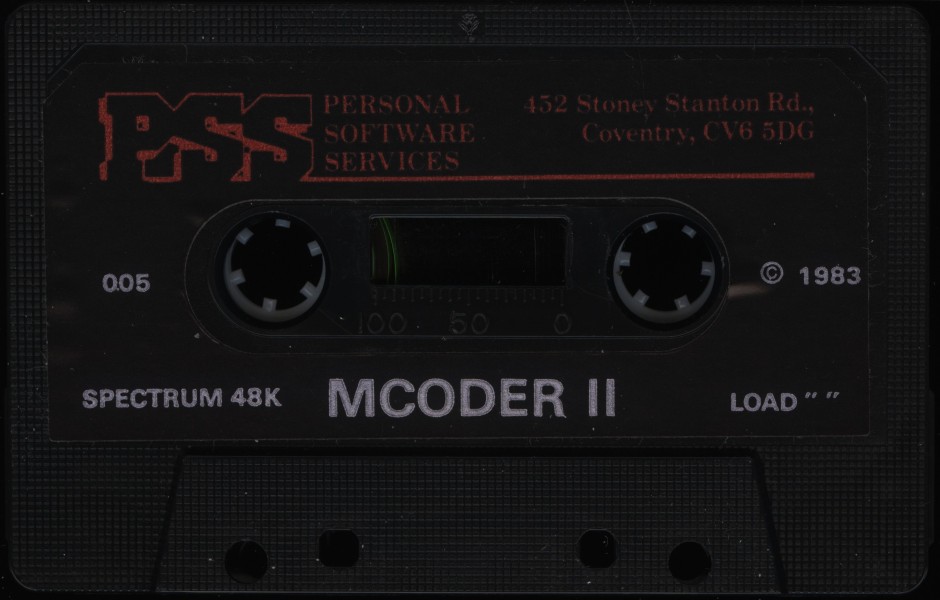
MCoder II
Programming: BASIC · ZX-Spectrum 48K · 1 players · English
PSS · 1983 · Pound sterling 9.95
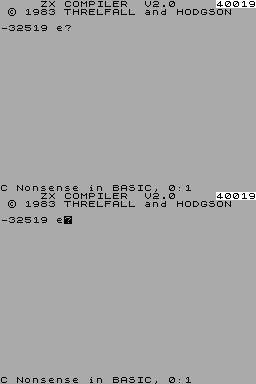
Also known as PI-VOTY B. Compiler (Hungarian), Spectrum Integer Compiler V2.0 (English), Super Compilatore (Italian), ZX Compiler V2.0 (English)
MCoder, 2 of 4
Discussion
Nobody has started a thread about this yet.
Remarks
BASIC compiler
Releases
Play
- MCoderII.tzx.zipTape image English5 KB
- MCoderII_2.tzx.zipTape image English5 KB
- MCoderII.tap.zipTape image English4 KB
Documents
- MCoderII.txtInstructions English11 KB
- MCoderII(EN).pdfInstructions English229 KB
Files and rights
No permission is on record either way. Screens and pictures are copied here on a take-down basis: if you hold the rights and want something removed, say so and it goes.
Credits
- David Threlfallcredited
- John Hodgsoncredited
Sign in to credit somebody, or say what these people did.
Scores
In the magazines
- Personal Computer News #321983 · Overall Value4/5
Elsewhere on the web
- WorldOfSpectrum 1 votes9.00
In the magazines 15
Crash #19Aug 1985 · p.86
MACHINE CODE WITHOUT TEARS The Niche takes a first look at Basic Compilers for the Spectrum. There's a world of difference between ZX BASIC and machine code. Programs in BASIC tend to be slow, with jerky graphics and poor sound effects. Programs in machine code run hundreds of times faster - which doesn't mean that the graphics just jerk around the screen at Warp Factor Ten. No, machine code programming permits smoother movement, '3D' perspectives, simultaneous sound, animation and so on. Of course, machine code doesn't necessarily make a game playable, and some classic games have been programmed entirely in BASIC - Mined Out, Football Manager and Velnor's Lair for instance. But if you want to write a shoot-em-up game, or a program with sophisticated graphics, you'll almost certainly find BASIC too slow. Back in the olden days of Spectrum programming, when programmers assembled code in their heads, and the back pages of the old orange manual were the first to fall out, there wasn't much alternative to learning machine code once you'd come up against the limitations of BASIC. Learning machine code was a traumatic process: before disks and microdrives (which brought their own meaning to the term random access') every programming mistake meant a crash. Teaching yourself machine code was a frustrating process as, after each mistake, it took several minutes to re-load your assembler, debugger and program source from tape in preparation for another crack at the problem. Predictably it wasn't long before someone figured out that, if the computer was so fiendishly clever, it really ought to be able to make up machine code for itself. In this article we take a look at currently available BASIC to machine code translators, or 'compilers'. Next month we hope to examine Colt and Blast, two new and aggressive-sounding BASIC compilers which are under development. In future Niches we'll blow the dust off other Spectrum languages such as Logo, Forth, C, and Pascal. Meanwhile, back at the keyboard.... WHY IS BASIC SO SLOW? BASIC is slow because everything you type is carefully checked to make sure it is correct. This would be fair enough if it only happened once, when the program was entered, but the exhaustive checking continues even while a program is running. If you write a program in BASIC to add 2 and 2 a hundred times, the computer will take as long to work out the answer the last time as it did the first 99 times. The actual adding is done fairly quickly in machine code (which is the only language the Spectrum's Z80 processor can really understand), but the overall effect is still very slow. This is partly because BASIC checks the syntax of lines over and over again, even after they have been entered (in case some stray POKE or Cosmic Ray has changed the contents of program memory?) BASIC is also hampered by the need to cope with all sorts of special cases. The routine to add numbers in the Spectrum ROM has to be able to cope with functions, arrays, numbers and variables; these can have almost any value from minus several zillion upwards. The Z80 processor can only cope with a few digits at a time; it has to do all its arithmetic in several steps, just in case. Worse still, it can't multiply and divide at all, so these operations must be performed 'longhand'. Much of the code in the Spectrum's ROM is taken from the earlier ZX81 BASIC, which was squashed into just 8K. In order to keep the size down, parts of ZX BASIC were written using a leisurely version of the compact Forth language, rather than machine code. A new ROM for the Spectrum is planned (though not by Sinclair), but nothing has materialised yet. One of the nice features of Spectrum BASIC is the way that it lets you type in new lines of program and scrub out old ones as you test your program. This is hell for the BASIC system, which has to keep scrabbling around in tables to keep track of shifting variables and program lines. The longer your BASIC program, the worse this gets, so that a 20K program may run at half the speed of a 2K one. In compiled BASIC, however, the position of every line and variable is fixed. This makes programs fast, but means that you have to re-compile the whole lot if you changed one line. Finally, ZX BASIC is cursed by the stupid way humans like to write things. We write 'X = 6 + 7' when the computer would be much happier with '6 + 7 = X'. It can't do anything with the name X till it finds the equals sign (meaning that a value must be stored). Similarly, the equals sign isn't really relevant till the computer knows what is to be stored. The plus sign means add two values - there's no point telling the computer about it until it has found both the numbers. ZX BASIC actually performs calculations in the second sequence (which is called Reverse polish Notation), but it has to re-order them from the first sequence every time it finds them, and that is a slow process. WHAT'S A COMPILER The Spectrum BASIC compilers are programs which read a BASIC program and produce a machine code equivalent, The compiler and both programs have to be in memory all at once, which limits the size of compiled programs to 10-20K. Compiled code may be anything from 2 to 200 times faster than the original, depending upon the compiler you are using and the intricacy of the original program. We ran (or at least, tried to run!) the standard BASIC benchmark programs on each of the compilers. The results are shown in the Timing Table, along with the published timings for ZX BASIC. The timings are not as fast as for pure machine code, which allows much more freedom to the programmer, but they are easily fast enough for most games programming. A number of commercial games are written in compiled BASIC (including Frank 'N' Stein, published by PSS) and look none the worse for it, although you'd be hard-put to write Knight Lore with a compiler. A few of the positions in the table contain asterisks, because the test program could not be processed by that compiler. In order to keep compiled programs fast, and reduce the complexity of the compiler, the packages all impose restrictions on what they can compile. COMPILER CONSTRAINTS Softek's FP compiler is the only one that can cope with decimal values, for instance - this makes it much slower than the others, but means that it is the only compiler suitable for use in business programming. But who wants to run as business on a Spectrum anyway? The other compilers restrict you to whole numbers between -32767 and 32767, although you can use values up to 65535 in POKEs and suchlike. You can switch back and forth from normal BASIC, machine code and compiled code with USR calls and RETURN instructions, so it is possible to write programs in a mixture of languages if you need speed at one point and sophistication elsewhere. The Softek compilers (FP and IS)are the only ones which allow you to use full BASIC string-handling; Mcoder gives you a fairly complete set of facilities to work with short strings (up to 255 characters) but Zip and the Mehmood compiler can only offer simple routines to read and write characters. You could probably write a text adventure using Mcoder or one of the Softek compilers, but you'd be much better off using The Quill. Array handling is similarly limited - none of the compilers allow arrays of more than one dimension,and the IS and Mehmood programs won't allow arrays at all, you can use long variable names with Mcoder and the Softek compilers, but the cheaper packages restrict you to 52 short variable names. The 'core' of ZX BASIC commands - PRINT, INPUT, PLOT, DRAW, LET, GO SUB, IF, and so on - are allowed by all the compilers. The Mehmood compiler doesn't allow FOR loops, which meant that we couldn't run some of the benchmark programs. One of the snags of real machine code is the fact that you can't 'break in' to programs. This suits software houses, who want to discourage piracy, but it is very inconvenient for programmers. The only way you can stop a machine code program is to pull out the plug and re-load it. Zip and Mcoder allow you to break into compiled programs at will, but the Softek compilers require a special command wherever you might wish to break into compiled programs, You can't break into programs produced by the Mehmood complier at all. The Softek compilers allow you to put special instructions in REM statements. These instructions only work once a program has been compiled, which is inconvenient since you can't test such programs fully in normal BASIC - one of the big advantages of BASIC compilers over machine code is the fact that you can test your programs interactively, with all the BASIC checks and hand-holding to help you, before you compile them. Softek's special instructions allow you to check for the Break key, enter machine code into the program, and move simple (character-sized) sprites smoothly around the screen. On the FP compiler you can also trap errors and simulate the ON GO TO statement. None of the compilers let you GO TO a calculated line number - you must always GO TO a specific number. Mcoder offers some REM instructions, but these are designed for program testing. You can turn off BREAK checks, giving marginally faster code, or turn on a 'trace' facility which shows the current line as it is executed. Mcoder and Zip allow you to pass variable values back and forth between BASIC and machine code. THE COMPILERS COMPARED So far we've taken a broad overview, looking at the compilers together. In the following section we look closely at each of the five Spectrum compilers (there were six, but the first Spectrum BASIC compiler, SUPER C is no longer available). IS COMPILER £9.95 Softek, [redacted] This program is very like the FP one in presentation - it shares the same instruction sheet - but it restricts itself to arithmetic using whole numbers (IS stands for Integer and String, whereas FP stood for Floating Point). This restrictions makes IS about ten times faster than its stablemate. Again, compilation is fast and you can compile several programs into different areas of memory. The compiled code is slower than that generated by Mcoder, and quite a lot slower than Zip, but the IS compiler has the bonus of support for very simple sprites. The lack of array-handling is annoying, although not too hard to get around if you're prepared to use PEEK and POKE or string-slicing instead. ZIP 1.5 £5.50 ZIP COMPILER OFFER, [redacted] This is yet another refugee from a computer magazine - an early version of Zip was listed (in the wrong order, mainly) by the troubleshooting goblins at Your Spectrum last year (issues 3-6). Zip is mainly written in BASIC and consequently works more slowly than Mcoder or IS, although it's not as lethargic as the Popular Computing weekly offering. Line numbers above 5000 are used by the compiler and optimiser. Zip produces faster code than the other compilers, as the benchmark timings show. Like IS and Mcoder it works with whole numbers only - unlike them, it doesn't allow strings or DTA and variable names are restricted. The documentation is better for the other compilers, consisting of twelve pages of A5 (reduced from the A4 originals), with appendices covering benchmark performance, useful subroutines and error messages. There is also a section on customising the compiler program. A demonstration game is recorded after the compiler. As compilation takes place your program is listed on the screen, and errors are shown in context. Zip is the only compiler which detects all the errors in a program at once - this is just as well, in view of the compilation rate. Zip produces error messages in plain English, whereas the other compilers just stop at the location of the error. MCODER £8.95 PSS, [redacted] Mcoder has the longest history of all the Spectrum compilers. It began life in the July 1983 issue of Your Computer magazine; in those days it was a 2K program for the ZX81 called ZX-GT. Like the Softek compilers, Mcoder now occupies about 6K. The Mcoder documentation is unimpressive: seven cassette-sized pages, in the form of a brief question and answer session and a list of commands allowed by the compiler. PSS offer a three page 'help sheet' to users who miss the significance of some of the comments in the cassette insert. The code produced is faster than that from the IS compiler, especially when it comes to string handling. Mcoder looks very much like the Softek compilers (or should that be the other way around?) and performs in a similar way, with the same fast compilation and simple error indication. Mcoder and IS are very similar - Mcoder handles numeric arrays and has better debugging facilities, while IS is slightly more compatible with normal BASIC and offers simple sprites. COMPILER £2.75 A Mehmood, [redacted] This compiler was featured in a trio of Popular Computing Weekly articles in April this year. It doesn't come with any instructions, so you'll need a copy of PopCW Volume 4 No 17, and ideally the two following issues as well. A simple demonstration game is supplied on the other side of the tape. Compiler is written in BASIC, so it works very slowly, and line numbers below 1000 are reserved for the compiler program. As soon as an error is found a message is printed and compilation stops. The messages are usually quite helpful, but the stop is annoying since you have to start again to find the next error, and this might involve a wait of several minutes. At £2.75 this is not a bad low-cost compiler, and would probably be useful for 'spicing up' BASIC program. It is a shame that it doesn't allow for FOR... NEXT loops or even PRINTing of strings. The poor timings it achieves on the Benchmarks result from the fact that Spectrum's very slow, built-in 'division' routine is used. FP COMPILER £19.95 Softek, [redacted] This is the most expensive compiler by a clear tenner, so it had better be good - or at least different! As the benchmark timings show, it produces fairly pedestrian code, typical 2-10 times faster than normal BASIC - but it is very flexible. You can use FP to speed up almost an ZX BASIC program that doesn't use arrays of more than one dimension, or the VAL and VALPP functions. The compiler also disallows calculations in DATA and GO TOs, but we wouldn't dream of using those, would we? The documentation is barely adequate - a single large sheet of paper with an introduction, list of compiled statements and brief technical discussion. The FP compiler displays the current line being processed as it works. When an error is found the compiler stops and shows the line containing the problem, with a question mark to show where the problem was found. You can't go on to detect subsequent errors, but this doesn't matter much since the compiler is very fast. You can compile several programs into different areas of memory by using CLEAR between on compilation and the next. FP is a well-written program, but it is expensive and may not be useful to many Spectrum users, since it doesn't offer a dramatic speed increase over well-written BASIC. We'll look at it again next month, when we examine BLAST, a new compiler designed to process 'off the shelf' programs. None of these compilers really offer 'instant translation' for your BASIC. With the possible exception of Softek's FP you really have to write your program with compilation in mind - it is hard work to convert existing BASIC to suit any of the compilers. Also, there are some things which are hard to do without the flexibility of real machine code. That said, the packages all produce working code pretty effortlessly, and you can be reasonably confident that compiled programs will work first time - unlike hand-coded ones! Next month, PR companies willing, we should be able to report on two new compilers - Colt, from HiSoft, which is a development of Mcoder, and Oxford Computer Systems' Blast, which promises to compile absolutely any ZX BASIC program, without alteration. At the moment we're having a bit of trouble wheedling copies out of the manufacturers - they both seem to be holding back until they've had a chance to dismantle their competitor's product! We'll compile more information next Niche....
BENCHMARK TESTS _ COMPARING THE COMPILERS Eight standard BenchMark programs were used in the comparison; timings for the execution of each benchmark program are given in seconds, with the speedup ratios achieved by each of the compilers printed on a grey background. ZX BASIC BM1: 4.9 BM2: 9.0 BM3: 21.9 BM4: 20.7 BM5: 25.2 BM6: 62.8 BM7: 90.0 BM8: 25.0 MEHMOOD BM1: * (0x) BM2: 0.065 (138x) BM3: 9.0 (2.4x) BM4: 4.2 (4.9x) BM5: 4.2 (6.0x) BM6: * (0x) BM7: * (0x) BM8: * (0x) SOFTEK FP BM1: 1.75 (2.8x) BM2: 2.1 (4.3x) BM3: 8.7 (2.5x) BM4: 9.4 (2.2x) BM5: 9.4 (2.7x) BM6: 19.7 (3.2x) BM7: 24.0 (3.8x) BM8: 22.5 (1.1x) SOFTEK IS BM1: 0.058 (84x) BM2: 0.076 (118x) BM3: 0.57 (38x) BM4: 0.98 (21x) BM5: 0.99 (25x) BM6: 1.32 (48x) BM7: * (0x) BM8: * (0x) MCODER2 BM1: 0.043 (113x) BM2: 0.097 (93x) BM3: 0.62 (35x) BM4: 0.90 (23x) BM5: 0.92 (27x) BM6: 1.17 (54x) BM7: 1.47 (61x) BM8: * (0x) ZIP 1.5 BM1: 0.031 (158x) BM2: 0.064 (141x) BM3: 0.194 (113x) BM4: 0.108 (192x) BM5: 0.115 (219x) BM6: 0.29 (235x) BM7: 0.46 (191x) BM8: * (0x)
Crash #5Jun 1984 · p.107
Steven Wetherill
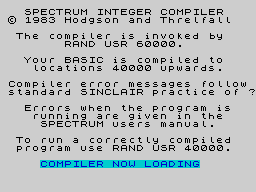
M-CODER II BY PSS This is an integer compiler for the 48K Spectrum only. The program is supplied in a standard cassette tape box (i.e. not one of those overgrown video cassette ones) with an eight-page fold-out instruction leaflet, which is brief but to the point. Loading the program is simplicity itself - just type LOAD "". There is a BASIC loader which tells you that the compiler is invoked by the RAND USR 60000 command, and that your BASIC is compiled to locations 40000 upwards. This is the default address, however, and may be changed using CLEAR n where n is the address at which your BASIC is compiled. This facilitates slacking of programs in memory, but more of this later. MCODER must always be present in memory before any BASIC is entered. This is because the loader program does a NEW when you press any key after MCODER is fully loaded. BASIC programs can then be typed in as usual, or loaded from tape. Once your BASIC program is entered and checked you compile it simply by typing RAND USR 60000. If MCODER comes across an invalid line it will return to BASIC with a flashing question mark near the offending command. If this should happen. CAPS SHIFT and 1 (EDIT) will bring down the offending line for correction. Some typical errors include: 1. Using illegal variable names; 2. GOTO 'variable' or GOSUB 'variable', which are not allowed; 3. Illegal statement type such as LOAD or SCREENS. Actually most BASIC programs as printed in magazines and so on will not compile in their original form, and will have to be modified taking into account the list of allowed commands. As it says in the instructions, 'You should be aware that you will probably have to make considerable alterations to your program before it will successfully compile as it is likely that the BASIC was not written to suit MCODER. However most programs can be made to work, albeit in a modified form. Errors are reported using standard Sinclair error codes as listed in the Spectrum manual, appendix B. At the end of a successful compilation three pieces of information are shown. 1. A 'compilation OK' report; 2. The length of the compiled code; 3. The run address. If all is well, and your compiled BASIC is stored safely above RAMTOP, it can be run using RAND USR 'address', where 'address' is given in 3. above. As was stated earlier, it is possible to stack several programs on top of each other. This is achieved by moving RAMTOP around in memory. The procedure is to initially set RAMTOP to a fairly high place in memory and compile program A at this address. Then RAMTOP is moved down in memory to allow enough room for program B to be compiled underneath program A. This process is repeated for programs C, D, E, etc. Care must be taken not to overwrite any existing programs as no check is made by MCODER. These programs can then be treated as subroutines and called as required. As MCODER is an integer compiler, it will only operate on whole numbers, and these must be in the range -32768 to +32767. As it has no time consuming floating point calculations to do there is a considerable increase in execution speed in compiled programs. However, as stated before, it will not compile all BASIC, and continual reference to the instruction leaflet is necessary to check which commands are allowed. Variable names may consist of upper and lower case letters, and numbers. Multidimensional arrays and string arrays are not allowed. Strings have a default length of 32 characters but this may be altered with a poke. By using special REM statements the BREAK key can be: 0 Disabled except at 'scroll' andINPUT - this gives the most efficient code (i.e. fastest); 1. Enabled - this gives less efficient code than 0;) but allows the program to be broken into for debugging, etc; 2. Enabled and with current line of execution displayed at the top right hand corner - this runs at about normal BASIC speed, but is very useful for debugging purposes. Option 1. is chosen by default, but this can be changed as often as you like in programs by including a REM statement - REM # 0, REM # 1, or REM # 2 - corresponding to the options above. The compiled code may be saved from BASIC (SAVE is not compiled) using the usual SAVE 'name' CODE n. However, as MCODER contains certain runtime routines, it must be saved along with the compiled code. APPLICATIONS Compiled BASIC is generally more efficient than interpreted basic, which means that it runs faster and is more compact. This is advantageous for games writing as games will run much faster. As this is a mainly games orientated magazine some thought will be given to this. In general, arcade games written in BASIC are slow and jerky - slow because of inherent qualities of the interpreter, and jerky because of the whole character block steps used for movement. Using a compiler such as MCODER can more or less solve the problem of speed. However, the jerkiness is still there. The result is games, which instead of being slow and jerky, are now fast and jerky. The speed partly compensates for this, but the results are never particularly realistic and in no way are they comparable to most commercially available games. Some people will accept this but many, I feel, will be disappointed. CONCLUSIONS MCODER II is easy to use, and if you can overcome the omission of some commands it could be quite useful. The speed improvement is significant, but the program is not really intended for beginners. Using a compiler is supposed to be an alternative to using machine code, but in reality some knowledge of machine code is needed to fully understand its operation. At £9.95 I cannot help feeling that it is overpriced, as the SOFTEK IS compiler is the same price, and this offers far superior (in theory) facilities. However, there seemed to be some anomalies in the operation of the SOFTEK compiler, whereas the MCODER worked without fault, so this can only be in MCODER's favour.
ZX Computing #12Apr 1984 · p.51
David Harrison
READERS REVIEWS Tell us what you think about the software that's on the market. This feature provides space for you to air your views on any software, be it for the ZX80, ZX81 or ZX Spectrum. If you've had a good or bad experience of any of the commercial software packages available for your micro, why not write and tell us. Your reviews should contain your critical thoughts about the software and the relevant details concerning the availability of the package, the price etc. If you can provide any screen dumps to illustrate the review, so much the better. Any reviews published in this section of the magazine will be rewarded with the price of the tape you review. So, if you buy a cassette and send in a review that gets published, you'll get your software for free! SUPER C COMPILER Softek MCODER 2 COMPILER PSS David Harrison Wouldn't it be lovely to write a program in "slowly but surely" Sinclair BASIC and, at the touch of a button, convert it into machine code to run at between 20 and 100 times the original speed? Well, that's what Softek and PSS claim in their adverts for these two compilers. But do they work? Both compilers cost £9.95 but each has its own characteristics and idiosyncrasies. There are some things, however, that both compilers have in common. Both work with integer numbers only and can handle numbers from -32768 to 32767, while Super C also handles numbers from 0 to 65536 on a simulated INPUT. Most BASIC commands can be compiled, with a few exceptions. Neither complier can handle LOAD, SAVE, VERIFY or string arrays. However, MCoder 2 can handle strings (but not string splicing), where Super C can't. This is the big difference between the two utilities. The Super C manual does tell you how this can be done but it is fiddly, involving PEEK and POKE. MCoder 2 can also handle numeric arrays (one dimensional), LEN, LPRINT and INPUT. Super C cannot cope with these but instead, can use STEP in FOR-NEXT loops and SCREEN$ (with code), where MCoder 2 can't. RND is special on each compiler, giving an integer number between 0 and 32767. This is fiddly to work into a BASIC program but, on MCoder 2, you can simulate this function with: LET R = USR 59997 This is useful when testing your BASIC program before compilation. REM, on both compilers, is put to very good use. On Super C, you can use REM to enable the BREAK key to run machine code (which follows the REM in the line, in decimal), or to erase everything, including the Compiler, without pulling the plug. (Both compilers can survive NEW). On MCoder 2, REM #n, gives a choice of the mode in which the compiled program will run: Mode 0 - Gives the fastest code disabling the BREAK key. Mode 1 - Gives longer and slower code by enabling the BREAK key. Mode 2 - Gives code that runs at almost the same speed as BASIC, with TRACE on. By default, Mode 1 is chosen. Both compilers have good error messages, if a bit concise at times. Only MCoder 2 gives you the number of bytes which your code takes up, after compilation. It seems that the only way to save a compiled program is to save the whole of memory, machine code, compiler, work space, the lot. However, this is not difficult, and, with a microdrive, hardly time consuming. One important point to note is that Super C allows only A to Z as variable names, giving only 26 available, without POKEing into memory. MCoder 2 on the other hand, happily accepts, 'LIVES' 'HS' and 'SCORE' without question. Both compilers are called with simple RAND USR commands. Finally, to documentation, MCoder 2 was supplied by return of post in a cassette case with an inlay-card size, eight sides of "manual". This, however, tells you enough to make full use of the compiler, including a full description of all the commands available. Super C took more than three weeks to arrive, and was sent in a large package, about the size of a video cassette box. Super C's manual can only be described as a work of art. Written by Tim Langdell, it gives a superb description of everything about the compiler including the commands, the error reports and just about everything else, finishing off with a plug for the rest of their programs. If I had to choose between these two very powerful packages, I would prefer to use MCoder 2 from PSS, mainly because it can handle strings and can use more than 26 variables. It is also a little easier to use. However, since about June, Softek have been promising an enhancement package for Super C allowing for string arrays, string splicing and floating point. This will probably push up the price to around £15.00. Whether this will ever become available, we shall have to wait and see. At the moment, MCoder 2 still represents the best value for money. For further information on the cassettes reviewed in this article you can write to the following addresses: Silversoft Ltd, [redacted]. New Generation Software, [redacted]. Red Shift, [redacted]. Artic Computing, [redacted]. Automata UK Ltd, [redacted]. Abacus Programs, [redacted]. Bug Byte, [redacted]. Softek Software, [redacted]. PSS, [redacted].
Sinclair User #20Nov 1983 · p.48
John Gilbert
MAKING GOLDEN LISTINGS FROM THE LEADEN BASIC Speed and smoothness of action is what everyone attempts to achieve in programs. John Gilbert reports on compilers. It is the dream of a Basic programmer to have a slow-running, jerky, Basic program turned instantly into machine code. That is possible using a compiler which will take a Basic listing and translate it into a form of machine code. The benefits are that the program instructions are less open to prying eyes and piracy. It also means that the programs will run faster. Anyone who has some idea of how Sinclair machines work will appreciate that neither the ZX-81 nor Spectrum can read Basic code directly. They have to use a program called an interpreter which is stored in the ROM. That program translates Basic into a code which the machine will understand. When you write a machine code program the need for the interpreter is removed. The interpretation of Basic takes up a good deal of time, so when no interpretation is needed the program will run faster. A compiler generates code which dispenses with the need for the interpreter. Unfortunately none of the compilers on the market will translate all Basic instructions into machine code. The usual level of translation ranges from 90 percent to 95 percent. Softek was the first company to produce a compiler and that was for the 48K Spectrum. Its main claim to fame was that you could speed graphics displays in programs. That it did very well and in so doing provided a facility which had not been seen on the Spectrum. Like other companies which produce compilers, Softek upgraded its design of the compiler whenever it could. The company is in the process of launching two new compilers, one of which operates using integer Basic; the other is a great step forward in Sinclair computer compiler design, using floating point numeric representation. An integer compiler allows the use of numbers only in the format 3, 56, 9. They will now allow you to use decimal points with numbers in a program. In some cases that proves to be a problem. For instance, you may want to perform some mathematical operations, such as division, which will leave you with a decimal number. The restriction in the compiler means that you will have to use INT to make sure that the computer can handle the numeric representation. A floating-point compiler is a great step forward as it will allow you to use decimal notation when performing mathematical operations. That will allow the programmer to use most of the commands in Sinclair Basic. Softek claims that it will compile up to 99 percent of Basic which, compared to other compilers, is very good. Unfortunately the floating point compiler is slower than the new Softek integer compiler. The difference in speed is not too noticeable but it is best to use the new integer compiler for graphics in games and the floating point compiler for the accuracy in calculations is needed by scientists and teachers. With the two products Softek has taken control of the market. The second company to put a compiler on the market was PSS. It was called MCODER, of which versions for both the ZX-81 and Spectrum were developed. MCODER has since been upgraded and MCODER II is available. Both versions of the compiler are similar. The MCODER is fairly representative of what is on the market and it is worth looking at the type of commands it will allow the Basic programmer to use. Unlike the early compilers, it can use numeric and string variables as well as arrays. The restriction to their use, of course, is that only integer numbers can be stored in them. Another restriction, which is not too great for most applications, is that the range of numbers which it can use if from -32768 to +32767. Again that is as a result of the way in which the machine stores numbers. Arrays have to be one-dimensional and you cannot use string arrays with the MCODER. That is unfortunate but you can circumvent it by using ordinary string variables. The input instructions include both INKEY$ and The usual INPUT statements. For input in a program the READ, DATA and RESTORE instructions are available. The compiler will handle characters only within strings which have a code less than 32 and more than 164. That means you cannot put Basic keywords into strings. By allowing the range of codes indicated, the compiler can handle user-defined graphics, with codes ranging from 144 to 164. You can define your shapes in the usual way, using decimal notation with USR or the BIN numbers. Other display statements include DRAW and CIRCLE, with PLOT and OVER also included in the catalogue of legal Basic statements. PRINT and PRINT AT are also available, although AT is not included in the documentation. The TAB function is not available but can be replaced easily with PRINT AT. Several program flow statements are also included in the compiler. They include GOTO and GOSUB. The IF... THEN statement can also be obtained. The FOR... NEXT loop structure can be used in the same way as in Basic but one restriction on it is that you cannot use a loop number which is greater than 32767. That also applies to other instructions in the compiler subset, including IF... THEN and RND. Even with all those restrictions you can overcome the problems and write almost any Basic application program. All the compilers on the market stress ease of use and that is true. For instance, there are three ways of operating the MCODER. The first is to load the compiler and enter your program by hand. After it is finished you can run the Basic to see if everything is working and there are no bugs. After that a quick machine code call will compile the Basic, which can then be run by a RAND USR 40000. The code can be moved round in memory if necessary but 40000 is the default location for the start of your routine. You can load a Basic program from tape if you have one already developed and do not want to re-type it. To do so you must LOAD the Basic in the normal way after loading the compiler. The third type of compilation allows you to translate two Basic programs into machine code in the same session. To do so, you will have to move RAMTOP and stack one program on top of the other. The two programs can then be called by separate USR instructions. When you have told the computer to compile, one of two things can happen. You can either get an error code or you will get the OK signal. If an error has been detected in your program, the MCODER will return your program listing with an 'S' beside the line which could not compile. It will then allow you to change that line and re-compile the code. If you have had no difficulty you can invoke your program using USR to see that it runs faster than in Basic. You can then SAVE it to tape by following the easy-to-read but not over-long instructions. The effect of the compiler on the code is more marked in some instructions than others. The CIRCLE and DRAW commands are not much faster than in Basic, although if you draw sufficient circles you should see the speed compared to Basic. The real effects of the compiled code will be noticed when you use FOR... NEXT loops and the other structural statements which affect the flow of a program. The speed in some cases is unbelievable when you think that the code used to be in Basic. A compiler is a boon to anyone who can write Basic well but cannot master machine code. Unfortunately, the compilers in the Sinclair market and elsewhere incorporate some of the manufacturers' code into the code of a program when it is compiled. That means that some of the manufacturer's program would be in your program and as a result you could no make a profit from your program without giving credit, and perhaps a royalty, to the software house which created the compiler. Companies which produce compilers for more expensive computers, such as the Apple II, charge a hiring or rental fee for those utilities. In that way they receive money for any program which contains some of their compiler routines. Unfortunately things are not so simple in the Sinclair market. It would be uneconomical to charge for compilers in that way, since mass production would mean keeping track of thousands of programs. The initial stand was to insist that it would market programs which it thought were good and where the compiler was used. In no other cases could companies use the compiler without consultations. At the time that was a difficult but necessary move, as there was, and still is, no clarification of the law of copyright regarding software. Softek has since softened its objections to the use of its compiler for profit and asks that companies which produce games using it credit Softek on the program and cassette insert. Compilers are useful instruments both to individuals and to software companies but the legal difficulties about their use still exists. Compilers become more complex and, as a result, companies which produce them will want to protect their interests from the usual type of piracy and the use of a compiler without consulting manufacturers. It will need a change in the law to clarify the position but until then compilers will be of most use to individuals who do not want to take the step of learning to program in machine code. It is an unfortunate restriction of use which will need to be investigated in the near future. Compilers are useful to the individual. Although they do not provide a complete translation from Basic to machine code they will still help anyone who does not want an assembler or to learn assembly code. It may also provide an incentive to learn machine code programming techniques because of the speed at which it will make a former Basic program work. In the next few months we could see a 100 percent Basic compiler but until then we will have to work with what we have. Softek. [redacted] PSS. [redacted]
'A boon to anyone who can write Basic well but cannot master machine code.'
'Companies which produce compilers for more expensive computers charge a hiring fee for those utilities, but that would be uneconomical in the Sinclair market.'
Personal Computer News #32Oct 1983 · p.324/53/55/54/53/54/54/5
Features 4/5
Documentation 3/5
Performance 5/5
User Interface 4/5
Reliability 3/5
Overall Value 4/5
Ted Ball 4/5
NAME: MCoder 2 APPLICATION: Basic compiler SYSTEM: 48K ZX Spectrum PRICE: £9.95 PUBLISHER: Personal Software Systems, [redacted] FORMAT: Cassette LANGUAGE: Machine code SPECTRUM MCODER Ted Ball reviews a tool to speed up your Spectrum by converting Basic into machine code. Spectrum Basic is rather slow, and is particularly unsuitable for writing games that need fast-moving graphics. Machine code and Forth are much faster, but using one of these means learning a whole new programming language. MCoder is an easier method of producing faster programs on the 48K Spectrum - it is a compiler that takes programs written in a cut-down version of Spectrum Basic and turns them into machine code that will run 20 to 50 times as fast. FEATURES MCoder will not accept everything that will run under the Spectrum Basic interpreter, and before you can compile a program you have to write it - or rewrite it - so that it works using only the parts of Spectrum Basic that MCoder can handle. Although you can use most of Spectrum Basic with MCoder - enough to allow you to write useful programs fairly easily - it is mainly the more powerful features of Spectrum Basic that are missing from MCoder. The most important difference is that MCoder allows you to use integers only between -32768 and +32767. An obvious consequence of this is that you can't use the trigonometric and other functions that work essentially on floating-point numbers, and another is that the RND function in MCoder gives an integer between 0 and 32767 instead of a fraction between 0 and 1. The integer division in MCoder normally gives an integer result, any fractional part of the answer being ignored. However, in the BEEP and DRAW commands fractional parameters are evaluated exactly, but they must be written as fractions and not as decimals. For example, you have to write 3/2 instead of 1.5. Other important differences are that MCoder does not allow numeric arrays of more than one dimension and it does not allow string arrays at all. A number of other small differences are less important, as they don't restrict what you can do but do mean that things have to be done differently from interpreted Spectrum Basic. For example, you can't have STEP in a FOR...NEXTloop, so if you need a step other than 1 you have to rewrite the loop using IF...THEN... PRESENTATION The cassette is clearly labelled on both sides, and has two copies of the program on each side. The documentation is a small printed leaflet that gives information about using MCoder and a list of the Basic commands and functions you can use with some notes on the differences between MCoder and the Spectrum Basic interpreter. GETTING STARTED Anyone who is familiar with Spectrum Basic will be able to use MCoder without much trouble. The documentation gives some help on writing and converting programs to work with MCoder, but it does not help with using integer arithmetic, and this is the main area where you will find problems. IN USE It's easy to use MCoder as a compiler: first load the MCoder tape, then type in or load your Basic program front tape; to convert Basic to machine code all you have to do is type in "RANDOMISE USR 60000" and MCoder does the rest. After Basic has been compiled you can run the machine code with "RANDOMISE USR 40000". The compiled machine code will run without the original Basic source code, but you do need the MCoder program in the Spectrum to run the machine code. With the mixture of Basic statements you will have in a reasonable-sized program the average improvement will be between 20 and 50 times faster than what you will get from the interpreter. What really impressed me about MCoder was that I was able to use it to compile two programs I already had on tape. The first one calculated and printed on the screen the prime numbers up to 25000. The only changes I had to make were a few lines of the form "IF v THEN..." which had to be altered to "IF V>0 THEN...". The program took 18 minutes 50 seconds under the Basic interpreter, but only 30 seconds after being compiled by MCodcr - almost 38 times as fast. The second program played the strategy game Four in a row. It needed more changes than the prime number program, but it didn't take long to alter even though it contained more than 200 lines, most of them having more than one statement. Running under the interpreter it took several seconds to effect a move, but after compilation it responded instantaneously. RELIABILITY You need to debug your program under the Basic interpreter before you compile it with MCoder, but MCoder does provide extra facilities to help you debug compiled programs. If you try to compile something MCoder cannot handle the compilation will stop and print a question mark after the problematic statement. With run-time errors such as 'Division by Zero' or 'Integer out of Range' you get the usual Spectrum error message, but because the compiled machine code is called by an immediate-mode USR statement the error message refers to line '0/1'. However, MCoder provides a trace option which allows you to compile your program so that the line numbers are printed on the screen as the program is executed. The main points where MCoder does not provide adequate error-checking are in bounds and string-lengths. Before you can use an array in MCoder you have to include a dimension statement. Just as in the interpreted Spectrum Basic, but MCoder will not check that an array reference is within the limit specified in the dimension statement, so an error can give unpredictable results in the program. Apart from array and string-size checking, and a few other points that the documentation warns you about, the only error I found was with the OR function. According to the documentation MCoder allows the Boolean functions AND and OR in IF...THEN... statements. However, although MCoder will compile statements like 'IF (A>B) AND (B>C) THEN...' it will not compile similar statements with OR instead of AND. VERDICT Although MCoder will not compile everything the Spectrum Basic interpreter will run, you can still do a great deal with it. The limitation to integer arithmetic means that you cannot compile scientific programs or programs involving complicated graphics that need trigonometrical or other essentially floating-point functions; and the absence of string arrays means that you cannot compile text handling programs. However, you should be able to write almost any other kind of program in a form that MCoder will compile, without much more difficulty than writing the program to run under the Spectrum Basic interpreter.
Full-page ad5
- Your Computer #4Apr 1984 · p.197
- C&VG (Computer & Video Games) #25Nov 1983 · p.145
- Sinclair User #18Sep 1983 · p.139
- Your Computer #9Sep 1983 · p.164
- Your Computer #8Aug 1983 · p.110
Feature3
- ZX Computing #34Feb 1987 · p.36
- Popular Computing Weekly #22May 1986 · p.12
- Crash #19Aug 1985 · p.86
Review1
- ZX MagazínJun 1991 · p.43
News/Note1
- Your Computer #7Jul 1983 · p.43
Reviews from people here
Sign in to write about this, or make an account. It takes a minute and lets you correct the catalogue too.
Everything ZXDB can hold about this is here.
Sign in to correct or add to this.
Hold the rights to this and want it taken down?