
MF-Print
Utility: I/O Handling · ZX-Spectrum 48K · 1 players · English
Campbell Systems · 1984 · Pound sterling 6.95
.jpg)
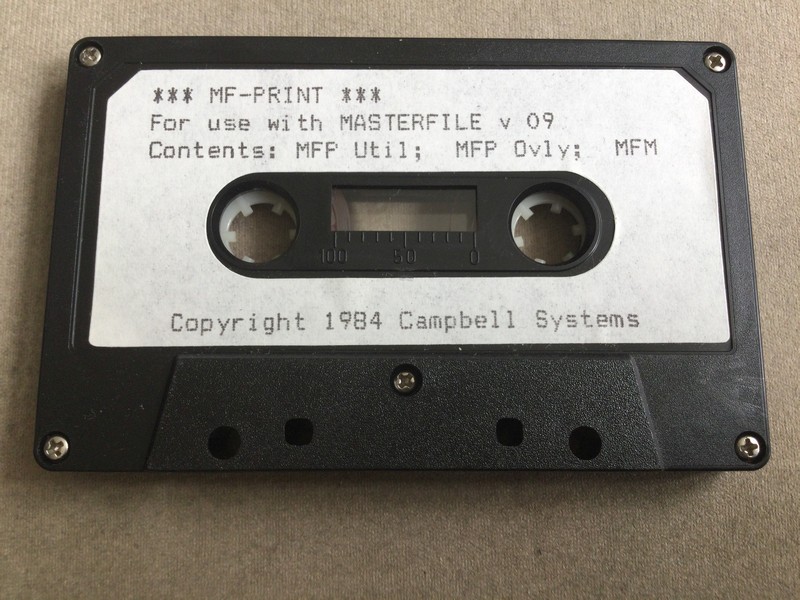
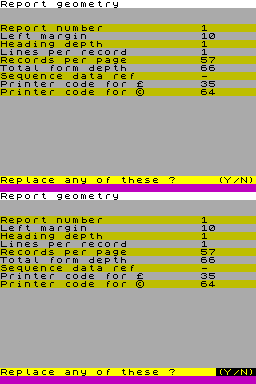
Discussion
Nobody has started a thread about this yet.
Remarks
full width printer formatting for use with Masterfile
Releases
- 1984Campbell SystemsPound sterling 6.95
- UnknownAackosoft
Play
- MF-Print.tzx.zipTape image English6 KB
Documents
- MF-Print.pdfInstructions English47 KB
Files and rights
Distribution permission is on record, granted to another archive rather than to this one. Screens and pictures are copied here; everything else links to the archive that holds it.
- AllowedCampbell Systems → WorldOfSpectrum
In the magazines 43
ZX Computing #18Apr 1985 · p.15
S. Datoo
READERS' REVIEWS Once more we open our pages to the people who use the programs the most - YOURSELVES! MASTERFILE Campbell Systems S. Datoo As far as business software for the ZX Spectrum is concerned, there are several database programs available on the market. Campbell Systems advertisement for their program "MASTERFILE" asks "Can Your Database Handle This? MASTERFILE can!". Having used both version 8 and version 9 of this program I can guarantee that their claim is no idle boast! The latest version gives one the option of formatting the data to be displayed on the screen as well as being printed onto a full sized printer, but more about that later. The program loads in two parts, the first one being a BASIC program which one may manipulate to suit individual requirements provided that the default line numbers and relevant statements are not altered. The second part is fully machine coded, but even here the user can adapt the program to suit his or her taste. For example, the program as supplied will allow the user to format 26 data references for each record, but for those requiring more than this number, the manual which accompanies the tape instructs you on the method to increase the number to 43. However, with a little experimenting I discovered that this number can be further increased to 58! To verify that what I was doing to increase the number of data references was correct I telephoned John Campbell, the author of the program. I was completely bowled over by the helpfulness of Mr. Campbell, and in my experience there are not that many companies that could match his after sales customer service. Like all other database programs, "MASTERFILE" Also has a demonstration program which illustrates the versatility of the program. One is able to see the various layouts which can be designed for each file, and this is extremely useful for setting up formats that are sorted by different fields. For example, the demonstration program is a file of employees and the information held in each record gives the department that the individual works in, the salary, job title, home address, and other additional information in note form. The layouts which have been designed will sort and display the information by name, by department, or by salary, and most usefully in an address label format. The user can switch from one format to another quite literally at the touch of a button. THE MENU At each stage of the program there is a very helpful "menu" or "mini-menu" displayed which makes it very easy to use the program. The keyword throughout the program is "user friendliness". The main menu offers the following options: ADDING A NEW RECORD The number of records held in the file is displayed on line 23. The amount of space available (in bytes) is also constantly displayed on the same line. LISTING ALL THE REPORT REFERENCES This shows the reference of the various layouts that have been created. DISPLAYING OR PRINTING THE FILE The display option is also available via other "mini-menus". EDIT OR FORMAT A REPORT This is used to either review or amend a display format. LOADING A FILE OR SAVING A FILE The program is fully Microdrive compatible. SEARCHING THE FILE FOR SELECTED RECORDS INVERTING THE SELECT STATUS OF EVERY RECORD RESETTING THE SELECT STATUS OF EVERY RECORD The above three options are used together when searching for a particular record or a group of records. ERASING ALL THE RECORDS As with all erasures there is a fail-safe built into the program which asks the user to confirm before execution. EXECUTING USER BASIC This option is especially useful if one requires arithmetical functions to be carried out on numerical data held within the records. For example if one wished to express an item as a percentage of another then this is quite easily done by writing a short and fairly simple BASIC routine within the specified lines. When adding a record one may select the auto prompt option which does away with having to remember the various data references that have been named for each record. Each data item can be up to 128 characters long. When the data is displayed, "MASTERFILE" performs rudimentary word processing such that all leading blanks are ignored, a clean left margin is maintained, and word breaks are minimised. Numeric data is right justified. The vertical line character (i.e. ':' found under the S key on the SPECTRUM) has a special use in "MASTERFILE". It forces a line break so that text may be keyed in as a single line but with the vertical line characters (VLC) as line separators, so that when the data is displayed in a 4-line-deep paragraph, for example, each VLC forces a line change. This is very useful for address labels. The amount of memory that is available for storage of data per file is approximately 32K but this is reduced slightly if the full sized printer option is used. I use "MASTERFILE" with a full sized printer almost on a daily basis at work and I have found the memory available to be quite ample. i stated earlier that the user could design various formats for displaying the records on screen. In addition to this the user has a choice of having the normal 32 characters per line or opting for 42 or 51 characters per line. As far as the print option is concerned, if one wished to print the file to a full sized printer then this is achieved with the aid of an additional program entitled "MF PRINT" which is available separately from CAMPBELL SYSTEMS. "MF PRINT" will enable the user to print up to 200 columns per line. Here again, one may design the layout according to requirement. When printing to a full sized printer it is possible to have all numeric data edited so that leading symbols (e.g. £ or $) will be automatically printed. In addition, columns of figures can be totaled and thousands' commas inserted automatically. I have been using "MASTERFILE" for just over 1 year now and at present I am using it at work almost every day. If anyone is considering buying a database program then I would say this to them; I have used three database programs on the SPECTRUM and none of them can beat "MASTERFILE". "MASTERFILE" is priced £15 and "MF PRINT" is priced £6.95. If the two are purchased together then the cost is reduced to £19.95. The programs are available from CAMPBELL SYSTEMS, [redacted].
Advert42
- Sinclair User #48Mar 1986 · p.34
- Sinclair User #46Jan 1986 · p.98
- ZX Computing #22Dec 1985 · p.17
- Sinclair User #45Dec 1985 · p.39
- Sinclair User #44Nov 1985 · p.96
- ZX Computing #21Oct 1985 · p.21
- Sinclair User #42Sep 1985 · p.91
- ZX Computing #20Aug 1985 · p.41
- ZX Computing #19Jun 1985 · p.43
- Sinclair User #39Jun 1985 · p.76
- Sinclair User #38May 1985 · p.77
- ZX Computing #18Apr 1985 · p.66
- Sinclair User #37Apr 1985 · p.93
- Sinclair User #36Mar 1985 · p.119
- Sinclair User #35Feb 1985 · p.99
- ZX Computing #17Feb 1985 · p.92
- Sinclair User #34Jan 1985 · p.127
- Sinclair Answers #2Jan 1985 · p.41
- Sinclair User1985 · p.29
- Sinclair User #33Dec 1984 · p.238
- ZX Computing #16Dec 1984 · p.138
- Your Computer #12Dec 1984 · p.212
- Your Spectrum #9Nov 1984 · p.34
- Your Computer #11Nov 1984 · p.72
- Sinclair User #32Nov 1984 · p.118
Related
- Tags
- Masterfile
- Same entry at
- Spectrum ComputingZXInfo
Reviews from people here
Sign in to write about this, or make an account. It takes a minute and lets you correct the catalogue too.
No credit recorded.
Sign in to correct or add to this.
Hold the rights to this and want it taken down?