
Spectrographics
Utility: Graphics · ZX-Spectrum 48K · 1 players · English
Bridge Software · 1983 · Pound sterling 6.90
Discussion
Nobody has started a thread about this yet.
Play
- Spectrographics.tzx.zipTape image English9 KB
Files and rights
No permission is on record either way. Screens and pictures are copied here on a take-down basis: if you hold the rights and want something removed, say so and it goes.
In the magazines 23
Personal Computer Games #3Feb 1984 · p.15
Stuart N Cooke
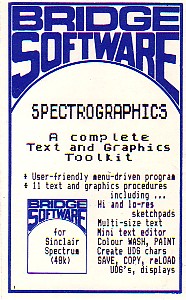
MAKING MONSTERS A wave of new Spectrum programs allows you to design your own games and graphics. Stuart Cooke investigates. The computer market is flooded with machines offering high resolution graphics, sound and joystick ports. It's therefore not surprising that a person who is learning a new computer language usually starts by trying to draw pictures on the screen or even attempting to program a game. This may be either one of their own design, or a copy of an arcade game. Usually this results in disappointment because the game is too slow and objects jump around the screen; nothing like the smooth graphics in the arcades or even in the programs that come from the well-known software houses. Software packages designed to aid graphic creation are now appearing on the market. These range from games designer programs to self-contained graphic languages which enable the owner of a home computer to produce games with something like arcade quality, including smooth graphics and good sound effects. The Sinclair Spectrum, being one of the best selling micros in Britain at the moment, has perhaps the widest range of graphic software. For the person who wants to design their own graphic games easily. Quicksilva have produced a menu-driven games designer program, unoriginally named Games Designer. Quicksilva's claim that you get 'a lifetime of games in one package' is probably a little exaggerated. Nevertheless, for a person who wants to design his own games this package is an ideal introduction. Games Designer is menu driven. This means that you need no programming knowledge at all to use it as you never have to write a single program statement. When loaded, Games Designer automatically runs and the main menu is displayed on the screen, giving you a list of eight options. These are: 1 PLAY GAME, 2 SELECT NEW GAME, 3 ALTER SPRITES, 4 CONFIGURATION, 5 MOVEMENT, 6 ATTACK WAVES, 7 LOAD FROM TAPE, and 8 SAVE TO TAPE. Option 1 allows you to play the 'current' game. The program automatically uses the cursor keys for movement, but it is possible to select other keys and even use a joystick. The second option allows you to select one of the games included within Games Designer. There are eight of these, for example - Attack of the Mutant Hamburgers and Halloween. Quicksilva claim that four of the games supplied with the program were designed by people with no programming expertise but, in fact, all were high quality. The characters used in Games Designer are called sprites. Each sprite consists of a 12 x 12 square in which each dot can be either the foreground or background colour. Option 3 lets you define your character on the 12 x 12 grid. There are 31 sprites in all and these are grouped as follows: 00-15 are the aliens; 16-23, player's ships or bases; 24, player's missile; 25, missile for the aliens; 26, spare (used for moving sprites around); 27, shield; and 28-31, explosion sequence. All of the keys used to design a character are displayed on the screen making it very easy to design a character of your choice. Pictures overleaf and on page 17 show the 31 sprites from the Halloween game and one of these sprites being designed. The configuration section allows you to choose the game format, screen colours, special effects and to define the sounds for the bombs and explosions. Game format allows you to choose from Invaders type, Asteroids type, Scramble type and Berserk type of game. The special effects select whether you have a blank screen or stars as the background (but no other choice is available). You can also select whether the aliens appear singly or in groups and whether a shield will protect your ship. Defining a sound is simplicity itself. When you select the sound you want, the sound editor chart appears on the screen. This consists of five slide controls. FREQ sets the pitch of the sound; RAMP 1 sets the speed at which the pitch increases; RAMP 2 sets the speed at which the pitch decreases; LEVEL sets the amount of pitch change caused by Ramps 1 and 2; and TIME sets the length of the sound. Any change that you make to the controls can be heard by pressing the symbol shift key. A wide range of sounds can be made by altering the slides and as much fun can be had defining the sounds as in playing the games themselves. You can define the movement of the aliens or monsters by using the fifth option. This is a little limited as you can only move the character in any of eight directions following one of eight programmable movement patterns which can be linked to each other. Basically the movement pattern consists of a series of numbers, each representing a certain direction as specified below. North: 0 North East: 1 East: 2 South East: 3 South: 4 South West: 5 West: 6 North West: 7 So for example 0, 0, 0, 2, 2, 2 would move three units up then three right. As can be seen it's a little crude but nevertheless. some complex movement patterns can be designed. When option 6 is selected the ATACK WAVES chart will appear on the screen. This screen allows you to choose which aliens appear on the screen, whether or not the aliens are animated, the score value and speed of the aliens and which movement pattern they follow. As previously mentioned this option is used to animate the sprites and it is possible to 'chain' together either two or four slightly different sprites, this enables you to make wings flap or eyes move, for example. The main problem with Games Designer is that even though you can redefine the graphics and the movement patterns, the games designed are all basically the same. If you choose the Invaders format what you get is essentially a game like Space Invaders with graphics that you have designed. Another disappointment is that you can't define your own background. The only thing you can do is select the colour and whether you wish to have stars or not. Despite these limitations Games Designer is simple and fun to use. It is possible to produce fast games with smooth graphics and good sound without having to know a thing about programming. For the programmer who doesn't want the limitations of a menu driven games designer, such as the Quicksilva program, and who is willing to put a little more effort into his programming, two new 'graphic languages' have appeared for the Spectrum. Fifth from Computer Rentals Ltd (CRL) and Scope from ISP Marketing Ltd. The first of these packages, Fifth, is not so much a new language but rather an extension of Basic, giving the Spectrum owner another 25 commands. These new commands are placed within REM statements so that the Spectrum will accept the words and not reply with a syntax error. Compared with some of its (dearer) rivals, one of the main disadvantages of the Spectrum is that it lacks sprites. A 'sprite' is a user-defined graphic, that once set moving on the screen, will continue independently while the Basic program performs some other function. It will only return to the Basic program if the sprite collides with another object or goes off the screen. With Fifth the Spectrum user now has access to sprites or rather to 'objects', the name given to sprites in this program. An object can be defined as any of the Spectrum characters, both alphanumeric and user-definable graphics. Once an object has been defined it's possible to set it moving in any of 16 directions using the VECTOR command to set the direction and then MOVE to start the object in motion. Once it's moving the program can 'go away and perform another function while the object 'glides' across the screen pixel by pixel on its own - an effect which is really amazing to watch! The SPEED command allows you to change the speed at which an object moves on the screen. As well as commands to move 'objects' around the screen there are other graphic commands. For example FILL changes the ink and paper colours of the whole screen without clearing it, a function that is not possible in Basic. REPLACE is similar in effect to FILL but is only changes a colour to another specified one. For example: 10 INK 0: PAPER 7 20 PRINT INK 0: PAPER 1 30 REM REPLACE This will change all occurrences of black ink on blue paper to black ink on white paper. Fifth also provides a new sound command, having no fewer than four parameters rather than the usual two. The effects that can be produced are simply amazing and are as good, if not better than the sound in commercial games programs. The second of the two, Scope, unlike Fifth is a self-contained graphics language. A 'SCOPE' (Simple Compilation Of Plain English) program is written within Basic in REM statements and is then COMPILED by the Scope program. The Scope manual states that, 'SCOPE is primarily intended for high speed handling of graphics, colour, sound and animation', and fast it certainly is. Scope offers 31 commands, nearly all of which have an equivalent Basic instruction, the difference being that Scope is much faster. However, most of the commands only handle integer numbers in the range 0 to 255 and it is possible to set up variables (A to Z and a to z) with the VAR command. Because there will be occasions when you need a larger number, for example to hold a score in a game, Scope also provides a BVAR (Big Variable) command which allows you to calculate and print numbers between 0 and 65535. A possible limitation of Scope is that variables can only be increased or decreased. There are no commands for multiplication, division or any scientific functions. Scope is a structured language, which means that a program can be written in small separate sections, then tested as you write the program in. Later routines can then call up those which you have previously tested. For the serious programmer who wants to write fast games programs, (or any program which includes graphics) both Scope and Fifth deserve to be looked at. Both packages have their good and bad points but Fifth appears to be more flexible allowing you to use Basic as well as Fifth commands and to pass variables between the two. As well as programs that enable you to write faster and smoother games programs, there are those that are invaluable to anyone wishing to produce a graphics display, be it for a games program or some other purpose. Two such programs are Melbourne Draw, produced by Melbourne House and Spectrographics, by Bridge Software. Both these programs are 'sketch pads' which enable you to draw more objects on the screen. They each have their good and bad points, but one failing of both programs is that it is difficult to draw curves. It is only possible to move the 'pen' in eight directions. Spectrographics has a built-in user definable graphic producer, making it easy to define your graphics characters, while Melbourne Draw allows you to save an area of the screen for graphic characters. Another good feature of Melbourne Draw is its ability to enlarge sections of the screen, thus making it much easier to see exactly what you're drawing. Both packages enable you to fill in an area of the screen with the current ink colour, if there are any holes in the object, the ink will leak out of the shape and spread all over the screen. Melbourne House's program has a facility that allows you to stop the fill command, and return the screen to its original condition before the fill was started. However, with Spectrographics you will have lost your picture. Melbourne Draw only has facilities to draw lines while Spectrographics allows you to draw boxes, triangles, and circles, automatically. Both programs save time when designing any playing areas or other graphics for use in a program, though it would have been nice to draw curves easily. Paintbox, a graphics program from Print 'n' Plotter Products offers similar facilities to Melbourne Draw and Spectrographics. Paintbox allows you to define 84 user-definable graphics and is the only package seen that allows you to draw curves easily. All you need to do is specify the two ends of the curve and then enter a positive or negative number depending on the direction and strength of the curve. Unfortunately this program was received too late for this review to cover it in depth. First impressions are that it is a very comprehensive drawing/graphic design program offering some of the facilities that other graphics packages are missing. Sound is a very important feature in any games program. With the Spectrum using the BEEP command in Basic, it's very difficult to get the sound you require. But with packages like Scope and Fifth it's possible to produce excellent arcade-type sounds. Auto-Sonics from Buttercraft Software allows you to create the sound effect of your choice and then the program gives you the Basic statement to produce your sound. Auto-Sonics has 26 pre-programmed sound effects, including sounds such as a frog, pig and telephone. An on-screen 'synthesizer' control panel allows you to modify any of the supplied sounds, or you can create your own. You can instantly hear the effect this has on any sound. The control panel allows you to control such settings as pitch - whether the sound rises or falls and the speed at which it does so. All alterations can be made by one key press, and all the necessary keys are shown on the screen. It must be remembered that the sounds produced by this program are all from the Basic BEEP function, and therefore are not as good as a machine code program such as Fifth. Nevertheless, the sounds that Auto-Sonics produces are reasonable, and the Basic statement produced can be put into any program. Auto-Sonics is an excellent program that allows you to create the sounds you want very easily. The above programs are only a small sample of the aids that a games programmer can buy. All of them have their good points and their rough edges. Before buying any package, consider the cost, and check that it will perform the functions you're after. You might find you need to use two programs, each offering similar facilities before you end up with the game that you require.
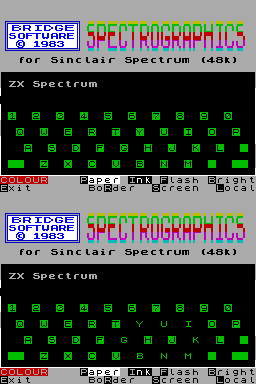
Bridge Software's Spectrographics allows you to define up to eight graphic characters on the screen at the same time.
Buttercrafts' on screen 'sound synthesizer' program gives finger tip control of the Spectrum's BEEP command.
Just move the sliders to create your own sounds for your latest game created with Games Designer.
Sprite number 0 from Halloween being designed with the 'alter sprites' option.
The first screen of Games Designer's Halloween.
The sprite table for the game Halloween supplied with Quicksilva's game designer program.
Advert21
- Sinclair User1984 · p.121
- Your Computer #12Dec 1983 · p.72
- Your Computer #11Nov 1983 · p.166
- Your Computer #10Oct 1983 · p.216
- Your Computer #8Aug 1983 · p.36
- Your Computer #7Jul 1983 · p.152
- Popular Computing Weekly #24Jun 1983 · p.30
- Popular Computing Weekly #22Jun 1983 · p.23
- Your Computer #6Jun 1983 · p.180
- Your Computer #5May 1983 · p.139
- Popular Computing Weekly #18May 1983 · p.26
- Popular Computing Weekly #20May 1983 · p.36
- Your Computer #4Apr 1983 · p.184
- Popular Computing Weekly #14Apr 1983 · p.26
- Popular Computing Weekly #15Apr 1983 · p.22
- Popular Computing Weekly #16Apr 1983 · p.26
- Your Computer #3Mar 1983 · p.147
- Your Computer #2Feb 1983 · p.13
- Your Computer #1Jan 1983 · p.94
- Your Computer #12Dec 1982 · p.86
- Sinclair User #9Dec 1982 · p.56
Feature1
- Personal Computer Games #3Feb 1984 · p.15
Related
- Tags
- g095
- Same entry at
- Spectrum ComputingZXInfo
Reviews from people here
Sign in to write about this, or make an account. It takes a minute and lets you correct the catalogue too.
No credit, description recorded.
Sign in to correct or add to this.
Hold the rights to this and want it taken down?