
Learning with Leeper
General: Education · ZX-Spectrum 48K · 1 players · English
Software Projects Ltd · 1985 · Pound sterling 9.95
Discussion
Nobody has started a thread about this yet.
Play
- LearningWithLeeper.rzx.zipRZX playback file 78 KB
- LearningWithLeeper.z80.zipSnapshot image English10 KB
- LearningWithLeeper.tzx.zipTape image English36 KB
Documents
- LearningWithLeeper.txtInstructions English3 KB
- LearningWithLeeper(EN).pdfInstructions English1,195 KB
Files and rights
No permission is on record either way. Screens and pictures are copied here on a take-down basis: if you hold the rights and want something removed, say so and it goes.
Credits
- Roger TissymanInlay/Poster Art
Sign in to credit somebody, or say what these people did.
Scores
Elsewhere on the web
- WorldOfSpectrum 1 votes3.00
In the magazines 3
Crash #16May 1985 · p.105
Rosetta McLeod
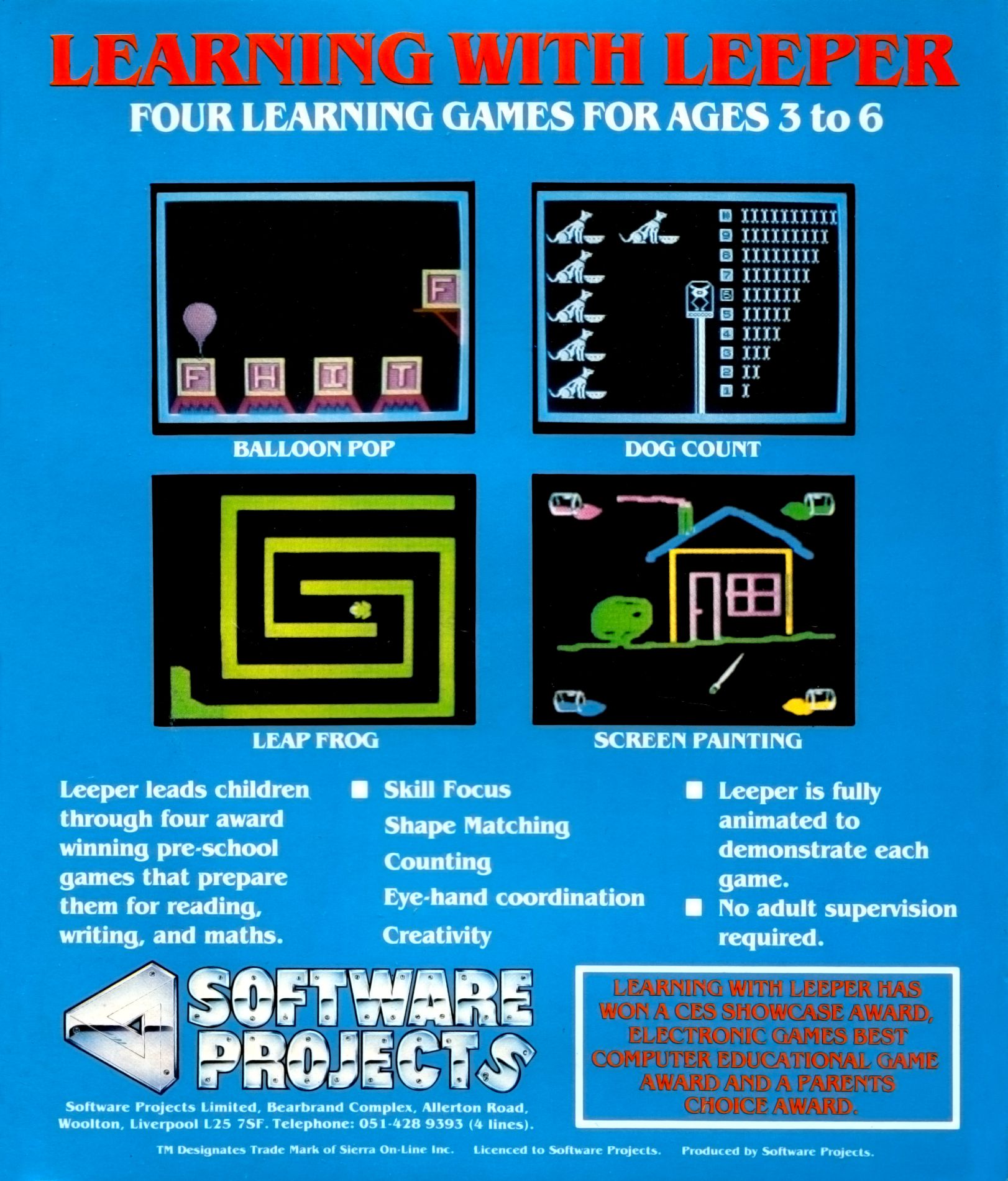
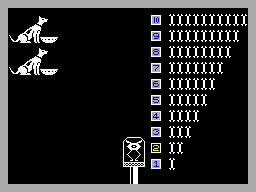
CHIPS WITH EVERYTHING By Rosetta McLeod (with Daniel Feen, aged 4 and David McLeod, aged 6) Imagine the scene: Monday, 9 am. The week begins. Father kisses Mother goodbye and goes upstairs to the office - it used to be the 1 spare bedroom. He sits at his desk, keys his password into the computer, and his day at the office begins. Mother, meanwhile, is chasing up her elder son, Zizzz, who is toying, with his perfectly nutritionally-balanced breakfast biscuit. She finally packs him off to his studies - in what used to be the family dining room. Zizzz sits down at his VDU, selects the word processing chips, and transmits his history essay on-line to his personal educationalist. Next, before she activates the micro-chip panel controls for the washing machine, dishwasher, robotic vacuum and automatic window washer, Mother deals with the baby of the family, Xon, aged three. She carries him into the living room, and pops him into his playpen in front of his own kiddy-komputer. Having inserted a variety of discs into the multi-stack disc drive, she can relax until lunchtime, safe in the knowledge that her younger child's pre-school education is in expert hands. An exciting vision of the future? A dehumanising picture of the micro-chip age? Whether we like it or not, the micro-revolution is in the process of altering our whole concept of education, and it may not be too long before we have to face the possibility of children being educated 'at a distance'. One of the most frightening aspects of the present world for me as a teacher, is the fact that educational experts are losing control over the rapidly expanding market of educational software. Teachers and parents are now being dictated to by the producers of such software who are concerned mainly with commercial rather than with educational interests. Yet the two need not be separate and incompatible. This month, the software I have looked at falls into two categories: 1) Games designed by educational experts who have begun by clearly identifying their aims and objectives, and who use the games format as a means to achieve a worthwhile end; 2) Games brought out by software houses who have tenuous - if any - links with the world of education. These designers seem to begin with the games format, and then attempt to superimpose their sketchy ideas of educational aims, often based on their own (outdated) experience of the education system. But how can parents, visiting their local software shop, make the best selection when choosing educational software? Unbiased magazines can be helpful, of course, but parents would be well-advised to read the cover blurb very carefully on software to ensure that the programs have been both designed by educational experts in the first place, and have also been tested by teachers in the classroom. This test will not be foolproof, but it will be a move towards ensuring that the proliferation of rubbish stays where it belongs - on the shelves. The most effective use of educational programs, particularly with younger children, is in situations where an adult - teacher or parent - is present to discuss the game and give help if necessary, The child can then be guided towards related areas of activity, or encouraged to read round the subject, and thus the educational content of the software can be supplemented Much educational opportunity will be lost if the child is left to play the game alone. LEARNING WITH LEEPER Producer: Software Projects Memory Required: 48K Retail Price: £9.95 Author: Based on Sierra-On-Line's American versions Age Group: 3-6 years I had seen the advertisement for this package in a woman's magazine before the game arrived on my desk. Having noticed with interest the claim in the advert: 'No adult supervision required', and having formed the mental picture of a child with his new baby-sitter, the computer, I was keen to try out this package with Daniel and David. The write-up on the attractive packaging boasts that 'Leeper leads children through four word-winning pre-school games that prepare them for reading, writing and maths'. We are told that Leeper has won 'a CES Showcase Award, Electronic Games Best Computer Educational Game Award, and a Parents' Choice Award'. All of this might seem impressive to the prospective purchaser, but beware! Are we informed that the games in this package have been designed by educationalists? No. Are we told that they have been approved by practising teachers? No. It was with a fair amount of scepticism, therefore that I began to test out the games. 'Dog Count' is a very simple game in which the player has to choose the correct number of bones required to feed a number of dogs which appear on the screen. If the child succeeds, the dogs stand up and wag their tails. In 'Balloon Pops', the player has to manipulate a balloon to lift crates with letters on them up to a ledge to match up with a given letter. If a child gets it right, a tune plays and the balloon sails away with the letter. All the letters used are capitals - lower case letters would have been more appropriate, for the simplicity of the game makes it more suitable for the very young child. 'Leap Frog' is a dreadful game in which the player has to manipulate a frog through a maze and avoid being caught by a chasing centipede. Unfortunately, the game is boring, in that if the frog is caught by the centipede, nothing happens. 'Paint Box' is a good idea, which doesn't quite come off. The screen displays a picture of a house, and the child has to use the cursor to select between different colours, and paint them in the various areas of the picture by positioning the cursor over them correctly. Both Daniel and David found that the cursor is very difficult to control - it moves far too fast at the merest touch, and even I had problems with it. Another problem is that the colouring in of the different areas does not occur uniformly, so that gaps are left which are difficult to fill. Both children quickly lost interest in the games contained in this package, and a parent leaving their child to play unsupervised would not win much of a respite before the youngster complained of boredom. I contacted Software Projects to enquire about the awards the package had won, and was informed that they were American awards, and that the Showcase Award was from the Consumer and Electronics show in Chicago. The four games have apparently been published in the States for the Commodore 64, Atari and Apple, and Software Projects have converted them to run on the Spectrum. The spokesman for Software Projects admitted that this Spectrum version had not been tested out in schools, and he could tell me nothing about the original designers, or about the educational ideology behind the games. Having said all that, however, Software Projects are to be commended for being prepared to offer the tape on fourteen days free home trial. Their research has indicated that Mums' initial reaction tended to be in favour of buying the game, but Dads were more likely to say that they would copy it. The package actually comes with a colour-coded key-in card to discourage copying, but frankly, having tried out the four games, I would not want to bother. COMMENTS Control Keys: Q/Z up/down, I/P left/right, N select; for young children, it would have been easier to use the arrow keys. There is, however, a joystick option Keyboard play: very responsive, though in Paint Box, it is too responsive, making the cursor very difficult to control Use of colour: simple, but very clearly defined Graphics: again, simple but clear
Your Spectrum #13Apr 1985 · p.491/5 MISS1/5 MISS1/5 MISS
Dave Nicholls 1/5 MISS
Roger Willis 1/5 MISS
Ross Holman 1/5 MISS
JOYSTICK JURY From their bench on high, our regular panel of jurors - Ross Holman, Roger Willis and Dave Nicholls - pass judgement on the latest and greatest games software! Here they are again - that motley bunch of joystick jockeys, ready and waiting to sift through the plethora of software to help you make that important decision! WARNING! Just in case you find our scoring system too confusing, here's what it's all about. The score out of five at the end of each person's review is based on their own experience of the game. But that's pretty subjective... so they also use the HIT and MISS system to indicate its potential as a commercial success. LEARNING WITH LEEPER Software Projects £9.95 Dave: At first glance Learning with Leeper seems to be a very nicely produced piece of software. On closer examination, however, I found that the programs were, in fact, written by Sierra On-Line and are only licenced by SP, and to be frank I'm not really sure why it bothered. There are four programs in the set that are supposed to help young children (three to six-year olds) develop basic skills like pattern matching and counting. While the programs would no doubt do that if they kept the child's attention, in their present form they soon become boring because of the overlong pauses between games and the slowness of the games themselves. In fact, the four-year old that I got to try them out played each game only once before he wandered off to do something else. If the games could be changed so that the tunes were shorter and the graphics moved faster, the package would certainly be worth another look... but even then, there would probably be too little variety for lasting appeal.
Review1
- Popular Computing Weekly #3Jan 1985 · p.18
Licensed from
- Learning with LeeperSoftwareSierra On-Line
Related
- Ports
- (Atari 8-bit), (Commodore 64), (ColecoVision)
- Same entry at
- Spectrum ComputingZXInfo
Reviews from people here
Sign in to write about this, or make an account. It takes a minute and lets you correct the catalogue too.
No description recorded.
Sign in to correct or add to this.
Hold the rights to this and want it taken down?