
Mr T's Alphabet Games
General: Education · ZX-Spectrum 48K · 1 players · English
Ebury Software · 1985 · Pound sterling 12.95

Discussion
Nobody has started a thread about this yet.
Play
- MrTsAlphabetGames.tzx.zipTape image English18 KB
Files and rights
No permission is on record either way. Screens and pictures are copied here on a take-down basis: if you hold the rights and want something removed, say so and it goes.
Credits
- Five Ways Software Ltdcredited
Sign in to credit somebody, or say what these people did.
In the magazines 4
Crash #14Mar 1985 · p.112
Daniel Fenn
Rosetta McLeod
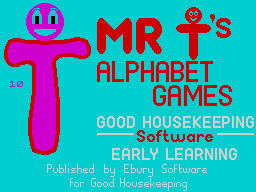
LEARNING THROUGH PLAY Rosetta McLeod, aided by Daniel Fenn, aged 4. Many people have an educational motive in mind when they set out to purchase a micro-computer. To justify the monetary outlay, they may have had to convince themselves that the purchase is not a frivolous one, that the computer will not be used merely for playing games, but will be put to worthwhile use. If you are a parent, you may have been 'conned' by your child into buying a micro 'to help with schoolwork' - indeed most of my pupils admitted to me (but perhaps would not admit to their parents!) that this was the case, but that the reality of the situation was that they used their computers solely for the playing of simulations, arcade or adventure games. Now, however, more and more publishers are producing software aimed at the education market, the majority of programs being specifically intended for use in the home rather than in schools - though an increasing number of schools are now making use of them. These educational programs fall into several categories: 1 programs which encourage parents to work with the very young child who is ready to learn the letters of the alphabet, basic reading skills, number work, etc; 2 tutorial-type programs which pick up an educational concept that the older child is familiar with, and attempt to reinforce it by providing a variety of examples to be worked through, usually at graded levels of difficulty; 3 teach yourself programs - eg how to sail -, aimed at anyone, child or adult, who wants to learn a specific skill; 4 adventure games, like the Hill-MacGibbon Games to Stretch the Mind, aimed at a younger audience. These are primarily leisure games, though they may have a secondary educational role, particularly if the child is helped by and adult who, through discussion, can guide the child towards working Out the eventual solution. What all these programs do is to cash in on the child's fascination with the computer. The sheer novelty value of using the machine usually results in increased motivation and the development of a greater concentration span. The programs often exploit the popular arcade game's format, so making work which is normally mundane and repetitive appear more interesting. Attractive presentation alone, appeals to children very strongly. How, then, should we assess the educational games on offer? What criteria can we use when judging them? Obviously, any game which purports to have a worthwhile educational aim should have that aim clearly explained, and ideally, educationalists should have been involved in its preparation. Software which demands a simple YES/NO response from children should be avoided, as it doesn't really teach anything. The instructions, both in an accompanying booklet and on the screen, must be clear and easy to follow. Games ought to have several levels in order to cater for children of varying abilities, and should include suggestions for follow-up activities. All too many games, however, are presented as entities in themselves with no suggestions as to how the knowledge acquired can be extended or applied to other situations. The following reviews cover games listed in the first category given earlier - those aimed at the very young child. Parents are often unsure as to how much they should be teaching a child who hasn't started school. It is important that the program package should give some reassurance or advice - preferably driving home the point that children mature at vastly different rates and reminding parents that a game described as being suitable for 4-6 year olds may well be beyond the abilities of some 4 year olds, who are simply not ready for it. Bearing in mind that the child is the consumer when it comes to educational software, I felt obliged to work with a partner and engaged the services of Daniel Fenn (aged 4) to help me with the following reviews. MR T'S ALPHABET GAMES Producer: Ebury Software/Good Housekeeping Memory Required: 48K Retail Price: £12.95 Author: Five Ways Age Group: 3 - 6 Years This package, designed by teachers, is intended to complement the pre-reading work that a child will meet at school 'Let's Draw Letters' introduces the child to letter names and shows how the letters of the alphabet fall lower case) are drawn. The letters are introduced in groups according to the order in which they are normally taught in schools eg c o a d g q are all based on the rounded c or o shape. After the child has watched the shape being drawn on the screen and had the chance to discuss it with the parent, the latter is encouraged to let the child practise drawing the letter himself with a large crayon and a piece of paper. This program has the excellent facility of allowing the adult to return to the menu screen at any point to select individual letters for practice. There is also the option of'drawing'letters on a screen with or without lines for guidance as the child's dexterity improves. Mr T's Letter Factory can be introduced to the child by the parent, but then can be played be even the very young child on his own. At the start of the game, Mr T is seen in his factory making letters. The player has to help him by activating a robot arm each time one of the letters coming down the assembly line matches the target letter displayed on the right of the screen. When all the letters in the set are successfully matched, Mr T's van drives away. This is a very well thought out game, which allows the supervising parent to select the letters to be used and the level of difficulty. This latter facility is particularly useful if the program is to be used by a number of children with differing abilities. Daniel loved this package. A young child finds drawing letters a fun task when he can copy what the computer is doing, and the 'Letter Factory' game is so visually attractive, that it is bound to appeal to the very young. COMMENTS Control keys: The space bar alone is the child's key Keyboard play: very good Use of Colours: excellent Graphics: excellent contrast
Advert2
- Sinclair User #28Jul 1984 · p.17
- ZX Computing #13Jun 1984 · p.26
Full-page ad1
- Sinclair User #33Dec 1984 · p.105
Licensed from
- Mr TComicThe National Magazine Co. Ltd
Related
- Ports
- (BBC Micro)
- Tags
- Mr T
- Same entry at
- Spectrum ComputingZXInfo
Reviews from people here
Sign in to write about this, or make an account. It takes a minute and lets you correct the catalogue too.
No description recorded.
Sign in to correct or add to this.
Hold the rights to this and want it taken down?