
Qualitas
Utility: Fonts/UDGs · ZX-Spectrum 48K · 1 players · English
Seven Stars Publishing · 1986 · Pound sterling 10.95
Discussion
Nobody has started a thread about this yet.
Remarks
cf. Qualitas Plus (enhanced version)
Font editor and printer driver for Tasword
Play
- Qualitas.tzx.zipTape image English14 KB
Files and rights
No permission is on record either way. Screens and pictures are copied here on a take-down basis: if you hold the rights and want something removed, say so and it goes.
Credits
- Ray J. Eckersleycredited
Sign in to credit somebody, or say what these people did.
Scores
In the magazines
- Sinclair User #531986 · Overall5/5
In the magazines 26
Your Sinclair #27Mar 1988 · p.62
Phil South
RAGE HARD! You wanna know what's hardest in hardware? Once again YS whips out the magic screwdriver in our first hardware round up of '88. It's been ages since we did a really ripping hardware spread, so we thought it was about time. After a bit of barking at Phil Snout to get his screwdriver out and look at these beasts, we've pulled together a positive cornucopia of hoopy hardware and super software, to turn even the most soft-boiled trainspotter into a hard-boiled egghead. The star of our show is Miles Gordon Technology's Plus D disk interface, the only real alternative for tape users to upgrade to a +3, from the designers of the Disciple. Check out the review further on. Other contenders for the hardware crown are the Multiface family from Romantic Robot, the plastic pal who's fun to be with; a couple of wacky Multiplugs for those of you who work all your household appliances from one socket; an aerial switch so you can plug all your computers, game consoles and videos into your telly at the same time; and Computer Cupboard's nifty little Trojan Light Pen for you to scribble on your screen. Worra lorra lorra stuff. As well as all this hardware, we've got a brain-boggling selection of the most fascinating hardware-based software. So, let's cut the babbling and launch into the reviews. MGT PLUS D FAX BOX Product: Plus D disk interface Price: (Plus D only) £49.95, (with drive) £129.95 Supplier: Miles Gordon Technology, [redacted] A year ago Rockfort Products was marketing a sort of Interface 1 shaped disk interface called the Disciple. It was a very fancy bit of kit, as it goes, with a couple of joystick plugholes, a snapshot button for saving off screens or games, and a parallel printer port. This wangy little peripheral was actually the brainchild of Cambridge based Miles Gordon Technology. So when MGT decided to upgrade the Disciple and market it themselves, they looked very carefully at the mail they got about the Disciple and what people said about it. The result of their research is the new slimline, MGT Plus D. The joystick ports are gone, and the device no longer looks like an Interface 1. Actually it now looks uncannily like one of those flat joystick interfaces, with a button and power light on the top, and two flat IEEE type ports on the back for the disk and printer plugs. If you buy the unit as a package deal you also get a three and a quarter inch disk drive which is very slick and efficient. The Plus D is, to adopt the most massive critical cliche, a joy to use. It's fast, efficient and wholly reliable, and although it's rumoured that there are certain games it won't 'backup', so far we haven't found one. (Incidentally, info about what the machine can't do will no doubt be featured in the independant Disciple User Group Magazine, FORMAT, in the coming months.) The Plus D handles microdrive syntax (even the hook codes), so it can be used with a program which reads and writes to microdrives, without having to rewrite it. Using the button on the top you can print out a screen to your printer, save it to tape, or save the whole program in 48K or 128K modes. Some of the nicer features of the gadget are the ability to rename files, and boot a file in one of three ways; the usual microdrive way with all those asterisks and semicolons; using a LOAD D1 'FILENAME' format, the D1 bit meaning Drive 1; or by typing LOAD Pn, where n is a number. This is a special function of the Plus D, where each file has a number on the directory, and LOAD P1 loads the file numbered 1, LOAD P2 the one numbered 2. As well as this the computer can suss whether the file is a SCREEN$ or CODE or a Basic program from the entry in the directory. Neat, eh? Another item which should have been a feature of microdrive syntax in the first place (ahem!) is the wildcard. Basically, the Plus D can be as easy or as complicated as you want, and should fit into anybody's current setup, making it faster, more powerful and most importantly, a lot more fun. This really is, price-wise and facility-wise, one of the best alternatives to a +3 system yet devised. In summing up, it's nice to see so many good British products in this hardware lineup. There's not many computers you could say that of, and fewer that could match the quality and design of the peripherals represented here. HARD NEWS It's funny, but there's two distinct categories of equipment that we get sent for review. There are the things we review which stay around for a long time after because we like to use them in real life. And then there's the other stuff which we like a lot when it first comes in, but when all's said and done has no real application apart from novelty value. First category things are used until they disintegrate, but second category things tend to just sit around collecting thick layers of dust. And why are we telling you all this? Because all the things on these pages are first category things, items of equipment that are so useful we have to buy new ones when they break down. 1. Multiface +3 Romantic Robot £39.95 Probably top of this list of things YS couldn't do without is the Multiface family of gadgets from Romantic Robot. The most recent of these of course is the Multiface +3. Without this box there would be no screenshots in YS, or if there were, they would be fuzzy photos rather than the technically perfect inkjet dumps we use today. How is this done? Well, having fastened a Multiface to your computer you simply blip the red button on the top of the machine, and follow the menus to save the screen, which is then done automatically. There's a toolkit feature built into the unit, not unlike the previous Multifaces for 48 and 128K, which enables you to POKE numbers into addresses in hex or ASCII formats. The unit can also send shaded print dumps out through the printer port on the back of the +3. So if you've got a printer connected, the picture on screen comes out on the page. If you haven't, the bits just spill out over your desk (that's a joke, by the way!). 2. Multiprint Romantic Robot £34.95 This printing out of screens on proper printers is a trick favoured by the Multiprint interface, a dedicated printer box for all Spectrums to Epson compatible printers. As well as supporting all the usual Speccy syntax of LPRINT, LLIST, COPY etc, it also does a nifty line in various sized dumps, straight to printer. But more importantly, it is the only interface that allows you to reconfigure it while the computer is still running. That's to say you can print out a listing at one measure which turns out to be too wide, press the red button, change the width, line feeds, margins etc and return to print it out properly without having to reset the computer. 3. Smoothflow Multiplug Cambrian Distributors £23.99 Speaking of resetting the computer, has a spike in your mains supply ever found you just topping the highest known score on Outrun and looking like you're going to finish, when suddenly...PHUT! The lights in your room flicker for a moment and your Speccy resets? Could you do without this? Of course you could, which is why you need a snappy new Smoothflow Multiplug. This gizmo, made in the UK by Conblock, screws to your skirting board and accepts four wacky little micro-sized versions of the conventional 3 pin plug. So four into one will go! Now, not only will you be safe from surges and spikes (fnar fnar), but you can also plug your TV, tape machine, Speccy and modem, or indeed any four machines, into just one socket! Incidentally, if spikes don't really bother you, you can just take advantage of the mini plugs by getting a regular Multiplug. 4. Multiplug (Cambrian Distributors) £10.99 Yes, for just over a tenner you can get a four-way Multiplug like this one, which, like it's big brother, uses those dinky little plugs, but also is manufactured to British Standard 5733, so it won't go phut in your face. The same spec as the Smoothflow, but with no buffering for spike protection, so don't blame us if your computer crashes when the mad scientist next door plugs in his generator. 5. 3-2-1 Aerial Plug (Cambrian Distributors) £4.99 Doesn't it give you a pain in the neck switching around the aerial plug on the back of your telly with the RF lead on your Speccy. It does? And what about when you plug in your Nintendo to play Super Mario Bros? Well, it really started getting to us, so we got ourselves a 3-2-1 Aerial Switch to solve the problem. This little box is a three-into-one coaxial switch, which means it can either drive three switchable receivers from one aerial plug (a coaxial plug!) or can send three switchable RF signals to one telly. This means that using this box you can not only have your Speccy, game console and video going into the same telly and push the switch for which one you want, but also (if you had enough aerial cable) have a telly in three rooms and switch the aerial signal to each one depending on where you are! Not a bad little gadget, really, with low interchannel interference. 6. Trojan Light Pen Computer Cupboard £19.95 And finally, if you want to do professional Computer Aided Design on your Speccy, why not buy a Trojan Light Pen? When you buy the Cadmaster graphics system, you get this pen shaped device, which allows you to draw straight onto the screen. This can be very handy if you are quite good at drawing with a pen, but not so hot with a mouse or joystick. With this package you can do freehand drawing, boxes, circles, lines, triangles and rays. You can choose line thicknesses, quills, brushes and text styles, copy, paste, fill with patterns, wash, colour and dump to printers to your heart's content. The program is now compatible with all flavours of Spectrum, from Issue One wubber keyboards, to the new +3 (for £23.95), and is also compatible with microdrives and other media that use that format. It's remarkably accurate, and doesn't suffer from the wristache and slap/rattle sound effects you usually get from using Spectrum mice. The biggest recommendation of the product is that it's British and so all technical backup is available from a telephone number printed on the pen itself. In summing up, it's nice to see so many good British products in this hardware lineup. There's not many computers you could say that of, and fewer that could match the quality and design of the peripherals represented here. SOFT OPTIONS Music Machine Sound Sample Editor Quasar Software £9.99 cassette Although this isn't a legitimate Ram Electronics product, it does work marvellously well with the samples from this excellent sound sampling sequencer. Using key letters (the same as the Music Machine's little menus) to activate various buttons on the screen, you can change the pitch of a sample, alter the volume and actually edit individual points in the waveform. You can also equalise the sound, shifting certain harmonics to make the sound easier on the ear. Brill for the closet Jean-Michel Jarre. The Last Word Computer Cupboard £14.95 cassette Word processing isn't an application you immediately think of in connection with Spectrum computers. But with the advent of The Last Word, all that changed. A sophisticated full featured word processor which, due to the +2 and +3's new keyboard, makes any kind of writing a piece of cake. There's an 80 column screen, up to 148 characters line length, mail merge for those important mailshots. a calculator for you to do Apple Macintosh impressions on, and over 60 commands for you to input and edit the text to your taste. The code for loading and saving is even user alterable allowing you to customise it to your own system. Also available on +3 disk (£19.95). Tasword Plus Three Tasman Software £19.95 disk There can't be a Spectrum user who hasn't heard of Tasword. It has been the standard text editor on the Speccy for more years than this magazine can recall. And now, keeping up with the times as ever, Tasman has produced an extended +3 disk version of the popular word engine. The thing which makes Tasword such a belt to use it it's little on-line help pages, which means you can call them up while editing a document, just by pressing a couple of keys. Like The Last Word it's user alterable to your taste, and like it says in the blurb "now you can write a manual without having to read one." Who wrote that? Qualitas Plus Seven Stars £10.95 The worst thing about writing on a Speccy has always been the quality of print you get from a normal Epson type printer. Either you use the quick draft mode (Ooooo) or you have to settle for one typestyle in the NLQ mode. But now all that has changed. You can beef up your printer's output with Qualitas. Originally planned as an NLQ printout program for Tasword files, Qualitas has now had a Plus added, not to mention compatibility with Tasword Two, Three, The Writer and The Last Word. Now you can print out in the five fonts supplied with the basic Qualitas Plus pack, or you can lay out another £5.95 with the add-on Display Pack and have another 10 decorative fonts to play with. Y'see? Quality doesn't have to be expensive.
ZX Computing #30Oct 1986 · p.76
Carol Brooksbank
Seven Stars Spectrum 48K/128K & Tasword 2. £7.95 (Tasword 3 version. £8.95) This is a handy utility for Tasword users, giving five Near Letter Quality type fonts - all with equal space justification - on dot matrix printers which have Epson compatible quad, density graphics and are capable of one-third or one-half dot line feeds. There are two 10 cpi fonts. Pica (traditional), and Mercury (modern), two 12 cpi, Elite (traditional), Piazza (Italic), and a proportional font, Clarion, which gives a typeset appearance. The program, with your chosen main font, is easily merged with a version of Tasword already customized for your printer and interface. The 'help' pages are lost, text capacity reduced to 294 pages, and the only graphics printer controls available are underline and emphasized. To access the other fonts, you exit to BASIC and load the code from tape or microdrive. The program crashed instead of printing when a couple of the fonts were loaded using LOAD "" CODE, but all was well using LOAD "" CODE 50944. Print speed is slowed, because the head makes two passes across each line, but the quality is excellent. Even my rather tired old ribbon produced clear typescript worthy of a daisy-wheel, and the equal space justification gives the most professional results. If you need to align columns, character spaces are available which will not be proportionally justified. There is also a font editor, enabling characters to be modified, perhaps by adding accents, or defining fractions instead of unwanted characters. For the really adventurous, a blank character set can be generated to allow you to design your own complete typeface. Screen dumps are available to help keep a record of your designs, or to produce paper copies of the blank grid on which to plan our characters. Your modified or new fonts can be saved to tape or microdrive. Qualitas is a useful program, making professional quality printouts available to those of us who like the versatility of the dot matrix, but regret its substandard appearance.
Far right: Font editor showing letter with accent added.
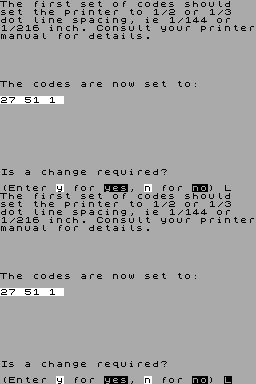
Right: Screen dump of redefined character.
Sinclair User #53Aug 1986 · p.825/55/5
Overall 5/5
Tony Kendle 5/5
Label: Seven Stars Price: £7.95 (tape), £8.95 (microdrive) Memory: 48K/128K Reviewer: Tony Kendle Anyone looking to buy a dot-matrix printer will know the 'in' thing is 'near letter quality' type. These NLQ machines work by printing each letter at least twice, slightly altering the dot position to fill in the gaps to produce an effect that will pass casual scrutiny as a typewriter/daisy-wheel print-out. For those who bought an early machine, or a cheaper one without this facility, including the ubiquitous Epson RX and FX series, salvation is at hand in the form of programs like Qualitas that use a software trick to achieve the same effect. Typically two slightly different graphics dumps of the text are superimposed to produce the 'high quality' effect. This also allows you to print in a variety of founts including ones normally unavailable on your printer and to use proper proportional spacing. Because the letters are actually drawn on the paper under the control of the computer, rather than using the printer's hardware set, the output is not surprisingly quite slow. Even so, the resulting effect is well worth the wait. Qualitas, as the name suggests, is designed to work with the Tasword word processor (both tape and Microdrive version are available). The driving software and one of the founts becomes merged into the code of Tasword itself which does cost a bit of memory. On the tape version you lose the Tasword Help page and 26 lines of text - hardly crucial. However, this system does mean that it is impossible to switch founts within a document without first halting the printing and re-loading a different fount. The program comes with five founts already designed, including Pica (10 characters per inch) and Elite (12 characters per inch) which are almost invariably supplied as standard with printers and which should match your normal draft print-out. The other founts supplied are Mercury, Piazza and Clarion. Some near letter quality printers only offer one fount in top quality so Qualitas may even find a market amongst those who want to extend their range. Altering the founts or designing your own is possible using the fount editor program supplied - it looks just like a user-defined graphics designer except that the blobs aren't square and they overlap. The program arrives ready installed for the Brother M1009 and the Epson range. The implication is that you should be able to customise it for any truly compatible printer that uses the same system of 'quadruple density bit-image graphics'. On the whole Qualitas is a value-for-money program that will prove invaluable to many dot-matrix printer owners. Building it into Tasword makes it very easy to use but a stand-alone program that just used the same files might have been more versatile.
Crash #30Jul 1986 · p.93
Dominic Handy
TICKLING TASWORD AND CREATING NEW CHARACTERS... Our resident TASWORD fan, DOMINIC HANDY borrows a dot matrix printer from the office and has some fun with a new utility for users of the well-established Spectrum wordprocessor. Qualitas is another useful little software add-on from SEVEN STARS PUBLISHING. With Qualitas and an EPSON RX80 compatible dot matrix printer, using quad density graphics allows you to print text that would make anyone with a more expensive printer very jealous indeed. Qualitas works by doing a double pass of the print head. Before the second pass a very small linefeed is carried out, resulting in the second print pass being offset, creating output that comes close to that created by a Near Letter Quality (NLQ) printer. Besides adding a NLQ emulation mode to your printer, Qualitas includes a printer character editor which permits you to design typefaces to your own specifications. Suddenly, a straightforward RX80 printer become capable of doing wondrous things, even joined up print! The editor takes into account the double print pass and gives you a maximum 15 x 32 matrix to design your character on. SEVEN STARS have also included their much praised justification program in the package, which makes it excellent value for money. This automatically justifies the print line by spacing the words out with pixel accuracy - a major upgrade on the character space justifying employed in Tasword. Although Qualitas overwrites the Tasword II HELP pages you can still use the emphasise and underline printer tokens. The character editor is straightforward enough to master, and the output that can be generated, with the right character set, should make quite a few daisywheel printer owners green with envy. This is an essential piece of software for anyone with an RX80 printer and Tasword II - Tasword III owners needn't despair too much: a version for their program should be available by the end of July for £8.95, or as an upgrade from the Tasword II version for £4.00. Seven Stars Publishing, [redacted] Price: £7.95
Examples of the kind of printout that can be generated by TASWORDers using QUALITAS to drive their dot matrix printer.
Five fonts come with the package, and are loaded in as required. Of course, there's nothing to stop you wandering round in the font editor and coming up with a custom face.
Classified15
- Your Sinclair #27Mar 1988 · p.96
- Your Sinclair #24Dec 1987 · p.119
- Sinclair User #69Dec 1987 · p.145
- Your Sinclair #12Dec 1986 · p.107
- Sinclair User #57Dec 1986 · p.143
- Sinclair User #56Nov 1986 · p.117
- Your Sinclair #11Nov 1986 · p.109
- Your Sinclair #10Oct 1986 · p.93
- Sinclair User #55Oct 1986 · p.111
- Your Sinclair #9Sep 1986 · p.92
- Sinclair User #54Sep 1986 · p.94
- Sinclair User #53Aug 1986 · p.102
- Your Sinclair #8Aug 1986 · p.92
- Your Sinclair #7Jul 1986 · p.92
- Sinclair User #52Jul 1986 · p.94
News/Note4
- Your Computer #8Aug 1986 · p.15
- ZX Computing #27Jul 1986 · p.6
- Crash #29Jun 1986 · p.75
- Popular Computing Weekly #21May 1986 · p.6
Advert1
- Popular Computing Weekly #39Oct 1987 · p.14
Feature1
- ZX Computing #34Feb 1987 · p.36
Preview1
- Sinclair User #52Jul 1986 · p.91
Related
- Tags
- g217
- Same entry at
- Spectrum ComputingZXInfo
Reviews from people here
Sign in to write about this, or make an account. It takes a minute and lets you correct the catalogue too.
Everything ZXDB can hold about this is here.
Sign in to correct or add to this.
Hold the rights to this and want it taken down?