
Sci-File
Utility: Database/Filing · ZX-Spectrum 48K · 1 players · English
Visions Software Factory Ltd · 1984 · Pound sterling 24.95
Discussion
Nobody has started a thread about this yet.
Play
- Sci-File.tzx.zipTape image English13 KB
Files and rights
No permission is on record either way. Screens and pictures are copied here on a take-down basis: if you hold the rights and want something removed, say so and it goes.
Scores
In the magazines
- Personal Computer News #711984 · Overall Value4/5
In the magazines 10
Your Spectrum #5Jul 1984 · p.6
A SERIOUS VISION Visions, of London W6, has recently launched its first business package for the 48K Spectrum. Oddly named Sci File, the package consists of a Program Generator and a Report Program Generator. The former allows you, without any knowledge of Basic, to create a database of a structure and design that you can tailor to personal requirements. The second program in the package, the Report Program Generator, allows you to access your database and display it in various formats. There's two ways we can look at this: either games software houses should stick to games software, or Visions was offered something so good, the company couldn't refuse it. Whichever, Visions (Software Factory) is selling Sci File at £19.95; the company's phone number is [redacted].
Personal Computer News #71Jul 1984 · p.334/54/54/54/54/54/54/5
Features 4/5
Documentation 4/5
Performance 4/5
Usability 4/5
Reliability 4/5
Overall Value 4/5
Nick Rann 4/5
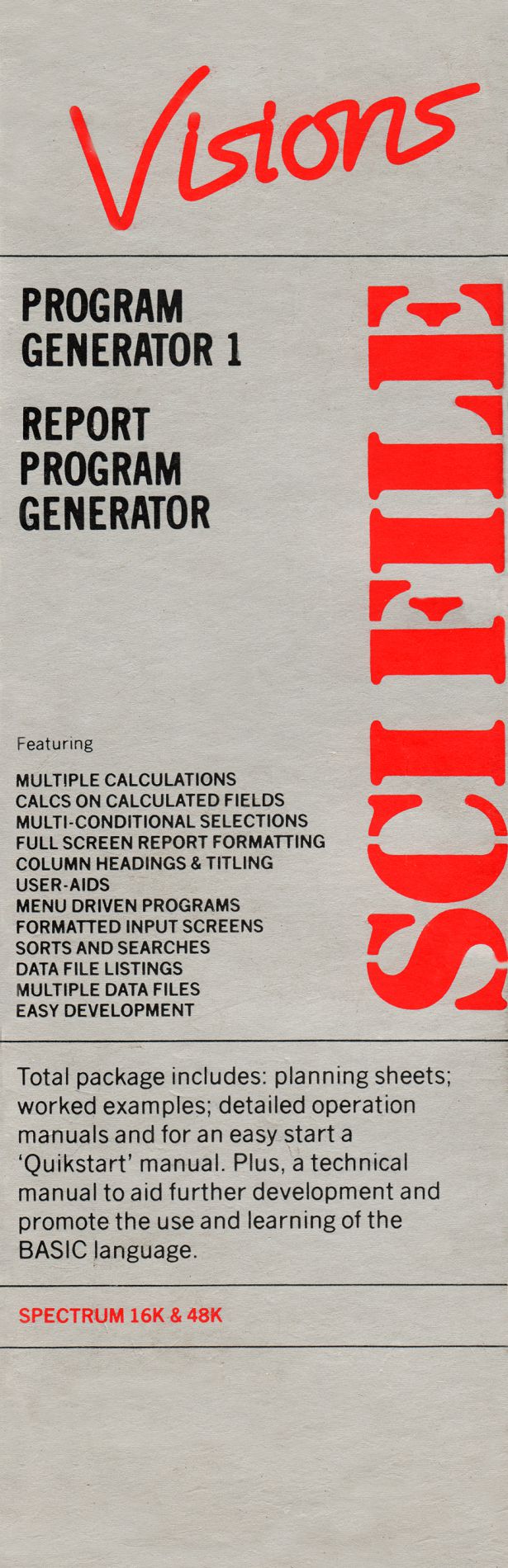
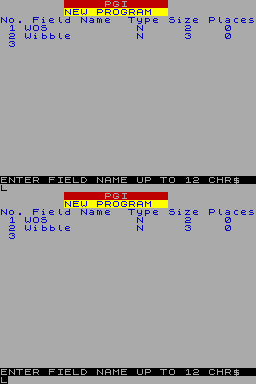
DOUBLE FILE A database program generator gets Nick Rann's approval. NAME: Sci-File APPLICATION: Program Generator PRICE: £19.95 SYSTEM: Spectrum FORMAT: Cassette PUBLISHER: Visions Software Factory, [redacted] OUTLETS: Retail/mail order Sci-File comprises two programs - Program Generator 1 (PG1) and Report Program Generator (RPG). The aim of the package is to generate programs which give the best of both worlds to the end user who has limited programming knowledge but who nevertheless needs a database/report program tailored to their specific requirements. Typical interested users would include small, home-based business people and enthusiastic 'home economists'. The finished programs generated by Sci-File work independently and are capable of generating their own data files, thus saving time normally taken to load multiple programs in the more traditional 'database' set-up. PRESENTATION Sci-File is supplied on two separate cassettes (PG1 and RPG) each containing 16K and 48K versions and packed in a slimline silver box. Enclosed is a 20-page instruction manual suitable for either a slow or fast learner. There are also blank planning sheets provided so you can keep tabs on your own program designs. Among the sheets are several worked examples. PROGRAM GENERATOR Datafile formatting: Once part 1 is loaded you are offered the option to create a new file format or amend a previously saved version. A data item or field may be of four types - alphanumeric, numeric, date or £ sterling (ie numeric, automatically assigned two decimal places for the pence). You assign the name, type, size and number of decimal places to each field - up to 19 fields can be created on any one datafile. The program prompts you helpfully through the formatting, which allows you to check each definition as you go. Once you're satisfied with the format, each field is designated a numerical position, so you can give the computer the numerical location of the fields which you want to use to identify each file for cataloguing and retrieval purposes. But beware - the program does not accept locations exceeding 99 (ie two digits in length) so make sure your identification fields are early on the list. Program generation: Once the format file is saved for later use or amendment, the remainder of PG1 is loaded. This effectively establishes the newly generated format into the memory of the computer and creates an independent Basic program. The program is menu-driven and self-explanatory options appear. See figure 1. Having taken option 7 and saved the program you can use the program by inputting data in your own prescribed format. With PG1 you can print out all, or simple selections of, records to be amended or deleted. Completed datafiles may be saved for future use, either with PG1 or RPG without limit to their number. REPORT PROGRAM GENERATOR Format integration: RPG allows you to develop further the datafile format files created with PG1. As in PG1 a Basic program is generated from the user's self-defined format but now a full report of a more complex and controlled nature is possible. With RPG Part 1 loaded, you are prompted to load an existing format file and then asked to give your proposed report a title. Calculations: The program prompts you to set up and define the calculation you want to perform on your choice of existing numeric and £ sterling fields. First, you define the fields (prefix C) required to store the results of your calculation. Next, you indicate the calculation itself and state which fields (simple or previously calculated) you would like it performed on. Calculations can be addition, subtraction, multiplication, division or exponential (to the power of), so percentages require two calculations. You may select the records you would like included on the report by stipulating field conditions and comparisons, which must be fulfilled in any record included in the report. In the example in figure 2, # denotes an arbitrary numeric value of your choice. It's possible, to total any of the numeric or £2 sterling values in either datafile records or calculated fields. A practical example would be if each record contained details of the price and stock quantity of a certain product. A calculated field (ie C1) may contain the value of each selected product (ie price it quantity) and to add up all C1 values would give the total value of all selected stock items. Report setting and formation: Report formatting can be spread across 32 or 42 columns/lines (32 only on 16K version). Column headings can be written into the program and there are column guides featured on the screen to help with formatting their position. By responding to prompts asking for the number of spaces and field identification you are able to format the actual data to fit neatly under the headings and the whole program starts to take shape. Program generation: The next step is to load the remainder of RPG and, this done, your report program is generated almost immediately. The report program offers the same menu as PG1 but with an eighth option - Report IN USE I created programs suggested on the enclosed planning sheets which I found a great help in unravelling the comprehensive, if lengthy, instructions. I decided to create a program to highlight the parlous condition of my personal finances and was able to put together a useful (if depressing) package in under an hour. Once created, the program and datafiles can be loaded up fairly quickly but it is important to plan for every report requirement at the outset as effecting format amendments can be a lengthy process. The ZX printer may be used to print out the reports from home or office. VERDICT Two useful programs capable of providing reports of professional appearance to the small business user. Sci-File certainly takes the donkey work out of program design without compromising flexibility.
Keep track with Sci-File blank planning sheets.
Fig 1 MENU 1 INPUT ITEMS 2 AMENDMENT 3 PRINT ITEMS 4 FIND & PRINT 5 SAVE FILE 6 LOAD FILE 7 SAVE PROG
Figure 2 Selections: S1 Condition: IF Field: 1 Comparison: >= Field: 3 Selections: S2 Condition: AND Field: C3 Comparison: < Field: #100 Selections: S3 Condition: OR Field: C2 Comparison: > Field: #99
News/Note4
- Your Spectrum #5Jul 1984 · p.6
- Personal Computer News #63Jun 1984 · p.34
- ZX Computing #12Apr 1984 · p.118
- Home Computing Weekly #40Dec 1983 · p.6
Review2
- Sinclair Answers #1Sep 1984 · p.101
- Home Computing Weekly #67Jun 1984 · p.4
Advert2
- Sinclair User1984 · p.70
- Personal Computer Games #2Dec 1983 · p.102
Reviews from people here
Sign in to write about this, or make an account. It takes a minute and lets you correct the catalogue too.
No credit, description, tag recorded.
Sign in to correct or add to this.
Hold the rights to this and want it taken down?