
Screen Machine
Utility: Graphics · ZX-Spectrum 48K · 1 players · English
Interactive Software People · 1984 · Pound sterling 8.95
Also known as The Screen Machine (English)

Discussion
Nobody has started a thread about this yet.
Play
- ScreenMachine.tzx.zipTape image English10 KB
Files and rights
No permission is on record either way. Screens and pictures are copied here on a take-down basis: if you hold the rights and want something removed, say so and it goes.
Scores
In the magazines
- Sinclair User #301984 · Gilbert Factor7/10
In the magazines 14
Sinclair User #30Sep 1984 · p.107/107/10
Gilbert Factor 7/10
Richard Price 7/10
Memory: 48K Price £8.95 Using the Spectrum's functions it becomes laborious and time-consuming to produce a screen display which can be used as a title or loading logo. For the average programmer it is much simpler to use a custom-built screen editor on which complicated designs can be roughed-out, altered and then saved on tape when complete. The ISP Screen Machine provides a flexible and relatively simple system for the production of such displays. Circles, arcs and blocks can be drawn, filled or unfilled. Paper, ink and border colours can be altered without affecting the design. There is a graphics mode with a full set of UDGs which are useful in building a design. The designs are based mainly on character cell blocks and the user should not expect to produce a fine-line masterpiece. There does not appear to be a printer function. The general impression is of a versatile editor which will be a boon to the amateur programmer, helping him to enliven his efforts and giving very acceptable screen displays for the minimum of effort.
Personal Computer News #75Aug 1984 · p.18
John Lettice
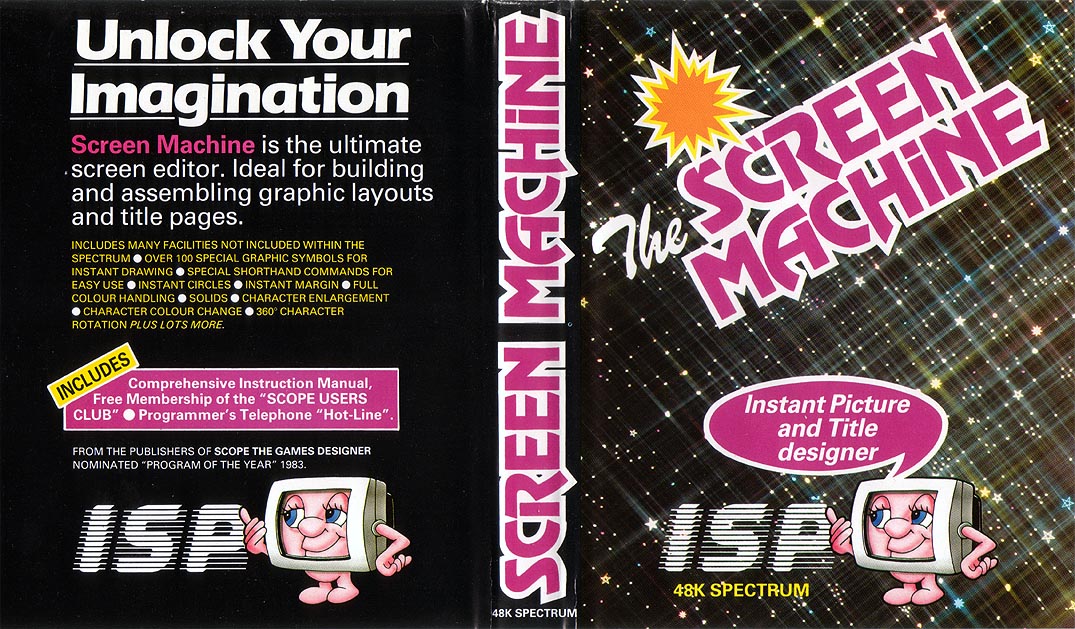
ART FOUR ART'S SAKE John Lettice discovers how software houses are catering for Spectrum users with artistic inclinations. Dynamic Graphics £14.95 Procom Software, [redacted] Paintbox £7.50 Print 'n' Plotter Products, [redacted] Melbourne Draw £8.95 Melbourne House, [redacted] Screen Machine £8.95 ISP, [redacted] There was a time when I'd look at the title screen of the latest Spectrum game and naively wonder how it was done. Certainly, if you sat down and concentrated hard you could see how it could be done, even taking the Spectrum's graphics limitations into account. But what baffled me was why someone, even for lots of money, would go to the brain-bending bother of working it all out. But now the secret's out. In as much as the shelves of computer stores ever bulge, they're currently bulging with Spectrum graphics packages. So much so that you need never again curse your re-INKed characters, or tell yourself 'I must do something about improving that fill routine'. Graphics packages usually cover two main areas: they'll produce full screen graphics without a lot of the hassle this would otherwise involve, and they'll also generally provide some form of user defined graphics (UDG) facility. The latter is certainly useful as an adjunct to the software's artistic side, although if it's a full sprite system you want you'll almost certainly have to look elsewhere. You shouldn't put too much emphasis on having a UDG facility within the program unless it has fairly advanced features. The Spectrum, after all, comes with a UDG design program on the Horizons tape, and it's always struck me as peculiar that people will sit down and write their own (often worse) program rather than use this. In the case of Melbourne Draw the extra is the fact that it allows you to save any one of the character positions on the screen you've designed as a UDG. While a routine of this sort is fairly easy to write, simply involving reading the character position and POKEing its details into the correct character, it's useful to have it integrated with a program that will draw that screen. And it's not that easy to knock off something of the calibre of Melbourne Draw. MELBOURNE DRAW From the packaging of Melbourne Draw it looks like The Hobbit has gone to Melbourne House's head. 'In fact with Melbourne Draw the graphics potential of your Spectrum becomes unlimited,' it trumpets modestly. It's probably advisable not to take this claim too literally, because although the package is good, if you reckon it'll do something like batik or silk vinyl finish you'll be sorely disappointed. Once it's loaded the program presents you with the standard Spectrum screen of 32 x 22 character positions. The bottom two lines give you information about the current status of the program, giving you the mode you're in, whether you're editing the screen or the attributes, and the current coordinates of the cursor you use to draw on the screen. The numbering for the latter corresponds with the Spectrum's own PLOT and DRAW coordinate system, with the addition of minus Y coordinates to allow you to draw in the bottom two lines of the screen. These aren't normally available from Basic, but it's possible to POKE attributes into that area of screen memory, and to use them as part of the main screen. Melbourne's way of dealing with the ensuing coordinate problem is certainly a fudge, but bearing in mind that you'll be a lot happier using the coordinates you know, it's an acceptable fudge. You will of course have to shift the report lines in order to use the area for graphics, but this is fairly plain sailing. Drawing itself simply involves using an ersatz eight-direction cursor cluster centred around the 8 key on the Spectrum. This moves a small flashing dot around the screen. The keys have a fairly gentle auto-repeat timing of around one second, so you won't find yourself lapping around too fast unless you want to. The cursor moves without leaving a mark while it's in skip mode, while set mode switches pixels on, and reset switches them off. Invert reverses any image the cursor moves over. Now close your eyes for a moment (finish reading this paragraph first) and imagine a graphics system that allows you to manipulate individual pixels on the Spectrum's screen. If you stare hard at the screen, apart from getting a splitting headache, you'll realise the difficulty involved in actually seeing what you're doing. Never fear, you can magnify the screen by four or by 16, and while you're doing this the magnification indicator in the report window shows you which area of the screen you're on at any given time. You can therefore work on your drawing in detail quite easily, although I'd suggest you rough it up on the full screen first, before tackling the detail. The next obvious problem you'll face with the Spectrum is that of setting colour. You can PLOT and DRAW on individual pixels, but you can only set one INK and one PAPER colour for each individual 8 x 8 character position. Eye-closing time again - think of a beautifully detailed drawing, the sort of thing that Albrecht Durer would be proud to show his mother. Now think of our hapless engraver rashly deciding to use a PAINT command he's just run up on his Spectrum. 'Aaargh!' he cries. He throws away his Spectrum and decides to open a wurst stall. Melbourne deals with this by including a FILL routine, then using a single character position sized cursor that allows you to set INK and PAPER one position at a time. Once you do this you'll probably still have to make amendments, but it should be; obvious what they are. And there's an even easier way to deal with the problem. You can overlay a grid onto the screen, and with this in place you can't really go wrong. The grid also comes into its own when you're dealing with UDGs. There are only the standard 21 available, but the program has the advantage of tying UDGs into PLOT and DRAW. When you're just using the Spectrum's standard graphics facilities it's actually difficult to relate the two. User defined graphics are easy to move around the screen, but it's not that easy to link more than two or three of them together without a lot of planning first. Similarly, although it's fairly easy to use PLOT and DRAW for larger illustrations, it's more difficult to move them around the screen, and if you're using UD Gs as building blocks for pictures you don't really have enough to be able to muck one or two of them up. Because of this it really is very handy to be able to virtually page UDGs in and out of memory, copying them to different locations and so on. I have a dream that you could write a program that stored whole screens in the form of individual UDGs, then used some sort of scrabble technique to rearrange the screens into other screens. Umm... I'll write it tomorrow... There's also a facility for saving the UDGs as an area of memory, and thus cutting down the amount of space your programs take up, but as this is in the Spectrum manual it's only reasonable that Melbourne should allow you to do this. Overall, it's an excellent package, and I've very few, and very minor, complaints about it. It allows you to scale the picture down by 7/8ths, or up by 1/7th, but doesn't allow you to reverse this feature. It would have been even better if you could, but equally it's nice to have the feature in the first place. THE SCREEN MACHINE Screen Machine is allegedly 'the ultimate screen editor'. You can be forgiven for thinking you're in the wrong article at this point, because while we are talking about editing screens here, a graphics design package isn't exactly what the rest of the world generally means by the term. And it's not by Ultimate either. It's less detailed than Melbourne Draw, and will therefore be easier to use. ISP has decided against using cursor-controlled line drawing at all, using instead 19 pre-packaged functions, along with 95 graphics characters (these are in addition to any UDGs you want to use) as building blocks. But having learned this, have a look at page four of the manual: 'Please note: The graphics character set provided with Screen Machine is copyright ISP Marketing Ltd.' If this means ISP wants a piece of the action from any commercial program that uses these characters I reckon the company's pushing its luck - like millions of others, I've programmed some of these graphics myself in the past, and I don't really see how ISP can copyright hearts, diamonds, clubs and spades symbols. Besides this, the graphics set is really pretty feeble (like I say, I've programmed some of them myself). Still, I'm looking forward to ISP suing Commodore or one of the other block graphics merchants for breach of copyright. At least there's none of that messing around with cursor-controlled line drawing, is there? Not exactly-say you want to draw a line, you'll find it's automatically drawn from the last pixel plotted or the end of the last line or circle drawn. The syntax D+5, -5 is used to draw a straight line, and this particular example is analogous to the Spectrum command DRAW 5, -5. This latter, incidentally, takes one less key depression. Good, eh? PLOTis similarly verbose, using a(x,y) as the equivalent of PLOT x,y. Fortunately, a few improvements have been made to the Basic commands. PLOT and DRAW commands that would take the Spectrum off its screen will simply be ignored, and circles can be drawn off the screen. But for these marginal improvements the program wouldn't really be worth it. There is, however, a method of creating a margin display, and you can rotate characters (only one character position at a time) in groups of 90 degrees. You can also enlarge. 'A common desire amongst users is to display characters at eight times their normal size.' It's therefore fortunate that 'the Screen Machine Enlargement command will enlarge the contents of any character cell by eight times'. Personally I always thought users were keen on enlarging characters by nine times, but clearly I stand corrected. Again, though, it's just done on a single character basis. Really, the whole package seems to me to be far too limited to make it worth using. The initial idea of making it easier than other graphics packages may have been a good one, but the commands used are by no means obvious. PAINTBOX The initial claim to fame as far as Paintbox is concerned is the fact that it gives you 84 UDGs using banks of data which are switched in and out of the UDG area as and when you need them. This gives you a much more powerful 'building block' facility than either Melbourne Draw or Screen Machine, and these banks can also, be used from within Basic programs. The drawing facilities are less comprehensive than those in Melbourne Draw, but it's really a case of swings and roundabouts. If you're using more UDGs then you might find it easier than Operating on a pixel by pixel basis. Paintbox also errs more on the side of pre-packaged routines like circles and arcs. In order to combine these facilities you use something called Screen Planner, which allows you to use the UDGs. By switching between this and the drawing mode you can build up quite complex pictures. There is also a facility for saving up to five screens to tape, then loading them back into memory. By paging these in and out you could produce a form of animation. DYNAMIC GRAPHICS The salient difference between Dynamic Graphics and the other packages dealt with here is that it allows you to produce sprites for combining with your own programs. The difference here is that you aren't just producing user defined graphics, but rather you're building animated sequences of characters that will shuffle across the screen in whatever way you want. The end result is a machine code subroutine that you can save in memory and call up from Basic programs, so space intruders without tears could well be with us at last. The second tape that comes in the Dynamic Graphics package is Drawmaster. This uses a cursor drawing method, again with eight possible directions. You can also draw arcs and circles, and fill and rescale your works of art. It will also define windows and revise the screen attributes. Drawmaster itself has its good points, but overall I feel that its main advantage is its sprite facility. There are a number of other graphics packages out, and they do seem to be developing in the same sort of way as Dynamic Graphics. The newly-released White Lightning is probably the most notable, being first and foremost a games design package. It is Forth-based, and although geared to games, screen design becomes an adjunct to this. Certainly it takes some getting used to, but the rewards are high, and it looks very much like the next major success story.
Advert9
- Your Spectrum #6Aug 1984 · p.71
- Your Spectrum #5Jul 1984 · p.79
- Computer ChoiceJul 1984 · p.59
- Home Computing Weekly #69Jul 1984 · p.15
- Sinclair User #27Jun 1984 · p.25
- Your Computer #6Jun 1984 · p.151
- Big K #3Jun 1984 · p.23
- C&VG (Computer & Video Games) #32Jun 1984 · p.145
- Personal Computer News #57Apr 1984 · p.35
Feature2
- MicroHobby Especial #3Jun 1986 · p.53
- C&VG (Computer & Video Games)1985 · p.84
Review1
- Home Computing Weekly #74Aug 1984 · p.6
Related
- Tags
- g148
- Same entry at
- Spectrum ComputingZXInfo
Reviews from people here
Sign in to write about this, or make an account. It takes a minute and lets you correct the catalogue too.
No credit, description recorded.
Sign in to correct or add to this.
Hold the rights to this and want it taken down?