
Trans-Express - Tape to Microdrive
Utility: Copy/Backup · ZX-Spectrum 16K · 1 players · English
Romantic Robot UK Ltd · 1984 · Pound sterling 5.50
Discussion
Nobody has started a thread about this yet.
Play
- Trans-Express-TapeToMicrodrive.tzx.zipTape image English8 KB
Files and rights
No permission is on record either way. Screens and pictures are copied here on a take-down basis: if you hold the rights and want something removed, say so and it goes.
In the magazines 3
Crash #17Jun 1985 · p.92
Robin Candy
MICRODRIVEIN' A comparison of transfer utilities by Robin Candy. Not so long ago in a galaxy not so far from here... There came into existence a legendary beast known throughout the land as a Microdrive. This small but valiant beast was the creation of the necromancer Clive Sinclair and was his answer to the fabled Disk Drive. Many moons passed and finally the Microdrives appeared in the shops where previously they had only been available via Her Majesty's package pulveriser, Sinclair pigeon post permitting. Immediately hordes of Sinclair minions dashed out and handed over their tokens of appreciation in return for the little gizmo which would make loading times a thing of the past. Software WOULD be much better because it could load in extra parts of a game at high speeds thus making the need for having the entire game held in memory immemorable. Everything looked set to turn the once humble spectrum into a 'proper' computer. But, dear reader, this story does not have a happy ending as it should do - it would not be right to say that the software houses abandoned our little black magic box, they never made use of its capabilities to start with. This left our poor Microdrive owners feeling sour, they had supported the industry by investing their hard earned cash but now the industry refused to support them. Some resourceful companies started publishing utilities to help our now heart broken Microdrive owner to transfer their software. Irate software houses were quick to point out that these utilities could be misused for piracy. They forgot to mention though that if they had bothered to support the Microdrive in the first place, either by marketing software on cartridge or by providing transfer options in their programs, these utilities need never have come into existence. These reviews are not intended as an in-depth article on how to put software on to drive but to suggest which of the packages available is worth buying to help you do so. TRANS EXPRESS Romantic Robot The tape to Microdrive program on the Trans Express package is designed to be used by the complete novice. Transferring programs is fully automatic and all you are required to do is start and stop the tape. It transfers all parts of the program which means that loading the program back off drive can sometimes take up to a minute depending on how many parts have been transferred. Trans Express can transfer most of the early programs and a few of the ones that use software protection; it is worth mentioning, though, that Trans Express is updated every couple of months to make it better. Also included in the package are a Microdrive to Microdrive program and a Microdrive to Tape program. Microdrive to Tape is just for back up purposes, it duplicates the program onto tape though it doesn't alter the Microdrive syntax. Microdrive to Microdrive can also be used for back up purposes but it is also a house-keeping program that is able to delete files that get corrupted and to reorganise the order in which programs are stored on drive thus making loading slightly faster. VERDICT: A nice utility, especially for the novice user though at the moment a bit limited in its use. Worth buying with the Microdrive to Microdrive option. MICRO DRIVE 1 Lerm This utility is a suite of programs that are used in conjunction with each other to transfer software on to drive. The tape comes with a comprehensive booklet which, though daunting for many people to use, is informative. The programs take some time to get used to and Lerm recommend a training schedule to last over a week or so to get acquainted with them. After using this utility for a while, it is reasonably easy and the booklet teaches you a lot about Microdrives that is worth knowing. VERDICT: I wouldn't recommend this to the complete novice but to someone who has at least a little experience with Microdrives because the booklet is easier to understand if you are familiar with false headers etc. Once proficient with the use of each of the programs on the tape, it proves a valuable utility. TRANS FORMER A.C.S. Software This is another of the automatic transfer utilities but it is slightly more advanced than Trans Express. Trans Former can cope with quite a lot of fairly recent games and most of the early games. On a few games it even offers an infinite lives option. In use it is very easy to handle, just a matter of starting and stopping tapes, a 'Stop the tape message' before transfer of a part of the program would have been appreciated. On most programs Trans Former gets rid of the loading screen thus saving loading time and cartridge space. One problem I did encounter though was that the program didn't always change the loading syntax into that which the Microdrive uses but this is easily remedied by using the 'disable the autorun' function. VERDICT: Of all the utilities I used I think this is the one I preferred. Its ease of use means that it can be employed by almost anyone, invaluable to the novice and in some cases for the experienced Microdrive user. Like all automatic copiers, it has to be updated every few months to keep up with the latest protection techniques. ACS also offer a service to Microdrive users whereby if you send them an ORIGINAL of game you want transferred, a blank cartridge and a cheque for £2, they will transfer the game onto drive for you. MD SPY ZX Guaranteed This is not an automatic copier like Trans Express nor is it as hard to grasp as the term one. The instructions are fairly short for this type of copier and are fairly easy to understand. It comes with a suite of programs including header reader and creator. Using these programs you transfer your software to drive which is fairly easy to do with the earlier games after a bit of practice. VERDICT: As a transfer utility this is fairly limited because it doesn't help with the transfer of the recent Hyper loads. But apart from that with a bit of practice it should prove quite useful. OVERALL The copiers reviewed fall into two distinct categories - the automatic copier and the DIV copier. The main problem with the automatic copier is that it needs to be continually updated to keep up with the latest software protection. The problem with the DIY copier is that if you don't understand the booklet then it is of no use.
Personal Computer News #81Oct 1984 · p.42
David Janda
TRANS-EXPRESS David Janda takes a cool look at a mail order package of utility programs for the Sinclair Spectrum. PUBLISHER: Romantic Robot, [redacted] PRICE: Trans-Express (full version) on tape £9.95. Full 'fast access' cartridge version £14.95. Conversions available separately on cassette at £5.95 each. OUTLETS: Mail order Trans-Express from Romantic Robot is a suite of programs that enable you to perform four types of backup operation with your Microdrive and cassette. They are: tape to tape, tape to Microdrive, Microdrive to Microdrive and Microdrive to tape. As far as the Microdrive operations are concerned, one drive is all that is necessary to use a particular feature. The idea behind a backup medium such as the Microdrive is to give you greater flexibility in using the Spectrum. One of the benefits is file handling which cannot be done with cassette. But the biggest advantage is the speed at which programs can be saved to and loaded from the Microdrive. The naive Spectrum user may wonder what use this type of utility has. After all. It's a simple operation to transfer programs between cassette and Microdrive, isn't it? Well it's not. The fact is the user can have great problems in transferring programs (even their own). This is due to the crummy Microdrive filing system as well as the different syntax of loading and saving machine code and worst of all, programs with multiple parts and position dependent code. At this point it is worth pointing out that Trans-Express will copy commercial programs. Now many say this is an offence and not to be done. Indeed, Romantic Robot, which produces TransExpress, clearly warns anyone that the package must not be used to infringe copyright. FEATURES Probably the best feature of the package is its ease of use. You could be forgiven for thinking that the transfer operations the package performs are simple. But this is because they are all automatic. At no time is it necessary to scribble down start addresses and such like. Transferring programs from tape to Microdrive is very simple, yet the checks are not. If necessary, Trans-Express will relocate Basic and machine code, as well as search and change any file handling commands that are in Basic or machine code. Headers and program length are thoroughly checked and altered if necessary, and multiple part programs can also be transferred. Microdrive to Microdrive is a little deceptive in its title because it can perform all functions just as well if you have only one drive. A whole cartridge can be backed up by the press of a button, and this includes program files which are not the easiest to transfer, ie Basic. Microdrive users will be aware of how access time increases after a cartridge has been used frequently. This is because the files are scattered over the cartridge. Transferring selected files using Trans-Express saves them sequentially, thus considerably decreasing access time. It is also possible to erase and overwrite existing files. The tape to tape facility allows programs with multiple or single parts to be transferred. A program of up to 40K can be transferred in one go using Tape to Tape, and for larger programs up to 48.4K. Supertrans is used. False headers and such like are handled without any trouble. The final part of the Trans-Express package is the Microdrive to Tape transfer. There probably isn't too much call for it except as an invaluable way to archive cartridges onto another medium. No modification is made to the programs as they are transferred to tape, so it can only he used for backup purposes. IN USE The copy of TransExpress reviewed was supplied on tape, but at the time of writing a cartridge version was made available. The only real difference is that the Microdrive to Microdrive incorporates a format function as well as an easier to use delete operation. Unlike most back up tapes there are no complex operations which require the user to note down addresses and so on. The menu-driven software is very straightforward. VERDICT Backing up programs and data or simply transferring them is a boring task that should not be made any more complex. The real asset with Trans-Express is that practically all operations are automatic, and those that are not 'guide' you through. Highly recommended.
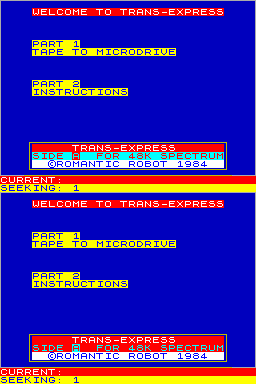
USER INTERFACE Trans-Express consists of several programs that run on 16K and 48K Spectrums. The programs are preceded by a front panel menu which invites the user to select the operation required. Once selected, the program searches for the required part, loads it and runs automatically. Depending on which operation is chosen, different types of information are displayed. Microdrive to Microdrive provides a detailed catalogue of the Microdrive cartridge. Information displayed includes details on file position (sector number), length, file type, file, cartridge name and remaining amount of memory. Files for transfer or deletion are selected by using the cursor keys to move the cursor to the desired file, then pressing s. A number of files can be selected this way and they will be transft'irred in order. The second type of display is the two line status report used in cassette operations. The reason for this is that the screen map is used as a buffer for the file to be transferredEvery operation requires just one key response and these are mainly of the Yes.'No variety, in all operations error trapping is extensive and various error reports are provided. The objective of a user 'buffer' of this type is to make complex operations simple for the user.
Your Spectrum #6Aug 1984 · p.9
ROMANTIC TRANSFERS At first sight you might think an outfit calling itself Romantic Robot would be heavily into mechanical clones of Barry Manilow or even worse (What could be worse? Ed.). But you'd be wrong, for RR is a software house, eager to help users 'exploit' the Microdrive and all its charms. In a software series called Trans-Express, Romantic Robot is offering cassette versions of such snappily-named programs as Tape To Microdrive, Microdrive To Microdrive, Tape To Tape and Microdrive To Tape. From a brief glimpse snatched while visiting this year's Computer Fair, the facilities offered are user-friendly and contain various error-trapping routines and tests to stop you losing your precious code. No doubt, what many buyers will have in mind is to copy vast quantities of commercial-based software to Microdrive. So far, there's been little reaction from software houses - perhaps because they've yet to grasp the implications. But, if you're the proud owner of Microdrives and fed up with the amount of software currently available on this medium (ie. none) then this package will allow you to transfer across some of the material you now have on tape. What's the point of having a Microdrive if you're not able to use it? Of course, the software houses may take a different point of view. Anyone interested in this clutch of programs can contact Romantic Robot direct at [redacted]. The prices are £5.50 each, £7.50 for any two, or £9.95 for the lot.
Trans-Express carries this game and has 39 references of its own.
Related
- Tags
- Trans-Express
- Same entry at
- Spectrum ComputingZXInfo
Reviews from people here
Sign in to write about this, or make an account. It takes a minute and lets you correct the catalogue too.
No credit, description recorded.
Sign in to correct or add to this.
Hold the rights to this and want it taken down?