
The Graphic Adventure Creator
Utility: Game Creator · ZX-Spectrum 48K · 1 players · English
Incentive Software Ltd · 1986 · Pound sterling 22.95
Also known as GAC (English), Graphic Adventure Creator (English)
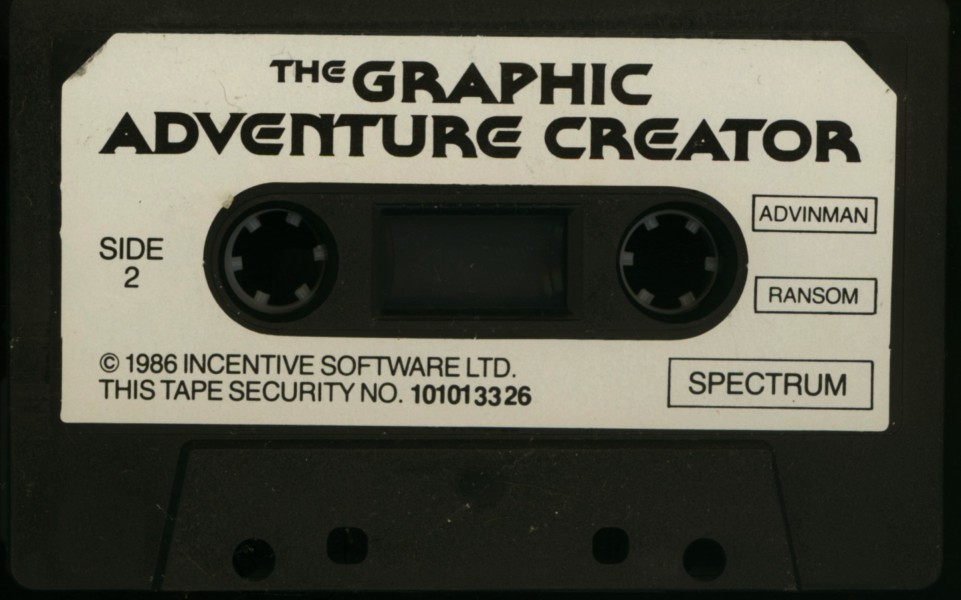
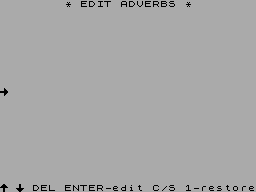
Discussion
Nobody has started a thread about this yet.
Remarks
The Adventure Writers Handbook was supplied as a freebie extra when you purchased GAC through the Home Computer Club. The same handbook was also available via mail order for £1.25.
Releases
- 1986Incentive Software Ltd Sold as GAC, Graphic Adventure CreatorPound sterling 22.95
- UnknownGuild Publishing
Play
- GraphicAdventureCreatorThe.tzx.zipTape image English40 KB
- GraphicAdventureCreatorThe.tap.zipTape image English38 KB
Documents
- GraphicAdventureCreatorThe(EN).txtInstructions English162 KB
- GraphicAdventureCreatorThe(EN).pdfInstructions English1,441 KB
- GraphicAdventureCreatorThe.zipInstructions English69 KB
- GraphicAdventureCreatorThe.pdfInstructions English145 KB
Other files
Files and rights
No permission is on record either way. Screens and pictures are copied here on a take-down basis: if you hold the rights and want something removed, say so and it goes.
Credits
- Sean EllisGame Design/Concept
- Brendan KellyCode
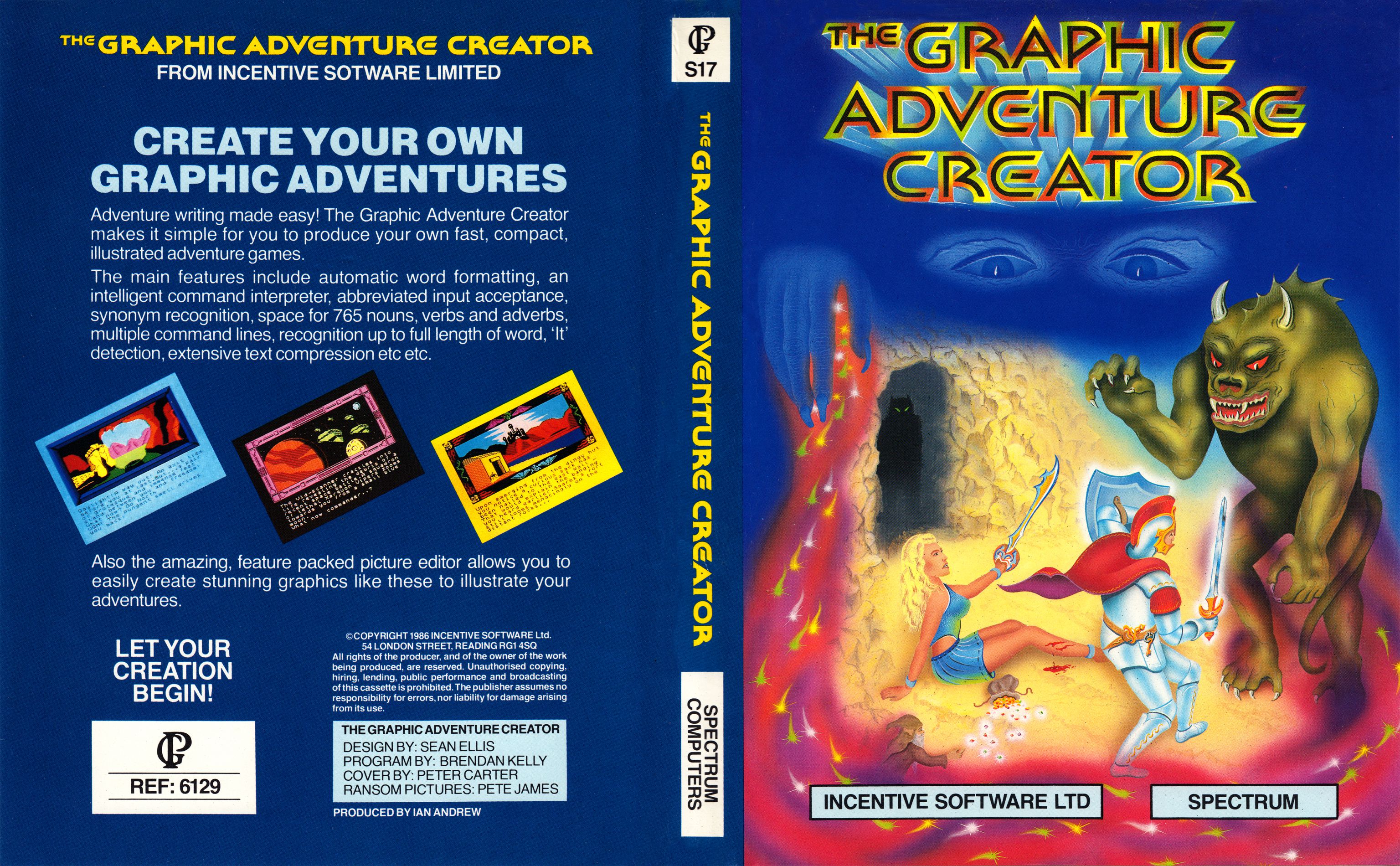
- Peter CarterInlay/Poster Art
Sign in to credit somebody, or say what these people did.
Awards
- Crash SmashCrash32 · 1986
Scores
In the magazines
- Sinclair User #521986 · Overall5/5
- Your Sinclair #81986 · Overall9/10
Elsewhere on the web
- WorldOfSpectrum 13 votes8.54
In the magazines 112
Crash #50Mar 1988 · p.78
Anthony Bailey
THE PRICE OF MAGIC Programmer Anthony Bailey finds adventure-writing made easy in the utilities GAC and PAW - which produce those good, cheap home-grown games. On the Spectrum adventure scene, 1987 was a lean year with few major releases. Games costing more than £3 were rare, and even the ubiquitous budget range was outnumbered by a mass of mail-order home-grown software. The commercial releases were distinguishable only by their packaging and sometimes their graphics, but the quality of ideas and writing to be found in the best home-grown adventures was of a very high standard. The reason for this preponderance of good software is that adventure utilities have at last come of age, allowing many amateurs to produce a professional-looking adventure. Of course, if you want to write something worth playing, you'll still need a flair for atmospheric prose and a good imagination! This article compares the two major adventure-writing utilities, those awkward-sounding acronyms GAC and PAW (Incentive's Graphic Adventure Creator and Gilsoft's Professional Adventure Writer ). ARTISTIC LICENCE If you've used any of the so-called 'arcade-game generators' you'll no doubt have noticed that all they really let you do is alter movement patterns, graphics and the map of a game rather than allow you to design anything really innovative or different. But there's much more freedom in what you can do with an adventure creator. Though Gilsoft's The Quill tends to produce adventures with a rather cloned appearance, GAC and PAW offer the user more opportunity to change the look and style of the game. Most adventures can be divided into three main segments. There is a database which contains such things as all the text describing locations and objects, and the messages and vocabulary. There's a parser which allows the player to type in a command and then decodes the input. And there's an interpreter: this is the heart of the adventure, where the computer examines the player's input and works out what messages or location descriptions should be output. Essentially, the interpreter is the part which handles the exchange of information between the player and the computer. When a programmer writes an adventure from scratch, he has to write the parser and interpreter in machine code. Now with an adventure-creator there is no need to write any code - the utility supplies the parser, provides the bare bones of the interpreter and then allows you to describe the rest of it in terms of English words and expressions. For example, with PAW if you want something to happen only when the player is carrying a certain object you use the word CARRIED. In effect you are using a very simple and user-friendly programming language. PAW and GAC are both rather good adventure creators and both deserved the Smashes they received when reviewed in CRASH (in issues 40 and 32 respectively). And they cost the same: £22.95 on cassette, £27.95 on microdrive (there's now a +3 disk version of PAW as well). But which utility is more useful? SLICK AND SIMILAR The packages are similar. Their presentation tries hard to justify the apparently high price tag; a single cassette wallows in a huge plastic case, The cassette contains the main program and a 'quick start' database with some basic vocabulary command, along with short but impressive demonstration games, and in PAW's case some alternative character sets. GAC has a well-written, informative, detailed manual; the two PAW manuals are excellently written, with straightforward, chatty prose in the introduction and further detail and a reference section in the technical guide. So the new user should have no problem getting to grips with the utilities straight away. PAW allows 16K of program to be written straight off, and from then on it will overwrite parts of itself which are automatically reloaded from tape if they are required again. This technique allows another 11K of space to be used (giving a total of 27K per game). And if you have a 128K Spectrum PAW takes full advantage of the extra memory and lets you write a massive 117K adventure! But GAC games sit complete in memory, giving you about 23K of free memory to write in. But Incentive doesn't plan to release a 128K version of GAC in the near future. There's a simple menu at GAC's front end; selecting an option from this takes you through a series of question-and-answer inputs. Pressing BREAK takes you back to the main menu again. The PAW system of menus and submenus will be familiar to users of The Quill. Both systems are user-friendly, though PAW scores by allowing the author to view a scrolling list of all the entries made; GAC will only display them individually. ADVANCED PARSERS Both utilities have advanced parsers which allow sentences with up to two nouns, a verb, an adverb and a preposition. These sentences can be chained with conjunctions or punctuation to create really complex commands. And both programs will recognise IT, so GET RING AND WEAR IT is catered for. PAW allows you to qualify a noun with an adjective, so the finished game can differentiate between OPEN RED DOOR WITH SMALL KEY and OPEN GREEN DOOR WITH LARGE KEY. GAC splits vocabulary into three categories: verbs, nouns and adverbs/prepositions. Up to 255 words are allowed in each category, and as many as you desire can be synonyms (for example, GET and TAKE can be treated by the parser as the same word). PAW is similar, but subdivides the vocabulary into seven categories: verbs, nouns, adjectives, adverbs, prepositions, conjunctions and pronouns. Again 255 of each type are possible. And PAW treats the first 20 nouns in its vocabulary as 'conversion nouns': in other words, NORTH (noun 4) is treated as a noun in the command LOOK NORTH, but is converted to a verb if entered on its own. Nouns 1-50 are not recognised by IT - so as long as the author plans the vocabulary correctly, when the player types GET SWORD AND ATTACK GOBLIN WITH IT PAW will spot that IT refers to the sword and not the goblin. LOCATIONS GAC can cope with up to 9,999 locations but PAW can only manage 252; still, this should be sufficient even for a 128K creation. GAC offers 255 messages for the author's use; PAW allows these messages, too, and also has another 255 system messages. Some of these are used by the interpreter and can be altered, but most are free for the use of the programmer. User-friendly adventures require a lot of messages and the writer of a large adventure may well find himself pushed for space. Up to 255 objects can be implemented with both utilities. Commendably, both GAC and PAW let you define the weight of each object - thus a chest of treasure can take up more space than an apple does in the player's inventory. And to ease the creation of automatic get/drop/wear/remove commands, PAW asks the author which vocabulary noun and adjective correspond to each object, and also inquires whether it is wearable, a container, or both. GRAPHICS Your adventure can be text-only, or use graphics; GAC has a fixed picture size, but PAW is more flexible and allows pictures of any size. And in PAW some text can be kept onscreen while other text scrolls beneath it. If you feel ambitious, and you have memory to burn, you could use pictures created with art utilities in PAW by calling an outside routine with the EXTERN command! Anyway, reasonably good graphics can be simply produced with both systems. They employ the 'drawstring' technique: all illustrations are stored as a list of the commands that were used to create them. The pictures are basically formed by drawing and filling shapes. Both packages offer 'elastic' lines, and GAC goes one better with a facility for elastic rectangles and ellipses. But GAC has only two fill patterns; PAW offers 15 user-definable shades and the ability to create extra character sets, definable on the utility's character-generator (it's rather cumbersome and art utilities are easier to use). Pictures can be called as subroutines (which can be scaled, in the case of PAW) so that repetitive illustrations take up very little of that precious memory. TESTING When it comes to testing out the adventure, both GAC and PAW have useful options which allow the user to examine the status of the various flags and program counters during play. This is great for debugging. PAW allows experienced users to manually change the values of these flags in the middle of a test. GAC has 256 on/off switches and 128 variables that can hold values ranging from 0 to 255; PAW just has 256 such variables. Naturally, all the normal facilities such as saving and loading the database and checking on the amount of memory left, are available on both programs. PAW also has a superb text-compressor which replaces common combinations of letters with single bytes in memory and effectively gives you 40% extra text space - great for writing 48K games. TABLE MANNERS The meat of the finished adventure is the set of tables of instructions and commands which deal with all the inputs and actions of the player. GAC offers three types of table: high-priority, low-priority and local conditions. The high-priority table is checked first of all; in play, that's where the program checks whether the player is in darkness, for example. Low-priority conditions include such things as responses for GETting an object, and local conditions apply only to specific locations; OPENing a DOOR would be covered in the local-conditions table, for instance. Each table consists of a sequence of lines with a format of IF (conditions) (actions) END so a typical line might read: 'IF (VERB (18) AND (NOUN(50) OR NOUN (51))) MESS (20) WAIT END' which gives the conditions the look of a simple programming language. It's a shame that syntax errors within a line are not highlighted, and that only one line can be viewed at a lime-once programs gel complex this makes debugging rather awkward. But GAC is flexible in that all numbers can be replaced with arguments such as the contents of a certain flag or a random number; this allows you to implement such things as random messages. The CONN condition (equivalent to MOVE in PAW) is especially useful. PAW TABLES PAW 's approach has some differences. Two types of table are used, response and process, and each entry consists of a verb and a noun (which can be set to nulls) followed by a series of 'condacts' - Gilsoft's jargon for a mixture of conditions and actions. In a response table, PAW looks for a match between the player's input and the verb and noun and then carries out those entries. Unlike GAC, PAW caters for entries for GETting, DROPping, WEARing and REMOVing objects as well as for GET ALL, DROP ALL, WEAR ALL and REMOVE ALL. The condacts are rather more varied than their GAC counterparts, with commands such as EXTERN (which allows you to call BASIC and machine-code routines from within PAW RESET (which helps in the creation of multipart games), PARSE (which decodes anything within quotes in terms of a new command), TIMEOUT (allows the computer to animate graphics or move around game characters whilst the player is thinking), PUTIN and TAKEOUT (for dealing with putting objects within one another; PAW calculates the true weight of a container), and a very powerful DOALL command (which allows the author to implement his own ALL and ALL EXCEPT commands). Some of these facilities can be simulated with GAC, but PAW makes everything elegantly simple. The process tables operate in the same way, but the verb and noun are used simply as a label for the author's own reference. Process 1 is called every time a location is described, and is the equivalent of the GAC high-priority table. Process 2 is called after every input or timeout, and this is where events beyond the player's control take place. The best facility of all is PAW's ability to create another 253 subprocesses, which can then be called as subroutines from response or process tables. Calls can be nested up to ten levels, and the processes can even call be recursive (call themselves). Sensibly used, this facility contributes to programs which are beautifully structured and hence easy to debug and alter. WHICH? GAC is an excellent utility. But if you haven't got yourself an adventure creator (and if not why not? - they're tremendous fun!) the flexible and friendly PAW is the one to go for. It's probably the best utility ever written on a Spectrum and it should turn the adventuring world head over heels.
Incentive used its own GAC for The Legend of Apache Gold, released a year ago.
PAW is probably the best utility ever for the Spectrum.
Crash #32Sep 1986 · p.84Crash Smash
Sean Masterson
Unknown
Unknown
A NEW WAY OF WRITING ADVENTURES. Over a years development work has gone into INCENTIVE's adventure-writing utility. The Graphic Adventure Creator, and it has already appeared for the Amstrad, earning a very favourable response. The Spectrum adventure-writing utility market is still dominated by The Quill - can GAC step in as the new king? Sean Masterson takes a close look, and rustles up a couple of comments from the Crash crew… The Graphic Adventure Creator is a sophisticated adventure writing package that arrives on a single cassette. Adventures written with the package include multiple commands in a single input, advanced graphics, full word recognition and a host of other features intended to make this the state-of- the-art adventure writing utility. The packaging is very neat. GAC comes in a large format cassette holder complete with a glossy manual. The printing isn't remarkable but the manual explains every detail of the utility with care and precision sometimes with accompanying graphics where it is thought they may help. Loading is achieved easily thanks to use of fast loading techniques and the user is presented with a title/credit screen followed by a menu page. GAC itself leaves approximately 23K free for your adventure once it resides in memory, but larger adventures could be created with multiple loading techniques this should mean that the adventure can be as big as the author desires. Complete adventures run independently of the utility. To give you an idea of just what this package is capable of, INCENTIVE include a couple of mini adventures with the package. One is a pure text offering, the other uses graphics. If the full solution to an example adventure is known, the entire game may be played in one input. The result is like a short story, punctuated with a series of commands and it forms an impressive demonstration of GAC's power. There is also a Quickstart file which loads a group of common verbs, conditions and other details to allow rapid creation of small games or time to be saved when commencing larger works. As the graphics capability is the most obviously powerful aspect of the utility, let's begin with a look at the graphics creation routines... As with any utility of this type, the more complex the graphics, the less memory is available for the rest of the adventure. While this might suggest the need for simplistic graphics, INCENTIVE have made sure that the adventure writer has the opportunity to make up complex images should they be required. Block or line graphics may be implemented with ease, and a host of devices have been included to make the process as painless as possible. Four pure colours may be used in an illustration, though these may be stippled in any combination to give the effect of up to ten colours and textures on screen. Bright and flash options are also provided. The top two thirds of the graphic creation screen is surrounded by the frame in which the image is created. Below this, the pen and paper symbol are permanently displayed along with the border colour. The pen rests on the paper during the drawing process for clarity during picture creation. Unfortunately the options menu is not displayed (as it is on the Amstrad version of GAC) which means serious study of the manual is required until the commands become second nature. This is my only gripe. The drawing routines supplied cater for all needs. Elipses, Dots, Boxes, Fill and Shade, slow and fast drawing, picture merging, and picture or stage deletion are all included along with a picture scan that allows analysis and alteration of any stage in the creation. An attribute grid showing possible problems due to the Spectrum's colour limitations is also available as a screen overlay. The merging facility is very important from a memory saving angle. If a picture is drawn and then has a frame decoration added (previously drawn as a separate picture), only three bytes are used. This cuts down tremendously on memory used if repetitive pictures are used. Most of the features work smoothly but the exception to this neatness is the Fill command. This isn't perfect and an optimum position within the area to be filled needs to be found. Even then, in an awkward shape, a gap may be left. This can be rectified by implementing Fill a second time from a better position and the final result will be no different from that achieved with a more capable command routine. However, the finished picture takes up more memory. This is arguably offset by the fact that this Fill command takes up very little memory itself and is particularly fast. On the final picture, it makes no real difference anyway. The ability to look back or delete back either a single step or a whole picture makes correction and modification of pictures very simple indeed. The effect of open or closed doors is just one example of how these features cater for the kind of conditions often required of graphics in adventures. Because it is possible to change the ink during the course of a picture creation and then change it back again, when the whole picture is asked for in the adventure, a limited form of animation is possible. Things such as flashing lights, flowing water or other relatively small changes to detail to a picture can be attained with the minimum of effort. Up to 10,000 separate pictures can be held in a GAC game, though it's extremely unlikely that more than a fraction of this number would actually be used. Because of the way pictures are tied to locations it's possible to have small pictures created as inserts, displaying recently acquired objects for instance. The potential for experimentation is enormous. As is the case with most other adventure writers, GAC allows up to 255 words to be defined as part of the adventuring vocabulary. As full word recognition is catered for in GAC, shortened versions of words (such as EXAM for EXAMINE) have to be created as synonyms by giving them the same numerical value in the vocabulary table. This does, however create the opportunity for more diversity and flexibility. One aspect of GAC which is slightly unusual is that unlike The Quill, words are stored alphabetically instead of numerically. This means the vocabulary has continuity, but synonyms are harder to locate while editing. Up to 765 words can be used,255 each of nouns, verbs and adverbs. The section 'Adverbs' actually includes prepositions, so the label is an arbitrary rather than a linguistic one! However, this allows for detailed analysis of each line of player input and consequently, greater flexibility in terms of acceptable player response. The interpreter is the real gem in GAC. If you have ever wanted to create LEVEL 9 style adventures but have been held back by the limitations of The Quill or lack of programming ability, then this where GAC can solve your problems. Commands are not limited to verb/noun input or single command per sentence input. Instead, a whole series of commands may be entered so long as the adventure author has taken full advantage of the very sophisticated parser. Multiple commands may be punctuated by 'AND', 'THEN', '.' or ',' in any fashion the author requires. 'IT' recognition is also possible if IT is made object number 255. This way it always refers to the last noun mentioned. This allows commands such as GET THE LAMP THEN LIGHT IT to be used. As mentioned earlier, the best part about the parser is the fact that commands may be as long as the player likes. If an error is made part way through the command (such as trying to get an object that isn't there), the rest of the command is ignored. Another area where GAC excels is with the conditions. GAC uses High, Low and Local priority conditions to set up certain events under particular circumstances, GAC checks a High condition before the player has the opportunity to make an input. Checking whether a lamp is switched on can be made a High condition, which governs whether the player can see in a dark location. Local conditions are those that only apply in a particular room or situation. If you left an airlock without a space suit for example and the author had taken full advantage of the condition facilities, GAC would check for a spacesuit and kill you before you could do anything else. Low priority conditions are checked in the same way as local ones except that they are not confined to individual rooms. They might check that you were carrying an object, simply to ensure a message continued to appear. GAC has more flexibility than any other adventure writing utility I have seen because of the vast numbers of counters and markers it has. One obvious example of this flexibility is the ability to give objects and then allow a player to carry a maximum weight. This is far more desirable than just allowing a certain number of objects to be carried regardless of how massive or miniscule they may be. Clever use of the 255 messages allowed - breaking them down into commonly use segments - saves memory and increases the apparent number of messages in the adventure. This technique is not exclusive to GAC but it is reassuring to see that such things are possible nevertheless. Editing any part of a GAC adventure is simplicity itself. Everything is well explained in the excellently written manual and all the different parts of GAC are accessed from a main menu. The whole effort has been logically devised. One great advantage is that you can do anything from the main menu - loading separate programs to add graphics is now something of the past. Though the package sells at a price that can hardly be called cheap, all things are relative. When you compare this to the competition, both in terms of price and performance, it comes out way on top. Future, more powerful versions are planned (which may allow redefinable character sets) but this should not put you off getting hold of a copy as soon as possible, as any future version will be a while off yet. GAC has already set a new standard on other micros. INCENTIVE have learned from the odd shortcomings of earlier versions, and Spectrum owners benefit from modifications made in the light of INCENTIVE'S earlier experience. The response to this product should be extraordinary. Before rushing off part with your money, take a peek at the News Page in this issue, where there should be details of a money-saving offer!
C&VG (Computer & Video Games) #59Sep 1986 · p.66
Keith Campbell
SUPPLIER: Incentive Software MACHINE: Spectrum 48K PRICE: £14.95 Incentive's excellent adventure creator utility, released originally for the Amstrad, has made its promised appearance on the Spectrum. A conversion of Sean Ellis's original program, by Brendan Kelly, this has the same easy editing facilities. (See review, C+VG January 1986.) The Spectrum, of course, is quite a different beast from the Amstrad, but within the constraints of the machine, this version faithfully reproduces the original. A graphic creator option is included, and uses a similar method to that of its predecessor. As before, the game can be play tested from within the program, and includes a debugging aid. A Quickstart file can be loaded, which sets up common verbs, messages, and low priority conditions associated with them. Two demonstration adventures are recorded on the reverse of the tape, one of which can be used to practice editing. Up to 9999 locations can be created, and filled with up to 255 objects. 25S is also the maximum limit for verbs, nouns, adverbs, and markers, whilst up to 127 counters holding a maximum value of 255 can be used. The actual number and mix of each of these achievable in practice, is, of course, determined by the memory limit of the machine. Free memory is constantly monitored on the main menu, and powers up at 23194 bytes. Commodore 54 owners have yet to see the release of their version, but it is well on its way.
Your Sinclair #8Aug 1986 · p.799/109/109/109/109/109/10
Graphics 9/10
Text 9/10
Value For Money 9/10
Personal Rating 9/10
Overall 9/10
Mike Gerrard 9/10
FAX BOX Title: The Graphic Adventure Creator Publisher: Incentive Software Ltd Price: £22.95 Reviewer: Mike Gerrard Having seen the Amstrad version of this brilliant utility, looking at the preproduction Spectrum version provided by Incentive was like greeting an old friend. It has so many features that we've decided to give it a two-part review, the second part coming next month when we hope the finished product will be ready to fill in a few gaps. One gap in GAC as yet is the amount of memory that will be available to you, and that should be in the region of 22/23K according to Incentive. The 'true' size of an adventure written using GAC will be much larger as the program incorporates compression routines. By way of illustration, Incentive's own Ket Trilogy will fit comfortably into the GAC system and leave several K left over, and that's not a tiny adventure. GAC is menu driven, the opening screen allowing single-key access to options such as Nouns, Verbs, Graphics, Messages and so on. You'll need to do a considerable amount of planning before attempting an adventure, and we'll deal with the way to approach this next time. For now we'll try to familiarise you with some of the features. The text side deals with full-sentence input of nouns, verbs and adverbs. The parser picks each out, so the DROP THE ELEPHANT CAREFULLY and CAREFULLY THE ELEPHANT DROP would both be understood. A 'Quickstart' file is provided and that enters all the common commands for you, like NORTH, SOUTH, GET, WHAT NOW? and ending and saving routines. Printing the location description, linking it to a picture number (if any) and interpreting the input are fairly simple, but you'll have to be careful with the three types of conditions which control what goes on in the adventure. High priority conditions happen immediately after the location description is printed, before any player input, so that if you arrive in the bull-ring while carrying the red handkerchief the death routine is called up. Local conditions happen in that location after the player's input, assuming the input wasn't an acceptable movement command. For instance, if you throw the axe it kills the dwarf, and if you don't throw the axe the dwarf kills you. Finally come the more routine low priority conditions, such as acting on inputs like GET, SCORE and so on. A typical way of entering a low priority condition would be: IF (VERB 8 AND NOUN 1 AND CARR 5) DROP 5 OKAY END. That simply means that if the player typed in DROP LAMP, which you've designated as verb 8 and noun 1 respectively, and he's carrying the lamp (object 5) then drop the lamp, print Okay and wait for the next command. If you wanted to drop the lamp to produce an explosion that kills the player then instead of OKAY END you might enter MESS 216 EXIT END. Message 216 would be the message explaining what happens when the lamp's dropped and EXIT takes you out of the game. END tells the interpreter to stop there and not bother to look through the other conditions. I'll look at how to approach the writing of an adventure using GAC next month. Meanwhile, if you were thrilled by The Quill then it's safe to say you'll be taken aback by the GAC. This all-in-one package will be the source of some impressive adventures in several month's time, I'm convinced of it.
The G in GAC stands well and truly for Graphics. The graphic creation mode of the package is very easy to use. These pictures were constructed very quickly indeed, as the time taken to familiarise yourself with its many facilities is short. You can edit graphics like everything else in GAC, continuously, adding and taking bits away right up until the final compilation. It's a bit like a word processor for graphic adventure games, really.
The full feature graphics editor includes ellipse, rectangle, dot, line, fill, shaded fill, and attribute fill. You can move the cursor one dot or eight dots at a time in skip or draw mode. By far the most powerful feature of the editor is the way it shows you the effects on attributes before your draw, making mistakes easily correctable. You can step back through the drawing, and edit out one line, colour or fill, as you wish, retaining the rest of the drawing intact. If the graphic editor wasn't in the GAC it would still be a good drawing package, and that I think is the highest recommendation.
ZX Computing #28Aug 1986 · p.50
Incentive Software £22.95 Once in a while a programming utility appears which makes a major impact on the games-writing world, and undeniably The Quill was one of them. It opened up the art of adventure writing so that anyone with the necessary patience and imagination could turn out a professional and polished game regardless of his or her programming ability. Of course it's true that a great number of Quilled adventures leave much to be desired, but the best of them (remember the superb Tower of Despair?) show just what can be achieved. Although The Quill has dominated the adventure scene for some considerable time it does have its limitations, and now it has a serious competitor in the shape of The Graphic Adventure Creator, designed and written by Sean Ellis and Brendan Kelly for Incentive Software. You'll have seen the ads already: on paper the GAC looks very promising indeed, offering complex sentence analysis, multiple commands, text compression, a wide range of graphics facilities, and much ignore besides. What really counts, of course, is how it performs in use and the potential quality of the adventures you can write with it. At the time of writing this I've been beavering away with a copy for several days; this isn't long enough to completely master the program, but it's enough to get its measure. Quite simply, it's the most exciting utility I've encountered for some considerable time. It isn't without flaws, and it does suffer from its own inevitable limitations, but there is no doubt that the GAC has enormous potential for the budding adventure writer. GETTING STARTED The GAC package includes the Adventure Creator itself, plus a useful "Qulckstart" data file, a sample mini-adventure and, as might be expected for a utility which offers so much, a fairly lengthy instruction manual. I'd recommend several readings of the manual before you even load in the program. There are a few points which remain obscure, giving rise to much head-scratching when you're using the program, but virtually all you need is in there - it's just a matter of finding it! Unfortunately there are no instructions for transferring the program to disc or microdrive, and neither are we told where an alternative character set could be safely stored in memory - two pieces of information which many users will very sensibly require it's not difficult to sort this out yourself - but personally I don't see why you should have to be put to this trouble. On loading the program itself you're presented with a comprehensive menu of options, and if you're wise your first choice will be to load in the "Quickstart" data file which is provided on the cassette following the main program. This gives you a useful base from which to start work, as it contains a basic vocabulary of common verbs which all adventures need (GET, INVENTORY, LOOK, EXAMINE and so on) together with a set of basic system messages without which the program can't operate (YOU CANT, WHAT NOW?, YOU ARE CARRYING etc.). All of these can be edited as much as you like. Vocabulary is added to the program in three separate files for VERBS, NOUNS and ADVERBS (yes folks, ADVERBS!), a process which is made admirably simple by the excellent editing facilities. Each verb, noun, or adverb is assigned a number between 1 and 255, and synonyms are catered for by assigning the same number to each synonym. The ability of the program to recognise adverbs (or adjectives) as such represents an advance on The Quill, since it allows you to distinguish between commands such as EXAMINE THE BOX and EXAMINE THE BOX CAREFULLY. (Personally I view this with some misgivings - I foresee a spate of games whose solution depends entirely on the correct use of obscure adverbs!) Entering location descriptions and messages is sheer delight. Gone are the days of fiddling about with your text to get it formatted correctly on screen. You can just bash in your text as it comes, ignoring the effect of words breaking at the ends of lines, since GAC sorts all this out for you when the adventure is running, word-wrapping where necessary. That's the good news. The bad news (which caused me much loss of temper) is that it doesn't always work properly! Although it's standard practice when typing to leave a space after a punctuation mark, the program doesn't seem to know this and fails to cope with it when punctuation marks fall at the end of a line. The result can be a messy, irregular left hand margin, necessitating either a fresh editing of your text description or the omission of the obligatory space as a matter of course (which gives the text a rather cramped appearance). Neither is really satisfactory. At every stage the program prompts you in an intelligent manner. After completing a location description, for example, you are asked to enter the connections between this and adjoining locations. If going north would take you to location 15 for example, this is simply entered as NORTH 15 - and in this way the map of your adventure world can be built up quite painlessly. Modifications can be made with great ease. LOGIC Once your basic text descriptions, messages, map, objects and so on have been entered, it's time to start building up the logic of your adventure. This is where the real strengths of this program become apparent, and it's also where things can get rather difficult. There are basically three types of conditional actions available, the files for each type being separately accessible from the main menu. High priority conditions are checked before the player types a command, low priority ones are checked after his command is entered, and local conditions refer to events which take place in specific locations. The logical operators available for all this are so extensive that it would take considerable time to explore their potential fully, and I can't pretend to have done more than scratch the surface so far. 255 flags or "markers" are provided so that you can keep track of important events (such as whether doors are locked or unlocked) together with the means for testing just about everything you'll ever want to test - weights of objects, whether objects are present, carried, or in some specified room. This is all accomplished using a simple language - well explained in the manual - whic is used to describe both conditions (entered in brackets) and subsequent actions. One specific example should illustrate the power of the program here. In the little adventure I wrote to test GAC, the player encounters Nasty Nick the burglar, who is armed with a gun. On typing TELL NICK TO GIVE ME THE GUN, the player needs to be given an appropriate message, and to have the gun (which in fact I doesn't yet 'exist' as an object) added to his list of possessions. The condition line needed for this was: IF (VERB 24 AND NOUN 3 AND NOUN 5 AND RES? 6 AND HERE 3) SET 6 MESS 6 5 TO 3 GET 5 END Roughly translated(!) this means: if the player's command contains the verb "tell" (24) and nouns "Nick" (3) and "gun" (5). If flag 6 is reset, and if Nick is present (HERE 3), then set flag 6 (so that this action can occur only once), print a suitable message (MESS 6), create the gun in this location (5 TO 3) and put it in the player's inventory (GET 5). Multiple commands work beautifully without any special effort on the part of the writer, and "IT" is automatically understood to mean the last noun used. As long as each separate command has already been programmed, a sentence like "UNLOCK THE DOOR, OPEN IT AND GO IN" is easily adapted, with each command being executed in turn. The only notable omission is "DROP ALL" and "GET ALL" which, sadly, are not catered for. GRAPHICS Adventures can be written to incorporate graphics, of course, and any pictures can be turned on or off at will when the finished adventure is played. The pictures are drawn in a window which occupies the top two-thirds of the screen, which I thought was rather excessive. It leaves relatively little room below for text, and I found I often had to amend a location description to prevent the top lines scrolling out of view before they could be read. Facilities for drawing ellipses, rectangles, lines, dots, solid filling and shaded filling are all provided, together with very good editing facilities, and one of the screen shots here represents the result of my experiments with these. Not a masterpiece, I'm afraid - but it should give you some idea of the sort of thing you can turn out in half an hour or so, once the graphics commands are mastered. This picture takes up about 450 bytes. A help in this respect is the facility for merging pictures together, so that you could use a 'standard' tree for instance, stored as a picture on its own, and merge this whenever it's needed. The value of this feature is limited by the fact that the tree would have to be drawn in the same place every time in the graphics window - there's no facility for moving it about. Overall the program is such a joy to use, and its potential so great, that my chief criticisms might seem like nit-picking. I've already mentioned the word-wrapping problem, but there are other rough edges which I'm sure could be very easily put right, and these do affect the polish of the final adventure that can be produced. The worst of these concerns the way in which inventories and objects are listed - instead of "You are carrying a gun, a hat, and a letter.", you actually get "You are carrying a gun, a hat, a letter" without a full stop at the end. I could ignore the omission of "and", but the omission of the full stop really does matter if a high priority message is printed immediately afterwards, giving rise to output like "You can see a letterNick arrives." You can fiddle a way around this (and I did so to produce the screen shot) but things can become rather messy. I also found it hard to get consistency in the printing of blank lines to space out the text pleasantly: an unconditional 'line feed' as a high priority instruction works most of then time - but not when you move between locations. Finally, despite the claims for text compression in the current Incentive ads, I confess that I'm unable to find evidence for any such thing. Free memory is displayed constantly on the menu screen, and so it's easy to keep track of what's going on. If you type in, say, 500 characters of location descriptions, free memory seems to reduce by considerably more than 500 bytes! Am I missing something, I wonder? . If you've never used an adventure generator before, then I suspect you'd find The Quill easier to use. Because The Quill attempts to do less, it's naturally easier to work with. But if you want to boldly go where no Quill has gone before, then the Graphic Adventure Creator must come very close to what you're probably looking for. Even as it stands, the program is a superb addition to the game writer's armoury; and if Incentive can sort out the minor presentational defects mentioned earlier, then it could very well prove unbeatable.
Sinclair User #52Jul 1986 · p.675/55/5
Overall 5/5
Gary Rook 5/5
Label: Incentive Price: £22.95 Memory: 48/128K Reviewer: Gary Rook At last it seems there's some real competition for The Quill. Incentive Software has converted its Graphic Adventure Creator, originally on the Amstrad, over to the Spectrum and, while it's not exactly cheap at £22.95, don't forget that what you're getting for that price is the equivalent of Gilsoft's Quill, Patch and Illustrator combined. As with the Gilsoft suite, the idea of Graphic Adventure Creator is to provide a machine-code utility program which provides the framework for producing an adventure. It handles the mechanics, leaving you to concentrate on the plot, locations, objects and description. To really do a program of this complexity justice could take weeks, but from what I've been able to see so far, Incentive has a winner here. It's effectively a direct conversion from the Amstrad program. On first loading, you are presented with a menu. You have a number of choices: you can define a room description, you can create a graphic screen, you can specify how the rooms in your adventure link up, what the objects are and where they can be found, what messages the player gets after entering a room, or performing an action. Everything you need to write your own adventure. The two main parts of the program are the picture designer program - which works just like a simplified graphics package - and the program to set up the network of locations and text for the adventure. I must admit that I spent most of the time playing with the graphics creator, which is great fun. You get a window which takes up about half the screen, and a wide range of commands; you can draw lines, rectangles and elipses, as well as make dots on the screen, and you have a choice of colours - black, white, red, green, blue, purple, yellow and cyan. There are also another two special commands, one is transparency, so you get whatever the Paper colour is, and the other seems to reverse whatever colour you're drawing a line across, so if you have a white area next to a black area, the line would be black on white, then automatically change to white on black. The other half of the program is the code which allows the creation of the adventure framework itself. The Graphic Adventure Creator allows you to define just about everything you can possibly think of - certainly more than enough to create very complex adventures. Saying which rooms link up and how is only the beginning: you will want to add riders (or conditions). For example, one room could be dark and players would need a lit lamp to enter it. Graphic Adventure Creator lets you set up the logical tests necessary to check if the player has satisfied each stage of the conditions. In this case the player must have previously picked up the lamp and given the command to light it and be in the dark room before getting the room description. Whilst if you want you can have complete control over what is found where, and what messages the player gets and when, you can also opt to make use of the 'Quickstart' data which Incentive gives you. This is a block of code which you can load into give you a solid base of commonly found verbs and messages. It will save you an awful lot of time removing much of the mundane routine command setting in each adventure you build. As well as the Graphic Adventure Creator itself and the 'Quickstart' data two other programs are included on the reverse of the tape (just as on the Amstrad version). These are Advin Man, a package demonstrating some of the techniques of creating an adventure, and Ransom, which is an actual playable adventure, written using the Creator. Finally, if the Graphic Adventure Creator is as popular on the Spectrum as it has been on the Amstrad - and it deserves to be - then Incentive hopes to produce commercially a range of adventures, called the Medallion series, written using it. These will be the pick of the programs sent in by people who have bought the system and used it. The obvious comparison is with the Quill suite - if anything Graphic Adventure Creator is easier to use and offers more or less equal power.
Main menu.
USING THE GRAPHIC ADVENTURE CREATOR 1) Plan the map of your adventure world carefully before touching the computer - otherwise you'll forget what goes where and why. 2) The first thing is to type the messages automatically associated with each location eg you are in a dark cavern... you are in a small palace... these are the screen texts always displayed whenever you enter that room. 3) Next are the objects that you may find. The magic scrolls, orbs, keys, gold coins and lit and unlit lamps. You decide where each object is located (to begin with) and, as an extra parameter if you wish to use it - how much it weighs (you might want an upper weight limit on what can be carried, for example). 4) Now sort out the links between rooms - first those which are always interconnected ie you can always move between them without having to fulfill some condition (like have to open a door or light a lamp). 5) Now comes the game logic which is where the truly ingenious adventure is distinguished from the merely dull. Logic involves a series of yes, no conditions along the following lines: If you are in Room 1 and type East and if there is a lamp and if the lamp is lit and if the door is unlocked then print "you crawl through the dank smelly hole" and change current location to Room 4. That's a simple one! Graphic Adventure Creator allows you to reduce all this to numbers associated with messages, condition markers. If... Then's. and allows alternate verbs to be used merely by giving them the same number ie if Get, Grab, Take and Scoop are all number 3 then you can construct your logic so that if any one of the number 3 verbs is present, then go ahead with the action. 6) The graphics are created using a fairly standard artist designer program - when you have a design you are happy with, simply tell the program what room it is associated with.
The Graphic Adventure Creator carries this game and has 112 references of its own.
News/Note23
- Your Sinclair #20Aug 1987 · p.81
- Your Sinclair #17May 1987 · p.65
- Your Sinclair #16Apr 1987 · p.83
- ZX Computing #36Apr 1987 · p.85
- C&VG (Computer & Video Games) #66Apr 1987 · p.77
- ZX Computing #35Mar 1987 · p.6
- Computer Gamer #24Mar 1987 · p.8
- Your Sinclair #14Feb 1987 · p.65
- Popular Computing Weekly #8Feb 1987 · p.27
- Your Sinclair #11Nov 1986 · p.65
- C&VG (Computer & Video Games) #61Nov 1986 · p.73
- Computer Gamer #20Nov 1986 · p.7
- Popular Computing Weekly #42Oct 1986 · p.7
- C&VG (Computer & Video Games) #59Sep 1986 · p.12
- Your Sinclair #7Jul 1986 · p.9
- Your Sinclair #7Jul 1986 · p.73
- Computer Gamer #16Jul 1986 · p.6
- Popular Computing Weekly #27Jul 1986 · p.20
- Your Sinclair #5May 1986 · p.63
- Sinclair User #49Apr 1986 · p.10
- ZX Computing #24Apr 1986 · p.6
- Popular Computing Weekly #12Mar 1986 · p.32
- Popular Computing Weekly #7Feb 1986 · p.4
Full-page ad18
- Popular Computing Weekly #43Oct 1986 · p.48
- Sinclair User #53Aug 1986 · p.107
- Your Sinclair #8Aug 1986 · p.75
- ZX Computing #28Aug 1986 · p.99
- Computer Gamer #17Aug 1986 · p.9
- Your Sinclair #7Jul 1986 · p.75
- ZX Computing #27Jul 1986 · p.17
- Crash #30Jul 1986 · p.15
- C&VG (Computer & Video Games) #57Jul 1986 · p.25
- Popular Computing Weekly #31Jul 1986 · p.39
- Sinclair User #51Jun 1986 · p.99
- ZX Computing #26Jun 1986 · p.17
- Crash #29Jun 1986 · p.9
- C&VG (Computer & Video Games) #56Jun 1986 · p.13
- Computer Gamer #15Jun 1986 · p.9
- Popular Computing Weekly #24Jun 1986 · p.47
- Popular Computing Weekly #26Jun 1986 · p.47
- Popular Computing Weekly #4Jan 1986 · p.9
Tips15
- Your Sinclair #73Jan 1992 · p.59
- Your Sinclair #36Dec 1988 · p.78
- ACE (Advanced Computer Entertainment) #11Aug 1988 · p.75
- ACE (Advanced Computer Entertainment) #10Jul 1988 · p.101
- ACE (Advanced Computer Entertainment) #8May 1988 · p.98
- ACE (Advanced Computer Entertainment) #7Apr 1988 · p.94
- Your Sinclair #26Feb 1988 · p.80
- Crash #48Jan 1988 · p.57
- Your Sinclair #24Dec 1987 · p.102
- ACE (Advanced Computer Entertainment) #3Dec 1987 · p.99
- ACE (Advanced Computer Entertainment) #2Nov 1987 · p.90
- Your Sinclair #17May 1987 · p.65
- Your Sinclair #13Jan 1987 · p.96
- Crash #36Jan 1987 · p.55
- Crash #35Dec 1986 · p.72
Advert15
- Crash #40May 1987 · p.45
- Sinclair User #58Jan 1987 · p.9
- C&VG (Computer & Video Games) #63Jan 1987 · p.113
- Sinclair User #57Dec 1986 · p.17
- Your Sinclair #12Dec 1986 · p.85
- Crash #35Dec 1986 · p.37
- C&VG (Computer & Video Games) #62Dec 1986 · p.131
- Computer Gamer #21Dec 1986 · p.7
- Your Computer #11Nov 1986 · p.37
- Popular Computing Weekly #48Nov 1986 · p.24
- Your Sinclair #6Jun 1986 · p.67
- Sinclair User #50May 1986 · p.16
- C&VG (Computer & Video Games) #55May 1986 · p.39
- Popular Computing Weekly #16Apr 1986 · p.21
- Popular Computing Weekly #12Mar 1986 · p.19
Letters11
- Crash #46Nov 1987 · p.107
- Crash #44Sep 1987 · p.72
- Crash #42Jul 1987 · p.64
- Crash #41Jun 1987 · p.71
- Crash #33Oct 1986 · p.101
- Popular Computing Weekly #40Oct 1986 · p.10
- Popular Computing Weekly #40Oct 1986 · p.11
- Popular Computing Weekly #37Sep 1986 · p.9
- Popular Computing Weekly #6Feb 1986 · p.8
- Popular Computing Weekly #2Jan 1986 · p.9
- Popular Computing Weekly #4Jan 1986 · p.8
Feature9
- Crash #50Mar 1988 · p.78
- Your Sinclair #23Nov 1987 · p.86
- ACE (Advanced Computer Entertainment) #1Oct 1987 · p.87
- ZX Computing #34Feb 1987 · p.36
- Your Computer #9Sep 1986 · p.36
- Your Sinclair #9Sep 1986 · p.84
- Popular Computing Weekly #36Sep 1986 · p.29
- Computer Gamer #14May 1986 · p.27
- Your Computer #2Feb 1986 · p.54
Offer4
- Your Sinclair #78Jun 1992 · p.53
- The Games Machine #5Apr 1988 · p.53
- Crash #32Sep 1986 · p.10
- C&VG (Computer & Video Games) #57Jul 1986 · p.87
Preview4
- ZX Computing #27Jul 1986 · p.90
- Crash #30Jul 1986 · p.111
- Sinclair User #51Jun 1986 · p.89
- Crash #28May 1986 · p.55
CompoEntry3
- Your Sinclair #19Jul 1987 · p.79
- Your Sinclair #9Sep 1986 · p.85
- ZX Computing #27Jul 1986 · p.90
CompoResult2
- Your Sinclair #13Jan 1987 · p.107
- ZX Computing #31Nov 1986 · p.6
CoverGame1
- Your Sinclair #73Jan 1992 · p.6
Review1
- Popular Computing Weekly #51Dec 1985 · p.36
Contains
Related
- Compilations
- The Graphic Adventure Creator, Your Sinclair issue 73: Magnificent Seven, Outlet issue 115
- Ports
- (Amstrad CPC), (BBC Micro), (Commodore 64)
- Same entry at
- Spectrum ComputingZXInfo
Reviews from people here
Sign in to write about this, or make an account. It takes a minute and lets you correct the catalogue too.
No tag recorded.
Sign in to correct or add to this.
Hold the rights to this and want it taken down?